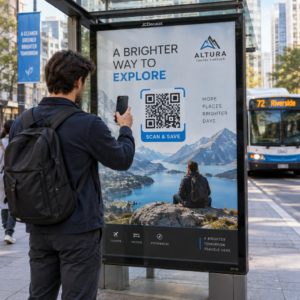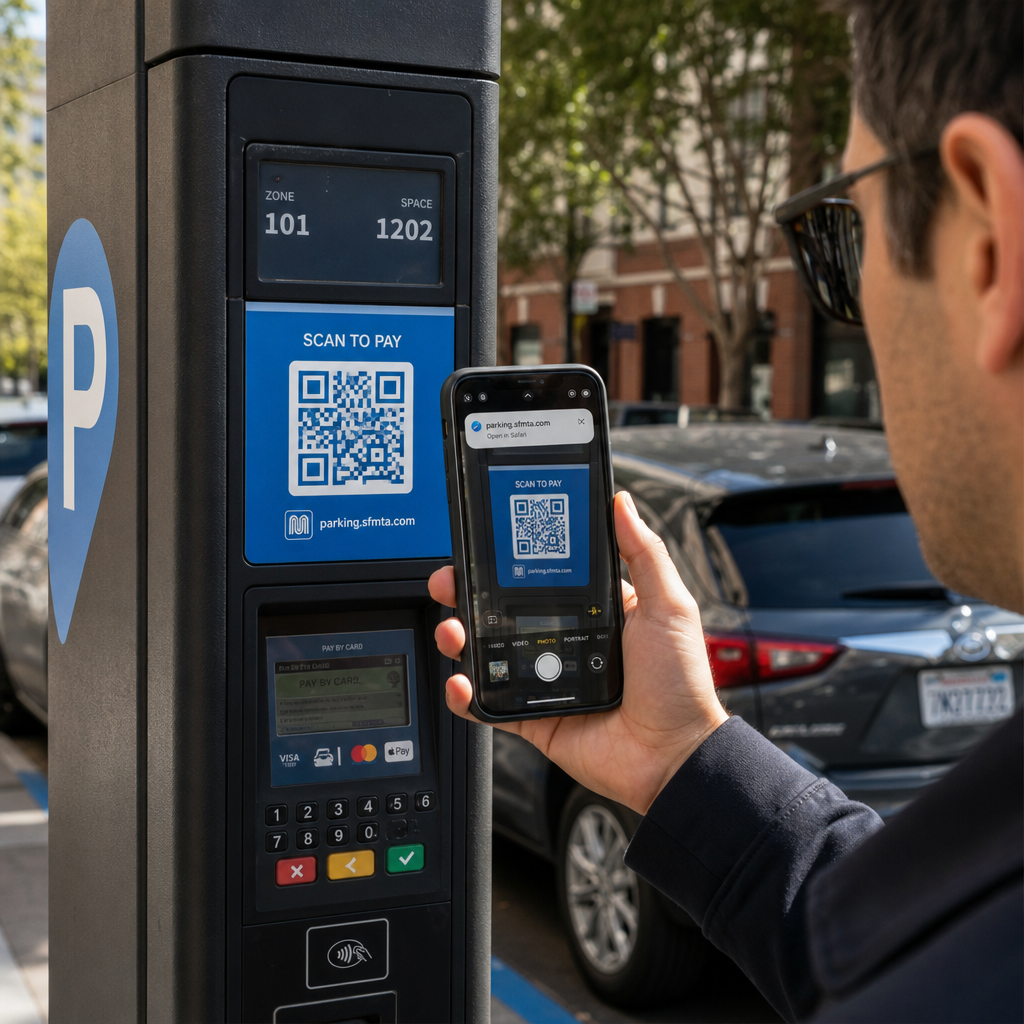
Ați scanat vreodată un cod QR la un parcometru sau pe un afiș, doar pentru a ezita înainte de a atinge linkul? Escrocii manipulează în mod obișnuit aceste pătrate alb-negru pentru a fura parole, a colecta detalii de plată sau a instala malware pe dispozitive neștiutoare. Învățarea modului de a inspecta codurile fizice, de a verifica previzualizările URL și de a recunoaște tacticile comune de înșelăciune vă va ajuta să scanați cu încredere deplină.
Cum funcționează escrocheriile cu coduri QR false
Codurile QR sunt în mod inerent opace. Spre deosebire de linkurile text standard, ochii umani nu pot decoda modelul de pixeli alb-negru pentru a vedea unde duce înainte de scanare. Infractorii cibernetici exploatează acest punct nevăzut prin phishing-ul cu coduri QR, adesea numit quishing.
Atacatorii plasează coduri QR false în mai multe puncte de contact comune:
- Plasarea de autocolante peste semnalistica legitimă: Escrocii suprapun coduri false peste parcometre existente, automate de bilete sau meniuri de restaurant pentru a redirecționa victimele către portaluri de plată clonate. Această tehnică a cauzat pierderi financiare pe scară largă în ultima perioadă Escrocherii cu coduri QR la parcare.
- Trimiterea de notificări nesolicitate despre colete: Escrocii livrează colete neașteptate sau corespondență fizică ce conține coduri QR care cer destinatarilor să verifice detalii personale sau preferințe de livrare pe site-uri frauduloase de furt de identitate.
- Integrarea codurilor în atașamente de e-mail malițioase: Infractorii cibernetici plasează coduri QR în facturi PDF sau e-mailuri de notificare urgentă pentru a ocoli filtrele standard de securitate ale e-mailului care caută linkuri text simplu, introducând riscuri serioase Riscuri de afaceri legate de phishing-ul cu coduri QR.
- Distribuirea de pliante promoționale false: Pliantele frauduloase oferă reduceri false sau anunțuri publice urgente pentru a-i presa pe utilizatori să scaneze coduri care declanșează descărcări periculoase de fișiere sau colectează credențiale de autentificare.
În fiecare caz, atacatorii exploatează familiaritatea și viteza interacțiunilor standard cu codurile QR pentru a ocoli prudența dvs. normală de securitate.
Semne de avertizare comune ale unui cod QR malițios
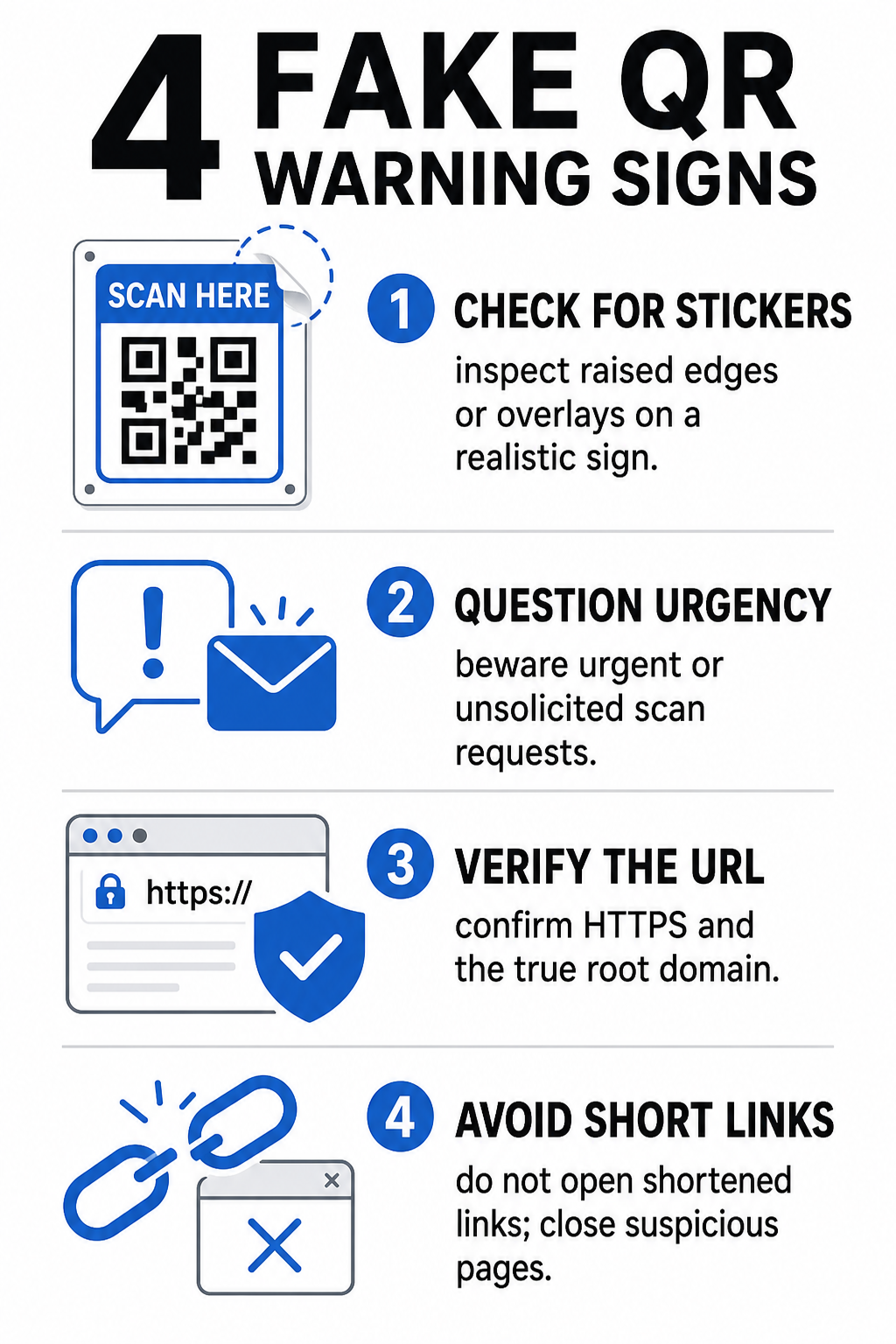
Identificarea unui cod QR fals necesită inspectarea atât a mediului fizic în care apare codul, cât și a structurii legăturii digitale din spatele acestuia.
| Categorie de risc | Ce să cauți | Amenințare potențială |
|---|---|---|
| Manipulare fizică | Marginile ridicate ale autocolantului, etichetele desprinse sau grafica nealiniată pe semnele fizice. | Înșelăciune prin suprapunere care te direcționează departe de sistemele legitime de sisteme de plată a parcării. |
| Mesaje nesolicitate | Email-uri, mesaje text sau scrisori urgente care solicită plata imediată prin cod QR. | Tentativă de phishing concepută pentru a te păcăli să introduci credențialele sub presiune. |
| Protocoale nesecurizate | URL-uri care încep cu `http://` necriptat, în loc de `https://` securizat. | Interceptare de date sau pagini de autentificare false care colectează credențiale. |
| Falsificare de domeniu | Nume de marcă scrise greșit, litere deplasate sau domenii de nivel superior necunoscute. | Site web falsificat, clonat pentru a imita portaluri autentice de companie. |
| Link-uri scurtate | Servicii generice de scurtare a link-urilor care ascund domeniul real al paginii de destinație. | Destinație ascunsă care ascunde malware sau redirecționări ilicite. |
Dacă observi oricare dintre aceste semne de avertizare, evită scanarea codului sau închide imediat fila browserului dacă linkul s-a deschis deja. Înțelegerea mai amplă a riscurile de confidențialitate ale codurilor QR ajută la clarificarea modului în care linkurile malițioase colectează metadate personale și informații de urmărire.
Cum să verifici în siguranță un URL de destinație înainte de a apăsa
Acordarea câtorva secunde pentru a inspecta destinația unui cod QR înainte de a-l deschide oferă o protecție puternică împotriva atacurilor de tip phishing.
- Inspectează previzualizarea camerei sau bannerul scanerului: Poziționează camera smartphone-ului tău peste cod și citește cu atenție domeniul URL previzualizat înainte de a-l atinge pentru a-l deschide.
- Verifică domeniul rădăcină pentru falsificare: Privește numele domeniului principal înainte de orice bare oblice sau subdomenii. De exemplu, `brandname.com.attacker-site.com` este controlat de un atacator, nu de brandul oficial. Fii atent la înlocuiri subtile de caractere, cum ar fi înlocuirea literei mici `l` cu numărul `1`.
- Evită descărcarea aplicațiilor direct din redirecționările QR: Căutați și descărcați aplicații direct din magazinul oficial de aplicații al dispozitivului dvs. în loc să aveți încredere într-un link furnizat de un cod QR.
- Navigați direct către portaluri web de încredere pentru plăți: Evitați să introduceți parole sau informații despre cardul de credit pe paginile accesate prin coduri QR nesolicitate. În schimb, deschideți browserul mobil și tastați manual adresa site-ului web oficial.
Testați Codurile Suspecte Online Doriți să previzualizați și să verificați în siguranță linkurile de destinație înainte de a le deschide pe smartphone-ul dvs.? Utilizați gratuit Pageloot QR Code Scanner pentru a încărca imagini cu coduri și a inspecta în siguranță conținutul destinației.
Pași Practici pentru Prevenirea Înșelătoriilor cu Coduri QR
Atât consumatorii individuali, cât și proprietarii de afaceri pot implementa practici de securitate structurate pentru a menține sigure punctele de contact fizice și digitale.
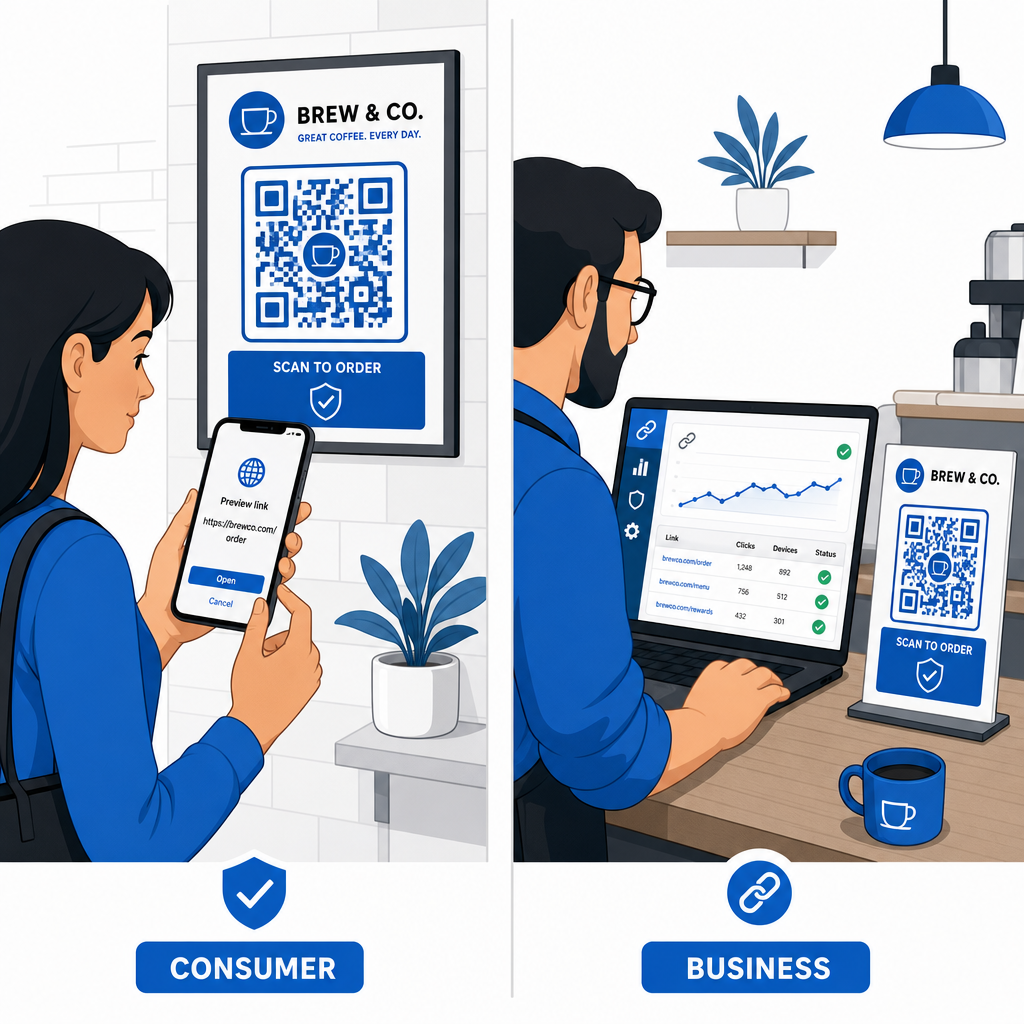
Ghid pentru Consumatorii Zilnici
- Verificați semnalizarea fizică pentru suprapuneri: Atingeți suprafața parcometrelor, a încărcătoarelor publice sau a afișelor pentru a vă asigura că niciun autocolant nu acoperă codul original.
- Tastați manual adresele web pentru tranzacții: Deschideți browserul web și tastați direct adresele URL oficiale atunci când plătiți facturile de utilități sau introduceți credențialele financiare.
- Activați autentificarea cu doi factori pentru toate conturile: Protejați-vă autentificările online cu un pas suplimentar de verificare, astfel încât parolele furate să nu poată acorda singure acces la cont.
- Raportați activitățile frauduloase către portalurile oficiale: Trimiteți rapoarte privind codurile sau înșelătoriile frauduloase autorităților locale și portalurilor oficiale de raportare, cum ar fi Centrul de Plângeri pentru Infracțiuni pe Internet al FBI (IC3) sau Comisia Federală pentru Comerț (FTC).
Ghid pentru Proprietarii de Afaceri
- Implementați coduri QR dinamice în campanii: Utilizați coduri QR dinamice pentru a menține controlul deplin asupra linkurilor de destinație, permițând actualizări imediate sau dezactivarea linkului dacă este detectată o amenințare.
- Aplicați branding personalizat și logo-uri vizuale: Personalizați designul codurilor cu logo-uri de companie și culori specifice brandului, făcând codurile dvs. semnificativ mai greu de replicat de către escroci cu autocolante generice.
- Implementați instrumente de monitorizare a securității pe mai multe niveluri: Combinați gestionarea securizată a codurilor QR cu instrumente specializate de securitate pentru întreprinderi, pentru a evalua linkurile primite și a detecta amenințările de phishing pe canalele corporative. Puteți consulta instrumente defensive dedicate în ghidul nostru despre instrumente specializate pentru a detecta phishing-ul cu coduri QR.
- Verificați punctele de contact fizice în mod regulat: Inspectați în mod regulat indicatoarele fizice, standurile de masă și chioșcurile pentru a detecta suprapuneri de autocolante sau manipulări fizice. Combinarea verificărilor fizice cu cele mai bune practici de securitate pentru plățile cu coduri QR păstrează încrederea clienților. Pentru o strategie organizațională completă, explorați analiza noastră despre cum să vă protejați afacerea de escrocheriile cu coduri QR.
Protejați-vă Interacțiunile Digitale cu Scanarea Inteligentă
Identificarea codurilor QR false se reduce la recunoașterea manipulării fizice, verificarea domeniilor de destinație și evitarea introducerii impulsive a datelor de conectare sau a trimiterilor de plată. Prin inspectarea previzualizărilor URL și bazându-vă pe adrese web verificate, vă puteți bucura în siguranță de comoditatea codurilor QR fără a vă compromite securitatea.
Atunci când analizați coduri QR necunoscute pe smartphone-ul sau computerul dumneavoastră, verificați conținutul acestora în siguranță înainte de a acționa. Utilizați aplicația web Pageloot QR Code Scanner pentru a previzualiza destinațiile codificate și a confirma instantaneu siguranța linkului.
Întrebări frecvente
Scanarea unui cod QR citește pur și simplu textul codificat, de obicei o adresă web. Doar scanarea codului rareori infectează direct un dispozitiv; cu toate acestea, accesarea link-ului previzualizat pentru a vizita un site web rău intenționat sau descărcarea unui fișier nesigur de pe acea pagină de destinație poate instala programe malware pe telefonul dvs.
Schimbați imediat parola pe site-ul web afectat și pe orice alt cont care partajează acele credențiale. Activați autentificarea cu doi factori imediat, notificați banca dacă au fost expuse detalii financiare și monitorizați rapoartele de credit pentru activitate nerecunoscută.
Codurile QR dinamice rutează traficul printr-o platformă de management securizată, în loc să încorporeze date de destinație fixe. Dacă o pagină web de destinație este compromisă sau necesită actualizare, administratorii pot modifica URL-ul de destinație sau pot dezactiva linkul de la distanță, fără a înlocui materialele fizice tipărite.