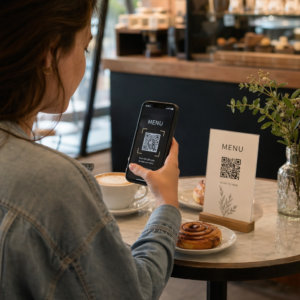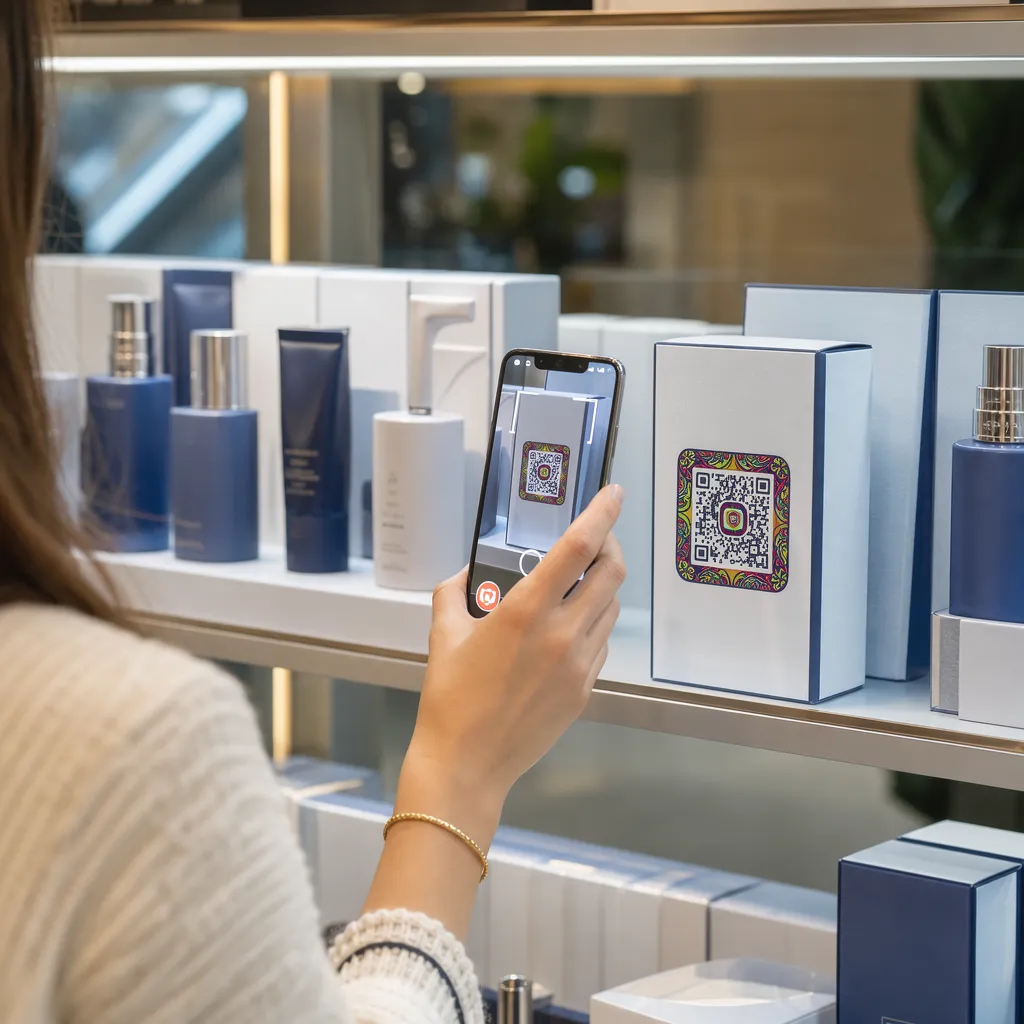

Nezaujímají vaše obaly produktů zákazníky, jakmile opustí regál? Omezená plocha na fyzických etiketách nutí značky vynechávat důležité pokyny, složení a propagační nabídky. Přidání dynamických QR kódů na obaly produktů propojuje fyzické položky s digitálními zážitky a zároveň zvyšuje sledovatelnou angažovanost zákazníků.
Co je interaktivní balení a proč je důležité?
Interaktivní balení využívá digitální vstupní body k propojení fyzických kontejnerů, krabic nebo obalů produktů s online obsahem. Místo spoléhání se pouze na statický tištěný text mohou značky proměnit každý obal v aktivní digitální komunikační kanál.
Moderní spotřebitelé očekávají okamžitou transparentnost a pohodlí. Ať už si kupující chtějí ověřit zdroj, podívat se na návody k instalaci produktu nebo se zapojit do věrnostního programu, fyzické štítky jen zřídka poskytují dostatek prostoru pro komplexní informace. Přidání digitálních kontaktních bodů řeší prostorová omezení fyzických obalů a zároveň poskytuje marketérům sledovatelný způsob měření interakce spotřebitelů po nákupu.
Maloobchodní standardy se také vyvíjejí směrem k 2D čárovým kódům. Globální organizace pro průmyslové standardy přecházejí k 2D kódům, které zvládají jak skenování v maloobchodních prodejních místech, tak i bohatou interakci se zákazníky. QR kódy na obalech produktů sladí vaše fyzické produkty s moderními požadavky maloobchodu a zároveň naváže přímé digitální spojení s vaší zákaznickou základnou.
5 způsobů, jak oslovit zákazníky pomocí QR kódů pro balení
Interaktivní obaly fungují nejlépe, když zákazníkovi ihned po naskenování poskytují jasnou hodnotu. QR kódy na obalech produktů můžete použít k podpoře zapojení zákazníka pěti praktickými způsoby:
- Předvádějte produkty s rozšířenou realitou (AR): Umožněte zákazníkům prohlížet si 3D modely produktů nebo interaktivní ukázky přímo na obrazovkách jejich chytrých telefonů. Umístění AR QR kód na primárním obalu umožňuje kupujícím vizualizovat produkty v jejich domácím prostředí nebo si prohlédnout vnitřní vlastnosti před rozbalením.
- Poskytněte recepty, návody a uživatelské příručky: Propojte kosmetiku, spotřebiče nebo nádoby na potraviny s video návody a podrobnými pokyny. Umístění QR kódů na balení potravin může nasměrovat domácí kuchaře k doporučením šéfkuchařů a nápadům na jídla, což spotřebitelům pomáhá okamžitě získat užitek z jejich nákupu.
- Sdílejte transparentnost složek a údaje o shodě s předpisy: Poskytněte kupujícím, kteří dbají na své zdraví, okamžitý přístup k nutričním údajům, záznamům o etických zdrojích nebo informacím o alergenech. Digitální vstupní stránky vám umožňují poskytnout kompletní informace o shodě s předpisy, aniž byste museli přeplňovat fyzické etikety grafickými prvky.
- Zvyšte počet registrací ve věrnostním programu a opakovaných nákupů: Nabídněte okamžité slevy, registrace k předplatnému nebo odkazy pro rychlé opětovné objednání. Zahrnutí cílených digitálních nabídek na sekundární obaly nebo přepravní krabice povzbuzuje nakupující k opětovné návštěvě vašeho obchodu, což pomáhá zvýšit zapojení zákazníků a celoživotní hodnota zákazníka.
- Sbírejte zpětnou vazbu od zákazníků v reálném čase: Ihned po rozbalení nasměrujte spotřebitele na krátké průzkumy zpětné vazby nebo platformy pro hodnocení. Shromažďování přímých názorů zákazníků vám pomůže včas identifikovat problémy s produktem a získat autentickou zpětnou vazbu od zákazníků k vaší značce.
Zaujměte své zákazníky elektronického obchodování hned po rozbalení Chcete zvýšit návštěvnost prodejny a opakované nákupy přímo z vašich přepravních krabic? Zjistěte, jak QR kódy pro elektronické obchodování vám pomohou vytvářet automatizované věrnostní kampaně a zvyšovat prodej.
Klíčové pokyny pro návrh a tisk obalových kódů
QR kód na obalu zvyšuje zapojení zákazníků pouze tehdy, pokud se naskenuje spolehlivě na první pokus. Tisk kódů na různé podklady – jako je vlnitá lepenka, průhledný plast nebo hliník – vyžaduje přesné designové standardy, aby se zabránilo chybám při skenování.
Poměry velikosti tisku a vzdálenosti
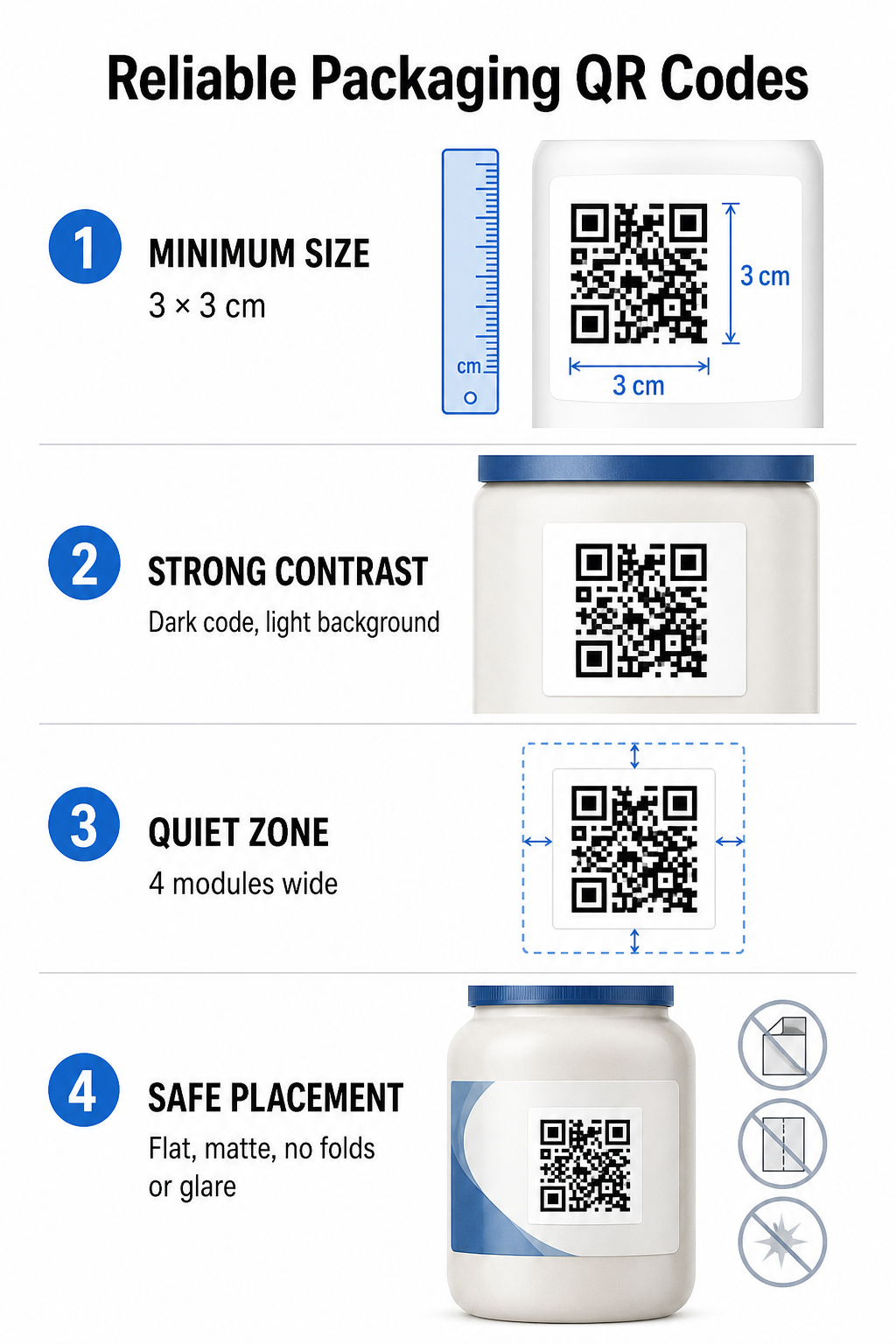
Pro zajištění spolehlivé skenovatelnosti tiskněte QR kódy v minimální fyzické velikosti 3 x 3 cm (1,2 x 1,2 palce) na spotřebitelském obalu. Pokud bude kód skenován z dálky, použijte poměr vzdálenosti k velikosti skenování 10:1: šířka kódu se musí rovnat alespoň jedné desetině očekávané skenovací vzdálenosti. Například kód určený ke skenování ze vzdálenosti 20 palců (50 cm) by měl mít rozměr alespoň 2 palce čtvereční.
Barevný kontrast a vizuální jasnost
Optické senzory kamery detekují QR kódy identifikací vzorů modulů s vysokým kontrastem. Vždy používejte tmavý vzor popředí (například černou nebo tmavě modrou) umístěný na světlém pozadí (například jednolité bílé nebo světlých neutrálních tónech). Vyhněte se červeným, oranžovým nebo pastelovým barvám popředí, protože senzory červeného spektra je obtížně detekují. Udržujte barvy vzorů jednolité a jednotné, vyhýbejte se přechodům, stínům nebo rušné grafice na pozadí.
Okraje klidové zóny
Kolem celé vnější hranice kódového vzoru udržujte prázdný a nerušený okraj, známý jako tichá zóna. Tento okraj musí měřit alespoň čtyřnásobek šířky jednoho QR modulu. Zahlcení QR kódu logy značek, grafickými okraji nebo textem brání softwaru mobilní kamery v identifikaci začátku a konce kódového vzoru.
Povrch a umístění materiálu
Fyzické umístění silně závisí na struktuře a materiálové úpravě vašeho obalu:
- Primární obaly (lahve, plechovky, sklenice): Kódy umisťujte pokud možno na rovné povrchy. Pokud tisknete na zakřivené obaly, mírně zvětšete celkovou velikost kódu, abyste kompenzovali vizuální zkreslení hran.
- Závěr a reflexe: Vyhněte se lesklým laminátům, reflexním fóliím nebo průhledným podkladům, které odrážejí okolní osvětlení v prodejně. Pro minimalizaci odlesků světla zvolte matné laky nebo matné nátěry.
- Záhyby a švy: Udržujte kódy mimo přehyby krabic, perforované odtrhávací proužky, švy obalů a okraje nádob, abyste zabránili fyzickému roztržení nebo deformaci.
Před zahájením velkých výrobních sérií si důkladně projděte Pravidla čitelnosti QR kódu a otestovat vytištěné fyzické nátisky pomocí fotoaparátů různých telefonů za různých světelných podmínek.
Dynamické vs. statické QR kódy pro balení
Výběr správné struktury QR kódu je klíčovým strategickým rozhodnutím při navrhování interaktivních obalů.
| FUNKCE | Statické QR kódy | Dynamické QR kódy |
|---|---|---|
| Úprava obsahu | Trvale fixováno při vytvoření; po tisku nelze upravit. | Cílový odkaz lze kdykoli aktualizovat na dashboardu bez nutnosti opětovného tisku. |
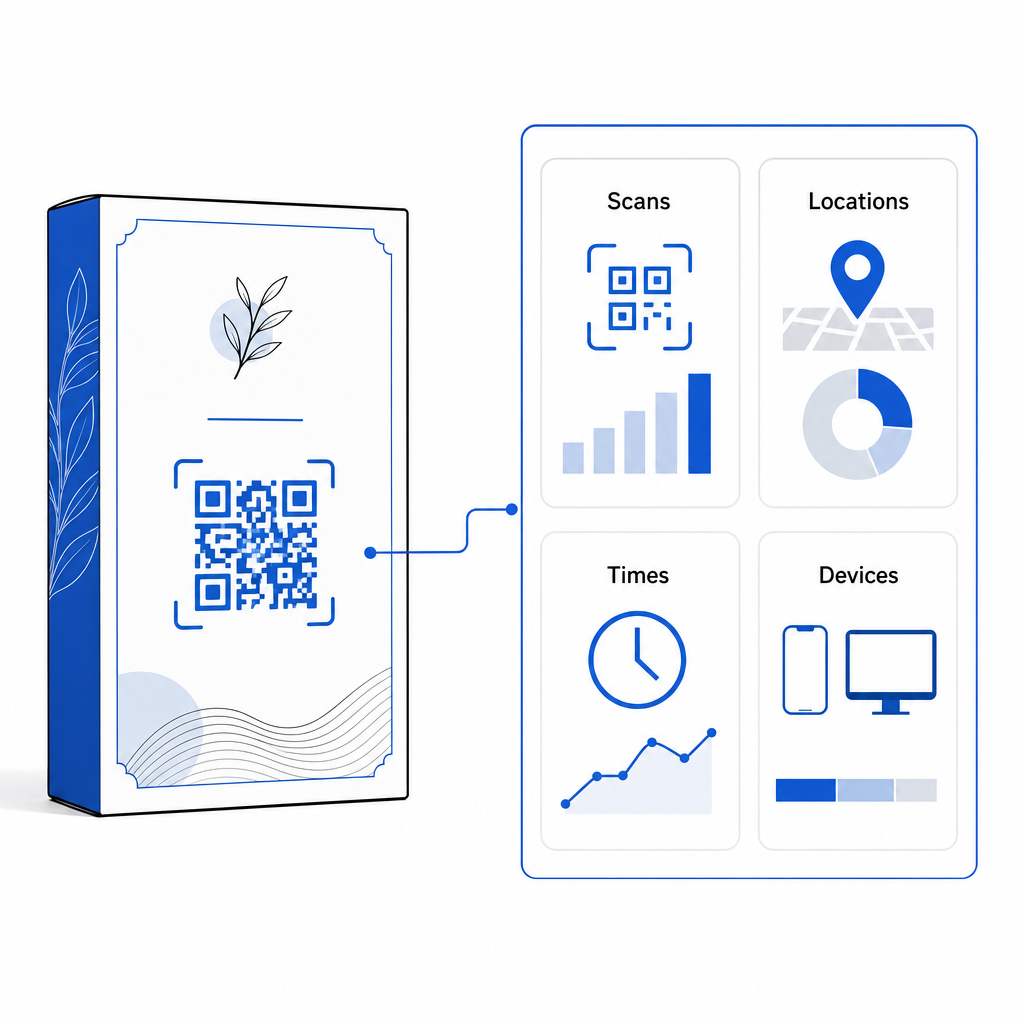
| Analýza skenů | Nejsou k dispozici žádná sledovací data ani metriky výkonu. | Sleduje celkový počet skenů, unikátní návštěvníky, časy skenování, umístění a typy zařízení. |
| Hustota vzorů kódu | Při kódování dlouhých cílových URL se vzor stává hustým a obtížně snímatelným. | Používá krátkou URL adresu pro přesměrování, čímž udržuje vzor modulu čistý a snadno skenovatelný. |
| Nákladová efektivita | Generování zdarma, ale v případě změny cílových URL riskujete nákladné přetisky obalů. | Vyžaduje placené předplatné, ale eliminuje náklady na dotisk obalů. |
Tisk statických kódů ve velkém objemu vytváří pro značky značná provozní rizika. Pokud se aktualizuje adresa URL propagační stránky, skončí sezónní kampaň nebo odkaz přestane fungovat, statické kódy na obaly se stanou nefunkčními a vaše firma si tak musí vybrat mezi nákladným dotiskem obalů a ztrátou důvěry zákazníků.
Používat Dynamický QR kód odděluje fyzicky vytištěný vzor kódu od jeho online cíle. Pokud se váš cílový odkaz nebo nabídka změní, jednoduše aktualizujete cílovou URL adresu v administračním panelu, aniž byste museli upravovat fyzickou grafiku.
Dynamické kódy také poskytují komplexní analýzu kampaní. Můžete sledovat objem skenování, hodiny špičkové aktivity, geografické polohy a typy uživatelských zařízení, abyste vyhodnotili, jak zákazníci interagují s vaším fyzickým balením. Pro udržení optimálního výkonu provádějte audity aktivních dynamických kódů každé 1 až 3 měsíce, abyste ověřili, že se všechny cílové stránky načítají rychle a zobrazují aktivní obsah.
Spravujte své kampaně s obaly z jednoho řídicího panelu Vyhněte se nákladným rizikům při opakovaném tisku vytvářením upravitelných dynamických kódů s analýzou v reálném čase. Začněte vytvářet sledovatelné obaly s Nástroj pro dynamické QR kódy Pageloot dnes.
Jak implementovat interaktivní QR kódy na obaly
- Definujte cíl kampaně: Určete konkrétní interakci se zákazníkem, kterou chcete podnítit, například zobrazení video tutoriálu, sběr recenzí po nákupu nebo nabídku slevy za věrnostní program.
- Vyberte generátor dynamických QR kódů: Nastavte si upravitelné adresy URL přesměrování, abyste si udrželi plnou kontrolu nad cílovým obsahem a zároveň zaznamenávali metriky skenování v reálném čase.
- Přizpůsobte v rámci pokynů značky: Použijte vysoce kontrastní barvy značky a vložte do nich logo vaší společnosti 25% kódové oblasti, čímž se zajistí, že kritické poziční značky zůstanou jasné.
- Uveďte přesvědčivou výzvu k akci: Vedle vzoru kódu umístěte jasný a srozumitelný text, například “Naskenujte pro sledování tutoriálu” nebo “Naskenujte a získejte slevu 20% na vaši další objednávku”.”
- Testování napříč fyzickými substráty a zařízeními: Tiskněte fyzické testovací vzorky na finální obalové materiály a otestujte skenovatelnost na zařízeních iOS a Android za různých světelných podmínek.
- Sledování a optimalizace analytických nástrojů kampaní: Projděte si data o poloze, zařízení a čase skenování v ovládacím panelu pro správu a zpřesněte marketingové strategie po nákupu.
Integrace QR kódů do obalů produktů proměňuje tradiční kontejnery v dynamické digitální kontaktní body, které podporují trvalou interakci se zákazníky. Spojením silného barevného kontrastu a jasných tichých zón s upravitelnými dynamickými odkazy chráníte své investice do tisku a zároveň získáváte cenné informace o publiku v reálném čase.
Jste připraveni vylepšit své balení na interaktivní digitální zážitek? Vytvořte si ještě dnes sledovatelné a plně přizpůsobitelné QR kódy pro vaše produktové balíčky. Generátor dynamických QR kódů Pageloot.
Často kladené otázky
Doporučená minimální velikost tisku pro QR kódy na obaly je 3 x 3 cm (1,2 x 1,2 palce). U zakřivených povrchů nebo kódů skenovaných z větší vzdálenosti dodržujte poměr vzdálenosti k velikosti 10:1, abyste zajistili spolehlivé skenování.
Ano, pokud používáte dynamické QR kódy. Dynamické kódy směrují provoz přes upravitelnou krátkou URL adresu, což vám umožňuje kdykoli aktualizovat cílové webové stránky, videa nebo digitální soubory bez nutnosti opětovného tisku fyzického obalu.
Umístěte QR kód na rovný, hladký povrch, mimo dosah švů obalů, záhybů a lesklých povrchů. Kód vždy umístěte vedle jasné výzvy k akci, aby nakupující věděli, jaký obsah mohou při skenování očekávat.