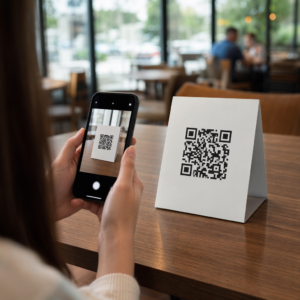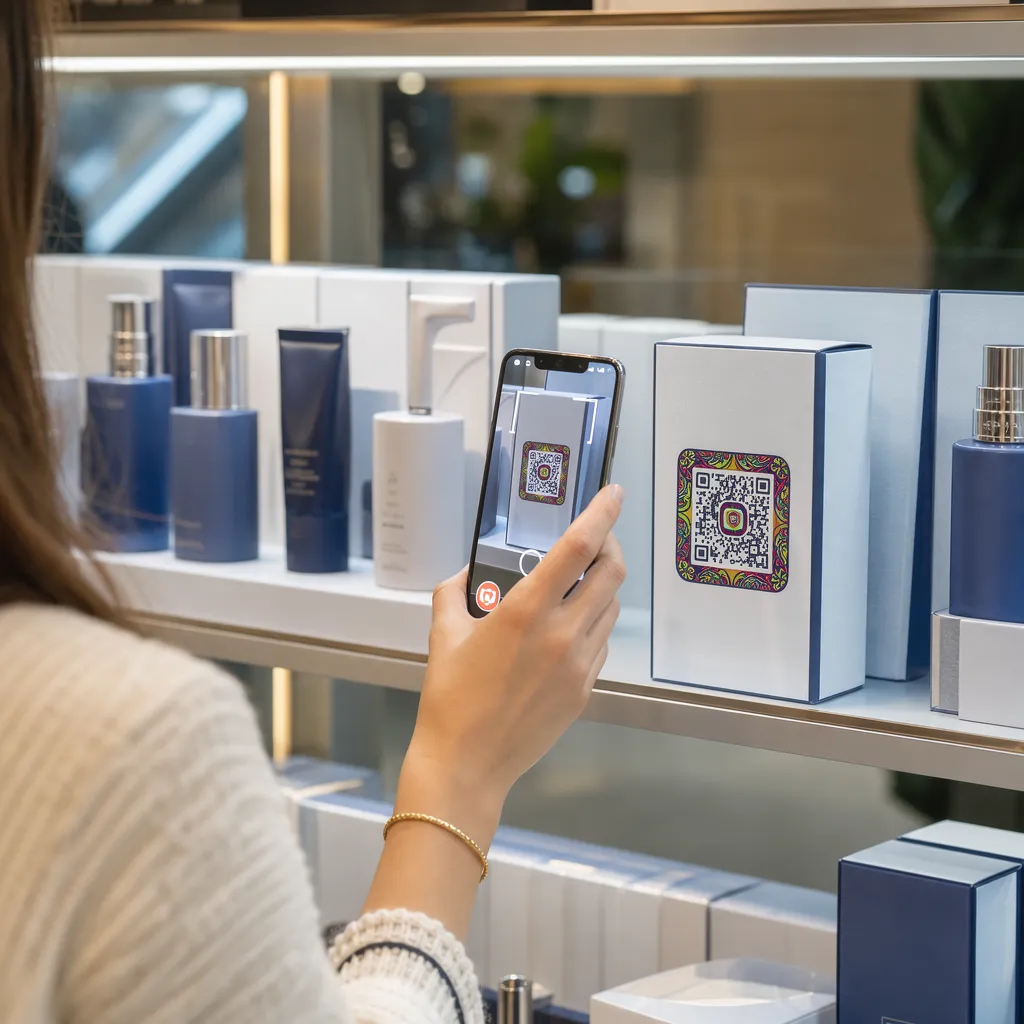

Apakah kemasan produk Anda gagal menarik perhatian pembeli setelah produk tersebut meninggalkan rak? Keterbatasan luas permukaan pada label fisik memaksa merek untuk menghilangkan instruksi penting, bahan-bahan, dan penawaran promosi. Menambahkan kode QR dinamis ke kemasan produk menghubungkan barang fisik dengan pengalaman digital sekaligus mendorong keterlibatan pelanggan yang dapat dilacak.
Apa Itu Kemasan Interaktif dan Mengapa Hal Itu Penting?
Kemasan interaktif menggunakan titik masuk digital untuk menghubungkan wadah produk fisik, kotak, atau pembungkus dengan konten daring. Alih-alih hanya mengandalkan teks cetak statis, merek dapat mengubah setiap kemasan menjadi saluran komunikasi digital yang aktif.
Konsumen modern mengharapkan transparansi dan kemudahan secara langsung. Baik pembeli ingin memverifikasi sumber produk, menonton tutorial pengaturan produk, atau bergabung dengan program loyalitas, label fisik jarang menyediakan ruang yang cukup untuk informasi yang komprehensif. Menambahkan titik kontak digital mengatasi keterbatasan ruang pada kemasan fisik sekaligus memberi pemasar cara yang dapat dilacak untuk mengukur interaksi konsumen setelah pembelian.
Standar ritel juga berkembang menuju barcode 2D. Organisasi standar industri global bergerak menuju kode 2D yang menangani pemindaian titik penjualan ritel dan keterlibatan konsumen yang kaya. Implementasi kode QR pada kemasan produk Menyelaraskan produk fisik Anda dengan persyaratan ritel modern sekaligus membangun koneksi digital langsung dengan basis pelanggan Anda.
5 Cara untuk Melibatkan Pelanggan dengan Kode QR pada Kemasan
Kemasan interaktif bekerja paling baik ketika memberikan nilai yang jelas kepada pelanggan segera setelah dipindai. Anda dapat menggunakan kode QR pada kemasan produk untuk mendorong keterlibatan dalam lima cara praktis:
- Mendemonstrasikan produk dengan realitas tertambah (AR): Izinkan pelanggan untuk melihat model produk 3D atau demonstrasi interaktif langsung di layar ponsel cerdas mereka. Menempatkan sebuah Kode QR AR Pada kemasan utama memungkinkan pembeli untuk memvisualisasikan produk di lingkungan rumah mereka atau melihat fitur internal sebelum membuka kemasan.
- Sediakan resep, tutorial, dan panduan pengguna: Hubungkan kosmetik, peralatan rumah tangga, atau wadah makanan dengan panduan video dan instruksi langkah demi langkah. Menempatkan kode QR pada kemasan makanan dapat mengarahkan juru masak rumahan ke rekomendasi koki dan ide menu makanan, membantu konsumen mendapatkan manfaat langsung dari pembelian mereka.
- Bagikan data transparansi dan kepatuhan bahan baku: Berikan akses instan kepada pembeli yang peduli kesehatan untuk mengetahui rincian nutrisi, catatan sumber bahan baku yang etis, atau informasi alergen. Halaman arahan digital memungkinkan Anda memberikan detail kepatuhan lengkap tanpa membebani desain label fisik.
- Dorong pendaftaran program loyalitas dan pembelian berulang: Tawarkan diskon langsung, pendaftaran berlangganan, atau tautan pemesanan ulang cepat. Menyertakan penawaran digital yang ditargetkan pada kemasan sekunder atau kotak pengiriman mendorong pembeli untuk mengunjungi kembali toko Anda, yang membantu meningkatkan keterlibatan pelanggan dan nilai seumur hidup pelanggan.
- Kumpulkan umpan balik pelanggan secara real-time: Arahkan konsumen ke survei umpan balik singkat atau platform ulasan segera setelah membuka kemasan. Mengumpulkan sentimen pelanggan secara langsung membantu Anda mengidentifikasi masalah produk sejak dini dan membangun umpan balik pelanggan yang autentik untuk merek Anda.
Libatkan Pelanggan E-Commerce Anda dalam Proses Unboxing Ingin meningkatkan kunjungan toko dan pembelian berulang langsung dari kotak pengiriman Anda? Jelajahi caranya QR code untuk e-commerce membantu Anda membangun kampanye loyalitas otomatis dan mendorong penjualan.
Pedoman Desain dan Pencetakan Utama untuk Kode Kemasan
Kode QR pada kemasan hanya akan meningkatkan keterlibatan pelanggan jika berhasil dipindai pada percobaan pertama. Mencetak kode pada berbagai substrat – seperti karton bergelombang, plastik transparan, atau aluminium – memerlukan standar desain yang tepat untuk mencegah kesalahan pemindaian.
Rasio Ukuran Cetak dan Jarak
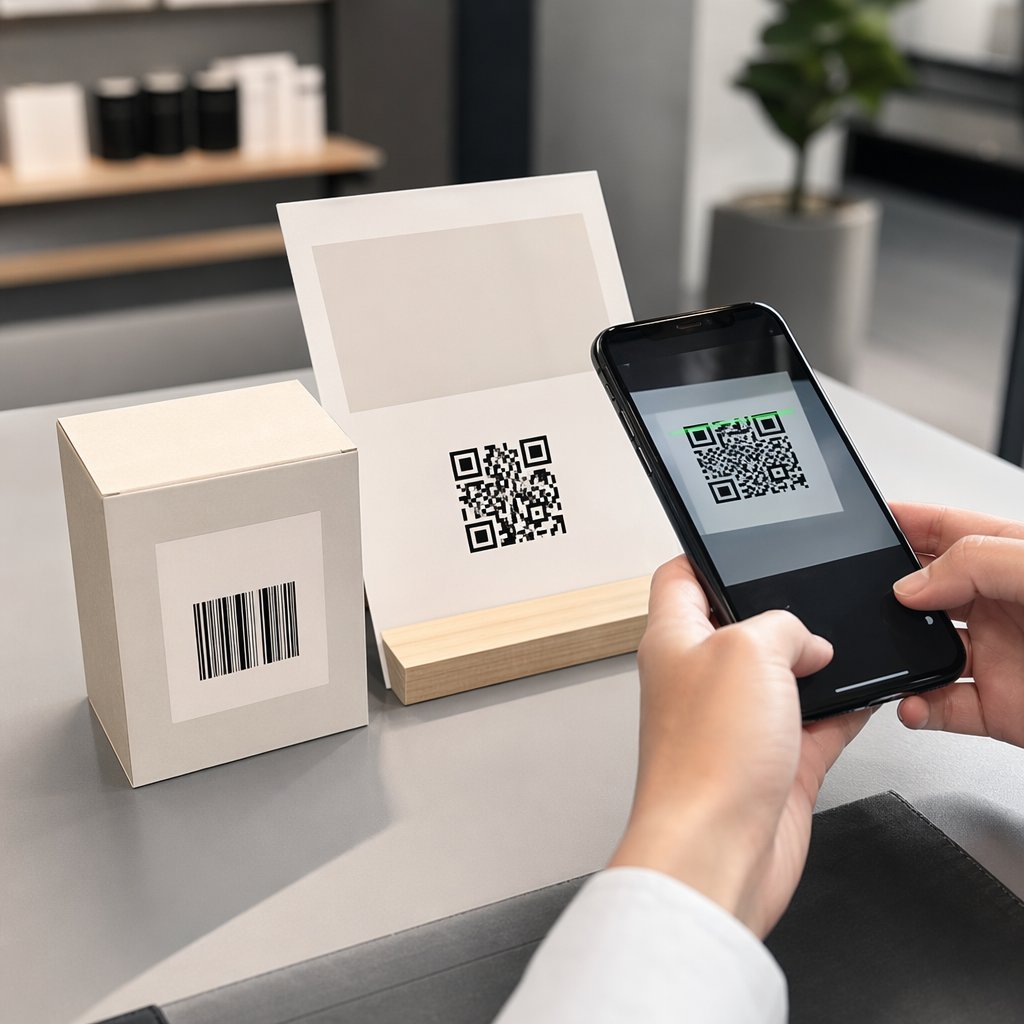
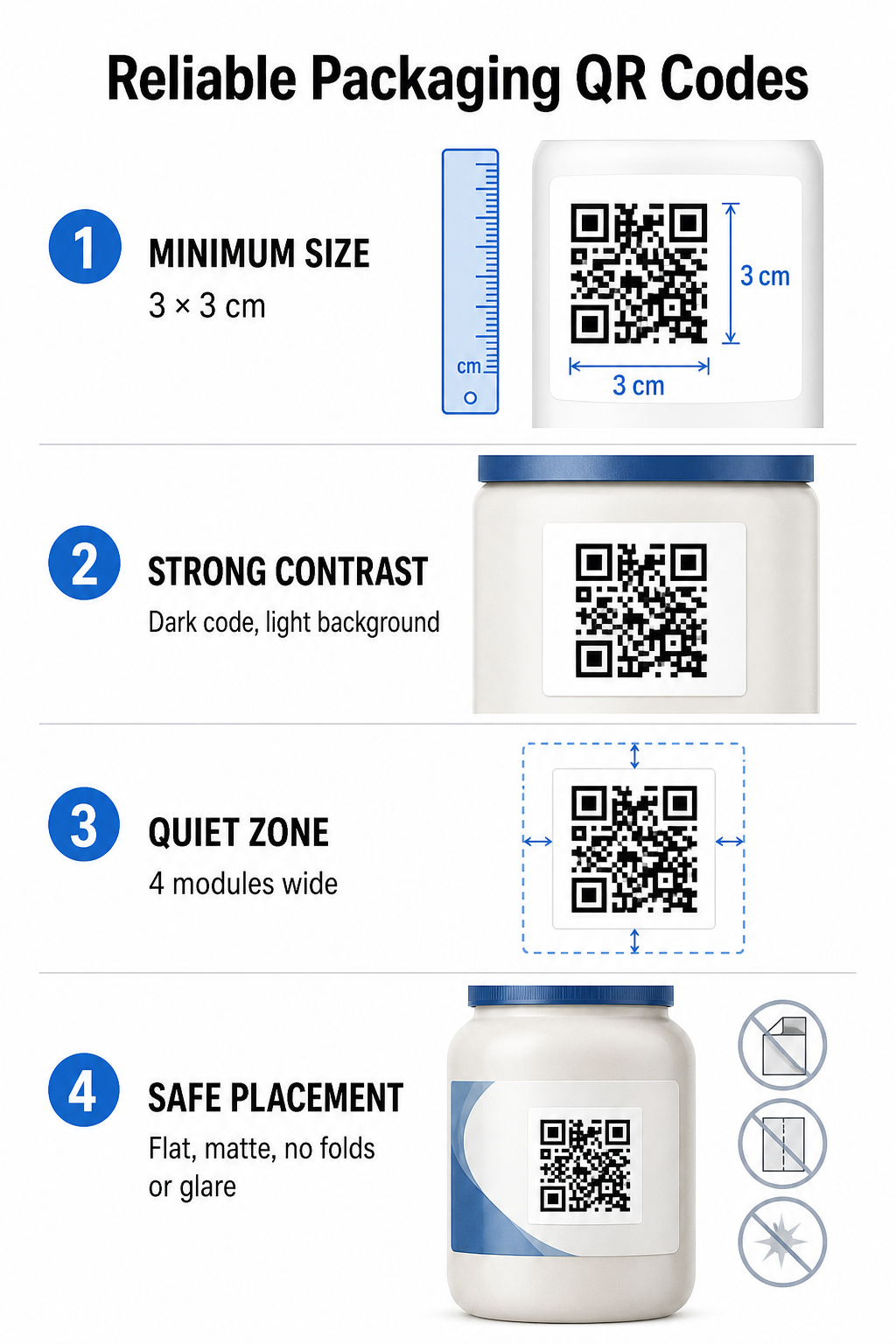
Untuk menjamin kemampuan pemindaian yang andal, cetak kode QR dengan ukuran fisik minimum sebesar... 3 x 3 cm (1,2 x 1,2 inci) Pada kemasan konsumen. Jika kode akan dipindai dari jarak jauh, terapkan rasio pemindaian jarak-ke-ukuran 10:1: lebar kode harus sama dengan setidaknya sepersepuluh dari jarak pemindaian yang diharapkan. Misalnya, kode yang dimaksudkan untuk dipindai dari jarak 20 inci harus berukuran setidaknya 2 inci persegi.
Kontras Warna dan Kejernihan Visual
Sensor kamera optik mendeteksi kode QR dengan mengidentifikasi pola modul kontras tinggi. Selalu gunakan pola latar depan gelap (seperti hitam atau biru tua) yang diletakkan di atas latar belakang terang (seperti putih polos atau warna netral terang). Hindari warna latar depan merah, oranye, atau pastel karena sensor spektrum merah kesulitan mendeteksinya. Jaga agar warna pola tetap solid dan seragam, hindari gradien, bayangan, atau grafik latar belakang yang ramai.
Batas Zona Tenang
Pertahankan ruang kosong dan rapi di sekeliling seluruh batas luar pola kode, yang dikenal sebagai zona tenang. Ruang ini harus berukuran minimal... empat kali lebar modul QR tunggal. Membanjiri kode QR dengan logo merek, bingkai grafis, atau teks isi akan mencegah perangkat lunak kamera ponsel mengidentifikasi di mana pola kode dimulai dan berakhir.
Permukaan dan Penempatan Material
Penempatan fisik sangat bergantung pada struktur dan lapisan material kemasan Anda:
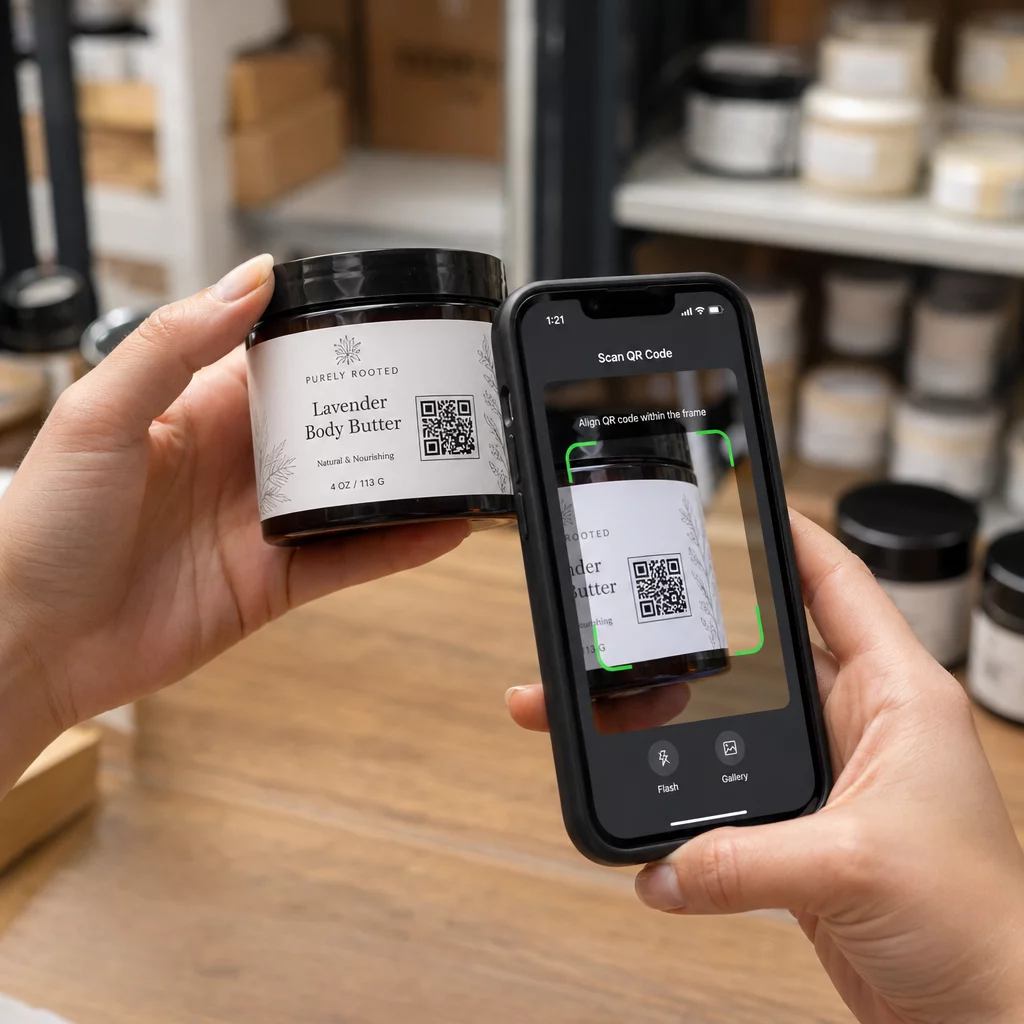
- Wadah utama (botol, kaleng, stoples): Letakkan kode pada permukaan datar jika memungkinkan. Jika mencetak pada wadah yang melengkung, perbesar sedikit ukuran kode secara keseluruhan untuk mengimbangi distorsi visual pada tepi.
- Kesimpulan dan refleksi: Hindari laminasi mengkilap, foil reflektif, atau substrat transparan yang memantulkan cahaya sekitar di toko. Pilih pernis matte atau lapisan kusam untuk meminimalkan silau cahaya.
- Lipatan dan jahitan: Jauhkan kode dari lipatan kotak, strip sobek berlubang, jahitan kemasan, dan tepi wadah untuk menghindari robekan atau distorsi fisik.
Sebelum memulai produksi dalam jumlah besar, tinjau secara detail. Aturan keterbacaan kode QR dan melakukan uji cetak pada hasil cetakan fisik menggunakan berbagai perangkat kamera ponsel di bawah beragam kondisi pencahayaan.
Kode QR Dinamis vs. Statis untuk Kemasan
Memilih struktur kode QR yang tepat merupakan keputusan strategis yang sangat penting saat mendesain kemasan interaktif.
| FITUR | Kode QR Statis | Kode QR Dinamis |
|---|---|---|
| Penyuntingan Konten | Ditetapkan secara permanen saat pembuatan; tidak dapat diubah setelah dicetak. | Tautan tujuan dapat diperbarui kapan saja di dasbor tanpa perlu mencetak ulang. |
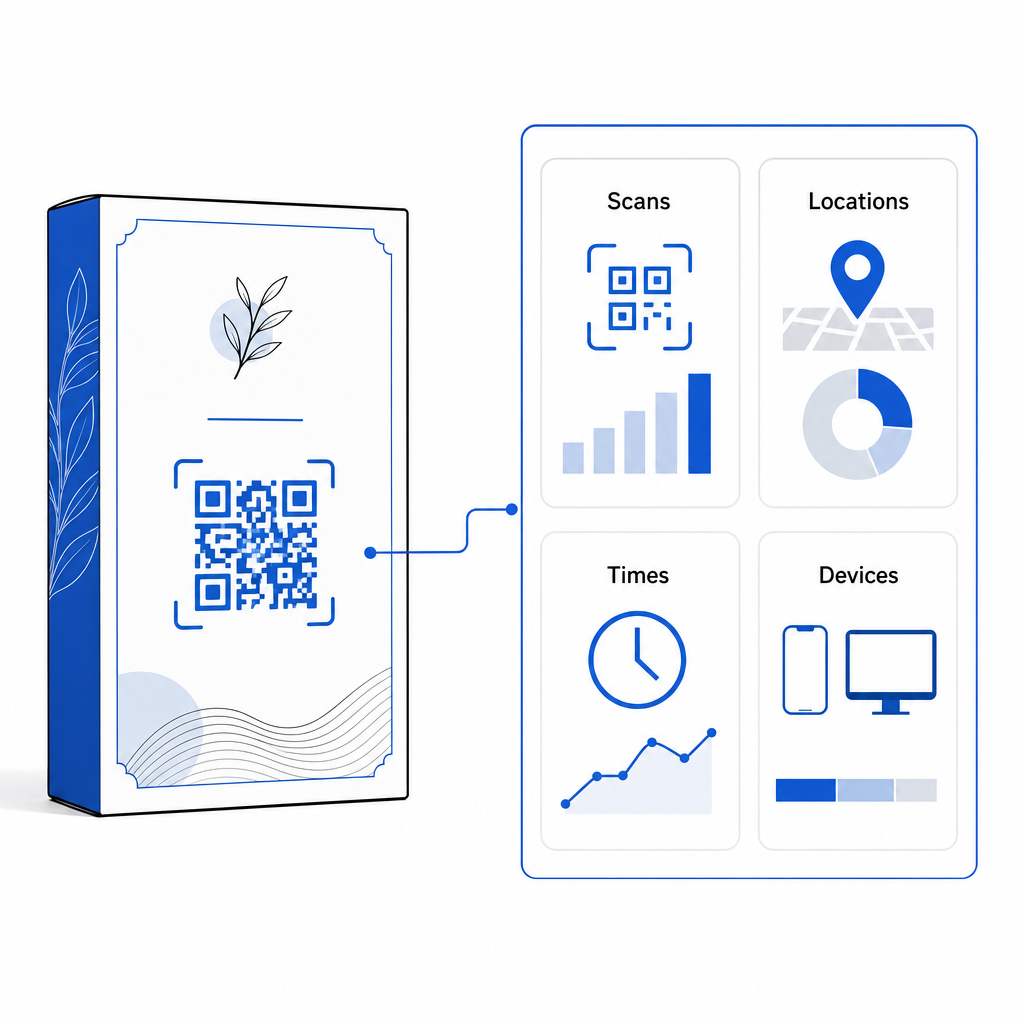
| Analitik Pindai | Tidak ada data pelacakan atau metrik kinerja yang tersedia. | Melacak total pemindaian, pengunjung unik, waktu pemindaian, lokasi, dan jenis perangkat. |
| Kepadatan Pola Kode | Pola menjadi padat dan sulit dipindai saat mengkodekan URL tujuan yang panjang. | Menggunakan URL pengalihan yang singkat, sehingga pola modul tetap bersih dan mudah dipindai. |
| Efisiensi Biaya | Gratis untuk dibuat, tetapi berisiko mengeluarkan biaya cetak ulang kemasan yang mahal jika URL tujuan berubah. | Membutuhkan langganan berbayar, tetapi menghilangkan biaya pencetakan ulang kemasan. |
Mencetak kode statis dalam jumlah besar menimbulkan risiko operasional yang signifikan bagi merek. Jika URL halaman promosi diperbarui, kampanye musiman berakhir, atau tautan rusak, kode kemasan statis menjadi tidak berfungsi, memaksa bisnis Anda untuk memilih antara pencetakan ulang kemasan yang mahal atau kehilangan kepercayaan pelanggan.
Menggunakan Generator QR Code Dinamis Memisahkan pola kode cetak fisik dari tujuan daringnya. Jika tautan tujuan atau penawaran Anda berubah, Anda cukup memperbarui URL tujuan di dasbor manajemen Anda tanpa mengubah karya seni fisik Anda.
Kode dinamis juga menyediakan analitik kampanye yang komprehensif. Anda dapat memantau volume pemindaian, jam aktivitas puncak, lokasi geografis, dan jenis perangkat pengguna untuk mengevaluasi bagaimana pelanggan berinteraksi dengan kemasan fisik Anda. Untuk mempertahankan kinerja optimal, lakukan audit kode dinamis aktif Anda setiap 1 hingga 3 bulan untuk memastikan semua halaman target dimuat dengan cepat dan menampilkan konten aktif.
Kelola Kampanye Pengemasan Anda dari Satu Dasbor Hindari risiko pencetakan ulang yang mahal dengan membuat kode dinamis yang dapat diedit dengan analitik waktu nyata. Mulailah membangun kemasan yang dapat dilacak dengan Alat kode QR dinamis Pageloot hari ini.
Cara Menerapkan Kode QR Interaktif pada Kemasan
- Tetapkan tujuan kampanye: Identifikasi interaksi pelanggan spesifik yang ingin Anda dorong, seperti menampilkan tutorial video, mengumpulkan ulasan setelah pembelian, atau menawarkan diskon loyalitas.
- Pilih generator kode QR dinamis: Siapkan URL pengalihan yang dapat diedit untuk mempertahankan kendali penuh atas konten tujuan sambil menangkap metrik pemindaian secara real-time.
- Sesuaikan dengan pedoman merek: Gunakan warna merek dengan kontras tinggi dan sematkan logo perusahaan Anda di dalamnya. 25% dari area kode, memastikan penanda posisi penting tetap jelas.
- Sertakan ajakan bertindak yang menarik: Cantumkan teks yang jelas dan eksplisit di samping pola kode, seperti “Pindai untuk menonton tutorial” atau “Pindai untuk mendapatkan diskon 20% pada pesanan Anda berikutnya.”
- Pengujian di berbagai substrat fisik dan perangkat: Cetak sampel uji fisik pada bahan kemasan akhir dan uji kemampuan pemindaian di berbagai perangkat iOS dan Android dalam kondisi pencahayaan yang berbeda.
- Pantau dan optimalkan analitik kampanye: Tinjau data lokasi pemindaian, perangkat, dan waktu di dasbor manajemen Anda untuk menyempurnakan strategi pemasaran pasca-pembelian.
Mengintegrasikan kode QR ke dalam kemasan produk mengubah wadah tradisional menjadi titik sentuh digital dinamis yang mendorong keterlibatan pelanggan secara berkelanjutan. Dengan memadukan kontras warna yang kuat dan zona tenang yang jelas dengan tautan dinamis yang dapat diedit, Anda melindungi investasi cetak Anda sekaligus menangkap wawasan audiens yang berharga secara real-time.
Siap untuk meningkatkan kemasan Anda menjadi pengalaman digital interaktif? Buat kode QR yang dapat dilacak dan sepenuhnya dapat disesuaikan untuk kemasan produk Anda hari ini juga dengan Generator kode QR dinamis Pageloot.
Pertanyaan yang sering diajukan
Ukuran cetak minimum yang direkomendasikan untuk kode QR kemasan adalah 3 x 3 cm (1,2 x 1,2 inci). Untuk permukaan melengkung atau kode yang dipindai dari jarak yang lebih jauh, ikuti rasio jarak-ke-ukuran 10:1 untuk menjaga pemindaian yang andal.
Ya, jika Anda menggunakan kode QR dinamis. Kode dinamis mengarahkan lalu lintas melalui URL pendek yang dapat diedit, memungkinkan Anda untuk memperbarui halaman web tujuan, video, atau file digital kapan saja tanpa mencetak ulang kemasan fisik.
Letakkan kode QR pada permukaan yang rata dan halus, jauh dari jahitan, lipatan, dan permukaan yang memantulkan cahaya. Selalu letakkan kode di samping ajakan bertindak (call-to-action) yang jelas agar pembeli tahu konten apa yang akan mereka dapatkan saat memindai.