
> 블로그 > How to Use QR Codes on Packaging for Interactive Engagement
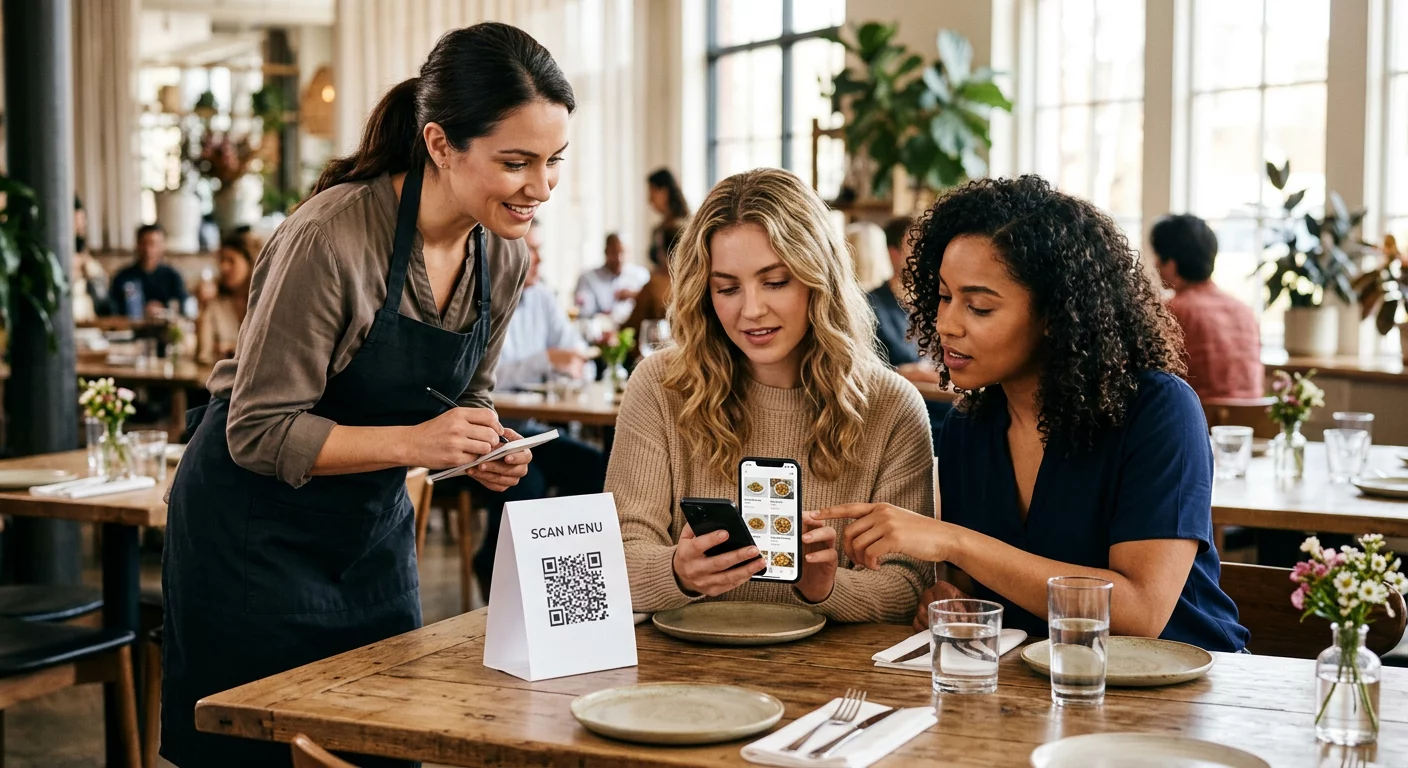
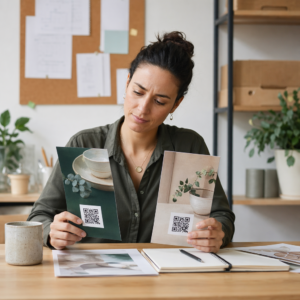
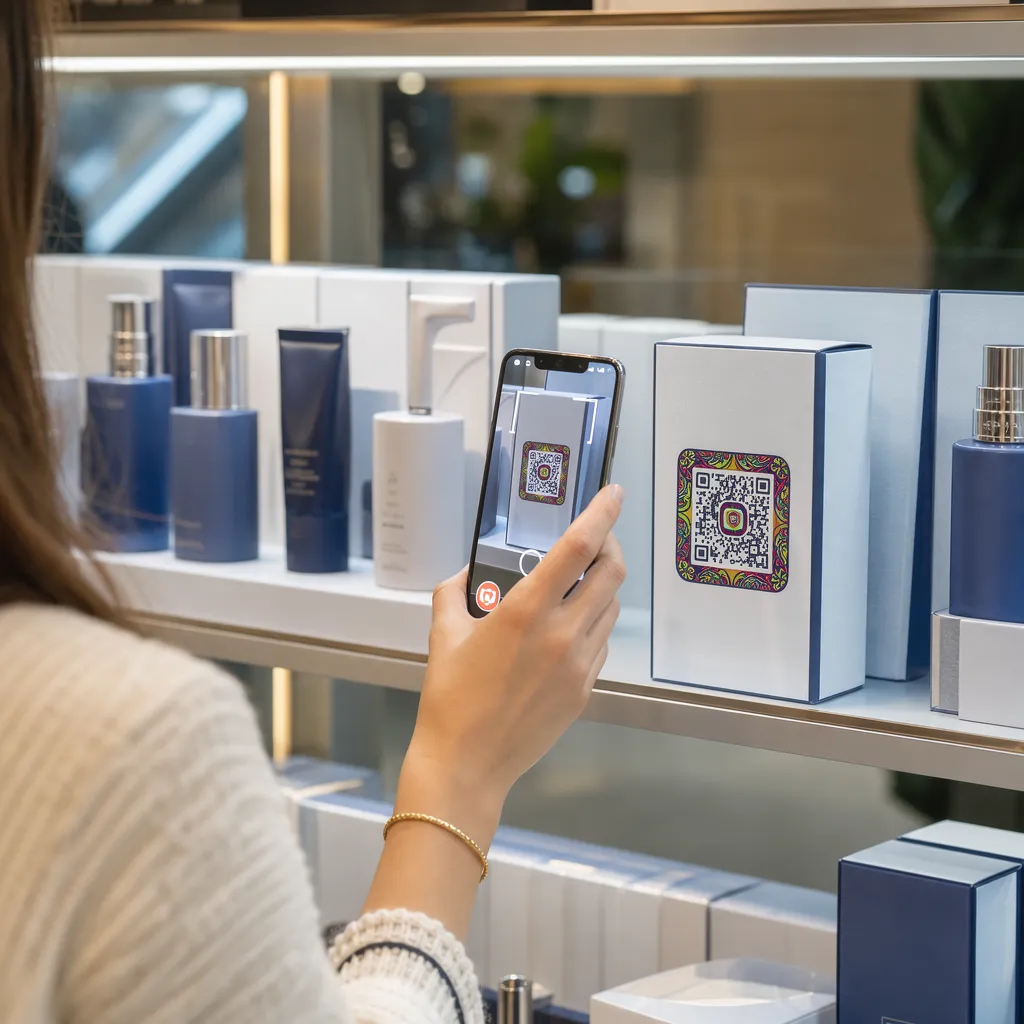
Scanning interactive product packaging

How to Use QR Codes on Packaging for Interactive Engagement

Learn how to use dynamic QR codes on product packaging to drive engagement, share tutorials, offer loyalty rewards, and collect real-time customer feedback.
Updated on 7월 27, 2026
목차

Are your product packages failing to engage shoppers once they leave the shelf? Limited surface area on physical labels forces brands to omit essential instructions, ingredients, and promotional offers. Adding dynamic QR codes to product packaging connects physical items with digital experiences while driving trackable customer engagement.

What Is Interactive Packaging and Why Does It Matter?

Interactive packaging uses digital entry points to connect physical product containers, boxes, or wrappers with online content. Instead of relying solely on static printed text, brands can turn every package into an active digital communication channel.

Modern consumers expect immediate transparency and convenience. Whether buyers want to verify sourcing, watch product setup tutorials, or join a loyalty program, physical labels rarely provide enough space for comprehensive information. Adding digital touchpoints solves space constraints on physical wrappers while giving marketers a trackable way to measure consumer interaction after purchase.

Retail standards are also evolving toward 2D barcodes. Global industry standards organizations are moving toward 2D codes that handle both retail point-of-sale scanning and rich consumer engagement. Implementing 제품 포장의 QR 코드를 스캔하여 aligns your physical products with modern retail requirements while establishing direct digital connections with your customer base.

5 Ways to Engage Customers with Packaging QR Codes

Interactive packaging works best when it delivers clear value to the customer immediately after scanning. You can use QR codes on product packaging to drive engagement in five practical ways:

  • Demonstrate products with augmented reality (AR): Allow customers to view 3D product models or interactive demonstrations directly on their smartphone screens. Placing an AR QR코드 on primary packaging lets buyers visualize products in their home environment or see internal features before unboxing.
  • Provide recipes, tutorials, and user guides: Connect cosmetics, appliances, or food containers to video walkthroughs and step-by-step instructions. Placing QR codes on food packaging can direct home cooks to chef recommendations and meal ideas, helping consumers get immediate utility from their purchase.
  • Share ingredient transparency and compliance data: Give health-conscious buyers instant access to nutritional breakdowns, ethical sourcing records, or allergen disclosures. Digital landing pages let you provide complete compliance details without overcrowding physical label artwork.
  • Drive loyalty sign-ups and repeat purchases: Offer immediate discounts, subscription enrollments, or quick reordering links. Including targeted digital offers on secondary packaging or shipping boxes encourages shoppers to revisit your store, which helps 고객 참여를 높입니다. and customer lifetime value.
  • Collect real-time customer feedback: Direct consumers to brief feedback surveys or review platforms right after unboxing. Gathering direct customer sentiment helps you identify product issues early and build authentic customer feedback for your brand.

Engage Your E-Commerce Customers On Unboxing Want to increase store visits and repeat purchases straight from your shipping boxes? Explore how 전자상거래용 QR 코드 help you build automated loyalty campaigns and drive sales.

Key Design and Printing Guidelines for Packaging Codes

A packaging QR code only drives customer engagement if it scans reliably on the first attempt. Printing codes across varied substrates – such as corrugated cardboard, clear plastic, or aluminum – requires precise design standards to prevent scan errors.

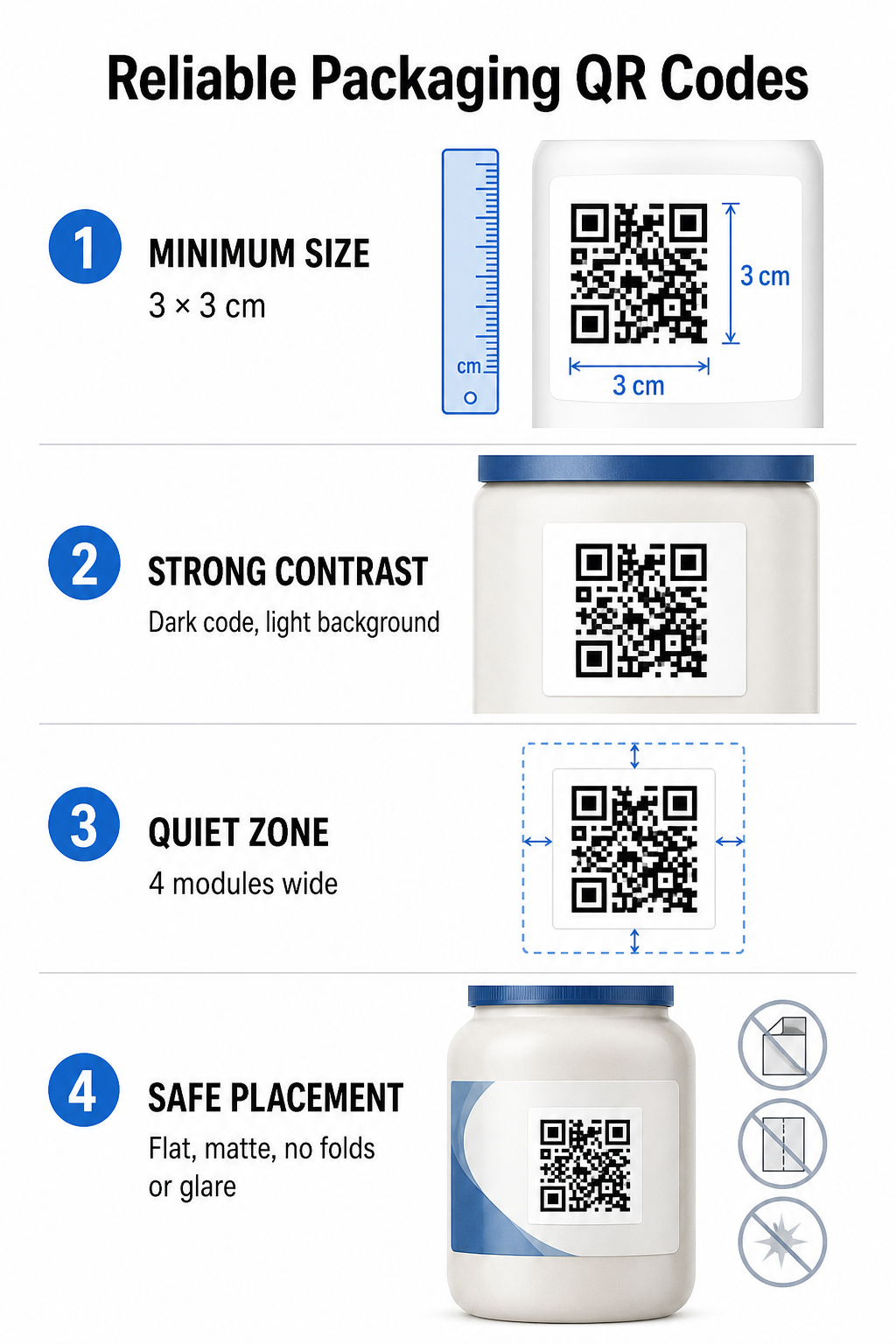
Packaging QR design guidelines

Print Size and Distance Ratios

To guarantee reliable scannability, print QR codes at a minimum physical size of 3 x 3 cm (1.2 x 1.2 inches) on consumer packaging. If a code will be scanned from a distance, apply the 10:1 distance-to-size scanning ratio: the code’s width must equal at least one-tenth of the expected scanning distance. For example, a code meant to be scanned from 20 inches away should measure at least 2 inches square.

Color Contrast and Visual Clarity

Optical camera sensors detect QR codes by identifying high-contrast module patterns. Always use a dark foreground pattern (such as black or navy) placed against a light background (such as solid white or light neutral tones). Avoid red, orange, or pastel foreground colors because red-spectrum sensors struggle to detect them. Keep pattern colors solid and uniform, avoiding gradients, shadows, or busy background graphics.

Quiet Zone Margins

Maintain an empty, uncluttered margin around the entire outer boundary of the code pattern, known as the quiet zone. This margin must measure at least four times the width of a single QR module. Crowding the QR code with brand logos, graphic borders, or body text prevents mobile camera software from identifying where the code pattern begins and ends.

Material Surface and Placement

Physical placement depends heavily on the structure and material finish of your package:

  • Primary containers (bottles, cans, jars): Position codes on flat surfaces whenever possible. If printing on curved containers, increase the overall code size slightly to compensate for visual edge distortion.
  • Finish and reflection: Avoid glossy laminates, reflective foils, or transparent substrates that reflect ambient retail lighting. Choose matte varnishes or dull coatings to minimize light glare.
  • Folds and seams: Keep codes clear of box folds, perforated tear strips, package seams, and container rims to avoid physical tearing or distortion.

Before starting large production runs, review detailed QR code readability rules and test printed physical proofs using multiple phone camera devices under diverse light settings.

Dynamic vs. Static QR Codes for Packaging

Selecting the correct QR code structure is a critical strategic decision when designing interactive packaging.

기능 정적 QR 코드 동적 QR 코드
Content Editing Fixed permanently at creation; cannot be modified after printing. Destination link can be updated anytime in a dashboard without reprinting.
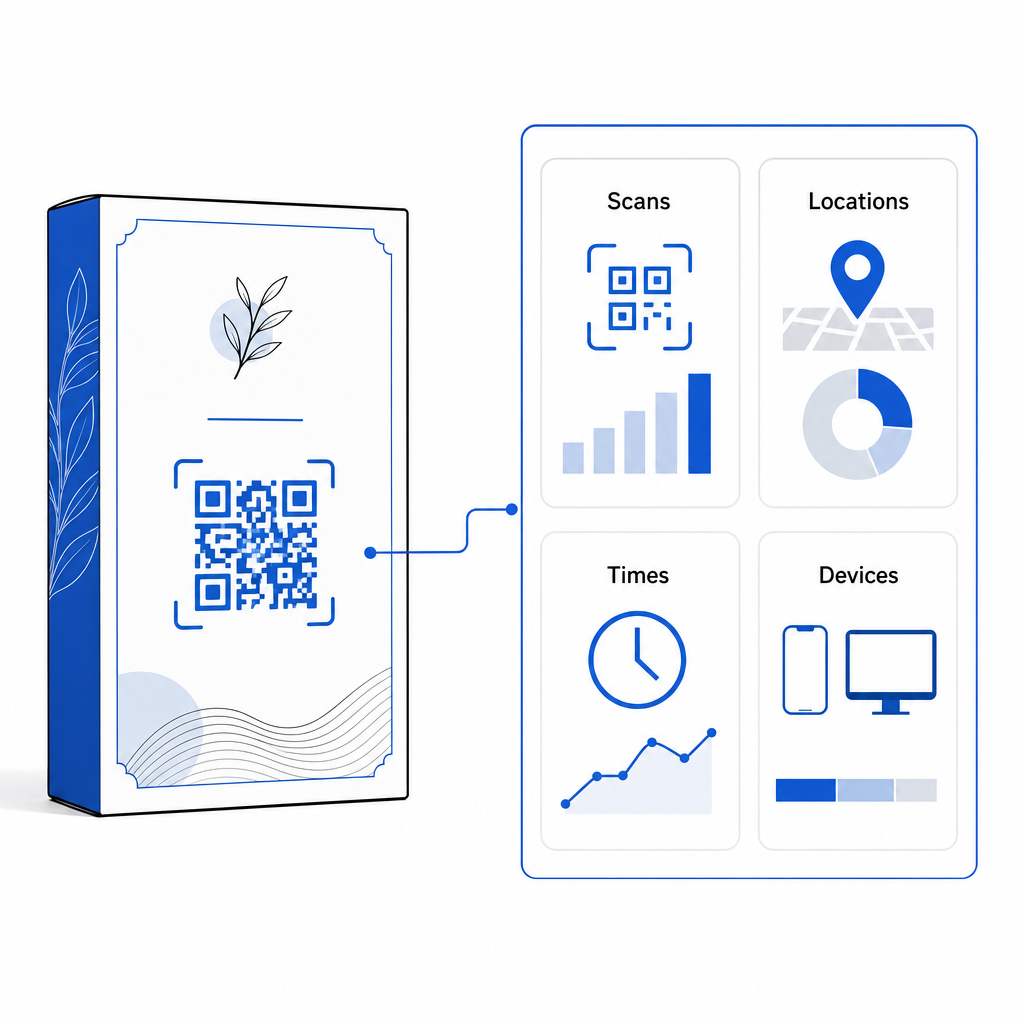
스캔 분석 No tracking data or performance metrics available. Tracks total scans, unique visitors, scan times, locations, and device types.
Code Pattern Density Pattern becomes dense and hard to scan when encoding long destination URLs. Uses a short redirect URL, keeping the module pattern clean and easy to scan.
비용 효율성 Free to generate, but risks costly packaging reprints if destination URLs change. Requires a paid subscription, but eliminates packaging reprint costs.

Printing static codes in high volume creates significant operational risks for brands. If a promotional page URL updates, a seasonal campaign ends, or a link breaks, static packaging codes become non-functional, forcing your business to choose between costly packaging reprints or lost customer confidence.

를 사용하여 동적 QR 코드 생성기 separates the physical printed code pattern from its online destination. If your destination link or offer changes, you simply update the destination URL in your management dashboard without modifying your physical artwork.

Dynamic codes also provide comprehensive campaign analytics. You can monitor scan volume, peak activity hours, geographic locations, and user device types to evaluate how customers interact with your physical packaging. To maintain optimal performance, conduct audits of your active dynamic codes every 1 to 3 months to confirm all target pages load quickly and display active content.

Dynamic QR campaign analytics

Manage Your Packaging Campaigns from One Dashboard Avoid costly reprint risks by creating editable dynamic codes with real-time analytics. Start building trackable packaging with the Pageloot dynamic QR code tool 에서 지금 바로 시작하세요.

How to Implement Interactive QR Codes on Packaging

  • Define the campaign objective: Identify the specific customer interaction you want to drive, such as displaying a video tutorial, collecting post-purchase reviews, or offering a loyalty discount.
  • Select a dynamic QR code generator: Set up editable redirect URLs to maintain full control over destination content while capturing real-time scan metrics.
  • Customize within brand guidelines: Apply high-contrast brand colors and embed your company logo within 25% of the code area, ensuring critical positioning markers remain clear.
  • Include a compelling call-to-action: Place explicit, clear text next to the code pattern, such as “Scan to watch tutorial” or “Scan for 20% off your next order.”
  • Test across physical substrates and devices: Print physical test samples on final packaging materials and test scannability across iOS and Android devices under varied lighting conditions.
  • Monitor and optimize campaign analytics: Review scan location, device, and timing data in your management dashboard to refine post-purchase marketing strategies.

Integrating QR codes onto product packaging turns traditional containers into dynamic digital touchpoints that drive ongoing customer engagement. By pairing strong color contrast and clear quiet zones with editable dynamic links, you protect your print investment while capturing valuable real-time audience insights.

Ready to upgrade your packaging into an interactive digital experience? Create trackable, fully customizable QR codes for your product packages today with the Pageloot dynamic QR code generator.

자주 묻는 질문

What is the minimum print size for a QR code on product packaging?

The recommended minimum print size for packaging QR codes is 3 x 3 cm (1.2 x 1.2 inches). For curved surfaces or codes scanned from further away, follow the 10:1 distance-to-size ratio to maintain reliable scanning.

Can I change the destination link after printing QR codes on packaging?

Yes, if you use dynamic QR codes. Dynamic codes route traffic through an editable short URL, allowing you to update destination web pages, videos, or digital files anytime without reprinting physical packaging.

Where is the best place to position a QR code on product packaging?

Position the QR code on a flat, smooth surface away from package seams, folds, and high-glare finishes. Always place the code next to a clear call-to-action so shoppers know what content to expect when scanning.

작성자 정보

시임 코스타비는 페이지루트의 콘텐츠 책임자입니다. 그는 페이지루트의 혁신적인 QR 코드 생성 서비스에 대한 글을 쓰고 있습니다. 5년 이상 QR 코드 분야에서 쌓아온 깊이 있는 전문 지식을 바탕으로, 시임은 이 분야의 전문가로 인정받고 있습니다. 그는 QR 기술을 활용하여 디지털 상호작용을 간소화하고 향상시키는 데 크게 기여하고 있습니다.

범주
에 대해 자세히 알아보기

온라인으로 QR 코드를 생성해야하는 경우 QR 코드 만들기 무료로 여기!
Pageloot는 #1 Go-To 솔루션 QR 코드를 만들고 스캔합니다.

BL-0321

블로그 세대

20,000개 이상의 브랜드로부터 신뢰를 받아 더 많은 매출, 리뷰, 팔로워를 확보했습니다.

클라이언트 로고
최고 브랜드의 신뢰
5 중 4.8 평가

4.86 / 5 별점

휴고 로랑
휴고 로랑
레스토랑 주인
가장 쉽고 안정적인 QR 코드 생성기. PDF 파일을 즉시 업로드할 수 있습니다. 이제 레스토랑 메뉴가 디지털화되었습니다.
루카스 얀센
루카스 얀센
부동산 개발사
이것은 훌륭한 도구이며 QR 코드를 사용하면 원하는 곳으로 이동할 수 있습니다. 우리는 위치 QR 코드만 사용하지만 유용한 기능이 너무 많습니다.
엠마 모레티
엠마 모레티
소매 제품
사용하기 쉽고 빠릅니다. 그것은 훌륭하게 작동하고 완벽한 이미지를 생성하므로 직원들이 내 vCard를 다운로드할 수 있습니다.
휴고 로랑
휴고 로랑
레스토랑 주인
가장 쉽고 안정적인 QR 코드 생성기. PDF 파일을 즉시 업로드할 수 있습니다. 이제 레스토랑 메뉴가 디지털화되었습니다.
루카스 얀센
루카스 얀센
부동산 개발사
이것은 훌륭한 도구이며 QR 코드를 사용하면 원하는 곳으로 이동할 수 있습니다. 우리는 위치 QR 코드만 사용하지만 유용한 기능이 너무 많습니다.
엠마 모레티
엠마 모레티
소매 제품
사용하기 쉽고 빠릅니다. 그것은 훌륭하게 작동하고 완벽한 이미지를 생성하므로 직원들이 내 vCard를 다운로드할 수 있습니다.
더 많은 QR 코드보기
QR 코드 생성기가 관광 산업을 보호하는 방법
QR 코드 구조 관광 산업
이미지 QR 코드 스캔
다음에서 QR 코드 만들기 이미지
무엇이든 디지털 경험으로 전환하세요 3분 이내에.

14일 무료 체험.

신용카드는 필요 없습니다.

첫 구매 시 30% 할인

코드를 사용하세요:

MP3 파일 공유

PDF QR 코드를 생성하려면 가입하세요

필요한 모든 것을 업로드하고 표시합니다.

  • 오디오 파일
  • 팟캐스트
  • 음악

가입 시 14일 무료 체험.
체험 기간 후 QR 코드 만료.

오디오 mp3 QR 코드를 생성하려면 가입하세요

프레임으로 더 많은 스캔 확보

QR 코드에 더 많은 프레임을 추가하려면 가입하세요

클릭 유도 문안 프레임은 고객이 QR 코드와 쉽게 상호 작용할 수 있도록 도와줍니다. 사용해 보세요!

가입 시 14일 무료 체험.
체험 기간 후 QR 코드 만료.

QR 코드에 더 많은 프레임을 추가하려면 가입하세요

도형으로 더 많은 스타일 추가

더 많은 도형을 만들려면 가입하세요

QR 코드는 정사각형일 필요가 없습니다. 브랜드 이미지에 맞게 전환해 보세요.

가입 시 14일 무료 체험.
체험 기간 후 QR 코드 만료.

더 많은 도형을 만들려면 가입하세요

QR 코드에 로고 추가

QR 코드에 로고를 추가하려면 가입하세요

로고와 브랜드를 추가하여 QR 코드를 돋보이게 만드세요.

가입 시 14일 무료 체험.
체험 기간 후 QR 코드 만료.

QR 코드에 로고를 추가하려면 가입하세요

스마트 앱 스토어 리디렉션

앱 스토어 QR 코드를 생성하려면 가입하세요

스마트 앱 스토어 QR 코드에 앱 링크를 추가하세요. 사용자는 장치에 따라 리디렉션됩니다.

가입 시 14일 무료 체험.
체험 기간 후 QR 코드 만료.

앱 스토어 QR 코드를 생성하려면 가입하세요

QR 코드에 이미지 업로드

이미지 QR 코드를 생성하려면 가입하세요

이미지를 쉽게 공유하세요. 몇 초 안에 동적으로 이미지를 변경하십시오.

가입 시 14일 무료 체험.
체험 기간 후 QR 코드 만료.

이미지 QR 코드를 생성하려면 가입하세요

PDF 파일 공유

PDF QR 코드를 생성하려면 가입하세요

필요한 모든 것을 업로드하고 표시합니다.

  • 메뉴 및 가격표
  • 명령
  • 모든 문서

가입 시 14일 무료 체험.
체험 기간 후 QR 코드 만료.

PDF QR 코드를 생성하려면 가입하세요

인쇄 없이 나중에 편집

다시 인쇄하지 않고 QR 코드를 편집하려면 가입하세요

동적 QR 코드를 사용하면 새 QR 코드를 인쇄하지 않고도 QR 코드의 내용을 변경할 수 있습니다.

가입 시 14일 무료 체험.
체험 기간 후 QR 코드 만료.

다시 인쇄하지 않고 QR 코드를 편집하려면 가입하세요

언제? 어디서? QR 코드 스캔 추적

QR 코드를 추적하려면 가입하세요

어떤 QR 코드가 가장 많이 스캔되고 무엇이 고객을 가장 흥분시키는지 알아보십시오.

가입 시 14일 무료 체험.
체험 기간 후 QR 코드 만료.

QR 코드를 추적하려면 가입하세요

인쇄 준비 파일 제공

PDF 및 SVG와 같은 벡터 QR 코드를 생성하려면 가입하세요.

.EPS, .PDF, .SVG

HD 해상도로 QR 코드를 다운로드하고 싶으신가요? 인쇄할 준비가 된 벡터 또는 픽셀 형식을 가져옵니다.

가입 시 14일 무료 체험.
체험 기간 후 QR 코드 만료.

PDF 및 SVG와 같은 벡터 QR 코드를 생성하려면 가입하세요.

기다리세요. 귀하의 QR 코드는 로드 중... 로드 중...

나만의 것으로 만들기

나중을 위해 QR 코드를 저장하려면 가입하세요.

다양한 색상, 로고 및 클릭 유도문안 프레임으로 멋진 QR 코드를 만들어 더 많은 스캔을 받으세요.

가입 시 14일 무료 체험.
체험 기간 후 QR 코드 만료.

나중을 위해 QR 코드를 저장하려면 가입하세요.