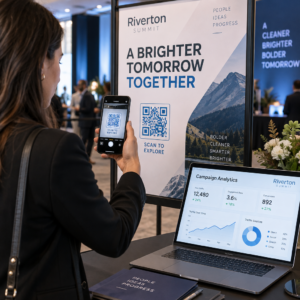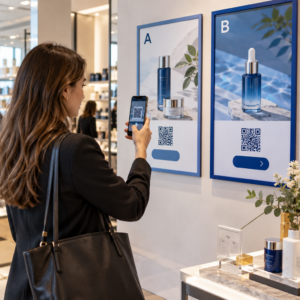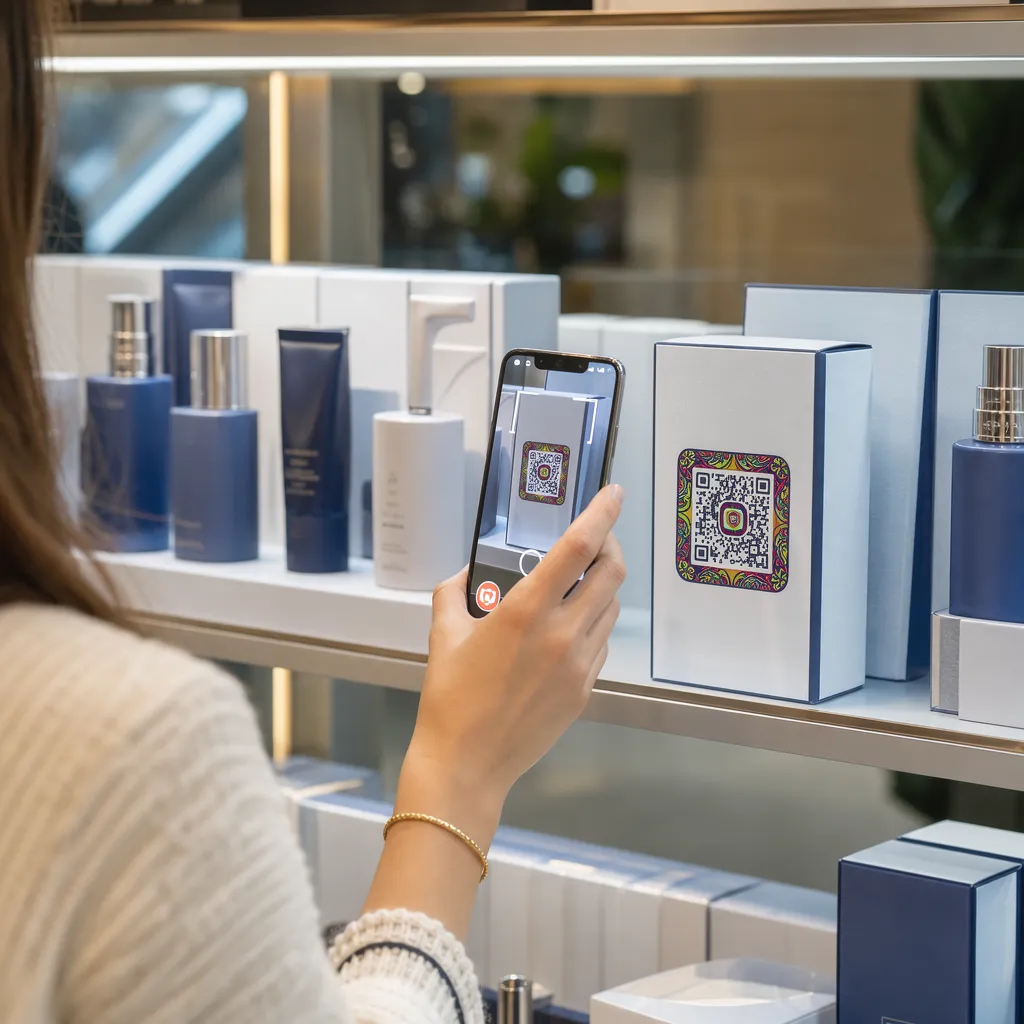

บรรจุภัณฑ์สินค้าของคุณไม่สามารถดึงดูดความสนใจของลูกค้าได้หลังจากที่สินค้าออกจากชั้นวางใช่หรือไม่? พื้นที่บนฉลากสินค้ามีจำกัด ทำให้แบรนด์ต่างๆ ต้องละเว้นข้อมูลสำคัญ เช่น คำแนะนำ ส่วนผสม และโปรโมชั่น การเพิ่มคิวอาร์โค้ดแบบไดนามิกบนบรรจุภัณฑ์สินค้าจะเชื่อมโยงสินค้าจริงกับประสบการณ์ดิจิทัล พร้อมทั้งกระตุ้นการมีส่วนร่วมของลูกค้าได้อย่างมีประสิทธิภาพ.
บรรจุภัณฑ์แบบอินเทอร์แอ็กทีฟคืออะไร และทำไมจึงสำคัญ?
บรรจุภัณฑ์แบบอินเทอร์แอ็กทีฟใช้ช่องทางดิจิทัลในการเชื่อมต่อบรรจุภัณฑ์ กล่อง หรือห่อสินค้ากับเนื้อหาออนไลน์ แทนที่จะพึ่งพาเฉพาะข้อความพิมพ์แบบคงที่ แบรนด์ต่างๆ สามารถเปลี่ยนบรรจุภัณฑ์ทุกชิ้นให้เป็นช่องทางการสื่อสารดิจิทัลที่ใช้งานได้จริง.
ผู้บริโภคยุคใหม่คาดหวังความโปร่งใสและความสะดวกสบายในทันที ไม่ว่าผู้ซื้อต้องการตรวจสอบแหล่งที่มา ดูวิดีโอแนะนำการตั้งค่าผลิตภัณฑ์ หรือเข้าร่วมโปรแกรมสะสมแต้ม ฉลากสินค้าแบบกระดาษมักมีพื้นที่ไม่เพียงพอสำหรับข้อมูลที่ครบถ้วน การเพิ่มจุดสัมผัสแบบดิจิทัลช่วยแก้ปัญหาข้อจำกัดด้านพื้นที่บนบรรจุภัณฑ์แบบกระดาษ ในขณะเดียวกันก็ช่วยให้นักการตลาดสามารถติดตามการมีปฏิสัมพันธ์กับผู้บริโภคหลังการซื้อได้.
มาตรฐานการค้าปลีกกำลังพัฒนาไปสู่บาร์โค้ด 2 มิติเช่นกัน องค์กรกำหนดมาตรฐานอุตสาหกรรมระดับโลกกำลังเปลี่ยนไปใช้รหัส 2 มิติที่รองรับทั้งการสแกน ณ จุดขายปลีกและการมีปฏิสัมพันธ์กับผู้บริโภคอย่างครบวงจร การนำไปใช้ รหัส QR บนบรรจุภัณฑ์ผลิตภัณฑ์ ปรับผลิตภัณฑ์ทางกายภาพของคุณให้สอดคล้องกับความต้องการของธุรกิจค้าปลีกสมัยใหม่ พร้อมทั้งสร้างการเชื่อมต่อดิจิทัลโดยตรงกับฐานลูกค้าของคุณ.
5 วิธีสร้างการมีส่วนร่วมกับลูกค้าด้วยรหัส QR บนบรรจุภัณฑ์
บรรจุภัณฑ์แบบอินเทอร์แอ็กทีฟจะได้ผลดีที่สุดเมื่อสามารถมอบมูลค่าที่ชัดเจนแก่ลูกค้าได้ทันทีหลังจากสแกน คุณสามารถใช้คิวอาร์โค้ดบนบรรจุภัณฑ์สินค้าเพื่อกระตุ้นการมีส่วนร่วมได้ 5 วิธี ดังนี้:
- สาธิตผลิตภัณฑ์ด้วยเทคโนโลยีความเป็นจริงเสริม (AR): อนุญาตให้ลูกค้าดูแบบจำลองผลิตภัณฑ์ 3 มิติหรือการสาธิตแบบโต้ตอบได้โดยตรงบนหน้าจอสมาร์ทโฟน การวาง รหัส QR AR การออกแบบบรรจุภัณฑ์หลักช่วยให้ผู้ซื้อเห็นภาพผลิตภัณฑ์ในสภาพแวดล้อมภายในบ้าน หรือเห็นคุณสมบัติภายในก่อนแกะกล่อง.
- จัดเตรียมสูตรอาหาร บทแนะนำ และคู่มือการใช้งาน: เชื่อมโยงเครื่องสำอาง เครื่องใช้ไฟฟ้า หรือภาชนะบรรจุอาหารเข้ากับวิดีโอแนะนำวิธีการใช้งานและคำแนะนำทีละขั้นตอน โดยการวางรหัส QR บน บรรจุภัณฑ์อาหาร สามารถแนะนำเชฟที่แนะนำและไอเดียเมนูอาหารให้กับผู้ที่ชอบทำอาหารที่บ้าน ช่วยให้ผู้บริโภคได้รับประโยชน์จากการซื้อของได้ทันที.
- เปิดเผยข้อมูลความโปร่งใสและการปฏิบัติตามข้อกำหนดของส่วนผสม: มอบข้อมูลโภชนาการ ข้อมูลแหล่งที่มาอย่างมีจริยธรรม หรือข้อมูลเกี่ยวกับสารก่อภูมิแพ้ให้แก่ผู้ซื้อที่ใส่ใจสุขภาพได้ทันที หน้าเว็บดิจิทัลช่วยให้คุณสามารถให้รายละเอียดการปฏิบัติตามกฎระเบียบได้อย่างครบถ้วนโดยไม่ต้องทำให้ภาพบนฉลากสินค้าดูรกจนเกินไป.
- กระตุ้นการสมัครสมาชิกและส่งเสริมการซื้อซ้ำ: เสนอส่วนลดทันที การสมัครสมาชิก หรือลิงก์สั่งซื้อซ้ำอย่างรวดเร็ว การใส่ข้อเสนอพิเศษทางดิจิทัลลงในบรรจุภัณฑ์รองหรือกล่องจัดส่งจะช่วยกระตุ้นให้ผู้ซื้อกลับมาที่ร้านค้าของคุณ ซึ่งจะช่วยให้... เพิ่มการมีส่วนร่วมของลูกค้าได้อย่างมาก และมูลค่าตลอดอายุการใช้งานของลูกค้า.
- รวบรวมความคิดเห็นของลูกค้าแบบเรียลไทม์: แนะนำให้ผู้บริโภคทำแบบสำรวจความคิดเห็นหรือแพลตฟอร์มรีวิวสั้นๆ ทันทีหลังจากแกะกล่อง การรวบรวมความคิดเห็นจากลูกค้าโดยตรงจะช่วยให้คุณระบุปัญหาของผลิตภัณฑ์ได้ตั้งแต่เนิ่นๆ และสร้างความคิดเห็นจากลูกค้าที่แท้จริงสำหรับแบรนด์ของคุณ.
ดึงดูดลูกค้าอีคอมเมิร์ซของคุณด้วยประสบการณ์การแกะกล่องสินค้า ต้องการเพิ่มจำนวนผู้เข้าชมร้านค้าและการซื้อซ้ำโดยตรงจากกล่องสินค้าของคุณหรือไม่? มาดูวิธีการกันเลย รหัส QR สำหรับอีคอมเมิร์ซ ช่วยคุณสร้างแคมเปญสะสมแต้มอัตโนมัติและเพิ่มยอดขาย.
หลักเกณฑ์สำคัญในการออกแบบและพิมพ์รหัสบนบรรจุภัณฑ์
รหัส QR บนบรรจุภัณฑ์จะดึงดูดความสนใจของลูกค้าได้ก็ต่อเมื่อสามารถสแกนได้อย่างน่าเชื่อถือในครั้งแรก การพิมพ์รหัสลงบนวัสดุที่หลากหลาย เช่น กระดาษลูกฟูก พลาสติกใส หรืออะลูมิเนียม จำเป็นต้องมีมาตรฐานการออกแบบที่แม่นยำเพื่อป้องกันข้อผิดพลาดในการสแกน.
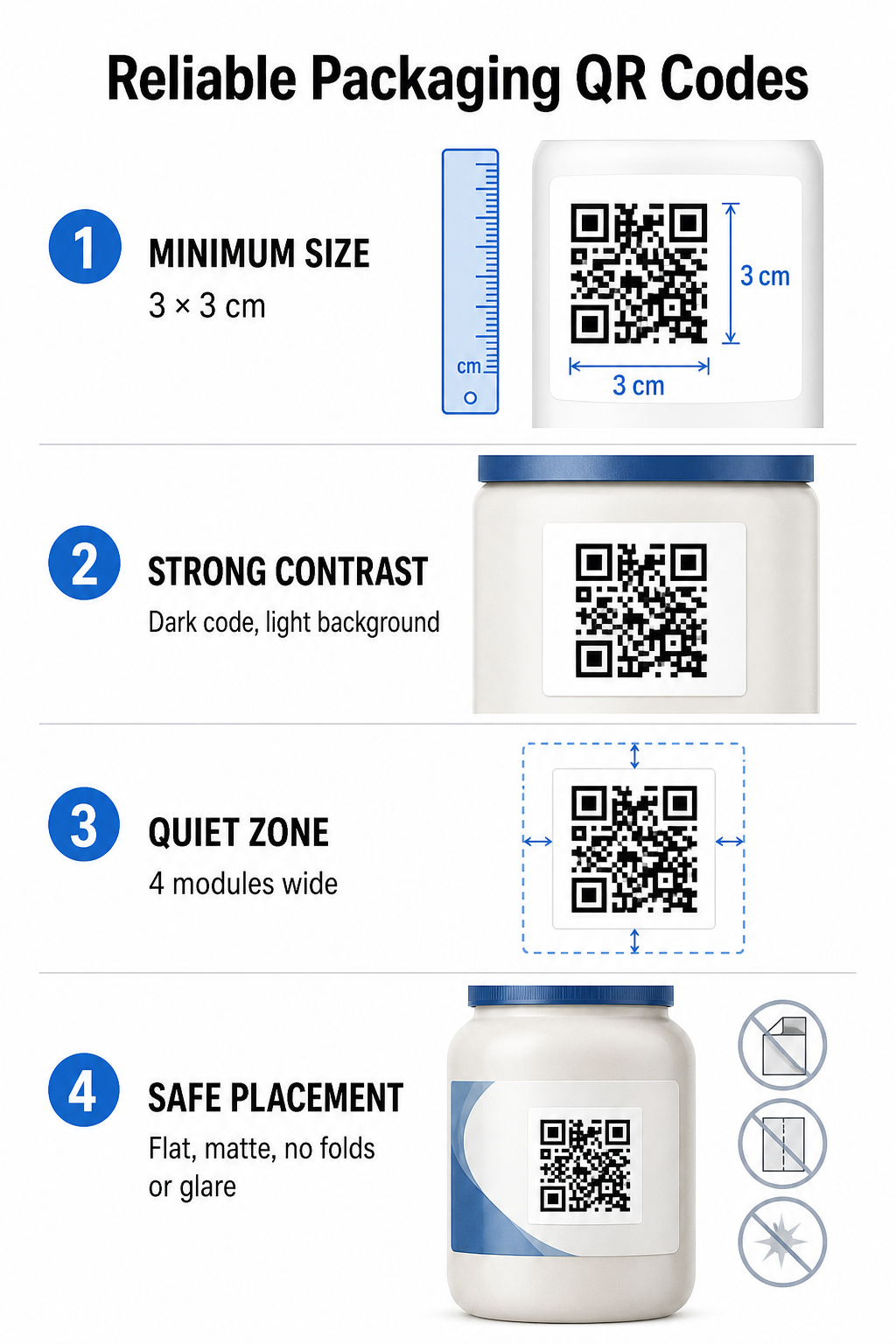
อัตราส่วนขนาดการพิมพ์และระยะห่าง
เพื่อให้มั่นใจได้ว่าสามารถสแกนได้อย่างน่าเชื่อถือ ควรพิมพ์คิวอาร์โค้ดโดยมีขนาดทางกายภาพขั้นต่ำดังนี้ 3 x 3 ซม. (1.2 x 1.2 นิ้ว) บนบรรจุภัณฑ์สำหรับผู้บริโภค หากจะสแกนรหัสจากระยะไกล ให้ใช้สัดส่วนระยะทางต่อขนาด 10:1 กล่าวคือ ความกว้างของรหัสต้องมีอย่างน้อยหนึ่งในสิบของระยะการสแกนที่คาดไว้ ตัวอย่างเช่น รหัสที่ออกแบบมาเพื่อสแกนจากระยะ 20 นิ้ว ควรมีขนาดอย่างน้อย 2 นิ้วสี่เหลี่ยมจัตุรัส.
ความแตกต่างของสีและความคมชัดของภาพ
เซ็นเซอร์กล้องแบบออปติคอลตรวจจับคิวอาร์โค้ดโดยการระบุรูปแบบโมดูลที่มีความคมชัดสูง ควรใช้รูปแบบพื้นหน้าสีเข้ม (เช่น สีดำหรือสีกรมท่า) วางบนพื้นหลังสีอ่อน (เช่น สีขาวทึบหรือโทนสีกลางอ่อนๆ) เสมอ หลีกเลี่ยงสีแดง สีส้ม หรือสีพาสเทล เพราะเซ็นเซอร์ในช่วงสเปกตรัมสีแดงตรวจจับสีเหล่านี้ได้ยาก ควรใช้สีรูปแบบที่สม่ำเสมอและทึบ หลีกเลี่ยงการไล่ระดับสี เงา หรือกราฟิกพื้นหลังที่ซับซ้อน.
ขอบเขตเขตเงียบ
รักษาระยะขอบที่ว่างเปล่าและไม่รกไว้รอบขอบด้านนอกทั้งหมดของรูปแบบโค้ด ซึ่งเรียกว่าโซนเงียบ ระยะขอบนี้ต้องมีขนาดอย่างน้อย กว้างเป็นสี่เท่าของโมดูล QR เดี่ยว. การใส่โลโก้แบรนด์ ขอบกราฟิก หรือข้อความจำนวนมากเข้าไปในคิวอาร์โค้ด จะทำให้ซอฟต์แวร์กล้องของมือถือไม่สามารถระบุจุดเริ่มต้นและจุดสิ้นสุดของรูปแบบโค้ดได้.
พื้นผิววัสดุและการจัดวาง
การจัดวางตำแหน่งทางกายภาพขึ้นอยู่กับโครงสร้างและวัสดุที่ใช้ทำบรรจุภัณฑ์ของคุณเป็นอย่างมาก:
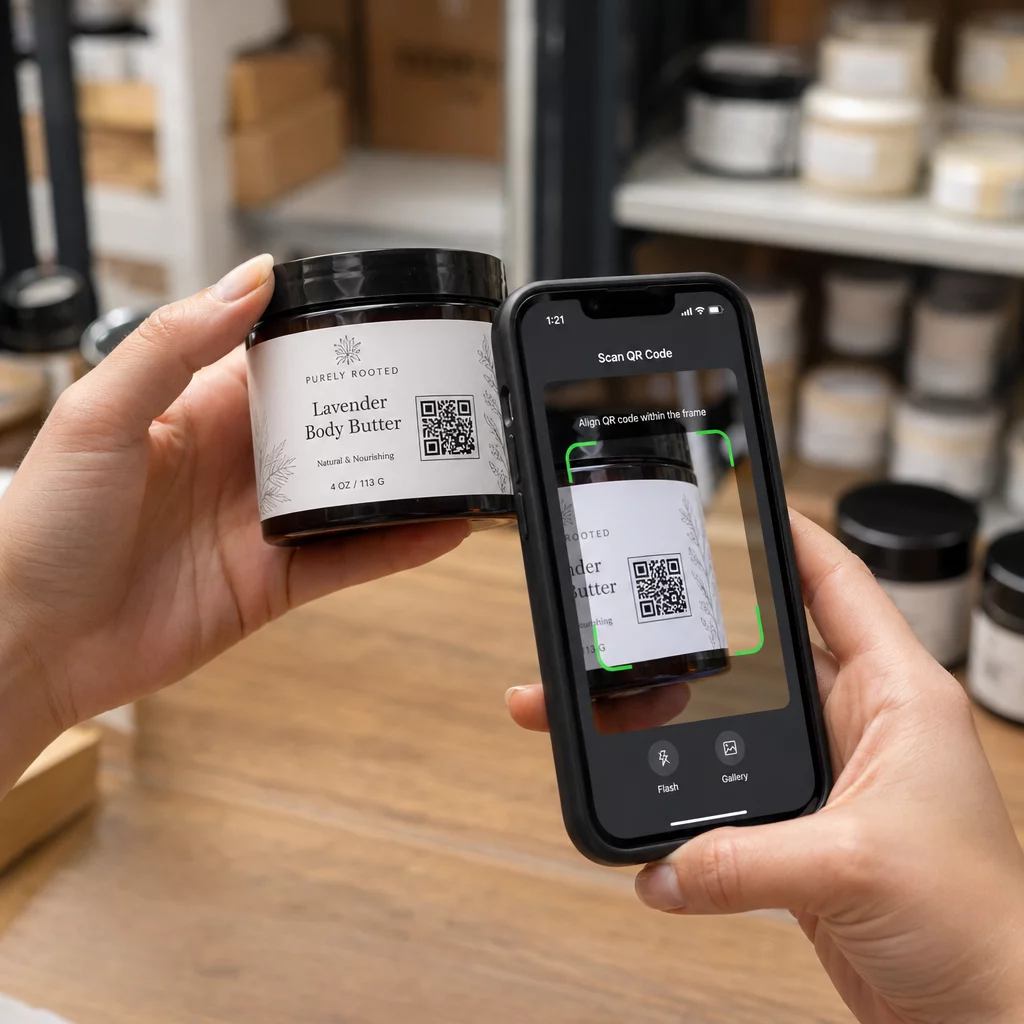
- บรรจุภัณฑ์หลัก (ขวด กระป๋อง โหล): ควรวางรหัสบนพื้นผิวเรียบทุกครั้งที่เป็นไปได้ หากพิมพ์บนภาชนะโค้ง ควรเพิ่มขนาดรหัสโดยรวมเล็กน้อยเพื่อชดเชยการบิดเบี้ยวของขอบที่มองเห็นได้.
- การจบงานและการทบทวน: หลีกเลี่ยงวัสดุเคลือบเงา ฟิล์มสะท้อนแสง หรือวัสดุโปร่งใสที่สะท้อนแสงไฟในร้านค้า เลือกใช้สีเคลือบด้านหรือวัสดุเคลือบผิวแบบไม่มีความมันวาวเพื่อลดแสงสะท้อน.
- รอยพับและตะเข็บ: ควรเก็บรหัสให้ห่างจากรอยพับกล่อง แถบฉีกตามรอยปรุ ตะเข็บบรรจุภัณฑ์ และขอบภาชนะ เพื่อป้องกันการฉีกขาดหรือการเสียรูปทรง.
ก่อนเริ่มการผลิตในปริมาณมาก ควรตรวจสอบรายละเอียดอย่างละเอียด กฎการอ่านรหัส QR และทดสอบการพิมพ์ตัวอย่างจริงโดยใช้กล้องโทรศัพท์หลายเครื่องภายใต้สภาพแสงที่แตกต่างกัน.
รหัส QR แบบไดนามิกและแบบคงที่สำหรับบรรจุภัณฑ์
การเลือกโครงสร้างคิวอาร์โค้ดที่ถูกต้องเป็นกลยุทธ์สำคัญในการออกแบบบรรจุภัณฑ์แบบอินเทอร์แอ็กทีฟ.
| ฟีเจอร์ | รหัส QR แบบคงที่ | โค้ด QR แบบไดนามิก |
|---|---|---|
| การแก้ไขเนื้อหา | กำหนดตายตัว ณ เวลาสร้าง ไม่สามารถแก้ไขได้หลังจากพิมพ์แล้ว. | สามารถอัปเดตลิงก์ปลายทางได้ตลอดเวลาในแดชบอร์ดโดยไม่ต้องพิมพ์ใหม่. |
| การวิเคราะห์การสแกน | ไม่มีข้อมูลการติดตามหรือตัวชี้วัดประสิทธิภาพใดๆ ให้บริการ. | บันทึกจำนวนการสแกนทั้งหมด ผู้เข้าชมที่ไม่ซ้ำกัน เวลาในการสแกน สถานที่ และประเภทของอุปกรณ์. |
| ความหนาแน่นของรูปแบบรหัส | รูปแบบจะซับซ้อนและยากต่อการตรวจสอบเมื่อเข้ารหัส URL ปลายทางที่ยาว. | ใช้ URL เปลี่ยนเส้นทางแบบสั้น ทำให้รูปแบบโมดูลดูสะอาดตาและอ่านง่าย. |
| ประสิทธิภาพด้านต้นทุน | สร้างได้ฟรี แต่มีความเสี่ยงที่จะต้องพิมพ์บรรจุภัณฑ์ใหม่ซึ่งอาจมีค่าใช้จ่ายสูงหาก URL ปลายทางเปลี่ยนแปลง. | ต้องสมัครสมาชิกแบบเสียค่าใช้จ่าย แต่จะช่วยลดค่าใช้จ่ายในการพิมพ์บรรจุภัณฑ์ซ้ำ. |
การพิมพ์รหัสคงที่จำนวนมากก่อให้เกิดความเสี่ยงด้านการดำเนินงานอย่างมากสำหรับแบรนด์ต่างๆ หาก URL ของหน้าโปรโมชั่นมีการอัปเดต แคมเปญตามฤดูกาลสิ้นสุดลง หรือลิงก์เสีย รหัสบรรจุภัณฑ์คงที่ก็จะใช้งานไม่ได้ ทำให้ธุรกิจของคุณต้องเลือกระหว่างการพิมพ์บรรจุภัณฑ์ใหม่ที่มีค่าใช้จ่ายสูง หรือการสูญเสียความเชื่อมั่นจากลูกค้า.
ใช้ก สร้าง Dynamic QR Code ระบบนี้จะแยกรูปแบบรหัสที่พิมพ์ลงบนกระดาษออกจากปลายทางออนไลน์ หากลิงก์ปลายทางหรือข้อเสนอของคุณเปลี่ยนแปลง คุณก็เพียงแค่อัปเดต URL ปลายทางในแดชบอร์ดการจัดการของคุณโดยไม่ต้องแก้ไขงานศิลปะที่พิมพ์ลงบนกระดาษ.
รหัสไดนามิกยังให้การวิเคราะห์แคมเปญที่ครอบคลุม คุณสามารถตรวจสอบปริมาณการสแกน ชั่วโมงที่มีกิจกรรมสูงสุด ตำแหน่งทางภูมิศาสตร์ และประเภทอุปกรณ์ของผู้ใช้ เพื่อประเมินว่าลูกค้ามีปฏิสัมพันธ์กับบรรจุภัณฑ์ของคุณอย่างไร เพื่อรักษาประสิทธิภาพสูงสุด ควรตรวจสอบรหัสไดนามิกที่ใช้งานอยู่ทุกๆ 1 ถึง 3 เดือน เพื่อยืนยันว่าหน้าเป้าหมายทั้งหมดโหลดได้อย่างรวดเร็วและแสดงเนื้อหาที่ใช้งานได้.
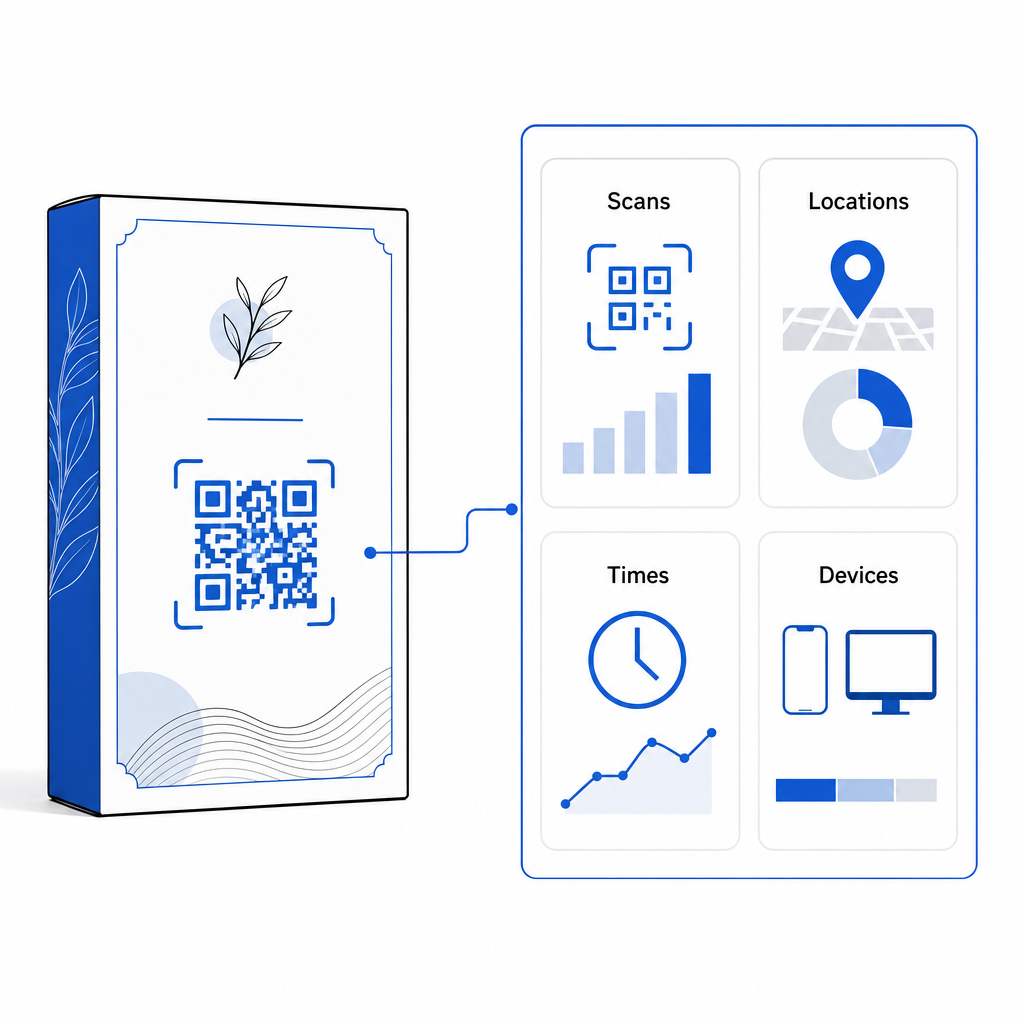
จัดการแคมเปญบรรจุภัณฑ์ของคุณได้จากแดชบอร์ดเดียว หลีกเลี่ยงความเสี่ยงจากการพิมพ์ซ้ำที่มีค่าใช้จ่ายสูง ด้วยการสร้างรหัสแบบไดนามิกที่แก้ไขได้ พร้อมการวิเคราะห์แบบเรียลไทม์ เริ่มสร้างบรรจุภัณฑ์ที่ตรวจสอบได้ด้วย เครื่องมือสร้างคิวอาร์โค้ดแบบไดนามิกของ Pageloot วันนี้.
วิธีการนำรหัส QR แบบโต้ตอบมาใช้บนบรรจุภัณฑ์
- กำหนดวัตถุประสงค์ของแคมเปญ: ระบุปฏิสัมพันธ์กับลูกค้าที่คุณต้องการกระตุ้นอย่างเฉพาะเจาะจง เช่น การแสดงวิดีโอแนะนำการใช้งาน การรวบรวมความคิดเห็นหลังการซื้อ หรือการเสนอส่วนลดสำหรับลูกค้าประจำ.
- เลือกโปรแกรมสร้างคิวอาร์โค้ดแบบไดนามิก: ตั้งค่า URL การเปลี่ยนเส้นทางที่แก้ไขได้ เพื่อให้สามารถควบคุมเนื้อหาปลายทางได้อย่างเต็มที่ ในขณะที่เก็บรวบรวมข้อมูลเมตริกการสแกนแบบเรียลไทม์.
- ปรับแต่งตามแนวทางของแบรนด์: ใช้สีแบรนด์ที่มีความตัดกันสูง และฝังโลโก้บริษัทของคุณไว้ภายใน รหัสพื้นที่ 25%, เพื่อให้มั่นใจว่าเครื่องหมายระบุตำแหน่งที่สำคัญยังคงชัดเจน.
- ใส่คำกระตุ้นการตัดสินใจที่น่าสนใจ: วางข้อความที่ชัดเจนและเข้าใจง่ายไว้ข้างๆ รูปแบบรหัส เช่น “สแกนเพื่อดูวิธีใช้งาน” หรือ “สแกนเพื่อรับส่วนลด 20% สำหรับการสั่งซื้อครั้งต่อไป”
- ทดสอบกับวัสดุและอุปกรณ์ต่างๆ: พิมพ์ตัวอย่างทดสอบจริงลงบนวัสดุบรรจุภัณฑ์ขั้นสุดท้าย และทดสอบความสามารถในการสแกนบนอุปกรณ์ iOS และ Android ภายใต้สภาพแสงที่แตกต่างกัน.
- ตรวจสอบและเพิ่มประสิทธิภาพการวิเคราะห์แคมเปญ: ตรวจสอบข้อมูลตำแหน่งการสแกน อุปกรณ์ และเวลาในการสแกนในแดชบอร์ดการจัดการของคุณ เพื่อปรับปรุงกลยุทธ์การตลาดหลังการซื้อ.
การผสานคิวอาร์โค้ดลงบนบรรจุภัณฑ์สินค้าจะเปลี่ยนบรรจุภัณฑ์แบบดั้งเดิมให้กลายเป็นจุดสัมผัสทางดิจิทัลแบบไดนามิกที่ช่วยกระตุ้นการมีส่วนร่วมของลูกค้าอย่างต่อเนื่อง ด้วยการใช้สีที่ตัดกันอย่างชัดเจนและพื้นที่ว่างที่ชัดเจน พร้อมด้วยลิงก์แบบไดนามิกที่แก้ไขได้ คุณจะปกป้องการลงทุนด้านการพิมพ์ของคุณไปพร้อมกับการเก็บรวบรวมข้อมูลเชิงลึกที่มีค่าจากกลุ่มเป้าหมายแบบเรียลไทม์.
พร้อมยกระดับบรรจุภัณฑ์ของคุณให้เป็นประสบการณ์ดิจิทัลแบบอินเทอร์แอ็กทีฟแล้วหรือยัง? สร้างคิวอาร์โค้ดที่ติดตามได้และปรับแต่งได้อย่างเต็มที่สำหรับบรรจุภัณฑ์สินค้าของคุณได้แล้ววันนี้ด้วย เครื่องสร้าง QR Code แบบไดนามิกของ Pageloot.
คำถามที่พบบ่อย
ขนาดพิมพ์ขั้นต่ำที่แนะนำสำหรับรหัส QR บนบรรจุภัณฑ์คือ 3 x 3 เซนติเมตร (1.2 x 1.2 นิ้ว) สำหรับพื้นผิวโค้งหรือรหัสที่สแกนจากระยะไกล ให้ใช้สัดส่วนระยะห่างต่อขนาด 10:1 เพื่อให้การสแกนมีความน่าเชื่อถือ.
ใช่ ถ้าคุณใช้คิวอาร์โค้ดแบบไดนามิก โค้ดแบบไดนามิกจะนำผู้เข้าชมไปยัง URL สั้นที่แก้ไขได้ ทำให้คุณสามารถอัปเดตหน้าเว็บ วิดีโอ หรือไฟล์ดิจิทัลปลายทางได้ทุกเมื่อโดยไม่ต้องพิมพ์บรรจุภัณฑ์ใหม่.
วางคิวอาร์โค้ดบนพื้นผิวเรียบและเนียน ห่างจากรอยตะเข็บ รอยพับ และพื้นผิวที่มีความมันวาวสูงของบรรจุภัณฑ์ ควรวางโค้ดไว้ข้างๆ ข้อความกระตุ้นการตัดสินใจที่ชัดเจนเสมอ เพื่อให้ผู้ซื้อทราบว่าจะได้รับข้อมูลอะไรเมื่อสแกน.