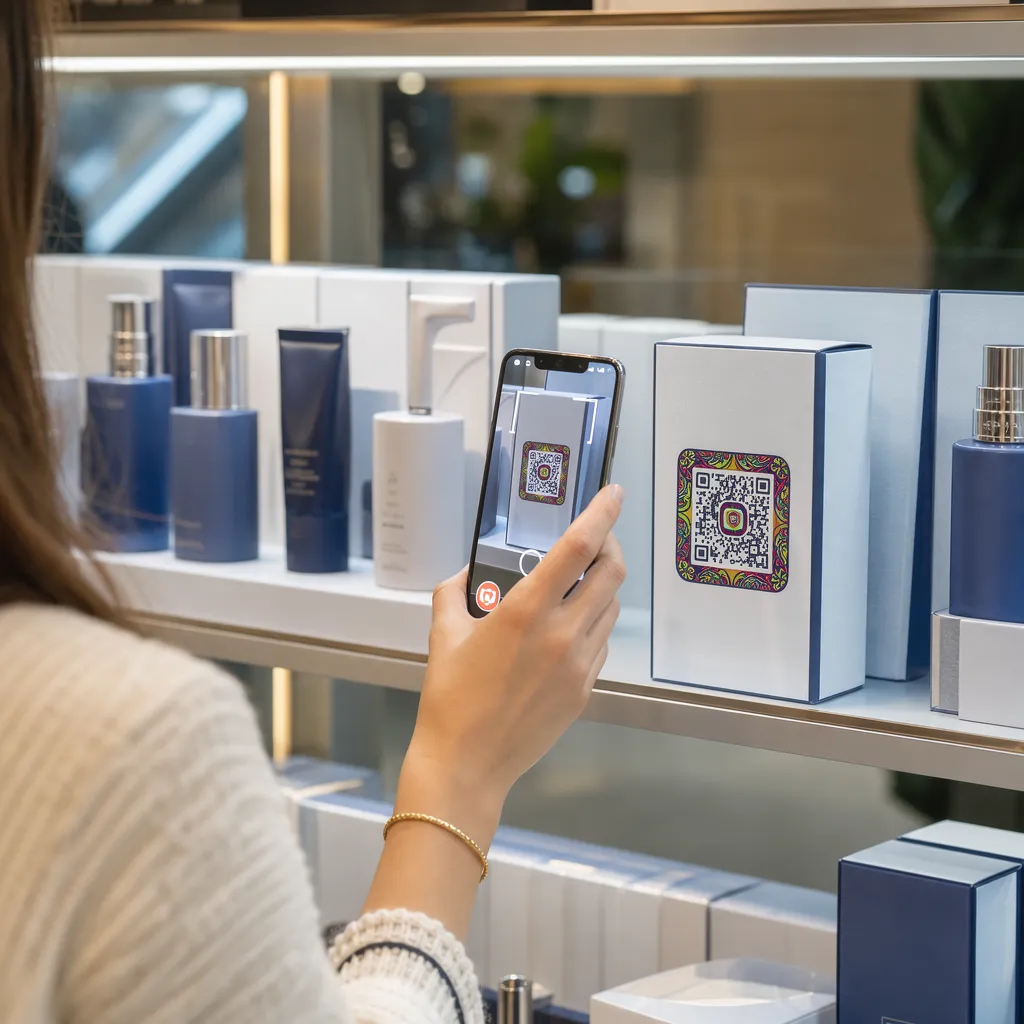

Kas teie tootepakendid ei köida ostjaid kohe, kui nad riiulilt lahkuvad? Piiratud pind füüsilistel etikettidel sunnib brände jätma välja olulised juhised, koostisosad ja sooduspakkumised. Dünaamiliste QR-koodide lisamine tootepakenditele ühendab füüsilisi tooteid digitaalsete kogemustega, suurendades samal ajal jälgitavat klientide kaasatust.
Mis on interaktiivne pakend ja miks see on oluline?
Interaktiivne pakend kasutab digitaalseid sisenemispunkte, et ühendada füüsilised tootepakendid, kastid või ümbrised veebisisuga. Selle asemel, et loota ainult staatilisele trükitud tekstile, saavad brändid muuta iga pakendi aktiivseks digitaalseks suhtluskanaliks.
Tänapäeva tarbijad ootavad kohest läbipaistvust ja mugavust. Olenemata sellest, kas ostjad soovivad kontrollida hankimisallikat, vaadata toote seadistamise õpetusi või liituda lojaalsusprogrammiga, pakuvad füüsilised sildid harva piisavalt ruumi põhjaliku teabe jaoks. Digitaalsete kokkupuutepunktide lisamine lahendab füüsiliste ümbriste ruumipiirangud, pakkudes samal ajal turundajatele jälgitavat viisi tarbijate suhtluse mõõtmiseks pärast ostu.
Jaemüügistandardid arenevad samuti 2D-triipkoodide suunas. Ülemaailmsed tööstusstandardite organisatsioonid liiguvad 2D-koodide poole, mis toetavad nii jaemüügipunkti skaneerimist kui ka rikkalikku tarbijate kaasamist. QR-koode toote pakendil viib teie füüsilised tooted vastavusse tänapäevaste jaemüüginõuetega, luues samal ajal otseseid digitaalseid ühendusi teie kliendibaasiga.
5 viisi klientide kaasamiseks pakendite QR-koodide abil
Interaktiivne pakend toimib kõige paremini siis, kui see annab kliendile kohe pärast skannimist selge väärtuse. Tootepakendil olevate QR-koodide abil saate kaasatust suurendada viiel praktilisel viisil:
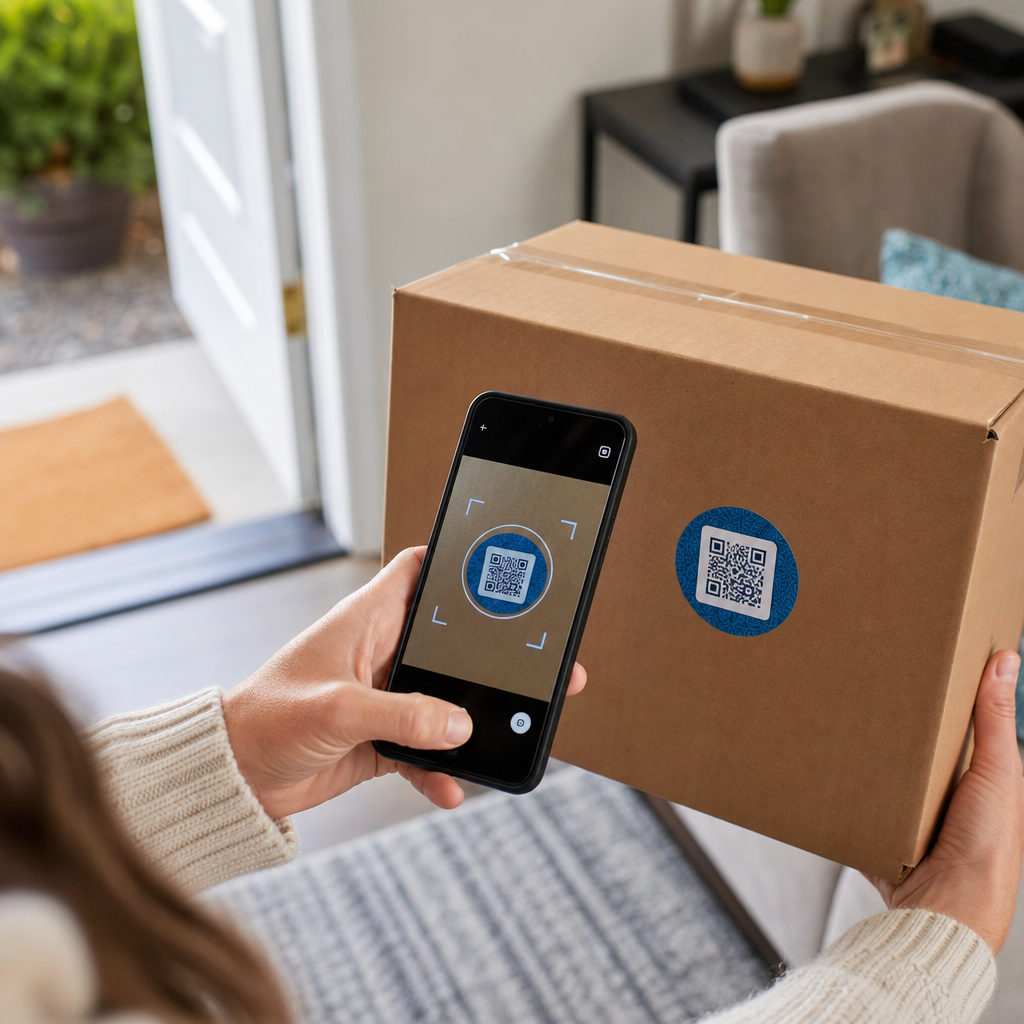
- Liitreaalsusega (AR) toodete demonstreerimine: Lubage klientidel vaadata 3D-tootemudeleid või interaktiivseid demonstratsioone otse oma nutitelefoni ekraanidel. AR QR-kood esmasel pakendil võimaldab ostjatel tooteid enne karbist lahtivõtmist oma kodukeskkonnas visualiseerida või sisemisi omadusi näha.
- Paku retsepte, õpetusi ja kasutusjuhendeid: Ühenda kosmeetika, kodumasinad või toidunõud videojuhendite ja samm-sammult juhistega. QR-koodide paigutamine toidupakendite puhul saab suunata kodukokkasid kokkade soovituste ja toiduideede juurde, aidates tarbijatel oma ostust kohe kasu saada.
- Jaga koostisosade läbipaistvuse ja vastavuse andmeid: Andke terviseteadlikele ostjatele kohene juurdepääs toitumisalase teabe jaotustele, eetilise hankimise andmetele või allergeenide avalikustamisele. Digitaalsed sihtlehed võimaldavad teil esitada täieliku vastavusteabe ilma füüsilise etiketi kujundusega üle koormamata.
- Suurenda lojaalsusprogrammi registreerumisi ja korduvaid oste: Pakkuge koheseid allahindlusi, tellimuste registreerimist või kiireid ümbertellimise linke. Sihipäraste digitaalsete pakkumiste lisamine teisele pakendile või saatmiskastidele julgustab ostjaid teie poodi uuesti külastama, mis aitab suurendada klientide kaasatust ja kliendi eluaegne väärtus.
- Koguge klientidelt reaalajas tagasisidet: Suuna tarbijad kohe pärast karbist lahtipakkimist lühikestele tagasisideküsitlustele või arvustusplatvormidele. Klientide otseste arvamuste kogumine aitab teil tooteprobleeme varakult tuvastada ja oma brändile autentset klientide tagasisidet luua.
Kaasake oma e-kaubanduse kliente lahtipakkimise ajal Kas soovite suurendada poekülastuste ja kordusostude arvu otse oma kaubakastidest? Uurige, kuidas QR-koodid e-kaubanduse jaoks aitavad teil luua automatiseeritud lojaalsuskampaaniaid ja suurendada müüki.
Pakendikoodide peamised kujundus- ja trükkimisjuhised
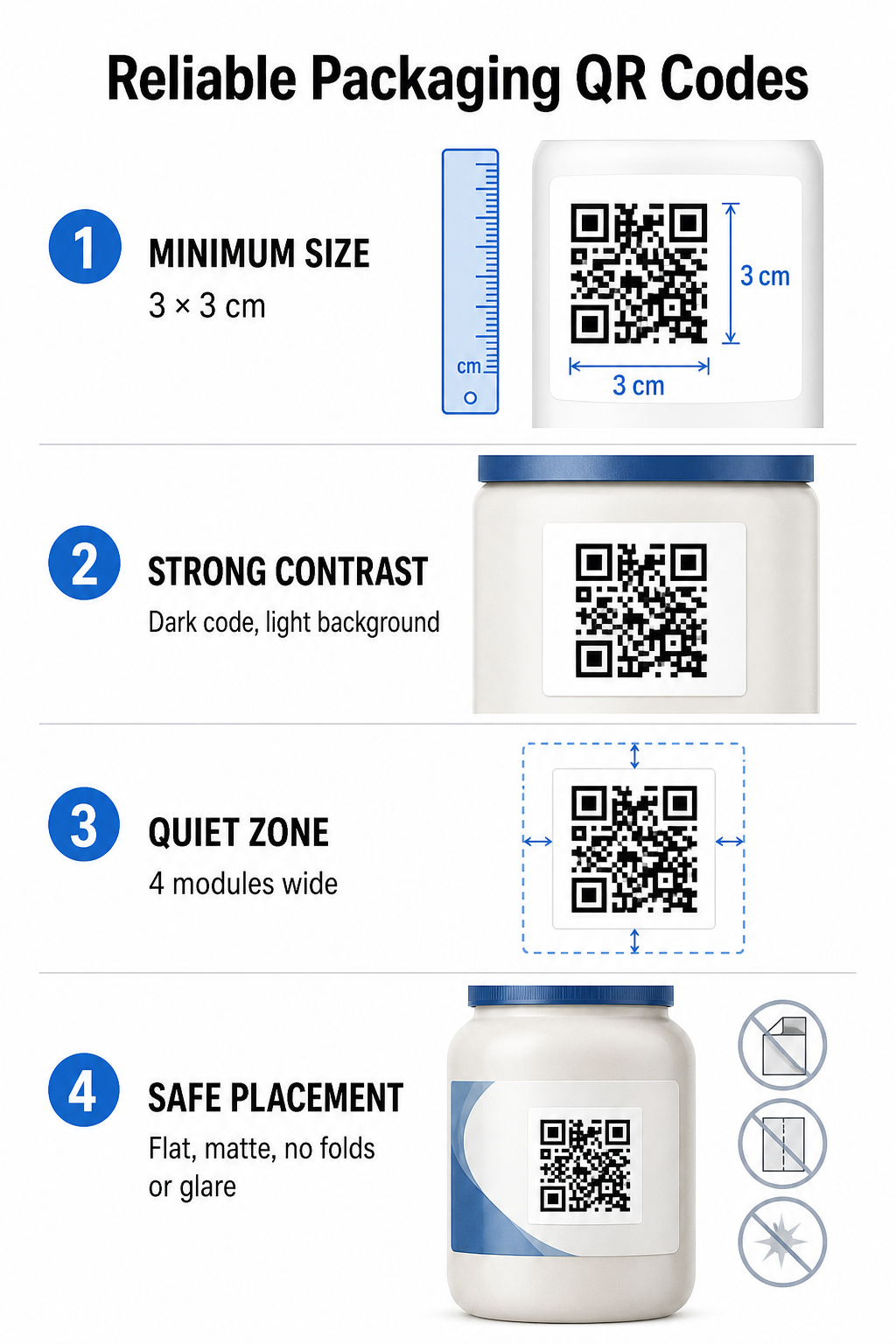
Pakendi QR-kood suurendab klientide kaasatust ainult siis, kui see skannib esimesel katsel usaldusväärselt. Koodide printimine erinevatele materjalidele – näiteks lainepapile, läbipaistvale plastikule või alumiiniumile – nõuab skannimisvigade vältimiseks täpseid disainistandardeid.
Prindisuuruse ja kauguse suhted
Usaldusväärse skannitavuse tagamiseks printige QR-koode minimaalse füüsilise suurusega 3 x 3 cm (1,2 x 1,2 tolli) tarbijapakendil. Kui koodi skaneeritakse kaugelt, rakendage skannimiskauguse ja -suuruse suhet 10:1: koodi laius peab olema vähemalt kümnendik eeldatavast skannimiskaugusest. Näiteks 20 tolli kauguselt skannimiseks mõeldud kood peaks olema vähemalt 2 tolli suurune ruuttolli.
Värvikontrastsus ja visuaalne selgus
Optilised kaamerasensorid tuvastavad QR-koode kontrastsete moodulmustrite abil. Kasutage alati tumedat esiplaani mustrit (näiteks musta või tumesinist), mis on asetatud heledale taustale (näiteks ühtlasele valgele või heledatele neutraalsetele toonidele). Vältige punaseid, oranže või pastelseid esiplaani värve, kuna punase spektri sensoritel on nende tuvastamine keeruline. Hoidke mustri värvid ühtlased ja ühtlased, vältides gradiente, varje või erksat taustagraafikat.
Vaikse tsooni ääred
Säilitage koodimustri kogu välispiiri ümber tühi, korrastatud äär, mida nimetatakse vaikseks tsooniks. See äär peab olema vähemalt neli korda ühe QR-mooduli laius. QR-koodi täitmine brändilogode, graafiliste ääriste või sisutekstiga takistab mobiilikaamera tarkvaral tuvastada koodimustri algust ja lõppu.
Materjali pind ja paigutus
Füüsiline paigutus sõltub suuresti teie pakendi struktuurist ja materjalist:
- Esmased pakendid (pudelid, purgid, purgid): Paiguta koodid võimaluse korral tasasele pinnale. Kumeratele konteineritele printimisel suurenda koodi üldist suurust veidi, et kompenseerida visuaalset servade moonutust.
- Lõpp ja mõtisklus: Vältige läikivaid laminaate, peegeldavaid fooliume või läbipaistvaid aluspindu, mis peegeldavad ümbritsevat jaemüügivalgustust. Valige mattlakid või tuhmid katted, et minimeerida valguse pimestamist.
- Voldid ja õmblused: Hoidke koodid karbi voltimiskohtadest, perforeeritud rebimisribadest, pakendiõmblustest ja konteineri äärtest eemal, et vältida füüsilist rebenemist või moonutamist.
Enne suurte tootmispartiide alustamist vaadake üle detailne teave QR-koodi loetavuse reeglid ja testida trükitud füüsilisi tõestusi mitme telefonikaameraga erinevates valgustingimustes.
Dünaamilised vs. staatilised QR-koodid pakendite jaoks
Õige QR-koodi struktuuri valimine on interaktiivse pakendi kujundamisel kriitilise tähtsusega strateegiline otsus.
| FUNKTSIOON | Staatilised QR-koodid | Dünaamilised QR-koodid |
|---|---|---|
| Sisu toimetamine | Loomise ajal jäädavalt fikseeritud; pärast printimist ei saa seda muuta. | Sihtkoha linki saab armatuurlaual igal ajal uuendada ilma uuesti printimata. |
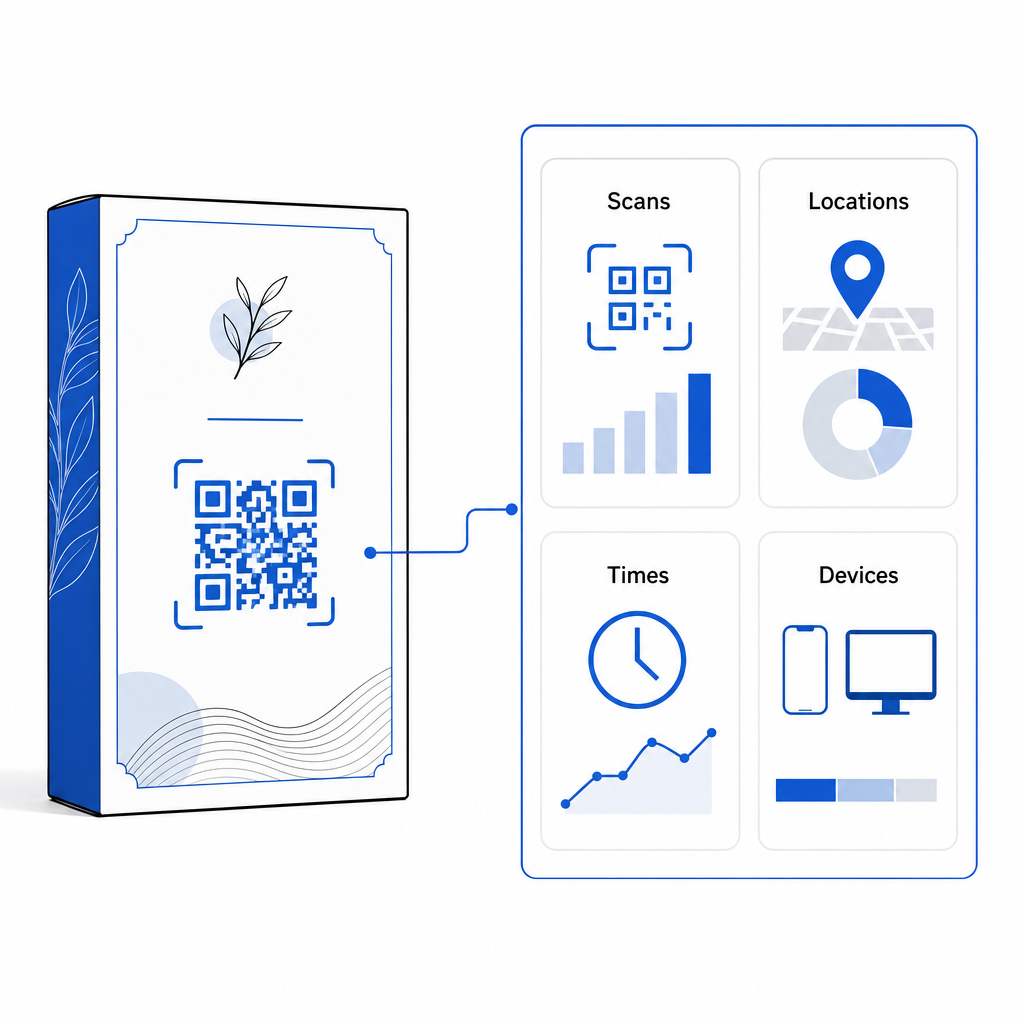
| Skannimise analüütika | Jälgimisandmeid ega toimivusnäitajaid pole saadaval. | Jälgib skaneeringute koguarvu, unikaalseid külastajaid, skaneerimise aegu, asukohti ja seadmetüüpe. |
| Koodimustri tihedus | Pikkade sihtkoha URL-ide kodeerimisel muutub muster tihedaks ja raskesti skaneeritavaks. | Kasutab lühikest ümbersuunamis-URL-i, hoides mooduli mustri puhta ja hõlpsasti skaneeritavana. |
| Kulutõhusus | Tasuta genereerimine, aga sihtkoha URL-ide muutumisel kaasneb kulukate pakendite kordustrükkimise risk. | Nõuab tasulist tellimust, kuid välistab pakendite kordustrükkimise kulud. |
Staatiliste koodide suuremahuline trükkimine tekitab brändidele olulisi tegevusriske. Kui reklaamilehe URL uueneb, hooajaline kampaania lõpeb või link katki läheb, muutuvad staatilised pakendikoodid mittetoimivaks, sundides teie ettevõtet valima kulukate pakendite kordustrükkide või klientide usalduse kaotamise vahel.
Kasutades Dünaamilise QR koodi generaator eraldab füüsilise trükitud koodimustri selle veebisihtkohast. Kui teie sihtkoha link või pakkumine muutub, saate lihtsalt oma halduspaneelil sihtkoha URL-i värskendada ilma füüsilist kujundust muutmata.
Dünaamilised koodid pakuvad ka põhjalikku kampaaniaanalüütikat. Saate jälgida skannimise mahtu, tippaktiivsuse tunde, geograafilisi asukohti ja kasutajaseadmete tüüpe, et hinnata, kuidas kliendid teie füüsilise pakendiga suhtlevad. Optimaalse jõudluse säilitamiseks tehke oma aktiivsete dünaamiliste koodide auditeid iga 1–3 kuu tagant, et veenduda kõigi sihtlehtede kiires laadimises ja aktiivse sisu kuvamises.
Halda oma pakendikampaaniaid ühelt juhtpaneelilt Vältige kulukaid kordustrükkimise riske, luues reaalajas analüütika abil muudetavaid dünaamilisi koode. Alustage jälgitavate pakendite loomist. Pageloot dünaamilise QR-koodi tööriist täna.
Kuidas pakendile interaktiivseid QR-koode lisada
- Määrake kampaania eesmärk: Määrake kindlaks konkreetne kliendisuhtlus, mida soovite edendada, näiteks videoõpetuse kuvamine, ostujärgsete arvustuste kogumine või lojaalsusallahindluse pakkumine.
- Valige dünaamiline QR-koodi generaator: Seadistage muudetavad ümbersuunamis-URL-id, et säilitada täielik kontroll sihtkoha sisu üle ja jäädvustada reaalajas skannimismõõdikuid.
- Kohanda vastavalt brändijuhistele: Kasutage kontrastseid brändivärve ja lisage oma ettevõtte logo sisse Koodipiirkonna 25%, tagades, et kriitilised positsioneerimismärgid jäävad selgeks.
- Lisage veenev üleskutse tegutsemisele: Lisage koodimustri kõrvale selge ja arusaadav tekst, näiteks “Skannige, et vaadata õpetust” või “Skannige, et saada 20% allahindlust oma järgmisele tellimusele”.”
- Testimine füüsiliste substraatide ja seadmete vahel: Printige füüsilisi testnäidiseid lõplikele pakkematerjalidele ja testige skannitavust iOS-i ja Androidi seadmetes erinevates valgustingimustes.
- Jälgige ja optimeerige kampaania analüütikat: Ostujärgsete turundusstrateegiate täiustamiseks vaadake oma halduspaneelil üle skannimise asukoha, seadme ja ajastuse andmed.
QR-koodide integreerimine tootepakenditele muudab traditsioonilised pakendid dünaamilisteks digitaalseteks kontaktpunktideks, mis edendavad klientide pidevat kaasamist. Tugeva värvikontrasti ja selgete vaiksete tsoonide kombineerimisega muudetavate dünaamiliste linkidega kaitsete oma trükiinvesteeringut ja jäädvustate samal ajal väärtuslikku reaalajas publikuinfot.
Kas olete valmis oma pakendid interaktiivseks digitaalseks kogemuseks muutma? Looge oma tootepakenditele jälgitavad ja täielikult kohandatavad QR-koodid juba täna – Pagelooti dünaamiline QR-koodi generaator.
Korduma kippuvad küsimused
Pakendite QR-koodide soovitatav minimaalne trükisuurus on 3 x 3 cm (1,2 x 1,2 tolli). Kumerate pindade või kaugemalt skannitavate koodide puhul järgige usaldusväärse skaneerimise tagamiseks kauguse ja suuruse suhet 10:1.
Jah, kui kasutate dünaamilisi QR-koode. Dünaamilised koodid suunavad liikluse muudetava lühikese URL-i kaudu, mis võimaldab teil sihtveebilehti, videoid või digitaalseid faile igal ajal värskendada ilma füüsilist pakendit uuesti printimata.
Asetage QR-kood tasasele ja siledale pinnale, eemale pakendi õmblustest, voltidest ja eredalt peegelduvatest pindadest. Asetage kood alati selge üleskutse kõrvale, et ostjad teaksid, millist sisu skannimisel oodata.