首页 > 使用案例 > QR Codes on Luggage Tags: How They Work and Why They Help
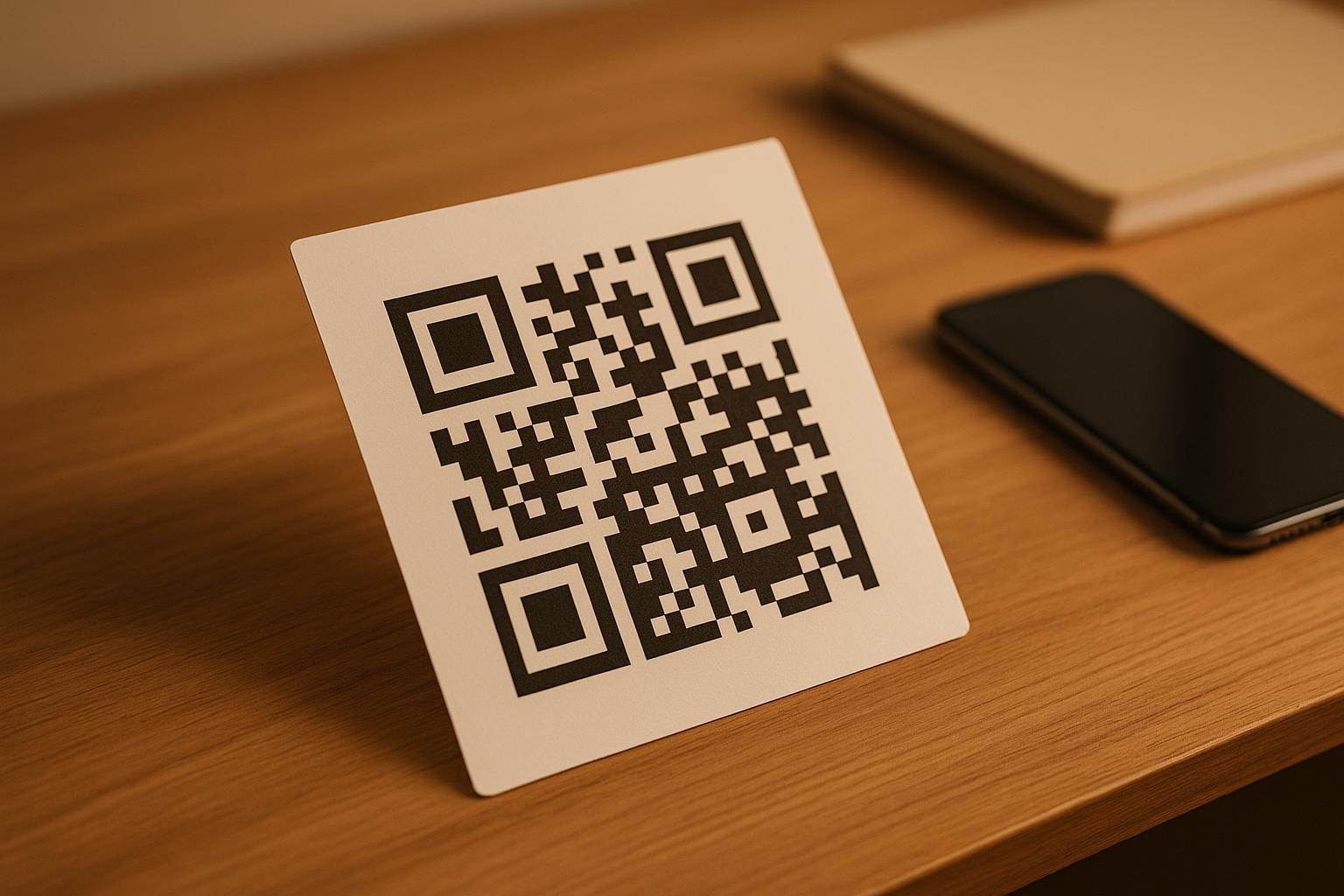
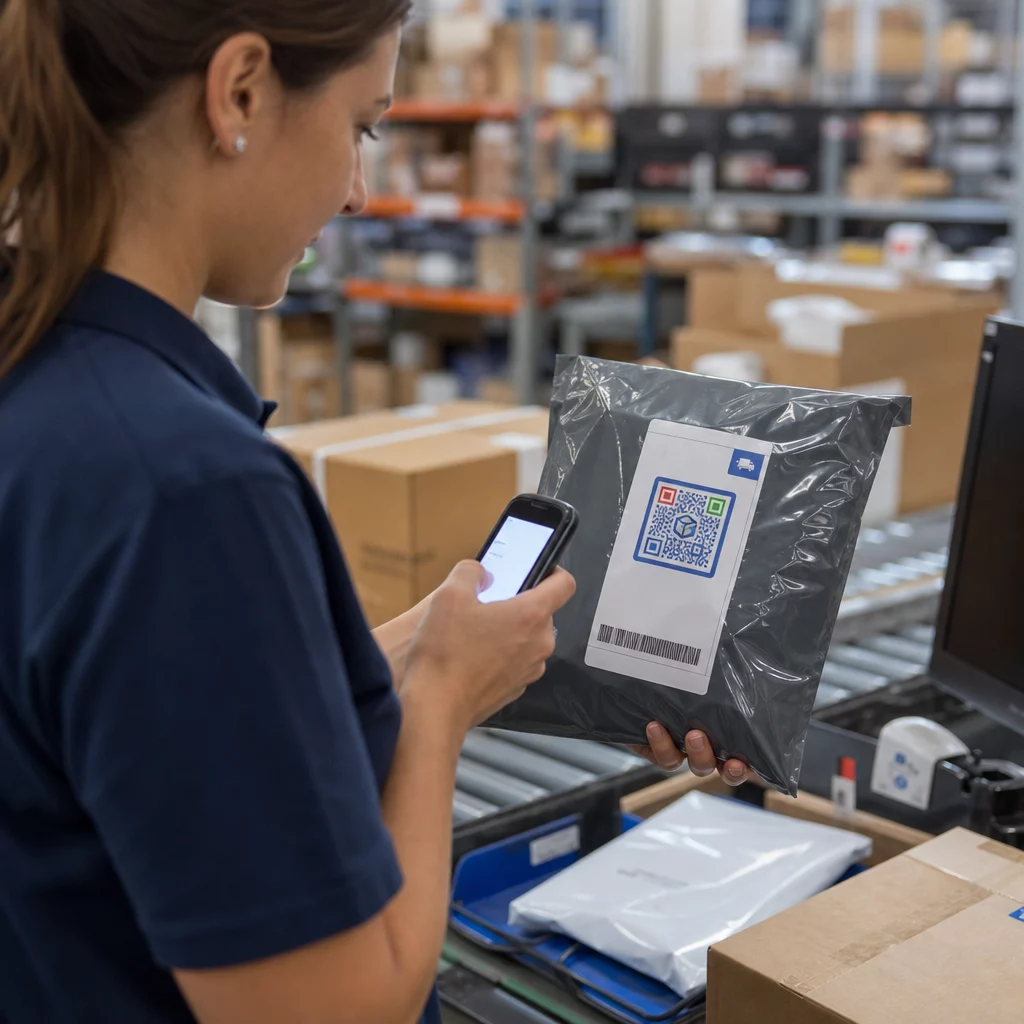
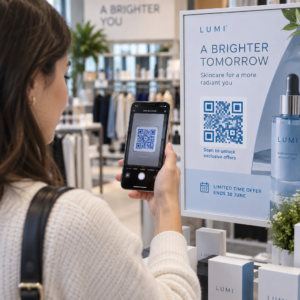
Scanning luggage QR tag

QR Codes on Luggage Tags: How They Work and Why They Help

Protect your personal data and recover lost bags by using QR codes on luggage tags. Learn how vCard and dynamic codes keep your contact details secure and
Updated on 7 月 2, 2026
目录

Ever wondered what happens to your bag if it gets separated from you at the airport? With a standard paper tag, a stranger has to read your personal details out loud just to return it. A QR code on your luggage tag changes that equation entirely, letting anyone with a smartphone contact you without exposing your private information to every passerby in the terminal.

Why Standard Luggage Tags Fall Short

U.S. reporting carriers posted a mishandled baggage rate of 0.55% in 2024, which sounds small until you consider the sheer volume of checked bags handled every day. Lost, delayed, or damaged bags are a routine travel headache, and the first line of defense is a legible, useful luggage tag.

The problem with traditional tags is the privacy tradeoff. Travel experts consistently advise against listing your home address on an external tag, since it signals to anyone watching that your house is empty. They also warn against including sensitive identifiers like passport numbers or driver’s license numbers. Yet the tag still needs enough detail that a finder or airline agent can actually reach you.

Most travelers end up with an uncomfortable compromise: too much information exposed, or not enough to be useful.

How a QR Code Solves the Problem

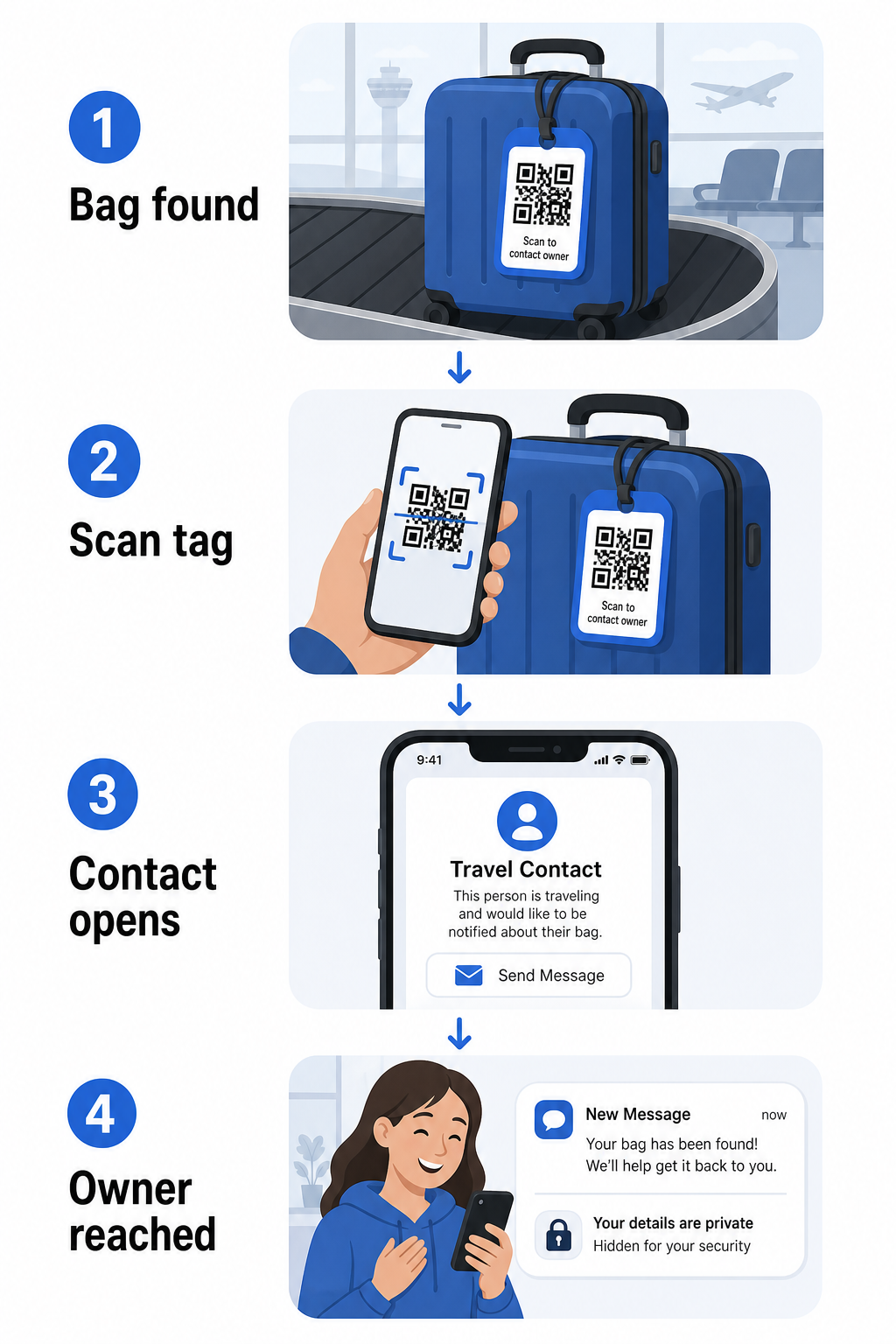
A QR code on a luggage tag works as a privacy layer between your contact details and the public. Instead of printing your phone number and email in large text for anyone to read while your bag rides a carousel, you encode that information into a scannable pattern. A finder scans the code, lands on a contact page or pre-filled message, and reaches you – without ever seeing your raw personal data displayed in the open.

QR luggage privacy flow

There are a few formats worth considering, depending on how much information you want to share:

  • 电子名片二维码: Encodes your name, phone number, and email in vCard format. When scanned, the finder’s phone prompts them to save your contact details directly to their address book using the vCard QR码生成器. No typing required, and no visible personal data on the tag itself.
  • 电子邮件二维码: Opens a pre-filled email addressed to you when scanned. The finder simply hits send. You can set this up with the 电子邮件二维码生成器 and keep your actual address hidden from plain sight.
  • 链接二维码: Directs the finder to a webpage you control – a simple contact form or a page with your travel details. Use the 链接二维码生成器 to point the code at any URL you choose.

Each approach keeps your contact details functional for recovery purposes while reducing what any random observer can read off your tag in a busy terminal.

Create a Privacy-Friendly Luggage Tag QR Code Ready to set up a QR code that protects your details while keeping your bag findable? Use the 二维码生成器 to get started – free, with no technical knowledge required.

What Information to Include (and What to Leave Out)

Travel experts recommend keeping luggage tag information minimal but effective. The practical consensus is:

  • 包括: Your full name, a mobile phone number with country code if traveling internationally, and an email address
  • Skip: Your home address (use a work address or PO box if an address feels necessary), passport numbers, government ID numbers, and home landline numbers
  • Consider: A travel-specific email address rather than your primary personal account, so that any unwanted contact stays contained

A QR code approach makes this guidance easier to follow. You encode only what is necessary, and you control the contact method the finder uses – whether that’s an email form, a vCard save, or a contact page.

Multiple travel sources also recommend placing backup contact information inside your bag, so the bag can still be identified if the external tag is lost or damaged. A QR code tag combined with an internal paper card gives you the best coverage on both fronts.

Why a Dynamic QR Code Is Worth Using

一种 动态二维码 has one significant advantage over a static one for luggage tag use: you can update the destination without reprinting the tag.

Dynamic QR codes work through a permanent short redirect URL. The QR code itself never changes, but the page it points to can be updated anytime from your dashboard. This means if your phone number changes, you get a new email address, or you want to swap a vCard for a contact form, you update the destination – and every scan of the same physical tag reaches the new information.

For a luggage tag you use year after year, this flexibility is practical. You print the tag once and maintain control of the contact details it surfaces indefinitely.

Dynamic codes also let you monitor scan activity. If your bag goes missing and someone scans your tag, you can see that a scan occurred, when, and in what location – useful context when coordinating with an airline. To understand the broader role QR codes play in air travel, the airlines and airports overview covers how carriers are using them across the passenger journey, including baggage tracking.

Keep Your Tag Current Without Reprinting 使用 动态二维码生成器 to create a luggage tag QR code you can update anytime – change your contact details or destination URL without touching the physical tag.

Printing Your QR Code Tag: Size and Format

A QR code that can’t be scanned defeats the purpose. A few practical guidelines apply when printing for a luggage tag:

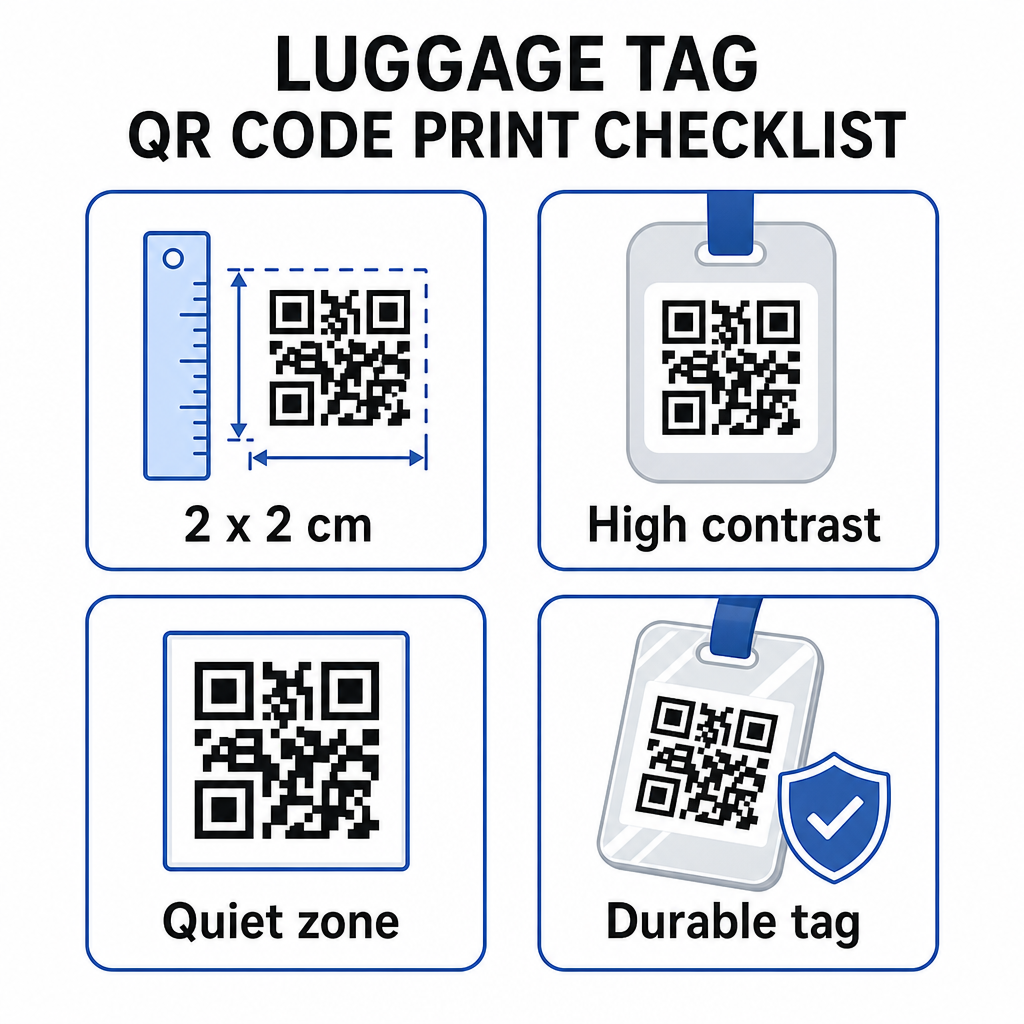
Printable QR tag tips
  • Minimum size: Aim for at least 2 × 2 cm (roughly 0.8 × 0.8 inches). Smaller than this and scanning reliability drops, especially in poor lighting. See the 印刷材料的二维码尺寸指南 for surface-specific recommendations.
  • File format: PNG works well for small print sizes. For a laminated or professionally printed tag, SVG or PDF exports give sharper edges at any size.
  • 对比: Use a dark pattern on a light background. Low contrast is one of the most common reasons QR codes fail to scan.
  • Quiet zone: Leave a clear border around the code – at least four modules wide on all sides – so a scanner can distinguish the code from surrounding graphics or text.
  • Error correction: Higher error correction levels allow the code to remain scannable even if part of it is scratched or worn, which matters for a tag that sees heavy use across multiple trips.

For step-by-step guidance on preparing a QR code for physical labels, the guide to printing QR codes on labels covers the process in detail.

Keeping Your Personal Data Private

Placing any contact information on a public-facing tag involves some privacy consideration. A few practices reduce that risk when using QR codes:

  • Use a contact form or vCard rather than encoding a raw phone number as plain text, so the information isn’t immediately visible to anyone who inspects the code’s content
  • Choose a travel-specific email address for the tag so your primary account stays separate from any luggage-related contact
  • If using a dynamic code, you can deactivate or redirect the link if you want to retire a tag or change how finders reach you
  • Encode only what is necessary for bag recovery – your name and one contact method is sufficient

For a deeper look at managing privacy when using QR codes, the QR code privacy risks guide安全二维码生成最佳实践 cover the key considerations. For broader context on how QR codes are reshaping the travel experience overall, how QR codes improve travel experiences is a useful reference.

A QR code luggage tag is a straightforward upgrade over a printed tag: it keeps your contact information functional for anyone who needs to return your bag while shielding those details from casual observation. Use a dynamic code so you can keep the tag current across multiple trips, size it correctly for reliable scanning, and encode only the contact method you want finders to use.

Build Your Luggage Tag QR Code Today Set up a vCard, email, or link QR code for your luggage in minutes. Start with the Pageloot QR码生成器 – free trial, no credit card required.

常见问题

What type of QR code is best for a luggage tag?

A vCard QR code is a practical choice because it lets the finder save your contact details directly to their phone with one tap. If you prefer more control over what information is shared, a link QR code pointing to a simple contact form works well too. Dynamic versions of either allow you to update the destination without reprinting the tag.

Can someone steal my personal information by scanning my luggage tag QR code?

A well-configured QR code on a luggage tag shares only what you choose to encode – typically a name, phone number, or email address. Avoid encoding sensitive identifiers like passport or ID numbers. Using a contact form page rather than raw personal data adds another layer of separation, and following QR code privacy best practices ensures your setup limits unnecessary exposure.

Do I need to reprint my luggage tag if my contact details change?

Not if you use a dynamic QR code. Dynamic codes point to a redirect URL that you can update anytime from your Pageloot dashboard. The physical tag stays the same, but the contact information it surfaces can be changed whenever you need – making it a practical long-term solution for frequent travelers.

关于作者

Siim Kostabi 是 Pageloot 的内容主管,负责撰写关于我们创新型二维码生成器服务的文章。凭借五年多来在二维码领域积累的深厚专业知识,Siim 是该领域的专家。他致力于利用二维码技术简化和增强数字交互,并取得了显著的成果。.

类别
了解更多关于
扫描二维码海报
二维码 数据限制
客户使用AR二维码
制作二维码 增强现实
QR QR码的#1解决方案

如果您需要在线创建QR码,则可以 制作二维码 就在这里免费!
Pageloot是 #1转到解决方案 创建和扫描QR码。

BL-0305

博客生成器

受到超过 20,000 个品牌的信赖,可获得更多销售、评论和关注者。

客户徽标
受到顶级品牌的信赖
评分为 4.8(共 5)

4.86 / 5 星评级

雨果·劳伦特
雨果·劳伦特
餐馆老板
有史以来最容易和最可靠的QR码生成器。PDF文件可以立即上传。我们的餐厅菜单现在是数字化的。
卢卡斯-詹森
卢卡斯-詹森
房地产开发商
这是一个很好的工具,二维码带你到你想要的地方。我们只使用位置二维码,但有许多有用的功能。
艾玛-莫雷蒂
艾玛-莫雷蒂
零售产品
易于使用和快速。它工作得很好,创造了一个完美的图像,所以员工可以下载我的vCard。
雨果·劳伦特
雨果·劳伦特
餐馆老板
有史以来最容易和最可靠的QR码生成器。PDF文件可以立即上传。我们的餐厅菜单现在是数字化的。
卢卡斯-詹森
卢卡斯-詹森
房地产开发商
这是一个很好的工具,二维码带你到你想要的地方。我们只使用位置二维码,但有许多有用的功能。
艾玛-莫雷蒂
艾玛-莫雷蒂
零售产品
易于使用和快速。它工作得很好,创造了一个完美的图像,所以员工可以下载我的vCard。
查看更多QR码
将一切转化为数字体验 不到3分钟。

免费试用 14 天。

无需信用卡。

首次购买可享受 30% 折扣

使用代码:

分享您的 MP3 文件

注册以创建 PDF QR 码

上传和显示你需要的一切。

  • 音频文件
  • 播客
  • 音乐

注册即可享 14 天免费试用。.
试用期结束后,二维码将失效。.

注册以创建音频 mp3 二维码

使用边框获得更多扫描

注册以向您的二维码添加更多框架

呼叫行动框架帮助您的客户与QR码轻松互动。试试吧!

注册即可享 14 天免费试用。.
试用期结束后,二维码将失效。.

注册以向您的二维码添加更多框架

使用形状添加更多样式

注册以创建更多形状

二维码不一定是方形的。试着改变它以适应你的品牌形象。

注册即可享 14 天免费试用。.
试用期结束后,二维码将失效。.

注册以创建更多形状

为您的二维码添加徽标

注册以将您的徽标添加到二维码中

通过在二维码上添加你的标志和品牌,使你的二维码脱颖而出。

注册即可享 14 天免费试用。.
试用期结束后,二维码将失效。.

注册以将您的徽标添加到二维码中

智能应用商店重定向

注册以创建应用商店二维码

将您的应用程序链接添加到我们的智能应用程序商店QR码。用户会根据他们的设备被重新定向。

注册即可享 14 天免费试用。.
试用期结束后,二维码将失效。.

注册以创建应用商店二维码

将图片上传到二维码

注册以创建图像二维码

轻松分享你的图像。在几秒钟内动态地改变任何图像。

注册即可享 14 天免费试用。.
试用期结束后,二维码将失效。.

注册以创建图像二维码

分享您的 PDF 文件

注册以创建 PDF QR 码

上传和显示你需要的一切。

  • 菜单和价格表
  • 使用说明
  • 任何文件

注册即可享 14 天免费试用。.
试用期结束后,二维码将失效。.

注册以创建 PDF QR 码

稍后编辑,无需打印

注册即可编辑您的二维码,无需再次打印

动态QR码让你改变你的QR码的内容,而不需要打印新的QR码。

注册即可享 14 天免费试用。.
试用期结束后,二维码将失效。.

注册即可编辑您的二维码,无需再次打印

何时?何地?追踪您的二维码扫描

注册以追踪您的二维码

发现你的哪些二维码收到了最多的扫描,以及什么最能让你的客户兴奋。

注册即可享 14 天免费试用。.
试用期结束后,二维码将失效。.

注册以追踪您的二维码

提供可打印文件

注册以创建 PDF 和 SVG 等矢量二维码

.EPS, .PDF, .SVG

想下载高清分辨率的QR码吗?获得矢量或像素格式,可随时打印。

注册即可享 14 天免费试用。.
试用期结束后,二维码将失效。.

注册以创建 PDF 和 SVG 等矢量二维码

请等待。您的二维码是 正在加载... 正在加载...

打造专属

注册以保存您的二维码以供日后使用

通过创建具有不同颜色、标识和行动呼吁框架的出色的QR码,获得更多的扫描。

注册即可享 14 天免费试用。.
试用期结束后,二维码将失效。.

注册以保存您的二维码以供日后使用