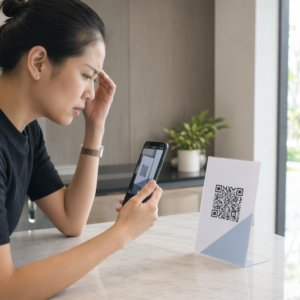
Har du noen gang lurt på hva som skjer med bagasjen din hvis den blir skilt fra deg på flyplassen? Med en standard papirlapp må en fremmed lese dine personlige detaljer høyt bare for å returnere den. En QR-kode på bagasjelappen din endrer den ligningen fullstendig, slik at hvem som helst med en smarttelefon kan kontakte deg uten å avsløre din private informasjon til enhver forbipasserende i terminalen.
Hvorfor standard bagasjelapper kommer til kort
Amerikanske rapporterende flyselskaper rapporterte en rate på 0,55% for feilhåndtert bagasje i 2024, noe som høres lite ut helt til du vurderer det enorme volumet av innsjekket bagasje som håndteres hver dag. Tapt, forsinket eller skadet bagasje er en rutinemessig reisehodepine, og den første forsvarslinjen er en lesbar, nyttig bagasjelapp.
Problemet med tradisjonelle lapper er avveiningen med personvern. Reiseeksperter fraråder konsekvent å oppgi hjemmeadressen din på en ekstern lapp, siden det signaliserer til alle som ser på at huset ditt er tomt. De advarer også mot å inkludere sensitive identifikatorer som passnumre eller førerkortnumre. Likevel trenger lappen fortsatt nok detaljer til at en finner eller flyselskapets agent faktisk kan nå deg.
De fleste reisende ender opp med et ubehagelig kompromiss: for mye informasjon eksponert, eller ikke nok til å være nyttig.
Hvordan en QR-kode løser problemet
En QR-kode på en bagasjelapp fungerer som et personvernlag mellom dine kontaktdetaljer og offentligheten. I stedet for å skrive ut telefonnummeret og e-posten din med stor tekst for hvem som helst å lese mens bagasjen din kjører på et bagasjebånd, koder du den informasjonen inn i et skannbart mønster. En finner skanner koden, lander på en kontaktside eller forhåndsutfylt melding, og når deg – uten å noensinne se dine rå personlige data vist åpent.
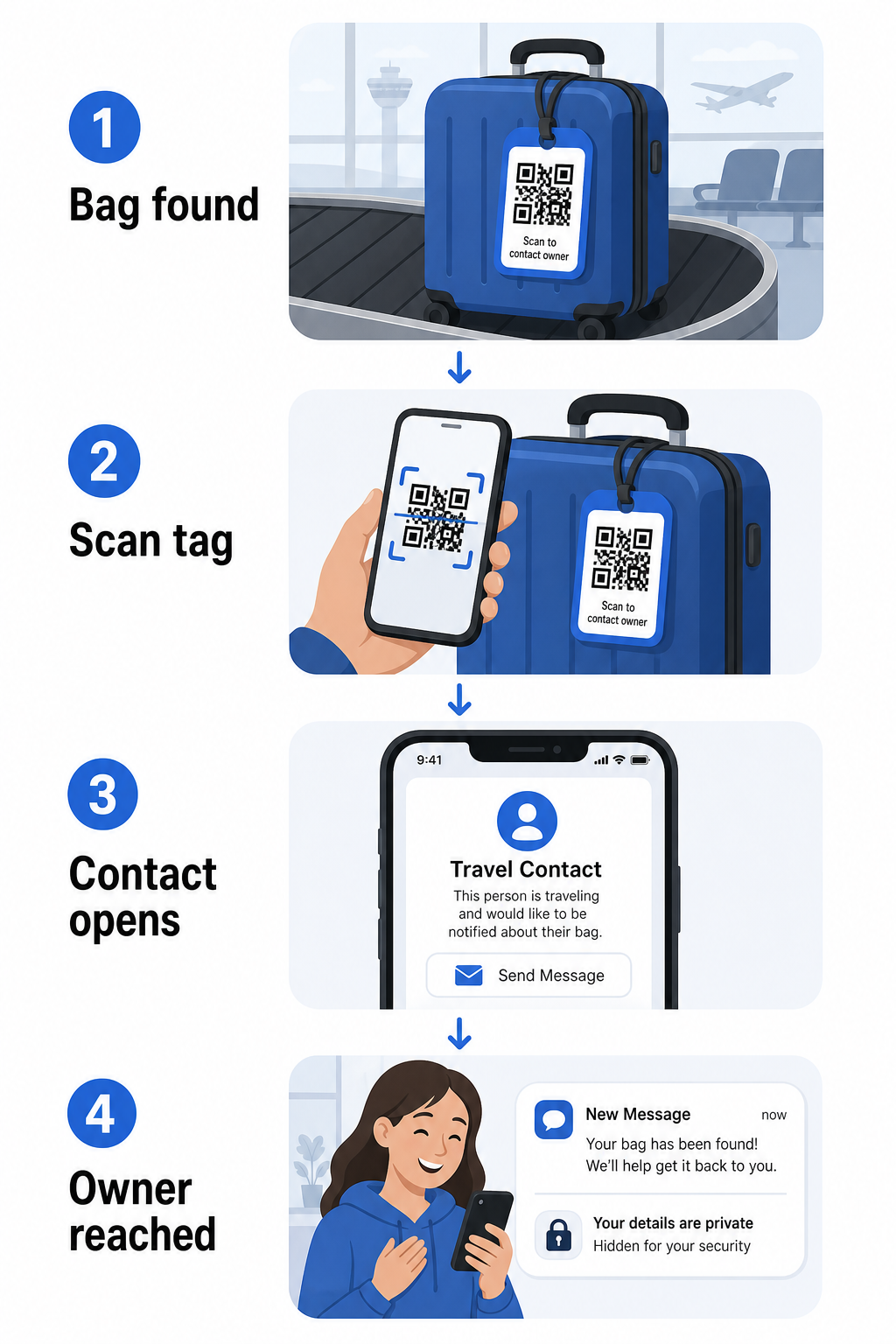
Det er noen formater verdt å vurdere, avhengig av hvor mye informasjon du ønsker å dele:
- vCard QR-kode: Koder ditt navn, telefonnummer og e-post i vCard-format. Når den skannes, ber finnerens telefon dem om å lagre dine kontaktdetaljer direkte i adresseboken deres ved hjelp av vCard QR-kode generator. Ingen skriving nødvendig, og ingen synlige personlige data på selve lappen.
- E-post QR-kode: Åpner en forhåndsutfylt e-post adressert til deg når den skannes. Finneren trykker bare send. Du kan sette dette opp med E-post QR-kode generator og holde din faktiske adresse skjult for innsyn.
- Koble til QR-kode: Dirigerer finneren til en nettside du kontrollerer – et enkelt kontaktskjema eller en side med dine reisedetaljer. Bruk lenke QR-kodegenerator for å peke koden til hvilken som helst URL du velger.
Hver tilnærming holder dine kontaktdetaljer funksjonelle for gjenopprettingsformål samtidig som den reduserer hva enhver tilfeldig observatør kan lese av lappen din i en travel terminal.
Lag en personvernvennlig bagasjelapp QR-kode Klar til å sette opp en QR-kode som beskytter dine detaljer samtidig som bagasjen din forblir finnbar? Bruk QR-kodegenerator for å komme i gang – gratis, uten teknisk kunnskap nødvendig.
Hvilken informasjon du skal inkludere (og hva du skal utelate)
Reiseeksperter anbefaler å holde informasjonen på bagasjelappen minimal, men effektiv. Den praktiske konsensusen er:
- Inkludere: Ditt fulle navn, et mobiltelefonnummer med landskode hvis du reiser internasjonalt, og en e-postadresse
- Hopp over: Din hjemmeadresse (bruk en arbeidsadresse eller postboks hvis en adresse føles nødvendig), passnumre, offentlige ID-numre og fasttelefonnumre hjemme
- Vurder: En reisespesifikk e-postadresse i stedet for din primære personlige konto, slik at uønsket kontakt holdes begrenset
En QR-kode-tilnærming gjør denne veiledningen enklere å følge. Du koder bare det som er nødvendig, og du kontrollerer kontaktmetoden finneren bruker – enten det er et e-postskjema, en vCard-lagring eller en kontaktside.
Flere reisekilder anbefaler også å plassere reservekontaktinformasjon inne i bagasjen din, slik at bagasjen fortsatt kan identifiseres hvis den eksterne lappen mistes eller skades. En QR-kode-lapp kombinert med et internt papirkort gir deg den beste dekningen på begge fronter.
Hvorfor en dynamisk QR-kode er verdt å bruke
EN dynamisk QR-kode har en betydelig fordel over en statisk for bruk på bagasjelapper: du kan oppdatere destinasjonen uten å skrive ut lappen på nytt.
Dynamiske QR-koder fungerer via en permanent kort omdirigerings-URL. Selve QR-koden endres aldri, men siden den peker til kan oppdateres når som helst fra dashbordet ditt. Dette betyr at hvis telefonnummeret ditt endres, du får en ny e-postadresse, eller du ønsker å bytte ut et vCard med et kontaktskjema, oppdaterer du destinasjonen – og hver skanning av den samme fysiske lappen når den nye informasjonen.
For en bagasjelapp du bruker år etter år, er denne fleksibiliteten praktisk. Du skriver ut lappen én gang og beholder kontrollen over kontaktdetaljene den viser på ubestemt tid.
Dynamiske koder lar deg også overvåke skanneaktivitet. Hvis bagasjen din forsvinner og noen skanner taggen din, kan du se at en skanning fant sted, når og hvor – nyttig kontekst når du koordinerer med et flyselskap. For å forstå den bredere rollen QR-koder spiller i flyreiser, dekker oversikt over flyselskaper og flyplasser hvordan flyselskaper bruker dem gjennom passasjerreisen, inkludert bagasjesporing.
Hold taggen din oppdatert uten å skrive ut på nytt Bruke Dynamisk QR-kode generator for å lage en QR-kode for bagasjelapp du kan oppdatere når som helst – endre kontaktinformasjonen din eller destinasjons-URL-en uten å røre den fysiske taggen.
Skrive ut QR-kode-taggen din: Størrelse og format
En QR-kode som ikke kan skannes, mister sin hensikt. Noen praktiske retningslinjer gjelder når du skriver ut for en bagasjelapp:
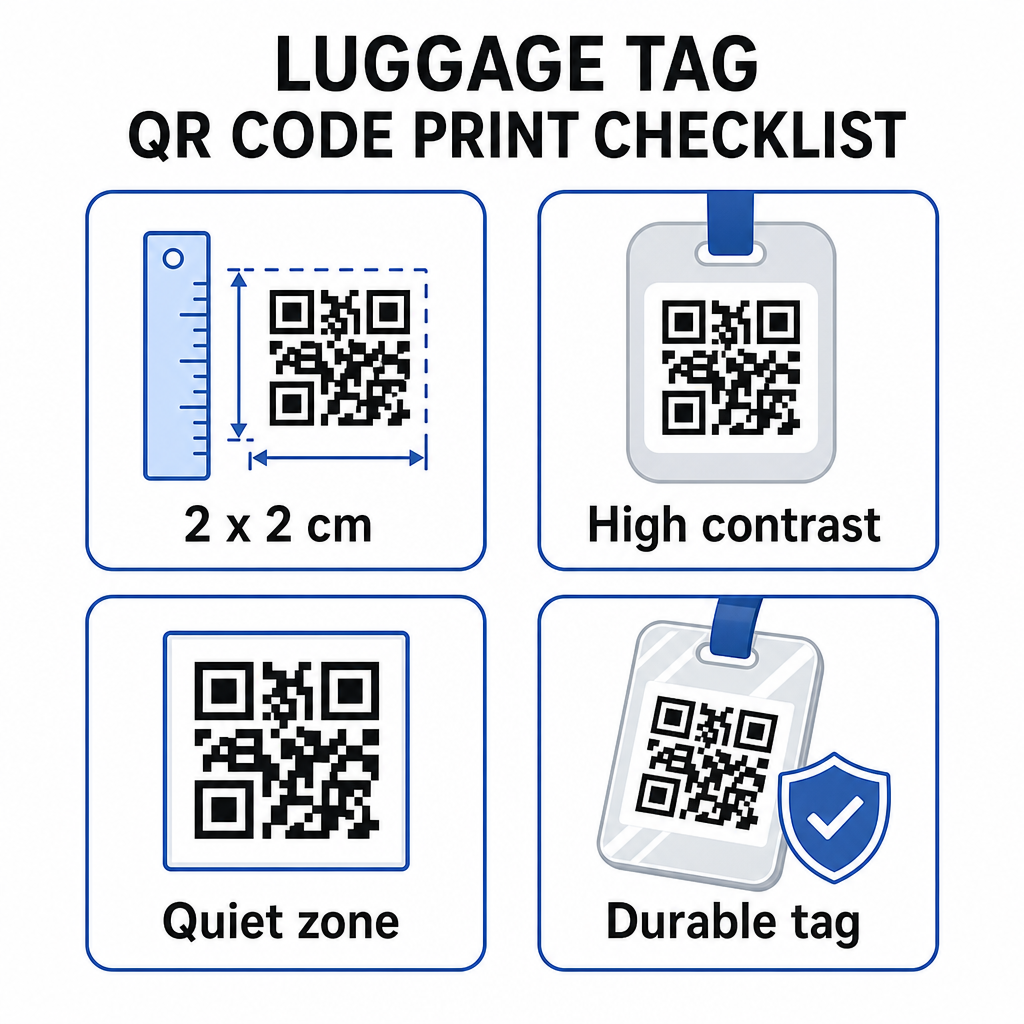
- Minimumsstørrelse: Sikt på minst 2 × 2 cm (omtrent 0,8 × 0,8 tommer). Mindre enn dette, og skannepåliteligheten synker, spesielt i dårlig belysning. Se størrelsesguide for QR-koder for trykt materiale for overflatespesifikke anbefalinger.
- Filformat: PNG fungerer bra for små utskriftsstørrelser. For en laminert eller profesjonelt trykt tagg gir SVG- eller PDF-eksport skarpere kanter i alle størrelser.
- Kontrast: Bruk et mørkt mønster på en lys bakgrunn. Lav kontrast er en av de vanligste årsakene til at QR-koder ikke skannes.
- Stille sone: La det være en klar kant rundt koden – minst fire moduler bred på alle sider – slik at en skanner kan skille koden fra omkringliggende grafikk eller tekst.
- Feilretting: Høyere feilrettingsnivåer gjør at koden forblir skannbar selv om deler av den er ripet eller slitt, noe som er viktig for en tagg som brukes mye på tvers av flere turer.
For trinnvis veiledning om hvordan du forbereder en QR-kode for fysiske etiketter, dekker veiledningen for utskrift av QR-koder på etiketter prosessen i detalj.
Holde dine personlige data private
Å plassere kontaktinformasjon på en offentlig synlig tagg innebærer visse personvernhensyn. Noen fremgangsmåter reduserer denne risikoen når du bruker QR-koder:
- Bruk et kontaktskjema eller vCard i stedet for å kode et rått telefonnummer som ren tekst, slik at informasjonen ikke er umiddelbart synlig for alle som inspiserer kodens innhold
- Velg en reisespesifikk e-postadresse for taggen slik at din primære konto forblir atskilt fra all bagasjerelatert kontakt
- Hvis du bruker en dynamisk kode, kan du deaktivere eller omdirigere lenken hvis du vil fjerne en tagg eller endre hvordan finnerne når deg
- Kode kun det som er nødvendig for gjenfinning av bagasje – ditt navn og én kontaktmetode er tilstrekkelig
For en dypere titt på personvernadministrasjon ved bruk av QR-koder, dekker veiledningen for personvernrisikoer med QR-koder og sikker QR-kodegenerering beste praksis de viktigste hensynene. For en bredere kontekst om hvordan QR-koder omformer reiseopplevelsen generelt, Slik gir QR-koder bedre reiseopplevelser en nyttig referanse.
En QR-kode bagasjelapp er en enkel oppgradering fra en trykt tagg: den holder kontaktinformasjonen din funksjonell for alle som trenger å returnere bagasjen din, samtidig som den skjermer disse detaljene fra tilfeldig observasjon. Bruk en dynamisk kode slik at du kan holde taggen oppdatert på tvers av flere turer, tilpasse den riktig for pålitelig skanning, og kode kun den kontaktmetoden du ønsker at finnerne skal bruke.
Lag din QR-kode for bagasjelapp i dag Sett opp et vCard, e-post eller lenke QR-kode for bagasjen din på minutter. Start med Pageloot QR-kodegenerator – gratis prøveperiode, ingen kredittkort kreves.
Ofte stilte spørsmål
En vCard QR-kode er et praktisk valg fordi den lar finneren lagre kontaktinformasjonen din direkte til telefonen sin med ett trykk. Hvis du foretrekker mer kontroll over hvilken informasjon som deles, fungerer en lenke QR-kode som peker til et enkelt kontaktskjema også bra. Dynamiske versjoner av begge lar deg oppdatere destinasjonen uten å skrive ut taggen på nytt.
En godt konfigurert QR-kode på en bagasjelapp deler bare det du velger å kode inn – vanligvis et navn, telefonnummer eller e-postadresse. Unngå å kode inn sensitive identifikatorer som pass- eller ID-numre. Å bruke en kontaktskjema-side i stedet for rå personlige data legger til et ekstra lag med separasjon, og å følge beste praksis for personvern for QR-koder sikrer at oppsettet ditt begrenser unødvendig eksponering.
Ikke hvis du bruker en dynamisk QR-kode. Dynamiske koder peker til en omdirigerings-URL som du kan oppdatere når som helst fra Pageloot-dashbordet ditt. Den fysiske taggen forblir den samme, men kontaktinformasjonen den viser kan endres når du trenger det – noe som gjør det til en praktisk langsiktig løsning for hyppige reisende.