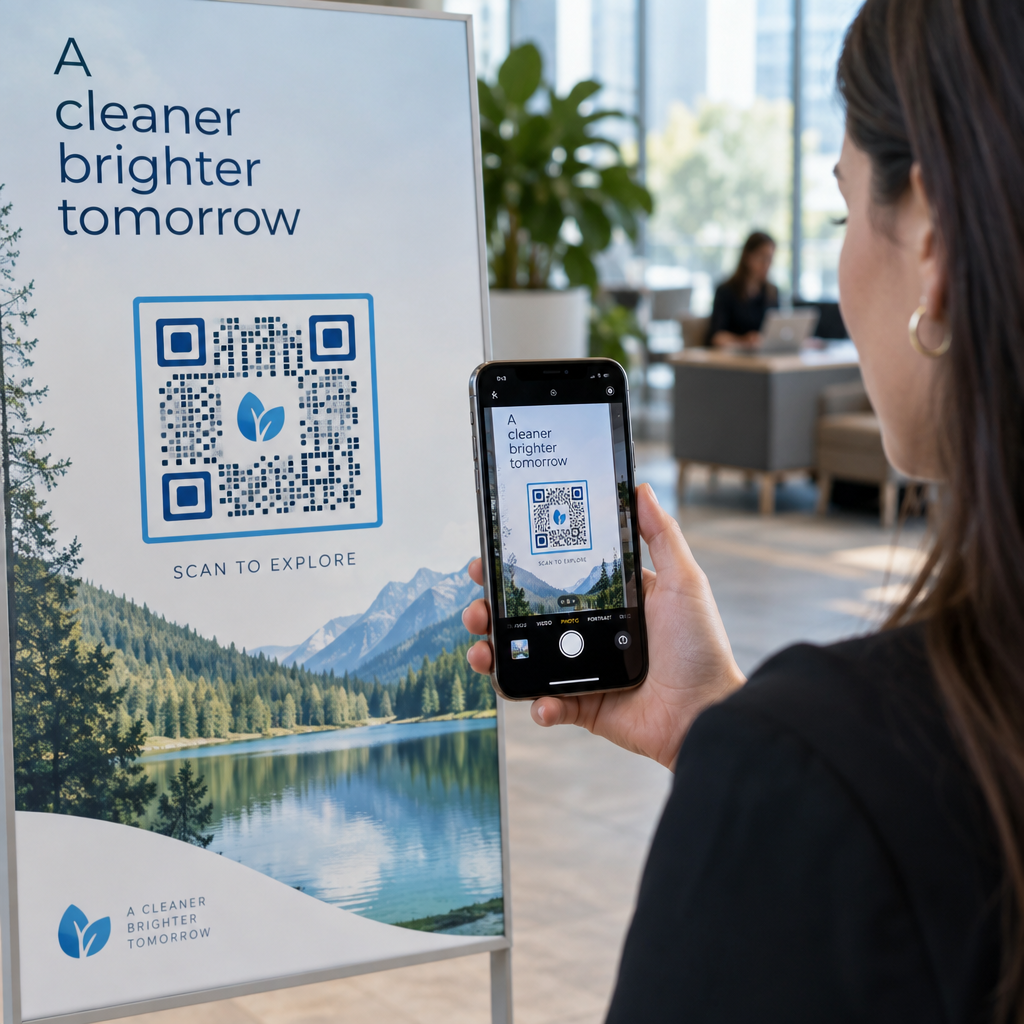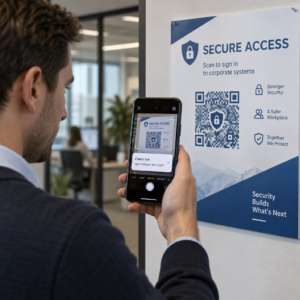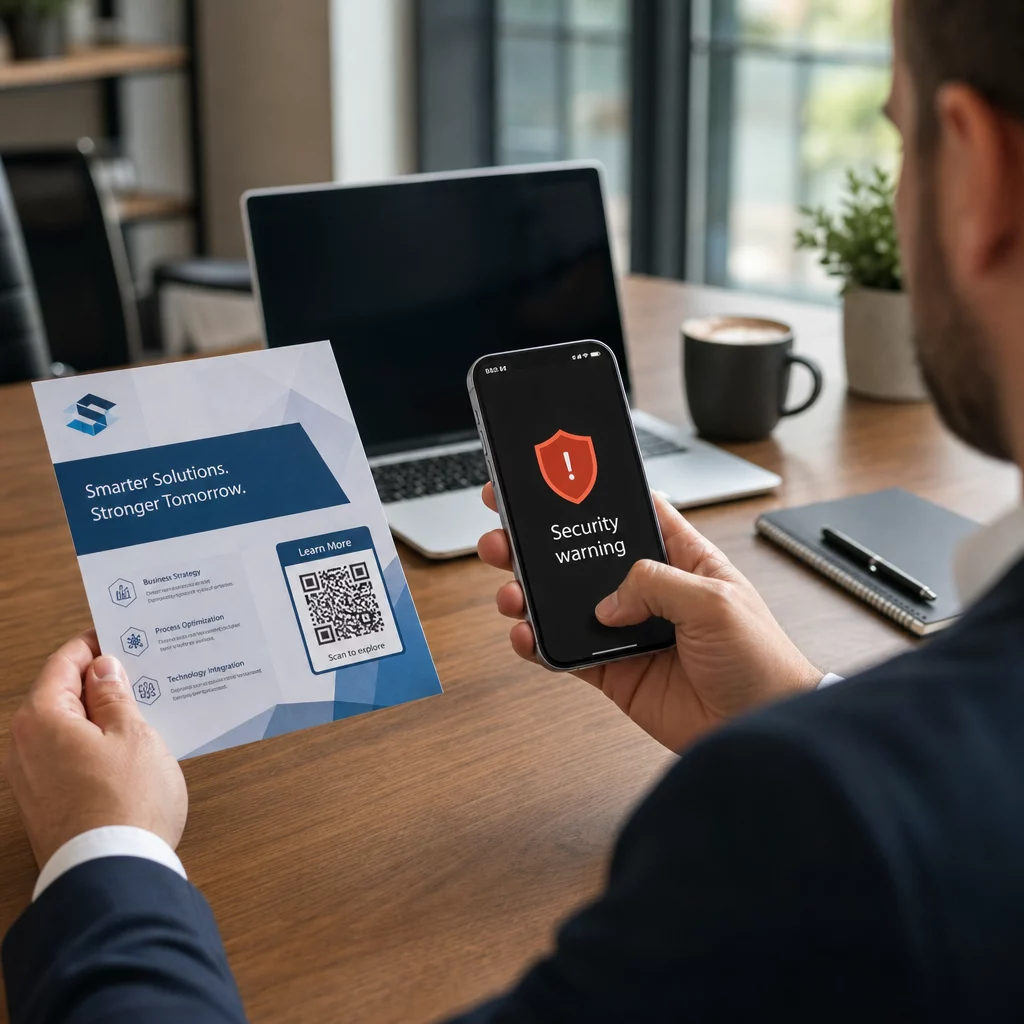
Doanh nghiệp của bạn có đang sử dụng mã QR mà không biết mã nào đã bị giả mạo không? Lừa đảo bằng mã QR – thường được gọi là “quishing” – biến một tiện ích hàng ngày thành một cái bẫy đánh cắp thông tin đăng nhập, và các bộ lọc bảo mật truyền thống thường bỏ qua hoàn toàn. Hướng dẫn này bao gồm cách thức hoạt động của các cuộc tấn công này, chi phí mà chúng gây ra cho doanh nghiệp và các biện pháp kiểm soát cụ thể bạn có thể áp dụng để ngăn chặn chúng.
Cách thức hoạt động của lừa đảo bằng mã QR
Lừa đảo bằng mã QR khai thác một điểm yếu cơ bản: mã QR không thể đọc được bằng mắt thường. Với một URL truyền thống, một người có kinh nghiệm thường có thể phát hiện ra một tên miền giả mạo hoặc một chuỗi đáng ngờ. Mã QR che giấu tất cả những điều đó. Như Alex Mosher, phó chủ tịch toàn cầu tại MobileIron, giải thích:
“Mã QR vốn dĩ che giấu đích đến của chúng. Do đó, khả năng thay đổi mã QR để trỏ đến một tài nguyên thay thế mà không bị phát hiện là đơn giản và rất hiệu quả.”
Kẻ tấn công nhúng các URL độc hại vào bên trong mã QR để chuyển hướng nạn nhân đến các trang đăng nhập giả mạo được thiết kế để thu thập thông tin đăng nhập, hoặc đến các trang web kích hoạt tải xuống phần mềm độc hại. Làm trầm trọng thêm vấn đề, nhiều hệ thống bảo mật email không thể giải mã hình ảnh mã QR – chúng chỉ thấy một bức ảnh, không phải một liên kết – vì vậy tải trọng độc hại lọt qua các bộ lọc vốn sẽ bắt được một URL lừa đảo thông thường.
Năm 2023, lừa đảo bằng mã QR chiếm 22% tổng số các cuộc tấn công lừa đảo. Một chiến dịch quishing quy mô lớn đã tăng 2.400% chỉ trong vài tháng, và phân tích một hoạt động nhắm vào doanh nghiệp cho thấy khoảng 29% email độc hại chứa mã QR.
Nơi kẻ tấn công đặt mã QR độc hại
Tấn công qua email và tài liệu là phương pháp phân phối phổ biến nhất. Kẻ tấn công nhúng mã QR vào bên trong tệp đính kèm PDF hoặc Word để vượt qua các bộ lọc bảo mật email. Năm 2023, 82% các cuộc tấn công quishing mạo danh các thương hiệu đáng tin cậy – Microsoft bị nhắm mục tiêu trong 51% các trường hợp được quan sát, tiếp theo là DocuSign ở mức 31% và Adobe ở mức 15%. Giữa giữa năm 2024 và cuối năm 2024, các nhà nghiên cứu đã phát hiện hơn 500.000 email lừa đảo chứa mã QR được nhúng trong các tệp PDF.
Giả mạo vật lý cũng nguy hiểm không kém. Kẻ tấn công dán các nhãn dán mã QR giả mạo lên các mã hợp pháp ở những địa điểm có lưu lượng truy cập cao – nhà hàng, máy đỗ xe, sân bay và không gian bán lẻ. Tại San Francisco, tội phạm đã đặt các mã QR giả mạo trên vé đỗ xe hướng người dùng đến một trang vận chuyển giả mạo được thiết kế để đánh cắp thông tin thẻ tín dụng. Cục An sinh Xã hội đặc biệt cảnh báo rằng các mã QR hợp pháp trên biển báo chính thức thường không phải là nhãn dán; một mã được dán dưới dạng nhãn dán nên được coi là đáng ngờ.
Mồi nhử kỹ thuật xã hội hoàn thiện bức tranh. Nạn nhân được nhắc nhở quét mã QR để nhận chiết khấu, kết nối Wi-Fi miễn phí hoặc hoàn thành một cuộc khảo sát. Trong một trường hợp được ghi nhận ở Singapore, một phụ nữ đã quét mã tại một cửa hàng trà sữa với hy vọng nhận được phần thưởng khách hàng thân thiết. Thay vào đó, một ứng dụng độc hại đã được tải xuống điện thoại của cô, và kẻ tấn công đã rút 2.000 đô la từ tài khoản ngân hàng của cô.
Chi phí mà các cuộc tấn công này gây ra cho doanh nghiệp
Đánh cắp thông tin đăng nhập và dữ liệu
Gần 90% các cuộc tấn công quishing được thiết kế đặc biệt để đánh cắp thông tin đăng nhập và dữ liệu nhạy cảm. Kẻ tấn công chuyển hướng nạn nhân đến các bản sao thuyết phục của Microsoft 365, SharePoint hoặc các cổng ngân hàng. Các giám đốc điều hành bị nhắm mục tiêu không cân xứng vì thông tin đăng nhập của họ mở khóa các hệ thống quan trọng và dữ liệu đặc quyền.
Thiết bị cá nhân làm cho vấn đề này tồi tệ hơn. Khi nhân viên quét mã QR trên điện thoại không được đăng ký trong hệ thống quản lý doanh nghiệp, các nhóm IT không có khả năng hiển thị về những gì đã xảy ra hoặc những gì đã được truy cập.
Thiệt hại tài chính
Chi phí trung bình của một vụ vi phạm dữ liệu đạt $4.45 triệu vào năm 2023, với các vụ lừa đảo Business Email Compromise trung bình $4.89 triệu – chưa tính đến các khoản phạt quy định và chi phí pháp lý. Thiệt hại trực tiếp do lừa đảo tăng 76% so với năm trước. Các sự cố riêng lẻ minh họa quy mô: một vụ lừa đảo tại nhà ga xe lửa ở Anh khiến một nạn nhân nợ £13,000; một gia đình ở Calgary mất $10,000 do một vụ lừa đảo mã QR trên Facebook Marketplace.
Các doanh nghiệp nhỏ phải gánh chịu một phần thiệt hại không cân xứng. Tại Vương quốc Anh, các doanh nghiệp nhỏ phải đối mặt với ước tính 65,000 cuộc tấn công mạng mỗi ngày, với chi phí trung bình để giải quyết một cuộc tấn công thành công khoảng $33,700.
Gián đoạn hoạt động và Thiệt hại danh tiếng
Thông tin đăng nhập bị đánh cắp thường là điểm khởi đầu cho việc triển khai ransomware. Năm 2023, các tổ chức đã chi trung bình $1.82 triệu để phục hồi sau các sự cố ransomware. Các công ty xây dựng và kỹ thuật đối mặt với rủi ro tấn công mã QR cao hơn 19.2 lần so với mức trung bình; các công ty dịch vụ chuyên nghiệp đối mặt với rủi ro cao hơn 18.5 lần.
Ngoài thời gian ngừng hoạt động, các doanh nghiệp còn phải đối mặt với việc mất khách hàng, phí bảo hiểm an ninh mạng cao hơn và sự giám sát của cơ quan quản lý khi dữ liệu khách hàng bị lộ. Xây dựng lại lòng tin sau một vụ vi phạm mất nhiều thời gian hơn nhiều so với việc giải quyết sự cố kỹ thuật.
Cách ngăn chặn lừa đảo mã QR: Một phương pháp tiếp cận đa lớp
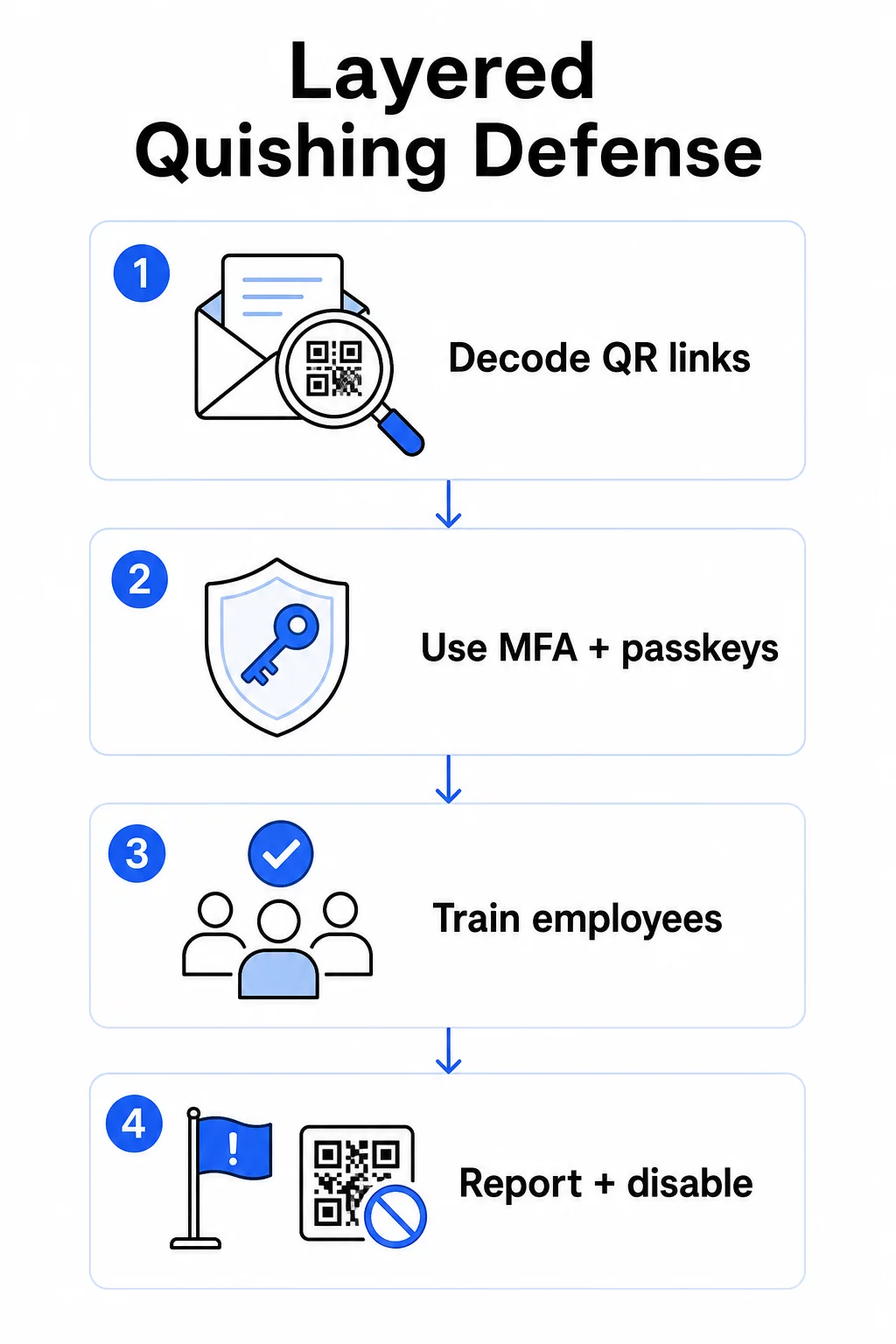
Không có biện pháp kiểm soát đơn lẻ nào loại bỏ được quishing. Khuyến nghị nhất quán từ các nhà nghiên cứu bảo mật, cơ quan liên bang và các nhóm bảo mật doanh nghiệp là một hệ thống phòng thủ đa lớp kết hợp lọc email, kiểm soát danh tính, bảo vệ điểm cuối, đào tạo nhân viên và quy trình báo cáo.
Các biện pháp kiểm soát bảo mật email
Cấu hình hệ thống bảo mật email với các khả năng vượt xa việc quét liên kết tiêu chuẩn. Các biện pháp kiểm soát hiệu quả bao gồm:
- Lọc có khả năng OCR giải mã hình ảnh mã QR trong email và phân tích URL được nhúng dựa trên thông tin tình báo về mối đe dọa
- Chính sách chống lừa đảo được điều chỉnh để gắn cờ các tải trọng dựa trên hình ảnh, đặc biệt là mã QR được nhúng trong tệp đính kèm PDF hoặc tài liệu Office
- Các quy tắc cổng spam nghiêm ngặt coi mã QR không mong muốn trong email là rủi ro cao theo mặc định
Cụ thể đối với môi trường Microsoft 365, Microsoft Defender for Office 365 bao gồm giải mã hình ảnh mã QR để hiển thị các URL được nhúng nhằm kiểm tra danh tiếng và đánh giá Liên kết An toàn (Safe Links).
Kiểm soát Danh tính và Truy cập
Thông tin xác thực bị đánh cắp chỉ hữu ích nếu chúng có thể được sử dụng. Các biện pháp kiểm soát danh tính theo lớp giảm đáng kể rủi ro đó:
- Xác thực đa yếu tố (MFA) trên tất cả các tài khoản, với các yêu cầu xác thực mạnh hơn đối với người dùng có đặc quyền cao và các giám đốc điều hành
- Các phương pháp MFA chống lừa đảo chẳng hạn như khóa bảo mật phần cứng hoặc khóa truy cập (passkeys), được gắn với miền hợp pháp và không thể bị chặn bởi một trang web lừa đảo
- Chặn các giao thức xác thực cũ không hỗ trợ MFA, loại bỏ một lộ trình bỏ qua phổ biến
- Các chính sách truy cập có điều kiện gắn cờ hoặc chặn các nỗ lực đăng nhập từ các thiết bị không được quản lý
Để biết thêm ngữ cảnh về cách mã QR giao thoa với quy trình xác thực, hãy xem cách mã QR đơn giản hóa xác thực đa yếu tố.
Bảo vệ Điểm cuối và Thiết bị
Các thiết bị được quản lý với bảo mật điểm cuối cập nhật cung cấp một mạng lưới an toàn quan trọng:
- Triển khai phát hiện và phản hồi điểm cuối (EDR) trên tất cả các thiết bị được quản lý
- Bật kiểm tra danh tiếng trình duyệt (chẳng hạn như Microsoft SmartScreen) cảnh báo người dùng trước khi họ truy cập vào một miền lừa đảo đã biết
- Áp dụng các chính sách Quản lý Thiết bị Di động (MDM) thực thi các tiêu chuẩn bảo mật trên điện thoại dùng để quét mã QR cho công việc
- Hạn chế tải xuống từ các thiết bị không được quản lý trên mạng công ty
FTC khuyên nên giữ hệ điều hành thiết bị luôn cập nhật và sử dụng mật khẩu mạnh, duy nhất cho tất cả các tài khoản như một biện pháp vệ sinh cơ bản giúp giảm thiểu tác động của bất kỳ nỗ lực lừa đảo thành công nào.
Đào tạo và Nâng cao Nhận thức cho Nhân viên
Nhân viên của bạn là tuyến phòng thủ trực tiếp nhất chống lại quishing, và việc đào tạo phải rõ ràng – nhận thức chung về lừa đảo không tự động chuyển sang các mối đe dọa từ mã QR.
Các chương trình đào tạo hiệu quả bao gồm:
- Tại sao mã QR nguy hiểm: đích đến bị ẩn cho đến sau khi quét
- Các dấu hiệu đáng ngờ trong email chứa mã QR: tính khẩn cấp, lời chào chung chung, tin nhắn không mong muốn từ các thương hiệu quen thuộc và yêu cầu thông tin đăng nhập
- Dấu hiệu can thiệp vật lý: mã được dán dưới dạng nhãn dán lên tài liệu in, mã trên biển báo không chính thức
- Thói quen xác minh: nếu mã QR đến trong một email không mong muốn, hãy liên hệ với người gửi qua số điện thoại đã biết hoặc trang web chính thức thay vì quét mã
- Kiểm tra URL: sau khi quét, hãy kiểm tra URL trong thanh trình duyệt trước khi nhập bất kỳ thông tin đăng nhập nào – tìm lỗi chính tả, các chữ cái bị đổi chỗ hoặc các miền không quen thuộc
Bộ Y tế và Dịch vụ Nhân sinh Hoa Kỳ khuyến nghị đào tạo người dùng cuối duy trì mức độ hoài nghi lành mạnh và nhận biết các chỉ số như địa chỉ người gửi đáng ngờ, liên kết giả mạo và ngữ pháp không chuẩn – tất cả đều xuất hiện trong các chiến dịch lừa đảo dựa trên QR cũng như trong các chiến dịch dựa trên văn bản.
Thực hiện các bài tập quishing mô phỏng cùng với các mô phỏng lừa đảo tiêu chuẩn. Nhắm mục tiêu vào các nhóm có rủi ro cao – giám đốc điều hành, đội ngũ tài chính và bất kỳ ai có đặc quyền quản trị – với các kịch bản thường xuyên và thực tế hơn.
Để có cái nhìn rộng hơn về các biện pháp bảo mật tốt nhất cho mã QR trong phòng thủ mạng, bao gồm mã hóa và ghép nối xác thực, hướng dẫn đó đề cập sâu hơn đến các biện pháp kiểm soát kỹ thuật.
Báo cáo và Ứng phó Sự cố
Nhân viên cần một cách rõ ràng, ít rào cản để báo cáo các mã QR đáng ngờ – cả trong email và trong không gian vật lý. Nút báo cáo lừa đảo trong các ứng dụng email giúp loại bỏ rào cản cho các báo cáo kỹ thuật số. Đối với mã vật lý, hãy cung cấp hướng dẫn về cách gắn cờ và chụp ảnh các nhãn dán đáng ngờ hoặc vật liệu bị can thiệp.
Kế hoạch ứng phó sự cố của bạn nên đặc biệt giải quyết các kịch bản quishing với các bước xác định:
- Cô lập bất kỳ tài khoản nào có thể đã gửi thông tin đăng nhập thông qua mã QR độc hại
- Thu hồi các phiên hoạt động và đặt lại mật khẩu ngay lập tức
- Kiểm tra truy cập trái phép hoặc di chuyển dữ liệu trong khoảng thời gian giữa quá trình quét và phản hồi
- Thông báo cho các cá nhân bị ảnh hưởng theo chính sách thông báo vi phạm của bạn
- Tiến hành đánh giá sau sự cố để xác định cách mã QR đã vượt qua các kiểm soát hiện có
Chạy thử nghiệm thâm nhập bao gồm các kịch bản quishing để tìm ra lỗ hổng trước khi kẻ tấn công thực hiện.
Mã QR Do Doanh Nghiệp Của Bạn Triển Khai: Bảo Mật Mã Của Riêng Bạn
Ngăn chặn quishing cũng có nghĩa là đảm bảo các mã QR mà doanh nghiệp của bạn công bố không thể bị vũ khí hóa để chống lại khách hàng hoặc nhân viên của bạn.
Sử dụng mã QR động thay vì mã tĩnh. Mã tĩnh mã hóa vĩnh viễn một URL đích. Nếu đích đó bị xâm phạm, mã sẽ trở thành một rủi ro mà bạn không thể khắc phục nếu không in lại. Mã QR động trỏ đến một URL chuyển hướng ngắn mà bạn kiểm soát – bạn có thể cập nhật đích, chuyển hướng đến một trang mới hoặc vô hiệu hóa hoàn toàn mã từ bảng điều khiển quản lý mà không cần chạm vào tài liệu in.
Giữ Mã QR Đã Xuất Bản Của Bạn Trong Tầm Kiểm Soát Nếu bạn nghi ngờ một trong các mã đã triển khai của mình đã bị giả mạo hoặc đang trỏ đến một nơi không an toàn, bạn có thể cập nhật hoặc vô hiệu hóa nó ngay lập tức. Sử dụng Tạo mã QR động để quản lý tất cả các mã của bạn từ một bảng điều khiển tập trung với phân tích quét theo thời gian thực.
Áp dụng thương hiệu nhất quán cho các mã của bạn. Bảy mươi mốt phần trăm người không thể phân biệt đáng tin cậy giữa mã QR giả và mã QR hợp pháp. Mã QR có thương hiệu – với logo của bạn, màu sắc công ty và tên miền tùy chỉnh trong URL đích – cung cấp cho người dùng một tín hiệu trực quan rằng mã là xác thực. Các mã QR đen trắng chung chung với các URL ngắn không rõ ràng không cung cấp sự đảm bảo nào như vậy.
Giám sát phân tích quét để tìm các bất thường. Mã QR động thu thập dữ liệu quét bao gồm dấu thời gian, loại thiết bị và vị trí địa lý. Sự gia tăng đột biến trong số lượt quét từ các khu vực không mong đợi, hoặc hoạt động quét ngoài giờ làm việc bình thường, có thể cho thấy một trong các mã của bạn đã bị sao chép và phân phối lại một cách độc hại. Bảng điều khiển phân tích của Pageloot hiển thị các mẫu này để bạn có thể điều tra và phản ứng nhanh chóng.
Để xem chi tiết về dữ liệu quét mà mã của bạn thu thập và cách diễn giải dữ liệu đó một cách có trách nhiệm, hãy xem hiểu dữ liệu mà mã QR động của bạn theo dõi.
Thực hiện kiểm tra vật lý định kỳ. Đối với bất kỳ mã QR nào được hiển thị ở nơi công cộng hoặc bán công cộng – bàn nhà hàng, bảng hiệu sự kiện, màn hình xe cộ hoặc cửa sổ bán lẻ – hãy kiểm tra vật lý các mã theo lịch trình thường xuyên. Tìm kiếm các nhãn dán được dán chồng lên mã gốc và kiểm tra đích đến của từng mã trước khi khách hàng gặp phải.
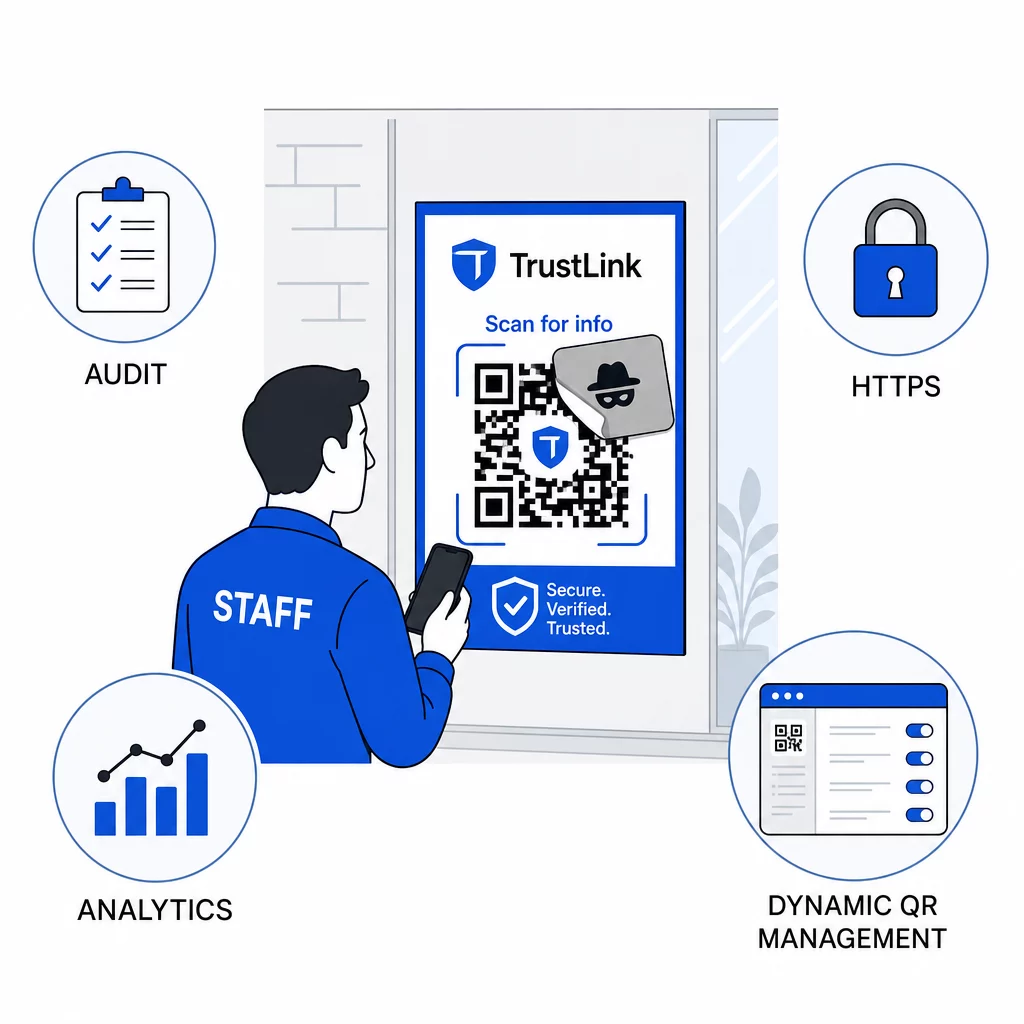
Chỉ sử dụng các đích đến HTTPS. Mọi URL mà mã QR của bạn liên kết đến đều phải sử dụng HTTPS. Gửi người dùng đến một đích đến HTTP không được mã hóa làm suy yếu lòng tin và làm lộ dữ liệu đang truyền.
Để có thêm hướng dẫn về rủi ro về quyền riêng tư của mã QR và cách tránh chúng, bao gồm cách cân bằng phân tích với quyền riêng tư của người dùng, tài nguyên đó bao gồm các cân nhắc về dữ liệu mà các doanh nghiệp thường bỏ qua.
Đánh giá các công cụ phát hiện
Đào tạo nhân viên và kiểm soát nền tảng giải quyết một phần đáng kể rủi ro, nhưng các công cụ phát hiện chuyên dụng bổ sung thêm một lớp bảo vệ – đặc biệt đối với các tổ chức có khối lượng email lớn hoặc triển khai mã QR phức tạp. Nếu bạn đang đánh giá các lựa chọn, các công cụ được thiết kế để phát hiện lừa đảo mã QR bao gồm từ các nền tảng phân tích hành vi doanh nghiệp đến các tiện ích bổ sung cổng email và ứng dụng quét di động với kiểm tra danh tiếng tích hợp.
Sự kết hợp phù hợp phụ thuộc vào ngăn xếp bảo mật hiện có của bạn, khối lượng mã QR bạn nhận được so với triển khai và liệu việc giả mạo vật lý có phải là mối lo ngại đáng kể đối với các địa điểm của bạn hay không. Lừa đảo qua mã QR (Quishing) không phải là một mối đe dọa giả định. Nó chiếm một phần đáng kể trong hoạt động lừa đảo thực tế, bỏ qua các biện pháp kiểm soát mà hầu hết các tổ chức đã có sẵn và nhắm mục tiêu không cân xứng vào các doanh nghiệp và người dùng ít được trang bị nhất để nhận ra nó. Thu hẹp khoảng cách đòi hỏi hành động có chủ ý trên toàn bộ bảo mật email, kiểm soát danh tính, đào tạo nhân viên và các mã QR bạn tự xuất bản.
Bắt đầu với các biện pháp kiểm soát bạn có thể triển khai ngay lập tức – MFA, nhận thức của nhân viên và chuyển đổi các mã đã xuất bản của bạn sang quản lý động – sau đó xây dựng hệ thống phòng thủ nhiều lớp giúp các cuộc tấn công lừa đảo qua mã QR (quishing) liên tục không thành công đối với tổ chức của bạn.
Câu hỏi thường gặp
Lừa đảo truyền thống thường sử dụng các URL hiển thị rõ ràng trong văn bản email hoặc các siêu liên kết mà người dùng đã được đào tạo có thể kiểm tra trước khi nhấp. Lừa đảo bằng mã QR che giấu hoàn toàn đích đến – URL độc hại được mã hóa bên trong hình ảnh, vô hình cho đến sau khi quét. Điều này cũng khiến các bộ lọc bảo mật email khó phát hiện hơn, vì chúng nhìn thấy một hình ảnh chứ không phải một liên kết. Kết quả là lừa đảo bằng mã QR bỏ qua nhiều biện pháp kiểm soát vốn hiệu quả trong việc phát hiện lừa đảo dựa trên văn bản.
Tập trung vào các biện pháp kiểm soát có tác động cao nhất trước tiên: bật xác thực đa yếu tố cho tất cả các tài khoản, đào tạo nhân viên coi các mã QR không mong muốn là đáng ngờ và xác minh thông qua các kênh độc lập, và chuyển đổi bất kỳ mã QR nào đã xuất bản từ tĩnh sang động để bạn có thể cập nhật hoặc vô hiệu hóa chúng nếu phát hiện sự cố. Các bước này tốn ít chi phí và loại bỏ các đường tấn công phổ biến nhất. Sử dụng máy quét mã QR có khả năng xem trước URL trước khi quét các mã không xác định, và thiết lập quy trình rõ ràng để nhân viên báo cáo các mã đáng ngờ cho bộ phận IT.
Mã QR tĩnh mã hóa vĩnh viễn một URL đích. Nếu URL đó bị xâm phạm – hoặc nếu kẻ tấn công sao chép mã của bạn và phân phối lại nó trỏ đến một trang web độc hại – bạn không có cách nào để sửa mã gốc đã in mà không in lại toàn bộ. Mã QR động định tuyến thông qua một URL chuyển hướng ngắn mà bạn kiểm soát tập trung. Bạn có thể thay đổi đích đến, thêm bảo vệ bằng mật khẩu, đặt ngày hết hạn và theo dõi hoạt động quét theo thời gian thực. Nếu có điều gì đó không ổn, bạn có thể vô hiệu hóa mã ngay lập tức. Sự kết hợp giữa tính linh hoạt và khả năng hiển thị đó làm cho mã động an toàn hơn đáng kể đối với bất kỳ mã QR nào được sử dụng trong các bối cảnh kinh doanh công cộng hoặc liên tục.