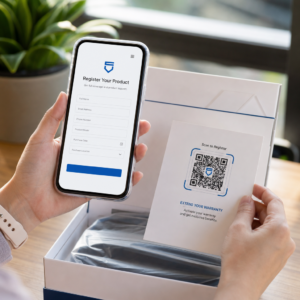
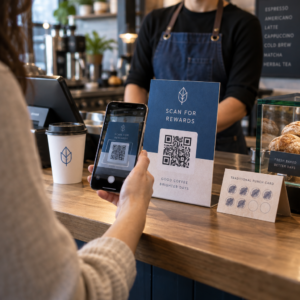
Czy tracisz wykwalifikowanych kandydatów, ponieważ Twój proces rekrutacji generuje zbyt wiele tarć? Przestarzałe przepływy pracy aplikacji, ręczne wprowadzanie danych i słaba widoczność zaangażowania kandydatów kosztują firmy rekrutacyjne czas i najlepszych talentów. Ten przewodnik wyjaśnia, jak kody QR rozwiązują te problemy – i jak je wdrożyć w swoim procesie rekrutacji.
Dlaczego śledzenie kandydatów jest niewystarczające bez kodów QR
Większość firm rekrutacyjnych nadal polega na mozaice ręcznych kroków: kandydaci wpisują długie adresy URL, wypełniają formularze na komputerze stacjonarnym lub biorą ulotkę na targach pracy i nigdy nie kontynuują. Każde przekazanie to okazja dla wykwalifikowanego kandydata do rezygnacji.
Liczby odzwierciedlają rzeczywiste zachowanie kandydatów. Badania Pew Research Center wykazały, że 50% osób poszukujących pracy za pomocą smartfonów używało swoich telefonów do wypełniania internetowych aplikacji o pracę, a około dwie trzecie aplikacji o pracę jest obecnie przesyłanych z urządzeń mobilnych. Kiedy Twój proces aplikacyjny nie jest zbudowany pod kątem urządzeń mobilnych, działasz na niekorzyść własnego lejka rekrutacyjnego.
Kody QR wypełniają tę lukę. Pojedyncze skanowanie przenosi kandydata z fizycznego punktu styku – plakatu, wizytówki, stoiska na targach pracy – bezpośrednio do formularza aplikacyjnego, opisu stanowiska lub linku do harmonogramu. Bez pisania, bez wyszukiwania, bez tarć.
Gdzie kody QR pasują do Twojego przepływu pracy rekrutacyjnej
Kody QR nie są narzędziem jednorazowego użytku. Mogą poprawić interakcje z kandydatami na każdym etapie lejka rekrutacyjnego.
Na targach pracy i wydarzeniach. Umieść kod QR na swoim stoisku, aby skierować odwiedzających do konkretnych ofert pracy lub zebrać dane kontaktowe za pośrednictwem Kod QR formularza Google. Każde skanowanie tworzy cyfrowy zapis interakcji – żadnych wizytówek do zgubienia, żadnych arkuszy kalkulacyjnych do późniejszego uzgadniania. Możesz również uprościć odprawy na wydarzeniach, używając systemu obecności z kodami QR który automatycznie rejestruje przybycia.
Na materiałach drukowanych. Ulotki, plakaty i broszury mogą dotrzeć do kandydatów, którzy aktywnie nie szukają pracy. A Kod QR na plakacie łączący się z krótkim filmem o kulturze Twojej firmy lub aktualnej ofercie daje pasywnym kandydatom bezproblemowy sposób na eksplorację bez natychmiastowego zobowiązania się do pełnej aplikacji.
Na wizytówkach. Rekruterzy mogą dołączyć Kod QR LinkedIn lub link do swoich aktualnych ofert pracy, aby rozmowy osobiste przekładały się na konkretne kontakty. Pageloota Generator kodów QR do LinkedIn ułatwia tworzenie kodu do skanowania, który prowadzi bezpośrednio do Twojego profilu lub strony firmowej.
W kampaniach cyfrowych. Biuletyny e-mailowe, portale z ofertami pracy i posty w mediach społecznościowych mogą zawierać kody QR, które kierują kandydatów na dedykowaną stronę docelową. Użycie dynamiczne kody QR tutaj pozwala śledzić, które kanały cyfrowe generują najwięcej kwalifikowanych aplikacji.
Do przesyłania CV. Połączenie kodu QR z Formularzem Google lub portalem aplikacyjnym pozwala kandydatom natychmiast przesłać swoje informacje, rejestrując intencję, gdy zaangażowanie jest największe.
Usprawnij rekrutację na wydarzeniach Potrzebujesz śledzić obecność uczestników i zbierać dane kandydatów w jednym kroku? QR Code Attendance Tracker łączy się bezpośrednio z Formularzami Google, dzięki czemu każde skanowanie jest automatycznie rejestrowane.
Jak działa śledzenie kodów QR dla rekruterów
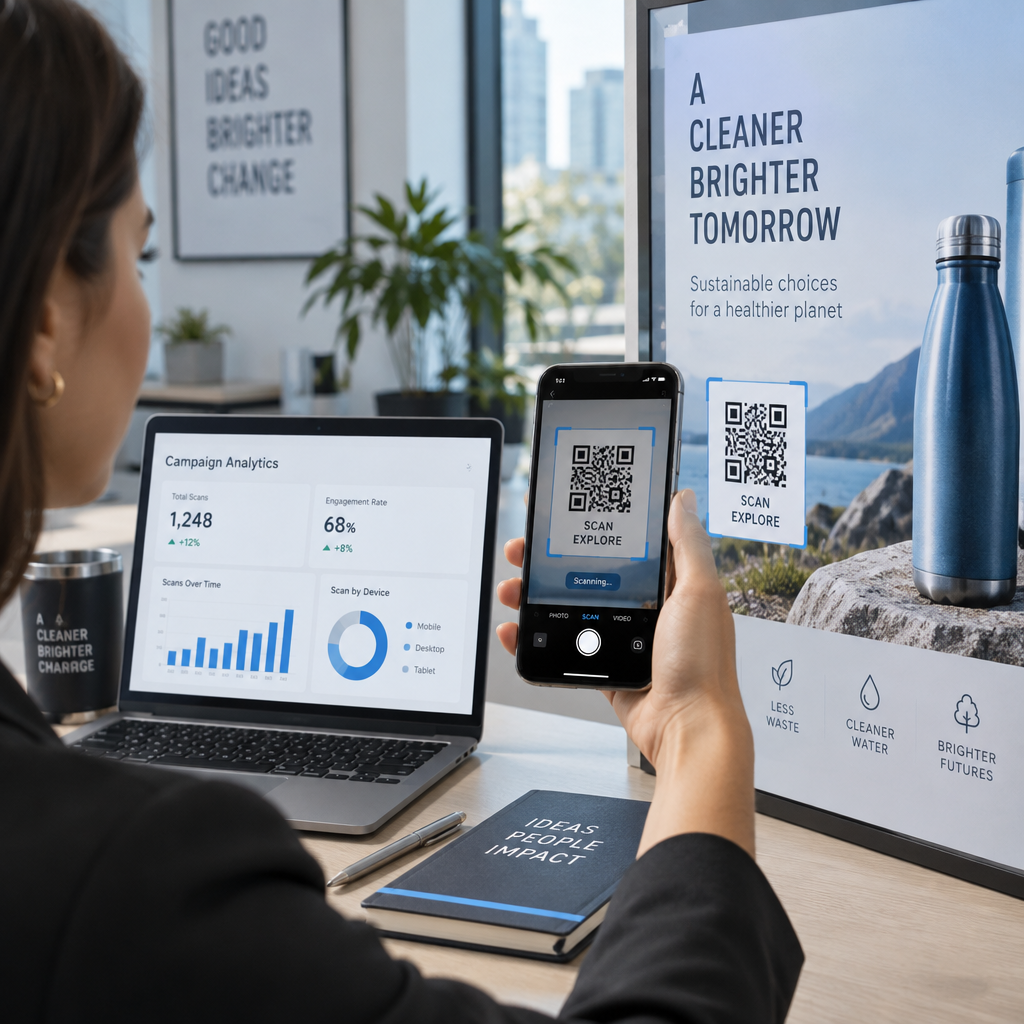
Sam kod QR to tylko skrót. Prawdziwa wartość pochodzi z danych, które generuje. Dynamiczne kody QR rejestrują każde skanowanie z uwzględnieniem metryk, takich jak:
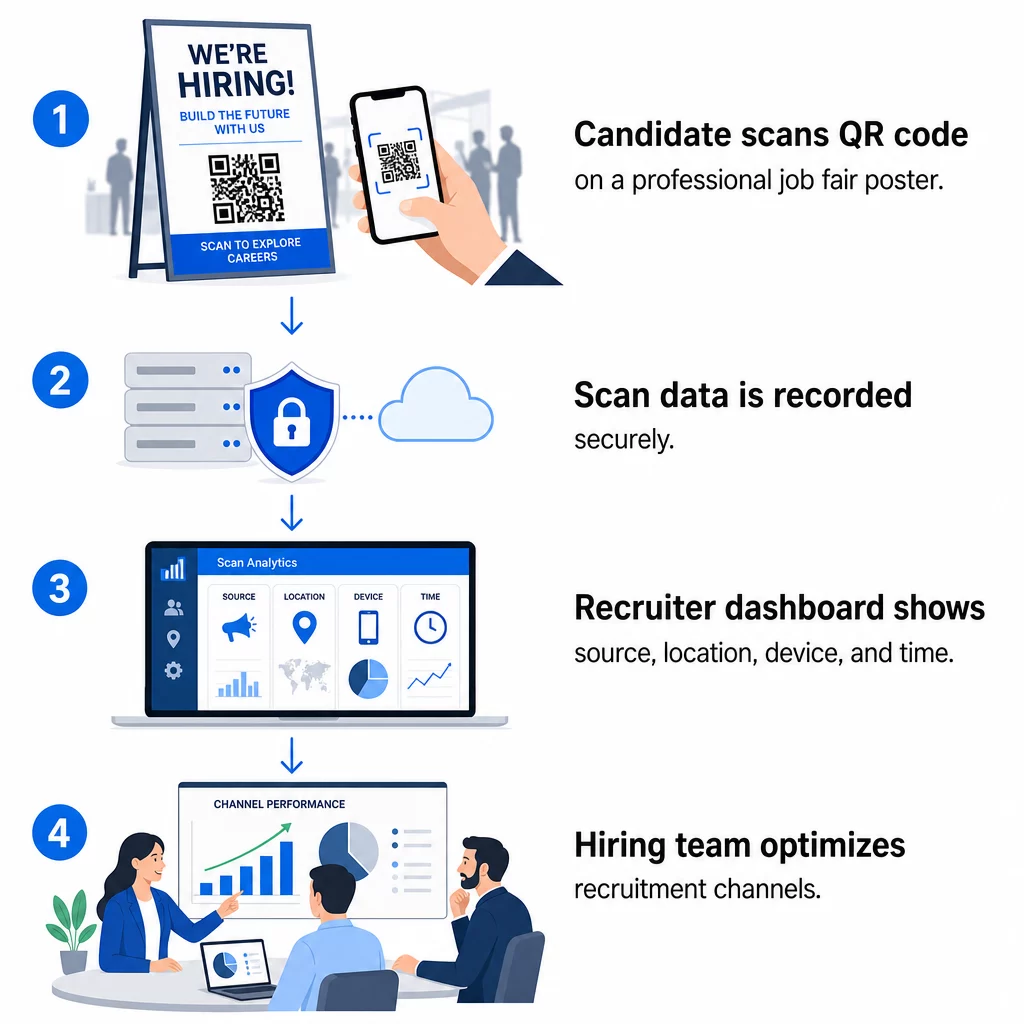
- Liczba skanów – całkowita liczba i unikalne skany w czasie
- Sygnatura czasowa – kiedy kandydaci najprawdopodobniej się zaangażują
- Dane lokalizacyjne – z jakich miast lub regionów pochodzą Twoje aplikacje
- Typ urządzenia i system operacyjny – potwierdzające, czy Twój proces aplikacji mobilnej faktycznie działa
Te dane pomagają odpowiedzieć na praktyczne pytania: Czy Twoje materiały z targów pracy generują dalsze działania? Czy kod QR na Twoim plakacie działa lepiej niż ten w Twoim e-mailu? Które miejsca publikacji ogłoszeń przyciągają kandydatów, którzy wypełniają pełną aplikację?
Więcej o odczytywaniu i działaniu na podstawie tych danych dowiesz się w przewodniku Pageloot dotyczącym śledzenia skanów kodów QR i analityki.
Dodawanie parametrów UTM dla głębszej atrybucji
Jeśli Twój zespół korzysta z Google Analytics, możesz dodać parametry UTM do adresu URL, na który wskazuje Twój kod QR. Pozwala to śledzić ruch generowany przez kody QR obok innych kanałów bez ręcznego uzgadniania. Kod umieszczony na uniwersyteckich targach pracy może używać `utm`source=careerfair` i `utm`medium=qrcode`, ułatwiając porównanie tego kanału z reklamami na LinkedIn lub ruchem z portali z ofertami pracy w GA4.
Przewodnik Pageloot na temat parametrów UTM dla kodów QR przechodzi przez konwencje nazewnictwa i szczegółową konfigurację raportowania.
Śledź każdy kanał rekrutacyjny Użyj Generator dynamicznych kodów QR aby tworzyć śledzalne kody z tagami UTM dla każdego punktu kontaktu rekrutacyjnego i dokładnie widzieć, które kanały przyciągają kwalifikowanych kandydatów.
Statyczne vs. Dynamiczne kody QR w rekrutacji
Nie każdy kod QR musi być dynamiczny, ale większość zastosowań rekrutacyjnych na tym korzysta. Oto praktyczne porównanie:
| FUNKCJA | Statyczny kod QR | Dynamiczny kod QR |
|---|---|---|
| Miejsce docelowe edytowalne po wydrukowaniu | Nie | Tak |
| Analityka skanów | Nie | Tak |
| Działa po zamknięciu ogłoszenia o pracę | Nie (jeśli URL przestaje działać) | Tak (przekierowanie do nowego ogłoszenia) |
| Wymaga subskrypcji | Nie | Tak |
| Najlepsze dla | Stałe materiały referencyjne | Aktywne kampanie, targi pracy, reklamy drukowane |
Główną zaletą dynamicznych kodów w rekrutacji jest elastyczność. Jeśli stanowisko zostanie obsadzone, zanim Twoje materiały drukowane zostaną wycofane, możesz przekierować ten kod QR do podobnej otwartej roli lub ogólnej strony aplikacyjnej – bez konieczności ponownego drukowania. Aby uzyskać szczegółowe informacje, zobacz porównanie Pageloot dotyczące statyczne vs. dynamiczne kody QR.
Tworzenie markowych kodów QR, którym ufają kandydaci
Ogólne czarno-białe kody QR są skanowane, ale markowe działają lepiej i wzmacniają tożsamość Twojego pracodawcy. Pageloot generator kodów QR pozwala osadzić logo firmy, zastosować kolory marki i wybierać spośród szablonów projektowych, dzięki czemu każdy kod wygląda jak celowy element Twoich materiałów, a nie dodatek.
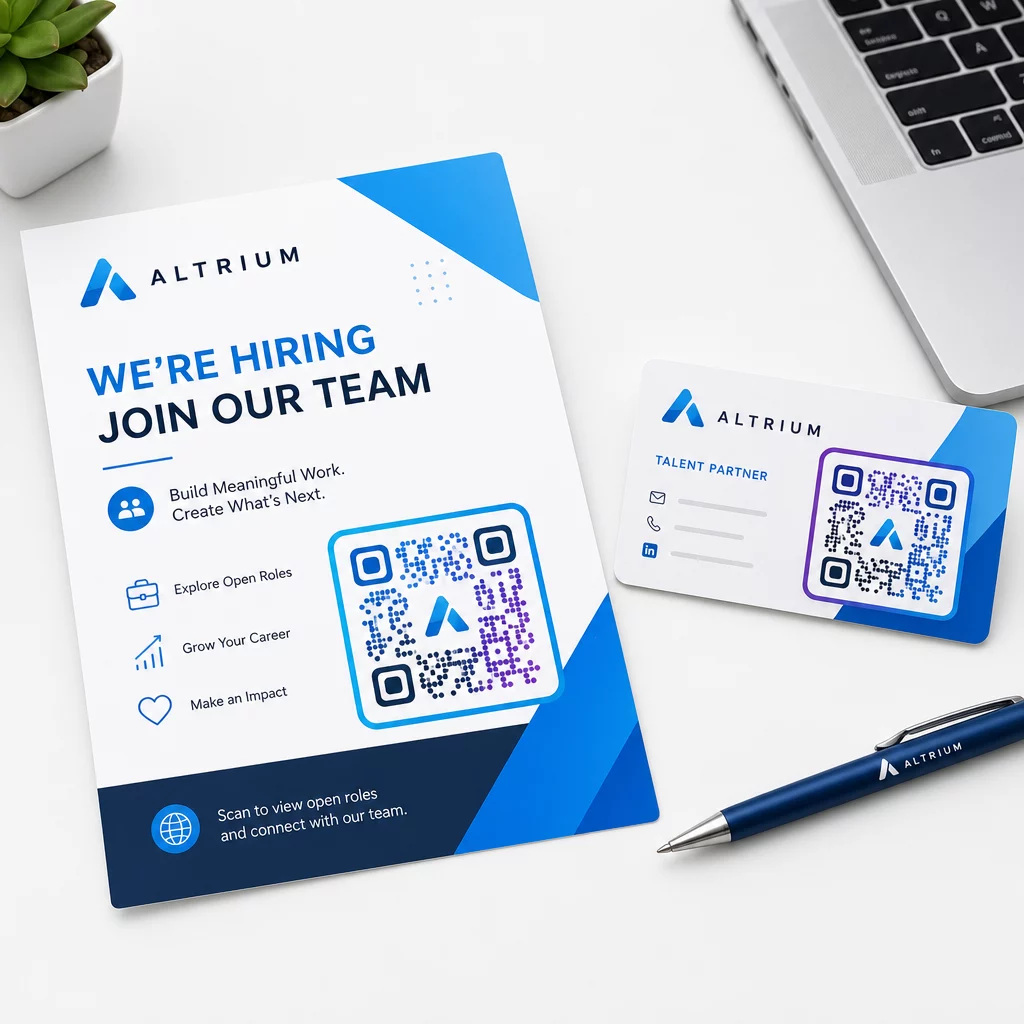
Kilka praktycznych wskazówek dotyczących drukowanych materiałów rekrutacyjnych:
- W przypadku wizytówek użyj minimalnego rozmiaru kodu QR wynoszącego 0,8 × 0,8 cala aby zapewnić niezawodną skanowalność.
- W przypadku plakatów i ulotek dąż do co najmniej 1,2 × 1,2 cala, z wyraźną białą przestrzenią wokół kodu.
- Zachowaj współczynnik kontrastu wynoszący co najmniej 4:1 między ciemnymi modułami a tłem.
- Drukuj w rozdzielczości 300 DPI aby upewnić się, że kod pozostaje ostry i skanowalny.
Markowe, odpowiednio rozmiarowane kody QR sygnalizują profesjonalizm i zachęcają kandydatów do kontynuowania. Aby dowiedzieć się więcej o miejscach docelowych przyjaznych dla urządzeń mobilnych po zeskanowaniu, zapoznaj się z przewodnikiem Pageloot dotyczącym najlepszymi praktykami dla mobilnych stron docelowych kodów QR.
Kwestie zgodności dotyczące danych kandydatów
Kody QR zbierają dane, a te dane wiążą się z odpowiedzialnością. Firmy rekrutacyjne w USA powinny być świadome kilku podstawowych wymagań podczas tworzenia procesów rekrutacyjnych opartych na kodach QR:
- Prowadzenie dokumentacji EEOC: Prawo federalne wymaga od pracodawców przechowywania wszystkich dokumentów aplikacyjnych – w tym tych przesłanych za pośrednictwem formularzy powiązanych z kodami QR – przez co najmniej rok od daty ich utworzenia. Kontrahenci federalni zatrudniający 150 lub więcej pracowników i posiadający kontrakty o wartości co najmniej 150 000 USD muszą przechowywać dokumenty przez dwa lata.
- Dobrowolna samoidentyfikacja: Jeśli Twoje formularze powiązane z kodami QR zbierają dane demograficzne do raportowania EEO, udział w tym musi być dobrowolny, przechowywany oddzielnie od materiałów aplikacyjnych i nigdy nie używany w decyzjach o zatrudnieniu.
- Obowiązki dotyczące prywatności: Jeśli Twoja platforma składa kandydatom obietnice dotyczące prywatności – wyraźnie lub domyślnie – masz obowiązek ich dotrzymać. Upewnij się, że wszelkie formularze powiązane z kodami QR i strony docelowe zawierają wyraźną politykę prywatności, a dane kandydatów są bezpiecznie przechowywane.
- ADA i narzędzia algorytmiczne: Jeśli Twój przepływ pracy z kodami QR łączy się z jakimikolwiek zautomatyzowanymi narzędziami do selekcji, wytyczne EEOC wymagają oceny tych narzędzi pod kątem potencjalnego nieproporcjonalnego wpływu na grupy chronione, w tym kandydatów z niepełnosprawnościami.
Te wymagania nie komplikują wdrożenia kodów QR – kształtują sposób projektowania zbierania danych po drugiej stronie skanu.
Jak Pageloot wspiera zespoły rekrutacyjne
Platforma Pageloot dostarcza firmom rekrutacyjnym narzędzia do tworzenia, zarządzania i analizowania kodów QR na każdym etapie rekrutacji. Zaufało jej ponad 20 000 firm w 110 krajach, a platforma obejmuje:
- A Generator dynamicznych kodów QR dla edytowalnych, śledzalnych kodów
- A Generator kodów QR do Google Forms dla natychmiastowych linków do formularzy aplikacyjnych i selekcyjnych
- A generator kodów QR z linkiem aby kierować kandydatów do dowolnego ogłoszenia o pracę lub strony docelowej
- Narzędzie do kodów QR do rejestracji obecności do rejestracji na wydarzeniach i logowania kandydatów
- Panel analityczny w czasie rzeczywistym śledzący liczbę skanów, lokalizację, urządzenie i czas
- Pełna kontrola nad brandingiem, w tym logotypy, kolory i szablony projektowe
- Obsługa ponad 25 typów kodów QR w formatach drukowanych i cyfrowych
14-dniowy bezpłatny okres próbny daje dostęp do kodów dynamicznych, analiz i spersonalizowanych opcji brandingu, zanim zdecydujesz się na płatny plan.
Rozpocznij z Kodami QR do Rekrutacji Twórz markowe, śledzalne kody na następne targi pracy, kampanię e-mailową lub drukowane ogłoszenie z Pageloot Generator kodów QR – bezpłatnie przez 14 dni, karta kredytowa nie jest wymagana.
Przekształcanie Danych z Kodów QR w Mądrzejsze Decyzje Rekrutacyjne
Dane ze skanów generowane przez Twoje kody QR to nie tylko metryka próżności – to pętla informacji zwrotnej dla Twojej strategii rekrutacyjnej. Jeśli Twoje kody QR na wydarzeniach generują dużą liczbę skanów, ale mało ukończonych aplikacji, problemem jest prawdopodobnie doświadczenie mobilne po drugiej stronie skanu. Jeśli Twoje plakaty w jednym mieście osiągają lepsze wyniki niż w innym, to informuje, gdzie skupić się na następnym nakładzie druku.
Z czasem, łączenie analiz skanów QR z danymi z systemu śledzenia kandydatów pozwala zbudować jaśniejszy obraz tego, które punkty styku faktycznie przekładają się na zatrudnienia – a które marnują budżet. To jest przejście od rekrutacji reaktywnej do rekrutacji opartej na danych.
Najczęściej zadawane pytania
Nie. Każdy nowoczesny smartfon z wbudowaną aplikacją aparatu może zeskanować kod QR bez pobierania dodatkowego oprogramowania. To usuwa znaczącą barierę dla zaangażowania, szczególnie podczas wydarzeń stacjonarnych, gdzie kandydaci mogą być niechętni do instalowania nowych aplikacji.
Tak, ale tylko jeśli używasz dynamicznego kodu QR. Kody dynamiczne kodują krótki adres URL przekierowania, który możesz w dowolnym momencie skierować do nowego miejsca docelowego z panelu Pageloot. Jeśli oferta pracy zostanie zamknięta lub link do formularza się zmieni, możesz przekierować kod bez ponownego drukowania ani jednej ulotki czy plakatu.
Sam kod QR zbiera dane na poziomie skanowania – znacznik czasu, typ urządzenia, system operacyjny i lokalizację geograficzną skanowania. Nie zbiera danych osobowych, chyba że kandydat aktywnie prześle formularz po zeskanowaniu. Wszelkie dane osobowe zebrane za pośrednictwem połączonych formularzy podlegają Twojej polityce prywatności i obowiązującemu prawu pracy, w tym wymogom EEOC dotyczącym przechowywania dokumentacji.