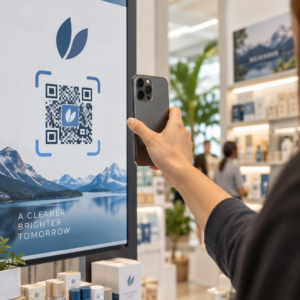
Verlieren Sie qualifizierte Bewerber, weil Ihr Einstellungsprozess zu viel Reibung erzeugt? Veraltete Bewerbungsabläufe, manuelle Dateneingabe und mangelnde Transparenz bei der Kandidatenbindung kosten Personalvermittlungsfirmen Zeit und Top-Talente. Dieser Leitfaden erklärt, wie QR-Codes diese Probleme lösen – und wie Sie sie in Ihrem Rekrutierungsprozess implementieren können.
Warum die Kandidatenverfolgung ohne QR-Codes zu kurz greift
Die meisten Personalvermittlungsfirmen verlassen sich immer noch auf ein Flickenteppich manueller Schritte: Kandidaten tippen lange URLs ein, füllen Formulare am Desktop aus oder nehmen einen Flyer auf einer Jobmesse mit und bleiben nie dran. Jede Übergabe ist eine Gelegenheit für einen qualifizierten Bewerber, abzuspringen.
Die Zahlen spiegeln wider, wie sich Kandidaten tatsächlich verhalten. Eine Studie des Pew Research Center ergab, dass 50 % der Smartphone-Jobsuchenden ihre Telefone nutzten, um eine Online-Bewerbung auszufüllen, und etwa zwei Drittel der Bewerbungen werden heute von mobilen Geräten aus eingereicht. Wenn Ihr Bewerbungsprozess nicht für Mobilgeräte ausgelegt ist, arbeiten Sie gegen Ihre eigene Pipeline.
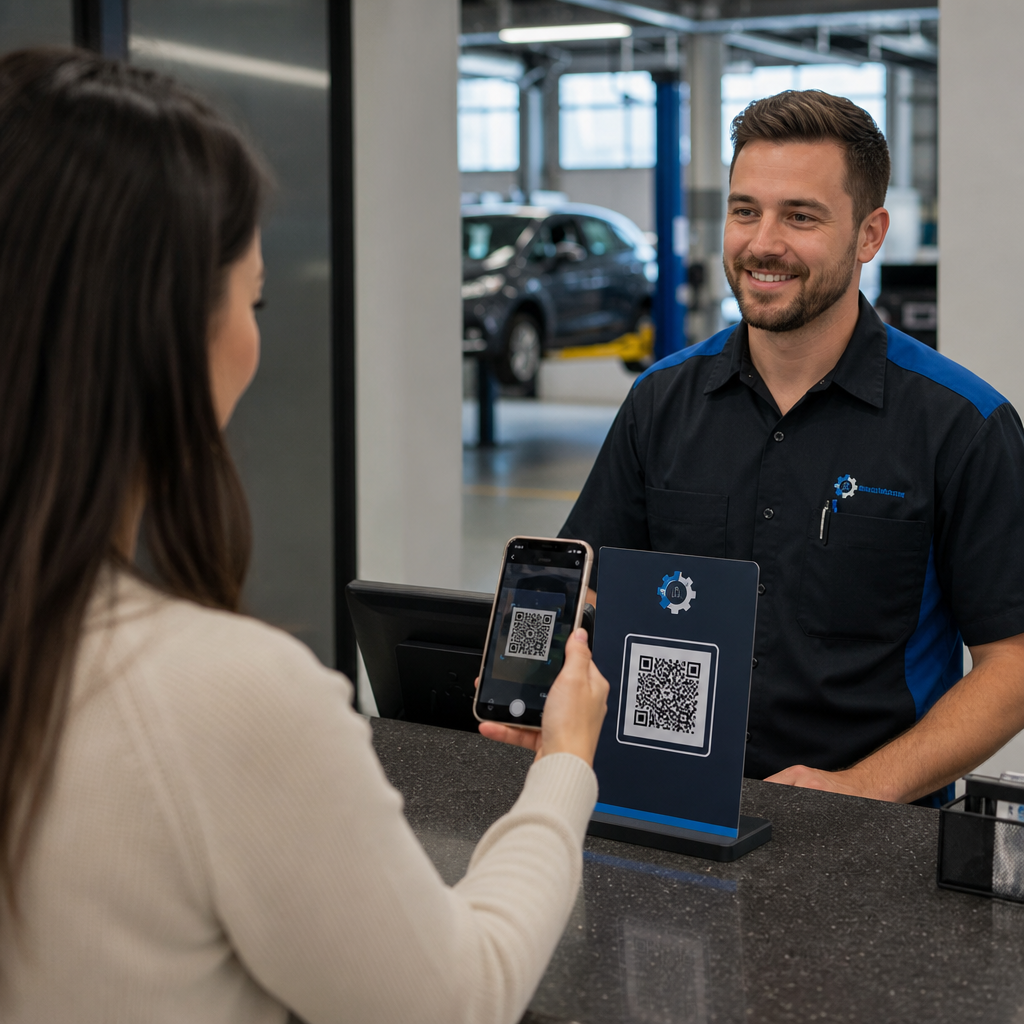
QR-Codes schließen diese Lücke. Ein einziger Scan führt einen Kandidaten von einem physischen Berührungspunkt – einem Plakat, einer Visitenkarte, einem Messestand – direkt zu einem Bewerbungsformular, einer Stellenbeschreibung oder einem Terminplanungslink. Kein Tippen, kein Suchen, keine Reibung.
Wo QR-Codes in Ihren Rekrutierungs-Workflow passen
QR-Codes sind kein Einweg-Tool. Sie können die Kandidateninteraktionen in jeder Phase des Einstellungstrichters verbessern.
Auf Jobmessen und Veranstaltungen. Platzieren Sie einen QR-Code an Ihrem Stand, um Besucher zu spezifischen Stellenangeboten zu leiten oder Kontaktinformationen über ein Google Formular QR-Code. zu sammeln. Jeder Scan erstellt eine digitale Aufzeichnung der Interaktion – keine Visitenkarten, die verloren gehen, keine Tabellen, die später abgeglichen werden müssen. Sie können auch den Event-Check-in mit einem QR-Code-Anwesenheitssystem vereinfachen, das Ankünfte automatisch protokolliert.
Auf gedruckten Materialien. Flyer, Plakate und Broschüren können Kandidaten erreichen, die nicht aktiv auf Jobsuche sind. Ein QR-Code auf einem Poster Link zu einem kurzen Video über Ihre Unternehmenskultur oder eine aktuelle Stellenausschreibung bietet passiven Kandidaten eine reibungslose Möglichkeit, sich zu informieren, ohne sich sofort auf eine vollständige Bewerbung festlegen zu müssen.
Auf Visitenkarten. Personalvermittler können einen LinkedIn QR-Code oder einen Link zu ihren aktuellen Stellenangeboten einfügen, damit persönliche Gespräche zu umsetzbaren Verbindungen führen. Pageloot's LinkedIn QR-Code Generator macht es einfach, einen scannbaren Code zu erstellen, der direkt zu Ihrem Profil oder Ihrer Unternehmensseite verlinkt.
In digitalen Kampagnen. E-Mail-Newsletter, Jobbörsen und Social-Media-Beiträge können alle QR-Codes enthalten, die Kandidaten zu einer speziellen Landingpage leiten. Die Verwendung von dynamische QR-Codes hier ermöglicht es Ihnen, zu verfolgen, welche digitalen Kanäle die qualifiziertesten Bewerbungen hervorbringen.
Für Lebenslauf-Einreichungen. Das Verknüpfen eines QR-Codes mit einem Google Formular oder einem Bewerbungsportal ermöglicht es Kandidaten, ihre Informationen sofort hochzuladen, wodurch die Absicht erfasst wird, wenn das Engagement am höchsten ist.
Event-Recruiting optimieren Müssen Sie die Anwesenheit von Teilnehmern verfolgen und Kandidatendaten in einem Schritt erfassen? Der QR-Code-Anwesenheits-Tracker verbindet sich direkt mit Google Forms, sodass jeder Scan automatisch protokolliert wird.
Wie QR-Code-Tracking für Personalvermittler funktioniert
Ein QR-Code allein ist nur eine Verknüpfung. Der wahre Wert kommt von den Daten, die er generiert. Dynamische QR-Codes zeichnen jeden Scan mit Metriken auf, darunter:
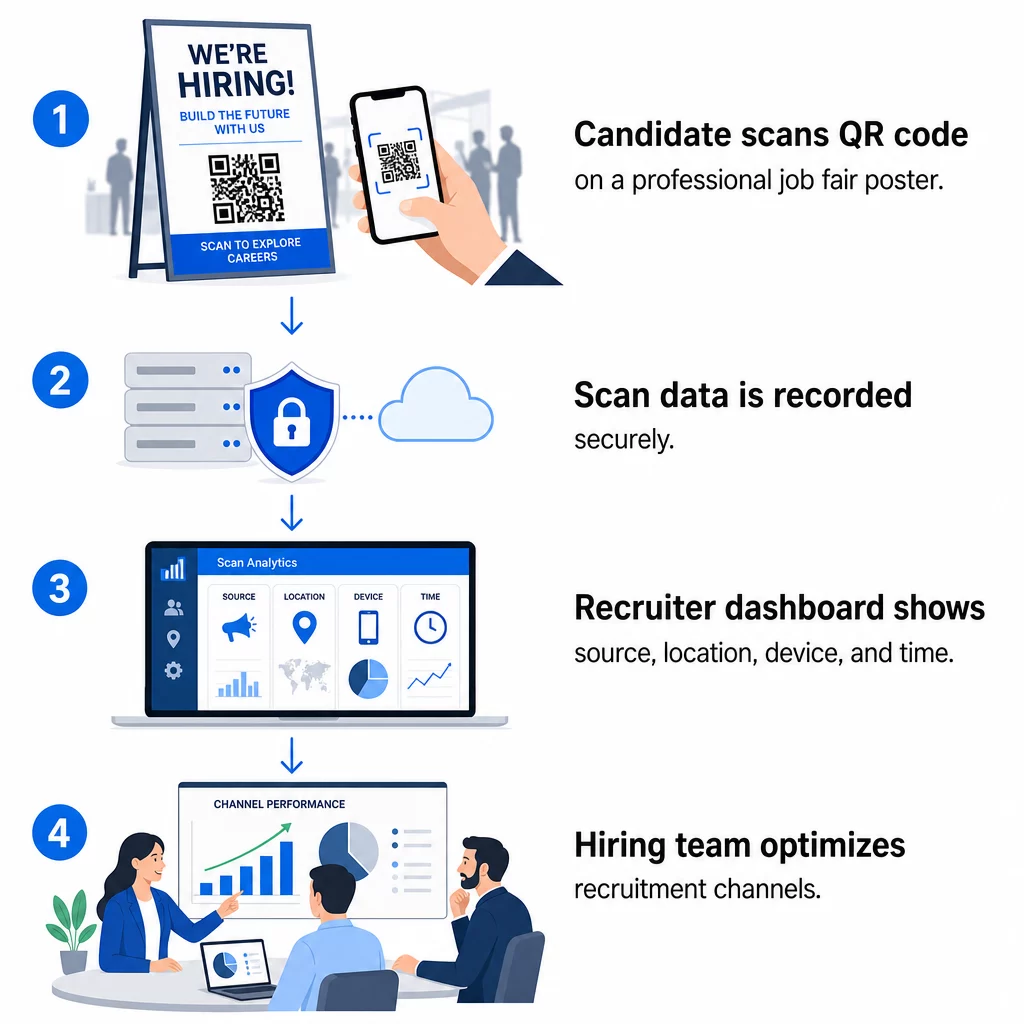
- Scan-Anzahl – Gesamt- und einzigartige Scans im Zeitverlauf
- Zeitstempel – wann Kandidaten am ehesten interagieren
- Standortdaten – aus welchen Städten oder Regionen Ihre Bewerbungen kommen
- Gerätetyp und Betriebssystem – Bestätigung, ob Ihr mobiler Bewerbungsablauf tatsächlich funktioniert
Diese Daten helfen Ihnen, praktische Fragen zu beantworten: Führen Ihre Jobmesse-Materialien zu Nachfassaktionen? Übertrifft der QR-Code auf Ihrem Plakat den in Ihrer E-Mail? Welche Veröffentlichungsorte ziehen Kandidaten an, die die vollständige Bewerbung abschließen?
Mehr über das Lesen und Handeln auf Basis dieser Daten erfahren Sie in Pageloots Leitfaden zu Verfolgung von QR-Code-Scans und Analysen.
Hinzufügen von UTM-Parametern für eine tiefere Zuordnung
Wenn Ihr Team Google Analytics verwendet, können Sie UTM-Parameter an die URL anhängen, auf die Ihr QR-Code verweist. So können Sie QR-gesteuerten Traffic neben Ihren anderen Kanälen ohne manuelle Abstimmung verfolgen. Ein Code, der auf einer Universitäts-Karrieremesse platziert wird, könnte `utmsource=careerfair` und `utmmedium=qrcode`, wodurch dieser Kanal leicht mit LinkedIn-Anzeigen oder Jobbörsen-Traffic in GA4 verglichen werden kann.
Pageloots Leitfaden zu UTM-Parametern für QR-Codes geht detailliert auf Namenskonventionen und die Berichtseinrichtung ein.
Jeden Rekrutierungskanal verfolgen Verwenden Sie die Dynamischer QR-Code Generator um nachverfolgbare, UTM-getaggte Codes für jeden Berührungspunkt im Rekrutierungsprozess zu erstellen und genau zu sehen, welche Kanäle qualifizierte Kandidaten anziehen.
Statische vs. Dynamische QR-Codes in der Rekrutierung
Nicht jeder QR-Code muss dynamisch sein, aber die meisten Rekrutierungsanwendungen profitieren davon. Hier ist ein praktischer Vergleich:
| FUNKTION | Statischer QR-Code | Dynamischer QR-Code |
|---|---|---|
| Ziel nach dem Druck bearbeitbar | Nein | Ja |
| Scan-Analysen | Nein | Ja |
| Funktioniert nach Schließung der Stellenausschreibung | Nein (wenn URL nicht mehr funktioniert) | Ja (Weiterleitung zu neuer Ausschreibung) |
| Erfordert Abonnement | Nein | Ja |
| Am besten für | Dauerhafte Referenzmaterialien | Aktive Kampagnen, Jobmessen, gedruckte Anzeigen |
Der Hauptvorteil dynamischer Codes in der Rekrutierung ist Flexibilität. Wenn eine Position besetzt wird, bevor Ihre gedruckten Materialien ausgedient haben, können Sie diesen QR-Code auf eine ähnliche offene Stelle oder eine allgemeine Bewerbungseite umleiten – kein erneuter Druck erforderlich. Für eine detaillierte Aufschlüsselung siehe Pageloots Vergleich von statischen vs. dynamischen QR-Codes.
Erstellen von Marken-QR-Codes, denen Kandidaten vertrauen
Generische Schwarz-Weiß-QR-Codes werden gescannt, aber Marken-QR-Codes performen besser und stärken Ihre Arbeitgeberidentität. Pageloots QR-Code-Generator ermöglicht es Ihnen, Ihr Firmenlogo einzubetten, Markenfarben anzuwenden und aus Designvorlagen zu wählen, sodass jeder Code wie ein bewusster Teil Ihrer Materialien aussieht und nicht wie ein nachträglicher Einfall.
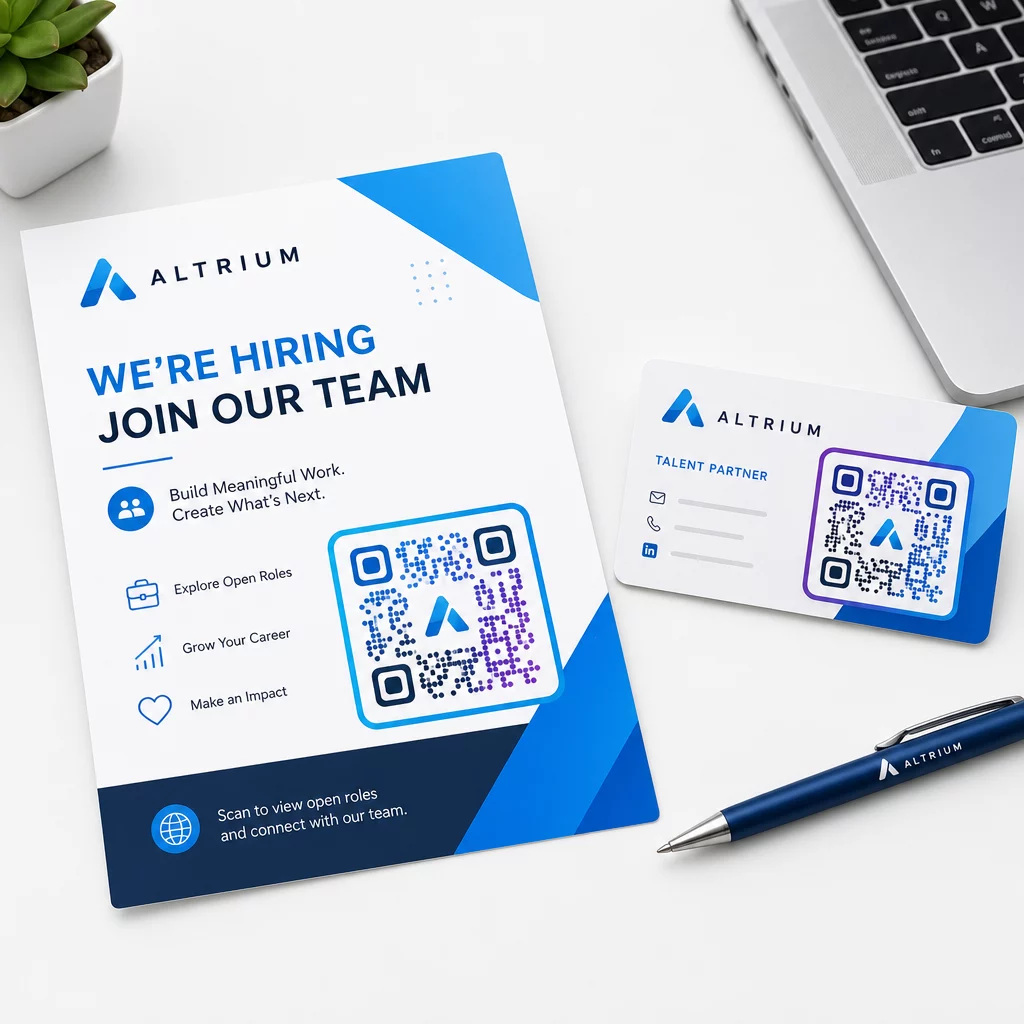
Einige praktische Richtlinien für gedruckte Rekrutierungsmaterialien:
- Für Visitenkarten verwenden Sie eine Mindestgröße des QR-Codes von 0,8 × 0,8 Zoll um eine zuverlässige Scannbarkeit zu gewährleisten.
- Für Plakate und Flyer streben Sie mindestens 1,2 × 1,2 Zoll, mit klarem Weißraum um den Code herum.
- Halten Sie ein Kontrastverhältnis von mindestens 4:1 zwischen den dunklen Modulen und dem Hintergrund ein.
- Drucken Sie mit 300 DPI um sicherzustellen, dass der Code scharf und scannbar bleibt.
Markenbezogene, gut dimensionierte QR-Codes signalisieren Professionalität und ermutigen Kandidaten, den Prozess fortzusetzen. Für weitere Informationen zu mobilfreundlichen Zielen nach dem Scan, siehe Pageloots Leitfaden zu Best Practices für mobile QR-Code-Landingpages.
Compliance-Überlegungen für Kandidatendaten
QR-Codes sammeln Daten, und diese Daten sind mit Verantwortlichkeiten verbunden. Personalvermittlungsfirmen in den USA sollten sich einiger grundlegender Anforderungen bewusst sein, wenn sie QR-basierte Rekrutierungs-Workflows aufbauen:
- EEOC-Aufzeichnungspflichten: Bundesgesetz schreibt vor, dass Arbeitgeber alle Bewerbungsunterlagen – einschließlich der über QR-verknüpfte Formulare eingereichten – für mindestens ein Jahr ab dem Datum der Erstellung aufbewahren müssen. Bundesauftragnehmer mit 150 oder mehr Mitarbeitern und Verträgen im Wert von mindestens 150.000 US-Dollar müssen die Unterlagen zwei Jahre lang aufbewahren.
- Freiwillige Selbstidentifikation: Wenn Ihre QR-verknüpften Formulare demografische Informationen für die EEO-Berichterstattung sammeln, muss die Teilnahme freiwillig sein, von den Bewerbungsunterlagen getrennt aufbewahrt und niemals für Einstellungsentscheidungen verwendet werden.
- Datenschutzpflichten: Wenn Ihre Plattform Kandidaten Datenschutzversprechen macht – explizit oder implizit –, sind Sie verpflichtet, diese einzuhalten. Stellen Sie sicher, dass alle QR-verknüpften Formulare und Landing Pages einen klaren Datenschutzhinweis enthalten und dass die Kandidatendaten sicher gespeichert werden.
- ADA und algorithmische Tools: Wenn Ihr QR-Workflow mit automatisierten Screening-Tools verbunden ist, verlangt die EEOC-Richtlinie, dass diese Tools auf mögliche diskriminierende Auswirkungen auf geschützte Gruppen, einschließlich Kandidaten mit Behinderungen, überprüft werden.
Diese Anforderungen erschweren die Einführung von QR-Codes nicht – sie prägen vielmehr, wie Sie die Datenerfassung am anderen Ende des Scans gestalten.
Wie Pageloot Rekrutierungsteams unterstützt
Die Plattform von Pageloot bietet Personalvermittlungsfirmen die Tools, um QR-Codes in jeder Phase der Rekrutierung zu erstellen, zu verwalten und zu analysieren. Die Plattform, der über 20.000 Unternehmen in 110 Ländern vertrauen, umfasst:
- EIN Dynamischer QR-Code Generator für bearbeitbare, verfolgbare Codes
- EIN Google Forms QR-Code erstellen für Links zu sofortigen Bewerbungs- und Screening-Formularen
- EIN Link-QR-Code-Generator um Kandidaten auf jede Stellenanzeige oder Landing Page zu leiten
- Eine Tool für Anwesenheits-QR-Codes für Event-Check-ins und die Erfassung von Kandidaten
- Ein Echtzeit-Analyse-Dashboard, das Scan-Anzahl, Standort, Gerät und Zeitpunkt verfolgt
- Umfassende Branding-Kontrollen einschließlich Logos, Farben und Designvorlagen
- Unterstützung für über 25 QR-Code-Typen in Print- und Digitalformaten
Eine 14-tägige kostenlose Testphase bietet Ihnen Zugang zu dynamischen Codes, Analysen und Markenanpassungen, bevor Sie sich für einen kostenpflichtigen Plan entscheiden.
Erste Schritte mit Rekrutierungs-QR-Codes Erstellen Sie gebrandete, verfolgbare Codes für Ihre nächste Jobmesse, E-Mail-Kampagne oder gedruckte Anzeige mit dem Pageloot QR-Code-Generator – 14 Tage kostenlos testen, keine Kreditkarte erforderlich.
QR-Daten in intelligentere Einstellungsentscheidungen umwandeln
Die Scandaten, die Ihre QR-Codes generieren, sind nicht nur eine Eitelkeitsmetrik – sie sind eine Feedbackschleife für Ihre Rekrutierungsstrategie. Wenn Ihre Event-QR-Codes ein hohes Scanvolumen, aber wenige Bewerbungsabschlüsse generieren, liegt das Problem wahrscheinlich an der mobilen Erfahrung am anderen Ende des Scans. Wenn Ihre Plakatplatzierungen in einer Stadt besser abschneiden als in einer anderen, gibt dies Aufschluss darüber, wo Sie Ihren nächsten Drucklauf konzentrieren sollten.
Im Laufe der Zeit können Sie durch die Kombination von QR-Scan-Analysen mit Ihren Daten aus dem Bewerber-Tracking-System ein klareres Bild davon erhalten, welche Kontaktpunkte tatsächlich zu Einstellungen führen – und welche Budget verschwenden. Das ist der Wandel von reaktiver Rekrutierung zu datengesteuerter Einstellung.
Häufig gestellte Fragen
Nein. Jedes moderne Smartphone mit einer integrierten Kamera-App kann einen QR-Code scannen, ohne zusätzliche Software herunterladen zu müssen. Dies beseitigt eine erhebliche Hürde für die Interaktion, insbesondere bei Präsenzveranstaltungen, bei denen Kandidaten möglicherweise zögern, neue Apps zu installieren.
Ja, aber nur wenn Sie einen dynamischen QR-Code verwenden. Dynamische Codes kodieren eine kurze Weiterleitungs-URL, die Sie jederzeit von Ihrem Pageloot-Dashboard aus auf ein neues Ziel verweisen können. Wenn eine Stelle geschlossen wird oder ein Formularlink sich ändert, können Sie den Code umleiten, ohne einen einzigen Flyer oder ein Plakat neu drucken zu müssen.
Der QR-Code selbst erfasst Daten auf Scanebene – Zeitstempel, Gerätetyp, Betriebssystem und geografischer Standort des Scans. Er sammelt keine persönlichen Identitätsinformationen, es sei denn, der Kandidat übermittelt nach dem Scannen aktiv ein Formular. Alle über verknüpfte Formulare gesammelten persönlichen Daten unterliegen Ihrer Datenschutzrichtlinie und dem geltenden Arbeitsrecht, einschließlich der EEOC-Aufbewahrungspflichten.