Adakah anda kehilangan pemohon yang berkelayakan kerana proses pengambilan pekerja anda menimbulkan terlalu banyak geseran? Aliran kerja permohonan yang lapuk, kemasukan data manual, dan keterlihatan yang lemah terhadap penglibatan calon menyebabkan firma pengambilan pekerja kehilangan masa dan bakat terbaik. Panduan ini menerangkan bagaimana kod QR menyelesaikan masalah tersebut – dan cara melaksanakannya dalam proses pengambilan pekerja anda.
Mengapa Penjejakan Calon Tidak Berkesan Tanpa Kod QR
Kebanyakan firma pengambilan pekerja masih bergantung pada gabungan langkah manual: calon menaip URL yang panjang, mengisi borang di desktop, atau mengambil risalah di pameran kerjaya dan tidak pernah meneruskannya. Setiap penyerahan adalah peluang bagi pemohon yang berkelayakan untuk tercicir.
Angka-angka mencerminkan bagaimana calon sebenarnya berkelakuan. Penyelidikan dari Pew Research Center mendapati bahawa 50% pencari kerja telefon pintar menggunakan telefon mereka untuk mengisi permohonan kerja dalam talian, dan kira-kira dua pertiga permohonan kerja kini dihantar dari peranti mudah alih. Apabila proses permohonan anda tidak dibina untuk mudah alih, anda bekerja menentang saluran paip anda sendiri.
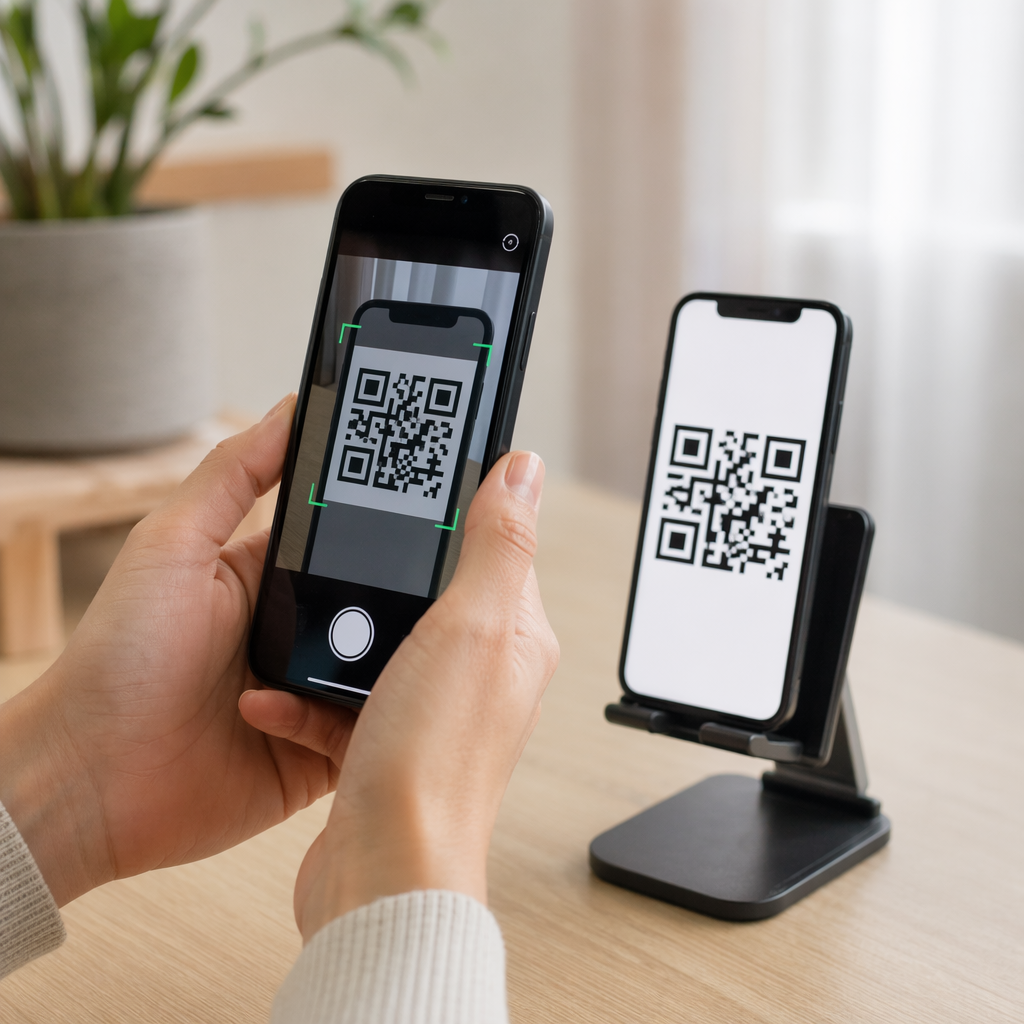
Kod QR merapatkan jurang itu. Satu imbasan membawa calon dari titik sentuhan fizikal – poster, kad perniagaan, gerai pameran kerjaya – terus ke borang permohonan, penerangan kerja, atau pautan penjadualan. Tiada menaip, tiada mencari, tiada geseran.
Di Mana Kod QR Sesuai dalam Aliran Kerja Pengambilan Pekerja Anda
Kod QR bukanlah alat sekali guna. Ia boleh meningkatkan interaksi calon pada setiap peringkat corong pengambilan pekerja.
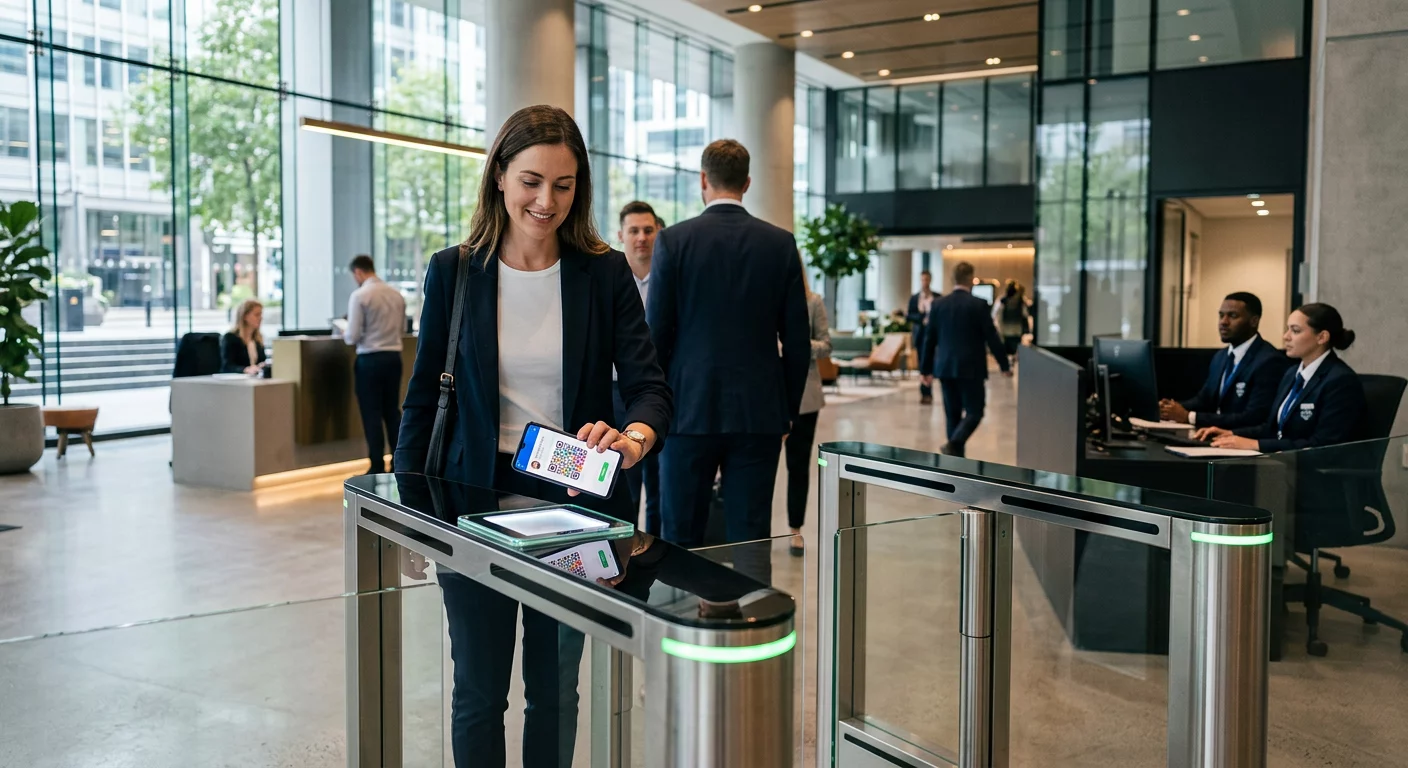
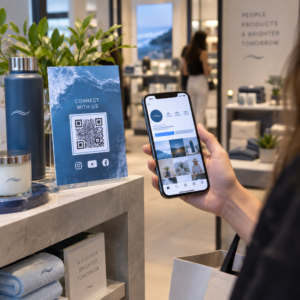
Di pameran kerjaya dan acara. Letakkan kod QR di gerai anda untuk mengarahkan pelawat ke senarai pekerjaan tertentu atau mengumpul maklumat hubungan melalui Kod QR Borang Google. Setiap imbasan mencipta rekod digital interaksi – tiada kad perniagaan yang hilang, tiada hamparan untuk diselaraskan kemudian. Anda juga boleh memudahkan daftar masuk acara menggunakan sistem kehadiran kod QR yang merekodkan ketibaan secara automatik.
Pada bahan bercetak. Risalah, poster, dan brosur boleh mencapai calon yang tidak aktif mencari pekerjaan. Sebuah Kod QR pada poster yang memautkan ke video pendek tentang budaya syarikat anda atau kekosongan semasa memberikan calon pasif cara yang lancar untuk meneroka tanpa perlu komited kepada permohonan penuh dengan segera.
Pada kad perniagaan. Perekrut boleh menyertakan a Kod QR LinkedIn atau pautan ke senarai pekerjaan semasa mereka supaya perbualan secara peribadi diterjemahkan kepada hubungan yang boleh diambil tindakan. Pageloot’s Cara buat QR LinkedIn memudahkan untuk mencipta kod yang boleh diimbas yang memaut terus ke profil atau halaman syarikat anda.
Dalam kempen digital. Surat berita e-mel, papan kerja, dan siaran media sosial semuanya boleh menampilkan kod QR yang menghantar calon ke halaman pendaratan khusus. Menggunakan kod QR dinamik di sini membolehkan anda menjejaki saluran digital mana yang menghasilkan permohonan yang paling berkelayakan.
Untuk penyerahan resume. Memautkan kod QR ke Borang Google atau portal permohonan membolehkan calon memuat naik maklumat mereka dengan serta-merta, menangkap niat apabila penglibatan adalah yang tertinggi.
Memperkemas Perekrutan Acara Perlu menjejaki daftar masuk peserta dan menangkap data calon dalam satu langkah? The Penjejak Kehadiran Kod QR bersambung terus ke Borang Google supaya setiap imbasan direkodkan secara automatik.
Bagaimana Penjejakan Kod QR Berfungsi untuk Perekrut
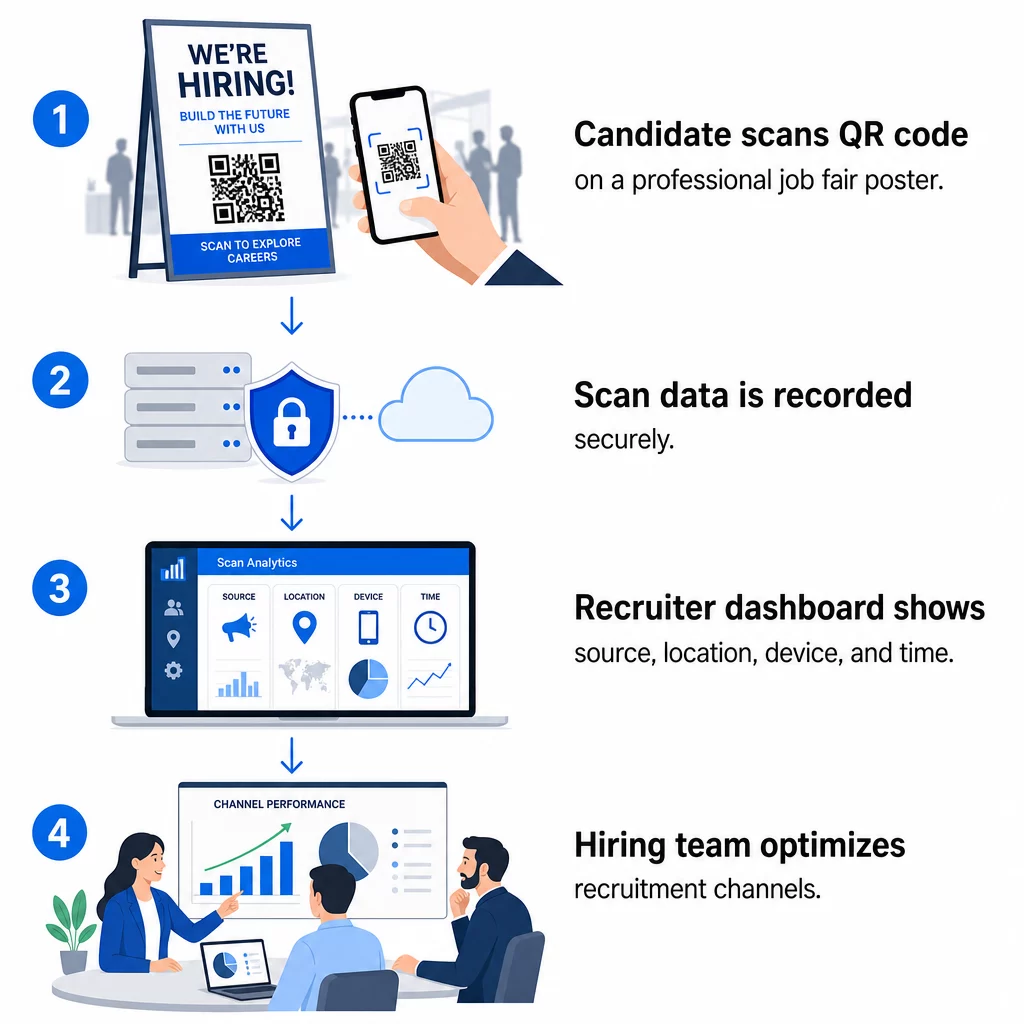
Kod QR dengan sendirinya hanyalah jalan pintas. Nilai sebenar datang daripada data yang dihasilkannya. Kod QR dinamik merekodkan setiap imbasan dengan metrik termasuk:
- Kiraan imbasan – jumlah dan imbasan unik mengikut masa
- Cap Waktu – bila calon paling berkemungkinan untuk berinteraksi
- Data lokasi – dari bandar atau wilayah mana permohonan anda datang
- Jenis peranti dan sistem pengendalian – mengesahkan sama ada aliran aplikasi mudah alih anda benar-benar berfungsi
Data ini membantu anda menjawab soalan praktikal: Adakah bahan pameran kerjaya anda menjana susulan? Adakah kod QR pada poster anda mengatasi kod dalam e-mel anda? Lokasi penyiaran mana yang menarik calon yang melengkapkan permohonan penuh?
Anda boleh mengetahui lebih lanjut tentang membaca dan bertindak berdasarkan data ini dalam panduan Pageloot untuk menjejaki imbasan kod QR dan analitik.
Menambah Parameter UTM untuk Atribusi Lebih Mendalam
Jika pasukan anda menggunakan Google Analytics, anda boleh menambah parameter UTM pada URL yang dituju oleh kod QR anda. Ini membolehkan anda menjejaki trafik yang didorong oleh QR bersama saluran anda yang lain tanpa sebarang penyelarasan manual. Kod yang diletakkan di pameran kerjaya universiti mungkin menggunakan `utm`source=careerfair` dan `utm`medium=qrcode`, menjadikannya mudah untuk membandingkan saluran tersebut dengan iklan LinkedIn atau trafik papan kerja dalam GA4.
Panduan Pageloot mengenai parameter UTM untuk kod QR membincangkan konvensyen penamaan dan persediaan pelaporan secara terperinci.
Jejaki Setiap Saluran Pengambilan Menggunakan Penjana dynamic QR code untuk mencipta kod yang boleh dijejaki, bertanda UTM untuk setiap titik sentuh pengambilan dan melihat dengan tepat saluran mana yang mendorong calon berkelayakan.
Kod QR Statik lwn. Dinamik dalam Pengambilan
Tidak setiap kod QR perlu dinamik, tetapi kebanyakan aplikasi pengambilan mendapat manfaat daripadanya. Berikut adalah perbandingan praktikal:
| CIRI | Kod QR Statik | Kod QR Dinamik |
|---|---|---|
| Destinasi boleh diedit selepas dicetak | Tidak | ya |
| Analitik imbasan | Tidak | ya |
| Berfungsi selepas iklan jawatan ditutup | Tidak (jika URL rosak) | Ya (ubah hala ke senarai baharu) |
| Memerlukan langganan | Tidak | ya |
| Terbaik untuk | Bahan rujukan kekal | Kempen aktif, pesta kerjaya, iklan bercetak |
Kelebihan utama kod dinamik dalam pengambilan adalah fleksibiliti. Jika sesuatu jawatan diisi sebelum bahan bercetak anda ditamatkan, anda boleh mengubah hala kod QR tersebut ke peranan terbuka yang serupa atau halaman permohonan umum – tiada pencetakan semula diperlukan. Untuk pecahan terperinci, lihat perbandingan Pageloot mengenai kod QR statik vs. dinamik.
Membina Kod QR Berjenama Yang Dipercayai Calon
Kod QR hitam-putih generik diimbas, tetapi yang berjenama berprestasi lebih baik dan mengukuhkan identiti majikan anda. Pageloot penjana kod QR membolehkan anda membenamkan logo syarikat anda, menggunakan warna jenama, dan memilih daripada templat reka bentuk supaya setiap kod kelihatan seperti sebahagian daripada bahan anda yang disengajakan dan bukannya sesuatu yang difikirkan kemudian.

Beberapa garis panduan praktikal untuk bahan pengambilan pekerja bercetak:
- Untuk kad perniagaan, gunakan saiz kod QR minimum 0.8 × 0.8 inci untuk memastikan kebolehimbasan yang boleh dipercayai.
- Untuk poster dan risalah, sasarkan sekurang-kurangnya 1.2 × 1.2 inci, dengan ruang putih yang jelas di sekeliling kod.
- Kekalkan nisbah kontras sekurang-kurangnya 4:1 antara modul gelap dan latar belakang.
- Cetak pada 300 DPI untuk memastikan kod kekal tajam dan boleh diimbas.
Kod QR berjenama dan bersaiz baik menandakan profesionalisme dan menggalakkan calon untuk meneruskan. Untuk maklumat lanjut tentang destinasi mesra mudah alih selepas imbasan, lihat panduan Pageloot mengenai amalan terbaik halaman pendaratan kod QR mudah alih.
Pertimbangan Pematuhan untuk Data Calon
Kod QR mengumpul data, dan data tersebut datang dengan tanggungjawab. Firma pengambilan pekerja di AS harus sedar tentang beberapa keperluan asas apabila membina aliran kerja pengambilan pekerja berasaskan QR:
- Penyimpanan rekod EEOC: Undang-undang persekutuan menghendaki majikan menyimpan semua rekod permohonan – termasuk yang dihantar melalui borang pautan QR – selama sekurang-kurangnya satu tahun dari tarikh rekod dibuat. Kontraktor persekutuan dengan 150 atau lebih pekerja dan kontrak sekurang-kurangnya $150,000 mesti menyimpan rekod selama dua tahun.
- Pengenalpastian diri secara sukarela: Jika borang pautan QR anda mengumpul maklumat demografi untuk pelaporan EEO, penyertaan itu mestilah secara sukarela, disimpan berasingan daripada bahan permohonan, dan tidak pernah digunakan dalam keputusan pengambilan pekerja.
- Kewajipan privasi: Jika platform anda membuat janji privasi kepada calon – secara eksplisit atau implisit – anda dikehendaki untuk mematuhinya. Pastikan mana-mana borang pautan QR dan halaman pendaratan menyertakan notis privasi yang jelas dan data calon disimpan dengan selamat.
- ADA dan alat algoritma: Jika aliran kerja QR anda bersambung dengan mana-mana alat saringan automatik, panduan EEOC menghendaki alat tersebut dinilai untuk potensi kesan berbeza terhadap kumpulan yang dilindungi, termasuk calon kurang upaya.
Keperluan ini tidak merumitkan penggunaan kod QR – ia membentuk cara anda mereka bentuk pengumpulan data di hujung imbasan yang lain.
Bagaimana Pageloot Menyokong Pasukan Pengambilan Pekerja
Platform Pageloot memberikan firma pengambilan pekerja alat untuk mencipta, mengurus dan menganalisis kod QR merentasi setiap peringkat pengambilan pekerja. Dipercayai oleh lebih daripada 20,000 syarikat di 110 negara, platform ini termasuk:
- A Penjana dynamic QR code untuk kod yang boleh diedit, boleh dijejak
- A Cara buat QR code untuk Google Form untuk pautan borang permohonan dan saringan segera
- A penjana kod QR pautan untuk mengarahkan calon ke mana-mana iklan pekerjaan atau halaman pendaratan
- Seorang alat kod QR kehadiran untuk daftar masuk acara dan log calon
- Papan pemuka analitik masa nyata menjejaki kiraan imbasan, lokasi, peranti dan masa
- Kawalan penjenamaan penuh termasuk logo, warna, dan templat reka bentuk
- Sokongan untuk 25+ jenis kod QR merentasi format cetakan dan digital
Percubaan percuma 14 hari memberi anda akses kepada kod dinamik, analitik, dan penyesuaian berjenama sebelum komited kepada pelan berbayar.
Mulakan dengan Kod QR Pengambilan Pekerja Cipta kod berjenama, boleh dijejak untuk pameran kerjaya seterusnya, kempen e-mel, atau siaran bercetak dengan Penjana Kod Pageloot QR – percuma untuk dicuba selama 14 hari, tiada kad kredit diperlukan.
Mengubah Data QR Menjadi Keputusan Pengambilan Pekerja yang Lebih Bijak
Data imbasan yang dihasilkan oleh kod QR anda bukan sekadar metrik kesia-siaan – ia adalah gelung maklum balas untuk strategi pengambilan pekerja anda. Jika kod QR acara anda menjana jumlah imbasan yang tinggi tetapi kadar permohonan yang rendah, masalahnya mungkin pengalaman mudah alih di hujung imbasan yang lain. Jika penempatan poster anda di satu bandar mengatasi bandar lain, itu memberitahu di mana anda perlu menumpukan cetakan seterusnya.
Lama-kelamaan, menggabungkan analitik imbasan QR dengan data sistem penjejakan pemohon anda membolehkan anda membina gambaran yang lebih jelas tentang titik sentuh mana yang sebenarnya menukar menjadi pengambilan pekerja – dan mana yang membazirkan bajet. Itulah peralihan daripada pengambilan pekerja reaktif kepada pengambilan pekerja berasaskan data.
Soalan lazim
Tidak. Mana-mana telefon pintar moden dengan aplikasi kamera terbina dalam boleh mengimbas kod QR tanpa memuat turun perisian tambahan. Ini menghilangkan halangan besar kepada penglibatan, terutamanya di acara bersemuka di mana calon mungkin teragak-agak untuk memasang aplikasi baharu.
Ya, tetapi hanya jika anda menggunakan kod QR dinamik. Kod dinamik mengekod URL pengalihan pendek yang boleh anda halakan ke destinasi baharu pada bila-bila masa dari papan pemuka Pageloot anda. Jika pekerjaan ditutup atau pautan borang berubah, anda boleh mengubah hala kod tanpa mencetak semula satu pun risalah atau poster.
Kod QR itu sendiri mengumpul data peringkat imbasan – cap masa, jenis peranti, sistem pengendalian, dan lokasi geografi imbasan. Ia tidak mengumpul maklumat identiti peribadi melainkan calon secara aktif menghantar borang selepas mengimbas. Sebarang data peribadi yang dikumpul melalui borang yang dipautkan dikawal oleh dasar privasi anda dan undang-undang pekerjaan yang berkenaan, termasuk keperluan penyimpanan rekod EEOC.