Perdez-vous des candidats qualifiés parce que votre processus de recrutement crée trop de friction ? Des flux de travail d'application obsolètes, la saisie manuelle de données et une mauvaise visibilité de l'engagement des candidats coûtent du temps et les meilleurs talents aux entreprises de recrutement. Ce guide explique comment les codes QR résolvent ces problèmes – et comment les mettre en œuvre dans votre processus de recrutement.
Pourquoi le suivi des candidats est insuffisant sans codes QR
La plupart des entreprises de recrutement s'appuient encore sur un ensemble disparate d'étapes manuelles : les candidats tapent de longues URL, remplissent des formulaires sur ordinateur, ou prennent un dépliant lors d'un salon de l'emploi et ne donnent jamais suite. Chaque transfert est une occasion pour un candidat qualifié d'abandonner.
Les chiffres reflètent le comportement réel des candidats. Une étude du Pew Research Center a révélé que 50 % des demandeurs d'emploi utilisant un smartphone ont utilisé leur téléphone pour remplir une candidature en ligne, et qu'environ deux tiers des candidatures sont désormais soumises depuis des appareils mobiles. Lorsque votre processus de candidature n'est pas conçu pour le mobile, vous travaillez contre votre propre vivier de talents.
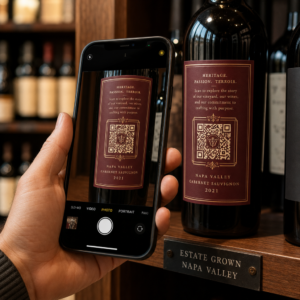
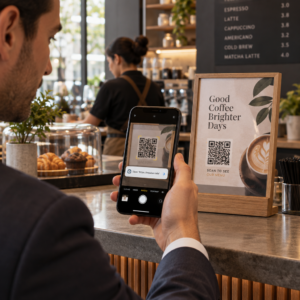
Les codes QR comblent cette lacune. Un simple scan emmène un candidat d'un point de contact physique – une affiche, une carte de visite, un stand de salon de l'emploi – directement vers un formulaire de candidature, une description de poste ou un lien de planification. Pas de saisie, pas de recherche, pas de friction.
Où les codes QR s'intègrent dans votre flux de travail de recrutement
Les codes QR ne sont pas un outil à usage unique. Ils peuvent améliorer les interactions avec les candidats à chaque étape de l'entonnoir de recrutement.
Lors des salons de l'emploi et des événements. Placez un code QR sur votre stand pour diriger les visiteurs vers des offres d'emploi spécifiques ou collecter des informations de contact via un Code QR du formulaire Google. Chaque scan crée un enregistrement numérique de l'interaction – pas de cartes de visite à perdre, pas de feuilles de calcul à concilier plus tard. Vous pouvez également simplifier les enregistrements d'événements en utilisant un système de présence par code QR qui enregistre les arrivées automatiquement.
Sur les supports imprimés. Les dépliants, affiches et brochures peuvent atteindre des candidats qui ne sont pas activement à la recherche d'un emploi. Un QR code sur une affiche lié à une courte vidéo sur la culture de votre entreprise ou à une offre d'emploi actuelle offre aux candidats passifs un moyen sans friction d'explorer sans s'engager immédiatement dans une candidature complète.
Sur les cartes de visite. Les recruteurs peuvent inclure un Code QR LinkedIn ou un lien vers leurs offres d'emploi actuelles afin que les conversations en personne se transforment en connexions exploitables. L'outil de Pageloot Générateur de QR code LinkedIn facilite la création d'un code scannable qui renvoie directement à votre profil ou à la page de votre entreprise.
Dans les campagnes numériques. Les newsletters par e-mail, les sites d'emploi et les publications sur les réseaux sociaux peuvent tous présenter des codes QR qui envoient les candidats vers une page de destination dédiée. L'utilisation les codes QR dynamiques ici vous permet de suivre quels canaux numériques génèrent les candidatures les plus qualifiées.
Pour les soumissions de CV. Lier un code QR à un formulaire Google ou à un portail de candidature permet aux candidats de télécharger leurs informations immédiatement, capturant l'intention lorsque l'engagement est le plus élevé.
Rationaliser le recrutement événementiel Besoin de suivre les enregistrements des participants et de capturer les données des candidats en une seule étape ? Le Suivi de présence par code QR se connecte directement aux formulaires Google afin que chaque scan soit automatiquement enregistré.
Comment le suivi par code QR fonctionne pour les recruteurs
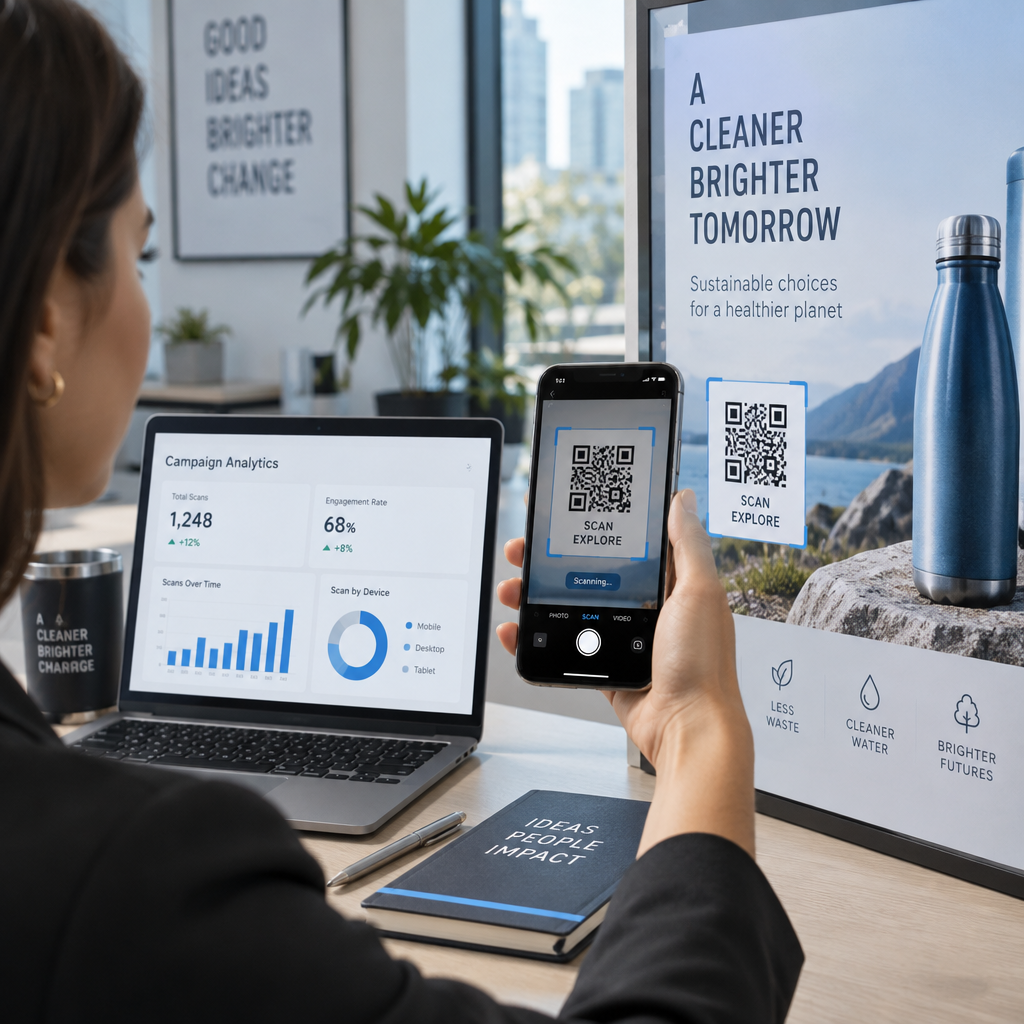
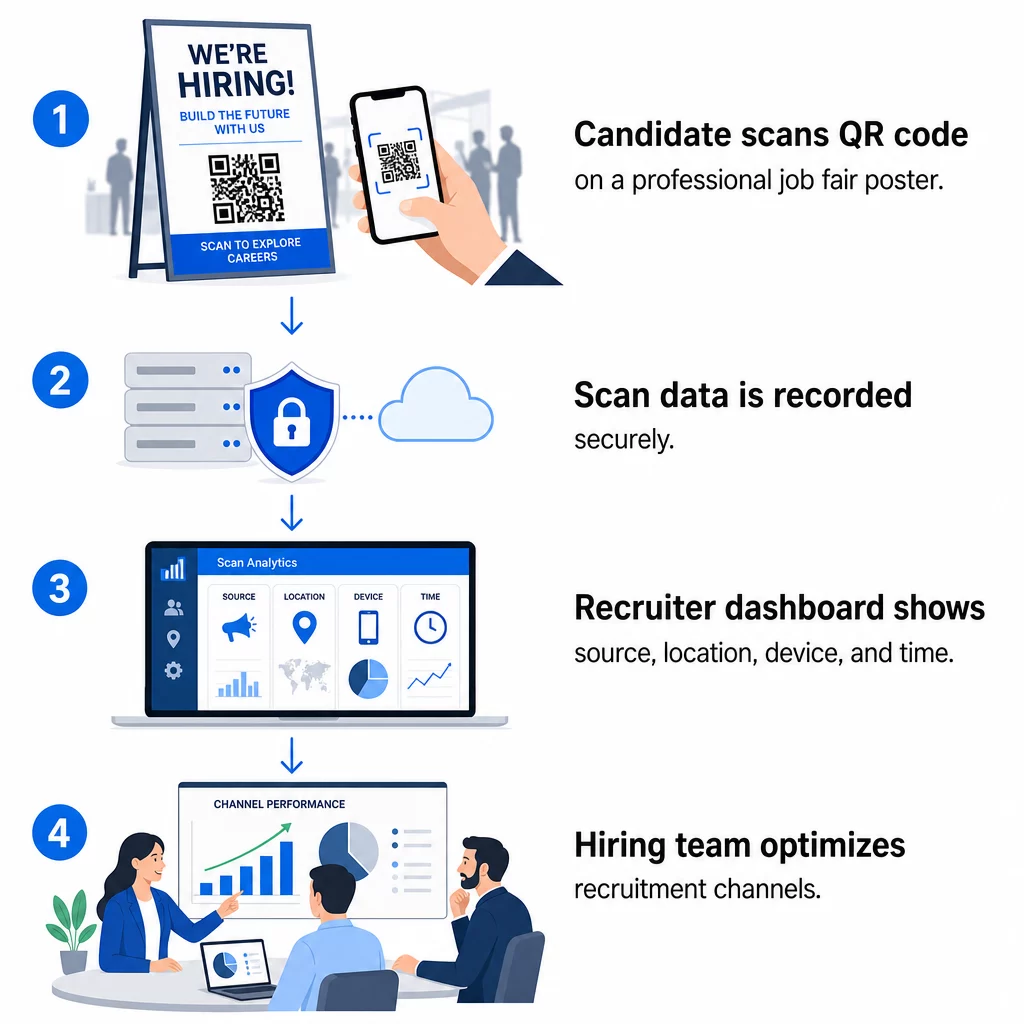
Un code QR en soi n'est qu'un raccourci. La vraie valeur vient des données qu'il génère. Codes QR dynamiques enregistrent chaque scan avec des métriques incluant :
- Nombre de scans – nombre total et unique de scans au fil du temps
- Horodatage – quand les candidats sont les plus susceptibles de s'engager
- Données de localisation – de quelles villes ou régions proviennent vos candidatures
- Type d'appareil et système d'exploitation – confirmant si votre flux d'application mobile fonctionne réellement
Ces données vous aident à répondre à des questions pratiques : Vos supports de salon de l'emploi génèrent-ils des suivis ? Le code QR sur votre affiche est-il plus performant que celui de votre e-mail ? Quels emplacements de publication attirent les candidats qui complètent l'intégralité de la candidature ?
Vous pouvez en apprendre davantage sur la lecture et l'exploitation de ces données dans le guide de Pageloot sur le suivi des scans de codes QR et l'analyse.
Ajout de paramètres UTM pour une attribution plus approfondie
Si votre équipe utilise Google Analytics, vous pouvez ajouter des paramètres UTM à l'URL vers laquelle votre code QR pointe. Cela vous permet de suivre le trafic généré par les codes QR parallèlement à vos autres canaux sans aucune réconciliation manuelle. Un code placé lors d'un salon de l'emploi universitaire pourrait utiliser `utm`source=careerfair` et `utmmoyen=qrcode`, ce qui facilite la comparaison de ce canal avec les publicités LinkedIn ou le trafic des sites d'emploi dans GA4.
Le guide de Pageloot sur des paramètres UTM pour les codes QR détaille les conventions de nommage et la configuration des rapports.
Suivre Chaque Canal de Recrutement Utilisez le Générateur de QR code dynamique pour créer des codes traçables, balisés UTM, pour chaque point de contact de recrutement et voir exactement quels canaux attirent des candidats qualifiés.
Codes QR Statiques vs. Dynamiques dans le Recrutement
Tous les codes QR n'ont pas besoin d'être dynamiques, mais la plupart des applications de recrutement en bénéficient. Voici une comparaison pratique :
| FONCTIONNALITÉ | Code QR statique | Code QR dynamique |
|---|---|---|
| Destination modifiable après impression | Non | Oui |
| Analyses des scans | Non | Oui |
| Fonctionne après la clôture de l'offre d'emploi | Non (si l'URL est rompue) | Oui (rediriger vers une nouvelle annonce) |
| Nécessite un abonnement | Non | Oui |
| Idéal pour | Matériels de référence permanents | Campagnes actives, salons de l'emploi, publicités imprimées |
Le principal avantage des codes dynamiques dans le recrutement est la flexibilité. Si un poste est pourvu avant que vos supports imprimés ne soient retirés, vous pouvez rediriger ce code QR vers un rôle ouvert similaire ou une page de candidature générale – aucune réimpression n'est requise. Pour une analyse détaillée, consultez la comparaison de Pageloot sur codes QR statiques vs. dynamiques.
Créer des Codes QR de Marque auxquels les Candidats Font Confiance
Les codes QR génériques en noir et blanc sont scannés, mais ceux de marque sont plus performants et renforcent votre identité d'employeur. Le Générateur de code QR vous permet d'intégrer le logo de votre entreprise, d'appliquer les couleurs de votre marque et de choisir parmi des modèles de conception afin que chaque code ressemble à une partie délibérée de vos supports plutôt qu'à une réflexion après coup.
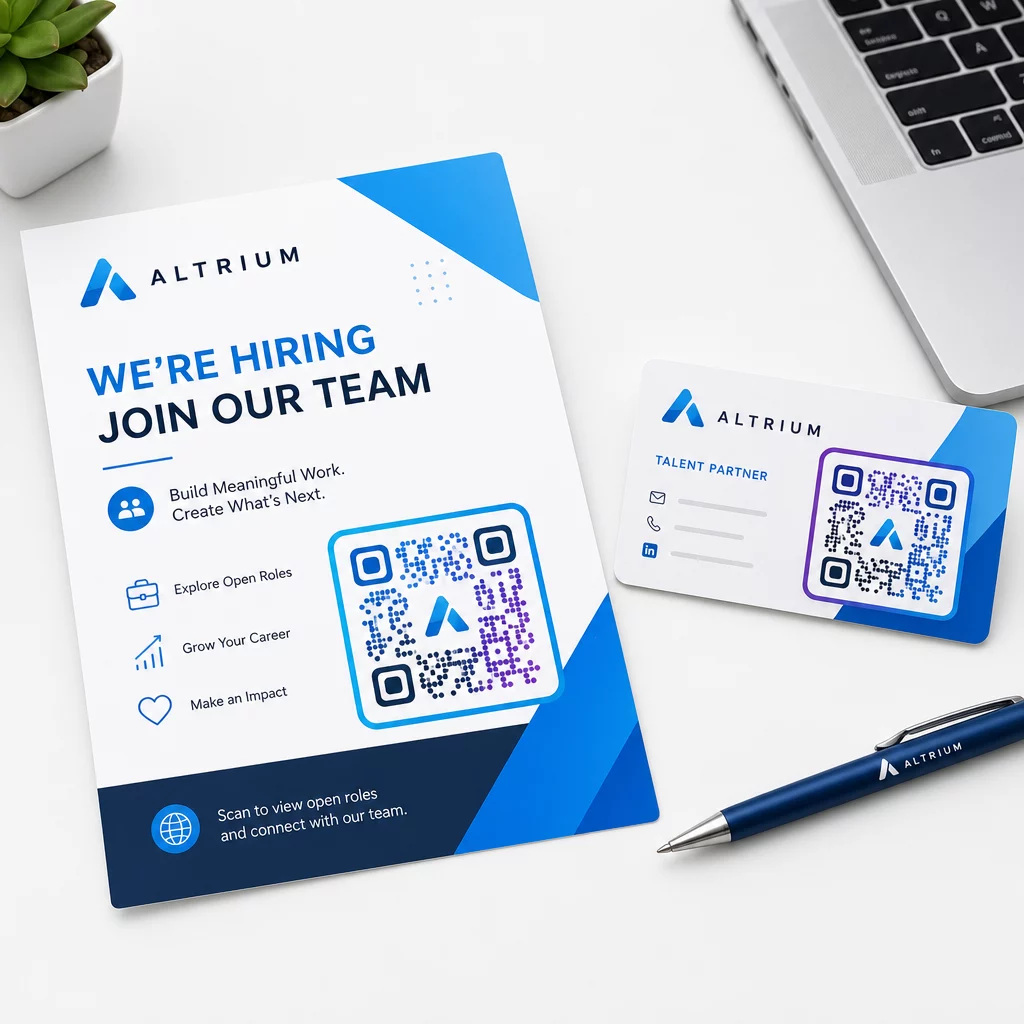
Quelques directives pratiques pour les supports de recrutement imprimés :
- Pour les cartes de visite, utilisez une taille minimale de code QR de 0,8 × 0,8 pouces pour assurer une scannabilité fiable.
- Pour les affiches et les flyers, visez au moins 1,2 × 1,2 pouces, avec un espace blanc clair autour du code.
- Maintenez un rapport de contraste d'au moins 4:1 entre les modules sombres et l'arrière-plan.
- Imprimez à 300 DPI pour vous assurer que le code reste net et scannable.
Les codes QR de marque et de bonne taille signalent le professionnalisme et encouragent les candidats à aller jusqu'au bout. Pour en savoir plus sur les destinations adaptées aux mobiles après le scan, consultez le guide de Pageloot sur meilleures pratiques pour les pages de destination de codes QR mobiles.
Considérations de conformité pour les données des candidats
Les codes QR collectent des données, et ces données s'accompagnent de responsabilités. Les cabinets de recrutement aux États-Unis doivent être conscients de quelques exigences de base lors de la création de flux de travail de recrutement basés sur les codes QR :
- Tenue des registres de l'EEOC : La loi fédérale exige que les employeurs conservent tous les dossiers de candidature – y compris ceux soumis via des formulaires liés à des codes QR – pendant au moins un an à compter de la date de création du dossier. Les entrepreneurs fédéraux ayant 150 employés ou plus et des contrats d'au moins 150 000 $ doivent conserver les dossiers pendant deux ans.
- Auto-identification volontaire : Si vos formulaires liés aux QR codes collectent des informations démographiques pour les rapports EEO, cette participation doit être volontaire, conservée séparément des documents de candidature et ne jamais être utilisée dans les décisions d'embauche.
- Obligations de confidentialité : Si votre plateforme fait des promesses de confidentialité aux candidats – explicitement ou implicitement – vous êtes tenu de les respecter. Assurez-vous que tous les formulaires et pages de destination liés aux QR codes incluent un avis de confidentialité clair et que les données des candidats sont stockées en toute sécurité.
- ADA et outils algorithmiques : Si votre flux de travail QR se connecte à des outils de sélection automatisés, les directives de l'EEOC exigent que ces outils soient évalués pour leur impact potentiellement disparate sur les groupes protégés, y compris les candidats handicapés.
Ces exigences ne compliquent pas l'adoption des codes QR – elles façonnent la manière dont vous concevez la collecte de données à l'autre bout du scan.
Comment Pageloot soutient les équipes de recrutement
La plateforme de Pageloot offre aux agences de recrutement les outils pour créer, gérer et analyser des codes QR à chaque étape du recrutement. Approuvée par plus de 20 000 entreprises dans 110 pays, la plateforme comprend :
- UNE Générateur de QR code dynamique pour des codes modifiables et traçables
- UNE Générateur de QR code Google Forms pour des liens instantanés vers des formulaires de candidature et de sélection
- UNE générateur de code QR de lien pour diriger les candidats vers toute offre d'emploi ou page de destination
- Un outil de code QR de présence pour les enregistrements d'événements et la journalisation des candidats
- Un tableau de bord analytique en temps réel suivant le nombre de scans, l'emplacement, l'appareil et le moment
- Contrôles complets de l'image de marque, y compris les logos, les couleurs et les modèles de conception
- Prise en charge de plus de 25 types de codes QR pour les formats imprimés et numériques
Un essai gratuit de 14 jours vous donne accès à des codes dynamiques, des analyses et une personnalisation de marque avant de vous engager dans un forfait payant.
Commencez avec les codes QR de recrutement Créez des codes de marque traçables pour votre prochaine foire à l'emploi, campagne d'e-mailing ou annonce imprimée avec le Générateur de code QR Pageloot – essai gratuit pendant 14 jours, aucune carte de crédit requise.
Transformer les données QR en décisions d'embauche plus intelligentes
Les données de scan générées par vos codes QR ne sont pas qu'une métrique de vanité – c'est une boucle de rétroaction pour votre stratégie de recrutement. Si vos codes QR d'événement génèrent un volume de scan élevé mais un faible nombre de candidatures complétées, le problème est probablement l'expérience mobile à l'autre bout du scan. Si vos affiches dans une ville surpassent celles d'une autre, cela vous indique où concentrer votre prochaine impression.
Au fil du temps, la combinaison des analyses de scan QR avec les données de votre système de suivi des candidatures vous permet de bâtir une image plus claire des points de contact qui se transforment réellement en embauches – et de ceux qui gaspillent votre budget. C'est le passage d'un recrutement réactif à un recrutement basé sur les données.
Questions fréquentes
Non. Tout smartphone moderne doté d'une application appareil photo intégrée peut scanner un code QR sans télécharger de logiciel supplémentaire. Cela supprime une barrière significative à l'engagement, particulièrement lors d'événements en personne où les candidats peuvent hésiter à installer de nouvelles applications.
Oui, mais seulement si vous utilisez un code QR dynamique. Les codes dynamiques encodent une courte URL de redirection que vous pouvez pointer vers une nouvelle destination à tout moment depuis votre tableau de bord Pageloot. Si un emploi est clôturé ou si un lien de formulaire change, vous pouvez rediriger le code sans réimprimer un seul flyer ou une seule affiche.
Le code QR lui-même collecte des données au niveau du scan – horodatage, type d'appareil, système d'exploitation et localisation géographique du scan. Il ne collecte pas d'informations d'identité personnelle à moins que le candidat ne soumette activement un formulaire après avoir scanné. Toutes les données personnelles collectées via les formulaires liés sont régies par votre politique de confidentialité et le droit du travail applicable, y compris les exigences de tenue de registres de l'EEOC.