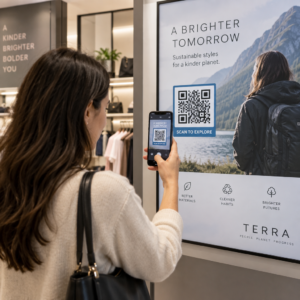
Nitelikli adayları, işe alım süreciniz çok fazla sürtünme yarattığı için mi kaybediyorsunuz? Güncel olmayan başvuru iş akışları, manuel veri girişi ve aday etkileşimine ilişkin zayıf görünürlük, personel firmalarına zaman ve en iyi yetenekleri kaybettiriyor. Bu kılavuz, QR kodlarının bu sorunları nasıl çözdüğünü ve bunları işe alım sürecinize nasıl uygulayacağınızı açıklıyor.
QR Kodları Olmadan Aday Takibi Neden Yetersiz Kalıyor?
Çoğu personel firması hala manuel adımların bir yamasına güveniyor: adaylar uzun URL'ler yazıyor, masaüstünde form dolduruyor veya bir iş fuarında bir broşür alıp asla takip etmiyor. Her aktarım, nitelikli bir adayın vazgeçmesi için bir fırsattır.
Rakamlar, adayların gerçekte nasıl davrandığını yansıtıyor. Pew Araştırma Merkezi'nin araştırması, akıllı telefon kullanan iş arayanların 'sinin çevrimiçi iş başvurusu doldurmak için telefonlarını kullandığını ve iş başvurularının yaklaşık üçte ikisinin artık mobil cihazlardan gönderildiğini ortaya koydu. Başvuru süreciniz mobil için tasarlanmadığında, kendi potansiyel aday havuzunuza karşı çalışıyorsunuz demektir.
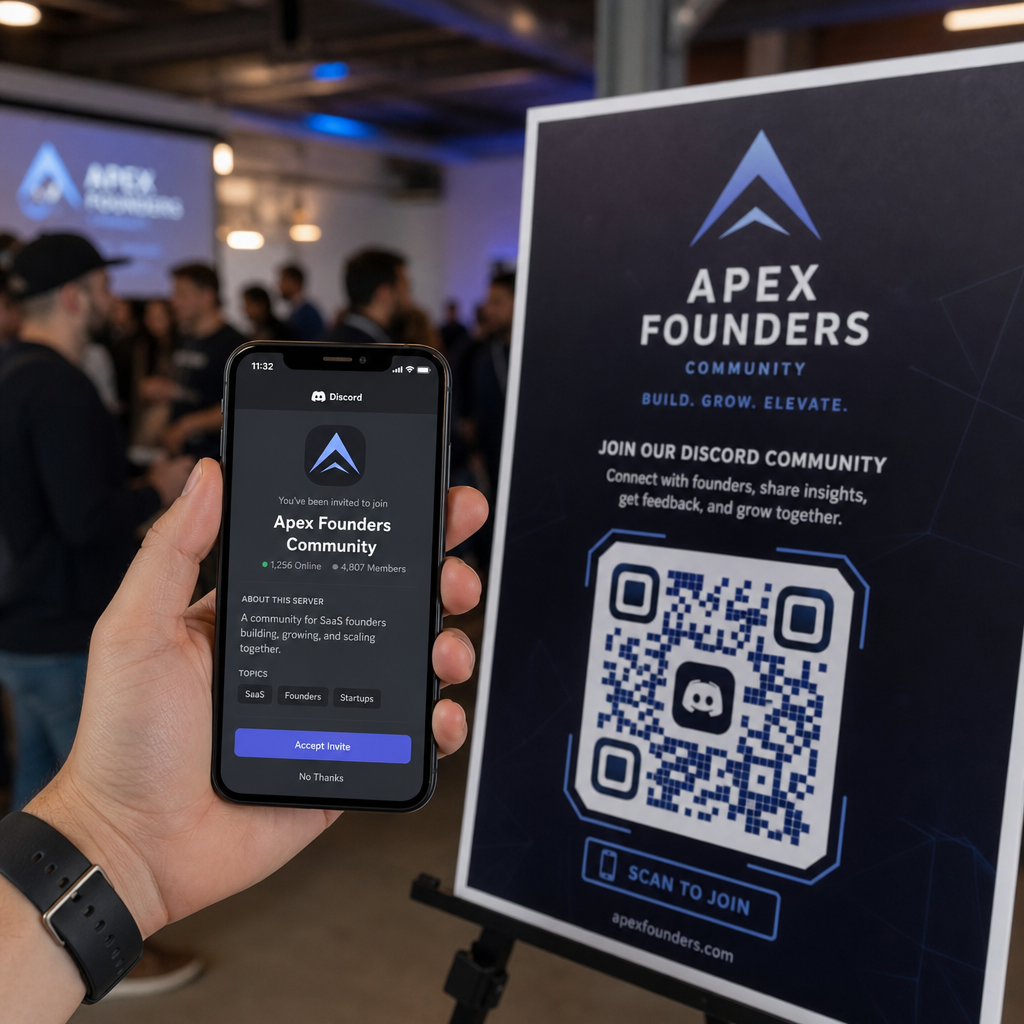
QR kodları bu boşluğu kapatır. Tek bir tarama, bir adayı fiziksel bir temas noktasından – bir poster, bir kartvizit, bir iş fuarı standı – doğrudan bir başvuru formuna, iş tanımına veya planlama bağlantısına götürür. Yazma yok, arama yok, sürtünme yok.
QR Kodları İşe Alım İş Akışınıza Nerede Uyar?
QR kodları tek kullanımlık bir araç değildir. İşe alım hunisinin her aşamasında aday etkileşimlerini iyileştirebilirler.
İş fuarlarında ve etkinliklerde. Ziyaretçileri belirli iş ilanlarına yönlendirmek veya iletişim bilgilerini bir aracılığıyla toplamak için standınıza bir QR kodu yerleştirin Google Form QR kodu. Her tarama, etkileşimin dijital bir kaydını oluşturur – kaybedilecek kartvizit yok, daha sonra uzlaştırılacak e-tablo yok. Ayrıca bir kullanarak etkinlik girişlerini basitleştirebilirsiniz QR kodlu katılım sistemi varışları otomatik olarak kaydeden.
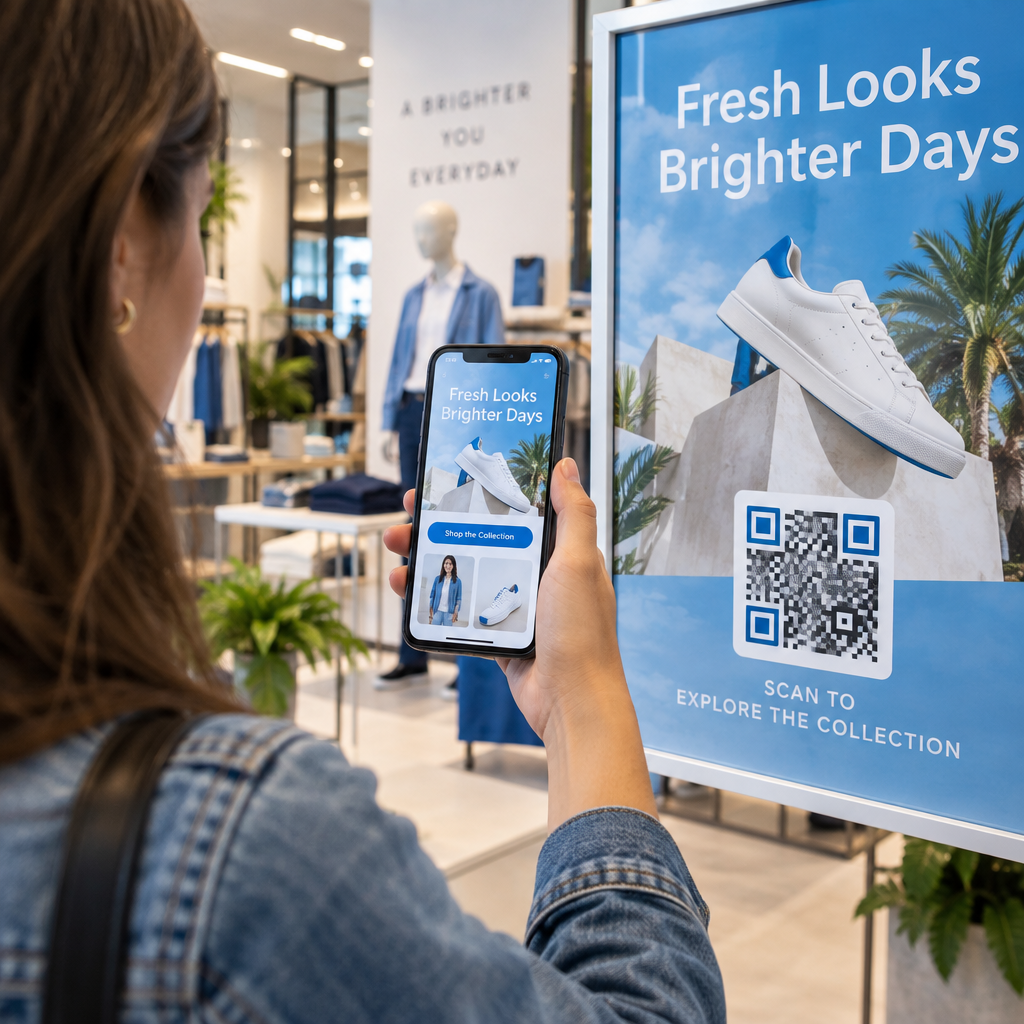
Basılı materyallerde. El ilanları, posterler ve broşürler, aktif olarak iş aramayan adaylara ulaşabilir. Bir Bir posterdeki QR kodu şirket kültürünüz veya mevcut bir açık pozisyon hakkında kısa bir videoya bağlantı veren, pasif adaylara hemen tam bir başvuruya taahhütte bulunmadan keşfetmeleri için sürtünmesiz bir yol sunar.
Kartvizitlerde. İşe alım uzmanları bir LinkedIn QR kodu veya mevcut iş ilanlarına bir bağlantı ekleyebilir, böylece yüz yüze görüşmeler eyleme dönüştürülebilir bağlantılara dönüşür. Pageloot'un LinkedIn QR Kod Oluşturucu doğrudan profilinize veya şirket sayfanıza bağlanan taranabilir bir kod oluşturmayı kolaylaştırır.
Dijital kampanyalarda. E-posta bültenleri, iş panoları ve sosyal medya gönderileri, adayları özel bir açılış sayfasına yönlendiren QR kodları içerebilir. Burada dinamik QR kodları kullanmak, hangi dijital kanalların en nitelikli başvuruları ürettiğini izlemenizi sağlar.
Özgeçmiş gönderimleri için. Bir QR kodunu bir Google Form'a veya başvuru portalına bağlamak, adayların bilgilerini hemen yüklemesini sağlayarak etkileşimin en yüksek olduğu anda niyeti yakalar.
Etkinlik İşe Alımını Kolaylaştırın Katılımcı girişlerini takip etmeniz ve aday verilerini tek adımda yakalamanız mı gerekiyor? QR Kod Katılım Takipçisi doğrudan Google Formlar'a bağlanır, böylece her tarama otomatik olarak kaydedilir.
İşe Alım Uzmanları İçin QR Kod Takibi Nasıl Çalışır?
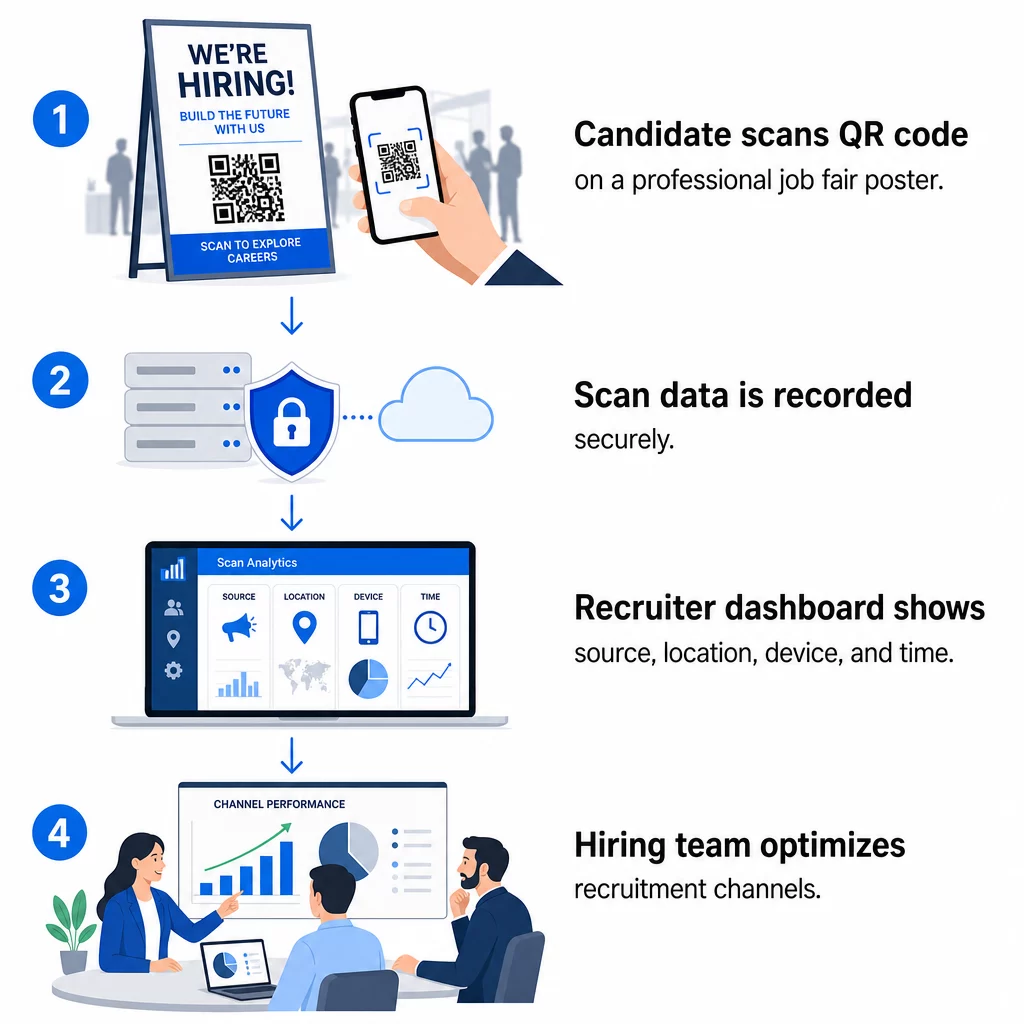
Bir QR kodu tek başına sadece bir kısayoldur. Gerçek değer, ürettiği verilerden gelir. Dinamik QR kodları her taramayı aşağıdaki metriklerle kaydeder:
- Tarama sayısı – zaman içindeki toplam ve benzersiz taramalar
- Zaman Damgası – adayların en çok ne zaman etkileşim kurma olasılığı olduğu
- Konum verileri – başvurularınızın hangi şehirlerden veya bölgelerden geldiği
- Cihaz türü ve işletim sistemi – mobil başvuru akışınızın gerçekten çalışıp çalışmadığını doğrulama
Bu veriler pratik soruları yanıtlamanıza yardımcı olur: İş fuarı materyalleriniz takip sağlıyor mu? Afişinizdeki QR kodu e-postanızdaki kodu geride bırakıyor mu? Hangi ilan konumları, tam başvuruyu tamamlayan adayları çekiyor?
Bu verileri okuma ve bunlara göre hareket etme hakkında daha fazla bilgiyi Pageloot'un rehberinde bulabilirsiniz: QR kodu taramalarını ve analizlerini takip etme.
Daha Derin İlişkilendirme için UTM Parametreleri Ekleme
Ekibiniz Google Analytics kullanıyorsa, QR kodunuzun işaret ettiği URL'ye UTM parametreleri ekleyebilirsiniz. Bu, QR kodu kaynaklı trafiği diğer kanallarınızla birlikte manuel bir uzlaştırma yapmadan izlemenizi sağlar. Bir üniversite kariyer fuarına yerleştirilen bir kod `utm` kullanabilirsource=careerfair` ve `utm`medium=qrcode`, bu kanalı LinkedIn reklamları veya iş ilanı panosu trafiğiyle GA4'te karşılaştırmayı kolaylaştırır.
Pageloot'un rehberi QR kodları için UTM parametreleri adlandırma kurallarını ve raporlama kurulumunu ayrıntılı olarak inceler.
Her İşe Alım Kanalını Takip Edin Kullan Dinamik QR Kod Oluşturucu her işe alım temas noktası için izlenebilir, UTM etiketli kodlar oluşturmak ve hangi kanalların nitelikli adayları getirdiğini tam olarak görmek.
İşe Alımda Statik ve Dinamik QR Kodları
Her QR kodunun dinamik olması gerekmez, ancak çoğu işe alım uygulaması bundan faydalanır. İşte pratik bir karşılaştırma:
| ÖZELLİK | Statik QR Kodu | Dinamik QR Kodu |
|---|---|---|
| Baskıdan sonra düzenlenebilir hedef | Hayır | Evet |
| Tarama analizi | Hayır | Evet |
| İş ilanı kapandıktan sonra çalışır | Hayır (URL bozulursa) | Evet (yeni ilana yönlendir) |
| Abonelik gerektirir | Hayır | Evet |
| En iyisi | Kalıcı referans materyalleri | Aktif kampanyalar, iş fuarları, basılı reklamlar |
İşe alımda dinamik kodların temel avantajı esnekliktir. Basılı materyalleriniz kullanımdan kaldırılmadan bir pozisyon doldurulursa, o QR kodunu benzer açık bir role veya genel bir başvuru sayfasına yönlendirebilirsiniz – yeniden baskı gerekmez. Ayrıntılı bir döküm için Pageloot'un karşılaştırmasına bakın statik ve dinamik QR kodları.
Adayların Güvendiği Markalı QR Kodları Oluşturma
Genel siyah-beyaz QR kodları taranır, ancak markalı olanlar daha iyi performans gösterir ve işveren kimliğinizi pekiştirir. Pageloot'un QR kod oluşturucu şirket logonuzu yerleştirmenize, marka renklerini uygulamanıza ve tasarım şablonlarından seçim yapmanıza olanak tanır, böylece her kod sonradan eklenmiş bir şeyden ziyade materyallerinizin kasıtlı bir parçası gibi görünür.

Basılı işe alım materyalleri için birkaç pratik kılavuz:
- Kartvizitler için minimum QR kodu boyutu kullanın: 0.8 × 0.8 inç güvenilir taranabilirlik sağlamak için.
- Posterler ve el ilanları için en az 1.2 × 1.2 inç, kodun etrafında net beyaz boşluk bırakarak.
- En az bir kontrast oranı sağlayın 4:1 koyu modüller ile arka plan arasında.
- Şurada yazdırın: 300 DPI kodun keskin ve taranabilir kalmasını sağlamak için.
Markalı, iyi boyutlandırılmış QR kodları profesyonelliği gösterir ve adayları süreci tamamlamaya teşvik eder. Tarama sonrası mobil uyumlu hedefler hakkında daha fazla bilgi için Pageloot'un şu kılavuzuna bakın: mobil QR kodu açılış sayfası en iyi uygulamalarını.
Aday Verileri İçin Uyumluluk Hususları
QR kodları veri toplar ve bu veriler sorumluluklarla birlikte gelir. ABD'deki personel firmaları, QR tabanlı işe alım iş akışları oluştururken birkaç temel gereksinimin farkında olmalıdır:
- EEOC kayıt tutma: Federal yasa, işverenlerin tüm başvuru kayıtlarını – QR bağlantılı formlar aracılığıyla gönderilenler de dahil olmak üzere – kaydın oluşturulduğu tarihten itibaren en az bir yıl süreyle saklamasını gerektirir. 150 veya daha fazla çalışanı olan ve en az 150.000 ABD Doları tutarında sözleşmeleri olan federal yükleniciler, kayıtları iki yıl süreyle saklamalıdır.
- Gönüllü kendini tanımlama: QR bağlantılı formlarınız EEO raporlaması için demografik bilgi topluyorsa, bu katılım gönüllü olmalı, başvuru materyallerinden ayrı tutulmalı ve işe alım kararlarında asla kullanılmamalıdır.
- Gizlilik yükümlülükleri: Platformunuz adaylara açıkça veya zımnen gizlilik vaatleri veriyorsa, bunlara uymanız gerekmektedir. QR bağlantılı tüm formların ve açılış sayfalarının açık bir gizlilik bildirimi içerdiğinden ve aday verilerinin güvenli bir şekilde saklandığından emin olun.
- ADA ve algoritmik araçlar: QR iş akışınız herhangi bir otomatik tarama aracına bağlanıyorsa, EEOC yönergeleri bu araçların, engelli adaylar da dahil olmak üzere korunan gruplar üzerindeki potansiyel ayrımcı etkileri açısından değerlendirilmesini gerektirir.
Bu gereksinimler QR kod kullanımını karmaşıklaştırmaz – taramanın diğer ucundaki veri toplama şeklinizi belirler.
Pageloot İşe Alım Ekiplerini Nasıl Destekler
Pageloot'un platformu, personel alım firmalarına işe alımın her aşamasında QR kodları oluşturma, yönetme ve analiz etme araçları sunar. 110 ülkede 20.000'den fazla şirket tarafından güvenilen platform şunları içerir:
- Bir Dinamik QR Kod Oluşturucu düzenlenebilir, izlenebilir kodlar için
- Bir Google Form QR Kod Oluşturucu anında başvuru ve tarama formu bağlantıları için
- Bir bağlantı QR kod oluşturucunuzun adayları herhangi bir iş ilanına veya açılış sayfasına yönlendirmek için
- Bir katılım QR kod aracı etkinlik girişleri ve aday kaydı için
- Tarama sayısı, konum, cihaz ve zamanlamayı takip eden gerçek zamanlı bir analiz paneli
- Logolar, renkler ve tasarım şablonları dahil tam marka kontrolü
- Basılı ve dijital formatlarda 25'ten fazla QR kod türü için destek
14 günlük ücretsiz deneme, ücretli bir plana geçmeden önce dinamik kodlara, analitiklere ve markalı özelleştirmeye erişim sağlar.
İşe Alım QR Kodları ile Başlayın Bir sonraki iş fuarınız, e-posta kampanyanız veya basılı ilanınız için markalı, izlenebilir kodlar oluşturun Pageloot QR Kodu Oluşturucu – 14 gün boyunca ücretsiz denenebilir, kredi kartı gerekmez.
QR Verilerini Daha Akıllı İşe Alım Kararlarına Dönüştürmek
QR kodlarınızın oluşturduğu tarama verileri sadece bir gösteriş ölçütü değildir – işe alım stratejiniz için bir geri bildirim döngüsüdür. Etkinlik QR kodlarınız yüksek tarama hacmi ancak düşük başvuru tamamlanması oluşturuyorsa, sorun muhtemelen taramanın diğer ucundaki mobil deneyimdir. Bir şehirdeki poster yerleşimleriniz diğerini geride bırakıyorsa, bu, bir sonraki baskı çalışmanızı nereye odaklayacağınızı belirler.
Zamanla, QR tarama analitiklerini başvuru takip sistemi verilerinizle birleştirmek, hangi temas noktalarının gerçekten işe alımlara dönüştüğüne – ve hangilerinin bütçeyi boşa harcadığına dair daha net bir resim oluşturmanızı sağlar. Bu, reaktif işe alımdan veri odaklı işe alıma geçiştir.
Sıkça sorulan sorular
Hayır. Dahili kamera uygulaması olan herhangi bir modern akıllı telefon, ek yazılım indirmeden bir QR kodunu tarayabilir. Bu, özellikle adayların yeni uygulamalar yüklemekte tereddüt edebileceği yüz yüze etkinliklerde, katılım için önemli bir engeli ortadan kaldırır.
Evet, ancak yalnızca dinamik bir QR kodu kullanırsanız. Dinamik kodlar, Pageloot kontrol panelinizden istediğiniz zaman yeni bir hedefe yönlendirebileceğiniz kısa bir yönlendirme URL'si kodlar. Bir iş kapanırsa veya bir form bağlantısı değişirse, tek bir el ilanı veya posteri yeniden basmadan kodu yönlendirebilirsiniz.
QR kodu kendisi tarama düzeyinde veri toplar – zaman damgası, cihaz türü, işletim sistemi ve taramanın coğrafi konumu. Aday taradıktan sonra aktif olarak bir form göndermedikçe kişisel kimlik bilgisi toplamaz. Bağlantılı formlar aracılığıyla toplanan tüm kişisel veriler, gizlilik politikanız ve EEOC kayıt tutma gereklilikleri dahil olmak üzere geçerli istihdam hukuku tarafından yönetilir.