Pierdeți candidați calificați pentru că procesul dumneavoastră de angajare creează prea multă fricțiune? Fluxurile de lucru depășite pentru aplicații, introducerea manuală a datelor și vizibilitatea slabă asupra implicării candidaților costă firmele de recrutare timp și talente de top. Acest ghid explică cum codurile QR rezolvă aceste probleme – și cum să le implementezi în procesul tău de recrutare.
De ce urmărirea candidaților este deficitară fără coduri QR
Majoritatea firmelor de recrutare se bazează încă pe un amestec de pași manuali: candidații tastează URL-uri lungi, completează formulare pe desktop sau iau un pliant la un târg de joburi și nu finalizează niciodată. Fiecare transfer este o oportunitate pentru un candidat calificat de a renunța.
Cifrele reflectă modul în care se comportă de fapt candidații. Cercetările de la Pew Research Center au constatat că 50% dintre persoanele care caută un loc de muncă de pe smartphone-uri și-au folosit telefoanele pentru a completa o cerere de angajare online, iar aproximativ două treimi dintre cererile de angajare sunt acum trimise de pe dispozitive mobile. Atunci când procesul tău de aplicare nu este construit pentru mobil, lucrezi împotriva propriului tău flux de candidați.
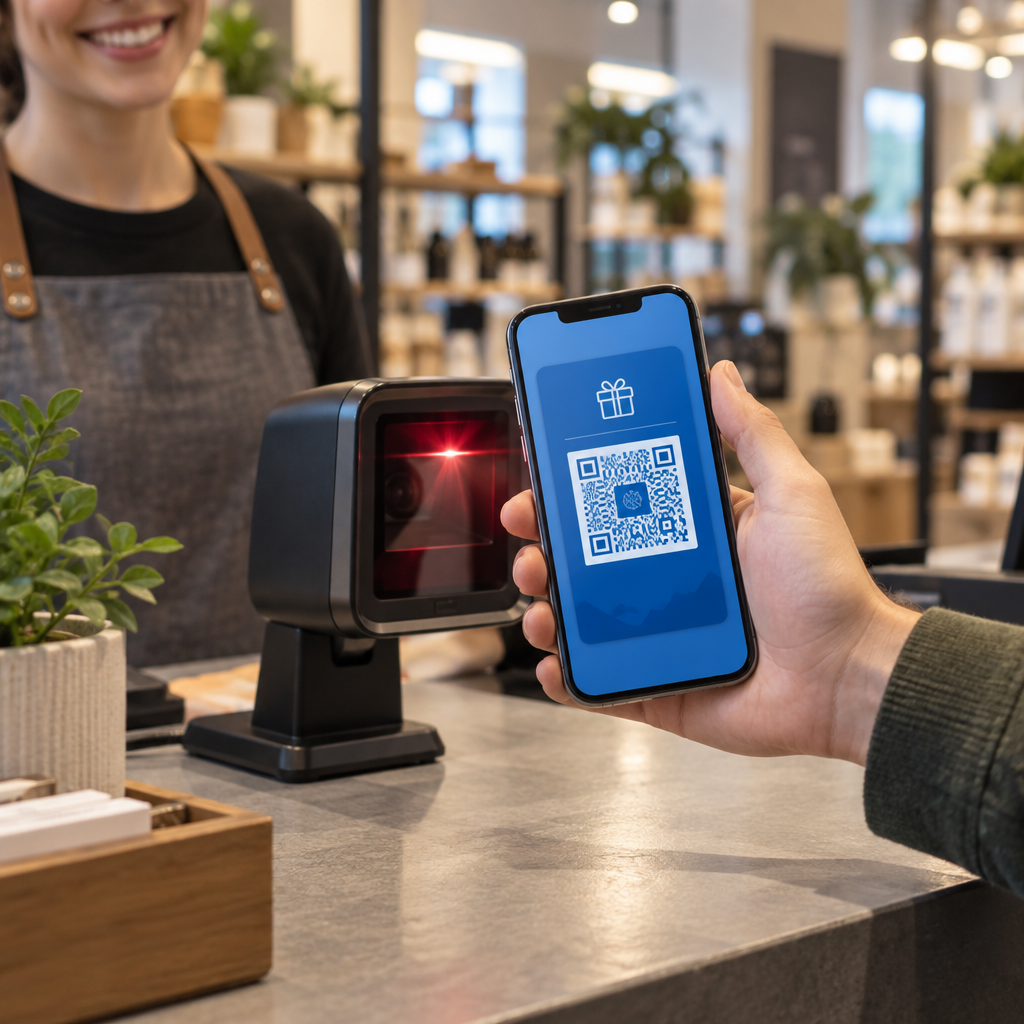
Codurile QR elimină acest decalaj. O singură scanare duce un candidat de la un punct de contact fizic – un afiș, o carte de vizită, un stand la un târg de joburi – direct la un formular de aplicație, o descriere a postului sau un link de programare. Fără tastare, fără căutare, fără fricțiune.
Unde se potrivesc codurile QR în fluxul tău de lucru de recrutare
Codurile QR nu sunt un instrument de unică folosință. Ele pot îmbunătăți interacțiunile cu candidații în fiecare etapă a pâlniei de angajare.
La târguri de joburi și evenimente. Plasează un cod QR la standul tău pentru a direcționa vizitatorii către anunțuri de locuri de muncă specifice sau pentru a colecta informații de contact printr-un Codul QR al formularului Google. Fiecare scanare creează o înregistrare digitală a interacțiunii – fără cărți de vizită de pierdut, fără foi de calcul de reconciliat ulterior. Poți, de asemenea, simplifica înregistrările la evenimente folosind un sistem de prezență cu cod QR care înregistrează automat sosirile.
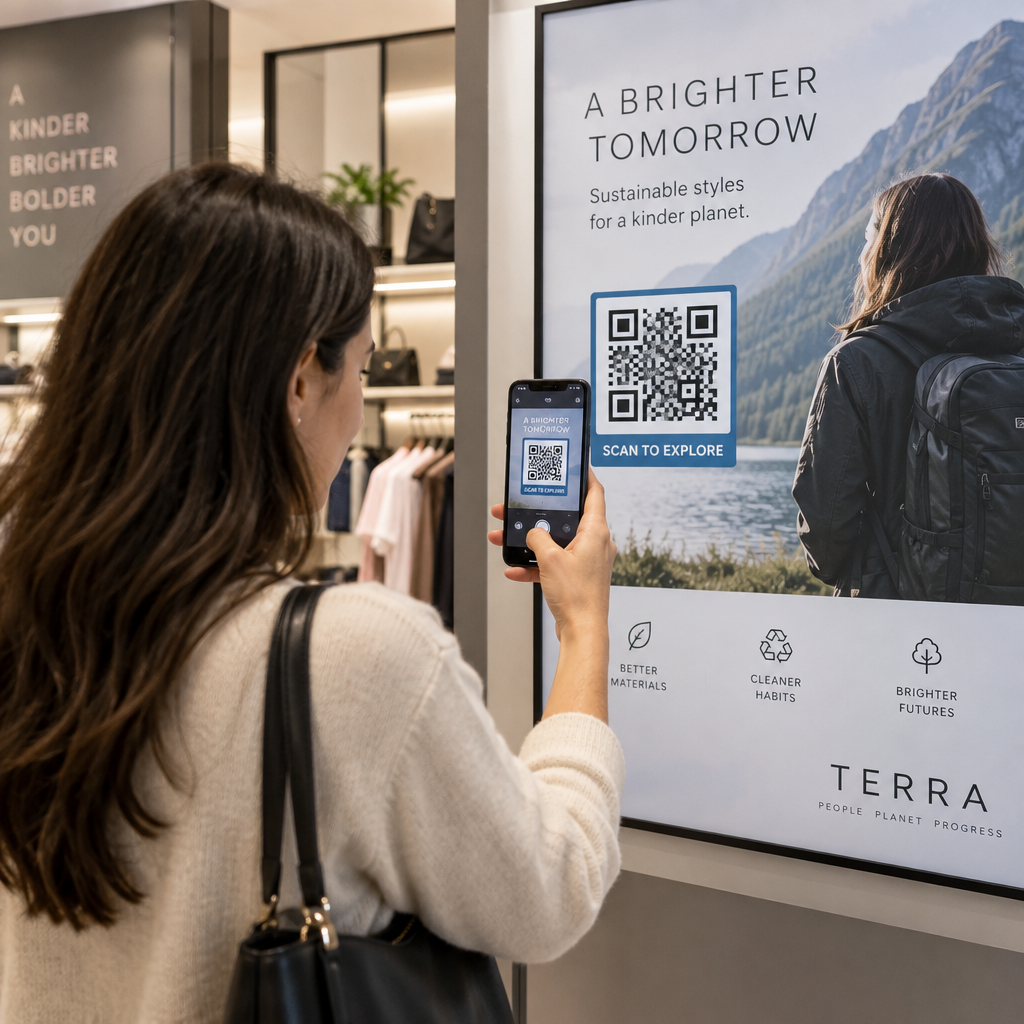
Pe materiale tipărite. Pliantele, afișele și broșurile pot ajunge la candidați care nu caută activ un loc de muncă. Un Cod QR pe un poster care face legătura către un scurt videoclip despre cultura companiei tale sau o poziție deschisă actuală oferă candidaților pasivi o modalitate fără fricțiune de a explora fără a se angaja imediat la o aplicație completă.
Pe cărțile de vizită. Recrutorii pot include un Cod QR LinkedIn sau un link către listele lor actuale de locuri de muncă, astfel încât conversațiile față în față să se transforme în conexiuni acționabile. Pageloot’s Generator cod QR LinkedIn facilitează crearea unui cod scanabil care se leagă direct de profilul sau pagina companiei dumneavoastră.
În campaniile digitale. Buletinele informative prin e-mail, platformele de locuri de muncă și postările pe rețelele sociale pot include toate coduri QR care trimit candidații către o pagină de destinație dedicată. Utilizarea codurile QR dinamice aici vă permite să urmăriți ce canale digitale produc cele mai calificate aplicații.
Pentru trimiterea CV-urilor. Conectarea unui cod QR la un formular Google sau la un portal de aplicații permite candidaților să își încarce informațiile imediat, capturând intenția atunci când implicarea este cea mai mare.
Eficientizați Recrutarea la Evenimente Trebuie să urmăriți înregistrările participanților și să colectați datele candidaților într-un singur pas? Instrumentul de Urmărire a Prezenței cu Cod QR se conectează direct la Formularele Google, astfel încât fiecare scanare este înregistrată automat.
Cum Funcționează Urmărirea Codurilor QR pentru Recrutori
Un cod QR în sine este doar o scurtătură. Valoarea reală provine din datele pe care le generează. Coduri QR dinamice înregistrează fiecare scanare cu metrici, inclusiv:
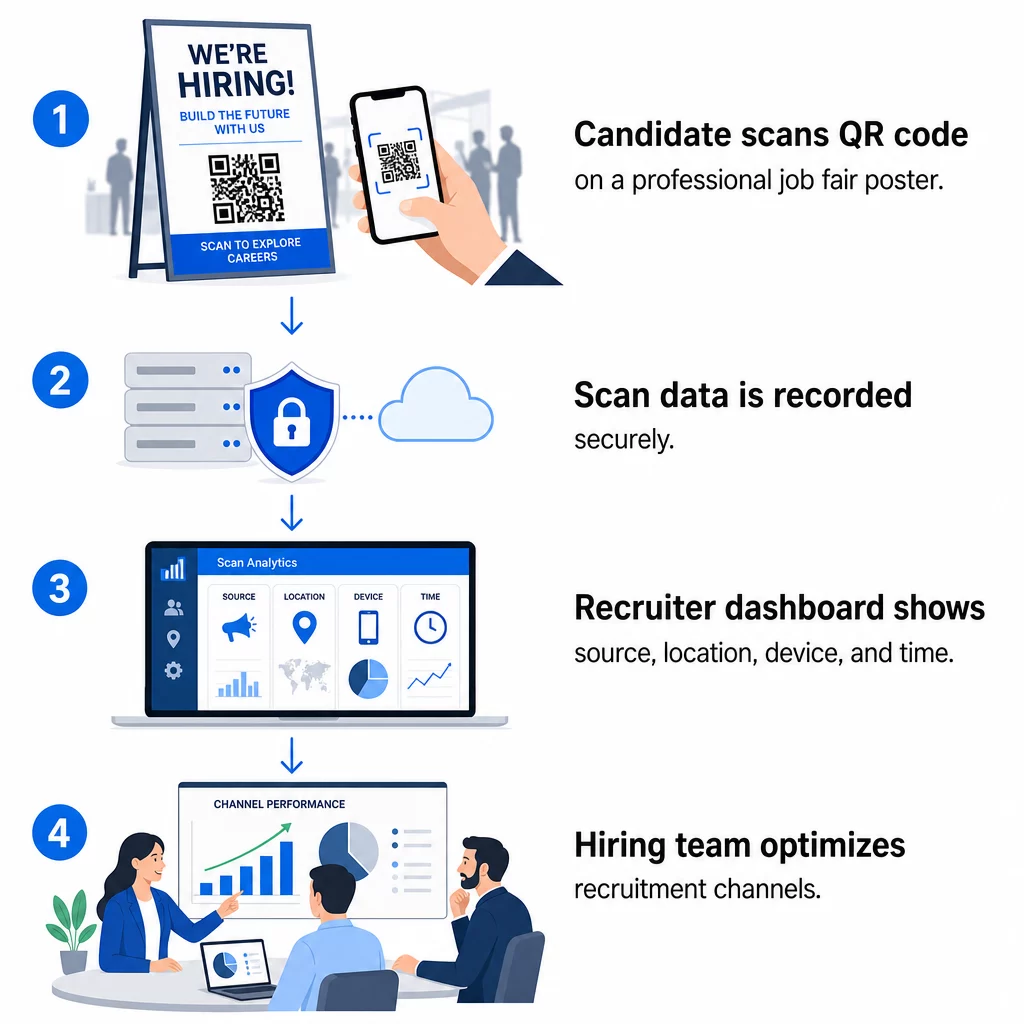
- Numărul de scanări – scanări totale și unice în timp
- Marcaj temporal – când candidații sunt cel mai probabil să se implice
- Date de locație – din ce orașe sau regiuni provin aplicațiile dumneavoastră
- Tipul dispozitivului și sistemul de operare – confirmând dacă fluxul aplicației dumneavoastră mobile funcționează de fapt
Aceste date vă ajută să răspundeți la întrebări practice: Materialele dumneavoastră de la târgul de joburi generează follow-up-uri? Codul QR de pe posterul dumneavoastră depășește performanța celui din e-mailul dumneavoastră? Ce locații de postare atrag candidați care completează întreaga aplicație?
Puteți afla mai multe despre citirea și acționarea pe baza acestor date în ghidul Pageloot despre urmărirea scanărilor codurilor QR și a analizelor.
Adăugarea parametrilor UTM pentru o atribuire mai profundă
Dacă echipa dumneavoastră utilizează Google Analytics, puteți adăuga parametri UTM la URL-ul către care indică codul dumneavoastră QR. Acest lucru vă permite să urmăriți traficul generat de QR alături de celelalte canale, fără nicio reconciliere manuală. Un cod plasat la un târg de cariere universitar ar putea folosi `utm`source=careerfair` și `utm`mediu=qrcode`, facilitând compararea acelui canal cu reclamele LinkedIn sau traficul de pe site-urile de joburi în GA4.
Ghidul Pageloot despre parametrilor UTM pentru codurile QR prezintă în detaliu convențiile de denumire și configurarea rapoartelor.
Urmărește Fiecare Canal de Recrutare Folosește Generator cod QR dinamic pentru a crea coduri urmăribile, etichetate UTM, pentru fiecare punct de contact de recrutare și pentru a vedea exact ce canale atrag candidați calificați.
Coduri QR Statice vs. Dinamice în Recrutare
Nu fiecare cod QR trebuie să fie dinamic, dar majoritatea aplicațiilor de recrutare beneficiază de pe urma acestuia. Iată o comparație practică:
| FUNCȚIE | Cod QR static | Cod QR dinamic |
|---|---|---|
| Destinație editabilă după imprimare | Nu | Da |
| Analize scanări | Nu | Da |
| Funcționează după închiderea anunțului de angajare | Nu (dacă URL-ul se strică) | Da (redirecționare către o nouă listare) |
| Necesită abonament | Nu | Da |
| Cel mai bun pentru | Materiale de referință permanente | Campanii active, târguri de joburi, anunțuri tipărite |
Principalul avantaj al codurilor dinamice în recrutare este flexibilitatea. Dacă o poziție este ocupată înainte ca materialele dvs. tipărite să fie retrase, puteți redirecționa acel cod QR către un rol deschis similar sau o pagină de aplicație generală – fără a fi necesară reimprimarea. Pentru o analiză detaliată, consultați comparația Pageloot a coduri QR statice vs. dinamice.
Crearea de Coduri QR Branduite în Care Candidații Au Încredere
Codurile QR generice alb-negru sunt scanate, dar cele branduite performează mai bine și întăresc identitatea angajatorului dvs. Pageloot’s generatorul de coduri QR vă permite să încorporați logo-ul companiei, să aplicați culorile brandului și să alegeți dintre șabloanele de design, astfel încât fiecare cod să arate ca o parte deliberată a materialelor dvs., mai degrabă decât o idee ulterioară.
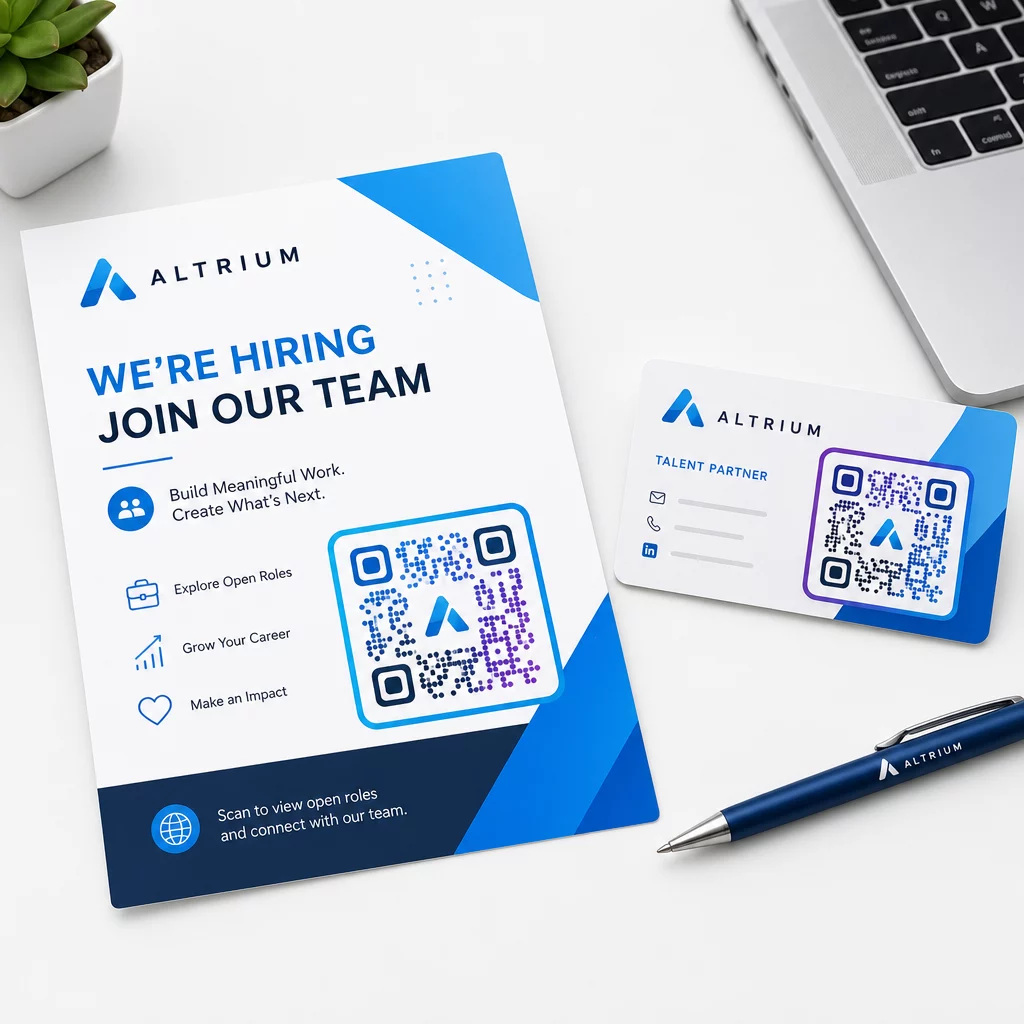
Câteva ghiduri practice pentru materialele de recrutare tipărite:
- Pentru cărți de vizită, utilizați o dimensiune minimă a codului QR de 0,8 × 0,8 inchi pentru a asigura scanabilitatea fiabilă.
- Pentru postere și fluturași, vizați cel puțin 1,2 × 1,2 inchi, cu spațiu alb clar în jurul codului.
- Mențineți un raport de contrast de cel puțin 4:1 între modulele întunecate și fundal.
- Imprimați la 300 DPI pentru a vă asigura că codul rămâne clar și scanabil.
Codurile QR branduite, de dimensiuni adecvate, semnalează profesionalismul și încurajează candidații să finalizeze procesul. Pentru mai multe informații despre destinațiile optimizate pentru mobil după scanare, consultați ghidul Pageloot privind cele mai bune practici pentru paginile de destinație mobile cu cod QR.
Considerații de Conformitate pentru Datele Candidaților
Codurile QR colectează date, iar aceste date vin cu responsabilități. Firmele de recrutare din SUA ar trebui să fie conștiente de câteva cerințe de bază atunci când construiesc fluxuri de lucru de recrutare bazate pe QR:
- Păstrarea înregistrărilor EEOC: Legea federală impune angajatorilor să păstreze toate înregistrările cererilor – inclusiv cele trimise prin formulare legate de QR – pentru cel puțin un an de la data creării înregistrării. Contractorii federali cu 150 sau mai mulți angajați și contracte de cel puțin 150.000 USD trebuie să păstreze înregistrările timp de doi ani.
- Auto-identificare voluntară: Dacă formularele dvs. legate de coduri QR colectează informații demografice pentru raportarea EEO, acea participare trebuie să fie voluntară, păstrată separată de materialele de candidatură și să nu fie niciodată utilizată în deciziile de angajare.
- Obligații de confidențialitate: Dacă platforma dvs. face promisiuni de confidențialitate candidaților – explicit sau implicit – sunteți obligat să le respectați. Asigurați-vă că orice formulare legate de coduri QR și pagini de destinație includ o notificare clară de confidențialitate și că datele candidaților sunt stocate în siguranță.
- ADA și instrumente algoritmice: Dacă fluxul dvs. de lucru QR se conectează la orice instrumente automate de screening, ghidul EEOC impune ca aceste instrumente să fie evaluate pentru un potențial impact disparat asupra grupurilor protejate, inclusiv candidaților cu dizabilități.
Aceste cerințe nu complică adoptarea codurilor QR – ele modelează modul în care proiectați colectarea datelor la celălalt capăt al scanării.
Cum Pageloot Sprijină Echipele de Recrutare
Platforma Pageloot oferă firmelor de recrutare instrumentele necesare pentru a crea, gestiona și analiza coduri QR în fiecare etapă a recrutării. Fiind de încredere pentru peste 20.000 de companii din 110 țări, platforma include:
- A Generator cod QR dinamic pentru coduri editabile, urmăribile
- A Generator cod QR Google Forms pentru linkuri instantanee către formulare de candidatură și screening
- A generatorul de coduri QR pentru link-uri pentru a direcționa candidații către orice anunț de angajare sau pagină de destinație
- Un instrument pentru coduri QR de prezență pentru înregistrări la evenimente și înregistrarea candidaților
- Un tablou de bord de analiză în timp real care urmărește numărul de scanări, locația, dispozitivul și momentul
- Controale complete de branding, inclusiv logo-uri, culori și șabloane de design
- Suport pentru peste 25 de tipuri de coduri QR în formate tipărite și digitale
O perioadă de încercare gratuită de 14 zile îți oferă acces la coduri dinamice, analize și personalizare de brand înainte de a te angaja la un plan plătit.
Începeți cu codurile QR pentru recrutare Creați coduri de brand, urmăribile pentru următorul târg de joburi, campanie de e-mail sau anunț tipărit cu Generator de coduri QR Pageloot – gratuit de încercat timp de 14 zile, nu este necesar un card de credit.
Transformarea datelor QR în decizii de angajare mai inteligente
Datele de scanare generate de codurile tale QR nu sunt doar o metrică de vanitate – sunt o buclă de feedback pentru strategia ta de recrutare. Dacă codurile QR ale evenimentelor tale generează un volum mare de scanări, dar un număr mic de finalizări de aplicații, problema este probabil experiența mobilă de la celălalt capăt al scanării. Dacă plasările de afișe într-un oraș depășesc performanța altuia, acest lucru te informează unde să te concentrezi pentru următoarea ta serie de tipărire.
În timp, combinarea analizelor de scanare QR cu datele sistemului tău de urmărire a candidaților îți permite să construiești o imagine mai clară a punctelor de contact care se transformă efectiv în angajări – și a celor care irosesc bugetul. Aceasta este trecerea de la recrutarea reactivă la angajarea bazată pe date.
Întrebări frecvente
Nu. Orice smartphone modern cu o aplicație de cameră încorporată poate scana un cod QR fără a descărca software suplimentar. Acest lucru elimină o barieră semnificativă în calea implicării, în special la evenimentele fizice unde candidații ar putea ezita să instaleze aplicații noi.
Da, dar numai dacă utilizați un cod QR dinamic. Codurile dinamice codifică o adresă URL scurtă de redirecționare pe care o puteți direcționa către o nouă destinație oricând din tabloul de bord Pageloot. Dacă un loc de muncă se închide sau un link de formular se modifică, puteți redirecționa codul fără a retipări niciun pliant sau poster.
Codul QR în sine colectează date la nivel de scanare – marcaj temporal, tip de dispozitiv, sistem de operare și locația geografică a scanării. Nu colectează informații de identitate personală decât dacă candidatul trimite în mod activ un formular după scanare. Orice date personale colectate prin formularele conectate sunt guvernate de politica dumneavoastră de confidențialitate și de legislația muncii aplicabilă, inclusiv cerințele EEOC privind păstrarea înregistrărilor.