Menetätkö päteviä hakijoita, koska rekrytointiprosessisi luo liikaa kitkaa? Vanhentuneet hakemusprosessit, manuaalinen tiedonsyöttö ja heikko näkyvyys hakijoiden sitoutumiseen maksavat henkilöstövuokrausyrityksille aikaa ja huippulahjakkuuksia. Tämä opas selittää, miten QR-koodit ratkaisevat nämä ongelmat – ja miten ne otetaan käyttöön rekrytointiprosessissasi.
Miksi hakijaseuranta jää vajaaksi ilman QR-koodeja
Useimmat henkilöstövuokrausyritykset luottavat edelleen manuaalisten vaiheiden tilkkutäkkiin: hakijat kirjoittavat pitkiä URL-osoitteita, täyttävät lomakkeita työpöydällä tai nappaavat esitteen työmarkkinamessuilta eivätkä koskaan jatka prosessia. Jokainen siirto on tilaisuus pätevälle hakijalle pudota pois.
Luvut heijastavat hakijoiden todellista käyttäytymistä. Pew Research Centerin tutkimus osoitti, että 50 % älypuhelimella työnhakijoista käytti puhelintaan täyttääkseen online-työhakemuksen, ja noin kaksi kolmasosaa työhakemuksista lähetetään nykyään mobiililaitteilla. Kun hakemusprosessisi ei ole rakennettu mobiililaitteille, työskentelet omaa hakijavirtaasi vastaan.
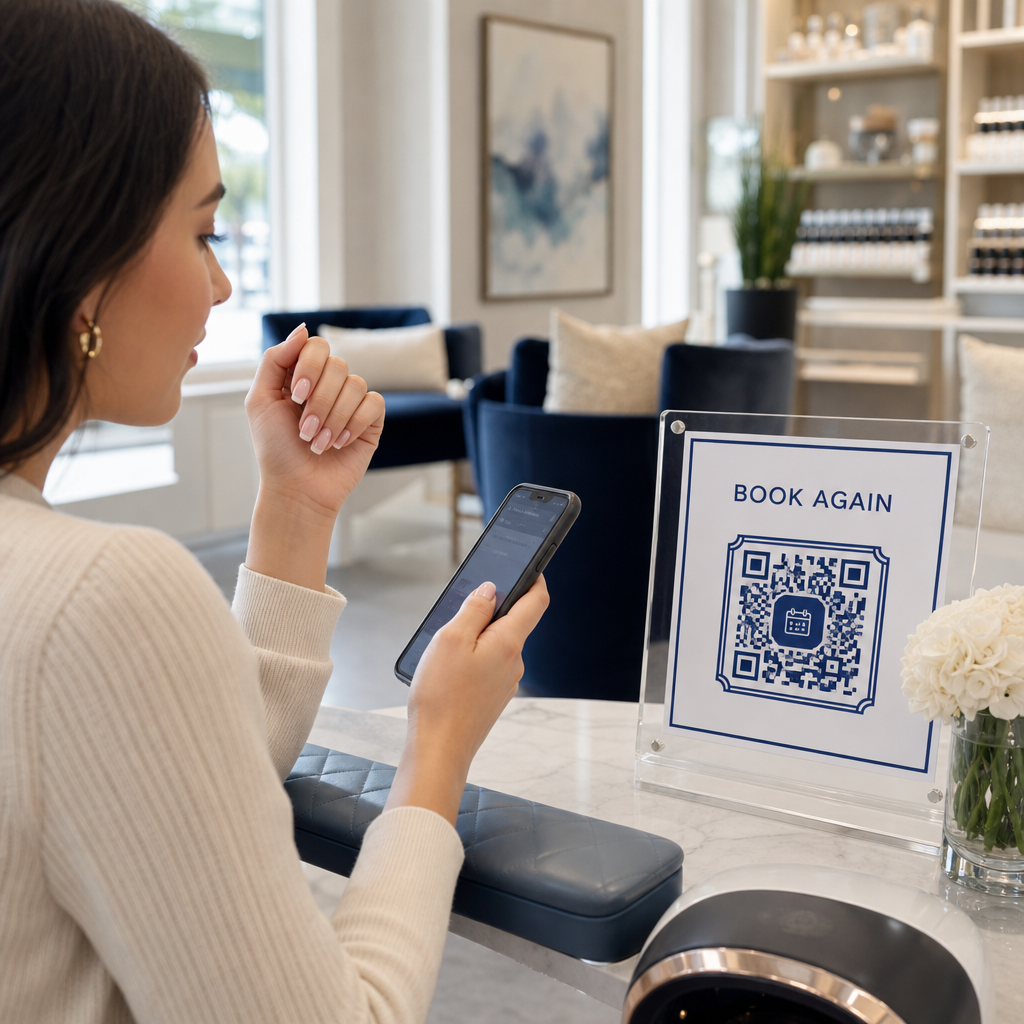
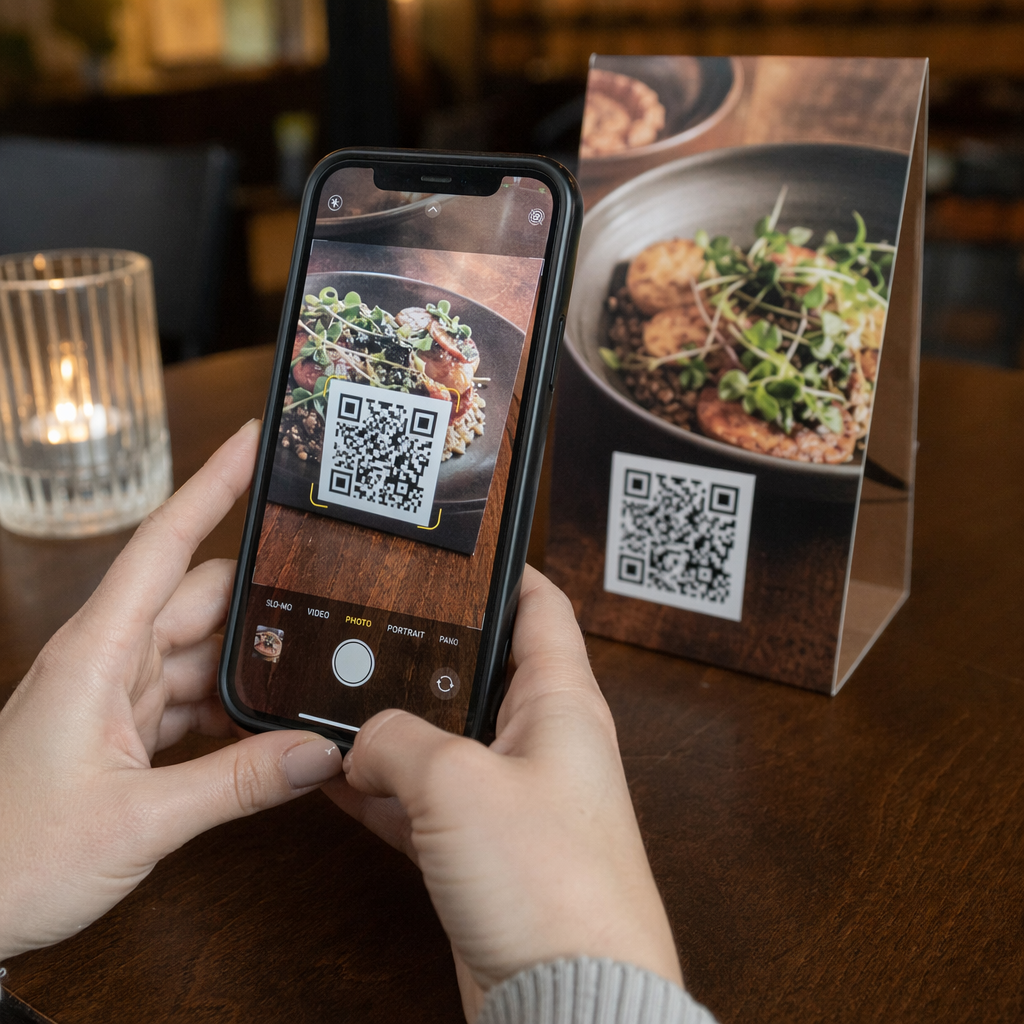
QR-koodit kuromaan tämän kuilun umpeen. Yksi skannaus vie hakijan fyysisestä kosketuspisteestä – julisteesta, käyntikortista, työmarkkinamessujen osastolta – suoraan hakemuslomakkeeseen, työpaikkailmoitukseen tai aikataulutuslinkkiin. Ei kirjoittamista, ei etsimistä, ei kitkaa.
Mihin QR-koodit sopivat rekrytointiprosessissasi
QR-koodit eivät ole kertakäyttöinen työkalu. Ne voivat parantaa hakijoiden vuorovaikutusta rekrytointiprosessin jokaisessa vaiheessa.
Työmarkkinamessuilla ja tapahtumissa. Aseta QR-koodi osastollesi ohjataksesi kävijöitä tiettyihin työpaikkailmoituksiin tai kerätäksesi yhteystietoja Google Form QR-koodi. Jokainen skannaus luo digitaalisen tiedon vuorovaikutuksesta – ei kadotettavia käyntikortteja, ei myöhemmin täsmäytettäviä laskentataulukoita. Voit myös yksinkertaistaa tapahtumien sisäänkirjautumisia käyttämällä QR-koodin läsnäolojärjestelmää joka kirjaa saapumiset automaattisesti.
Painetuissa materiaaleissa. Esitteet, julisteet ja brosyyrit voivat tavoittaa hakijoita, jotka eivät aktiivisesti etsi työtä. A QR-koodi julisteessa joka linkittää lyhyeen videoon yrityskulttuuristasi tai avoimesta työpaikasta, antaa passiivisille hakijoille kitkattoman tavan tutustua ilman, että he sitoutuvat heti täyteen hakemukseen.
Käyntikorteissa. Rekrytoijat voivat sisällyttää LinkedIn QR-koodi tai linkin avoimiin työpaikkoihinsa, jotta henkilökohtaiset keskustelut muuttuvat konkreettisiksi yhteyksiksi. Pagelootin LinkedIn QR-koodi generaattori avulla on helppo luoda skannattava koodi, joka linkittää suoraan profiiliisi tai yrityssivullesi.
Digitaalisissa kampanjoissa. Sähköpostiuutiskirjeet, työpaikkailmoitukset ja sosiaalisen median julkaisut voivat kaikki sisältää QR-koodeja, jotka ohjaavat hakijat omalle laskeutumissivulle. Käyttämällä dynaamiset QR-koodit tässä voit seurata, mitkä digitaaliset kanavat tuottavat pätevimmät hakemukset.
Ansioluetteloiden lähettämiseen. QR-koodin linkittäminen Google Forms -lomakkeeseen tai hakijaportaaliin antaa hakijoille mahdollisuuden ladata tietonsa välittömästi, tallentaen aikomuksen, kun sitoutuminen on korkeimmillaan.
Virtaviivaista tapahtumarekrytointia Tarvitseeko sinun seurata osallistujien sisäänkirjautumisia ja kerätä hakijatietoja yhdellä askeleella? QR-koodin läsnäoloseuranta yhdistyy suoraan Google Forms -lomakkeisiin, joten jokainen skannaus kirjataan automaattisesti.
Miten QR-koodin seuranta toimii rekrytoijille
QR-koodi itsessään on vain pikakuvake. Todellinen arvo tulee sen tuottamasta datasta. Dynaamiset QR-koodit tallentaa jokaisen skannauksen mittareilla, mukaan lukien:
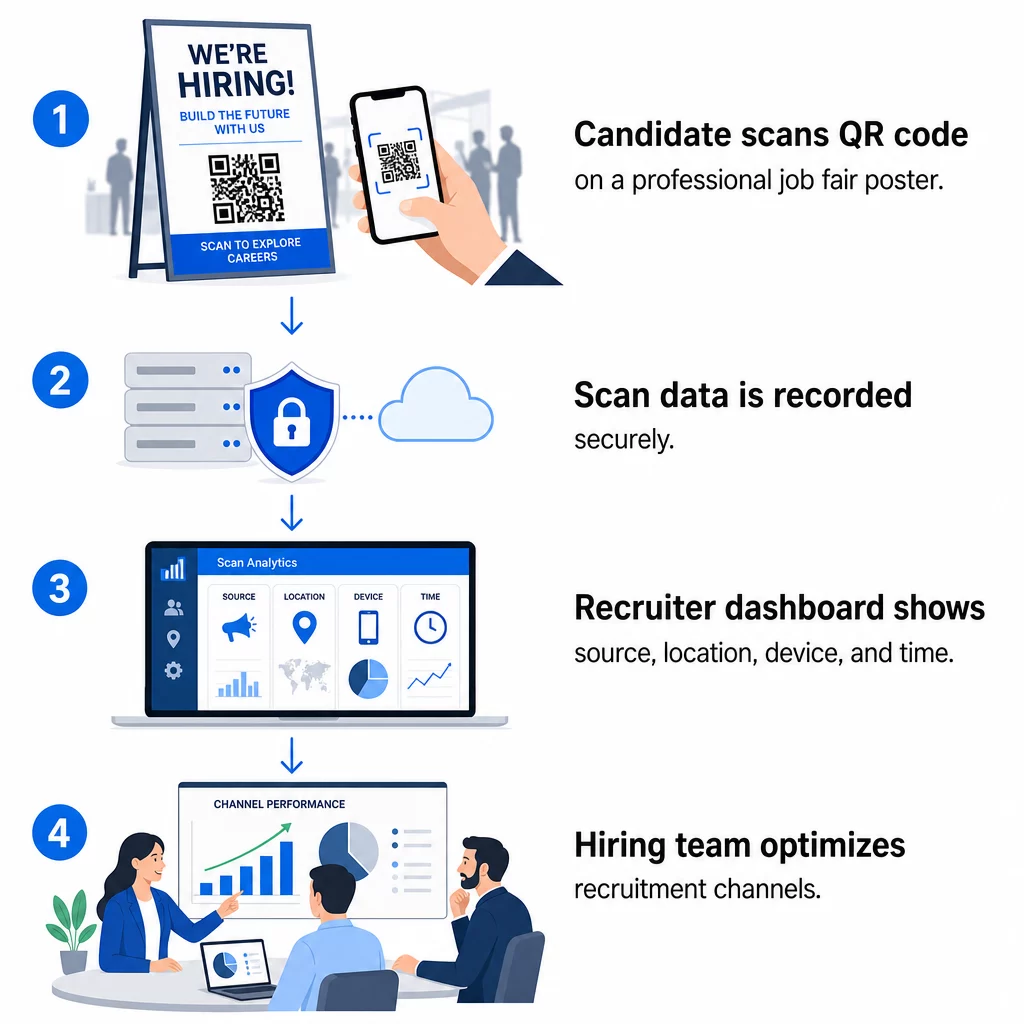
- Skannausten määrä – kokonais- ja yksilölliset skannaukset ajan mittaan
- Aikaleima – milloin ehdokkaat todennäköisimmin sitoutuvat
- Sijaintitiedot – mistä kaupungeista tai alueilta hakemuksesi tulevat
- Laitetyyppi ja käyttöjärjestelmä – vahvistaen, toimiiko mobiilisovellusvirtasi todella
Nämä tiedot auttavat sinua vastaamaan käytännön kysymyksiin: Tuottavatko rekrytointimessumateriaalisi jatkotoimia? Onko julisteessasi oleva QR-koodi tehokkaampi kuin sähköpostissasi oleva? Mitkä ilmoituspaikat houkuttelevat ehdokkaita, jotka täyttävät koko hakemuksen?
Voit oppia lisää näiden tietojen lukemisesta ja hyödyntämisestä Pagelootin oppaasta aiheesta QR-koodiskannausten ja analytiikan seuranta.
UTM-parametrien lisääminen syvempää attribuutiota varten
Jos tiimisi käyttää Google Analyticsia, voit lisätä UTM-parametreja URL-osoitteeseen, johon QR-koodisi osoittaa. Tämä antaa sinun seurata QR-koodin ohjaamaa liikennettä muiden kanaviesi rinnalla ilman manuaalista täsmäytystä. Yliopiston uramessuille sijoitettu koodi voisi käyttää `utmsource=careerfair` ja `utmmedium=qrcode`, mikä tekee kanavan vertaamisesta LinkedIn-mainoksiin tai työpaikkailmoitusten liikenteeseen GA4:ssä helppoa.
Pagelootin opas aiheesta UTM-parametrit QR-koodeille käy läpi nimeämiskäytännöt ja raportoinnin asetukset yksityiskohtaisesti.
Seuraa jokaista rekrytointikanavaa Käytä Dynaaminen QR-koodi generaattori luodaksesi seurattavia, UTM-merkittyjä koodeja jokaiselle rekrytoinnin kosketuspisteelle ja nähdäksesi tarkalleen, mitkä kanavat tuovat päteviä hakijoita.
Staattiset vs. dynaamiset QR-koodit rekrytoinnissa
Kaikkien QR-koodien ei tarvitse olla dynaamisia, mutta useimmat rekrytointisovellukset hyötyvät niistä. Tässä käytännön vertailu:
| OMINAISUUS | Staattinen QR-koodi | Dynaaminen QR-koodi |
|---|---|---|
| Kohde muokattavissa tulostuksen jälkeen | Ei | Kyllä |
| Skannausanalytiikka | Ei | Kyllä |
| Toimii työpaikkailmoituksen sulkeuduttua | Ei (jos URL-osoite rikkoutuu) | Kyllä (ohjaa uuteen ilmoitukseen) |
| Vaatii tilauksen | Ei | Kyllä |
| Paras | Pysyvät viitemateriaalit | Aktiiviset kampanjat, työpaikkamessut, painetut mainokset |
Dynaamisten koodien suurin etu rekrytoinnissa on joustavuus. Jos paikka täytetään ennen kuin painetut materiaalit poistetaan käytöstä, voit ohjata QR-koodin vastaavaan avoimeen tehtävään tai yleiselle hakusivulle – uudelleenpainatusta ei tarvita. Yksityiskohtaisen erittelyn löydät Pagelootin vertailusta staattisia ja dynaamisia QR-koodeja.
Brändättyjen QR-koodien rakentaminen, joihin hakijat luottavat
Yleiset mustavalkoiset QR-koodit skannataan, mutta brändätyt toimivat paremmin ja vahvistavat työnantajabrändiäsi. Pagelootin QR-koodigeneraattori avulla voit upottaa yrityksesi logon, käyttää brändivärejä ja valita suunnittelumalleista niin, että jokainen koodi näyttää harkitulta osalta materiaalejasi pikemminkin kuin jälkikäteen lisätyltä.
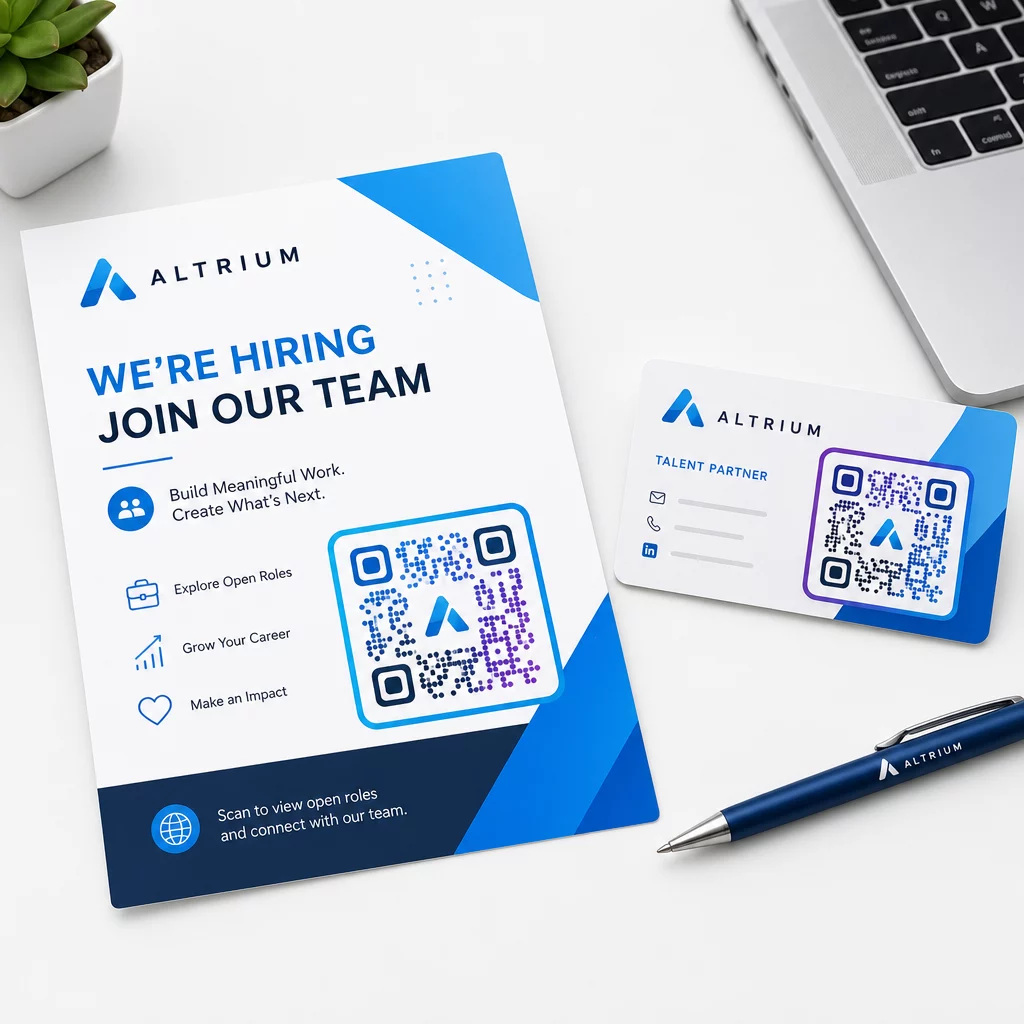
Muutamia käytännön ohjeita painetuille rekrytointimateriaaleille:
- Käyntikorteissa käytä vähintään QR-koodin kokoa 0,8 × 0,8 tuumaa varmistaaksesi luotettavan skannattavuuden.
- Julisteissa ja lentolehtisissä pyri vähintään 1,2 × 1,2 tuumaa, ja jätä selkeä valkoinen tila koodin ympärille.
- Säilytä vähintään kontrastisuhde 4:1 tummien moduulien ja taustan välillä.
- Tulosta 300 DPI varmistaaksesi, että koodi pysyy terävänä ja skannattavana.
Brändätyt, oikein mitoitetut QR-koodit viestivät ammattimaisuudesta ja kannustavat ehdokkaita jatkamaan. Lisätietoja mobiiliystävällisistä kohteista skannauksen jälkeen löydät Pagelootin oppaasta aiheesta mobiili-QR-koodin laskeutumissivun parhaita käytäntöjä.
Ehdokastietojen vaatimustenmukaisuusnäkökohdat
QR-koodit keräävät tietoja, ja näihin tietoihin liittyy vastuita. Yhdysvaltalaisissa henkilöstövuokrausyrityksissä tulisi olla tietoisia muutamista perusvaatimuksista rakentaessaan QR-pohjaisia rekrytointiprosesseja:
- EEOC:n kirjanpito: Liittovaltion laki edellyttää työnantajia säilyttämään kaikki hakemusasiakirjat – mukaan lukien QR-linkitettyjen lomakkeiden kautta lähetetyt – vähintään yhden vuoden ajan asiakirjan laatimispäivästä. Liittovaltion urakoitsijoiden, joilla on vähintään 150 työntekijää ja vähintään 150 000 dollarin arvoisia sopimuksia, on säilytettävä asiakirjat kahden vuoden ajan.
- Vapaaehtoinen itsemäärittely: Jos QR-linkitetyt lomakkeesi keräävät demografisia tietoja EEO-raportointia varten, osallistumisen on oltava vapaaehtoista, pidettävä erillään hakemusmateriaaleista eikä sitä saa koskaan käyttää palkkauspäätöksissä.
- Tietosuojavelvoitteet: Jos alustasi antaa tietosuojalupauksia ehdokkaille – joko nimenomaisesti tai epäsuorasti – sinun on noudatettava niitä. Varmista, että kaikki QR-linkitetyt lomakkeet ja laskeutumissivut sisältävät selkeän tietosuojailmoituksen ja että ehdokkaiden tiedot tallennetaan turvallisesti.
- ADA ja algoritmiset työkalut: Jos QR-työnkulkusi yhdistyy automaattisiin seulontatyökaluihin, EEOC:n ohjeistus edellyttää, että nämä työkalut arvioidaan mahdollisten syrjivien vaikutusten varalta suojattuihin ryhmiin, mukaan lukien vammaiset ehdokkaat.
Nämä vaatimukset eivät monimutkaista QR-koodien käyttöönottoa – ne muokkaavat sitä, miten suunnittelet tiedonkeruun skannauksen toisessa päässä.
Miten Pageloot tukee rekrytointitiimejä
Pagelootin alusta antaa henkilöstöpalveluyrityksille työkalut QR-koodien luomiseen, hallintaan ja analysointiin rekrytoinnin kaikissa vaiheissa. Yli 20 000 yrityksen luottama 110 maassa, alusta sisältää:
- A Dynaaminen QR-koodi generaattori muokattaville, seurattaville koodeille
- A Google Forms QR-koodi generaattori välittömiin hakemus- ja seulontalomakelinkkeihin
- A linkin QR-koodigeneraattori ohjaamaan ehdokkaita mihin tahansa työpaikkailmoitukseen tai laskeutumissivulle
- Erään läsnäolo-QR-koodityökalun tapahtumien sisäänkirjauksiin ja ehdokkaiden kirjaamiseen
- Reaaliaikainen analytiikan hallintapaneeli, joka seuraa skannausten määrää, sijaintia, laitetta ja ajoitusta
- Täydet brändinhallintatyökalut, sisältäen logot, värit ja suunnittelumallit
- Tuki yli 25 QR-koodityypille painetuissa ja digitaalisissa muodoissa
14 päivän ilmainen kokeilu antaa sinulle pääsyn dynaamisiin koodeihin, analytiikkaan ja brändättyyn räätälöintiin ennen kuin sitoudut maksulliseen suunnitelmaan.
Aloita rekrytoinnin QR-koodeilla Luo brändättyjä, seurattavia koodeja seuraavaa työpaikkamessua, sähköpostikampanjaa tai painettua ilmoitusta varten käyttämällä Pageloot QR-koodigeneraattori – ilmainen kokeilla 14 päivän ajan, luottokorttia ei tarvita.
QR-datan muuttaminen älykkäämmiksi rekrytointipäätöksiksi
QR-koodiesi tuottama skannausdata ei ole vain turhamaisuuden mittari – se on palautesilmukka rekrytointistrategiallesi. Jos tapahtumiesi QR-koodit tuottavat paljon skannauksia mutta vähän hakemusten täyttöjä, ongelma on todennäköisesti mobiilikokemus skannauksen toisessa päässä. Jos julisteidesi sijoittelut yhdessä kaupungissa menestyvät paremmin kuin toisessa, se kertoo, mihin kohdistat seuraavan painoksesi.
Ajan myötä yhdistämällä QR-skannausanalytiikan hakijaseurantajärjestelmäsi dataan voit rakentaa selkeämmän kuvan siitä, mitkä kosketuspisteet todella muuttuvat palkkauksiksi – ja mitkä tuhlaavat budjettia. Se on siirtymä reaktiivisesta rekrytoinnista datalähtöiseen palkkaukseen.
Usein kysytyt kysymykset
Ei. Mikä tahansa moderni älypuhelin sisäänrakennetulla kamerasovelluksella voi skannata QR-koodin lataamatta lisäohjelmistoja. Tämä poistaa merkittävän esteen sitoutumiselle, erityisesti paikan päällä järjestettävissä tapahtumissa, joissa ehdokkaat saattavat epäröidä uusien sovellusten asentamista.
Kyllä, mutta vain jos käytät dynaamista QR-koodia. Dynaamiset koodit koodaavat lyhyen uudelleenohjaus-URL-osoitteen, jonka voit ohjata uuteen kohteeseen milloin tahansa Pageloot-hallintapaneelistasi. Jos työpaikka sulkeutuu tai lomakkeen linkki muuttuu, voit ohjata koodin uudelleen tulostamatta yhtäkään esitettä tai julistetta.
QR-koodi itsessään kerää skannaustason tietoja – aikaleiman, laitteen tyypin, käyttöjärjestelmän ja skannauksen maantieteellisen sijainnin. Se ei kerää henkilöllisyystietoja, ellei ehdokas aktiivisesti lähetä lomaketta skannauksen jälkeen. Kaikki linkitettyjen lomakkeiden kautta kerätyt henkilötiedot ovat tietosuojakäytäntösi ja sovellettavan työlainsäädännön alaisia, mukaan lukien EEOC:n kirjanpitovaatimukset.