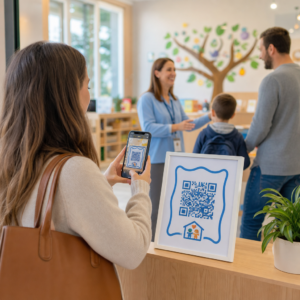
Kas kaotate kvalifitseeritud kandidaate, sest teie värbamisprotsess tekitab liiga palju hõõrdumist? Aegunud kandideerimisvoogud, käsitsi andmesisestus ja halb nähtavus kandidaatide kaasatusse maksavad personaliettevõtetele aega ja tipptalente. See juhend selgitab, kuidas QR-koodid neid probleeme lahendavad – ja kuidas neid oma värbamisprotsessis rakendada.
Miks kandidaatide jälgimine ilma QR-koodideta puudulikuks jääb
Enamik personaliettevõtteid tugineb endiselt käsitsi tehtavate sammude lapitekkile: kandidaadid sisestavad pikki URL-e, täidavad vorme lauaarvutis või võtavad töömessil flaieri ja ei vii asja kunagi lõpuni. Iga üleandmine on võimalus kvalifitseeritud kandidaadil protsessist välja langeda.
Numbrid peegeldavad, kuidas kandidaadid tegelikult käituvad. Pew Research Centeri uuringust selgus, et 50% nutitelefoniga tööotsijatest kasutas oma telefoni veebipõhise tööavalduse täitmiseks ja umbes kaks kolmandikku tööavaldustest esitatakse nüüd mobiilseadmetest. Kui teie kandideerimisprotsess ei ole mobiilseadmetele loodud, töötate omaenda torujuhtme vastu.
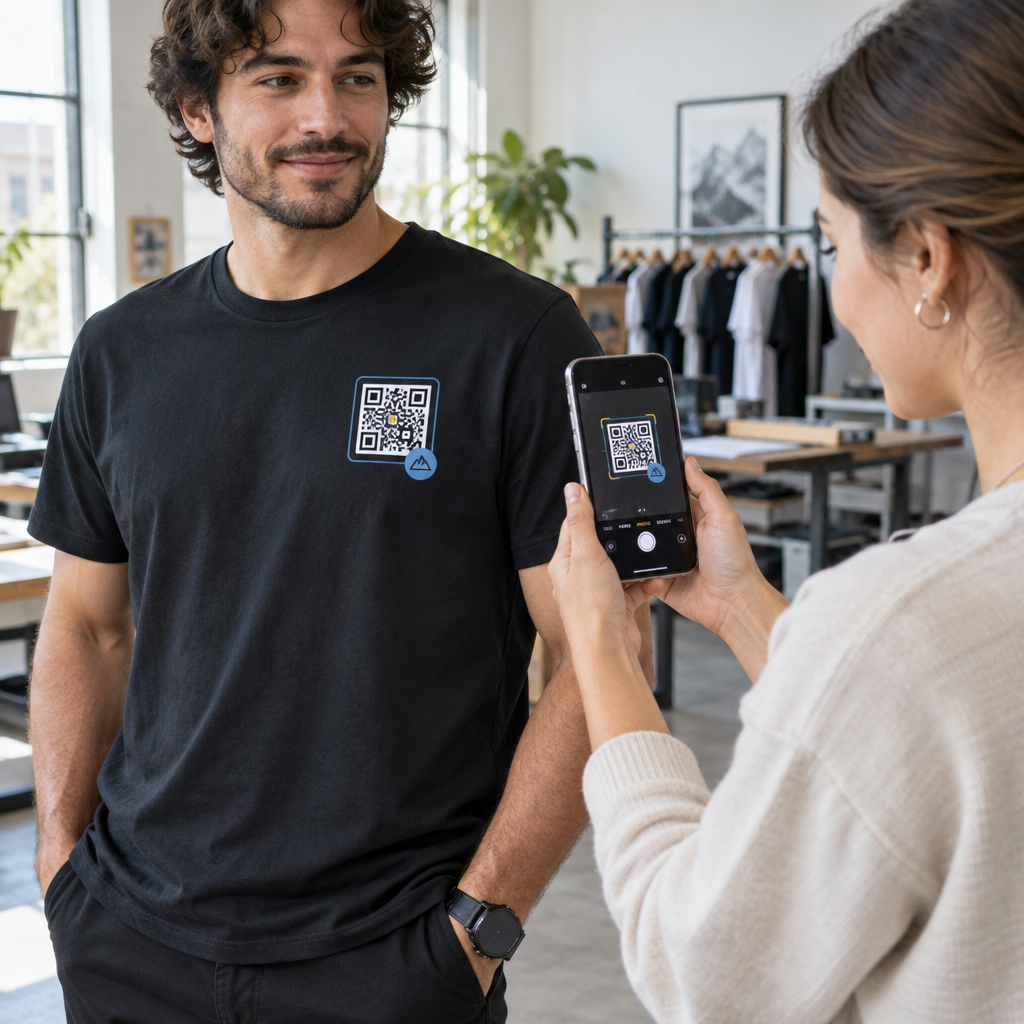
QR-koodid sulgevad selle lünga. Üks skaneering viib kandidaadi füüsilisest puutepunktist – plakatilt, visiitkaardilt, töömessi boksist – otse kandideerimisvormile, töökirjeldusele või ajastamislingile. Ei mingit tippimist, otsimist ega hõõrdumist.
Kuhu QR-koodid teie värbamisvoogu sobivad
QR-koodid ei ole ühekordseks kasutamiseks mõeldud tööriist. Need võivad parandada kandidaatide suhtlust värbamisprotsessi igas etapis.
Töömessidel ja üritustel. Asetage oma boksi QR-kood, et suunata külastajaid konkreetsetele tööpakkumistele või koguda kontaktandmeid läbi Google'i vormi QR-kood. Iga skaneering loob digitaalse kirje suhtlusest – pole visiitkaarte, mida kaotada, ega tabeleid, mida hiljem kokku viia. Samuti saate ürituste registreerimist lihtsustada, kasutades QR-koodi osavõtusüsteemi mis logib saabumised automaatselt.
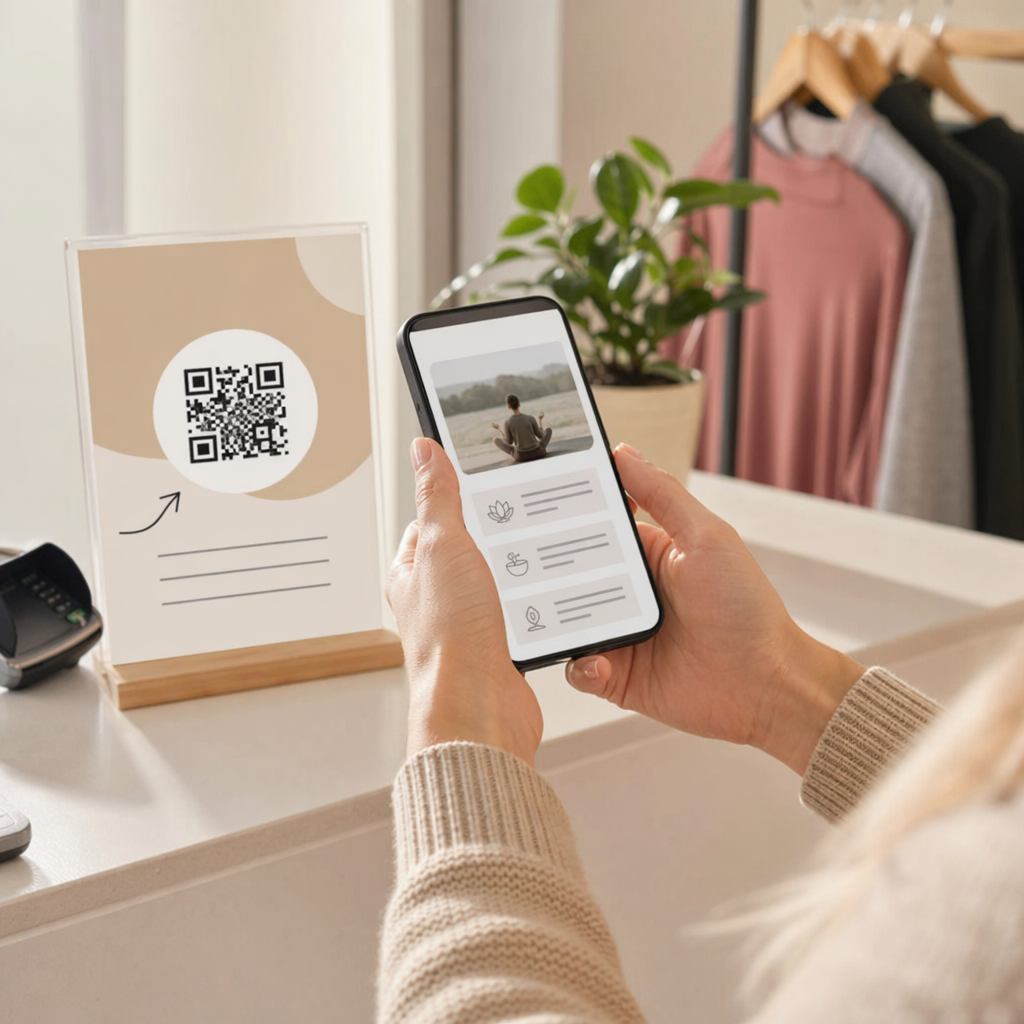
Trükimaterjalidel. Flaierid, plakatid ja brošüürid võivad jõuda kandidaatideni, kes ei otsi aktiivselt tööd. A QR-kood plakatil mis lingib lühikesele videole teie ettevõtte kultuurist või praegusele tööpakkumisele, annab passiivsetele kandidaatidele hõõrdumisvaba viisi uurimiseks, ilma et nad peaksid kohe täielikku avaldust esitama.
Visiitkaartidel. Värbajad saavad lisada LinkedIn QR-kood või lingi oma praegustele tööpakkumistele, et isiklikud vestlused muutuksid tegutsemist võimaldavateks ühendusteks. Pageloot'i LinkedIn QR-koodi generaator teeb lihtsaks skaneeritava koodi loomise, mis lingib otse teie profiilile või ettevõtte lehele.
Digitaalsetes kampaaniates. E-posti uudiskirjad, tööportaalid ja sotsiaalmeedia postitused võivad kõik sisaldada QR-koode, mis suunavad kandidaadid spetsiaalsele sihtlehele. Kasutades dünaamilised QR-koodid siin saate jälgida, millised digitaalsed kanalid toodavad kõige kvalifitseeritumaid avaldusi.
CV-de esitamiseks. QR-koodi linkimine Google Formi või kandideerimisportaali külge võimaldab kandidaatidel oma teabe koheselt üles laadida, tabades kavatsust siis, kui kaasatus on kõige kõrgem.
Sujuvamaks sündmuste värbamist Kas on vaja jälgida osalejate registreerimisi ja koguda kandidaatide andmeid ühe sammuga? QR-koodi osavõtu jälgija ühendub otse Google Formidega, nii et iga skaneering logitakse automaatselt.
Kuidas QR-koodi jälgimine värbajate jaoks töötab
QR-kood iseenesest on lihtsalt otsetee. Tõeline väärtus tuleb andmetest, mida see genereerib. Dünaamilised QR-koodid salvestab iga skaneeringu koos mõõdikutega, sealhulgas:
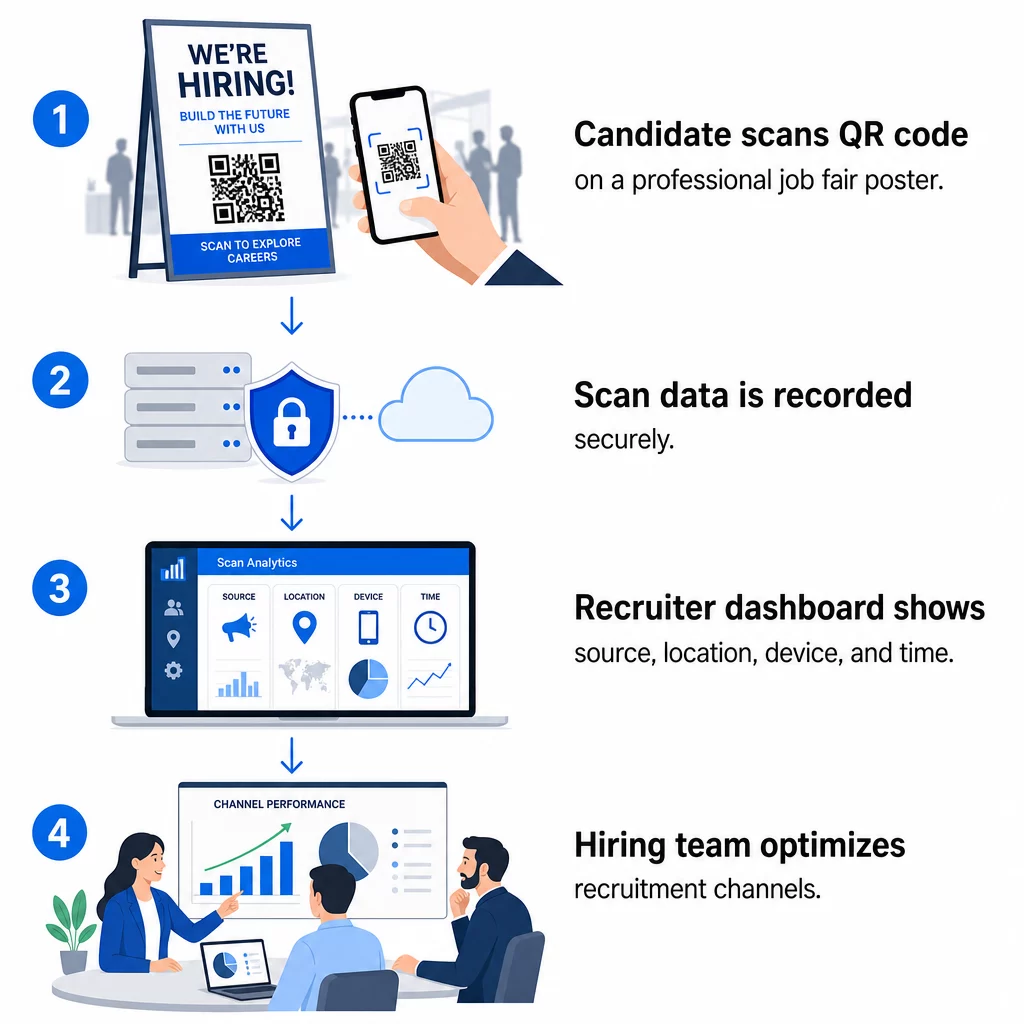
- Skaneeringute arv – skannimiste koguarv ja unikaalsed skannimised aja jooksul
- Ajatempel – millal kandidaadid kõige tõenäolisemalt suhtlevad
- Asukohaandmed – millistest linnadest või piirkondadest teie avaldused pärinevad
- Seadme tüüp ja operatsioonisüsteem – kinnitades, kas teie mobiilirakenduse voog tegelikult töötab
Need andmed aitavad teil vastata praktilistele küsimustele: Kas teie töömessi materjalid genereerivad järeltegevusi? Kas teie plakati QR-kood toimib paremini kui e-kirjas olev? Millised kuulutuste asukohad meelitavad kandidaate, kes täidavad kogu avalduse?
Saate selle andmete lugemise ja nende põhjal tegutsemise kohta lisateavet Pagelooti juhendist QR-koodi skannimiste ja analüütika jälgimine.
UTM-parameetrite lisamine sügavama omistamise jaoks
Kui teie meeskond kasutab Google Analyticsit, saate lisada UTM-parameetrid URL-ile, millele teie QR-kood viitab. See võimaldab teil jälgida QR-koodi kaudu tulevat liiklust koos teiste kanalitega ilma käsitsi ühitamiseta. Ülikooli karjäärimessil paigutatud kood võib kasutada `utm`source=careerfair ja `utm`meedia=qrcode, muutes selle kanali võrdlemise LinkedIni reklaamide või tööportaalide liiklusega GA4-s lihtsaks.
Pagelooti juhend UTM-parameetrid QR-koodidele käsitleb üksikasjalikult nimekonventsioone ja aruandluse seadistust.
Jälgi iga värbamiskanalit Kasuta Dünaamilise QR koodi generaator luua jälgitavaid, UTM-märgistatud koode iga värbamispunkti jaoks ja näha täpselt, millised kanalid toovad kvalifitseeritud kandidaate.
Staatilised vs. dünaamilised QR-koodid värbamises
Mitte iga QR-kood ei pea olema dünaamiline, kuid enamik värbamisrakendusi saab sellest kasu. Siin on praktiline võrdlus:
| FUNKTSIOON | Staatiline QR-kood | Dünaamiline QR-kood |
|---|---|---|
| Sihtkoht muudetav pärast printimist | Ei | Jah |
| Skaneerimise analüütika | Ei | Jah |
| Töötab pärast tööpakkumise sulgemist | Ei (kui URL katkeb) | Jah (suunab uuele kuulutusele) |
| Nõuab tellimust | Ei | Jah |
| Parim | Püsivad võrdlusmaterjalid | Aktiivsed kampaaniad, töömessid, trükireklaamid |
Dünaamiliste koodide peamine eelis värbamisel on paindlikkus. Kui ametikoht täidetakse enne teie trükimaterjalide kasutuselt kõrvaldamist, saate selle QR-koodi suunata sarnasele avatud rollile või üldisele kandideerimislehele – uuesti printimist pole vaja. Üksikasjaliku ülevaate saamiseks vaadake Pagelooti võrdlust staatilised vs. dünaamilised QR-koodid.
Bränditud QR-koodide loomine, mida kandidaadid usaldavad
Üldised mustvalged QR-koodid skaneeritakse, kuid bränditud koodid toimivad paremini ja tugevdavad teie tööandja identiteeti. Pagelooti QR-koodi generaator võimaldab teil lisada oma ettevõtte logo, rakendada brändivärve ja valida disainimallide hulgast, nii et iga kood näeb välja nagu teie materjalide teadlik osa, mitte tagantjärele mõeldud lisa.

Mõned praktilised juhised trükitud värbamismaterjalide jaoks:
- Visiitkaartide puhul kasutage QR-koodi minimaalset suurust 0,8 × 0,8 tolli et tagada usaldusväärne skaneeritavus.
- Plakatite ja flaierite puhul püüdke saavutada vähemalt 1,2 × 1,2 tolli, jättes koodi ümber selge valge ala.
- Säilitage kontrastsussuhe vähemalt 4:1 tumedate moodulite ja tausta vahel.
- Printige 300 DPI et tagada koodi teravus ja skaneeritavus.
Bränditud, õige suurusega QR-koodid annavad märku professionaalsusest ja julgustavad kandidaate protsessi lõpule viima. Mobiilisõbralike sihtkohtade kohta pärast skaneerimist leiate lisateavet Pagelooti juhendist: mobiilse QR-koodi sihtlehe parimaid tavasid.
Vastavuskaalutlused kandidaatide andmete puhul
QR-koodid koguvad andmeid ja nende andmetega kaasnevad kohustused. USA personalifirmad peaksid QR-põhiste värbamisprotsesside loomisel olema teadlikud mõnest põhinõudest:
- EEOC andmete säilitamine: Föderaalne seadus nõuab tööandjatelt kõigi avalduste – sealhulgas QR-lingitud vormide kaudu esitatud avalduste – säilitamist vähemalt ühe aasta jooksul alates andmete loomise kuupäevast. Föderaalettevõtjad, kellel on 150 või enam töötajat ja lepingud väärtusega vähemalt 150 000 dollarit, peavad andmeid säilitama kaks aastat.
- Vabatahtlik enesemääratlus: Kui teie QR-lingitud vormid koguvad demograafilist teavet EEO aruandluse jaoks, peab see osalemine olema vabatahtlik, hoitud kandideerimismaterjalidest eraldi ja seda ei tohi kunagi kasutada värbamisotsustes.
- Privaatsuskohustused: Kui teie platvorm annab kandidaatidele privaatsuslubadusi – kas otseselt või kaudselt –, olete kohustatud neid täitma. Veenduge, et kõik QR-lingitud vormid ja sihtlehed sisaldaksid selget privaatsusteatist ning et kandidaatide andmed oleksid turvaliselt salvestatud.
- ADA ja algoritmilised tööriistad: Kui teie QR-töövoog ühendub mis tahes automatiseeritud sõelumistööriistadega, nõuab EEOC juhend, et neid tööriistu hinnataks võimaliku ebaproportsionaalse mõju osas kaitstud rühmadele, sealhulgas puuetega kandidaatidele.
Need nõuded ei muuda QR-koodide kasutuselevõttu keeruliseks – need kujundavad seda, kuidas te skaneerimise teises otsas andmete kogumist kavandate.
Kuidas Pageloot toetab värbamismeeskondi
Pagelooti platvorm annab personaliettevõtetele tööriistad QR-koodide loomiseks, haldamiseks ja analüüsimiseks värbamise igas etapis. Platvormi, mida usaldab üle 20 000 ettevõtte 110 riigis, hulka kuulub:
- A Dünaamilise QR koodi generaator muudetavate, jälgitavate koodide jaoks
- A Google vorm: QR-koodi generaator kohese kandideerimise ja sõelumisvormide linkide jaoks
- A lingi QR-koodi generaator kandidaatide suunamiseks mis tahes tööpakkumisele või sihtlehele
- Üks kohaloleku QR-koodi tööriist üritustele registreerimiseks ja kandidaatide logimiseks
- Reaalajas analüüsi armatuurlaud, mis jälgib skaneerimiste arvu, asukohta, seadet ja ajastust.
- Täielikud brändikontrollid, sh logod, värvid ja disainimallid
- Tugi 25+ QR-koodi tüübile nii trüki- kui ka digitaalsetes formaatides
14-päevane tasuta prooviperiood annab teile juurdepääsu dünaamilistele koodidele, analüütikale ja bränditud kohandamisele enne tasulise plaani valimist.
Alustage värbamise QR-koodidega Looge bränditud, jälgitavaid koode oma järgmise töömessi, e-posti kampaania või trükitud kuulutuse jaoks koos Pageloot QR-koodi generaator – tasuta proovimiseks 14 päeva, krediitkaarti pole vaja.
QR-andmete muutmine nutikamateks värbamisotsusteks
Teie QR-koodide genereeritud skannimisandmed ei ole lihtsalt edevuse mõõdik – see on tagasiside silmus teie värbamisstrateegia jaoks. Kui teie ürituse QR-koodid genereerivad suure skannimismahu, kuid vähe avalduste täitmisi, on probleem tõenäoliselt mobiilikogemuses skannimise teises otsas. Kui teie plakatite paigutused ühes linnas edestavad teisi, annab see teavet selle kohta, kuhu keskenduda järgmise trükise puhul.
Aja jooksul võimaldab QR-skannimise analüütika kombineerimine teie kandidaatide jälgimissüsteemi andmetega luua selgema pildi sellest, millised puutepunktid tegelikult värbamisteks muutuvad – ja millised raiskavad eelarvet. See on üleminek reaktiivsest värbamisest andmepõhisele värbamisele.
Korduma kippuvad küsimused
Ei. Iga moodne nutitelefon sisseehitatud kaamerarakendusega saab skannida QR-koodi ilma lisatarkvara allalaadimata. See eemaldab olulise takistuse kaasamisele, eriti isiklikel üritustel, kus kandidaadid võivad kõhelda uute rakenduste installimisel.
Jah, aga ainult siis, kui kasutate dünaamilist QR-koodi. Dünaamilised koodid kodeerivad lühikese ümbersuunamise URL-i, mille saate oma Pagelooti armatuurlaualt igal ajal uuele sihtkohale suunata. Kui töökoht suletakse või vormi link muutub, saate koodi ümber suunata, ilma et peaksite ühtegi flaierit või plakatit uuesti printima.
QR-kood ise kogub skaneerimistaseme andmeid – ajatempel, seadme tüüp, operatsioonisüsteem ja skaneerimise geograafiline asukoht. See ei kogu isiklikku identiteediteavet, välja arvatud juhul, kui kandidaat pärast skaneerimist aktiivselt vormi esitab. Kõik lingitud vormide kaudu kogutud isikuandmed on reguleeritud teie privaatsuspoliitika ja kohaldatava tööõigusega, sealhulgas EEOC andmete säilitamise nõuetega.