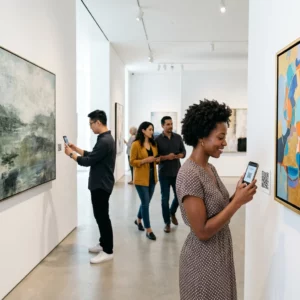
Welke inchecktechnologie is geschikt voor uw evenement – en wat gebeurt er als u de verkeerde kiest? Toegangsflessehalsen, het delen van inloggegevens en hiaten in real-time tracking kosten organisatoren tijd en het vertrouwen van bezoekers. Deze gids legt uit hoe QR-codes, RFID en NFC zich verhouden voor het inchecken bij evenementen, en hoe u de aanpak kunt implementeren die bij uw opzet past.
Hoe QR-codes, RFID en NFC verschillend werken
Voordat u een inchecksysteem kiest, is het nuttig om te begrijpen wat elke technologie precies doet – en waar elke technologie tekortschiet.
QR-codes zijn visuele, cameragebaseerde codes. Een scanner of smartphonecamera leest het patroon, decodeert de informatie en zoekt het bezoekersrecord op. Ze vereisen direct zicht en werken het beste wanneer de code schoon, goed verlicht en onbeschadigd is. Inchecken met QR-codes is de goedkoopste optie om te implementeren: bezoekers ontvangen een code via e-mail of sms, en personeel scant deze met elk apparaat met camera.
RFID (Radiofrequentie-identificatie) maakt gebruik van radiogolven tussen een tag ingebed in een badge of polsbandje en een lezer. Bezoekers hoeven niets te doen – ze lopen gewoon langs een lezer en het systeem registreert hun toegang. RFID is volledig passief aan de kant van de bezoeker, wat het extreem snel maakt bij grote volumes. Lezers kunnen tags over een afstand van enkele meters detecteren, wat betekent dat de toegang bij de poort volledig onbemand kan zijn.
NFC (Near Field Communication) is een kortbereik subset van RFID-technologie, waarbij de badge of polsband zich binnen ongeveer 1–4 centimeter van de lezer moet bevinden – in wezen een tik. Het korte bereik is opzettelijk: NFC biedt versleutelde, tweerichtingscommunicatie die moeilijk te klonen is, waardoor het de sterkste keuze is voor veilige toegangscontrole, contactloze betalingen en VIP-zonebeheer.
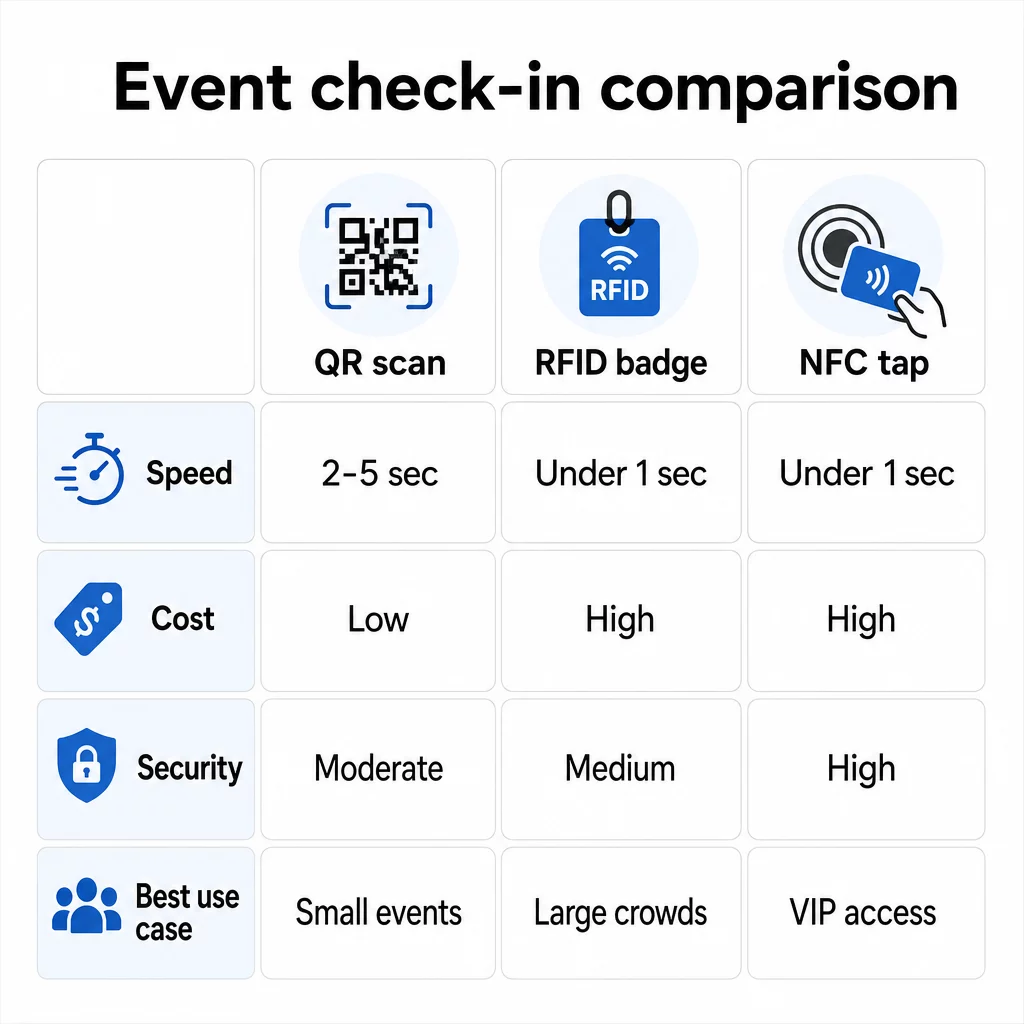
De drie technologieën naast elkaar vergeleken
| FUNCTIE | QR-code | RFID | NFC |
|---|---|---|---|
| ZO WERKT HET | Camera scant visuele code | Radiogolven, geen direct zicht | Kortbereik tik (1–4 cm) |
| Snelheid per toegang | 2–5 seconden | Minder dan 1 seconde, handsfree | Minder dan 1 seconde |
| Infrastructuurkosten | Laag (elk camera-apparaat) | Hoog (lezers + gecodeerde badges) | Hoog (lezers + gecodeerde badges) |
| Beveiliging | Matig (eenvoudig te delen via screenshot) | Variabel | Hoog (versleuteld, moeilijk te klonen) |
| Offline functionaliteit | Afhankelijk van platform | Over het algemeen ja | Over het algemeen ja |
| Herbruikbaarheid | Eenmalig gebruik of eenmalige afdruk | Herbruikbaar over dagen of evenementen | Herbruikbaar over dagen of evenementen |
| Realtime bewegingsregistratie | Alleen bij scanpunten | Over de hele locatie | Over gedefinieerde zones |
| Het beste voor | Kleine tot middelgrote evenementen, laag budget | Evenementen met grote aantallen, festivals | Beveiligde toegang, VIP-zones, betalingen |
QR-codes zijn snel maar kwetsbaar. Ze werken goed onder ideale omstandigheden, maar worden knelpunten wanneer de batterijen van bezoekers leeg zijn, schermen gebarsten zijn of de netwerkverbinding wegvalt. RFID verwerkt grote mensenmassa's met minimale wrijving. NFC biedt het sterkste beveiligingsprofiel, maar vereist de dichtstbijzijnde fysieke nabijheid.
Wanneer QR-codes gebruiken voor check-in
QR-codes zijn de juiste keuze voor de meeste kleine tot middelgrote evenementen, eendaagse conferenties en elke situatie waarin het budget of de insteltijd beperkt is. U kunt een volledig QR-check-insysteem implementeren zonder specialistische hardware – alleen een betrouwbaar QR-codeplatform en een apparaat met camera bij elk toegangspunt.
De praktische voordelen van QR-codes zijn onder andere:
- Geen hardware voor bezoekers vereist – codes staan op een telefoonscherm of geprint ticket
- Eenvoudige distributie – versturen via e-mail, sms of berichtenapps vóór het evenement
- Dynamische updates – als uw locatie verandert of uw check-inproces verschuift, kunt u de verwijzing van een dynamische QR-code bijwerken zonder iets opnieuw af te drukken
- Scananalyse – volg inchecktijden, apparaattypen en toegangsvolume in realtime
De belangrijkste zwakke punten om rekening mee te houden: QR-codes verifiëren niet inherent de identiteit, alleen het bezit van een code. Ze zijn gemakkelijk te screenshotten en te delen. En ze volgen niet passief waar bezoekers naartoe gaan tussen scanpunten.
Om enkele van deze hiaten te dichten, wijst u elke registrant een unieke, eenmalige QR-code toe die bij de eerste scan als gebruikt wordt gemarkeerd. Dit voorkomt duplicaten en het delen van inloggegevens zonder extra hardwarekosten. U kunt leren hoe dit in de praktijk werkt in de ultieme gids voor QR-codes voor evenementen check-ins.
Stel traceerbare evenement-incheckcodes in Creëer gepersonaliseerde, dynamische QR-codes voor elke bezoeker en monitor realtime scangegevens vanuit één dashboard. Begin met de Pageloot Event QR Code Generator.
Wanneer RFID of NFC te gebruiken in plaats daarvan
Voor grote festivals, meerdaagse conferenties of elk evenement met meer dan 1.000 bezoekers die door meerdere toegangszones bewegen, bieden RFID en NFC aanzienlijk betere doorvoer en trackingdiepte.
RFID is zinvol wanneer:
- U volledig geautomatiseerde, onbemande toegangspoorten nodig heeft
- Bezoekers door meerdere sessies of gebieden bewegen en u passieve locatietracking nodig heeft
- Het delen van inloggegevens een aanzienlijk frauderisico is
- U sowieso fysieke polsbandjes of badges uitgeeft
NFC is zinvol wanneer:
- U zonegebaseerde toegangscontrole nodig heeft met versleutelde inloggegevens (VIP, backstage, pers)
- U contactloze betalingen uitvoert naast toegangsbeheer
- U wilt tweerichtingsgegevensuitwisseling tussen badges en lezers
- Maximale kloonbestendigheid is een beveiligingsvereiste
De afweging is infrastructuur. Zowel RFID als NFC vereisen een initiële investering in lezers, gecodeerde badges of polsbandjes, en software-integratie met uw evenementenbeheerplatform. U moet ook vooraf inloggegevens uitgeven, wat een logistieke stap vóór het evenement toevoegt die QR-codesystemen volledig overslaan.
QR-code check-in instellen: een stapsgewijze aanpak
Als u heeft besloten dat QR-codes de juiste keuze zijn, leest u hier hoe u ze correct implementeert.
Kies dynamische boven statische codes
Statische QR-codes leggen een vaste bestemming vast op het moment van creatie. Als de URL van uw check-in formulier verandert, of uw evenementenplatform uitvalt en u deelnemers moet omleiden, moet u opnieuw afdrukken. Met dynamische QR-codes kunt u de bestemming op elk moment bijwerken – zelfs tijdens het evenement – zonder nieuwe codes uit te geven.
Voor evenementen waarbij elk detail kan verschuiven, zijn dynamische codes de praktische standaard. Platforms zoals Pageloot’s QR-codegenerator laten u bewerkbare codes maken en elke scan in realtime volgen.
Wijs individuele codes toe aan elke deelnemer
Eén code per deelnemer voorkomt delen, creëert een controleerbaar check-in record en laat uw systeem elke code als gebruikt markeren bij de eerste scan. Verspreid codes via e-mail (ingebed als afbeelding met een downloadbare PDF-back-up) en via sms voor deelnemers die hun e-mail mogelijk niet betrouwbaar controleren. Stuur herinneringsberichten 48 en 24 uur voor het evenement om het aantal mensen te verminderen dat zonder hun code arriveert.
Als u een meer geïntegreerde opstelling bouwt – waarbij QR-codes deelnemersgegevens vooraf invullen in een CRM of formulier bij scan – de gids over dynamische QR-codes bouwen voor CRM-check-ins loopt door de technische implementatie.
Stel uw aanwezigheidsregistratieformulier in
Een eenvoudige en effectieve aanpak: maak een check-in formulier aan op Google Forms of een vergelijkbare tool, genereer vervolgens een QR-code die er direct naar linkt. Wanneer deelnemers scannen, dienen ze hun informatie in, en de gegevens worden ingevoerd in uw trackingdashboard. De QR-code voor aanwezigheidsregistratie de instellingen op Pageloot ondersteunen precies deze workflow – organisatoren kunnen alle ingediende gegevens in de generator bekijken nadat deelnemers hebben gescand en ingediend.
Voor evenementen die gebruikmaken van QR-codes op tickets, koppel de code aan een veilig validatie-eindpunt, zodat personeel de identiteit van de deelnemer in realtime kan bevestigen in plaats van te vertrouwen op een passieve formulierinzending.
Plan de plaatsing zorgvuldig
Waar u QR-codes plaatst, is net zo belangrijk als hoe u ze maakt. Belangrijke plaatsingsprincipes:
- Plaats scanstations op ongeveer 1,2 meter hoogte om alle gebruikers comfortabel te kunnen bedienen
- Zet meerdere incheckpunten op voor evenementen met meer dan 200 deelnemers om knelpunten te voorkomen
- Zorg voor sterke, gelijkmatige verlichting bij elk station – vooral voor avond- of binnenevenementen
- Plaats QR-codes bij uitgangspunten die gekoppeld zijn aan een feedbackformulier, zodat gasten hun gedachten kunnen delen wanneer ze vertrekken
- Plaats voor sessiegebaseerde evenementen individuele QR-codes bij elke sessie-ingang om deelname te volgen
Loop vóór het evenement door de locatie alsof u een deelnemer bent. Controleer of codes vanuit meerdere hoeken en onder de werkelijke lichtomstandigheden van de ruimte goed scannen.
Ontwerp codes die betrouwbaar scannen
Het visuele ontwerp van een QR-code beïnvloedt direct of deze consistent scant op verschillende apparaten en in verschillende omgevingen.
- Minimale grootte: 0,8 × 0,8 inch (2 × 2 cm) voor scannen op korte afstand; groter voor displays of bewegwijzering
- Contrast: donkere modules op een lichte achtergrond, met een contrastverhouding van minimaal 4:1
- Foutcorrectie: gebruik niveau H bij het toevoegen van een logo in het midden van de code, aangezien dit toestaat dat tot 30% van de code wordt verduisterd terwijl deze leesbaar blijft
- Voor gedrukte tickets die kunnen buigen of kreuken, gebruik vlakke matte bedrukking in plaats van glanzende afwerkingen om schittering te verminderen
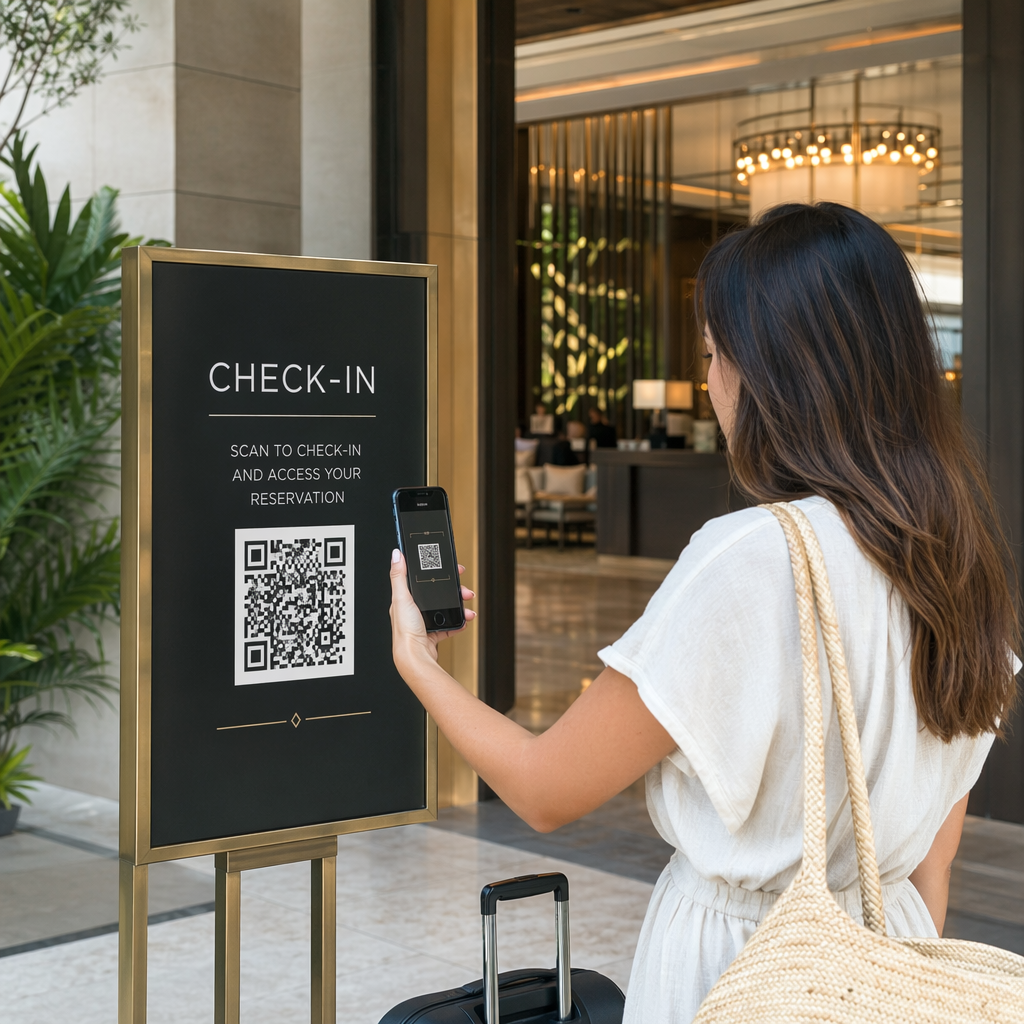
- Voeg een korte call-to-action toe onder de code: “Scan om in te checken” verwijdert dubbelzinnigheid voor bezoekers
U kunt merkkleuren en uw evenementlogo toevoegen met behoud van scanbaarheid – tools zoals de generator van Pageloot passen automatisch foutcorrectie toe wanneer logo's worden ingebed. Test elke code op meerdere telefoonmodellen en onder verschillende lichtomstandigheden voordat u deze distribueert.
Voor een diepere blik op het toegankelijk maken van codes voor alle bezoekers, inclusief mensen met visuele beperkingen of zonder smartphones, de RSVP QR-codes gids behandelt de beste praktijken voor toegankelijkheid in detail.
Realtime monitoring van check-ins
Een van de praktische voordelen die QR-gebaseerde systemen hebben ten opzichte van veel RFID-implementaties, is toegankelijke, realtime analyse zonder specialistische software.
Te volgen statistieken tijdens het evenement:
- Totaal aantal check-ins op elk willekeurig moment
- Gemiddelde scanverwerkingstijd per bezoeker
- Wachtrijlengte en piek aankomsttijden
- Sessiespecifieke scanaantallen (indien gebruikmakend van sessie QR-codes)
Met QR-code tracking op een platform zoals Pageloot, registreert elke scan de tijdstempel, het apparaattype en de locatie, waardoor u een live beeld krijgt van waar drukte ontstaat. Als één toegangspoort verstopt raakt, kunt u onmiddellijk personeel omleiden. Als een sessie QR-code onverwacht hoge aanwezigheid toont, kunt u de zaalcapaciteit aanpassen voordat het een probleem wordt.
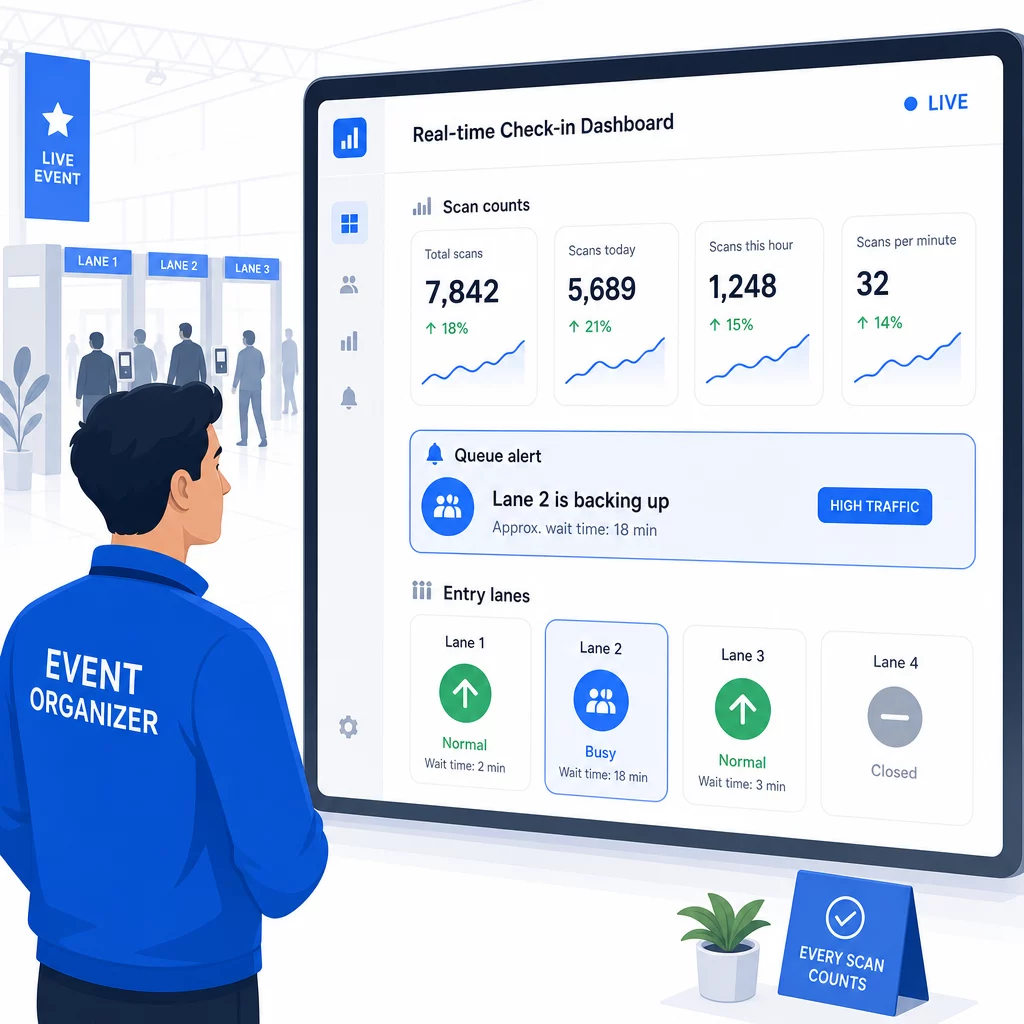
Na het evenement informeert deze data beslissingen voor de volgende keer: wanneer de deuren te openen, hoeveel toegangsbanen je nodig hebt, en welke sessies de meeste betrokkenheid trokken. Tools voor QR-code evenement tracking bieden rapportage-exports na het evenement die direct in planningsworkflows worden ingevoerd.
Beveiliging en Gegevensprivacy
Check-insystemen verwerken persoonsgegevens, wat zowel wettelijke als reputatieverplichtingen met zich meebrengt.
Voor QR-codesystemen specifiek:
- Gebruik eenmalige codes die deactiveren na de eerste scan om het delen van inloggegevens te voorkomen
- Versleutel alle gegevens tijdens verzending en in rust – bevestig dat uw QR-platform dit ondersteunt voordat u zich vastlegt
- Verzamel alleen wat u nodig heeft: naam, tickettype en check-in tijdstempel zijn meestal voldoende; huisadressen en telefoonnummers zelden
- Pas toegangscontroles toe zodat alleen personeel dat deelnemersgegevens nodig heeft, deze kan zien
- Neem een duidelijke privacyverklaring op uw registratieformulier op, waarin wordt uitgelegd wat u verzamelt, waarom, en hoe lang u het bewaart
Voor evenementen met bezoekers uit Californië is CCPA-compliance vereist, ongeacht waar uw evenement wordt gehouden. Bezoekers hebben het recht om te weten welke gegevens u heeft verzameld en om de verwijdering ervan te vragen. Voor richtlijnen over het inbouwen van deze beschermingen in uw ticketingsworkflow vanaf het begin, de gids voor veilige QR-code evenementtickets behandelt versleuteling, tokenisatie en eenmalige validatie in detail.
Bij het evalueren van QR-codeplatforms, zoek naar SOC 2-compliance, gegevens opgeslagen op Amerikaanse servers als uw evenement binnenlands is, auditlogs voor gegevenstoegang, en een duidelijk beleid dat stelt dat u de volledige eigendom van uw deelnemersgegevens behoudt.
Back-upplannen voor wanneer technologie faalt
Zelfs goed geteste systemen ondervinden problemen op de dag van het evenement. Bouw je fallback voordat je die nodig hebt.
Veelvoorkomende scanproblemen en snelle oplossingen:
- Slechte verlichting: voeg LED-taakverlichting toe bij elk station
- Beschadigde of onleesbare codes: houd een tablet bij elk station zodat medewerkers een digitale versie kunnen oproepen vanuit het deelnemersrecord
- Apparaatincompatibiliteit: vraag deelnemers hun telefoon 6–8 inch van de scanner te houden; als de native camera-app faalt, lost een speciale QR-scanner-app het meestal op
Voor netwerkstoringen:
- Gebruik een platform dat check-in gegevens lokaal opslaat en synchroniseert wanneer de connectiviteit terugkeert
- Houd twee back-up scanapparaten bij elk toegangspunt
Als alle digitale systemen falen:
- Zorg voor een alfabetische geprinte deelnemerslijst bij elk toegangspunt
- Brief het personeel over hoe ze op naam kunnen zoeken, omgaan met verloren codes en tijdelijke badges kunnen uitgeven
- Gebruik kleurgecodeerde stempels of stickers om handmatige check-ins te markeren en dubbele invoer te voorkomen
Voor evenementen met VIP-niveaus of beperkte zones, print vooraf kleurgecodeerde tijdelijke badges vóór het evenement, zodat het personeel de toegangsniveaus kan beheren zonder afhankelijk te zijn van het digitale systeem. Communiceer eventuele vertragingen duidelijk: “We gebruiken ons back-upsysteem om u zo snel mogelijk binnen te laten” is voldoende om een positieve deelnemerservaring te behouden tijdens technische problemen.
Opvolging automatiseren na check-in
De check-in gegevens die u verzamelt, worden waardevoller nadat het evenement is afgelopen. Door uw QR-scansysteem te verbinden met uw e-mail- of marketingplatform, kunt u gesegmenteerde follow-ups sturen op basis van wat elke deelnemer daadwerkelijk heeft gedaan.
Praktische post-evenement automatisering:
- Stuur bedankmails binnen 2 uur na afloop van het evenement, inclusief links naar dia's of bronnen
- Gebruik voor evenementen met meerdere sessies sessiespecifieke QR-scangegevens om alleen de inhoud te sturen die relevant is voor wat elke deelnemer heeft bijgewoond
- Deel feedbackenquêtes 24–48 uur na het evenement – houd ze bij vijf vragen of minder en bied een kleine stimulans voor voltooiing
- Stel voor netwerkevenementen een e-mail met een verbindingssamenvatting samen uit scangegevens, zodat deelnemers een overzicht hebben van wie ze hebben ontmoet
Volg open- en click-through rates van vervolgberichten om de timing en inhoud voor toekomstige evenementen te kalibreren.
Veelgestelde vragen
Het hangt af van de grootte van uw evenement, uw budget en uw beveiligingsvereisten. QR-codes zijn de goedkoopste optie en werken goed voor kleine tot middelgrote evenementen waar deelnemers hun eigen apparaten meenemen. RFID is geschikt voor evenementen met een hoog volume waar u passieve, handsfree toegang nodig heeft voor duizenden deelnemers. NFC is de sterkste keuze wanneer u versleutelde zonegebaseerde toegangscontrole, contactloze betalingen of hergebruik van inloggegevens voor meerdere dagen nodig heeft. De meeste evenementen met minder dan 500 deelnemers kunnen een soepele check-in volledig uitvoeren met QR-codes en een betrouwbaar platform.
Wijs elke registrant een unieke QR-code toe en configureer uw systeem om elke code onmiddellijk na de eerste scan als gebruikt te markeren. Eenmaal gescand, kan de code niet opnieuw worden gebruikt. Dynamische QR-codes, gekoppeld aan een real-time validatiebackend, vangen dubbele scanpogingen onmiddellijk op. Voor evenementen waar identiteitsverificatie belangrijk is, train personeel om een foto-ID te vergelijken met de registratienaam wanneer de code wordt gescand.
Zorg voor een geprinte, alfabetische deelnemerslijst bij elk toegangspunt en train personeel om deelnemers handmatig in te checken met behulp van naam en ticketnummer. Houd minstens twee back-up scanapparaten per rij gereed met opgeladen batterijen of draagbare powerbanks. Gebruik een platform dat check-ins lokaal opslaat en synchroniseert wanneer de internetverbinding terugkeert, zodat er geen gegevens verloren gaan. Brief uw team over het handmatige proces voordat het evenement begint, zodat de overgang naadloos verloopt indien nodig.