Quale tecnologia di check-in è giusta per il tuo evento – e cosa succede quando scegli quella sbagliata? Colli di bottiglia all'ingresso, condivisione delle credenziali e lacune nel tracciamento in tempo reale costano agli organizzatori tempo e fiducia dei partecipanti. Questa guida analizza come i codici QR, RFID e NFC si confrontano per il check-in degli eventi e come implementare l'approccio più adatto alla tua configurazione.
Come i codici QR, RFID e NFC funzionano in modo diverso
Prima di scegliere un sistema di check-in, è utile capire cosa fa effettivamente ogni tecnologia – e dove ognuna presenta dei limiti.
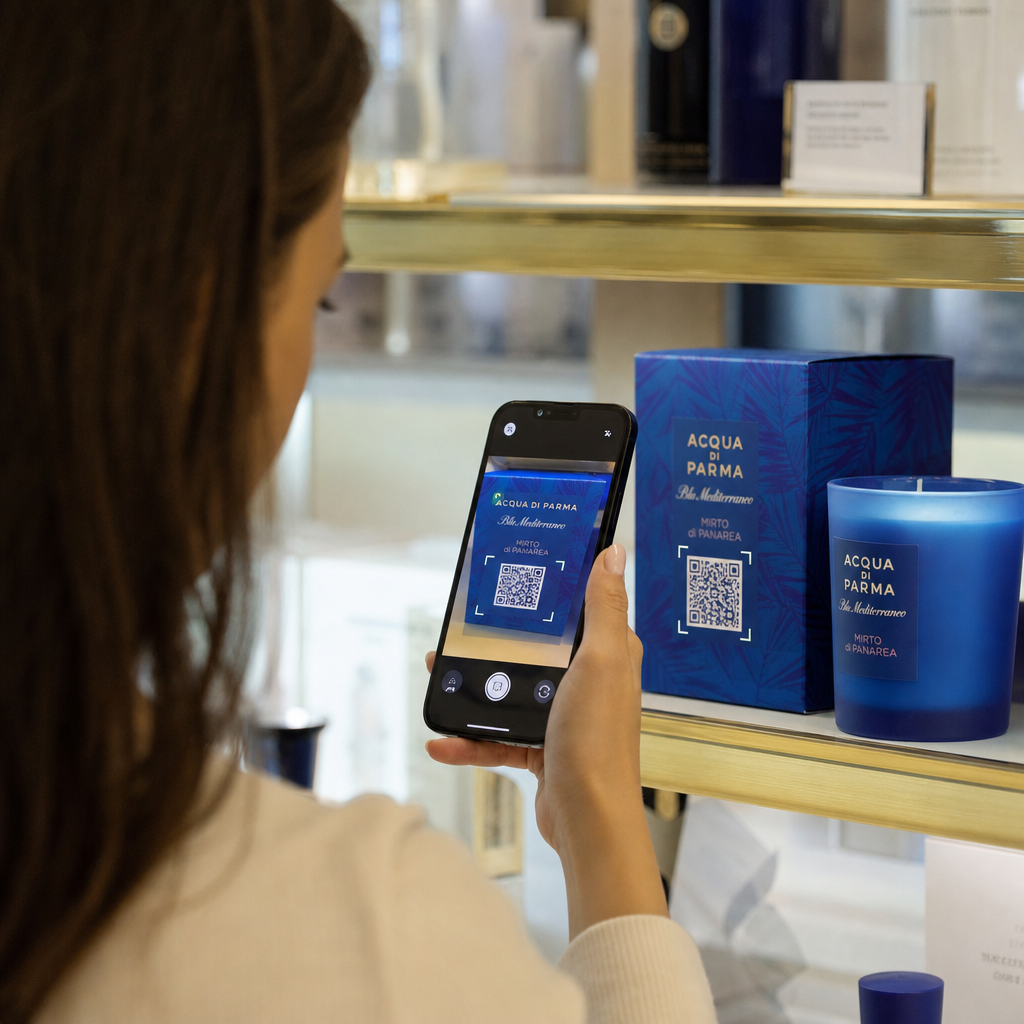
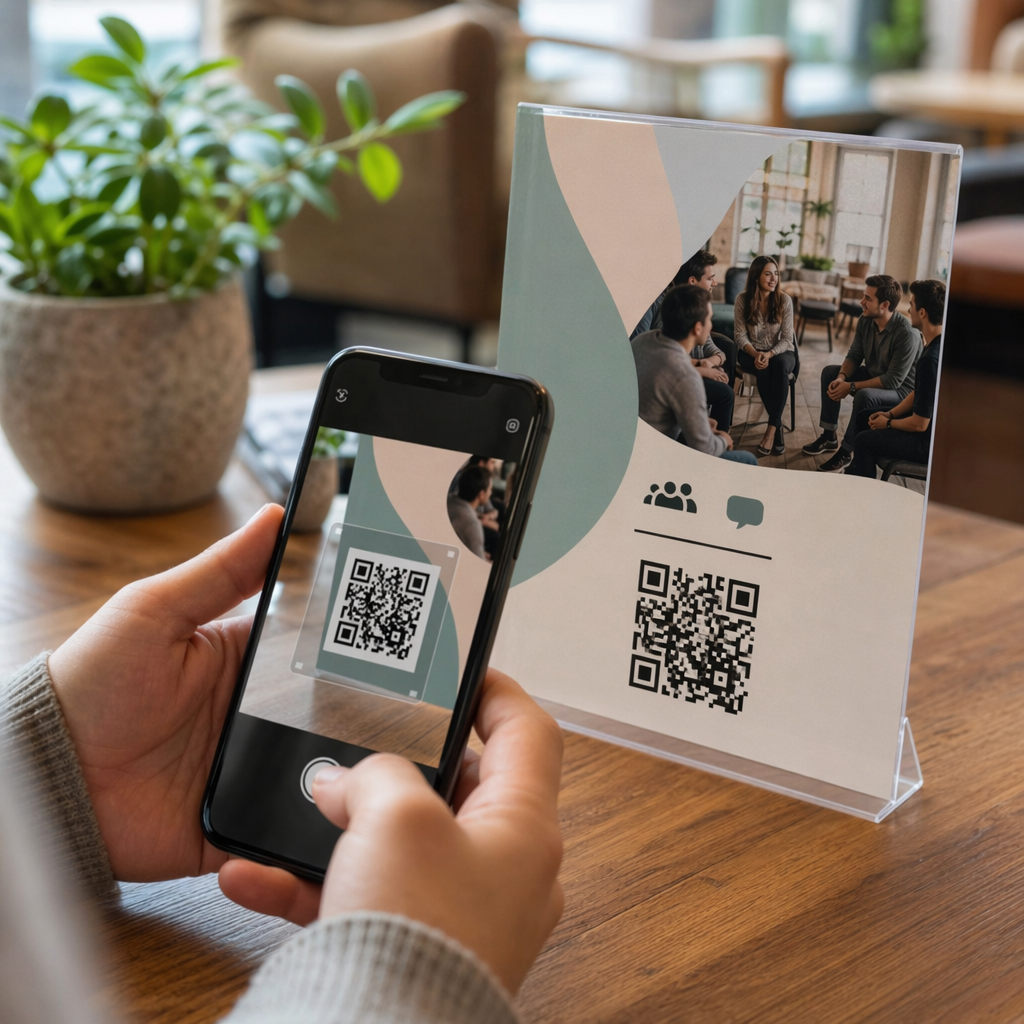
Codici QR sono codici visivi basati su fotocamera. Uno scanner o la fotocamera di uno smartphone legge il modello, decodifica le informazioni e cerca il record del partecipante. Richiedono la linea di vista e funzionano meglio quando il codice è pulito, ben illuminato e intatto. Il check-in con codice QR è l'opzione più economica da implementare: i partecipanti ricevono un codice via email o SMS, e il personale lo scansiona con qualsiasi dispositivo dotato di fotocamera.
RFID (Identificazione a Radiofrequenza) utilizza onde radio tra un tag incorporato in un badge o braccialetto e un dispositivo lettore. I partecipanti non devono fare nulla – si avvicinano semplicemente a un lettore e il sistema registra il loro ingresso. L'RFID è completamente passivo dal lato del partecipante, il che lo rende estremamente veloce per grandi volumi. I lettori possono rilevare i tag a pochi metri di distanza, il che significa che l'ingresso può essere completamente non presidiato al gate.
NFC (Comunicazione in Campo Vicino) è un sottoinsieme a corto raggio della tecnologia RFID, che richiede che il badge o il braccialetto si trovino a circa 1-4 centimetri dal lettore – essenzialmente un tocco. La breve distanza è intenzionale: l'NFC offre una comunicazione crittografata e bidirezionale difficile da clonare, rendendola la scelta più forte per il controllo degli accessi sicuro, i pagamenti senza contanti e la gestione delle zone VIP.
Confronto delle tre tecnologie fianco a fianco
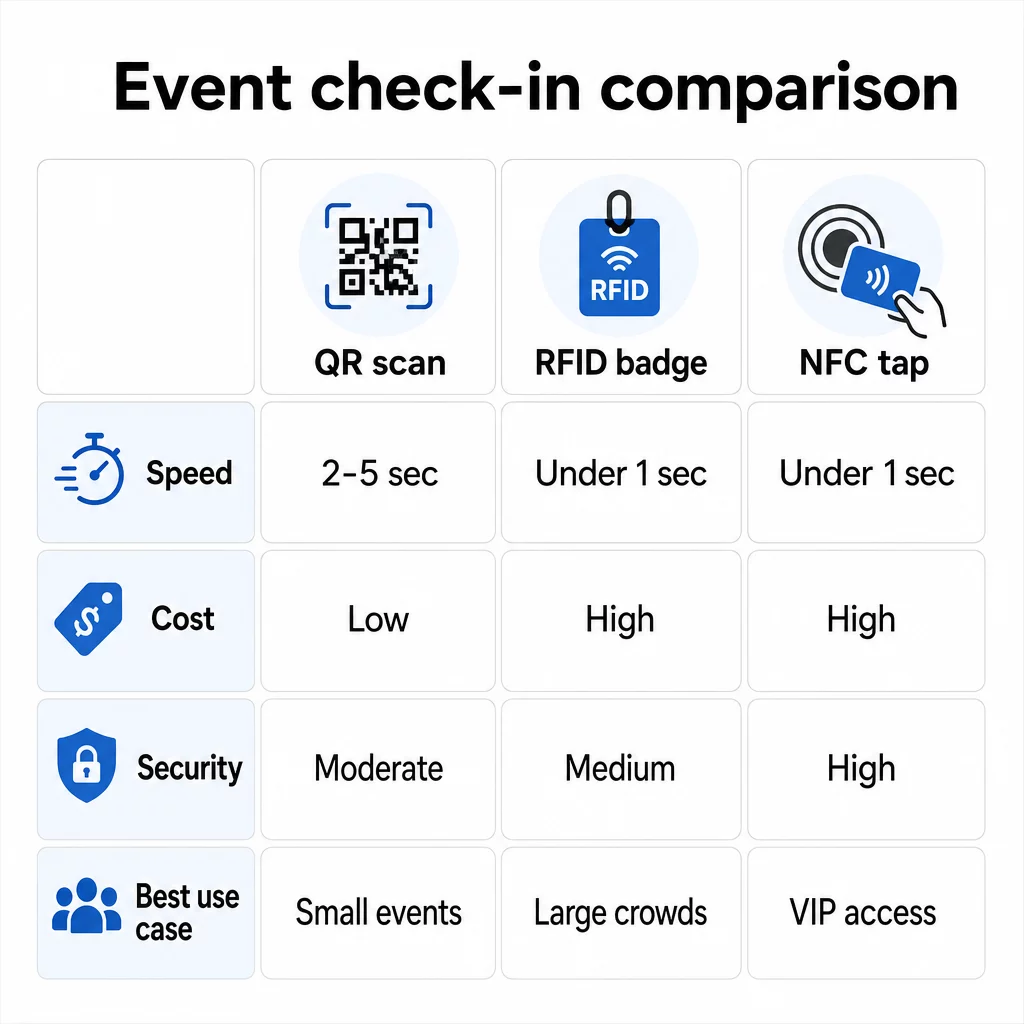
| FUNZIONE | Codice QR | RFID | NFC |
|---|---|---|---|
| COME FUNZIONA | La fotocamera scansiona il codice visivo | Onde radio, nessuna linea di vista | Tocco a corto raggio (1–4 cm) |
| Velocità per ingresso | 2–5 secondi | Meno di 1 secondo, a mani libere | Meno di 1 secondo |
| Costo dell'infrastruttura | Basso (qualsiasi dispositivo con fotocamera) | Alto (lettori + badge codificati) | Alto (lettori + badge codificati) |
| Sicurezza | Moderato (facilmente condivisibile tramite screenshot) | Variabile | Alto (crittografato, difficile da clonare) |
| Capacità offline | Dipende dalla piattaforma | Generalmente sì | Generalmente sì |
| Riutilizzabilità | Uso singolo o stampa singola | Riutilizzabile per più giorni o eventi | Riutilizzabile per più giorni o eventi |
| Tracciamento dei movimenti in tempo reale | Solo nei punti di scansione | In tutta la sede | In zone definite |
| Ideale per | Eventi di piccole e medie dimensioni, budget limitato | Eventi ad alto volume, festival | Accesso sicuro, zone VIP, pagamenti |
I codici QR sono veloci ma fragili. Funzionano bene in condizioni ideali ma diventano colli di bottiglia quando le batterie dei partecipanti si scaricano, gli schermi sono rotti o la connettività di rete diminuisce. L'RFID gestisce grandi folle con attrito minimo. L'NFC offre il profilo di sicurezza più forte ma richiede la più stretta prossimità fisica.
Quando usare i codici QR per il check-in
I codici QR sono la scelta giusta per la maggior parte degli eventi di piccole e medie dimensioni, delle conferenze di un giorno e di qualsiasi situazione in cui il budget o il tempo di configurazione sono limitati. È possibile implementare un sistema completo di check-in QR senza hardware specialistico – solo una piattaforma di codici QR affidabile e un dispositivo dotato di fotocamera ad ogni punto di ingresso.
I vantaggi pratici dei codici QR includono:
- Nessun hardware richiesto per i partecipanti – i codici vivono sullo schermo di un telefono o su un biglietto stampato
- Facile distribuzione – invia via email, SMS o app di messaggistica prima dell'evento
- Aggiornamento dinamico – se la tua sede cambia o il tuo flusso di check-in si sposta, puoi aggiornare dove punta un codice QR dinamico senza ristampare nulla
- Analisi delle scansioni – monitorare gli orari di check-in, i tipi di dispositivo e il volume di ingressi in tempo reale
I principali punti deboli da considerare: i codici QR non verificano intrinsecamente l'identità, ma solo il possesso di un codice. Sono facili da screenshotare e condividere. E non tracciano passivamente dove vanno i partecipanti tra un punto di scansione e l'altro.
Per colmare alcune di queste lacune, assegna a ogni partecipante un codice QR unico, monouso, che viene contrassegnato come utilizzato alla prima scansione. Ciò previene duplicati e condivisione delle credenziali senza aggiungere costi hardware. Puoi scoprire come funziona in pratica nel guida definitiva ai codici QR per il check-in degli eventi.
Imposta codici di check-in tracciabili per eventi Crea codici QR personalizzati e dinamici per ogni partecipante e monitora i dati di scansione in tempo reale da un'unica dashboard. Inizia con il Generatore di codici QR per eventi Pageloot.
Quando usare RFID o NFC invece
Per grandi festival, conferenze di più giorni o qualsiasi evento con oltre 1.000 partecipanti che si muovono attraverso più zone di accesso, RFID e NFC offrono una produttività e una profondità di tracciamento significativamente migliori.
RFID ha senso quando:
- Hai bisogno di cancelli d'ingresso completamente automatizzati e senza personale
- I partecipanti si muovono attraverso più sessioni o aree e hai bisogno di un tracciamento passivo della sede
- La condivisione delle credenziali è un rischio significativo di frode
- Stai comunque rilasciando braccialetti o badge fisici
NFC ha senso quando:
- Hai bisogno di controllo accessi basato su zone con credenziali crittografate (VIP, backstage, stampa)
- Stai gestendo pagamenti senza contanti insieme alla gestione degli ingressi
- Desideri uno scambio di dati bidirezionale tra badge e lettori
- La massima resistenza alla clonazione è un requisito di sicurezza
Il compromesso è l'infrastruttura. RFID e NFC richiedono entrambi un investimento iniziale in lettori, badge o braccialetti codificati e integrazione software con la piattaforma di gestione dell'evento. È inoltre necessario rilasciare le credenziali in anticipo, il che aggiunge un passaggio logistico pre-evento che i sistemi di codici QR saltano completamente.
Configurazione del Check-In con Codice QR: Un Approccio Passo-Passo
Se hai deciso che i codici QR sono la soluzione giusta, ecco come implementarli correttamente.
Scegli Codici Dinamici Anziché Statici
I codici QR statici bloccano una destinazione fissa al momento della creazione. Se l'URL del modulo di check-in cambia, o la piattaforma dell'evento va in crash e devi reindirizzare i partecipanti, devi ristampare. I codici QR dinamici ti permettono di aggiornare la destinazione in qualsiasi momento – anche durante l'evento – senza emettere nuovi codici.
Per eventi in cui qualsiasi dettaglio potrebbe cambiare, i codici dinamici sono l'impostazione predefinita pratica. Piattaforme come Pageloot generatore di codici QR ti permettono di creare codici modificabili e tracciare ogni scansione in tempo reale.
Assegna Codici Individuali a Ogni Partecipante
Un codice per partecipante previene la condivisione, crea un registro di check-in verificabile e permette al tuo sistema di contrassegnare ogni codice come usato alla prima scansione. Distribuisci i codici via email (incorporati come immagine con un backup PDF scaricabile) e via SMS per i partecipanti che potrebbero non controllare l'email in modo affidabile. Invia messaggi di promemoria 48 e 24 ore prima dell'evento per ridurre il numero di persone che arrivano senza il loro codice.
Se stai costruendo una configurazione più integrata – dove i codici QR pre-popolano i dati dei partecipanti in un CRM o modulo alla scansione – la guida su creare codici QR dinamici per i check-in CRM illustra l'implementazione tecnica.
Configura il Tuo Modulo di Monitoraggio delle Presenze
Un approccio semplice ed efficace: crea un modulo di check-in su Google Forms o uno strumento simile, quindi genera un codice QR che si collega direttamente ad esso. Quando i partecipanti scansionano, inviano le loro informazioni e i dati confluiscono nella tua dashboard di monitoraggio. Il codice QR per il monitoraggio delle presenze La configurazione su Pageloot supporta esattamente questo flusso di lavoro – gli organizzatori possono visualizzare tutti i dati inviati nel generatore dopo che i partecipanti scansionano e inviano.
Per eventi che utilizzano codici QR sui biglietti, collega il codice a un endpoint di convalida sicuro in modo che il personale possa confermare l'identità del partecipante in tempo reale piuttosto che affidarsi a un invio passivo di moduli.
Pianifica attentamente il posizionamento
Dove posizioni i codici QR è importante tanto quanto come li crei. Principi chiave di posizionamento:
- Posiziona le stazioni di scansione a circa 1,2 metri di altezza per accogliere comodamente tutti gli utenti
- Imposta più punti di check-in per eventi con oltre 200 partecipanti per prevenire colli di bottiglia nelle corsie
- Assicurati un'illuminazione forte e uniforme ad ogni stazione – specialmente per eventi serali o al chiuso
- Posiziona codici QR ai punti di uscita collegati a un modulo di feedback in modo che gli ospiti possano condividere i loro pensieri mentre escono
- Per eventi basati su sessioni, posiziona codici QR individuali ad ogni ingresso di sessione per tracciare la partecipazione
Percorri la sede prima dell'evento come se fossi un partecipante. Verifica che i codici scansionino correttamente da più angolazioni e nelle effettive condizioni di illuminazione dello spazio.
Progetta codici che scansionano in modo affidabile
Il design visivo di un codice QR influisce direttamente sulla sua scansione coerente su diversi dispositivi e ambienti.
- Dimensione minima: 0,8 × 0,8 pollici (2 × 2 cm) per la scansione a distanza ravvicinata; più grande per display o segnaletica
- Contrasto: moduli scuri su sfondo chiaro, con un rapporto di contrasto di almeno 4:1
- Correzione degli errori: usa il livello H quando aggiungi un logo al centro del codice, poiché consente di oscurare fino al 30% del codice pur rimanendo leggibile
- Per i biglietti stampati che potrebbero piegarsi o sgualcirsi, usa la stampa opaca piatta anziché finiture lucide per ridurre il riflesso
- Aggiungi una breve call-to-action sotto il codice: “Scansiona per il check-in” elimina l'ambiguità per i partecipanti
Puoi aggiungere i colori del brand e il logo del tuo evento mantenendo la scansionabilità – strumenti come il generatore di Pageloot applicano automaticamente la correzione degli errori quando i loghi sono incorporati. Testa ogni codice su più modelli di telefono e condizioni di illuminazione prima di distribuirlo.
Per uno sguardo più approfondito su come rendere i codici accessibili a tutti i partecipanti, inclusi quelli con disabilità visive o senza smartphone, la guida ai codici QR RSVP copre in dettaglio le migliori pratiche di accessibilità.
Monitoraggio dei Check-In in Tempo Reale
Uno dei vantaggi pratici che i sistemi basati su QR hanno rispetto a molte implementazioni RFID è l'analisi accessibile e in tempo reale senza software specialistico.
Metriche da tenere d'occhio durante l'evento:
- Check-in totali in qualsiasi momento
- Tempo medio di elaborazione della scansione per partecipante
- Lunghezza della coda e finestre di arrivo di punta
- Conteggi delle scansioni specifiche per sessione (se si utilizzano codici QR di sessione)
Con Tracciamento del codice QR su una piattaforma come Pageloot, ogni scansione registra il timestamp, il tipo di dispositivo e la posizione, fornendoti un'immagine in tempo reale di dove si stanno formando le folle. Se una corsia d'ingresso si sta intasando, puoi reindirizzare immediatamente il personale. Se un codice QR di sessione mostra una partecipazione inaspettatamente alta, puoi regolare la capacità della sala prima che diventi un problema.
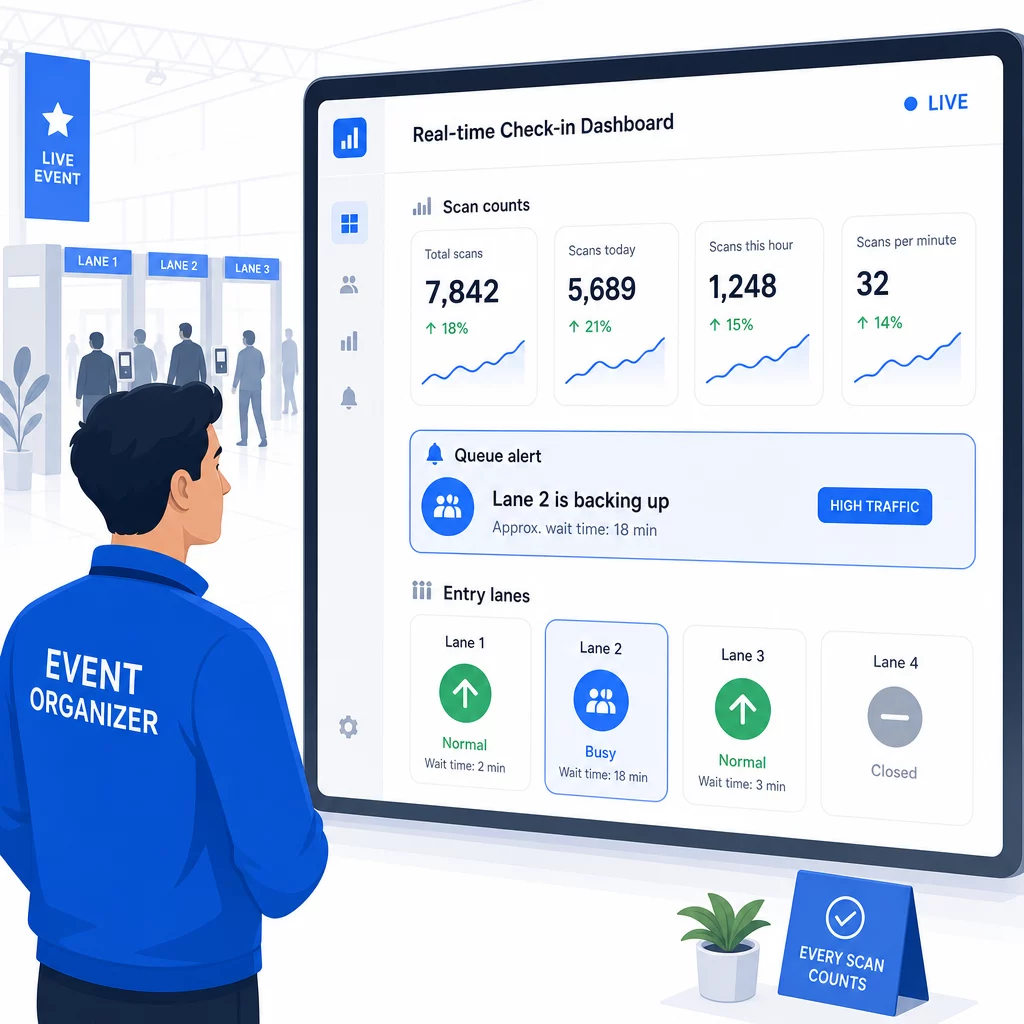
Dopo l'evento, questi dati informano le decisioni per la prossima volta: quando aprire le porte, quante corsie d'ingresso sono necessarie e quali sessioni hanno generato il maggior coinvolgimento. Strumenti per Tracciamento eventi con codice QR offrire esportazioni di report post-evento che si integrano direttamente nei flussi di lavoro di pianificazione.
Sicurezza e Privacy dei Dati
I sistemi di check-in gestiscono dati personali, il che crea obblighi sia legali che reputazionali.
Specificamente per i sistemi con codice QR:
- Utilizzare codici monouso che si disattivano dopo la prima scansione per prevenire la condivisione delle credenziali
- Crittografare tutti i dati in transito e a riposo – confermare che la vostra piattaforma QR supporti questo prima di impegnarvi
- Raccogliere solo ciò che è necessario: nome, tipo di biglietto e orario di check-in sono solitamente sufficienti; indirizzi di casa e numeri di telefono raramente lo sono
- Applicare controlli di accesso in modo che solo il personale che necessita dei dati dei partecipanti possa vederli
- Includere un'informativa sulla privacy chiara nel modulo di registrazione che spieghi cosa si raccoglie, perché e per quanto tempo lo si conserva
Per eventi con partecipanti dalla California, la conformità CCPA è richiesta indipendentemente da dove si tenga l'evento. I partecipanti hanno il diritto di sapere quali dati sono stati raccolti e di richiederne la cancellazione. Per una guida su come integrare queste protezioni nel flusso di lavoro di biglietteria fin dall'inizio, la guida ai biglietti evento sicuri con codice QR copre in dettaglio la crittografia, la tokenizzazione e la validazione monouso.
Quando si valutano le piattaforme con codice QR, cercare la conformità SOC 2, i dati archiviati su server statunitensi se l'evento è nazionale, i log di audit per l'accesso ai dati e una politica chiara che dichiari che si mantiene la piena proprietà dei dati dei partecipanti.
Piani di Backup per Quando la Tecnologia Fallisce
Anche i sistemi ben testati incontrano problemi il giorno dell'evento. Costruisci il tuo piano di riserva prima di averne bisogno.
Problemi comuni di scansione e soluzioni rapide:
- Illuminazione scarsa: aggiungere illuminazione da lavoro a LED a ogni postazione
- Codici danneggiati o illeggibili: tenere un tablet a ogni postazione in modo che il personale possa visualizzare una versione digitale dal record del partecipante
- Incompatibilità del dispositivo: chiedere ai partecipanti di tenere il telefono a 6-8 pollici dallo scanner; se l'app fotocamera nativa fallisce, un'app scanner QR dedicata di solito risolve il problema
Per guasti di rete:
- Utilizzare una piattaforma che memorizza i dati di check-in localmente e si sincronizza quando la connettività ritorna
- Tenere due dispositivi di scansione di backup a ogni punto di ingresso
Se tutti i sistemi digitali falliscono:
- Avere un elenco stampato dei partecipanti in ordine alfabetico a ogni punto di ingresso
- Istruire il personale su come cercare per nome, gestire codici smarriti e rilasciare badge temporanei
- Utilizzare timbri o adesivi con codice colore per contrassegnare i check-in manuali e prevenire voci duplicate
Per eventi con livelli VIP o zone riservate, pre-stampare badge temporanei con codice colore prima dell'evento in modo che il personale possa gestire i livelli di accesso senza fare affidamento sul sistema digitale. Comunicare chiaramente eventuali ritardi: “Stiamo usando il nostro sistema di backup per farvi entrare il più rapidamente possibile” è sufficiente per preservare un'esperienza positiva per i partecipanti durante le difficoltà tecniche.
Automatizzare il Follow-Up Dopo il Check-In
I dati di check-in che raccogli diventano più preziosi dopo la fine dell'evento. Collegando il tuo sistema di scansione QR alla tua piattaforma di email o marketing, puoi inviare follow-up segmentati in base a ciò che ogni partecipante ha effettivamente fatto.
Automazione pratica post-evento:
- Inviare email di ringraziamento entro 2 ore dalla chiusura dell'evento, includendo link a slide o risorse
- Per eventi multi-sessione, usa i dati di scansione QR specifici per sessione per inviare solo il contenuto pertinente a ciò a cui ogni partecipante ha partecipato
- Condividi sondaggi di feedback 24-48 ore dopo l'evento – mantienili a cinque domande o meno e offri un piccolo incentivo per il completamento
- Per eventi di networking, compila un'email di riepilogo delle connessioni dai dati di scansione in modo che i partecipanti abbiano un registro di chi hanno incontrato
Traccia i tassi di apertura e i tassi di clic sui messaggi di follow-up per calibrare tempistiche e contenuti per eventi futuri.
Domande frequenti
Dipende dalle dimensioni del tuo evento, dal budget e dai requisiti di sicurezza. I codici QR sono l'opzione più economica e funzionano bene per eventi di piccole e medie dimensioni in cui i partecipanti portano i propri dispositivi. L'RFID è adatto per eventi ad alto volume in cui è necessario un ingresso passivo e senza mani per migliaia di partecipanti. L'NFC è la scelta più forte quando hai bisogno di controllo accessi crittografato basato su zone, pagamenti senza contanti o riutilizzo delle credenziali per più giorni. La maggior parte degli eventi con meno di 500 partecipanti può gestire un check-in senza problemi interamente con codici QR e una piattaforma affidabile.
Assegna un codice QR unico a ciascun partecipante e configura il tuo sistema per contrassegnare ogni codice come utilizzato immediatamente dopo la prima scansione. Una volta scansionato, il codice non può essere riutilizzato. I codici QR dinamici abbinati a un backend di convalida in tempo reale rilevano istantaneamente i tentativi di scansione duplicati. Per eventi in cui la verifica dell'identità è importante, forma il personale per confrontare un documento d'identità con foto con il nome di registrazione quando il codice viene scansionato.
Avere un elenco stampato e alfabetizzato dei partecipanti a ogni punto di ingresso e formare il personale per registrare manualmente i partecipanti utilizzando nome e numero di biglietto. Mantenere almeno due dispositivi di scansione di riserva per corsia con batterie cariche o power bank portatili. Utilizzare una piattaforma che memorizzi i check-in localmente e si sincronizzi quando la connettività internet ritorna in modo che nessun dato vada perso. Informare il team sul processo manuale prima dell'inizio dell'evento in modo che la transizione sia fluida se necessario.