Welche Check-in-Technologie ist die richtige für Ihre Veranstaltung – und was passiert, wenn Sie die falsche wählen? Engpässe beim Einlass, die Weitergabe von Zugangsdaten und Lücken bei der Echtzeitverfolgung kosten Veranstalter Zeit und das Vertrauen der Teilnehmer. Dieser Leitfaden erklärt, wie sich QR-Codes, RFID und NFC für den Event-Check-in vergleichen lassen und wie Sie den Ansatz implementieren, der zu Ihrem Setup passt.
Wie QR-Codes, RFID und NFC unterschiedlich funktionieren
Bevor Sie sich für ein Check-in-System entscheiden, ist es hilfreich zu verstehen, was jede Technologie tatsächlich leistet – und wo ihre Grenzen liegen.
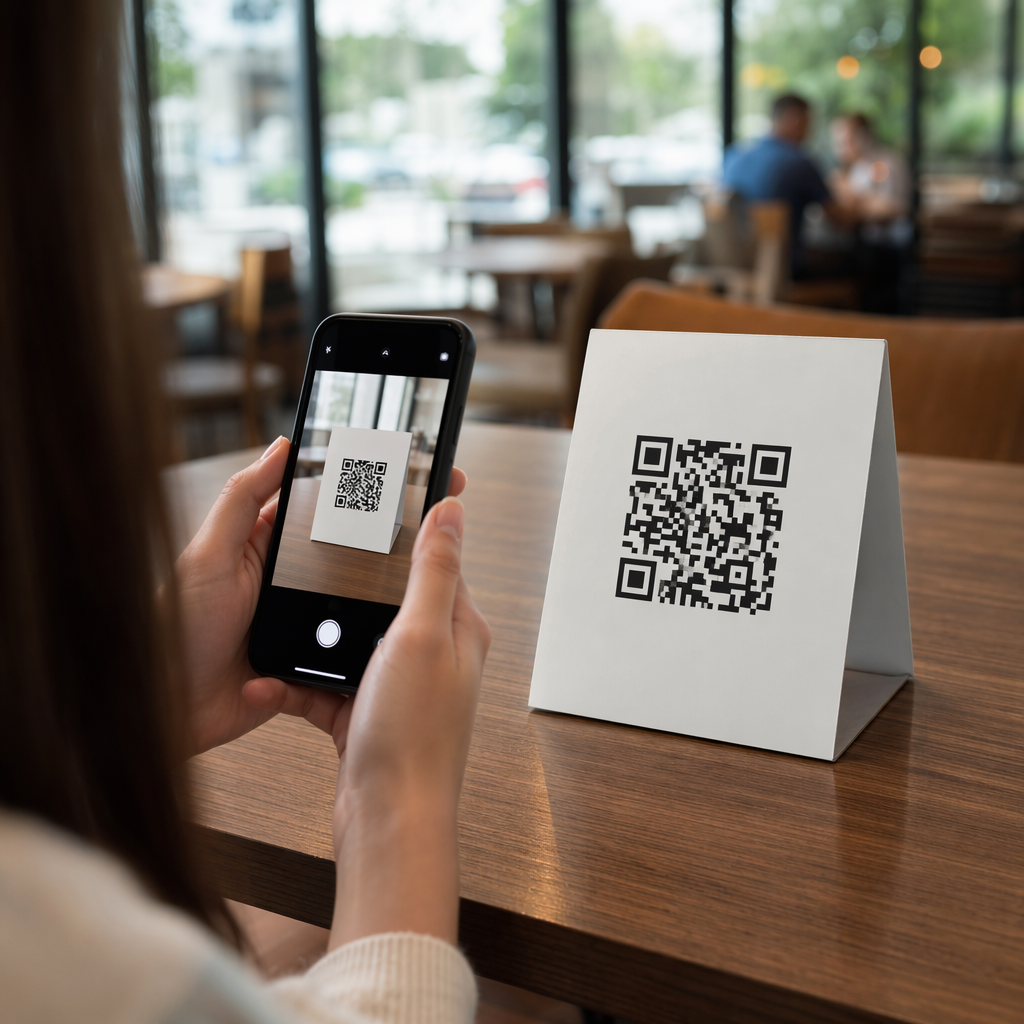
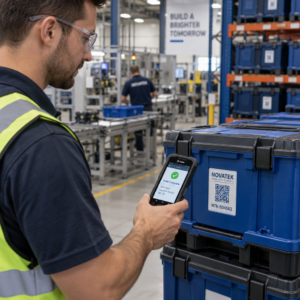
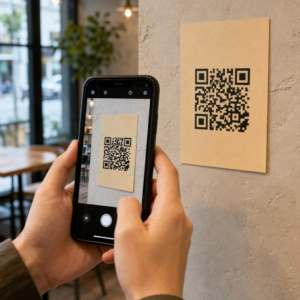
QR-Codes sind visuelle, kamerabasierte Codes. Ein Scanner oder eine Smartphone-Kamera liest das Muster, entschlüsselt die Informationen und sucht den Teilnehmerdatensatz. Sie erfordern eine Sichtverbindung und funktionieren am besten, wenn der Code sauber, gut beleuchtet und unbeschädigt ist. Der QR-Code-Check-in ist die kostengünstigste Option zur Implementierung: Teilnehmer erhalten einen Code per E-Mail oder SMS, und das Personal scannt ihn mit jedem kamerabestückten Gerät.
RFID (Radiofrequenz-Identifikation) verwendet Funkwellen zwischen einem in einem Ausweis oder Armband eingebetteten Tag und einem Lesegerät. Die Teilnehmer müssen nichts tun – sie gehen einfach in die Nähe eines Lesegeräts und das System protokolliert ihren Eintritt. RFID ist auf Seiten des Teilnehmers vollständig passiv, was es bei hohem Aufkommen extrem schnell macht. Lesegeräte können Tags über mehrere Fuß hinweg erkennen, was bedeutet, dass der Einlass am Tor vollständig unbemannt sein kann.
NFC (Near Field Communication) ist eine Kurzstrecken-Untergruppe der RFID-Technologie, die erfordert, dass der Ausweis oder das Armband etwa 1–4 Zentimeter vom Lesegerät entfernt ist – im Wesentlichen ein Antippen. Die kurze Reichweite ist beabsichtigt: NFC bietet verschlüsselte, bidirektionale Kommunikation, die schwer zu klonen ist, was es zur stärksten Wahl für sichere Zugangskontrolle, bargeldlose Zahlungen und VIP-Zonen-Management macht.
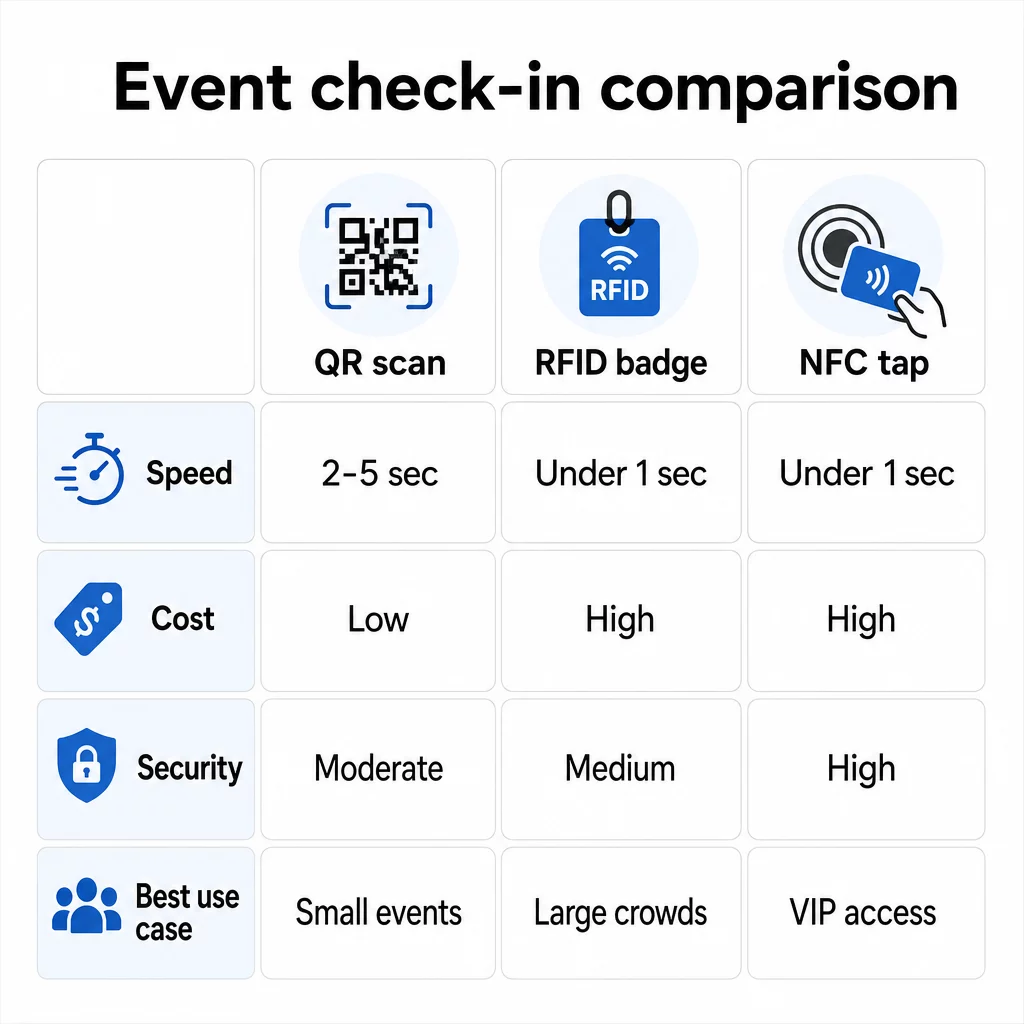
Die drei Technologien im Vergleich
| FUNKTION | QR-Code | RFID | NFC |
|---|---|---|---|
| SO FUNKTIONIERT ES | Kamera scannt visuellen Code | Funkwellen, keine Sichtverbindung | Kurzstrecken-Antippen (1–4 cm) |
| Geschwindigkeit pro Eintrag | 2–5 Sekunden | Unter 1 Sekunde, freihändig | Unter 1 Sekunde |
| Infrastrukturkosten | Niedrig (jedes Kameragerät) | Hoch (Lesegeräte + kodierte Ausweise) | Hoch (Lesegeräte + kodierte Ausweise) |
| Sicherheit | Mäßig (einfach per Screenshot teilbar) | Variabel | Hoch (verschlüsselt, schwer zu klonen) |
| Offline-Fähigkeit | Abhängig von der Plattform | Im Allgemeinen ja | Im Allgemeinen ja |
| Wiederverwendbarkeit | Einmalgebrauch oder Einzeldruck | Wiederverwendbar über Tage oder Veranstaltungen hinweg | Wiederverwendbar über Tage oder Veranstaltungen hinweg |
| Echtzeit-Bewegungsverfolgung | Nur an Scan-Punkten | Im gesamten Veranstaltungsort | In definierten Zonen |
| Am besten für | Kleine bis mittelgroße Veranstaltungen, geringes Budget | Große Veranstaltungen, Festivals | Sicherer Zugang, VIP-Zonen, Zahlungen |
QR-Codes sind schnell, aber anfällig. Sie funktionieren gut unter idealen Bedingungen, werden aber zu Engpässen, wenn die Akkus der Teilnehmer leer sind, Bildschirme gesprungen sind oder die Netzwerkverbindung abbricht. RFID bewältigt große Menschenmengen mit minimaler Reibung. NFC bietet das stärkste Sicherheitsprofil, erfordert aber die geringste physische Distanz.
Wann QR-Codes für den Check-in verwendet werden sollten
QR-Codes sind die richtige Wahl für die meisten kleinen bis mittelgroßen Veranstaltungen, eintägigen Konferenzen und jede Situation, in der das Budget oder die Einrichtungszeit begrenzt ist. Sie können ein vollständiges QR-Check-in-System ohne spezielle Hardware implementieren – lediglich eine zuverlässige QR-Code-Plattform und ein kamerafähiges Gerät an jedem Eingangspunkt.
Die praktischen Vorteile von QR-Codes umfassen:
- Keine Hardware für Teilnehmer erforderlich – Codes befinden sich auf einem Telefonbildschirm oder einem gedruckten Ticket
- Einfache Verteilung – Versand per E-Mail, SMS oder Messaging-Apps vor der Veranstaltung
- Dynamische Aktualisierung – wenn sich Ihr Veranstaltungsort ändert oder Ihr Check-in-Ablauf verschiebt, können Sie aktualisieren, wohin ein dynamischer QR-Code zeigt, ohne etwas neu drucken zu müssen
- Scan-Analysen – Check-in-Zeiten, Gerätetypen und Eintrittsvolumen in Echtzeit verfolgen
Die wichtigsten Schwachstellen, die man berücksichtigen sollte: QR-Codes überprüfen nicht von Natur aus die Identität, sondern nur den Besitz eines Codes. Sie lassen sich leicht als Screenshot erfassen und teilen. Und sie verfolgen nicht passiv, wohin die Teilnehmer zwischen den Scan-Punkten gehen.
Um einige dieser Lücken zu schließen, weisen Sie jedem Registrierten einen einzigartigen, einmalig verwendbaren QR-Code zu, der beim ersten Scan als verwendet markiert wird. Dies verhindert Duplikate und die Weitergabe von Zugangsdaten ohne zusätzlichen Hardware-Aufwand. Wie dies in der Praxis funktioniert, erfahren Sie im ultimativen Leitfaden für QR-Codes beim Event-Check-in.
Nachverfolgbare Event-Check-in-Codes einrichten Erstellen Sie personalisierte, dynamische QR-Codes für jeden Teilnehmer und überwachen Sie Scan-Daten in Echtzeit von einem einzigen Dashboard aus. Beginnen Sie mit dem Pageloot Event-QR-Code-Generator.
Wann RFID oder NFC stattdessen verwenden
Für große Festivals, mehrtägige Konferenzen oder jede Veranstaltung mit über 1.000 Teilnehmern, die sich durch mehrere Zugangszonen bewegen, bieten RFID und NFC eine deutlich bessere Durchsatzrate und Nachverfolgungstiefe.
RFID ist sinnvoll, wenn:
- Sie vollautomatische, unbemannte Eingangstore benötigen
- Teilnehmer sich durch mehrere Sitzungen oder Bereiche bewegen und Sie eine passive Veranstaltungsort-Nachverfolgung benötigen
- Die Weitergabe von Zugangsdaten ein erhebliches Betrugsrisiko darstellt
- Sie ohnehin physische Armbänder oder Ausweise ausgeben
NFC ist sinnvoll, wenn:
- Sie eine zonenbasierte Zugangskontrolle mit verschlüsselten Zugangsdaten benötigen (VIP, Backstage, Presse)
- Sie bargeldlose Zahlungen neben dem Zutrittsmanagement betreiben
- Sie möchten einen bidirektionalen Datenaustausch zwischen Ausweisen und Lesegeräten
- Maximale Klonresistenz ist eine Sicherheitsanforderung
Der Kompromiss ist die Infrastruktur. RFID und NFC erfordern beide eine Vorabinvestition in Lesegeräte, kodierte Ausweise oder Armbänder und die Softwareintegration mit Ihrer Eventmanagement-Plattform. Sie müssen auch Anmeldeinformationen im Voraus ausstellen, was einen logistischen Schritt vor dem Event hinzufügt, den QR-Code-Systeme vollständig überspringen.
Einrichtung des QR-Code-Check-ins: Eine Schritt-für-Schritt-Anleitung
Wenn Sie sich für QR-Codes entschieden haben, erfahren Sie hier, wie Sie diese richtig implementieren.
Dynamische statt statische Codes wählen
Statische QR-Codes legen zum Zeitpunkt der Erstellung ein festes Ziel fest. Wenn sich die URL Ihres Check-in-Formulars ändert oder Ihre Event-Plattform ausfällt und Sie Teilnehmer umleiten müssen, müssen Sie neu drucken. Dynamische QR-Codes ermöglichen es Ihnen, das Ziel jederzeit – sogar während des Events – zu aktualisieren, ohne neue Codes auszugeben.
Für Events, bei denen sich jedes Detail ändern kann, sind dynamische Codes die praktische Standardeinstellung. Plattformen wie Pageloot's QR-Code-Generator ermöglichen es Ihnen, bearbeitbare Codes zu erstellen und jeden Scan in Echtzeit zu verfolgen.
Jedem Teilnehmer individuelle Codes zuweisen
Ein Code pro Teilnehmer verhindert das Teilen, erstellt einen überprüfbaren Check-in-Datensatz und ermöglicht es Ihrem System, jeden Code beim ersten Scan als verwendet zu markieren. Verteilen Sie Codes per E-Mail (eingebettet als Bild mit einem herunterladbaren PDF-Backup) und per SMS für Teilnehmer, die ihre E-Mails möglicherweise nicht zuverlässig überprüfen. Senden Sie 48 und 24 Stunden vor dem Event Erinnerungsnachrichten, um die Anzahl der Personen zu reduzieren, die ohne ihren Code ankommen.
Wenn Sie ein stärker integriertes Setup aufbauen – bei dem QR-Codes Teilnehmerdaten beim Scannen in ein CRM oder Formular vorab ausfüllen – ist der Leitfaden zu Erstellung dynamischer QR-Codes für CRM-Check-ins führt durch die technische Implementierung.
Richten Sie Ihr Anwesenheitsverfolgungsformular ein
Ein einfacher und effektiver Ansatz: Erstellen Sie ein Check-in-Formular in Google Forms oder einem ähnlichen Tool und generieren Sie dann einen QR-Code, der direkt darauf verlinkt. Wenn Teilnehmer scannen, übermitteln sie ihre Informationen, und die Daten fließen in Ihr Tracking-Dashboard. Der QR-Code zur Anwesenheitserfassung Die Einrichtung auf Pageloot unterstützt genau diesen Workflow – Organisatoren können alle übermittelten Daten im Generator einsehen, nachdem die Teilnehmer gescannt und übermittelt haben.
Für Veranstaltungen, die QR-Codes auf Tickets, verknüpfen Sie den Code mit einem sicheren Validierungsendpunkt, damit das Personal die Identität der Teilnehmer in Echtzeit bestätigen kann, anstatt sich auf eine passive Formularübermittlung zu verlassen.
Platzierung sorgfältig planen
Wo Sie QR-Codes platzieren, ist genauso wichtig wie deren Erstellung. Wichtige Platzierungsprinzipien:
- Positionieren Sie Scanstellen auf etwa 1,20 Meter Höhe, um allen Benutzern Komfort zu bieten
- Richten Sie mehrere Check-in-Punkte für Veranstaltungen mit über 200 Teilnehmern ein, um Engpässe zu vermeiden
- Sorgen Sie für eine starke, gleichmäßige Beleuchtung an jeder Station – besonders bei Abend- oder Indoor-Veranstaltungen
- Platzieren Sie QR-Codes an Ausgangspunkten, die mit einem Feedback-Formular verknüpft sind, damit Gäste ihre Gedanken beim Verlassen teilen können
- Platzieren Sie bei sitzungsbasierten Veranstaltungen individuelle QR-Codes an jedem Sitzungseingang, um die Teilnahme zu verfolgen
Gehen Sie den Veranstaltungsort vor dem Event ab, als wären Sie ein Teilnehmer. Überprüfen Sie, ob die Codes aus verschiedenen Winkeln und unter den tatsächlichen Lichtverhältnissen des Raumes sauber scannen.
Codes entwerfen, die zuverlässig scannen
Das visuelle Design eines QR-Codes beeinflusst direkt, ob er konsistent über verschiedene Geräte und Umgebungen hinweg scannt.
- Mindestgröße: 0,8 × 0,8 Zoll (2 × 2 cm) für das Scannen aus nächster Nähe; größer für Displays oder Beschilderungen
- Kontrast: dunkle Module auf hellem Hintergrund, mit einem Kontrastverhältnis von mindestens 4:1
- Fehlerkorrektur: Verwenden Sie Stufe H, wenn Sie ein Logo in die Mitte des Codes einfügen, da dies bis zu 30 % des Codes verdecken kann, während er lesbar bleibt
- Für gedruckte Tickets, die sich biegen oder knicken könnten, verwenden Sie einen flachen Mattdruck anstelle von glänzenden Oberflächen, um Blendung zu reduzieren
- Fügen Sie einen kurzen Call-to-Action unter dem Code hinzu: “Zum Einchecken scannen” beseitigt Unklarheiten für die Teilnehmer
Sie können Markenfarben und Ihr Event-Logo hinzufügen, während die Scannbarkeit erhalten bleibt – Tools wie der Generator von Pageloot wenden die Fehlerkorrektur automatisch an, wenn Logos eingebettet werden. Testen Sie jeden Code auf mehreren Telefonmodellen und unter verschiedenen Lichtverhältnissen, bevor Sie ihn verteilen.
Für einen tieferen Einblick, wie Codes für alle Teilnehmer zugänglich gemacht werden können, einschließlich derer mit Sehbehinderungen oder ohne Smartphones, bietet der Leitfaden für RSVP-QR-Codes detaillierte Informationen zu Best Practices für Barrierefreiheit.
Überwachung von Check-ins in Echtzeit
Einer der praktischen Vorteile von QR-basierten Systemen gegenüber vielen RFID-Implementierungen ist die zugängliche Echtzeit-Analyse ohne spezielle Software.
Metriken, die während der Veranstaltung verfolgt werden sollten:
- Gesamtzahl der Check-ins zu einem bestimmten Zeitpunkt
- Durchschnittliche Scan-Verarbeitungszeit pro Teilnehmer
- Warteschlangenlänge und Spitzenankunftszeiten
- Sitzungsspezifische Scan-Anzahlen (bei Verwendung von Sitzungs-QR-Codes)
Mit QR-Code-Verfolgung auf einer Plattform wie Pageloot protokolliert jeder Scan den Zeitstempel, den Gerätetyp und den Standort, was Ihnen ein Live-Bild davon gibt, wo sich Menschenmassen bilden. Wenn sich eine Einlassspur staut, können Sie das Personal sofort umleiten. Wenn ein Sitzungs-QR-Code eine unerwartet hohe Teilnehmerzahl aufweist, können Sie die Raumkapazität anpassen, bevor es zu einem Problem wird.
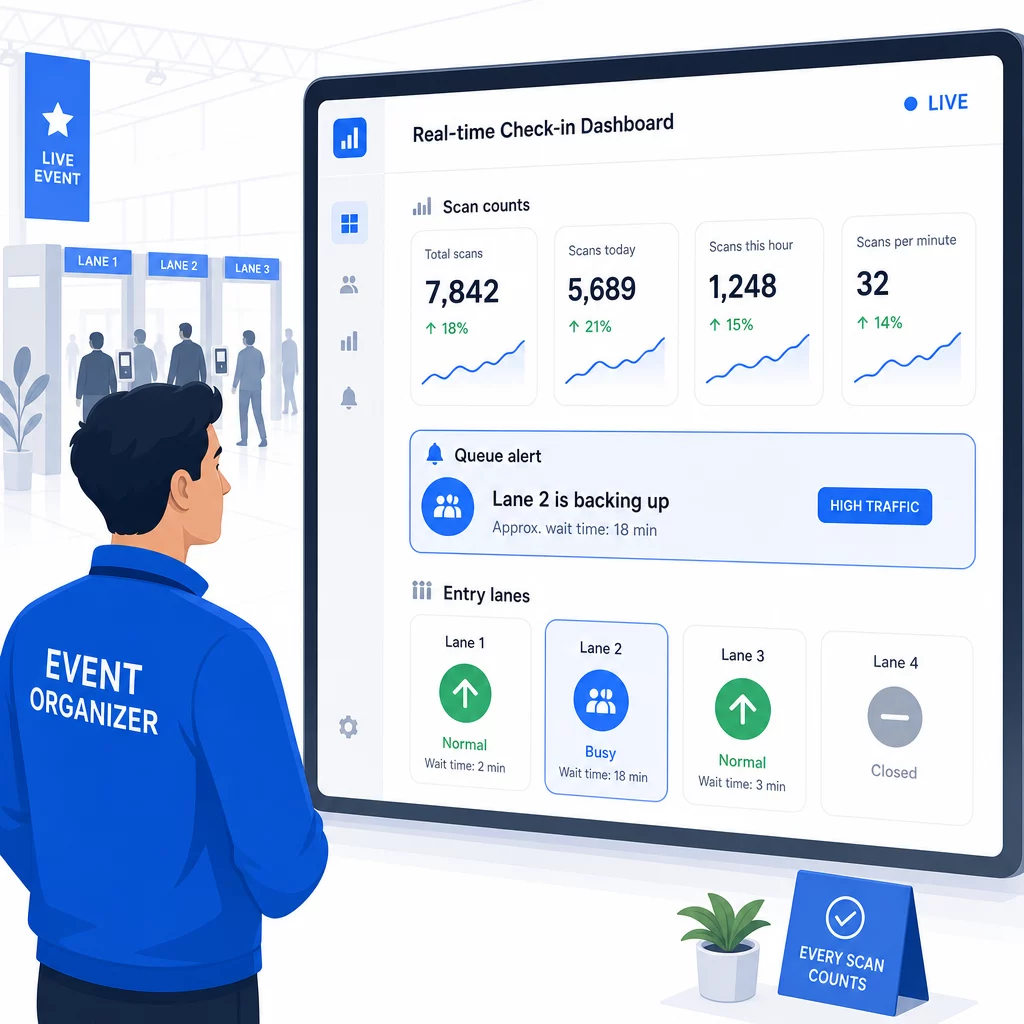
Nach der Veranstaltung informieren diese Daten Entscheidungen für das nächste Mal: wann die Türen geöffnet werden sollen, wie viele Einlassspuren Sie benötigen und welche Sitzungen das größte Engagement hervorriefen. Tools für QR-Code-Veranstaltungs-Tracking bieten Berichts-Exporte nach der Veranstaltung an, die direkt in Planungs-Workflows einfließen.
Sicherheit und Datenschutz
Check-in-Systeme verarbeiten personenbezogene Daten, was sowohl rechtliche als auch reputationsbezogene Verpflichtungen mit sich bringt.
Speziell für QR-Code-Systeme:
- Verwenden Sie Einmal-Codes, die sich nach dem ersten Scan deaktivieren, um die Weitergabe von Zugangsdaten zu verhindern
- Verschlüsseln Sie alle Daten während der Übertragung und im Ruhezustand – bestätigen Sie, dass Ihre QR-Plattform dies unterstützt, bevor Sie sich festlegen
- Sammeln Sie nur das Nötigste: Name, Tickettyp und Check-in-Zeitstempel sind in der Regel ausreichend; Heimadressen und Telefonnummern sind es selten
- Wenden Sie Zugriffskontrollen an, damit nur Mitarbeiter, die Teilnehmerdaten benötigen, diese einsehen können
- Fügen Sie einen klaren Datenschutzhinweis in Ihr Registrierungsformular ein, der erklärt, was Sie sammeln, warum und wie lange Sie es aufbewahren
Für Veranstaltungen mit Teilnehmern aus Kalifornien ist die Einhaltung der CCPA-Vorschriften erforderlich, unabhängig davon, wo Ihre Veranstaltung stattfindet. Teilnehmer haben das Recht zu erfahren, welche Daten Sie gesammelt haben, und deren Löschung zu beantragen. Für Anleitungen zum Einbau dieser Schutzmaßnahmen in Ihren Ticketing-Workflow von Anfang an, der Leitfaden für sichere QR-Code-Veranstaltungstickets behandelt Verschlüsselung, Tokenisierung und Einmalnutzungsvalidierung im Detail.
Bei der Bewertung von QR-Code-Plattformen achten Sie auf SOC 2-Konformität, Daten, die auf US-Servern gespeichert sind, wenn Ihre Veranstaltung im Inland stattfindet, Audit-Protokolle für den Datenzugriff und eine klare Richtlinie, die besagt, dass Sie die volle Eigentümerschaft an Ihren Teilnehmerdaten behalten.
Notfallpläne für den Fall, dass die Technologie versagt
Selbst gut getestete Systeme stoßen am Veranstaltungstag auf Probleme. Bauen Sie Ihr Fallback auf, bevor Sie es benötigen.
Häufige Scanprobleme und schnelle Lösungen:
- Schlechte Beleuchtung: Fügen Sie an jeder Station LED-Arbeitsleuchten hinzu
- Beschädigte oder unlesbare Codes: Halten Sie an jeder Station ein Tablet bereit, damit das Personal eine digitale Version aus dem Teilnehmerdatensatz abrufen kann
- Geräteinkompatibilität: Bitten Sie die Teilnehmer, ihr Telefon 6–8 Zoll vom Scanner entfernt zu halten; wenn die native Kamera-App fehlschlägt, löst eine spezielle QR-Scanner-App das Problem normalerweise
Bei Netzwerkausfällen:
- Verwenden Sie eine Plattform, die Check-in-Daten lokal speichert und synchronisiert, wenn die Konnektivität wiederhergestellt ist
- Halten Sie an jedem Eingang zwei Backup-Scan-Geräte bereit
Wenn alle digitalen Systeme ausfallen:
- Halten Sie an jedem Eingang eine alphabetisch geordnete, gedruckte Teilnehmerliste bereit
- Weisen Sie das Personal an, wie es nach Namen suchen, verlorene Codes handhaben und temporäre Ausweise ausstellen soll
- Verwenden Sie farbcodierte Stempel oder Aufkleber, um manuelle Check-ins zu kennzeichnen und doppelte Einträge zu verhindern
Für Veranstaltungen mit VIP-Stufen oder eingeschränkten Zonen drucken Sie farbcodierte temporäre Ausweise vor der Veranstaltung vor, damit das Personal die Zugangsstufen verwalten kann, ohne sich auf das digitale System verlassen zu müssen. Kommunizieren Sie Verzögerungen klar: “Wir verwenden unser Backup-System, um Sie so schnell wie möglich hereinzulassen” reicht aus, um ein positives Teilnehmererlebnis bei technischen Schwierigkeiten zu gewährleisten.
Nachverfolgung nach dem Check-in automatisieren
Die von Ihnen gesammelten Check-in-Daten werden nach dem Ende der Veranstaltung wertvoller. Indem Sie Ihr QR-Scansystem mit Ihrer E-Mail- oder Marketingplattform verbinden, können Sie segmentierte Nachverfolgungen senden, basierend darauf, was jeder Teilnehmer tatsächlich getan hat.
Praktische Automatisierung nach der Veranstaltung:
- Senden Sie Dankes-E-Mails innerhalb von 2 Stunden nach Veranstaltungsende, einschließlich Links zu Folien oder Ressourcen
- Für Veranstaltungen mit mehreren Sessions nutzen Sie sitzungsspezifische QR-Scan-Daten, um nur die Inhalte zu senden, die für die von jedem Teilnehmer besuchten Sessions relevant sind
- Teilen Sie Feedback-Umfragen 24–48 Stunden nach der Veranstaltung – halten Sie diese auf fünf Fragen oder weniger und bieten Sie einen kleinen Anreiz für die Teilnahme
- Für Networking-Veranstaltungen erstellen Sie eine E-Mail mit einer Verbindungsübersicht aus den Scan-Daten, damit die Teilnehmer eine Aufzeichnung darüber haben, wen sie getroffen haben
Verfolgen Sie Öffnungsraten und Klickraten bei Follow-up-Nachrichten, um Timing und Inhalt für zukünftige Veranstaltungen anzupassen.
Häufig gestellte Fragen
Es hängt von Ihrer Veranstaltungsgröße, Ihrem Budget und Ihren Sicherheitsanforderungen ab. QR-Codes sind die kostengünstigste Option und eignen sich gut für kleine bis mittelgroße Veranstaltungen, bei denen die Teilnehmer ihre eigenen Geräte mitbringen. RFID eignet sich für Großveranstaltungen, bei denen ein passiver, berührungsloser Zugang für Tausende von Teilnehmern erforderlich ist. NFC ist die beste Wahl, wenn Sie eine verschlüsselte zonenbasierte Zugangskontrolle, bargeldlose Zahlungen oder die Wiederverwendung von Anmeldeinformationen über mehrere Tage hinweg benötigen. Die meisten Veranstaltungen mit weniger als 500 Teilnehmern können einen reibungslosen Check-in vollständig mit QR-Codes und einer zuverlässigen Plattform durchführen.
Weisen Sie jedem Registranten einen einzigartigen QR-Code zu und konfigurieren Sie Ihr System so, dass jeder Code sofort nach dem ersten Scan als verwendet markiert wird. Einmal gescannt, kann der Code nicht erneut verwendet werden. Dynamische QR-Codes, gepaart mit einem Echtzeit-Validierungs-Backend, erkennen doppelte Scanversuche sofort. Für Veranstaltungen, bei denen die Identitätsprüfung wichtig ist, schulen Sie das Personal, einen Lichtbildausweis mit dem Registrierungsnamen abzugleichen, wenn der Code gescannt wird.
Halten Sie eine gedruckte, alphabetisierte Teilnehmerliste an jedem Eingang bereit und schulen Sie das Personal, die Teilnehmer manuell anhand von Namen und Ticketnummer einzuchecken. Halten Sie mindestens zwei Backup-Scan-Geräte pro Spur mit geladenen Batterien oder tragbaren Powerbanks bereit. Verwenden Sie eine Plattform, die Check-ins lokal speichert und synchronisiert, wenn die Internetverbindung wiederhergestellt ist, damit keine Daten verloren gehen. Informieren Sie Ihr Team vor Veranstaltungsbeginn über den manuellen Prozess, damit der Übergang bei Bedarf nahtlos ist.