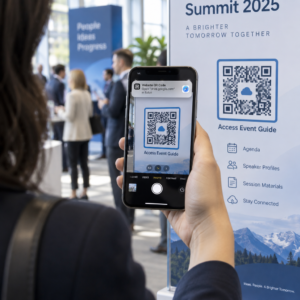
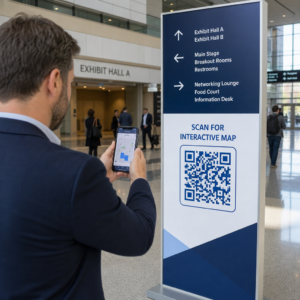
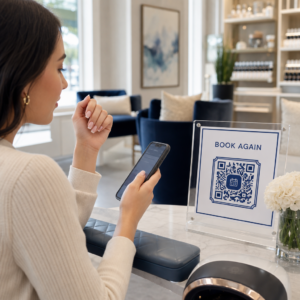
Melyik bejelentkezési technológia a megfelelő az eseményéhez – és mi történik, ha rosszat választ? A belépési szűk keresztmetszetek, a belépők megosztása és a valós idejű nyomon követési hiányosságok időt és a résztvevők bizalmát veszik el a szervezőktől. Ez az útmutató bemutatja, hogyan viszonyulnak egymáshoz a QR-kódok, az RFID és az NFC az események bejelentkezésénél, és hogyan valósítható meg az a megközelítés, amelyik a legjobban illik az Ön beállításaihoz.
Hogyan működnek eltérően a QR-kódok, az RFID és az NFC
Mielőtt bejelentkezési rendszert választana, érdemes megérteni, hogy valójában mit csinál az egyes technológiák – és hol hibáznak.
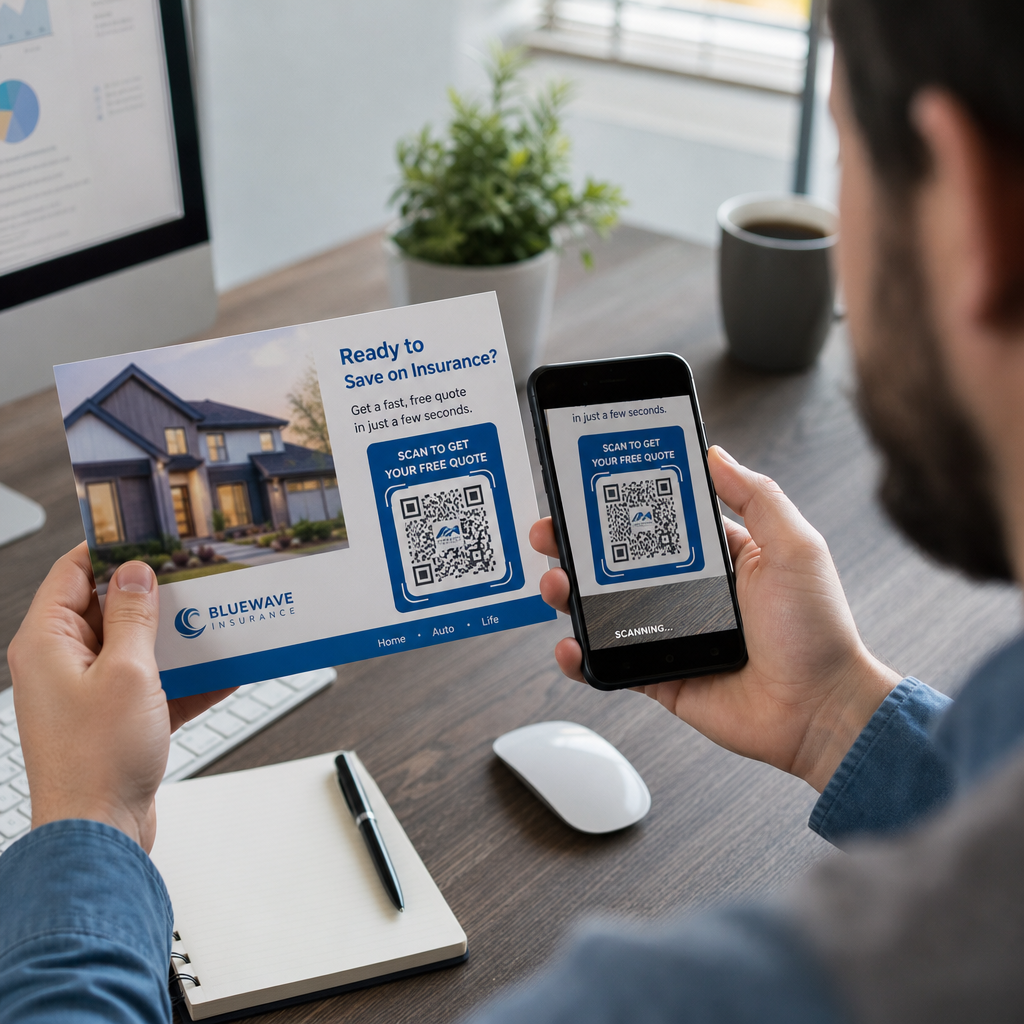
QR kódok vizuális, kamerán alapuló kódok. Egy szkenner vagy okostelefon kamerája leolvassa a mintát, dekódolja az információt, és megkeresi a résztvevő adatait. Látótávolságot igényelnek, és akkor működnek a legjobban, ha a kód tiszta, jól megvilágított és sértetlen. A QR-kódos bejelentkezés a legolcsóbb megvalósítási lehetőség: a résztvevők e-mailben vagy SMS-ben kapnak egy kódot, és a személyzet bármilyen kamerával felszerelt eszközzel beolvassa azt.
RFID (rádiófrekvenciás azonosítás) rádióhullámokat használ egy jelvénybe vagy karszalagba ágyazott címke és egy olvasóeszköz között. A résztvevőknek nem kell semmit tenniük – egyszerűen csak odasétálnak egy olvasóhoz, és a rendszer rögzíti a belépésüket. Az RFID teljesen passzív a résztvevő oldaláról, ami rendkívül gyorssá teszi nagy forgalom esetén. Az olvasók több méteres távolságból is érzékelhetik a címkéket, ami azt jelenti, hogy a belépés teljesen személyzet nélkül is történhet a kapunál.
NFC (közeli mezős kommunikáció) az RFID technológia rövid hatótávolságú alcsoportja, amely megköveteli, hogy a jelvény vagy karszalag körülbelül 1–4 centiméteren belül legyen az olvasótól – lényegében egy érintés. A rövid hatótávolság szándékos: az NFC titkosított, kétirányú kommunikációt kínál, amelyet nehéz klónozni, így ez a legerősebb választás a biztonságos beléptetéshez, a készpénz nélküli fizetésekhez és a VIP zónák kezeléséhez.
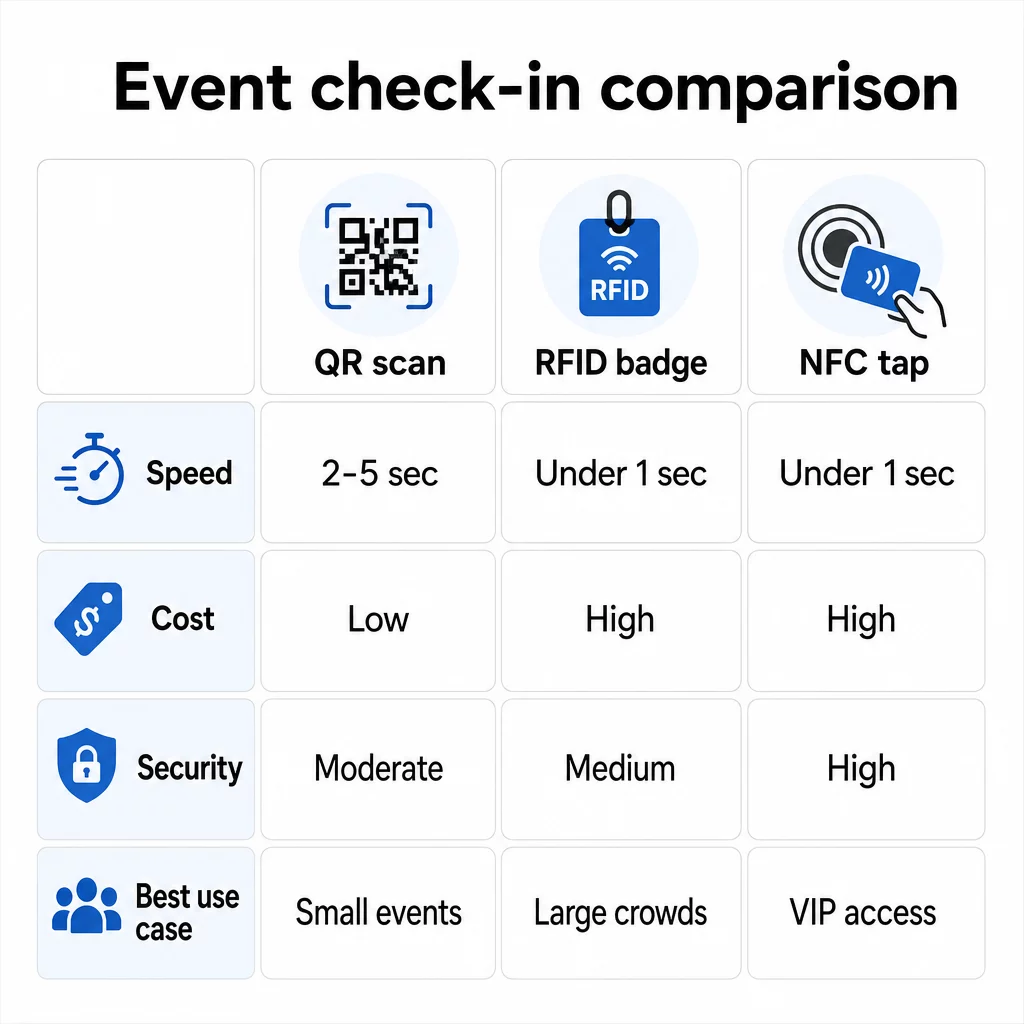
A három technológia összehasonlítása egymás mellett
| FUNKCIÓ | QR-kód | RFID | NFC |
|---|---|---|---|
| HOGYAN MŰKÖDIK | Kamera vizuális kódot szkennel | Rádióhullámok, nincs látótávolság | Rövid hatótávolságú érintés (1–4 cm) |
| Sebesség belépésenként | 2–5 másodperc | 1 másodperc alatt, kézhasználat nélkül | 1 másodperc alatt |
| Infrastruktúra költség | Alacsony (bármilyen kameraeszköz) | Magas (olvasók + kódolt jelvények) | Magas (olvasók + kódolt jelvények) |
| Biztonság | Közepes (könnyen megosztható képernyőfotóval) | Változó | Magas (titkosított, nehezen klónozható) |
| Offline képesség | Platformtól függ | Általában igen | Általában igen |
| Újrafelhasználhatóság | Egyszer használatos vagy egyszer nyomtatható | Napokon vagy eseményeken át újrafelhasználható | Napokon vagy eseményeken át újrafelhasználható |
| Valós idejű mozgáskövetés | Csak szkennelési pontokon | A teljes helyszínen | Meghatározott zónákban |
| Legjobb: | Kis és közepes méretű rendezvények, alacsony költségvetés | Nagy forgalmú rendezvények, fesztiválok | Biztonságos hozzáférés, VIP zónák, fizetések |
A QR-kódok gyorsak, de törékenyek. Ideális körülmények között jól működnek, de szűk keresztmetszetté válnak, ha a résztvevők akkumulátora lemerül, a képernyők megrepednek, vagy a hálózati kapcsolat megszakad. Az RFID minimális súrlódással kezeli a nagy tömegeket. Az NFC kínálja a legerősebb biztonsági profilt, de a legközelebbi fizikai közelséget igényli.
Mikor érdemes QR-kódokat használni a bejelentkezéshez
A QR-kódok a megfelelő választás a legtöbb kis és közepes méretű rendezvényhez, egynapos konferenciához, és minden olyan helyzethez, ahol a költségvetés vagy a beállítási idő korlátozott. Teljes QR-alapú bejelentkezési rendszert valósíthat meg speciális hardver nélkül – mindössze egy megbízható QR-kód platformra és egy kamerával felszerelt eszközre van szüksége minden belépési ponton.
A QR-kódok gyakorlati előnyei a következők:
- Nincs szükség résztvevői hardverre – a kódok telefon képernyőjén vagy nyomtatott jegyen élnek
- Könnyű terjesztés – küldje el e-mailben, SMS-ben vagy üzenetküldő alkalmazásokon keresztül az esemény előtt
- Dinamikus frissítés – ha a helyszín megváltozik, vagy a bejelentkezési folyamat eltolódik, frissítheti, hogy hova mutat egy dinamikus QR-kód anélkül, hogy bármit újra kellene nyomtatnia
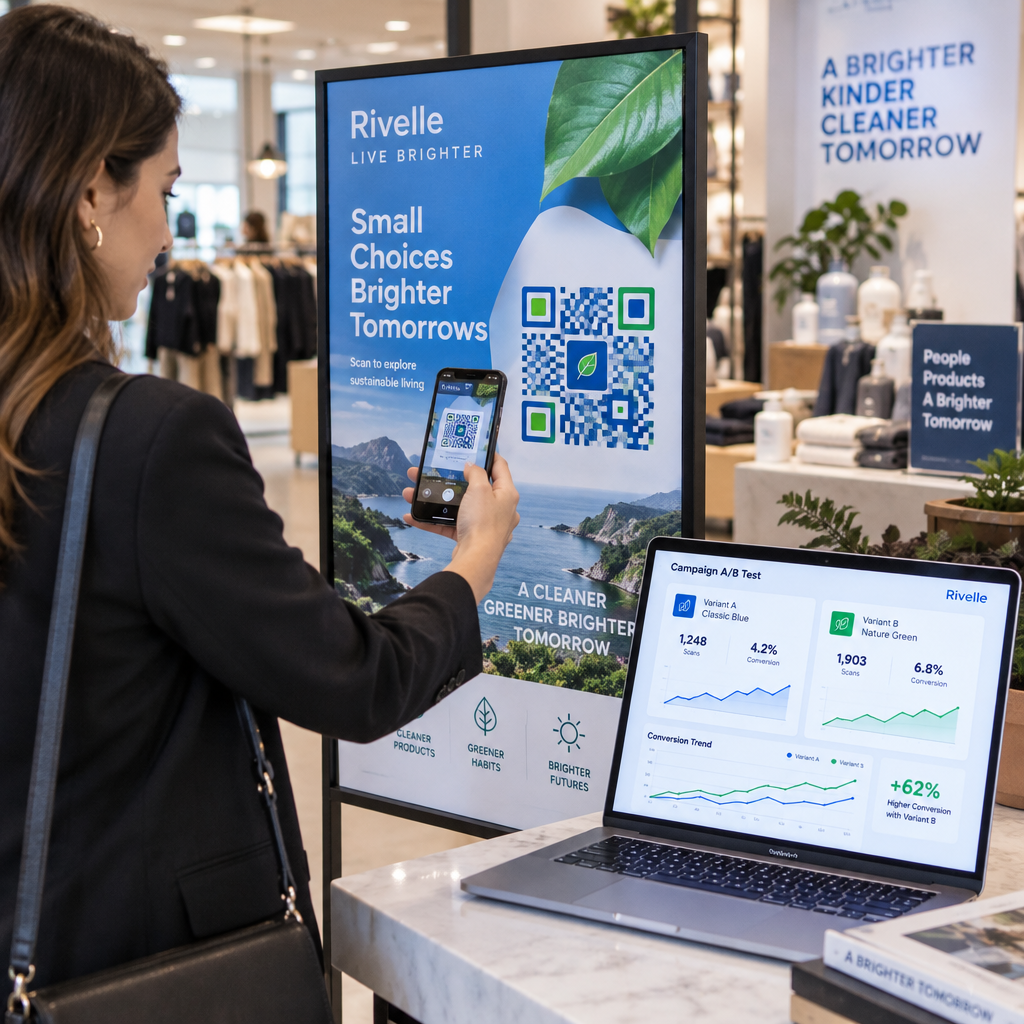
- Szkennelési analitika – valós időben nyomon követheti a bejelentkezési időket, az eszköz típusokat és a belépési mennyiséget
A fő gyengeségek, amelyekre fel kell készülni: A QR-kódok önmagukban nem ellenőrzik az identitást, csak a kód birtoklását. Könnyen lefotózhatók és megoszthatók. És nem követik passzívan, hogy a résztvevők hova mennek a szkennelési pontok között.
Ezen hiányosságok némelyikének kiküszöbölésére minden regisztrálónak egyedi, egyszer használatos QR-kódot kell kiosztani, amelyet az első szkenneléskor használtként jelölnek meg. Ez megakadályozza a duplikációkat és a hitelesítő adatok megosztását anélkül, hogy további hardveres költségeket okozna. Megtudhatja, hogyan működik ez a gyakorlatban a QR-kódok rendezvény beléptetéshez – a teljes útmutató.
Nyomon követhető esemény-bejelentkezési kódok beállítása Hozzon létre személyre szabott, dinamikus QR-kódokat minden résztvevő számára, és figyelje a valós idejű szkennelési adatokat egyetlen irányítópultról. Kezdje a Pageloot Esemény QR Kód Generátor.
Mikor használjunk inkább RFID-t vagy NFC-t
Nagy fesztiválok, többnapos konferenciák vagy bármely olyan esemény esetén, ahol 1000+ résztvevő mozog több hozzáférési zónán keresztül, az RFID és az NFC jelentősen jobb áteresztőképességet és nyomon követési mélységet kínál.
Az RFID akkor érdemes, ha:
- Teljesen automatizált, személyzet nélküli beléptető kapukra van szüksége
- A résztvevők több szekción vagy területen mozognak, és passzív helyszínkövetésre van szüksége
- A hitelesítő adatok megosztása jelentős csalási kockázatot jelent
- Amúgy is fizikai karszalagokat vagy jelvényeket ad ki
Az NFC akkor érdemes, ha:
- Zónaalapú hozzáférés-vezérlésre van szüksége titkosított hitelesítő adatokkal (VIP, backstage, sajtó)
- Készpénz nélküli fizetéseket futtat a beléptetés-kezelés mellett
- Kétirányú adatcserét szeretne a jelvények és az olvasók között
- Maximális klónállóság biztonsági követelmény
A kompromisszum az infrastruktúra. Az RFID és az NFC egyaránt előzetes beruházást igényel olvasókba, kódolt jelvényekbe vagy karszalagokba, valamint szoftveres integrációt az eseménykezelő platformjával. Emellett előre ki kell adnia a belépőket, ami egy esemény előtti logisztikai lépést jelent, amit a QR-kód rendszerek teljesen kihagynak.
QR-kódos bejelentkezés beállítása: Lépésről lépésre
Ha úgy döntött, hogy a QR-kódok a megfelelő megoldás, íme, hogyan valósítsa meg őket helyesen.
Válasszon dinamikus kódokat a statikusak helyett
A statikus QR-kódok rögzített célállomást zárnak be a létrehozáskor. Ha a bejelentkezési űrlap URL-je megváltozik, vagy az eseményplatformja leáll, és át kell irányítania a résztvevőket, újra kell nyomtatnia. A dinamikus QR-kódok lehetővé teszik a célállomás bármikori frissítését – akár az esemény alatt is – anélkül, hogy új kódokat kellene kiadnia.
Olyan eseményeknél, ahol bármilyen részlet változhat, a dinamikus kódok a gyakorlati alapértelmezettek. Az olyan platformok, mint a Pagelooté QR-kód generátorunk felfedezésével kezdheti. lehetővé teszik szerkeszthető kódok létrehozását és minden szkennelés valós idejű nyomon követését.
Rendeljen egyedi kódokat minden résztvevőhöz
Egy kód résztvevőnként megakadályozza a megosztást, ellenőrizhető bejelentkezési nyilvántartást hoz létre, és lehetővé teszi a rendszer számára, hogy minden kódot felhasználtként jelöljön meg az első szkenneléskor. Terjessze a kódokat e-mailben (képként beágyazva letölthető PDF biztonsági másolattal) és SMS-ben azoknak a résztvevőknek, akik esetleg nem ellenőrzik megbízhatóan az e-mailjeiket. Küldjön emlékeztető üzeneteket 48 és 24 órával az esemény előtt, hogy csökkentse azoknak a számát, akik kód nélkül érkeznek.
Ha egy integráltabb beállítást épít – ahol a QR-kódok előre kitöltik a résztvevői adatokat egy CRM-be vagy űrlapba szkenneléskor – az útmutató a dinamikus QR-kódok építéséről CRM bejelentkezésekhez végigvezeti a technikai megvalósításon.
Állítsa be a részvételkövető űrlapját
Egy egyszerű és hatékony megközelítés: hozzon létre egy bejelentkezési űrlapot a Google Forms-on vagy egy hasonló eszközön, majd generáljon egy QR-kódot, amely közvetlenül erre hivatkozik. Amikor a résztvevők szkennelnek, beküldik adataikat, és az adatok bekerülnek a követési irányítópultjába. A részvételkövető QR-kód A Pageloot beállítása pontosan ezt a munkafolyamatot támogatja – a szervezők megtekinthetik az összes beküldött adatot a generátorban, miután a résztvevők beolvasták és elküldték.
Rendezvényekhez, amelyek használnak QR-kódokat a jegyeken, kapcsolja össze a kódot egy biztonságos érvényesítési végponttal, hogy a személyzet valós időben megerősíthesse a résztvevő személyazonosságát, ahelyett, hogy passzív űrlapbeküldésre támaszkodna.
Tervezze meg gondosan az elhelyezést
Az, hogy hova helyezi a QR-kódokat, legalább annyira fontos, mint az, hogy hogyan hozza létre őket. Főbb elhelyezési elvek:
- Helyezze el a szkennelő állomásokat körülbelül 120 cm magasságban, hogy minden felhasználó kényelmesen hozzáférjen
- Hozzon létre több bejelentkezési pontot a 200 főnél nagyobb létszámú rendezvényekhez, hogy elkerülje a torlódásokat
- Biztosítson erős, egyenletes világítást minden állomáson – különösen esti vagy beltéri rendezvények esetén
- Helyezzen el kilépési pontokon QR-kódokat, amelyek visszajelzési űrlaphoz kapcsolódnak, hogy a vendégek távozáskor megoszthassák gondolataikat
- Szekcióalapú rendezvények esetén helyezzen el egyedi QR-kódokat minden szekció bejáratánál a részvétel nyomon követéséhez
Járja be a helyszínt az esemény előtt, mintha Ön is résztvevő lenne. Ellenőrizze, hogy a kódok tisztán beolvashatók-e több szögből és a tér tényleges fényviszonyai között.
Tervezzen megbízhatóan beolvasható kódokat
Egy QR-kód vizuális kialakítása közvetlenül befolyásolja, hogy konzisztensen beolvasható-e különböző eszközökön és környezetekben.
- Minimális méret: 0,8 × 0,8 hüvelyk (2 × 2 cm) közeli szkenneléshez; nagyobb kijelzőkhöz vagy táblákhoz
- Kontraszt: sötét modulok világos háttéren, legalább 4:1 kontrasztaránnyal
- Hibajavítás: használjon H szintet, amikor logót ad hozzá a kód közepéhez, mivel ez lehetővé teszi a kód akár 30%-ának elfedését, miközben olvasható marad
- Hajlékony vagy gyűrődő nyomtatott jegyek esetén használjon matt nyomtatást fényes felületek helyett a tükröződés csökkentése érdekében
- Helyezzen el egy rövid cselekvésre ösztönző felhívást a kód alá: “Szkennelje be a bejelentkezéshez” megszünteti a kétértelműséget a résztvevők számára
Hozzáadhatja a márka színeit és az esemény logóját, miközben megőrzi a szkennelhetőséget – az olyan eszközök, mint a Pageloot generátora, automatikusan alkalmazzák a hibajavítást, amikor logók vannak beágyazva. Teszteljen minden kódot több telefonmodellen és fényviszonyok között a terjesztés előtt.
A kódok minden résztvevő számára hozzáférhetővé tételének részletesebb áttekintéséhez, beleértve a látássérülteket vagy az okostelefonnal nem rendelkezőket is, a RSVP QR kódok útmutatója részletesen tárgyalja a hozzáférhetőségi legjobb gyakorlatokat.
Bejelentkezések valós idejű nyomon követése
A QR-alapú rendszerek egyik gyakorlati előnye számos RFID megvalósítással szemben a hozzáférhető, valós idejű analitika speciális szoftver nélkül.
Az esemény során nyomon követendő mutatók:
- Összes bejelentkezés bármely adott időpontban
- Átlagos szkennelési feldolgozási idő résztvevőnként
- Sor hossza és csúcsérkezési időszakok
- Munkamenet-specifikus szkennelési számok (ha munkamenet QR kódokat használ)
Val vel QR-kód követés egy olyan platformon, mint a Pageloot, minden szkennelés rögzíti az időbélyeget, az eszköz típusát és a helyet, élő képet adva arról, hogy hol gyűlnek a tömegek. Ha egy belépési sáv torlódik, azonnal átirányíthatja a személyzetet. Ha egy munkamenet QR kódja váratlanul magas részvételt mutat, beállíthatja a terem kapacitását, mielőtt problémává válna.
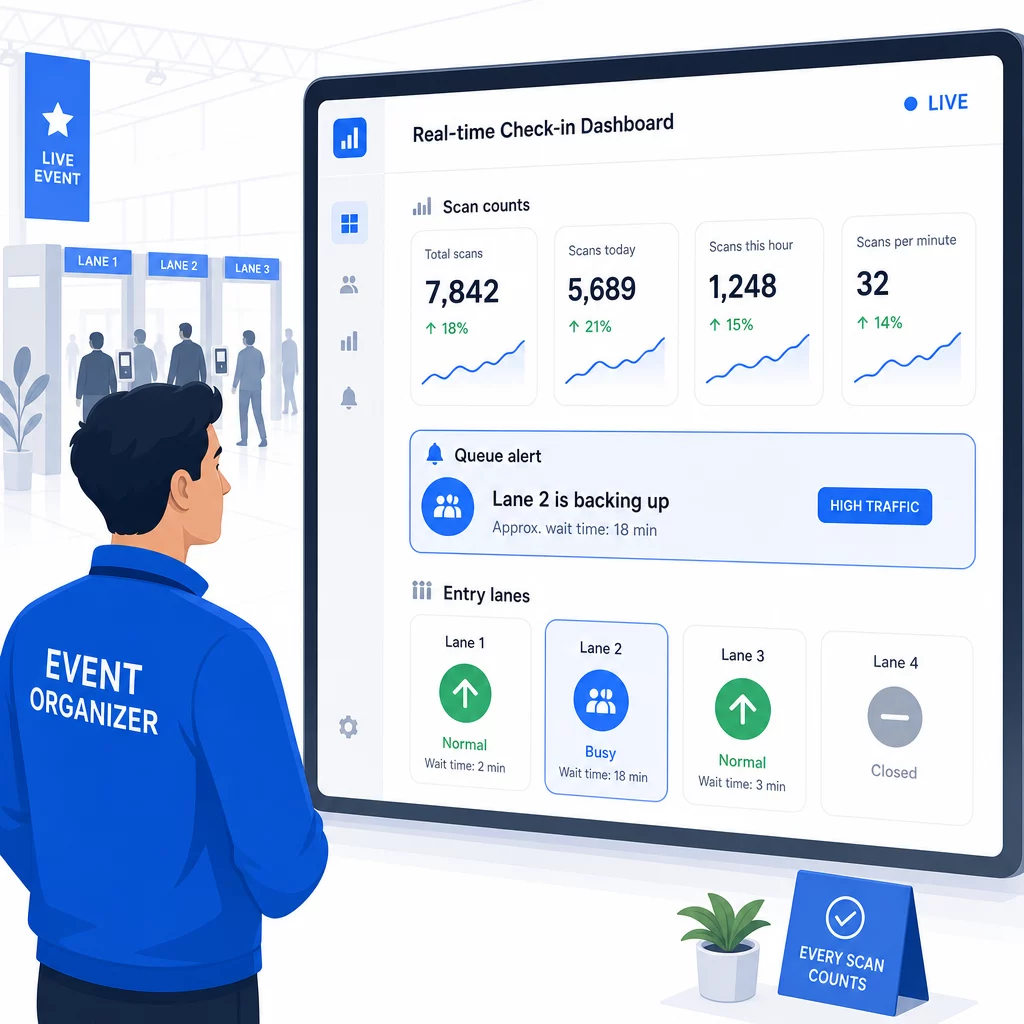
Az esemény után ezek az adatok tájékoztatják a következő alkalomra vonatkozó döntéseket: mikor nyissák ki az ajtókat, hány belépési sávra van szükség, és mely munkamenetek váltották ki a legnagyobb érdeklődést. Eszközök a QR kódos eseménykövetés utólagos jelentéskészítési exportokat kínál, amelyek közvetlenül beépülnek a tervezési munkafolyamatokba.
Biztonság és adatvédelem
A bejelentkezési rendszerek személyes adatokat kezelnek, ami jogi és hírnévbeli kötelezettségeket is teremt.
Kifejezetten QR kód rendszerek esetén:
- Használjon egyszer használatos kódokat, amelyek az első beolvasás után deaktiválódnak, hogy megakadályozza a hitelesítő adatok megosztását
- Titkosítson minden adatot átvitel közben és nyugalmi állapotban – győződjön meg róla, hogy QR platformja támogatja ezt, mielőtt elkötelezi magát
- Csak azt gyűjtse, amire szüksége van: név, jegytípus és bejelentkezési időbélyeg általában elegendő; lakcímek és telefonszámok ritkán azok
- Alkalmazzon hozzáférés-vezérlést, hogy csak azok a munkatársak láthassák a résztvevői adatokat, akiknek szükségük van rájuk
- Tegyen egyértelmű adatvédelmi nyilatkozatot a regisztrációs űrlapjára, amely elmagyarázza, mit gyűjt, miért, és mennyi ideig tárolja
A kaliforniai résztvevőkkel járó események esetén a CCPA-megfelelőség kötelező, függetlenül attól, hogy hol tartják az eseményt. A résztvevőknek joguk van tudni, milyen adatokat gyűjtött, és kérhetik azok törlését. Útmutatásért, hogyan építheti be ezeket a védelmeket a jegykezelési munkafolyamatába a kezdetektől fogva, a biztonságos QR kódos eseményjegyek útmutató részletesen tárgyalja a titkosítást, a tokenizálást és az egyszeri használatú érvényesítést.
A QR kód platformok értékelésekor keresse a SOC 2 megfelelőséget, az amerikai szervereken tárolt adatokat, ha az esemény belföldi, az adathozzáférési naplókat, és egyértelmű szabályzatot, amely kimondja, hogy Ön teljes mértékben tulajdonosa a résztvevői adatainak.
Mentési tervek technológiai meghibásodás esetére
Még a jól tesztelt rendszerek is problémákba ütköznek az esemény napján. Készítse el a tartalék tervét, mielőtt szüksége lenne rá.
Gyakori szkennelési problémák és gyors megoldások:
- Rossz világítás: helyezzen el LED-es munkavilágítást minden állomáson
- Sérült vagy olvashatatlan kódok: tartson egy tabletet minden állomáson, hogy a személyzet előhívhassa a digitális verziót a résztvevői nyilvántartásból
- Eszköz inkompatibilitás: kérje meg a résztvevőket, hogy tartsák a telefonjukat 6–8 hüvelyk távolságra a szkennertől; ha a natív kamera alkalmazás hibás, egy dedikált QR-szkenner alkalmazás általában megoldja
Hálózati hibák esetén:
- Használjon olyan platformot, amely helyben tárolja a bejelentkezési adatokat, és szinkronizálja azokat, amikor a kapcsolat helyreáll
- Tartson két tartalék szkennelő eszközt minden belépési ponton
Ha minden digitális rendszer meghibásodik:
- Legyen egy ABC-sorrendbe rendezett nyomtatott résztvevői lista minden belépési ponton
- Tájékoztassa a személyzetet, hogyan keressenek név szerint, kezeljék az elveszett kódokat és adjanak ki ideiglenes belépőkártyákat
- Használjon színkódolt bélyegzőket vagy matricákat a manuális bejelentkezések jelölésére és a duplikált bejegyzések elkerülésére
VIP szintekkel vagy korlátozott zónákkal rendelkező események esetén nyomtasson előre színkódolt ideiglenes belépőkártyákat az esemény előtt, hogy a személyzet a digitális rendszerre való támaszkodás nélkül kezelhesse a hozzáférési szinteket. Világosan kommunikálja az esetleges késedelmeket: “Tartalék rendszerünket használjuk, hogy a lehető leggyorsabban bejuthasson” – ez elegendő ahhoz, hogy a technikai nehézségek során is megőrizze a pozitív résztvevői élményt.
Utánkövetés automatizálása a bejelentkezés után
Az esemény befejezése után a bejelentkezéskor gyűjtött adatok értékesebbé válnak. A QR-szkennelő rendszer és az e-mail vagy marketing platform összekapcsolásával szegmentált utánkövetéseket küldhet az alapján, amit minden résztvevő ténylegesen tett.
Gyakorlati esemény utáni automatizálás:
- Küldjön köszönő e-maileket az esemény befejezésétől számított 2 órán belül, beleértve a diákra vagy forrásokra mutató linkeket
- Több szekcióból álló események esetén használjon szekcióspecifikus QR-szkennelési adatokat, hogy csak azt a tartalmat küldje el, ami az egyes résztvevők által látogatott szekciókhoz releváns.
- Osszon meg visszajelzési felméréseket 24–48 órával az esemény után – tartsa őket öt kérdésnél rövidebbre, és kínáljon egy kis ösztönzőt a kitöltésért.
- Networking események esetén állítson össze egy kapcsolati összefoglaló e-mailt a szkennelési adatokból, hogy a résztvevőknek legyen feljegyzésük arról, kivel találkoztak.
Kövesse nyomon a megnyitási és átkattintási arányokat a nyomon követő üzeneteknél, hogy kalibrálja az időzítést és a tartalmat a jövőbeli eseményekhez.
Gyakori kérdések
Ez az esemény méretétől, költségvetésétől és biztonsági követelményeitől függ. A QR-kódok a legköltséghatékonyabb megoldás, és jól működnek kis és közepes méretű eseményeken, ahol a résztvevők saját eszközeiket hozzák. Az RFID nagy volumenű eseményekre alkalmas, ahol passzív, érintésmentes beléptetésre van szükség több ezer résztvevő számára. Az NFC a legerősebb választás, ha titkosított zónaalapú beléptetésre, készpénzmentes fizetésre vagy többnapos belépő újrafelhasználására van szüksége. A legtöbb 500 fő alatti esemény zökkenőmentes bejelentkezést biztosíthat teljes mértékben QR-kódokkal és egy megbízható platformmal.
Rendeljen egy egyedi QR-kódot minden regisztrálónak, és konfigurálja rendszerét úgy, hogy minden kódot felhasználtként jelöljön meg közvetlenül az első beolvasás után. Beolvasás után a kód nem használható fel újra. A valós idejű érvényesítési háttérrendszerrel párosított dinamikus QR-kódok azonnal észlelik a duplikált beolvasási kísérleteket. Azokon az eseményeken, ahol az azonosság ellenőrzése fontos, képezze ki a személyzetet arra, hogy összevesse a fényképes igazolványt a regisztrációs névvel, amikor a kódot beolvassák.
Legyen nyomtatott, ABC sorrendbe rendezett résztvevői lista minden belépési ponton, és képezze ki a személyzetet, hogy manuálisan regisztrálja a résztvevőket név és jegyszám alapján. Tartson legalább két tartalék szkennelő eszközt sávonként feltöltött akkumulátorokkal vagy hordozható töltőkkel. Használjon olyan platformot, amely helyben tárolja a bejelentkezéseket, és szinkronizálja azokat, amikor az internetkapcsolat visszatér, így nem vész el adat. Tájékoztassa csapatát a manuális folyamatról az esemény kezdete előtt, hogy az átállás zökkenőmentes legyen, ha szükséges.