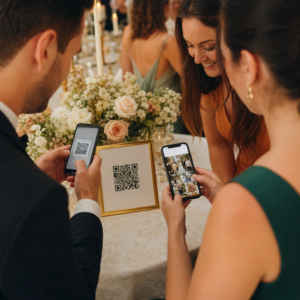
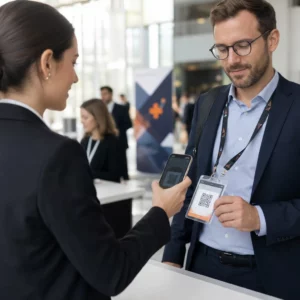
Koja je tehnologija prijave prava za vaš događaj – i što se događa kada odaberete pogrešnu? Uska grla pri ulasku, dijeljenje akreditacija i nedostaci u praćenju u stvarnom vremenu koštaju organizatore vremena i povjerenja sudionika. Ovaj vodič objašnjava kako se QR kodovi, RFID i NFC uspoređuju za prijavu na događaje i kako implementirati pristup koji odgovara vašoj postavci.
Kako QR kodovi, RFID i NFC rade različito
Prije odabira sustava za prijavu, korisno je razumjeti što svaka tehnologija zapravo radi – i gdje svaka od njih ima nedostatke.
QR kodovi su vizualni kodovi temeljeni na kameri. Skener ili kamera pametnog telefona čita uzorak, dekodira informacije i pronalazi zapis o sudioniku. Zahtijevaju izravnu vidljivost i najbolje rade kada je kod čist, dobro osvijetljen i neoštećen. Prijava putem QR koda je najjeftinija opcija za implementaciju: sudionici primaju kod putem e-pošte ili SMS-a, a osoblje ga skenira bilo kojim uređajem opremljenim kamerom.
RFID (Radiofrekvencijska identifikacija) koristi radio valove između oznake ugrađene u značku ili narukvicu i uređaja za čitanje. Sudionici ne moraju ništa raditi – samo prođu blizu čitača i sustav bilježi njihov ulazak. RFID je potpuno pasivan sa strane sudionika, što ga čini iznimno brzim pri velikim količinama. Čitači mogu detektirati oznake na udaljenosti od nekoliko stopa, što znači da ulaz može biti potpuno bez osoblja na vratima.
NFC (Komunikacija bliskog polja) je podskup RFID tehnologije kratkog dometa, koji zahtijeva da značka ili narukvica budu unutar otprilike 1–4 centimetra od čitača – u biti dodir. Kratki domet je namjeran: NFC nudi šifriranu, dvosmjernu komunikaciju koju je teško klonirati, što ga čini najjačim izborom za sigurnu kontrolu pristupa, bezgotovinsko plaćanje i upravljanje VIP zonama.
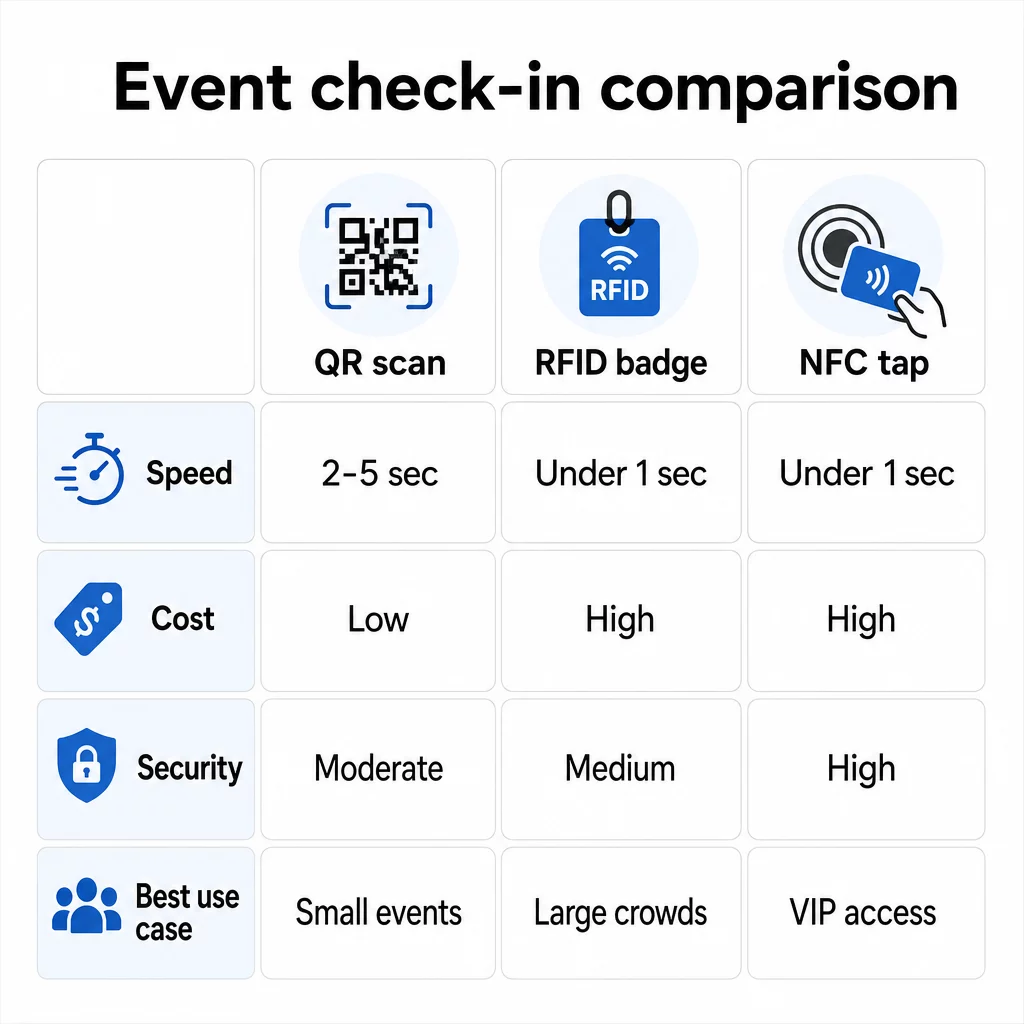
Usporedba triju tehnologija jedna pored druge
| ZNAČAJKA | QR kod | RFID | NFC |
|---|---|---|---|
| KAKO RADI | Kamera skenira vizualni kod | Radio valovi, bez izravne vidljivosti | Dodir kratkog dometa (1–4 cm) |
| Brzina po ulasku | 2–5 sekundi | Ispod 1 sekunde, bez ruku | Ispod 1 sekunde |
| Trošak infrastrukture | Nizak (bilo koji uređaj s kamerom) | Visok (čitači + kodirane značke) | Visok (čitači + kodirane značke) |
| Sigurnost | Umjeren (lako se dijeli putem snimke zaslona) | Varijabilno | Visok (šifrirano, teško klonirati) |
| Mogućnost rada izvan mreže | Ovisi o platformi | Općenito da | Općenito da |
| Ponovna upotrebljivost | Jednokratna upotreba ili jednokratni ispis | Višekratna upotreba kroz dane ili događaje | Višekratna upotreba kroz dane ili događaje |
| Praćenje kretanja u stvarnom vremenu | Samo na mjestima skeniranja | Preko cijelog prostora | Preko definiranih zona |
| Najbolje za | Mali do srednji događaji, nizak budžet | Događaji s velikim brojem posjetitelja, festivali | Siguran pristup, VIP zone, plaćanja |
QR kodovi su brzi, ali krhki. Dobro funkcioniraju u idealnim uvjetima, ali postaju usko grlo kada se posjetiteljima isprazne baterije, ekrani su napukli ili padne mrežna povezanost. RFID obrađuje velike gužve s minimalnim trenjem. NFC nudi najjači sigurnosni profil, ali zahtijeva najbližu fizičku blizinu.
Kada koristiti QR kodove za prijavu
QR kodovi su pravi izbor za većinu malih i srednjih događaja, jednodnevnih konferencija i svaku situaciju gdje su budžet ili vrijeme postavljanja ograničeni. Možete implementirati potpuni sustav prijave putem QR kodova bez specijaliziranog hardvera – samo pouzdana platforma za QR kodove i uređaj opremljen kamerom na svakoj ulaznoj točki.
Praktične prednosti QR kodova uključuju:
- Nije potreban hardver za posjetitelje – kodovi se nalaze na zaslonu telefona ili ispisanoj ulaznici
- Jednostavna distribucija – šaljite putem e-pošte, SMS-a ili aplikacija za razmjenu poruka prije događaja
- Dinamičko ažuriranje – ako se vaše mjesto događaja promijeni ili se promijeni vaš tijek prijave, možete ažurirati na što dinamički QR kod upućuje bez ponovnog ispisa bilo čega
- Analitika skeniranja – pratite vremena prijave, vrste uređaja i volumen ulaza u stvarnom vremenu
Glavne slabosti koje treba uzeti u obzir: QR kodovi sami po sebi ne provjeravaju identitet, već samo posjedovanje koda. Lako ih je snimiti i podijeliti. I ne prate pasivno kamo posjetitelji idu između točaka skeniranja.
Kako biste zatvorili neke od ovih praznina, svakom registriranom sudioniku dodijelite jedinstveni QR kod za jednokratnu upotrebu koji se označava kao iskorišten pri prvom skeniranju. To sprječava duplikate i dijeljenje vjerodajnica bez dodavanja troškova hardvera. Kako to funkcionira u praksi možete saznati u ultimativni vodič za QR kodove za prijave na događaje.
Postavite kodove za prijavu na događaj koji se mogu pratiti Izradite personalizirane, dinamičke QR kodove za svakog sudionika i pratite podatke o skeniranju u stvarnom vremenu s jedne nadzorne ploče. Započnite s Pageloot Generator QR kodova za događaje.
Kada umjesto toga koristiti RFID ili NFC
Za velike festivale, višednevne konferencije ili bilo koji događaj s više od 1000 posjetitelja koji se kreću kroz više pristupnih zona, RFID i NFC nude značajno bolju propusnost i dubinu praćenja.
RFID ima smisla kada:
- Trebate potpuno automatizirane, besposadne ulazne kapije
- Posjetitelji se kreću kroz više sesija ili područja i trebate pasivno praćenje lokacije
- Dijeljenje vjerodajnica predstavlja značajan rizik od prijevare
- Ionako izdajete fizičke narukvice ili bedževe
NFC ima smisla kada:
- Trebate kontrolu pristupa temeljenu na zonama s šifriranim vjerodajnicama (VIP, backstage, press)
- Uz upravljanje ulazom provodite bezgotovinsko plaćanje
- Želite dvosmjernu razmjenu podataka između bedževa i čitača
- Maksimalna otpornost na kloniranje je sigurnosni zahtjev
Kompromis je infrastruktura. I RFID i NFC zahtijevaju početno ulaganje u čitače, kodirane bedževe ili narukvice te softversku integraciju s vašom platformom za upravljanje događajima. Također morate izdati akreditacije unaprijed, što dodaje logistički korak prije događaja koji sustavi QR kodova u potpunosti preskaču.
Postavljanje prijave putem QR koda: Pristup korak po korak
Ako ste odlučili da su QR kodovi pravi izbor, evo kako ih pravilno implementirati.
Odaberite dinamičke umjesto statičkih kodova
Statički QR kodovi zaključavaju fiksno odredište u trenutku stvaranja. Ako se URL vašeg obrasca za prijavu promijeni, ili vaša platforma za događaje padne i trebate preusmjeriti sudionike, morate ponovno ispisati. Dinamički QR kodovi omogućuju vam ažuriranje odredišta u bilo kojem trenutku – čak i tijekom događaja – bez izdavanja novih kodova.
Za događaje gdje se bilo koji detalj može promijeniti, dinamički kodovi su praktična zadana opcija. Platforme poput Pagelootove generator QR kodova omogućuju vam stvaranje kodova koji se mogu uređivati i praćenje svakog skeniranja u stvarnom vremenu.
Dodijelite pojedinačne kodove svakom sudioniku
Jedan kod po sudioniku sprječava dijeljenje, stvara zapis o prijavi koji se može revidirati i omogućuje vašem sustavu da označi svaki kod kao korišten pri prvom skeniranju. Distribuirajte kodove putem e-pošte (ugrađene kao slika s PDF sigurnosnom kopijom za preuzimanje) i putem SMS-a za sudionike koji možda ne provjeravaju e-poštu pouzdano. Pošaljite podsjetnike 48 i 24 sata prije događaja kako biste smanjili broj ljudi koji dolaze bez svog koda.
Ako gradite integriraniju postavku – gdje QR kodovi unaprijed popunjavaju podatke o sudionicima u CRM ili obrazac prilikom skeniranja – vodič o izradi dinamičkih QR kodova za prijave u CRM-u prolazi kroz tehničku implementaciju.
Postavite svoj obrazac za praćenje prisutnosti
Jednostavan i učinkovit pristup: izradite obrazac za prijavu na Google obrascima ili sličnom alatu, a zatim generirajte QR kod koji izravno vodi do njega. Kada sudionici skeniraju, predaju svoje podatke, a podaci se unose u vašu nadzornu ploču za praćenje. The QR kod za praćenje prisutnosti Postavke na Pagelootu podržavaju upravo ovaj tijek rada – organizatori mogu pregledati sve poslane podatke u generatoru nakon što sudionici skeniraju i pošalju.
Za događaje koji koriste QR kodove na ulaznicama, povežite kod sa sigurnom točkom za provjeru valjanosti kako bi osoblje moglo potvrditi identitet sudionika u stvarnom vremenu, umjesto da se oslanja na pasivno slanje obrasca.
Pažljivo planirajte postavljanje
Gdje postavljate QR kodove jednako je važno kao i kako ih stvarate. Ključna načela postavljanja:
- Postavite stanice za skeniranje na visinu od oko 120 cm kako bi se svi korisnici udobno smjestili
- Postavite više kontrolnih točaka za događaje s više od 200 sudionika kako biste spriječili zagušenja
- Osigurajte jako, ravnomjerno osvjetljenje na svakoj stanici – posebno za večernje ili unutarnje događaje
- Postavite QR kodove na izlaznim točkama povezane s obrascem za povratne informacije kako bi gosti mogli podijeliti svoja razmišljanja prilikom odlaska
- Za događaje temeljene na sesijama, postavite pojedinačne QR kodove na svakom ulazu u sesiju kako biste pratili sudjelovanje
Prošećite prostorom prije događaja kao da ste sudionik. Provjerite skeniraju li se kodovi čisto iz više kutova i pod stvarnim uvjetima osvjetljenja prostora.
Dizajnirajte kodove koji se pouzdano skeniraju
Vizualni dizajn QR koda izravno utječe na to hoće li se dosljedno skenirati na različitim uređajima i u različitim okruženjima.
- Minimalna veličina: 0,8 × 0,8 inča (2 × 2 cm) za skeniranje iz blizine; veće za zaslone ili natpise
- Kontrast: tamni moduli na svijetloj pozadini, s omjerom kontrasta od najmanje 4:1
- Ispravak pogreške: koristite razinu H kada dodajete logotip u središte koda, jer omogućuje da do 30% koda bude zaklonjeno, a da ostane čitljivo
- Za tiskane ulaznice koje se mogu saviti ili zgužvati, koristite ravni mat tisak umjesto sjajnih završnih obrada kako biste smanjili odsjaj
- Dodajte kratak poziv na akciju ispod koda: “Skenirajte za prijavu” uklanja nejasnoće za sudionike
Možete dodati boje brenda i logotip događaja uz zadržavanje mogućnosti skeniranja – alati poput Pagelootovog generatora automatski primjenjuju ispravak pogreške kada su logotipi ugrađeni. Testirajte svaki kod na više modela telefona i u različitim uvjetima osvjetljenja prije distribucije.
Za dublji uvid u to kako kodove učiniti dostupnima svim sudionicima, uključujući one s oštećenjem vida ili bez pametnih telefona, Vodič za RSVP QR kodove detaljno pokriva najbolje prakse pristupačnosti.
Praćenje prijava u stvarnom vremenu
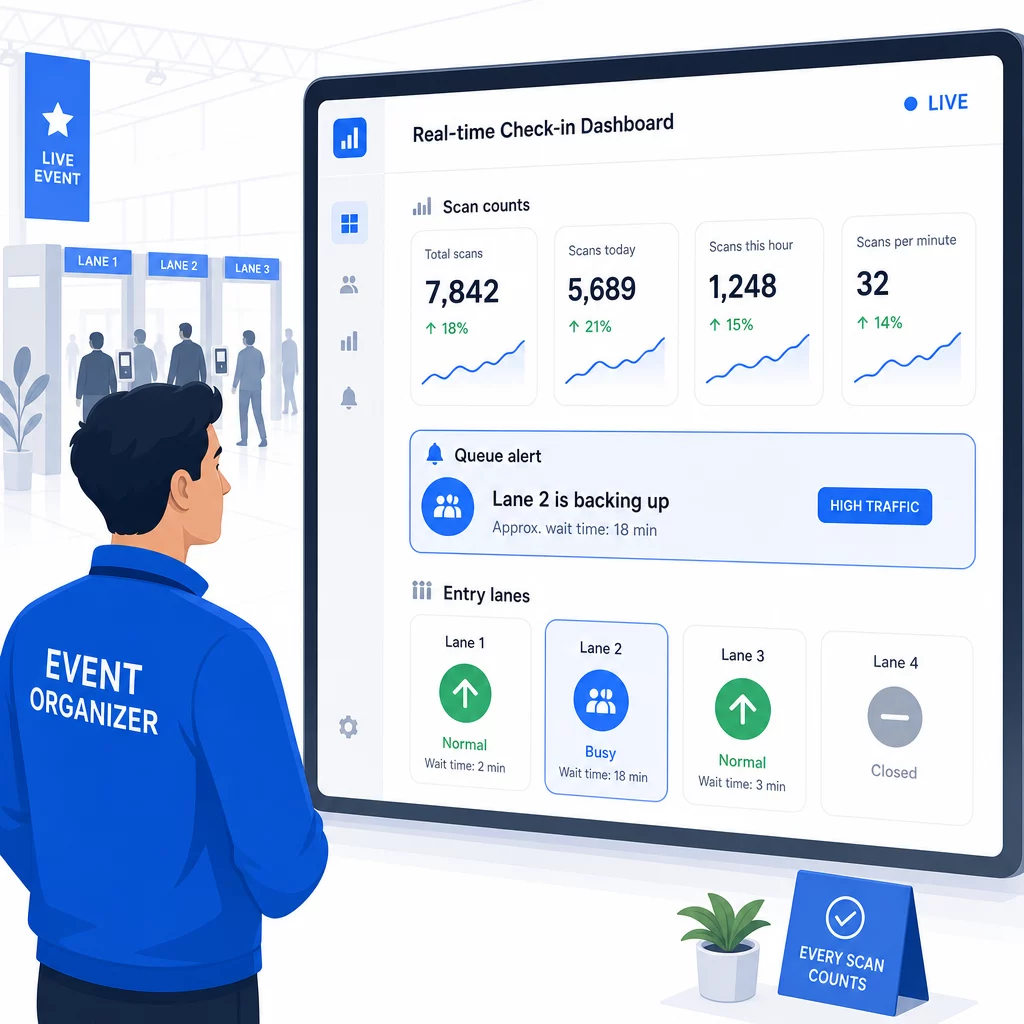
Jedna od praktičnih prednosti sustava temeljenih na QR kodovima u odnosu na mnoge RFID implementacije je dostupna analitika u stvarnom vremenu bez specijaliziranog softvera.
Metrike koje vrijedi pratiti tijekom događaja:
- Ukupan broj prijava u bilo kojem trenutku
- Prosječno vrijeme obrade skeniranja po sudioniku
- Duljina reda i vrhunci dolazaka
- Broj skeniranja specifičnih za sesiju (ako se koriste QR kodovi za sesije)
S Praćenje QR koda na platformi poput Pageloota, svako skeniranje bilježi vremensku oznaku, vrstu uređaja i lokaciju, dajući vam živu sliku o tome gdje se okupljaju gužve. Ako se jedna ulazna traka zaguši, možete odmah preusmjeriti osoblje. Ako QR kod sesije pokazuje neočekivano visoku posjećenost, možete prilagoditi kapacitet prostorije prije nego što to postane problem.
Nakon događaja, ovi podaci služe za donošenje odluka za sljedeći put: kada otvoriti vrata, koliko ulaznih traka trebate i koje su sesije privukle najviše angažmana. Alati za Praćenje događaja putem QR koda nuditi izvoze izvješća nakon događaja koji se izravno uklapaju u radne tokove planiranja.
Sigurnost i privatnost podataka
Sustavi za prijavu obrađuju osobne podatke, što stvara i pravne i reputacijske obveze.
Posebno za sustave QR kodova:
- Koristite jednokratne kodove koji se deaktiviraju nakon prvog skeniranja kako biste spriječili dijeljenje vjerodajnica
- Šifrirajte sve podatke u prijenosu i u mirovanju – potvrdite da vaša QR platforma to podržava prije nego što se obvežete
- Prikupljajte samo ono što vam je potrebno: ime, vrsta ulaznice i vrijeme prijave obično su dovoljni; kućne adrese i telefonski brojevi rijetko su potrebni
- Primijenite kontrole pristupa tako da samo osoblje koje treba podatke o sudionicima može vidjeti
- Uključite jasnu obavijest o privatnosti na svoj obrazac za registraciju objašnjavajući što prikupljate, zašto i koliko dugo to zadržavate
Za događaje s posjetiteljima iz Kalifornije, usklađenost s CCPA-om je obvezna bez obzira na to gdje se vaš događaj održava. Posjetitelji imaju pravo znati koje ste podatke prikupili i zatražiti njihovo brisanje. Za smjernice o ugradnji ovih zaštita u vaš radni tok izdavanja ulaznica od samog početka, vodič za sigurne ulaznice za događaje s QR kodom detaljno pokriva šifriranje, tokenizaciju i jednokratnu validaciju.
Prilikom procjene platformi za QR kodove, potražite usklađenost sa SOC 2, podatke pohranjene na američkim poslužiteljima ako je vaš događaj domaći, revizijske zapise za pristup podacima i jasnu politiku koja navodi da zadržavate potpuno vlasništvo nad podacima o svojim sudionicima.
Planovi sigurnosne kopije za slučaj kvara tehnologije
Čak i dobro testirani sustavi nailaze na probleme na dan događaja. Izgradite svoj rezervni plan prije nego što vam zatreba.
Uobičajeni problemi sa skeniranjem i brza rješenja:
- Loše osvjetljenje: dodajte LED radnu rasvjetu na svaku stanicu
- Oštećeni ili nečitljivi kodovi: držite tablet na svakoj stanici kako bi osoblje moglo povući digitalnu verziju iz zapisa o sudioniku
- Nekompatibilnost uređaja: zamolite sudionike da drže telefon 6–8 inča od skenera; ako izvorna aplikacija kamere zakaže, namjenska aplikacija za skeniranje QR kodova obično to riješi
Za kvarove mreže:
- Koristite platformu koja lokalno pohranjuje podatke o prijavi i sinkronizira ih kada se povezanost vrati
- Držite dva rezervna uređaja za skeniranje na svakoj ulaznoj točki
Ako svi digitalni sustavi zakažu:
- Imati abecedni ispis popisa sudionika na svakoj ulaznoj točki
- Uputite osoblje kako pretraživati po imenu, rukovati izgubljenim kodovima i izdavati privremene značke
- Koristite pečate ili naljepnice u boji za označavanje ručnih prijava i sprječavanje dupliciranih unosa
Za događaje s VIP razinama ili ograničenim zonama, unaprijed ispišite privremene značke u boji prije događaja kako bi osoblje moglo upravljati razinama pristupa bez oslanjanja na digitalni sustav. Jasno komunicirajte sva kašnjenja: “Koristimo naš rezervni sustav kako bismo vas što brže uveli” dovoljno je za očuvanje pozitivnog iskustva sudionika tijekom tehničkih poteškoća.
Automatizacija praćenja nakon prijave
Podaci o prijavi koje prikupite postaju vrjedniji nakon završetka događaja. Povezivanjem vašeg sustava za skeniranje QR kodova s vašom e-poštom ili marketinškom platformom, možete slati segmentirane naknadne poruke na temelju onoga što je svaki sudionik zapravo učinio.
Praktična automatizacija nakon događaja:
- Pošaljite e-poruke zahvale unutar 2 sata od završetka događaja, uključujući poveznice na slajdove ili resurse
- Za događaje s više sesija, koristite podatke skeniranja QR kodova specifične za sesiju kako biste poslali samo sadržaj relevantan za ono što je svaki sudionik pohađao
- Podijelite ankete za povratne informacije 24–48 sati nakon događaja – ograničite ih na pet ili manje pitanja i ponudite mali poticaj za ispunjavanje
- Za događaje umrežavanja, sastavite e-poruku sa sažetkom veza iz podataka skeniranja kako bi sudionici imali evidenciju o tome koga su upoznali
Pratite stope otvaranja i stope klikanja na porukama za praćenje kako biste kalibrirali vrijeme i sadržaj za buduće događaje.
Često postavljana pitanja
Ovisi o veličini vašeg događaja, proračunu i sigurnosnim zahtjevima. QR kodovi su najjeftinija opcija i dobro funkcioniraju za male do srednje velike događaje gdje posjetitelji donose vlastite uređaje. RFID odgovara događajima s velikim brojem posjetitelja gdje vam je potreban pasivan ulaz bez ruku za tisuće sudionika. NFC je najjači izbor kada vam je potrebna šifrirana kontrola pristupa temeljena na zonama, bezgotovinsko plaćanje ili višekratna upotreba akreditiva tijekom više dana. Većina događaja s manje od 500 posjetitelja može provesti glatku prijavu u potpunosti s QR kodovima i pouzdanom platformom.
Dodijelite jedinstveni QR kod svakom registriranom sudioniku i konfigurirajte svoj sustav da označi svaki kod kao iskorišten odmah nakon prvog skeniranja. Jednom skeniran, kod se ne može ponovno koristiti. Dinamički QR kodovi u kombinaciji s pozadinskim sustavom za provjeru u stvarnom vremenu trenutačno hvataju pokušaje dvostrukog skeniranja. Za događaje gdje je provjera identiteta važna, obučite osoblje da usporedi osobnu iskaznicu s fotografijom s imenom na prijavi kada se kod skenira.
Imajte ispisani, abecedni popis sudionika na svakom ulazu i obučite osoblje da ručno prijavljuje sudionike koristeći ime i broj ulaznice. Držite najmanje dva rezervna uređaja za skeniranje po ulazu s napunjenim baterijama ili prijenosnim punjačima. Koristite platformu koja pohranjuje prijave lokalno i sinkronizira se kada se vrati internetska veza kako se podaci ne bi izgubili. Upoznajte svoj tim s ručnim postupkom prije početka događaja kako bi prijelaz bio besprijekoran ako bude potrebno.