เทคโนโลยีเช็คอินแบบไหนที่เหมาะกับงานของคุณ – และจะเกิดอะไรขึ้นหากคุณเลือกผิด? ปัญหาคอขวดในการเข้างาน การใช้ข้อมูลประจำตัวร่วมกัน และช่องว่างในการติดตามแบบเรียลไทม์ ทำให้ผู้จัดงานเสียเวลาและความไว้วางใจจากผู้เข้าร่วม คู่มือนี้จะอธิบายว่ารหัส QR, RFID และ NFC เปรียบเทียบกันอย่างไรสำหรับการเช็คอินงาน และวิธีการนำแนวทางที่เหมาะสมกับการตั้งค่าของคุณไปใช้.
รหัส QR, RFID และ NFC ทำงานแตกต่างกันอย่างไร
ก่อนที่จะเลือกระบบเช็คอิน การทำความเข้าใจว่าแต่ละเทคโนโลยีทำอะไรได้บ้าง – และข้อจำกัดของแต่ละเทคโนโลยี – จะเป็นประโยชน์.
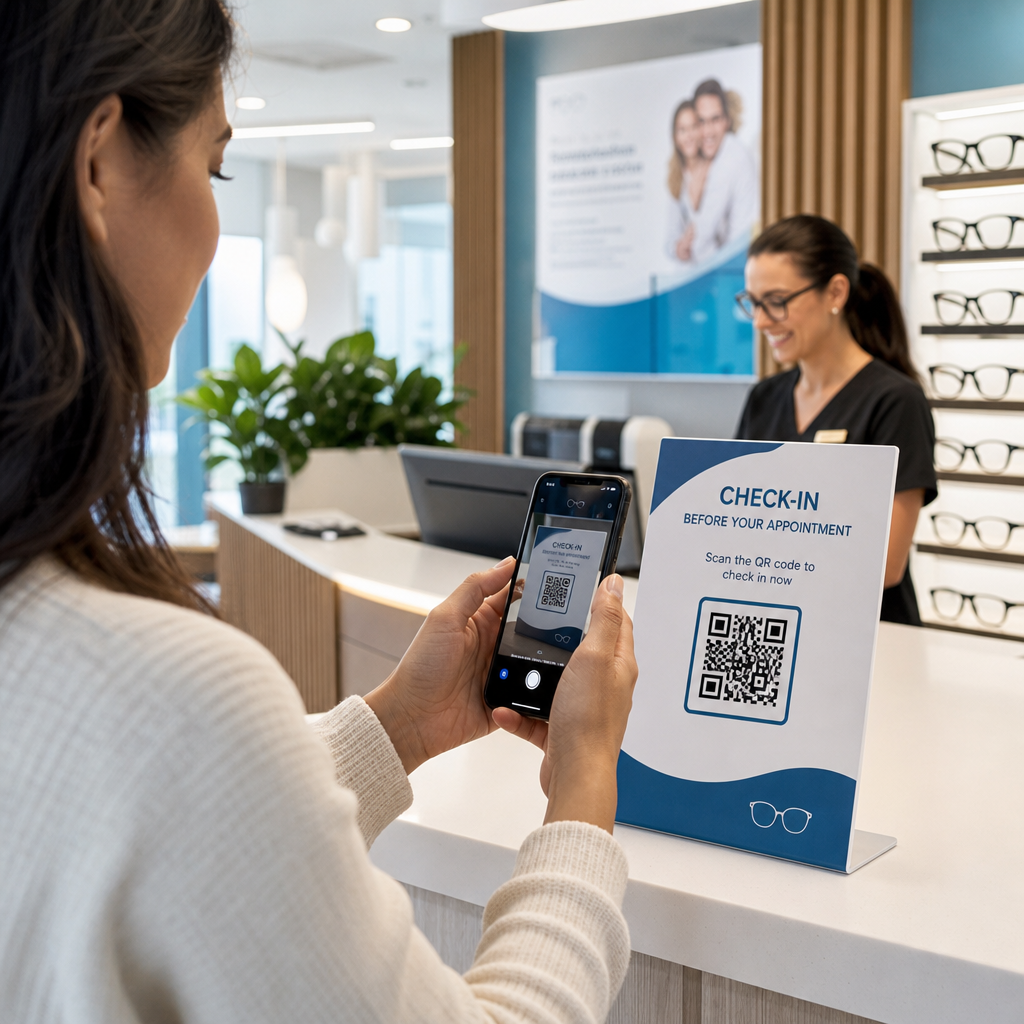
รหัส QR เป็นรหัสภาพที่ใช้กล้อง สแกนเนอร์หรือกล้องสมาร์ทโฟนจะอ่านรูปแบบ ถอดรหัสข้อมูล และค้นหาบันทึกของผู้เข้าร่วมงาน ต้องใช้การมองเห็นโดยตรงและทำงานได้ดีที่สุดเมื่อรหัสสะอาด มีแสงสว่างเพียงพอ และไม่เสียหาย การเช็คอินด้วยรหัส QR เป็นตัวเลือกที่ใช้ต้นทุนต่ำที่สุดในการนำไปใช้: ผู้เข้าร่วมจะได้รับรหัสทางอีเมลหรือ SMS และเจ้าหน้าที่สามารถสแกนได้ด้วยอุปกรณ์ที่มีกล้อง.
RFID (Radio Frequency Identification) ใช้คลื่นวิทยุระหว่างแท็กที่ฝังอยู่ในป้ายหรือสายรัดข้อมือกับอุปกรณ์อ่าน ผู้เข้าร่วมไม่จำเป็นต้องทำอะไรเลย – เพียงแค่เดินเข้าใกล้เครื่องอ่านและระบบจะบันทึกการเข้างานของพวกเขา RFID เป็นแบบพาสซีฟอย่างสมบูรณ์ในฝั่งของผู้เข้าร่วม ซึ่งทำให้รวดเร็วอย่างยิ่งเมื่อมีปริมาณมาก เครื่องอ่านสามารถตรวจจับแท็กได้ในระยะไม่กี่ฟุต ซึ่งหมายความว่าการเข้างานสามารถทำได้โดยไม่มีเจ้าหน้าที่ประจำที่ประตูเลย.
NFC (Near Field Communication) เป็นส่วนย่อยของเทคโนโลยี RFID ที่มีระยะสั้น โดยต้องให้ป้ายหรือสายรัดข้อมืออยู่ห่างจากเครื่องอ่านประมาณ 1-4 เซนติเมตร – โดยพื้นฐานแล้วคือการแตะ ระยะสั้นนี้เป็นไปโดยเจตนา: NFC ให้การสื่อสารแบบสองทางที่เข้ารหัสซึ่งยากต่อการโคลน ทำให้เป็นตัวเลือกที่แข็งแกร่งที่สุดสำหรับการควบคุมการเข้าถึงที่ปลอดภัย การชำระเงินแบบไร้เงินสด และการจัดการโซน VIP.
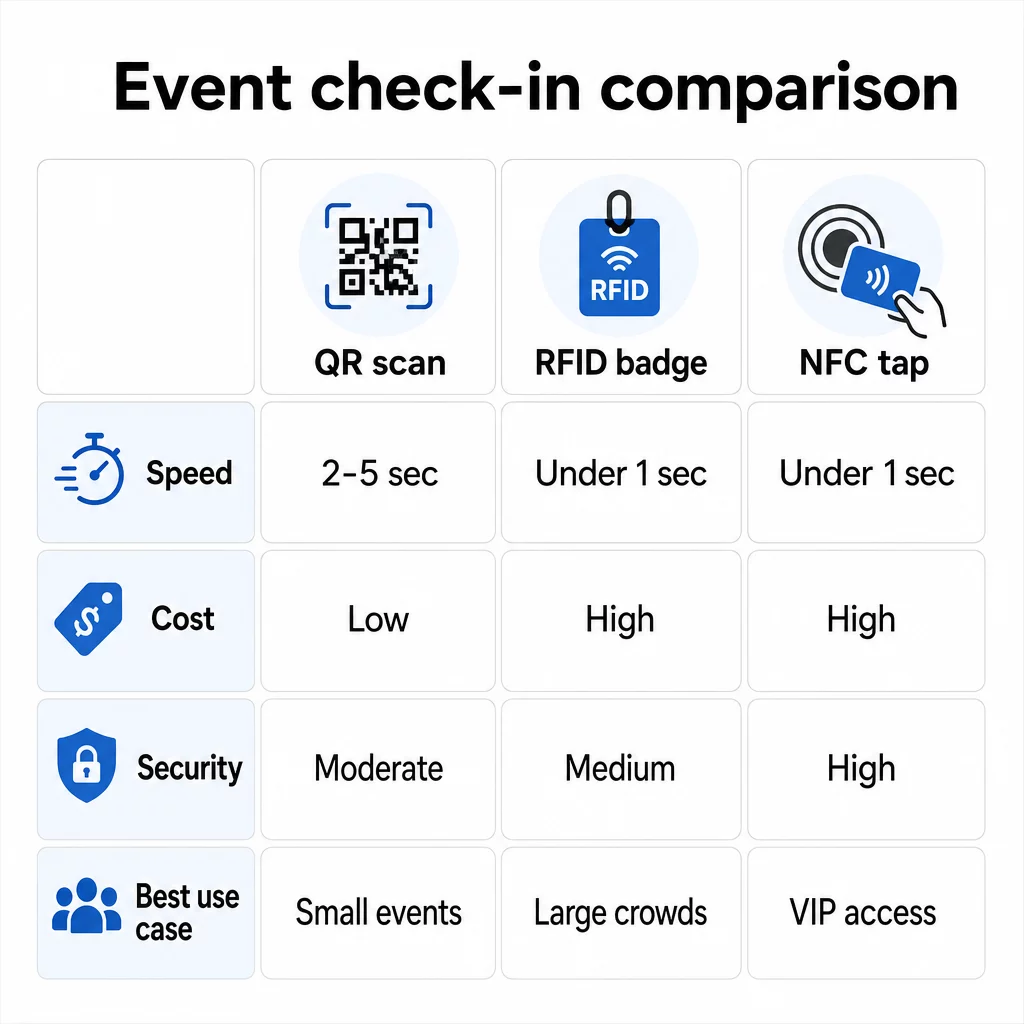
เปรียบเทียบสามเทคโนโลยีแบบเคียงข้างกัน
| ฟีเจอร์ | คิวอาร์โค้ด | RFID | NFC |
|---|---|---|---|
| วิธีการทำงาน | กล้องสแกนรหัสภาพ | คลื่นวิทยุ ไม่ต้องมองเห็นโดยตรง | แตะระยะสั้น (1–4 ซม.) |
| ความเร็วต่อการเข้างาน | 2–5 วินาที | น้อยกว่า 1 วินาที, ไม่ต้องใช้มือ | น้อยกว่า 1 วินาที |
| ค่าใช้จ่ายโครงสร้างพื้นฐาน | ต่ำ (อุปกรณ์กล้องใดก็ได้) | สูง (เครื่องอ่าน + บัตรเข้ารหัส) | สูง (เครื่องอ่าน + บัตรเข้ารหัส) |
| ความปลอดภัย | ปานกลาง (แชร์ได้ง่ายผ่านการจับภาพหน้าจอ) | ผันแปร | สูง (เข้ารหัส, ยากต่อการโคลน) |
| ความสามารถในการทำงานแบบออฟไลน์ | ขึ้นอยู่กับแพลตฟอร์ม | โดยทั่วไปแล้วใช่ | โดยทั่วไปแล้วใช่ |
| ความสามารถในการนำกลับมาใช้ใหม่ | ใช้ครั้งเดียวหรือพิมพ์ครั้งเดียว | นำกลับมาใช้ใหม่ได้หลายวันหรือหลายกิจกรรม | นำกลับมาใช้ใหม่ได้หลายวันหรือหลายกิจกรรม |
| การติดตามการเคลื่อนไหวแบบเรียลไทม์ | เฉพาะจุดสแกน | ทั่วทั้งสถานที่จัดงาน | ทั่วทั้งโซนที่กำหนด |
| เหมาะสำหรับ | งานขนาดเล็กถึงกลาง, งบประมาณต่ำ | งานที่มีผู้เข้าร่วมจำนวนมาก, เทศกาล | การเข้าถึงที่ปลอดภัย, โซน VIP, การชำระเงิน |
รหัส QR รวดเร็วแต่เปราะบาง ใช้งานได้ดีภายใต้เงื่อนไขที่เหมาะสม แต่จะกลายเป็นคอขวดเมื่อแบตเตอรี่ของผู้เข้าร่วมหมด, หน้าจอแตก หรือการเชื่อมต่อเครือข่ายหลุด RFID จัดการฝูงชนจำนวนมากได้โดยมีข้อจำกัดน้อยที่สุด NFC ให้โปรไฟล์ความปลอดภัยที่แข็งแกร่งที่สุด แต่ต้องใช้การสัมผัสใกล้ชิดที่สุด.
ควรใช้รหัส QR สำหรับการเช็คอินเมื่อใด
รหัส QR เป็นตัวเลือกที่เหมาะสมสำหรับงานขนาดเล็กถึงกลางส่วนใหญ่, การประชุมหนึ่งวัน และสถานการณ์ใดๆ ที่มีงบประมาณหรือเวลาในการติดตั้งจำกัด คุณสามารถนำระบบเช็คอินด้วย QR เต็มรูปแบบมาใช้ได้โดยไม่ต้องใช้อุปกรณ์พิเศษใดๆ – เพียงแค่แพลตฟอร์มรหัส QR ที่เชื่อถือได้และอุปกรณ์ที่มีกล้องที่จุดเข้าแต่ละจุด.
ข้อดีในทางปฏิบัติของรหัส QR ได้แก่:
- ไม่ต้องใช้อุปกรณ์ของผู้เข้าร่วม – รหัสจะแสดงบนหน้าจอโทรศัพท์หรือตั๋วที่พิมพ์ออกมา
- แจกจ่ายง่าย – ส่งผ่านอีเมล, SMS หรือแอปส่งข้อความก่อนงาน
- อัปเดตแบบไดนามิก – หากสถานที่จัดงานของคุณเปลี่ยนไปหรือขั้นตอนการเช็คอินของคุณเปลี่ยน คุณสามารถอัปเดตตำแหน่งที่รหัส QR แบบไดนามิกชี้ไปได้โดยไม่ต้องพิมพ์ซ้ำอะไรเลย
- การวิเคราะห์การสแกน – ติดตามเวลาเช็คอิน, ประเภทอุปกรณ์ และปริมาณการเข้างานแบบเรียลไทม์
จุดอ่อนหลักที่ต้องวางแผนรับมือ: รหัส QR ไม่ได้ยืนยันตัวตนโดยธรรมชาติ เพียงแค่ยืนยันการครอบครองรหัสเท่านั้น สามารถจับภาพหน้าจอและแชร์ได้ง่าย และไม่สามารถติดตามผู้เข้าร่วมงานได้โดยอัตโนมัติว่าไปที่ไหนระหว่างจุดสแกน.
เพื่อแก้ไขช่องว่างเหล่านี้ ให้กำหนดรหัส QR ที่ไม่ซ้ำกันและใช้ได้ครั้งเดียวสำหรับผู้ลงทะเบียนแต่ละราย ซึ่งจะถูกทำเครื่องหมายว่าใช้แล้วเมื่อสแกนครั้งแรก วิธีนี้ช่วยป้องกันการซ้ำซ้อนและการแชร์ข้อมูลประจำตัวโดยไม่ต้องเพิ่มค่าใช้จ่ายด้านฮาร์ดแวร์ คุณสามารถเรียนรู้ว่าสิ่งนี้ทำงานอย่างไรในทางปฏิบัติได้ใน คู่มือฉบับสมบูรณ์เกี่ยวกับรหัส QR สำหรับการเช็คอินงานอีเวนต์.
ตั้งค่ารหัสเช็คอินงานอีเวนต์ที่ติดตามได้ สร้างรหัส QR แบบไดนามิกที่ปรับแต่งเฉพาะบุคคลสำหรับผู้เข้าร่วมงานทุกคน และตรวจสอบข้อมูลการสแกนแบบเรียลไทม์จากแดชบอร์ดเดียว เริ่มต้นด้วย เครื่องสร้างรหัส QR สำหรับงานอีเวนต์ของ Pageloot.
ควรใช้ RFID หรือ NFC แทนเมื่อใด
สำหรับเทศกาลขนาดใหญ่, การประชุมหลายวัน, หรืองานใดๆ ที่มีผู้เข้าร่วมงานมากกว่า 1,000 คนที่เคลื่อนที่ผ่านโซนการเข้าถึงหลายโซน, RFID และ NFC ให้ประสิทธิภาพการทำงานที่ดีขึ้นอย่างมีนัยสำคัญและความลึกในการติดตาม.
RFID มีประโยชน์เมื่อ:
- คุณต้องการประตูทางเข้าอัตโนมัติเต็มรูปแบบที่ไม่มีเจ้าหน้าที่
- ผู้เข้าร่วมงานกำลังเคลื่อนที่ผ่านหลายเซสชันหรือหลายพื้นที่ และคุณต้องการการติดตามสถานที่แบบพาสซีฟ
- การแชร์ข้อมูลประจำตัวเป็นความเสี่ยงจากการฉ้อโกงที่สำคัญ
- คุณกำลังออกสายรัดข้อมือหรือป้ายทางกายภาพอยู่แล้ว
NFC มีประโยชน์เมื่อ:
- คุณต้องการการควบคุมการเข้าถึงตามโซนพร้อมข้อมูลประจำตัวที่เข้ารหัส (VIP, หลังเวที, สื่อ)
- คุณกำลังดำเนินการชำระเงินแบบไร้เงินสดควบคู่ไปกับการจัดการการเข้างาน
- คุณต้องการแลกเปลี่ยนข้อมูลสองทางระหว่างบัตรและเครื่องอ่าน
- การป้องกันการคัดลอกสูงสุดเป็นข้อกำหนดด้านความปลอดภัย
ข้อแลกเปลี่ยนคือโครงสร้างพื้นฐาน ทั้ง RFID และ NFC ต้องมีการลงทุนล่วงหน้าในเครื่องอ่าน, บัตรหรือสายรัดข้อมือที่เข้ารหัส, และการรวมซอฟต์แวร์เข้ากับแพลตฟอร์มการจัดการกิจกรรมของคุณ คุณยังต้องออกข้อมูลประจำตัวล่วงหน้า ซึ่งเพิ่มขั้นตอนการจัดการลอจิสติกส์ก่อนงานที่ระบบ QR โค้ดข้ามไปได้ทั้งหมด.
การตั้งค่าการเช็คอินด้วย QR โค้ด: แนวทางทีละขั้นตอน
หากคุณตัดสินใจแล้วว่า QR โค้ดเหมาะสม นี่คือวิธีการนำไปใช้อย่างถูกต้อง.
เลือกใช้โค้ดแบบไดนามิกแทนแบบคงที่
QR โค้ดแบบคงที่จะล็อกปลายทางที่แน่นอนไว้ ณ เวลาที่สร้าง หาก URL แบบฟอร์มเช็คอินของคุณเปลี่ยนไป หรือแพลตฟอร์มกิจกรรมของคุณล่มและคุณต้องเปลี่ยนเส้นทางผู้เข้าร่วม คุณจะต้องพิมพ์ใหม่ QR โค้ดแบบไดนามิกช่วยให้คุณอัปเดตปลายทางได้ตลอดเวลา แม้กระทั่งระหว่างงาน โดยไม่ต้องออกโค้ดใหม่.
สำหรับกิจกรรมที่รายละเอียดใดๆ อาจมีการเปลี่ยนแปลง โค้ดแบบไดนามิกคือค่าเริ่มต้นที่ใช้งานได้จริง แพลตฟอร์มอย่าง Pageloot’s เครื่องสร้างรหัส QR ช่วยให้คุณสร้างโค้ดที่แก้ไขได้และติดตามการสแกนทุกครั้งแบบเรียลไทม์.
กำหนดโค้ดเฉพาะบุคคลให้กับผู้เข้าร่วมแต่ละคน
หนึ่งโค้ดต่อผู้เข้าร่วมหนึ่งคนช่วยป้องกันการแบ่งปัน สร้างบันทึกการเช็คอินที่ตรวจสอบได้ และช่วยให้ระบบของคุณทำเครื่องหมายโค้ดแต่ละอันว่าถูกใช้แล้วในการสแกนครั้งแรก แจกจ่ายโค้ดทางอีเมล (ฝังเป็นรูปภาพพร้อมไฟล์ PDF สำรองที่ดาวน์โหลดได้) และทาง SMS สำหรับผู้เข้าร่วมที่อาจไม่ตรวจสอบอีเมลอย่างสม่ำเสมอ ส่งข้อความเตือน 48 และ 24 ชั่วโมงก่อนงานเพื่อลดจำนวนผู้ที่มาถึงโดยไม่มีโค้ด.
หากคุณกำลังสร้างการตั้งค่าที่ผสานรวมมากขึ้น – โดยที่ QR โค้ดจะเติมข้อมูลผู้เข้าร่วมลงใน CRM หรือแบบฟอร์มเมื่อสแกน – คู่มือเกี่ยวกับ การสร้าง QR โค้ดแบบไดนามิกสำหรับการเช็คอิน CRM จะอธิบายการนำไปใช้ทางเทคนิคอย่างละเอียด.
ตั้งค่าแบบฟอร์มติดตามการเข้าร่วมของคุณ
แนวทางที่ง่ายและมีประสิทธิภาพ: สร้างแบบฟอร์มเช็คอินบน Google Forms หรือเครื่องมือที่คล้ายกัน จากนั้นสร้าง QR โค้ดที่เชื่อมโยงโดยตรงไปยังแบบฟอร์มนั้น เมื่อผู้เข้าร่วมสแกน พวกเขาจะส่งข้อมูลของตน และข้อมูลจะถูกป้อนเข้าสู่แดชบอร์ดการติดตามของคุณ The คิวอาร์โค้ดติดตามการเข้างาน การตั้งค่าบน Pageloot รองรับเวิร์กโฟลว์นี้อย่างแม่นยำ – ผู้จัดงานสามารถดูข้อมูลที่ส่งมาทั้งหมดในเครื่องมือสร้างหลังจากผู้เข้าร่วมสแกนและส่งข้อมูล.
สำหรับกิจกรรมที่ใช้ คิวอาร์โค้ดบนตั๋ว, ให้เชื่อมโยงโค้ดกับปลายทางตรวจสอบความถูกต้องที่ปลอดภัย เพื่อให้เจ้าหน้าที่สามารถยืนยันตัวตนของผู้เข้าร่วมได้แบบเรียลไทม์ แทนที่จะพึ่งพาการส่งแบบฟอร์มแบบพาสซีฟ.
วางแผนการจัดวางอย่างรอบคอบ
ตำแหน่งที่คุณวางคิวอาร์โค้ดมีความสำคัญพอๆ กับวิธีที่คุณสร้างมัน หลักการจัดวางที่สำคัญ:
- วางตำแหน่งสถานีสแกนที่ความสูงประมาณ 4 ฟุต เพื่อรองรับผู้ใช้ทุกคนได้อย่างสะดวกสบาย
- ตั้งจุดเช็คอินหลายจุดสำหรับกิจกรรมที่มีผู้เข้าร่วมมากกว่า 200 คน เพื่อป้องกันปัญหาคอขวด
- ตรวจสอบให้แน่ใจว่ามีแสงสว่างที่สม่ำเสมอและเพียงพอในทุกสถานี – โดยเฉพาะอย่างยิ่งสำหรับกิจกรรมตอนเย็นหรือในร่ม
- วางคิวอาร์โค้ดที่จุดทางออกซึ่งเชื่อมโยงกับแบบฟอร์มข้อเสนอแนะ เพื่อให้แขกสามารถแบ่งปันความคิดเห็นขณะออกจากงาน
- สำหรับกิจกรรมที่แบ่งเป็นเซสชัน ให้วางคิวอาร์โค้ดแต่ละอันที่ทางเข้าแต่ละเซสชันเพื่อติดตามการเข้าร่วม
เดินสำรวจสถานที่ก่อนงานราวกับว่าคุณเป็นผู้เข้าร่วม ตรวจสอบว่าโค้ดสแกนได้อย่างชัดเจนจากหลายมุมและภายใต้สภาพแสงจริงของพื้นที่.
ออกแบบโค้ดที่สแกนได้อย่างน่าเชื่อถือ
การออกแบบภาพของคิวอาร์โค้ดส่งผลโดยตรงต่อการสแกนที่สม่ำเสมอในอุปกรณ์และสภาพแวดล้อมต่างๆ.
- ขนาดขั้นต่ำ: 0.8 × 0.8 นิ้ว (2 × 2 ซม.) สำหรับการสแกนระยะใกล้; ขนาดใหญ่ขึ้นสำหรับจอแสดงผลหรือป้ายโฆษณา
- ความคมชัด: โมดูลสีเข้มบนพื้นหลังสีอ่อน โดยมีอัตราส่วนความคมชัดอย่างน้อย 4:1
- การแก้ไขข้อผิดพลาด: ใช้ระดับ H เมื่อเพิ่มโลโก้ไปที่กึ่งกลางของโค้ด เนื่องจากอนุญาตให้โค้ดถูกบดบังได้สูงสุดถึง 30% ในขณะที่ยังคงอ่านได้
- สำหรับตั๋วที่พิมพ์ออกมาที่อาจงอหรือยับ ให้ใช้การพิมพ์แบบด้านแทนที่จะเป็นแบบมันวาวเพื่อลดแสงสะท้อน
- เพิ่มข้อความกระตุ้นการดำเนินการสั้นๆ ใต้โค้ด: “สแกนเพื่อเช็คอิน” ช่วยขจัดความคลุมเครือสำหรับผู้เข้าร่วม
คุณสามารถเพิ่มสีของแบรนด์และโลโก้งานของคุณในขณะที่ยังคงความสามารถในการสแกน – เครื่องมืออย่างตัวสร้างของ Pageloot จะใช้การแก้ไขข้อผิดพลาดโดยอัตโนมัติเมื่อมีการฝังโลโก้ ทดสอบโค้ดทุกอันกับโทรศัพท์หลายรุ่นและสภาพแสงต่างๆ ก่อนที่จะแจกจ่าย.
สำหรับข้อมูลเชิงลึกเพิ่มเติมเกี่ยวกับการทำให้โค้ดเข้าถึงได้สำหรับผู้เข้าร่วมทุกคน รวมถึงผู้ที่มีความบกพร่องทางการมองเห็นหรือไม่ใช้สมาร์ทโฟน คู่มือ QR โค้ดสำหรับ RSVP ครอบคลุมแนวทางปฏิบัติที่ดีที่สุดในการเข้าถึงโดยละเอียด.
การติดตามการเช็คอินแบบเรียลไทม์
หนึ่งในข้อได้เปรียบเชิงปฏิบัติที่ระบบที่ใช้ QR มีเหนือการใช้งาน RFID หลายอย่าง คือการวิเคราะห์แบบเรียลไทม์ที่เข้าถึงได้โดยไม่ต้องใช้ซอฟต์แวร์เฉพาะทาง.
ตัวชี้วัดที่ควรติดตามระหว่างงาน:
- จำนวนการเช็คอินทั้งหมด ณ เวลาใดเวลาหนึ่ง
- เวลาเฉลี่ยในการประมวลผลการสแกนต่อผู้เข้าร่วม
- ความยาวของคิวและช่วงเวลาที่มีผู้มาถึงสูงสุด
- จำนวนการสแกนเฉพาะเซสชัน (หากใช้ QR โค้ดสำหรับเซสชัน)
กับ การติดตามรหัส QR บนแพลตฟอร์มอย่าง Pageloot การสแกนแต่ละครั้งจะบันทึกเวลาที่สแกน ประเภทอุปกรณ์ และตำแหน่ง ทำให้คุณเห็นภาพสดว่าฝูงชนกำลังรวมตัวกันที่ใด หากช่องทางเข้าช่องใดช่องหนึ่งกำลังติดขัด คุณสามารถเปลี่ยนเส้นทางพนักงานได้ทันที หาก QR โค้ดของเซสชันแสดงจำนวนผู้เข้าร่วมสูงกว่าที่คาดไว้ คุณสามารถปรับความจุของห้องได้ก่อนที่จะกลายเป็นปัญหา.
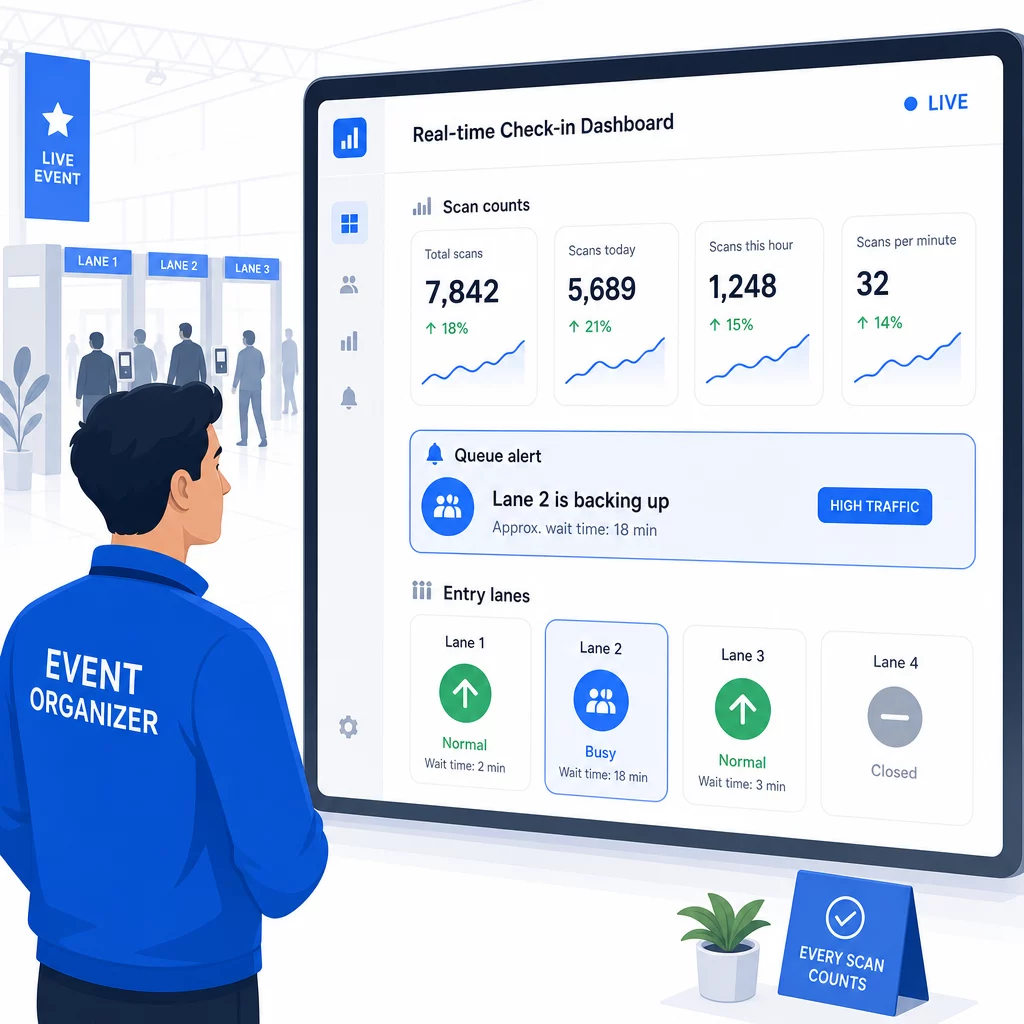
หลังจบงาน ข้อมูลนี้จะช่วยในการตัดสินใจสำหรับครั้งต่อไป: เวลาที่ควรเปิดประตู, จำนวนช่องทางเข้าที่คุณต้องการ, และเซสชันใดที่ได้รับความสนใจมากที่สุด เครื่องมือสำหรับ การติดตามกิจกรรมด้วยรหัส QR นำเสนอการส่งออกรายงานหลังจบงานที่สามารถนำไปใช้ในขั้นตอนการวางแผนได้โดยตรง.
ความปลอดภัยและความเป็นส่วนตัวของข้อมูล
ระบบเช็คอินจัดการข้อมูลส่วนบุคคล ซึ่งก่อให้เกิดภาระผูกพันทั้งทางกฎหมายและชื่อเสียง.
สำหรับระบบรหัส QR โดยเฉพาะ:
- ใช้รหัสแบบใช้ครั้งเดียวที่จะปิดใช้งานหลังจากสแกนครั้งแรก เพื่อป้องกันการแบ่งปันข้อมูลประจำตัว
- เข้ารหัสข้อมูลทั้งหมดทั้งในระหว่างการส่งและเมื่อจัดเก็บ – ยืนยันว่าแพลตฟอร์ม QR ของคุณรองรับสิ่งนี้ก่อนที่จะตัดสินใจใช้
- รวบรวมเฉพาะสิ่งที่คุณต้องการ: ชื่อ, ประเภทตั๋ว, และเวลาเช็คอินมักจะเพียงพอแล้ว; ที่อยู่บ้านและหมายเลขโทรศัพท์ไม่ค่อยจำเป็น
- ใช้การควบคุมการเข้าถึงเพื่อให้เฉพาะพนักงานที่ต้องการข้อมูลผู้เข้าร่วมเท่านั้นที่สามารถเห็นได้
- ระบุประกาศความเป็นส่วนตัวที่ชัดเจนในแบบฟอร์มลงทะเบียนของคุณ อธิบายว่าคุณรวบรวมอะไร, ทำไม, และเก็บไว้นานแค่ไหน
สำหรับกิจกรรมที่มีผู้เข้าร่วมจากแคลิฟอร์เนีย การปฏิบัติตาม CCPA เป็นสิ่งจำเป็นไม่ว่ากิจกรรมของคุณจะจัดขึ้นที่ใด ผู้เข้าร่วมมีสิทธิ์ที่จะทราบว่าคุณได้รวบรวมข้อมูลใดบ้างและขอให้ลบข้อมูลนั้น สำหรับคำแนะนำในการสร้างการป้องกันเหล่านี้ในขั้นตอนการออกตั๋วของคุณตั้งแต่เริ่มต้น คู่มือตั๋วกิจกรรมรหัส QR ที่ปลอดภัย ครอบคลุมการเข้ารหัส, การสร้างโทเค็น, และการตรวจสอบการใช้งานครั้งเดียวโดยละเอียด.
เมื่อประเมินแพลตฟอร์มรหัส QR ให้มองหาการปฏิบัติตาม SOC 2, ข้อมูลที่จัดเก็บในเซิร์ฟเวอร์ของสหรัฐอเมริกาหากกิจกรรมของคุณจัดขึ้นในประเทศ, บันทึกการตรวจสอบสำหรับการเข้าถึงข้อมูล, และนโยบายที่ชัดเจนที่ระบุว่าคุณยังคงเป็นเจ้าของข้อมูลผู้เข้าร่วมของคุณอย่างสมบูรณ์.
แผนสำรองเมื่อเทคโนโลยีล้มเหลว
แม้แต่ระบบที่ผ่านการทดสอบมาอย่างดีก็ยังพบปัญหาในวันจัดงาน สร้างระบบสำรองของคุณไว้ก่อนที่คุณจะต้องการใช้.
ปัญหาการสแกนที่พบบ่อยและการแก้ไขอย่างรวดเร็ว:
- แสงไม่เพียงพอ: เพิ่มไฟ LED ส่องสว่างเฉพาะจุดที่แต่ละสถานี
- รหัสเสียหายหรือไม่สามารถอ่านได้: วางแท็บเล็ตไว้ที่แต่ละสถานีเพื่อให้เจ้าหน้าที่สามารถดึงเวอร์ชันดิจิทัลจากบันทึกผู้เข้าร่วมได้
- อุปกรณ์ไม่รองรับ: ขอให้ผู้เข้าร่วมถือโทรศัพท์ห่างจากเครื่องสแกน 6–8 นิ้ว; หากแอปกล้องหลักล้มเหลว แอปสแกน QR โดยเฉพาะมักจะแก้ไขได้
สำหรับกรณีเครือข่ายล้มเหลว:
- ใช้แพลตฟอร์มที่จัดเก็บข้อมูลการเช็คอินในเครื่องและซิงค์เมื่อการเชื่อมต่อกลับมา
- เตรียมอุปกรณ์สแกนสำรองสองเครื่องไว้ที่จุดเข้าแต่ละจุด
หากระบบดิจิทัลทั้งหมดล้มเหลว:
- มีรายชื่อผู้เข้าร่วมที่พิมพ์ออกมาเรียงตามตัวอักษรที่จุดเข้าแต่ละจุด
- บรีฟเจ้าหน้าที่เกี่ยวกับวิธีการค้นหาตามชื่อ การจัดการรหัสที่หายไป และการออกบัตรชั่วคราว
- ใช้ตราประทับหรือสติกเกอร์รหัสสีเพื่อทำเครื่องหมายการเช็คอินด้วยตนเองและป้องกันการลงทะเบียนซ้ำ
สำหรับงานที่มีระดับ VIP หรือโซนจำกัด ให้พิมพ์บัตรชั่วคราวรหัสสีก่อนงาน เพื่อให้เจ้าหน้าที่สามารถจัดการระดับการเข้าถึงได้โดยไม่ต้องพึ่งพาระบบดิจิทัล สื่อสารความล่าช้าใดๆ ให้ชัดเจน: “เรากำลังใช้ระบบสำรองของเราเพื่อให้คุณเข้าได้เร็วที่สุด” ก็เพียงพอที่จะรักษาประสบการณ์ที่ดีของผู้เข้าร่วมในระหว่างที่เกิดปัญหาทางเทคนิค.
การติดตามผลอัตโนมัติหลังการเช็คอิน
ข้อมูลการเช็คอินที่คุณรวบรวมจะมีคุณค่ามากขึ้นหลังจากงานสิ้นสุดลง ด้วยการเชื่อมต่อระบบสแกน QR ของคุณเข้ากับอีเมลหรือแพลตฟอร์มการตลาด คุณสามารถส่งการติดตามผลแบบแบ่งกลุ่มตามสิ่งที่ผู้เข้าร่วมแต่ละคนทำจริง.
การทำงานอัตโนมัติหลังงานที่ใช้งานได้จริง:
- ส่งอีเมลขอบคุณภายใน 2 ชั่วโมงหลังจากงานปิด รวมถึงลิงก์ไปยังสไลด์หรือแหล่งข้อมูล
- สำหรับงานที่มีหลายเซสชัน ให้ใช้ข้อมูลการสแกน QR เฉพาะเซสชันเพื่อส่งเนื้อหาที่เกี่ยวข้องกับสิ่งที่ผู้เข้าร่วมแต่ละคนเข้าร่วมเท่านั้น
- แชร์แบบสำรวจความคิดเห็น 24–48 ชั่วโมงหลังงาน – จำกัดคำถามไม่เกินห้าข้อ และเสนอสิ่งจูงใจเล็กน้อยสำหรับการตอบกลับ
- สำหรับงานสร้างเครือข่าย ให้รวบรวมอีเมลสรุปการเชื่อมต่อจากข้อมูลการสแกน เพื่อให้ผู้เข้าร่วมมีบันทึกว่าพวกเขาพบใครบ้าง
ติดตามอัตราการเปิดและอัตราการคลิกผ่านของข้อความติดตามผล เพื่อปรับเวลาและเนื้อหาสำหรับกิจกรรมในอนาคต.
คำถามที่พบบ่อย
ขึ้นอยู่กับขนาดของงาน งบประมาณ และข้อกำหนดด้านความปลอดภัยของคุณ.
กำหนดรหัส QR ที่ไม่ซ้ำกันให้กับผู้ลงทะเบียนแต่ละคน และกำหนดค่าระบบของคุณเพื่อทำเครื่องหมายว่ารหัสแต่ละรหัสถูกใช้แล้วทันทีหลังจากการสแกนครั้งแรก เมื่อสแกนแล้ว รหัสจะไม่สามารถใช้ซ้ำได้อีก รหัส QR แบบไดนามิกที่จับคู่กับระบบตรวจสอบความถูกต้องแบบเรียลไทม์สามารถตรวจจับความพยายามในการสแกนซ้ำได้ทันที สำหรับกิจกรรมที่การยืนยันตัวตนมีความสำคัญ ให้ฝึกอบรมพนักงานให้ตรวจสอบบัตรประจำตัวที่มีรูปถ่ายเทียบกับชื่อที่ลงทะเบียนเมื่อมีการสแกนรหัส.
มีรายชื่อผู้เข้าร่วมประชุมที่พิมพ์ออกมาและเรียงตามตัวอักษร ณ จุดเข้างานทุกจุด และฝึกอบรมพนักงานให้เช็คอินผู้เข้าร่วมงานด้วยตนเองโดยใช้ชื่อและหมายเลขตั๋ว เตรียมอุปกรณ์สแกนสำรองอย่างน้อยสองเครื่องต่อช่องทาง พร้อมแบตเตอรี่ที่ชาร์จเต็มหรือพาวเวอร์แบงค์แบบพกพา ใช้แพลตฟอร์มที่จัดเก็บข้อมูลการเช็คอินในเครื่องและซิงค์ข้อมูลเมื่อการเชื่อมต่ออินเทอร์เน็ตกลับมา เพื่อไม่ให้ข้อมูลสูญหาย บรีฟทีมงานของคุณเกี่ยวกับกระบวนการด้วยตนเองก่อนที่งานจะเริ่ม เพื่อให้การเปลี่ยนผ่านเป็นไปอย่างราบรื่นหากจำเป็น.