Ali delite občutljive dokumente ali ekskluzivne vsebine prek QR kod, vendar vas skrbi nepooblaščen dostop? Ko se fizične kode pojavijo na javnih mestih, jih lahko kdorkoli skenira za ogled zaupnih datotek ali internih pristajalnih strani. Dodajanje zaščite z geslom vašim ciljnim povezavam in datotekam zagotavlja, da do vaše vsebine dostopajo le pooblaščeni uporabniki.
Ali je QR koda sama lahko zaščitena z geslom?
Standardne statične QR kode ne morejo shranjevati gesel znotraj svojih vzorcev pikslov. Statična koda preprosto pretvori golo besedilo ali fiksno spletno povezavo v grafiko, ki jo je mogoče skenirati, kar pomeni, da kateri koli bralnik pametnih telefonov takoj po skeniranju dekodira popolnoma enake podatke končne točke.
Za zavarovanje dostopa mora zaščita z geslom potekati bodisi na ravni preusmeritve bodisi na ciljni destinaciji. To lahko dosežete z uporabo dveh glavnih pristopov:
- Zaščita na ravni preusmeritve: Z uporabo QR generator za dinamične QR kode za prestrezanje skeniranja in zahtevanje avtentikacije z geslom pred preusmeritvijo obiskovalcev na ciljni vir.
- Zaščita na ravni destinacije: Zavarovanje gostiteljskega okolja ali neposredna zaščita datoteke (na primer ustvarjanje dokumenta, zaščitenega z geslom), preden jo povežete.
Obe metodi preprečujeta nepooblaščenim uporabnikom ogled zaupnih virov, tudi če je vaša fizična QR koda prikazana na javnem mestu.
Ključne metode za zavarovanje vsebine QR kod
Izbira prave implementacije je odvisna od tega, ali zavarujete povezavo do spletnega mesta, interni dokument ali začasno vsebino dogodka.
Kontrole dostopa do dinamičnih QR kod
Dinamične QR kode se zanašajo na kratko preusmeritveno povezavo, namesto da bi končni URL vstavile neposredno v sliko. Ta kratka povezava vam omogoča upravljanje varnostnih nastavitev na platformi, ki gosti kodo. Omogočite lahko zahteve za geslo, posodobite ciljno povezavo kadarkoli ali v celoti prekličete dostop, ne da bi ponovno tiskali svoje fizične materiale.
Nalaganja datotek, zaščitena z geslom
Če datoteke delite neposredno, lahko datoteko zaščitite z geslom, preden jo pretvorite v skenirano grafiko. Ko uporabljate Generator QR kod za PDF, lahko naložite šifriran PDF ali gostite svoj dokument na varni platformi, ki zahteva preverjanje pristnosti. Uporabniki, ki skenirajo kodo, pridejo do pregledovalnika dokumentov, vendar morajo vnesti pravilne poverilnice za odpiranje in branje datoteke.
Datumi poteka in omejitve uporabe
Nadzor dostopa presega gesla. Zahteve za poverilnice lahko kombinirate s pravili, kot so poteki koledarja ali največje število skeniranj. Nastavitev teh parametrov zagotavlja, da se povezava samodejno deaktivira, ko se ponudba ali interni sestanek zaključi. Več o nadzoru življenjskih ciklov vsebine preberite v našem vodniku o kako nastaviti datume poteka za kode QR.
Zavarujte svojo digitalno vsebino danes Zaščitite svoje občutljive datoteke in omejene povezave s prilagodljivimi kontrolami dostopa tako, da ustvarite kode z našo QR generator za dinamične QR kode.
Kako korak za korakom nastaviti z geslom zaščiteno kodo QR
Sledite tem korakom za ustvarjanje dostopnega toka, zaščitenega z geslom, za vaše poslovno ali marketinško gradivo:
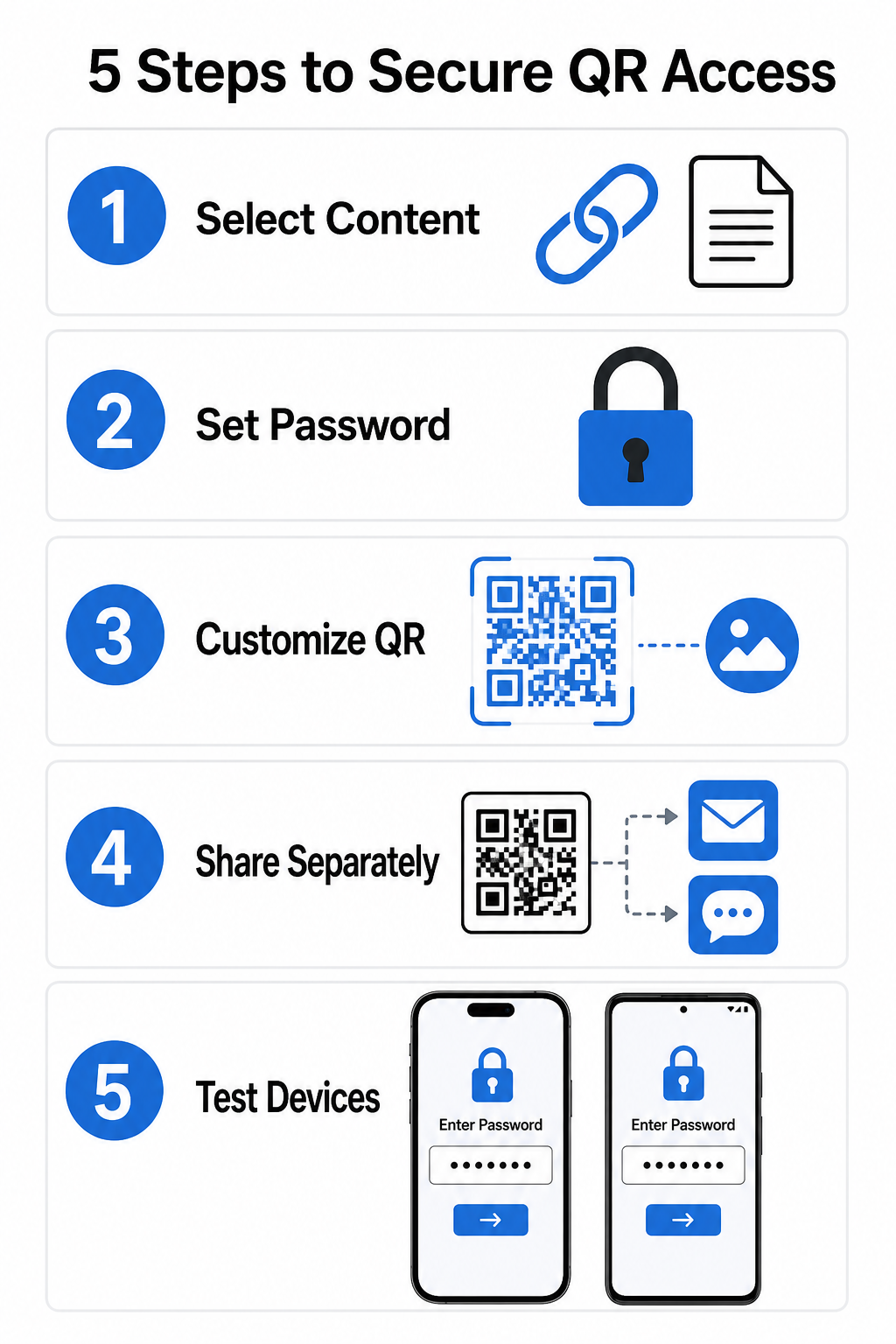
- Izberite vrsto vsebine: Izberite obliko, ki jo želite deliti, kot je URL spletne strani z uporabo generator QR kod za povezave ali datoteke dokumenta.
- Konfigurirajte varnost dostopa: Omogočite zahteve za geslo na nadzorni plošči dinamičnega upravljanja ali uporabite zaščito z geslom neposredno na ciljni datoteki pred nalaganjem.
- Prilagodite vizualno obliko: Dodajte barve blagovne znamke, prilagojene okvirje in uradni logotip z uporabo prilagodljivega generator QR kod za izgradnjo zaupanja uporabnikov in zmanjšanje tveganj goljufij.
- Poverilnice razdelite ločeno: Geslo delite z pooblaščenimi uporabniki prek ločenega kanala, kot so potrditev po e-pošti, dobrodošli paketi ali neposredna sporočila, namesto da bi ga postavili blizu kode.
- Preizkusite na več napravah: Skenirajte kodo z aplikacijama za kamero iOS in Android, da potrdite, da se poziv za geslo pravilno sproži, preden natisnete ali objavite.
Najboljše prakse za varno uvedbo kode QR
Izvedba zaščite dostopa zahteva upoštevanje standardov kibernetske varnosti za preprečevanje uhajanja podatkov in nepooblaščenih skeniranj:
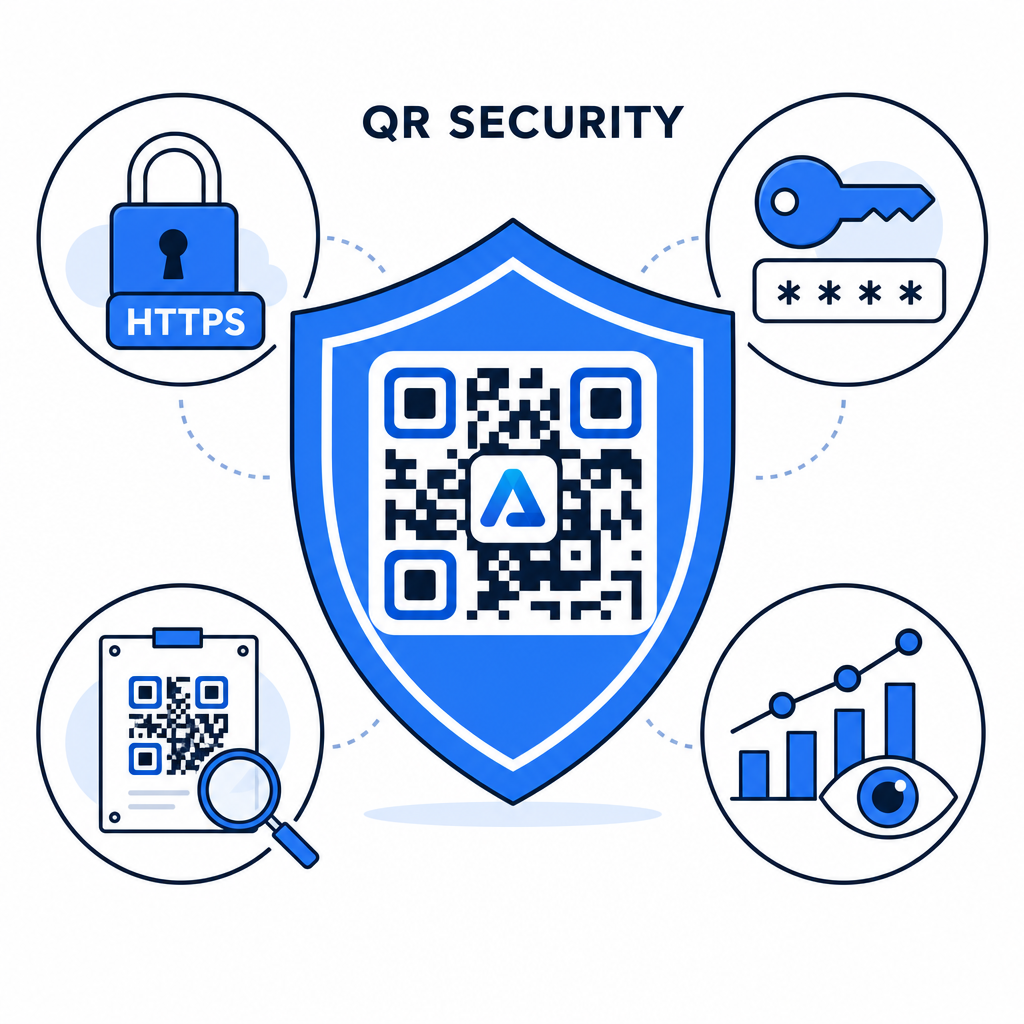
- Uporabite močne standarde za gesla: Zahtevajte gesla, dolga vsaj 15 znakov, za enofaktorsko zaščito, da preprečite avtomatizirane poskuse ugibanja.
- Zahtevajte HTTPS končne točke: Zagotovite, da ciljni strežnik uporablja šifriranje SSL za zaščito podatkov v prenosu. Preberete lahko več o tem, kako šifriranje varuje podatke QR kode za globlje varnostne vpoglede.
- Redno pregledujte fizične prikazovalnike: Redno spremljajte tiskane stične točke na javnih mestih, da zagotovite, da fizične kode niso bile spremenjene ali prekrite z nepooblaščenimi prekrivnimi elementi, kar zmanjšuje ključne tveganja za zasebnost QR kod.
- Spremljajte analitiko dostopa: V svoji nadzorni plošči spremljajte pogostost skeniranj, lokacije in podatke o uporabniškem agentu, da prepoznate sumljive vzorce prometa ali nepooblaščene poskuse dostopa.
Upravljajte in zaščitite svoje datoteke brez napora Pretvorite svoje zaupne priročnike in dokumente v sledljive, varne digitalne povezave z našimi Generator QR kod za PDF.
Zavarujte svoje stične točke z nadzorom dostopa z geslom
Povezovanje fizičnih QR stičnih točk z digitalnimi kontrolami dostopa zagotavlja brezhibno uporabniško izkušnjo, hkrati pa ohranja zasebnost lastniških dokumentov, internih obrazcev in ekskluzivnih tržnih sredstev. Z uvedbo dinamičnih kod z gesli, šifriranimi končnimi točkami in proaktivnim spremljanjem ohranite popolno avtoriteto nad svojo deljeno vsebino.
Raziščite naš izčrpen vodnik o tem, varno generiranje QR kode najboljše prakse kako danes implementirati celovito varnost na vaših tiskanih in digitalnih stičnih točkah.
Pogosta vprašanja
Ne. Statične kode QR kodirajo fiksne podatke neposredno v vzorec in ne morejo sprožiti pozivov za geslo. Za omejitev dostopa uporabite platformo za dinamične kode QR ali pa zavarujte ciljno stran ali samo datoteko.
Gesla pošljite prek ločenega komunikacijskega kanala, kot so potrditev po e-pošti, SMS, značka dogodka ali varen paket za vključitev. Nikoli ne natisnite gesla poleg fizične kode QR.
Dinamične kode QR vam omogočajo posodobitev ciljnih povezav, varnostnih nastavitev ali pravil za dostop z geslom neposredno iz vaše nadzorne plošče kadar koli, brez ponovnega tiskanja fizičnih materialov.