คุณกำลังแชร์เอกสารสำคัญหรือเนื้อหาพิเศษผ่านรหัส QR อยู่ใช่ไหม แต่กังวลเกี่ยวกับการเข้าถึงโดยไม่ได้รับอนุญาตหรือเปล่า? เมื่อรหัสจริงปรากฏในพื้นที่สาธารณะ ใครๆ ก็สามารถสแกนเพื่อดูไฟล์ที่เป็นความลับหรือหน้า Landing Page ภายในได้ การเพิ่มการป้องกันด้วยรหัสผ่านให้กับลิงก์ปลายทางและไฟล์ของคุณช่วยให้มั่นใจได้ว่ามีเพียงผู้ใช้ที่ได้รับอนุญาตเท่านั้นที่จะเข้าถึงเนื้อหาของคุณ
รหัส QR สามารถป้องกันด้วยรหัสผ่านได้ด้วยตัวเองหรือไม่?
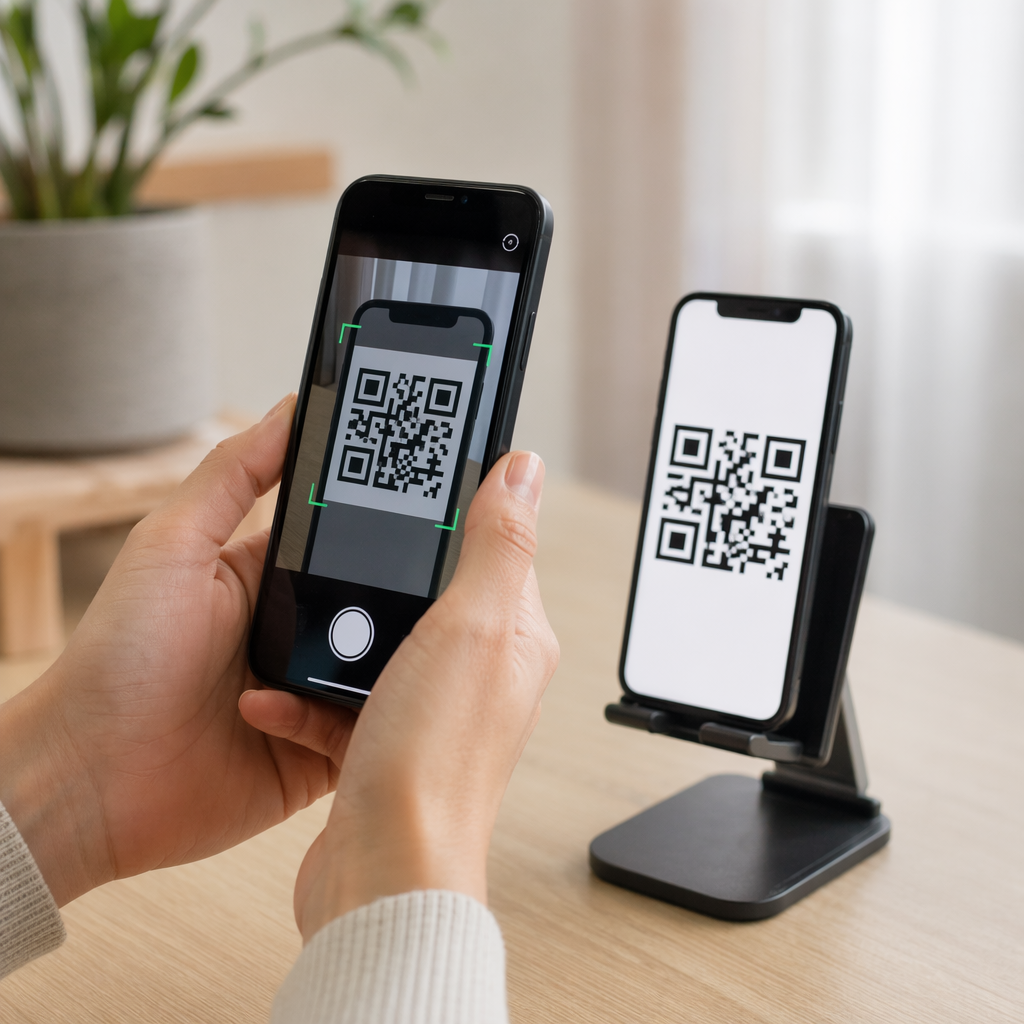
รหัส QR แบบคงที่มาตรฐานไม่สามารถจัดเก็บรหัสผ่านไว้ในรูปแบบพิกเซลได้ รหัสแบบคงที่เพียงแค่แปลงข้อความธรรมดาหรือลิงก์เว็บที่ตายตัวให้เป็นกราฟิกที่สแกนได้ ซึ่งหมายความว่าเครื่องอ่านสมาร์ทโฟนจะถอดรหัสข้อมูลปลายทางเดียวกันได้ทันทีเมื่อสแกน
ในการรักษาความปลอดภัยการเข้าถึง การป้องกันด้วยรหัสผ่านจะต้องเกิดขึ้นที่ระดับการเปลี่ยนเส้นทางหรือที่ปลายทางเป้าหมาย คุณสามารถทำได้โดยใช้วิธีการหลักสองวิธี:
- การป้องกันระดับการเปลี่ยนเส้นทาง: การใช้ สร้าง Dynamic QR Code เพื่อสกัดกั้นการสแกนและกำหนดให้มีการยืนยันตัวตนด้วยรหัสผ่านก่อนที่จะเปลี่ยนเส้นทางผู้เยี่ยมชมไปยังทรัพยากรเป้าหมาย
- การป้องกันระดับปลายทาง: การรักษาความปลอดภัยสภาพแวดล้อมโฮสต์ หรือการป้องกันไฟล์โดยตรง (เช่น การสร้างเอกสารที่ต้องใช้รหัสผ่าน) ก่อนที่จะเชื่อมโยง
ทั้งสองวิธีนี้ป้องกันไม่ให้ผู้ใช้ที่ไม่ได้รับอนุญาตเข้าถึงทรัพยากรที่เป็นความลับได้ แม้ว่ารหัส QR จริงของคุณจะแสดงอยู่ในที่สาธารณะก็ตาม
วิธีการสำคัญในการรักษาความปลอดภัยเนื้อหา QR Code
การเลือกการใช้งานที่เหมาะสมขึ้นอยู่กับว่าคุณกำลังรักษาความปลอดภัยลิงก์เว็บไซต์ เอกสารภายใน หรือเนื้อหากิจกรรมชั่วคราว
การควบคุมการเข้าถึงรหัส QR แบบไดนามิก
รหัส QR แบบไดนามิกอาศัยลิงก์เปลี่ยนเส้นทางสั้นๆ แทนการใส่ URL สุดท้ายลงในภาพโดยตรง ลิงก์สั้นๆ นี้ช่วยให้คุณจัดการการตั้งค่าความปลอดภัยบนแพลตฟอร์มที่โฮสต์รหัสได้ คุณสามารถเปิดใช้งานข้อกำหนดรหัสผ่าน อัปเดตลิงก์ปลายทางได้ตลอดเวลา หรือเพิกถอนการเข้าถึงทั้งหมดโดยไม่ต้องพิมพ์สื่อทางกายภาพของคุณใหม่
การอัปโหลดไฟล์ที่ป้องกันด้วยรหัสผ่าน
หากคุณกำลังแชร์ไฟล์โดยตรง คุณสามารถป้องกันไฟล์ด้วยรหัสผ่านก่อนที่จะแปลงเป็นภาพกราฟิกที่สแกนได้ เมื่อใช้ แปลงไฟล์ PDF เป็น QR Code ฟรีคุณสามารถอัปโหลดไฟล์ PDF ที่เข้ารหัส หรือโฮสต์เอกสารของคุณบนแพลตฟอร์มที่ปลอดภัยซึ่งต้องมีการยืนยันตัวตน ผู้ใช้ที่สแกนรหัสจะเข้าถึงโปรแกรมดูเอกสารได้ แต่ต้องป้อนข้อมูลประจำตัวที่ถูกต้องเพื่อเปิดและอ่านไฟล์
วันหมดอายุและขีดจำกัดการใช้งาน
การควบคุมการเข้าถึงขยายไปไกลกว่ารหัสผ่าน คุณสามารถรวมข้อกำหนดข้อมูลประจำตัวเข้ากับกฎเกณฑ์ต่างๆ เช่น วันหมดอายุตามปฏิทิน หรือจำนวนการสแกนสูงสุด การตั้งค่าพารามิเตอร์เหล่านี้ช่วยให้มั่นใจได้ว่าเมื่อข้อเสนอหรือการประชุมภายในสิ้นสุดลง ลิงก์จะถูกปิดใช้งานโดยอัตโนมัติ ศึกษาเพิ่มเติมเกี่ยวกับการควบคุมวงจรชีวิตเนื้อหาได้ในคำแนะนำของเราเรื่อง วิธีการตั้งค่าวันหมดอายุสำหรับคิวอาร์โค้ด.
รักษาความปลอดภัยเนื้อหาดิจิทัลของคุณวันนี้ ปกป้องไฟล์ที่ละเอียดอ่อนและลิงก์ที่ถูกจำกัดของคุณด้วยการควบคุมการเข้าถึงที่ยืดหยุ่น โดยการสร้างคิวอาร์โค้ดด้วย สร้าง Dynamic QR Code.
วิธีตั้งค่าคิวอาร์โค้ดที่ป้องกันด้วยรหัสผ่านทีละขั้นตอน
ทำตามขั้นตอนเหล่านี้เพื่อสร้างขั้นตอนการเข้าถึงที่ป้องกันด้วยรหัสผ่านสำหรับธุรกิจหรือสื่อการตลาดของคุณ:
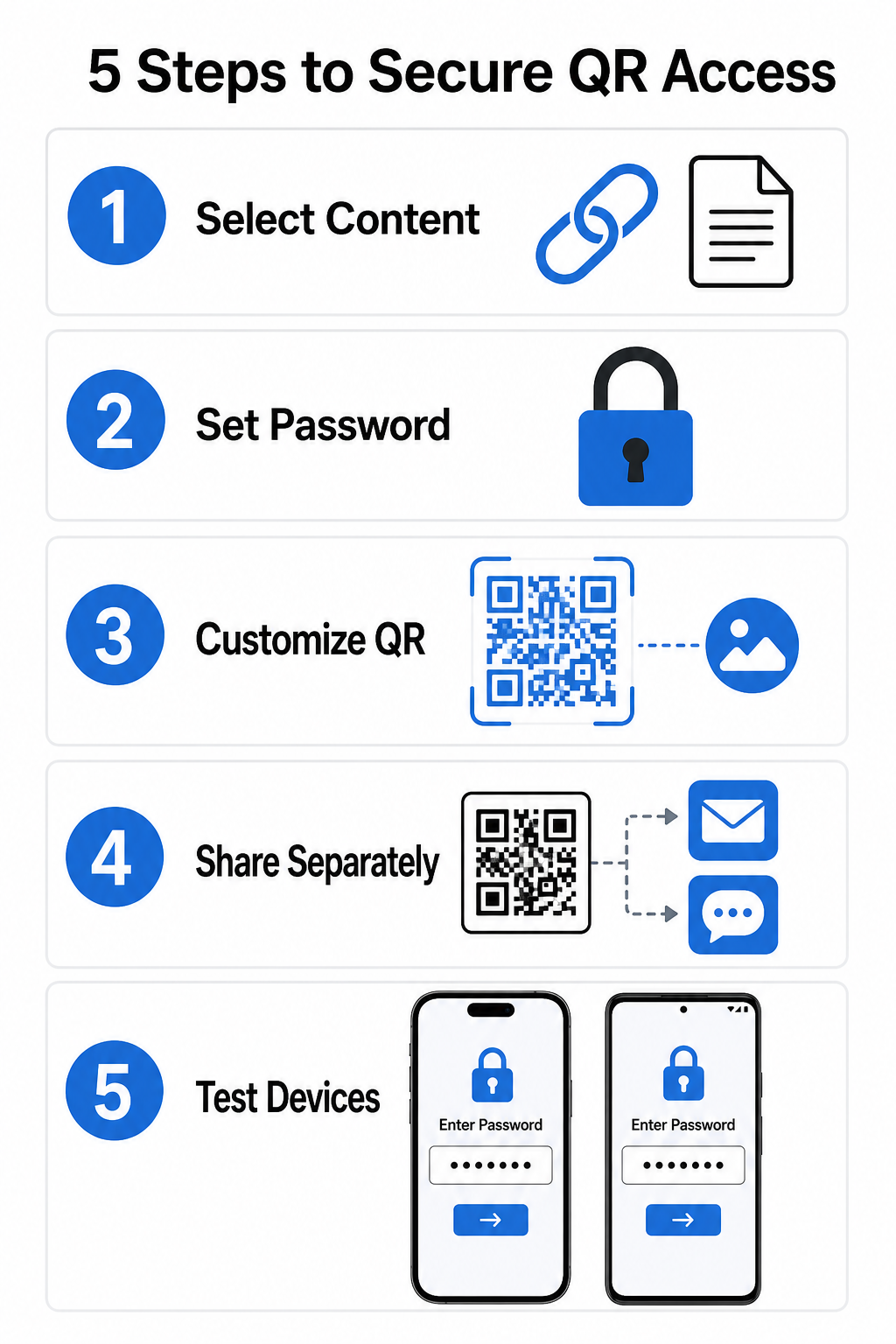
- เลือกประเภทเนื้อหาของคุณ: เลือกรูปแบบที่คุณต้องการแชร์ เช่น URL เว็บไซต์โดยใช้ เครื่องสร้างรหัส QR สำหรับลิงก์ หรือไฟล์เอกสาร
- กำหนดค่าความปลอดภัยการเข้าถึง: เปิดใช้งานข้อกำหนดรหัสผ่านในแดชบอร์ดการจัดการแบบไดนามิกของคุณ หรือใช้การป้องกันด้วยรหัสผ่านโดยตรงกับไฟล์เป้าหมายของคุณก่อนอัปโหลด
- ปรับแต่งการออกแบบภาพ: เพิ่มสีของแบรนด์, กรอบที่กำหนดเอง และโลโก้อย่างเป็นทางการโดยใช้ เครื่องสร้างรหัส QR เพื่อสร้างความไว้วางใจของผู้ใช้และลดความเสี่ยงจากการฉ้อโกง
- แจกจ่ายข้อมูลประจำตัวแยกกัน: แชร์รหัสผ่านกับผู้ใช้ที่ได้รับอนุญาตผ่านช่องทางที่แยกต่างหาก เช่น การยืนยันทางอีเมล, ชุดต้อนรับ หรือข้อความโดยตรง แทนที่จะวางไว้ใกล้กับรหัส
- ทดสอบกับอุปกรณ์หลายเครื่อง: สแกนรหัสโดยใช้แอปกล้องทั้ง iOS และ Android เพื่อยืนยันว่าการแจ้งเตือนรหัสผ่านทำงานถูกต้องก่อนที่จะพิมพ์หรือเผยแพร่
แนวทางปฏิบัติที่ดีที่สุดสำหรับการปรับใช้คิวอาร์โค้ดอย่างปลอดภัย
การนำการป้องกันการเข้าถึงมาใช้ต้องปฏิบัติตามมาตรฐานความปลอดภัยทางไซเบอร์เพื่อป้องกันการรั่วไหลของข้อมูลและการสแกนที่ไม่ได้รับอนุญาต:
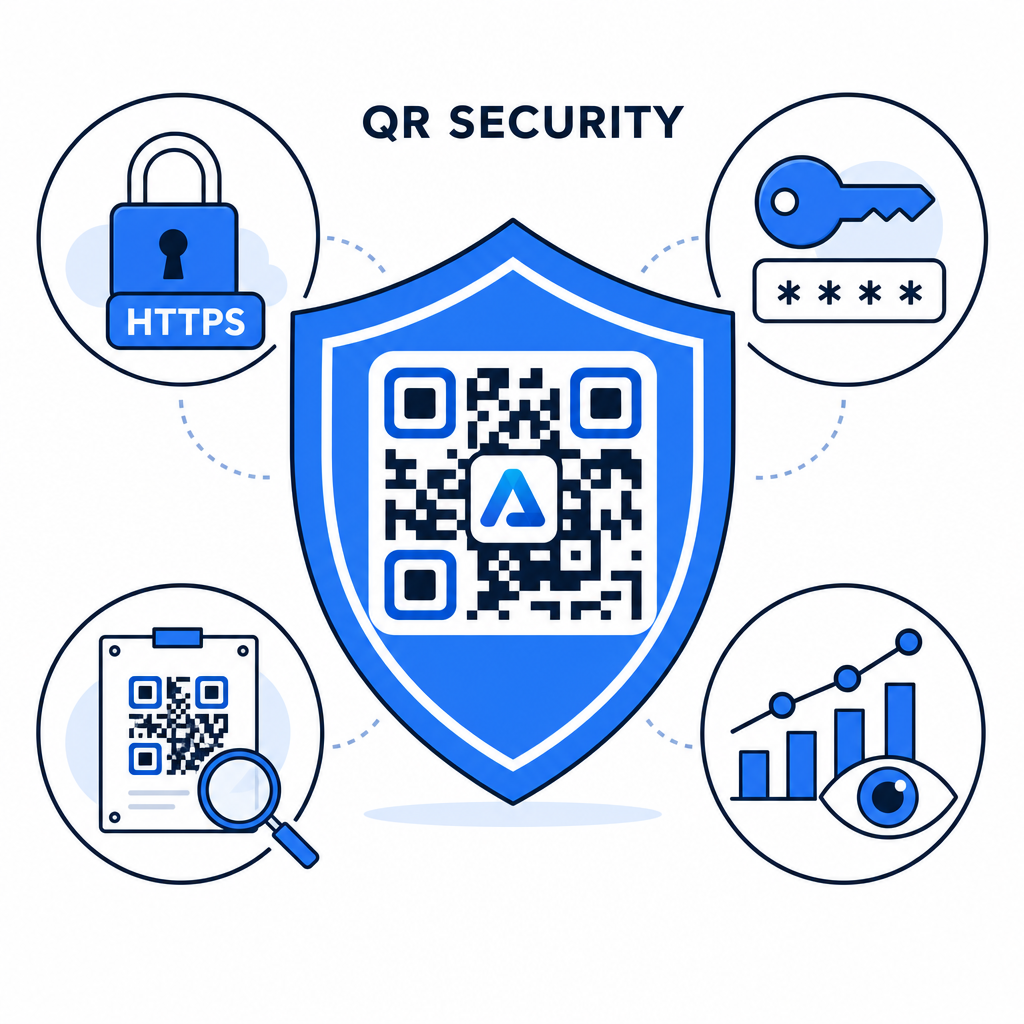
- ใช้มาตรฐานรหัสผ่านที่รัดกุม: กำหนดให้รหัสผ่านมีความยาวอย่างน้อย 15 ตัวอักษรสำหรับการป้องกันแบบปัจจัยเดียว เพื่อป้องกันการพยายามคาดเดาโดยอัตโนมัติ
- กำหนดให้ใช้ปลายทาง HTTPS: ตรวจสอบให้แน่ใจว่าเซิร์ฟเวอร์ปลายทางใช้การเข้ารหัส SSL เพื่อป้องกันข้อมูลระหว่างการส่ง คุณสามารถอ่านเพิ่มเติมเกี่ยวกับ วิธีที่การเข้ารหัสรักษาความปลอดภัยข้อมูลรหัส QR เพื่อข้อมูลเชิงลึกด้านความปลอดภัยที่ลึกซึ้งยิ่งขึ้น
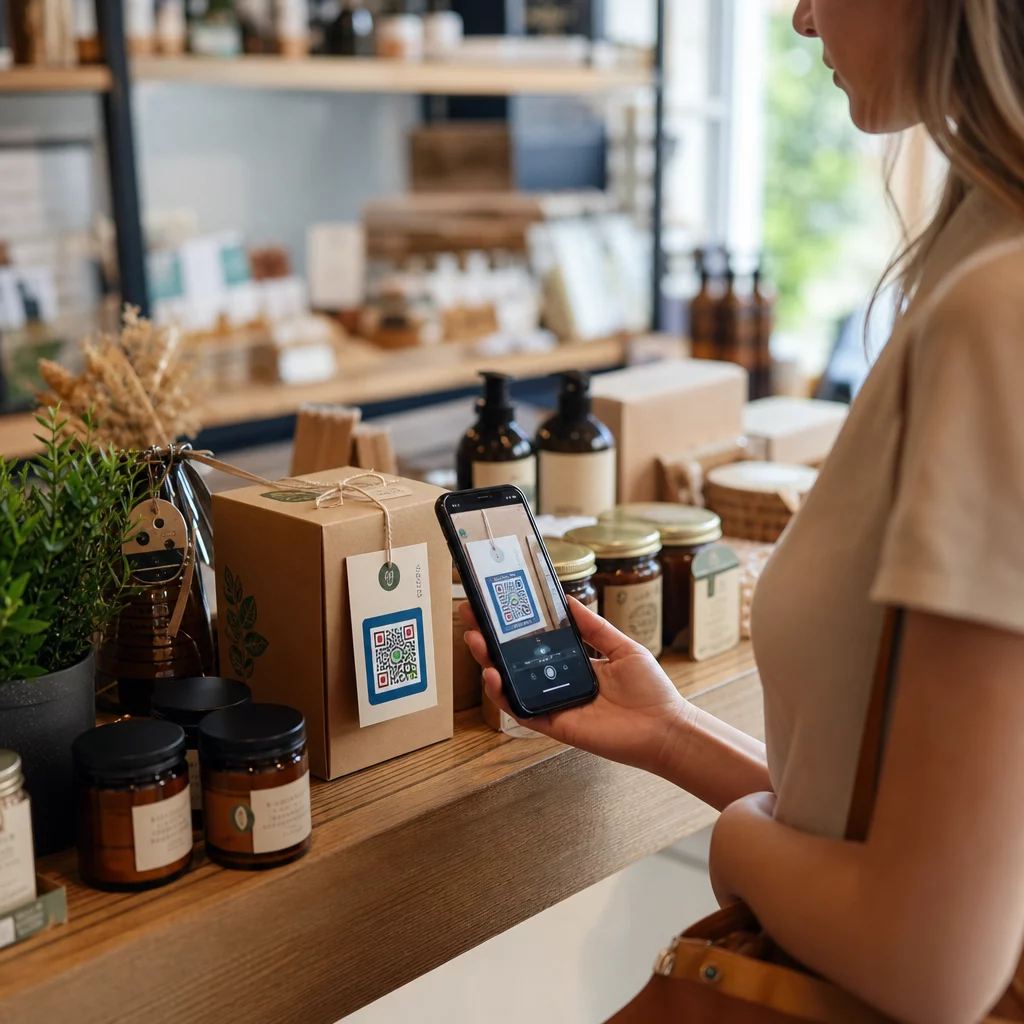
- ตรวจสอบจอแสดงผลทางกายภาพเป็นประจำ: ตรวจสอบจุดสัมผัสที่พิมพ์ไว้ในพื้นที่สาธารณะอย่างสม่ำเสมอ เพื่อให้แน่ใจว่ารหัสทางกายภาพไม่ได้ถูกแก้ไขหรือถูกปิดทับด้วยภาพซ้อนทับที่ไม่ได้รับอนุญาต ซึ่งช่วยลดความเสี่ยงที่สำคัญ ความเสี่ยงด้านความเป็นส่วนตัวของรหัส QR.
- ติดตามการวิเคราะห์การเข้าถึง: ติดตามความถี่ในการสแกน, ตำแหน่งที่ตั้ง, และข้อมูล User Agent ในแดชบอร์ดการจัดการของคุณ เพื่อระบุรูปแบบการเข้าชมที่น่าสงสัย หรือความพยายามในการเข้าถึงโดยไม่ได้รับอนุญาต
จัดการและปกป้องไฟล์ของคุณได้อย่างง่ายดาย เปลี่ยนคู่มือและเอกสารที่เป็นความลับของคุณให้เป็นลิงก์ดิจิทัลที่สามารถติดตามและปลอดภัยด้วย แปลงไฟล์ PDF เป็น QR Code ฟรี.
รักษาความปลอดภัยจุดสัมผัสของคุณด้วยการควบคุมการเข้าถึงด้วยรหัสผ่าน
การจับคู่จุดสัมผัส QR ทางกายภาพกับการควบคุมการเข้าถึงแบบดิจิทัลมอบประสบการณ์ผู้ใช้ที่ราบรื่น ในขณะที่ยังคงรักษาความเป็นส่วนตัวของเอกสารที่เป็นกรรมสิทธิ์, แบบฟอร์มภายใน, และทรัพย์สินทางการตลาดเฉพาะ การปรับใช้รหัสไดนามิกพร้อมข้อความแจ้งรหัสผ่าน, ปลายทางที่เข้ารหัส, และการตรวจสอบเชิงรุก ช่วยให้คุณรักษาสิทธิ์อำนาจเต็มที่เหนือเนื้อหาที่คุณแบ่งปัน
สำรวจคู่มือฉบับสมบูรณ์ของเราเกี่ยวกับ แนวทางปฏิบัติที่ดีที่สุดในการสร้างรหัส QR ที่ปลอดภัย เพื่อนำการรักษาความปลอดภัยแบบครบวงจรไปใช้กับจุดสัมผัสทั้งในรูปแบบสิ่งพิมพ์และดิจิทัลของคุณได้แล้ววันนี้
คำถามที่พบบ่อย
ไม่ คิวอาร์โค้ดแบบสถิตจะเข้ารหัสข้อมูลที่แน่นอนลงในรูปแบบโดยตรง และไม่สามารถเรียกให้ป้อนรหัสผ่านได้ หากต้องการจำกัดการเข้าถึง ให้ใช้แพลตฟอร์มคิวอาร์โค้ดแบบไดนามิก หรือรักษาความปลอดภัยของหน้าปลายทางหรือไฟล์นั้นโดยตรง
ส่งรหัสผ่านผ่านช่องทางการสื่อสารที่แยกต่างหาก เช่น การยืนยันทางอีเมล, SMS, บัตรงานอีเวนต์ หรือชุดเอกสารการเริ่มต้นใช้งานที่ปลอดภัย ห้ามพิมพ์รหัสผ่านไว้ข้างรหัส QR ที่เป็นรูปธรรมเด็ดขาด
รหัส QR แบบไดนามิกช่วยให้คุณอัปเดตลิงก์ปลายทาง, การตั้งค่าความปลอดภัย, หรือกฎการเข้าถึงรหัสผ่านได้โดยตรงจากแดชบอร์ดของคุณได้ตลอดเวลาโดยไม่ต้องพิมพ์วัสดุจริงซ้ำ