> 가이드 > How to Set Up Password-Protected QR Codes
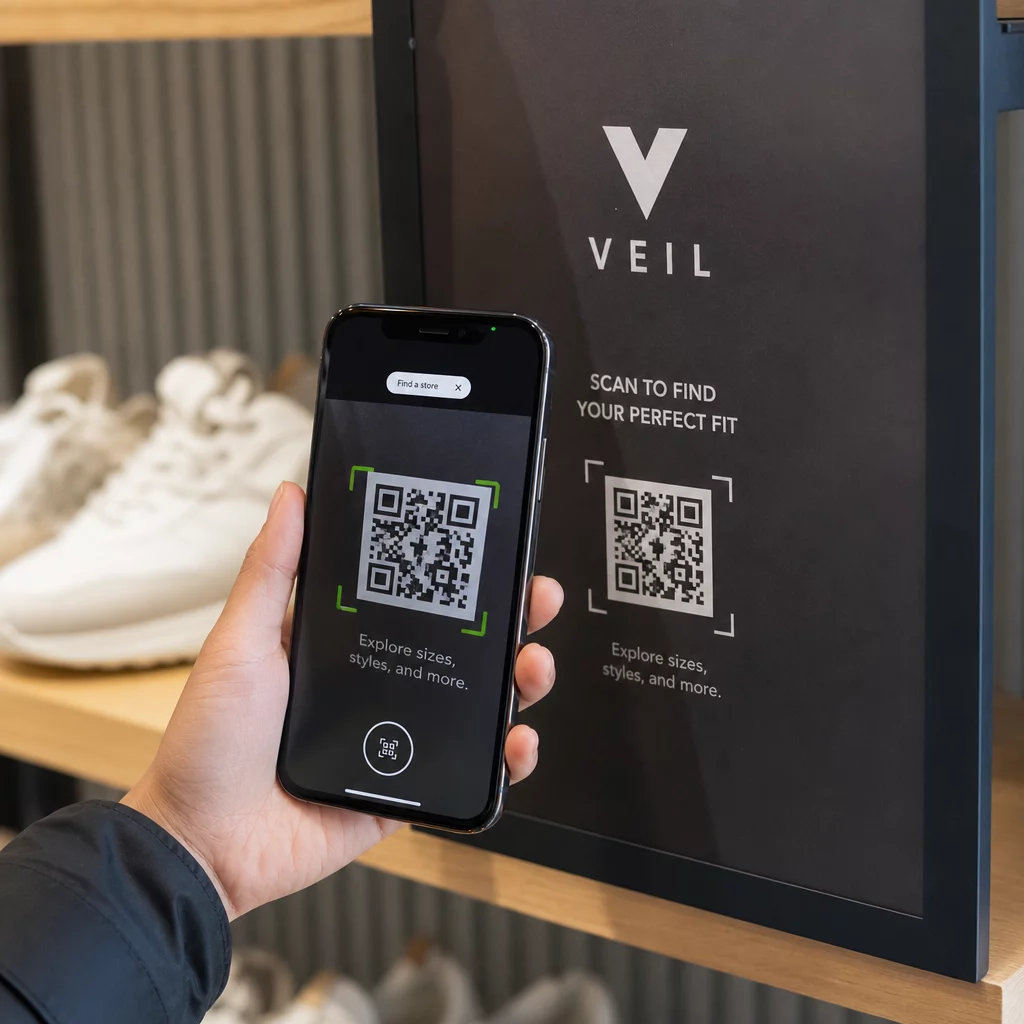
Scanning a secure code

How to Set Up Password-Protected QR Codes

Secure confidential files and links by setting up password-protected QR codes. Discover step-by-step methods and best practices for access control.
Updated on 7월 28, 2026
목차

Are you sharing sensitive documents or exclusive content through QR codes, but worried about unauthorized access? When physical codes appear in public areas, anyone can scan them to view confidential files or internal landing pages. Adding password protection to your destination links and files ensures only authorized users access your content.

Can a QR Code Itself Be Password Protected?

Standard static QR codes cannot store passwords inside their pixel patterns. A static code simply translates plain text or a fixed web link into a scannable graphic, meaning any smartphone reader decodes the exact same endpoint data immediately upon scanning.

To secure access, password protection must take place either at the redirect level or at the target destination. You can achieve this using two main approaches:

  • Redirect-level protection: Using a 동적 QR 코드 생성기 to intercept the scan and require password authentication before redirecting visitors to the target resource.
  • Destination-level protection: Securing the host environment or protecting the file directly (such as creating a password-gated document) before linking it.

Both methods prevent unauthorized users from viewing confidential resources, even if your physical QR code is displayed in a public location.

Key Methods to Secure QR Code Content

Choosing the right implementation depends on whether you are securing a website link, an internal document, or temporary event content.

Dynamic QR Code Access Controls

Dynamic QR codes rely on a short redirect link rather than hardcoding the final URL into the image. This short link allows you to manage security settings on the platform hosting the code. You can enable password requirements, update the destination link at any time, or revoke access entirely without reprinting your physical materials.

Password-Protected File Uploads

If you are sharing files directly, you can password-protect the file prior to converting it into a scannable graphic. When using a PDF QR 코드 생성기, you can upload an encrypted PDF or host your document on a secure platform requiring authentication. Users who scan the code reach the document viewer but must enter the correct credentials to open and read the file.

Expiration Dates and Usage Limits

Access control extends beyond passwords. You can combine credential requirements with rules like calendar expirations or maximum scan counts. Setting these parameters ensures that once an offer or internal meeting concludes, the link automatically deactivates. Learn more about controlling content lifecycles in our guide on how to set expiration dates for QR codes.

Secure Your Digital Content Today Protect your sensitive files and restricted links with flexible access controls by creating codes with our 동적 QR 코드 생성기.

How to Set Up a Password-Protected QR Code Step-by-Step

Follow these steps to create a password-gated access flow for your business or marketing materials:

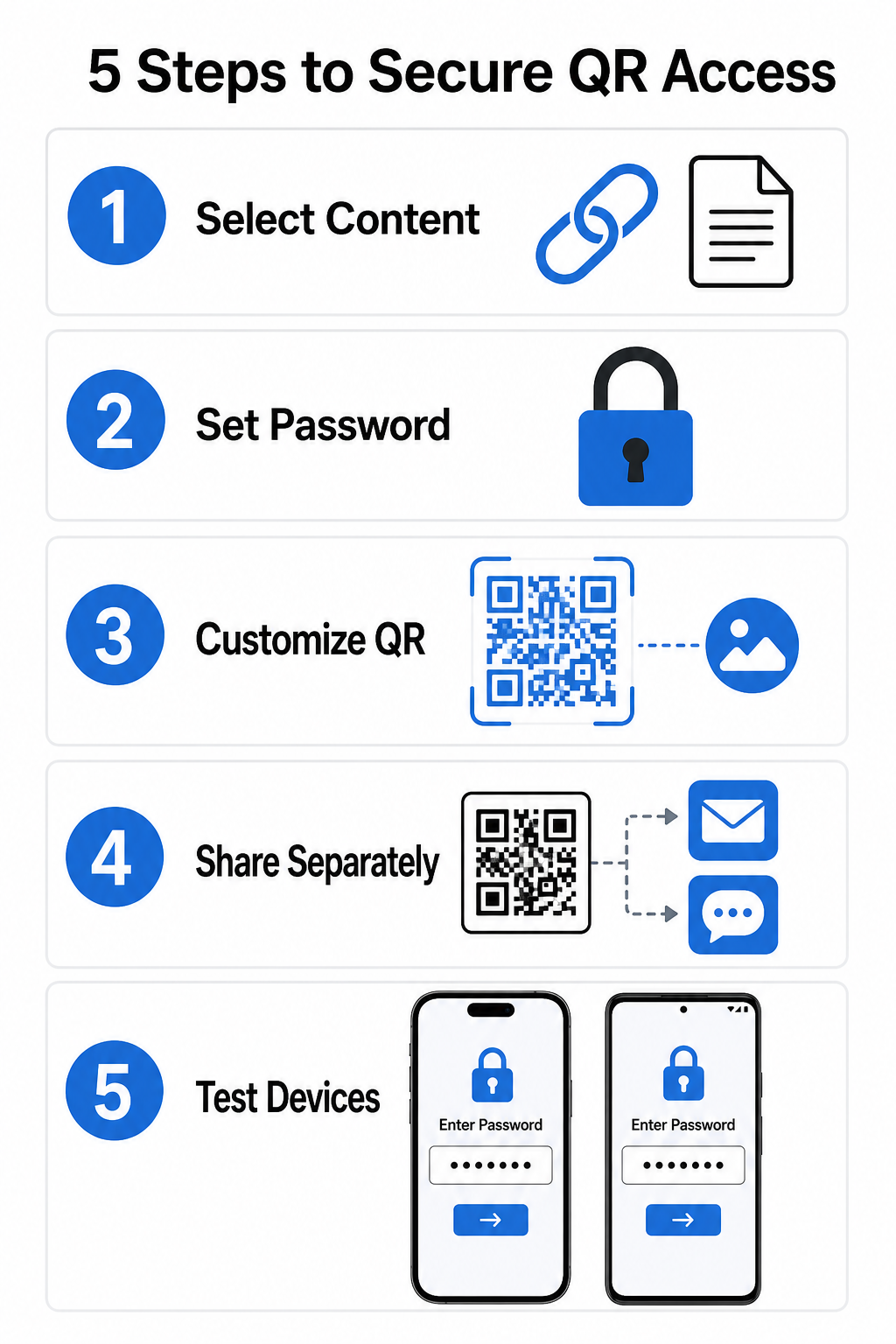
Secure QR setup steps
  • Select your content type: Choose the format you want to share, such as a website URL using a 링크 QR 코드 생성기 or a document file.
  • Configure access security: Enable password requirements in your dynamic management dashboard or apply password protection directly to your target file before uploading.
  • Customize the visual design: Add brand colors, custom frames, and an official logo using a flexible QR 코드 생성기 to build user trust and reduce fraud risks.
  • Distribute credentials separately: Share the password with authorized users through a separate channel, such as email confirmation, welcome packets, or direct messages, rather than placing it near the code.
  • Test across multiple devices: Scan the code using both iOS and Android camera apps to confirm that the password prompt triggers correctly before printing or publishing.

Best Practices for Secure QR Code Deployment

Implementing access protection requires following cybersecurity standards to prevent data leaks and unauthorized scans:

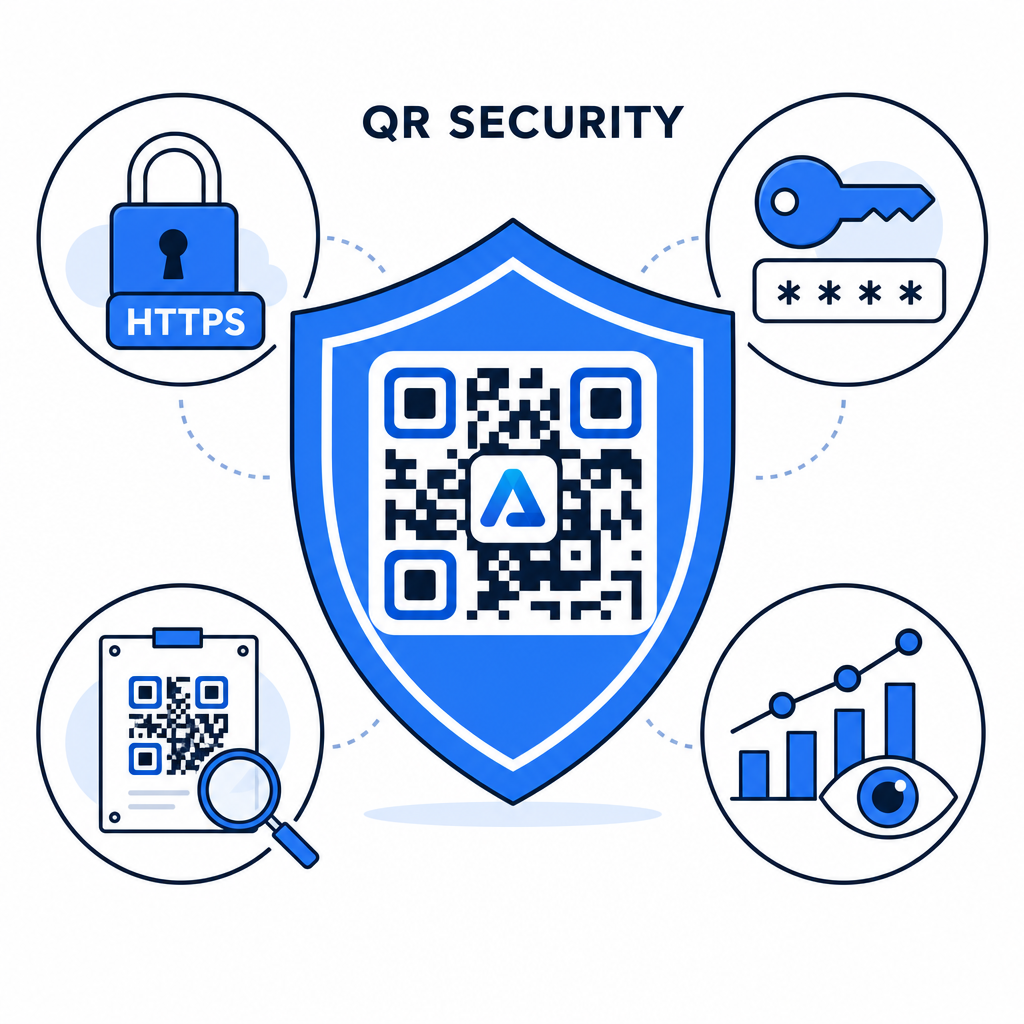
QR security best practices
  • Use strong password standards: Require passwords to be at least 15 characters long for single-factor protection to prevent automated guessing attempts.
  • Require HTTPS endpoints: Ensure the destination server uses SSL encryption to protect data in transit. You can read more about how encryption secures QR code data for deeper security insights.
  • Inspect physical displays regularly: Routinely monitor printed touchpoints in public areas to ensure physical codes have not been altered or covered by unauthorized overlays, mitigating key QR 코드 개인 정보 보호 위험.
  • Monitor access analytics: Track scan frequency, locations, and user agent data in your management dashboard to identify suspicious traffic patterns or unauthorized access attempts.

Manage and Protect Your Files Effortlessly Convert your confidential manuals and documents into trackable, secure digital links with our PDF QR 코드 생성기.

Secure Your Touchpoints with Password Access Controls

Pairing physical QR touchpoints with digital access controls provides a seamless user experience while keeping proprietary documents, internal forms, and exclusive marketing assets private. By deploying dynamic codes with password prompts, encrypted endpoints, and proactive monitoring, you maintain complete authority over your shared content.

Explore our comprehensive guide on 보안 QR 코드 생성 모범 사례 to implement end-to-end security across your print and digital touchpoints today.

자주 묻는 질문

Can I password-protect a static QR code?

No. Static QR codes encode fixed data directly into the pattern and cannot trigger password prompts. To restrict access, use a dynamic QR code platform or secure the destination page or file itself.

How should I share the access password with my target audience?

Send passwords through a separate communication channel, such as an email confirmation, SMS, event badge, or secure onboarding packet. Never print the password next to the physical QR code.

What happens if I need to change the password or destination link later?

Dynamic QR codes allow you to update destination links, security settings, or password access rules directly from your dashboard at any time without reprinting physical materials.

작성자 정보

시임 코스타비는 페이지루트의 콘텐츠 책임자입니다. 그는 페이지루트의 혁신적인 QR 코드 생성 서비스에 대한 글을 쓰고 있습니다. 5년 이상 QR 코드 분야에서 쌓아온 깊이 있는 전문 지식을 바탕으로, 시임은 이 분야의 전문가로 인정받고 있습니다. 그는 QR 기술을 활용하여 디지털 상호작용을 간소화하고 향상시키는 데 크게 기여하고 있습니다.

범주
에 대해 자세히 알아보기
QR 코드 마케팅
QR 코드 이용
후원자가 도서관 QR 스캔
QR 코드 도서관
QR 셔츠 스캔
QR 코드 사용 의류

온라인으로 QR 코드를 생성해야하는 경우 QR 코드 만들기 무료로 여기!
Pageloot는 #1 Go-To 솔루션 QR 코드를 만들고 스캔합니다.

BL-0354

블로그 세대

20,000개 이상의 브랜드로부터 신뢰를 받아 더 많은 매출, 리뷰, 팔로워를 확보했습니다.

클라이언트 로고
최고 브랜드의 신뢰
5 중 4.8 평가

4.86 / 5 별점

휴고 로랑
휴고 로랑
레스토랑 주인
가장 쉽고 안정적인 QR 코드 생성기. PDF 파일을 즉시 업로드할 수 있습니다. 이제 레스토랑 메뉴가 디지털화되었습니다.
루카스 얀센
루카스 얀센
부동산 개발사
이것은 훌륭한 도구이며 QR 코드를 사용하면 원하는 곳으로 이동할 수 있습니다. 우리는 위치 QR 코드만 사용하지만 유용한 기능이 너무 많습니다.

엠마 모레티
엠마 모레티
소매 제품
사용하기 쉽고 빠릅니다. 그것은 훌륭하게 작동하고 완벽한 이미지를 생성하므로 직원들이 내 vCard를 다운로드할 수 있습니다.

휴고 로랑
휴고 로랑
레스토랑 주인
가장 쉽고 안정적인 QR 코드 생성기. PDF 파일을 즉시 업로드할 수 있습니다. 이제 레스토랑 메뉴가 디지털화되었습니다.
루카스 얀센
루카스 얀센
부동산 개발사
이것은 훌륭한 도구이며 QR 코드를 사용하면 원하는 곳으로 이동할 수 있습니다. 우리는 위치 QR 코드만 사용하지만 유용한 기능이 너무 많습니다.
엠마 모레티
엠마 모레티
소매 제품
사용하기 쉽고 빠릅니다. 그것은 훌륭하게 작동하고 완벽한 이미지를 생성하므로 직원들이 내 vCard를 다운로드할 수 있습니다.
더 많은 QR 코드보기
LinkedIn QR 네트워킹
어떻게 LinkedIn QR 코드 찾기
이벤트 QR을 스캔하는 게스트
어떻게 사진 공유 및 업로드
무엇이든 디지털 경험으로 전환하세요 3분 이내에.

14일 무료 체험.

신용카드는 필요 없습니다.

첫 구매 시 30% 할인

코드를 사용하세요:

MP3 파일 공유

PDF QR 코드를 생성하려면 가입하세요

필요한 모든 것을 업로드하고 표시합니다.

  • 오디오 파일
  • 팟캐스트
  • 음악

가입 시 14일 무료 체험.
체험 기간 후 QR 코드 만료.

오디오 mp3 QR 코드를 생성하려면 가입하세요

프레임으로 더 많은 스캔 확보

QR 코드에 더 많은 프레임을 추가하려면 가입하세요

클릭 유도 문안 프레임은 고객이 QR 코드와 쉽게 상호 작용할 수 있도록 도와줍니다. 사용해 보세요!

가입 시 14일 무료 체험.
체험 기간 후 QR 코드 만료.

QR 코드에 더 많은 프레임을 추가하려면 가입하세요

도형으로 더 많은 스타일 추가

더 많은 도형을 만들려면 가입하세요

QR 코드는 정사각형일 필요가 없습니다. 브랜드 이미지에 맞게 전환해 보세요.

가입 시 14일 무료 체험.
체험 기간 후 QR 코드 만료.

더 많은 도형을 만들려면 가입하세요

QR 코드에 로고 추가

QR 코드에 로고를 추가하려면 가입하세요

로고와 브랜드를 추가하여 QR 코드를 돋보이게 만드세요.

가입 시 14일 무료 체험.
체험 기간 후 QR 코드 만료.

QR 코드에 로고를 추가하려면 가입하세요

스마트 앱 스토어 리디렉션

앱 스토어 QR 코드를 생성하려면 가입하세요

스마트 앱 스토어 QR 코드에 앱 링크를 추가하세요. 사용자는 장치에 따라 리디렉션됩니다.

가입 시 14일 무료 체험.
체험 기간 후 QR 코드 만료.

앱 스토어 QR 코드를 생성하려면 가입하세요

QR 코드에 이미지 업로드

이미지 QR 코드를 생성하려면 가입하세요

이미지를 쉽게 공유하세요. 몇 초 안에 동적으로 이미지를 변경하십시오.

가입 시 14일 무료 체험.
체험 기간 후 QR 코드 만료.

이미지 QR 코드를 생성하려면 가입하세요

PDF 파일 공유

PDF QR 코드를 생성하려면 가입하세요

필요한 모든 것을 업로드하고 표시합니다.

  • 메뉴 및 가격표
  • 명령
  • 모든 문서

가입 시 14일 무료 체험.
체험 기간 후 QR 코드 만료.

PDF QR 코드를 생성하려면 가입하세요

인쇄 없이 나중에 편집

다시 인쇄하지 않고 QR 코드를 편집하려면 가입하세요

동적 QR 코드를 사용하면 새 QR 코드를 인쇄하지 않고도 QR 코드의 내용을 변경할 수 있습니다.

가입 시 14일 무료 체험.
체험 기간 후 QR 코드 만료.

다시 인쇄하지 않고 QR 코드를 편집하려면 가입하세요

언제? 어디서? QR 코드 스캔 추적

QR 코드를 추적하려면 가입하세요

어떤 QR 코드가 가장 많이 스캔되고 무엇이 고객을 가장 흥분시키는지 알아보십시오.

가입 시 14일 무료 체험.
체험 기간 후 QR 코드 만료.

QR 코드를 추적하려면 가입하세요

인쇄 준비 파일 제공

PDF 및 SVG와 같은 벡터 QR 코드를 생성하려면 가입하세요.

.EPS, .PDF, .SVG

HD 해상도로 QR 코드를 다운로드하고 싶으신가요? 인쇄할 준비가 된 벡터 또는 픽셀 형식을 가져옵니다.

가입 시 14일 무료 체험.
체험 기간 후 QR 코드 만료.

PDF 및 SVG와 같은 벡터 QR 코드를 생성하려면 가입하세요.

기다리세요. 귀하의 QR 코드는 로드 중... 로드 중...

나만의 것으로 만들기

나중을 위해 QR 코드를 저장하려면 가입하세요.

다양한 색상, 로고 및 클릭 유도문안 프레임으로 멋진 QR 코드를 만들어 더 많은 스캔을 받으세요.

가입 시 14일 무료 체험.
체험 기간 후 QR 코드 만료.

나중을 위해 QR 코드를 저장하려면 가입하세요.