ホーム > ガイド > How to Set Up Password-Protected QR Codes
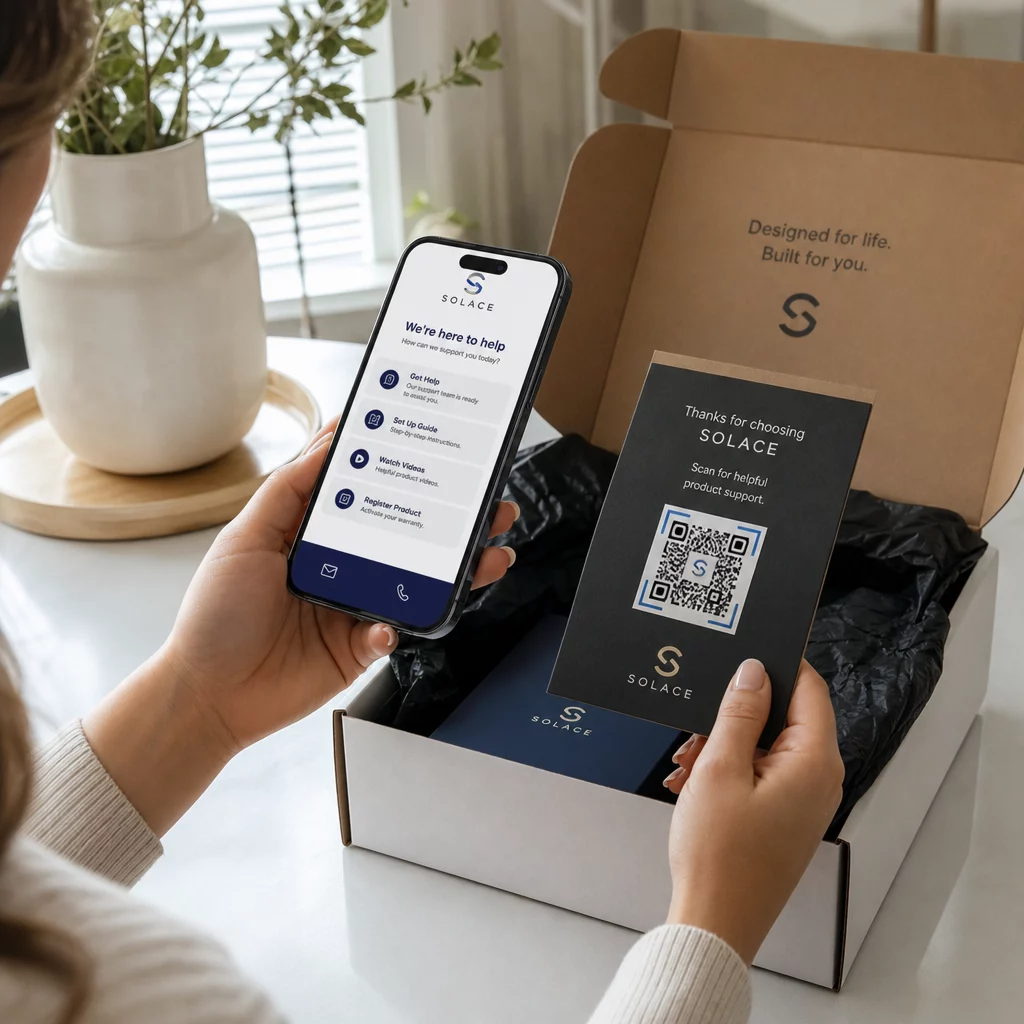
Scanning a secure code

How to Set Up Password-Protected QR Codes

Secure confidential files and links by setting up password-protected QR codes. Discover step-by-step methods and best practices for access control.
Updated on 7月 28, 2026
目次

Are you sharing sensitive documents or exclusive content through QR codes, but worried about unauthorized access? When physical codes appear in public areas, anyone can scan them to view confidential files or internal landing pages. Adding password protection to your destination links and files ensures only authorized users access your content.

Can a QR Code Itself Be Password Protected?

Standard static QR codes cannot store passwords inside their pixel patterns. A static code simply translates plain text or a fixed web link into a scannable graphic, meaning any smartphone reader decodes the exact same endpoint data immediately upon scanning.

To secure access, password protection must take place either at the redirect level or at the target destination. You can achieve this using two main approaches:

  • Redirect-level protection: Using a ダイナミックQRコードジェネレーター to intercept the scan and require password authentication before redirecting visitors to the target resource.
  • Destination-level protection: Securing the host environment or protecting the file directly (such as creating a password-gated document) before linking it.

Both methods prevent unauthorized users from viewing confidential resources, even if your physical QR code is displayed in a public location.

Key Methods to Secure QR Code Content

Choosing the right implementation depends on whether you are securing a website link, an internal document, or temporary event content.

Dynamic QR Code Access Controls

Dynamic QR codes rely on a short redirect link rather than hardcoding the final URL into the image. This short link allows you to manage security settings on the platform hosting the code. You can enable password requirements, update the destination link at any time, or revoke access entirely without reprinting your physical materials.

Password-Protected File Uploads

If you are sharing files directly, you can password-protect the file prior to converting it into a scannable graphic. When using a PDF QRコードジェネレーター, you can upload an encrypted PDF or host your document on a secure platform requiring authentication. Users who scan the code reach the document viewer but must enter the correct credentials to open and read the file.

Expiration Dates and Usage Limits

Access control extends beyond passwords. You can combine credential requirements with rules like calendar expirations or maximum scan counts. Setting these parameters ensures that once an offer or internal meeting concludes, the link automatically deactivates. Learn more about controlling content lifecycles in our guide on how to set expiration dates for QR codes.

Secure Your Digital Content Today Protect your sensitive files and restricted links with flexible access controls by creating codes with our ダイナミックQRコードジェネレーター.

How to Set Up a Password-Protected QR Code Step-by-Step

Follow these steps to create a password-gated access flow for your business or marketing materials:

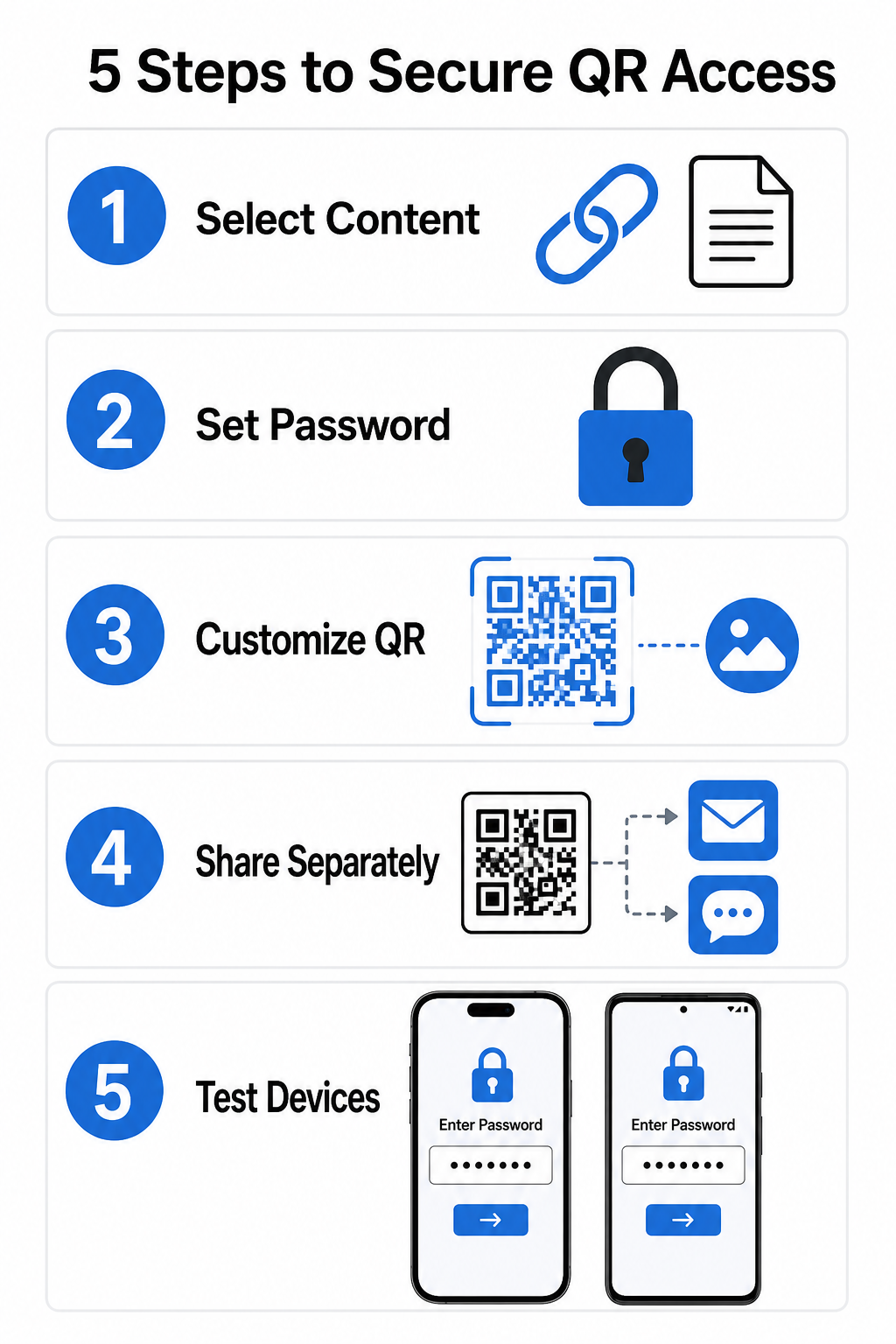
Secure QR setup steps
  • Select your content type: Choose the format you want to share, such as a website URL using a リンクQRコードジェネレーター or a document file.
  • Configure access security: Enable password requirements in your dynamic management dashboard or apply password protection directly to your target file before uploading.
  • Customize the visual design: Add brand colors, custom frames, and an official logo using a flexible QRコードジェネレーター to build user trust and reduce fraud risks.
  • Distribute credentials separately: Share the password with authorized users through a separate channel, such as email confirmation, welcome packets, or direct messages, rather than placing it near the code.
  • Test across multiple devices: Scan the code using both iOS and Android camera apps to confirm that the password prompt triggers correctly before printing or publishing.

Best Practices for Secure QR Code Deployment

Implementing access protection requires following cybersecurity standards to prevent data leaks and unauthorized scans:

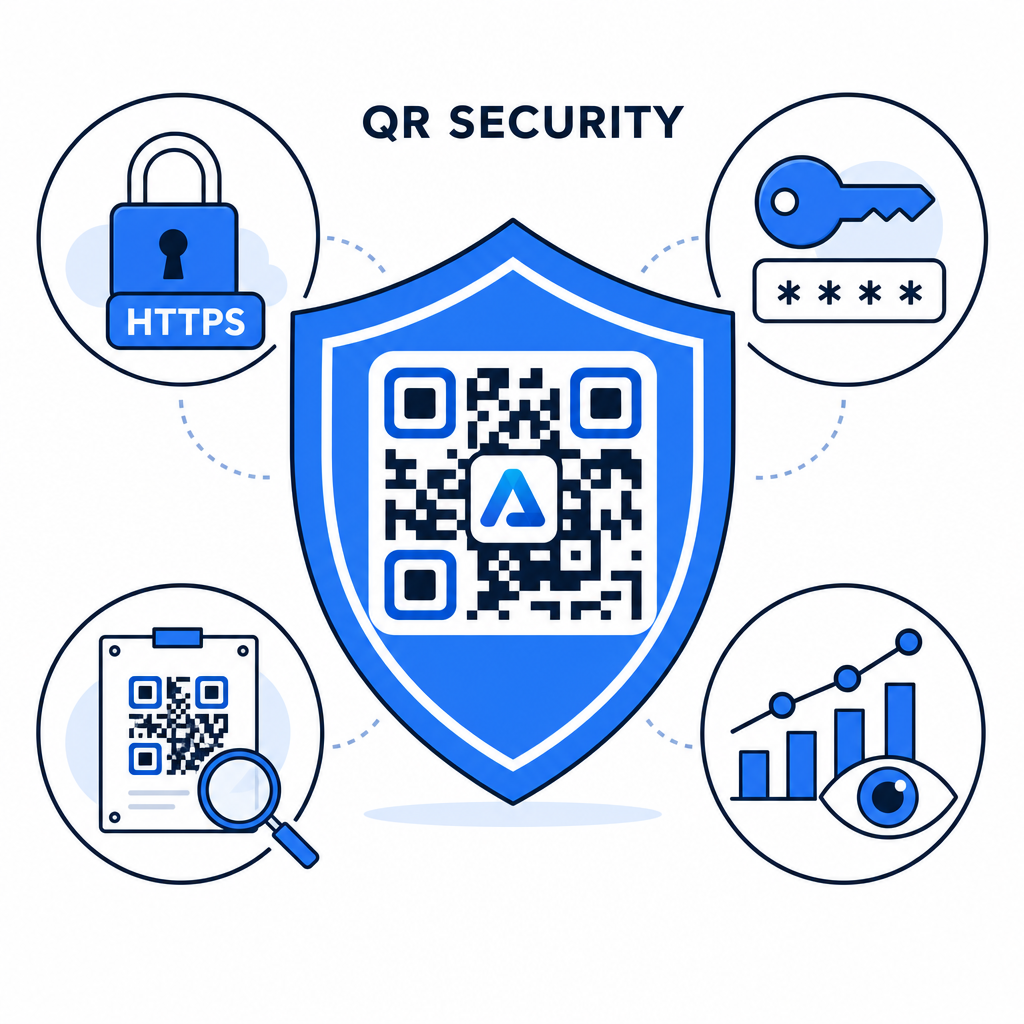
QR security best practices
  • Use strong password standards: Require passwords to be at least 15 characters long for single-factor protection to prevent automated guessing attempts.
  • Require HTTPS endpoints: Ensure the destination server uses SSL encryption to protect data in transit. You can read more about how encryption secures QR code data for deeper security insights.
  • Inspect physical displays regularly: Routinely monitor printed touchpoints in public areas to ensure physical codes have not been altered or covered by unauthorized overlays, mitigating key QRコードのプライバシーリスク.
  • Monitor access analytics: Track scan frequency, locations, and user agent data in your management dashboard to identify suspicious traffic patterns or unauthorized access attempts.

Manage and Protect Your Files Effortlessly Convert your confidential manuals and documents into trackable, secure digital links with our PDF QRコードジェネレーター.

Secure Your Touchpoints with Password Access Controls

Pairing physical QR touchpoints with digital access controls provides a seamless user experience while keeping proprietary documents, internal forms, and exclusive marketing assets private. By deploying dynamic codes with password prompts, encrypted endpoints, and proactive monitoring, you maintain complete authority over your shared content.

Explore our comprehensive guide on 安全なQRコード生成のベストプラクティス to implement end-to-end security across your print and digital touchpoints today.

よくある質問

Can I password-protect a static QR code?

No. Static QR codes encode fixed data directly into the pattern and cannot trigger password prompts. To restrict access, use a dynamic QR code platform or secure the destination page or file itself.

How should I share the access password with my target audience?

Send passwords through a separate communication channel, such as an email confirmation, SMS, event badge, or secure onboarding packet. Never print the password next to the physical QR code.

What happens if I need to change the password or destination link later?

Dynamic QR codes allow you to update destination links, security settings, or password access rules directly from your dashboard at any time without reprinting physical materials.

著者について

Siim KostabiはPagelootのコンテンツリードです。Pagelootの革新的なQRコード生成サービスについて執筆しています。5年以上にわたるQRコードに関する深い専門知識を持つSiimは、この分野の専門家です。QRテクノロジーを活用してデジタルインタラクションを簡素化・拡張する上で、大きな進歩を遂げています。.

カテゴリー
について詳しくはこちら
TikTokのQRコードをスキャン
のQRコードを作る チクトックトック
✅ QRコードの#1ソリューション

オンラインでQRコードを作成する必要がある場合は QRコードを作る ここで無料で
ページルートは #1のGo-Toソリューション でQRコードを作成してスキャンすることができます。

BL-0354

ブログジェネ

売上、レビュー、フォロワーを増やすために 20,000 を超えるブランドから信頼されています。

クライアントのロゴ
トップブランドから信頼される
5 のうち 4.8 と評価しました

4.86 / 5つ星評価

ユーゴ・ローラン
ユーゴ・ローラン
レストランオーナー
最も簡単で信頼性の高いQRコードジェネレータです。PDFファイルを即座にアップロードできます。レストランのメニューがデジタル化されました。
ルーカス・ジャンセン
ルーカス・ジャンセン
不動産開発業者
これは優れたツールで、QRコードでちょうど欲しいところに連れて行ってくれます。私たちは位置情報のQRコードしか使っていませんが、とても便利な機能がたくさんあります。
エマ・モレッティ
エマ・モレッティ
小売製品
使いやすいし、早い。素晴らしい機能で、完璧な画像を作成してくれるので、社員は私のvCardをダウンロードすることができます。
ユーゴ・ローラン
ユーゴ・ローラン
レストランオーナー
最も簡単で信頼性の高いQRコードジェネレータです。PDFファイルを即座にアップロードできます。レストランのメニューがデジタル化されました。
ルーカス・ジャンセン
ルーカス・ジャンセン
不動産開発業者
これは優れたツールで、QRコードでちょうど欲しいところに連れて行ってくれます。私たちは位置情報のQRコードしか使っていませんが、とても便利な機能がたくさんあります。
エマ・モレッティ
エマ・モレッティ
小売製品
使いやすいし、早い。素晴らしい機能で、完璧な画像を作成してくれるので、社員は私のvCardをダウンロードすることができます。
QRコードをもっと見る
バーコードとQRコードの比較
バーコード vs QRコード
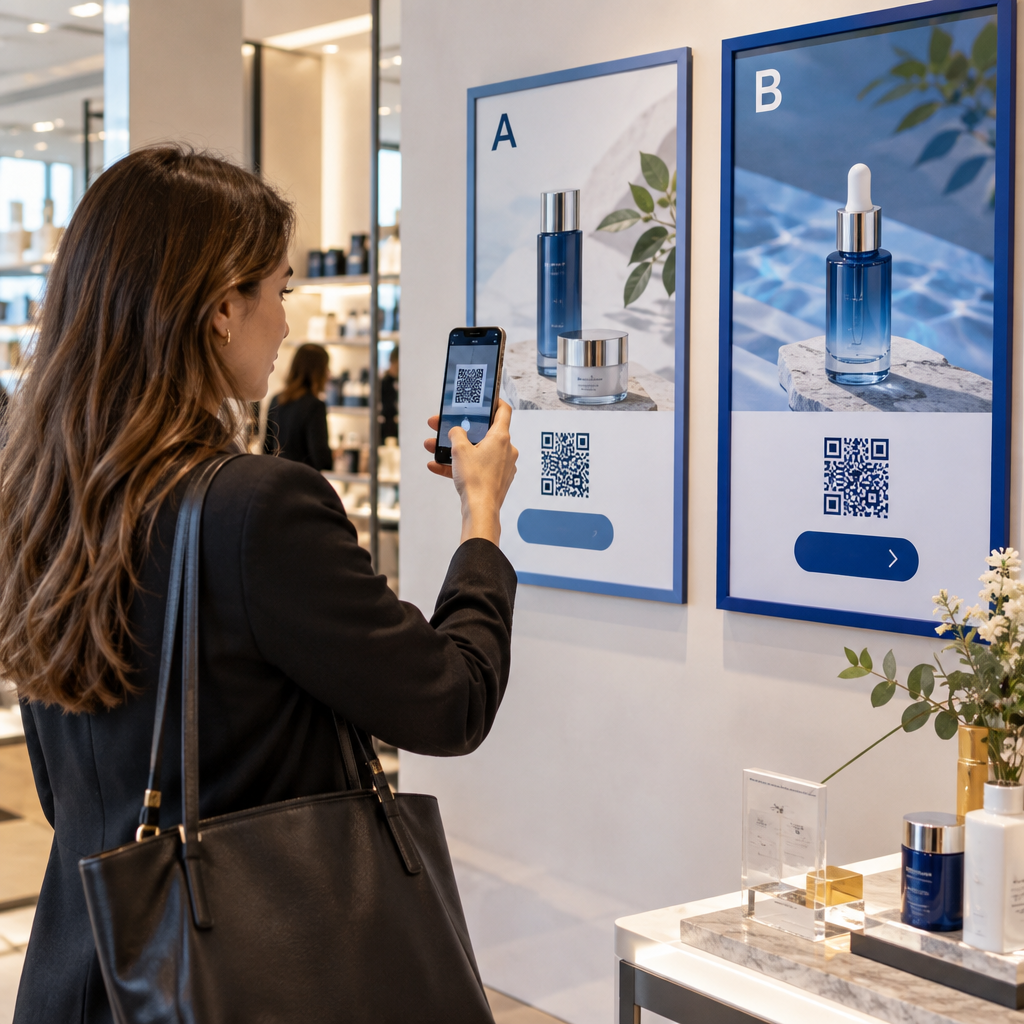
Shopper scans QR code
のQRコード 小売業者
あらゆるものをデジタル体験に変えよう 3分以内に。

14日間の無料トライアル。

クレジットカードは必要ありません。

初回購入で30%オフ

次のコードを使用してください:

MP3ファイルを共有

PDF QRコードを作成するにはサインアップしてください

必要なものをすべてアップロードして表示する。

  • オーディオファイル
  • ポッドキャスト
  • 音楽

サインアップで14日間無料トライアル。.
トライアル終了後、QRコードは期限切れになります。.

オーディオmp3 QRコードを作成するにはサインアップしてください

フレームでより多くのスキャンを獲得

QRコードにフレームを追加するにはサインアップしてください

コールトゥアクションフレームは、お客様が簡単にQRコードと対話できるようにします。ぜひお試しください。

サインアップで14日間無料トライアル。.
トライアル終了後、QRコードは期限切れになります。.

QRコードにフレームを追加するにはサインアップしてください

シェイプでスタイルを追加

より多くの図形を作成するにはサインアップしてください

QRコードは四角いものである必要はありません。あなたのブランドのイメージに合わせて変えてみてください。

サインアップで14日間無料トライアル。.
トライアル終了後、QRコードは期限切れになります。.

より多くの図形を作成するにはサインアップしてください

QRコードにロゴを追加

QRコードにロゴを追加するにはサインアップしてください

QRコードにロゴやブランドを入れることで、目立たせることができます。

サインアップで14日間無料トライアル。.
トライアル終了後、QRコードは期限切れになります。.

QRコードにロゴを追加するにはサインアップしてください

スマートなApp Storeリダイレクト

アプリストアのQRコードを作成するにはサインアップしてください

スマートなApp StoreのQRコードに、あなたのアプリのリンクを追加します。ユーザーは、デバイスに応じてリダイレクトされます。

サインアップで14日間無料トライアル。.
トライアル終了後、QRコードは期限切れになります。.

アプリストアのQRコードを作成するにはサインアップしてください

QRコードに画像をアップロード

画像QRコードを作成するにはサインアップしてください

画像を簡単に共有できます。どんな画像も、数秒でダイナミックに変化します。

サインアップで14日間無料トライアル。.
トライアル終了後、QRコードは期限切れになります。.

画像QRコードを作成するにはサインアップしてください

PDFファイルを共有

PDF QRコードを作成するにはサインアップしてください

必要なものをすべてアップロードして表示する。

  • メニュー&プライスリスト
  • 指示
  • 任意の書類

サインアップで14日間無料トライアル。.
トライアル終了後、QRコードは期限切れになります。.

PDF QRコードを作成するにはサインアップしてください

印刷せずに後で編集

再度印刷せずにQRコードを編集するにはサインアップしてください

ダイナミックQRコードは、新たにQRコードを印刷することなく、QRコードの内容を変更することができます。

サインアップで14日間無料トライアル。.
トライアル終了後、QRコードは期限切れになります。.

再度印刷せずにQRコードを編集するにはサインアップしてください

いつ?どこで?QRコードのスキャンを追跡

QRコードを追跡するにはサインアップしてください

どのQRコードが最も多くスキャンされ、何が最も顧客を喜ばせているのかを知ることができます。

サインアップで14日間無料トライアル。.
トライアル終了後、QRコードは期限切れになります。.

QRコードを追跡するにはサインアップしてください

印刷可能なファイルが利用可能

PDFやSVGのようなベクターQRコードを作成するにはサインアップしてください

.eps、.pdf、.svg

QRコードをHD解像度でダウンロードしたいですか?すぐに印刷できるベクターまたはピクセル形式を入手しましょう。

サインアップで14日間無料トライアル。.
トライアル終了後、QRコードは期限切れになります。.

PDFやSVGのようなベクターQRコードを作成するにはサインアップしてください

しばらくお待ちください。あなたのQRコードは ロード... ロード...

あなただけのものに

サインアップしてQRコードを後で保存してください

異なる色、ロゴ、コールトゥアクションフレームで素晴らしいQRコードを作成することで、より多くのスキャンを得ることができます。

サインアップで14日間無料トライアル。.
トライアル終了後、QRコードは期限切れになります。.

サインアップしてQRコードを後で保存してください