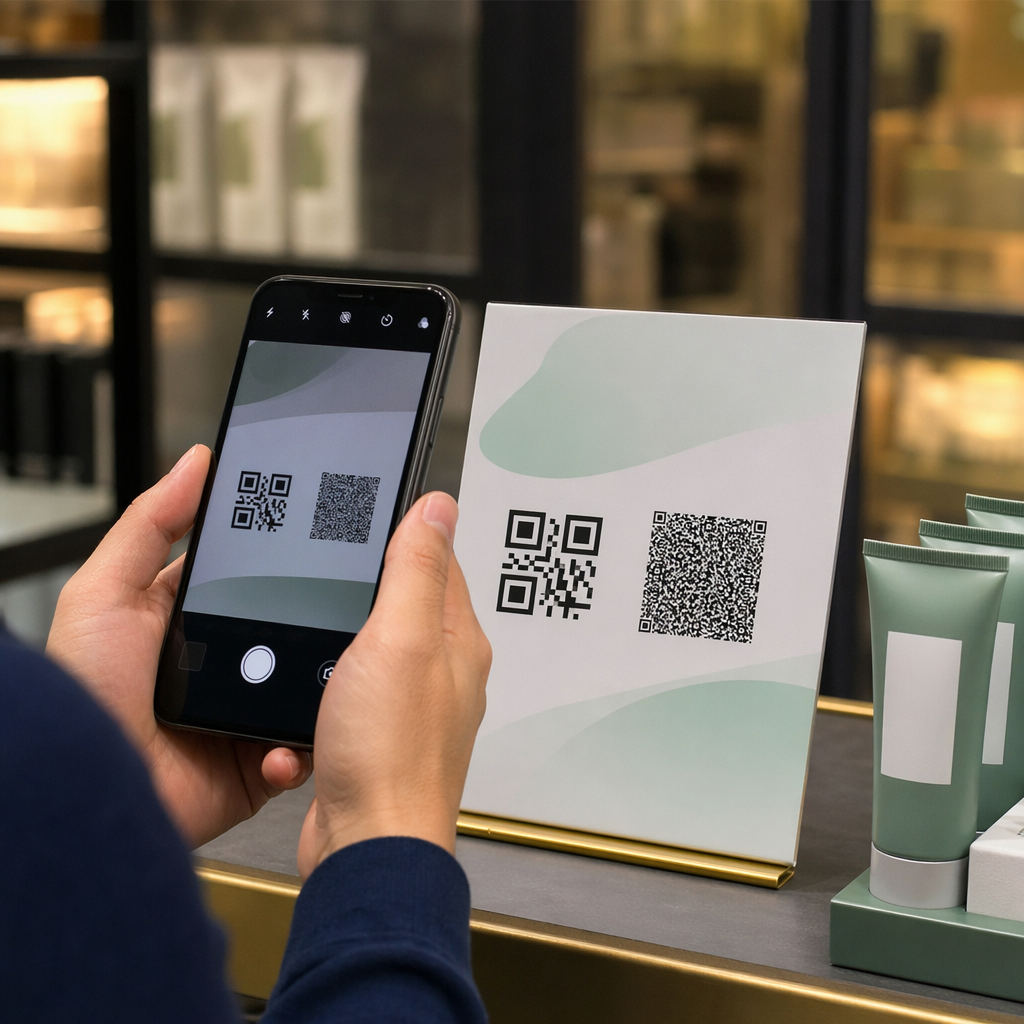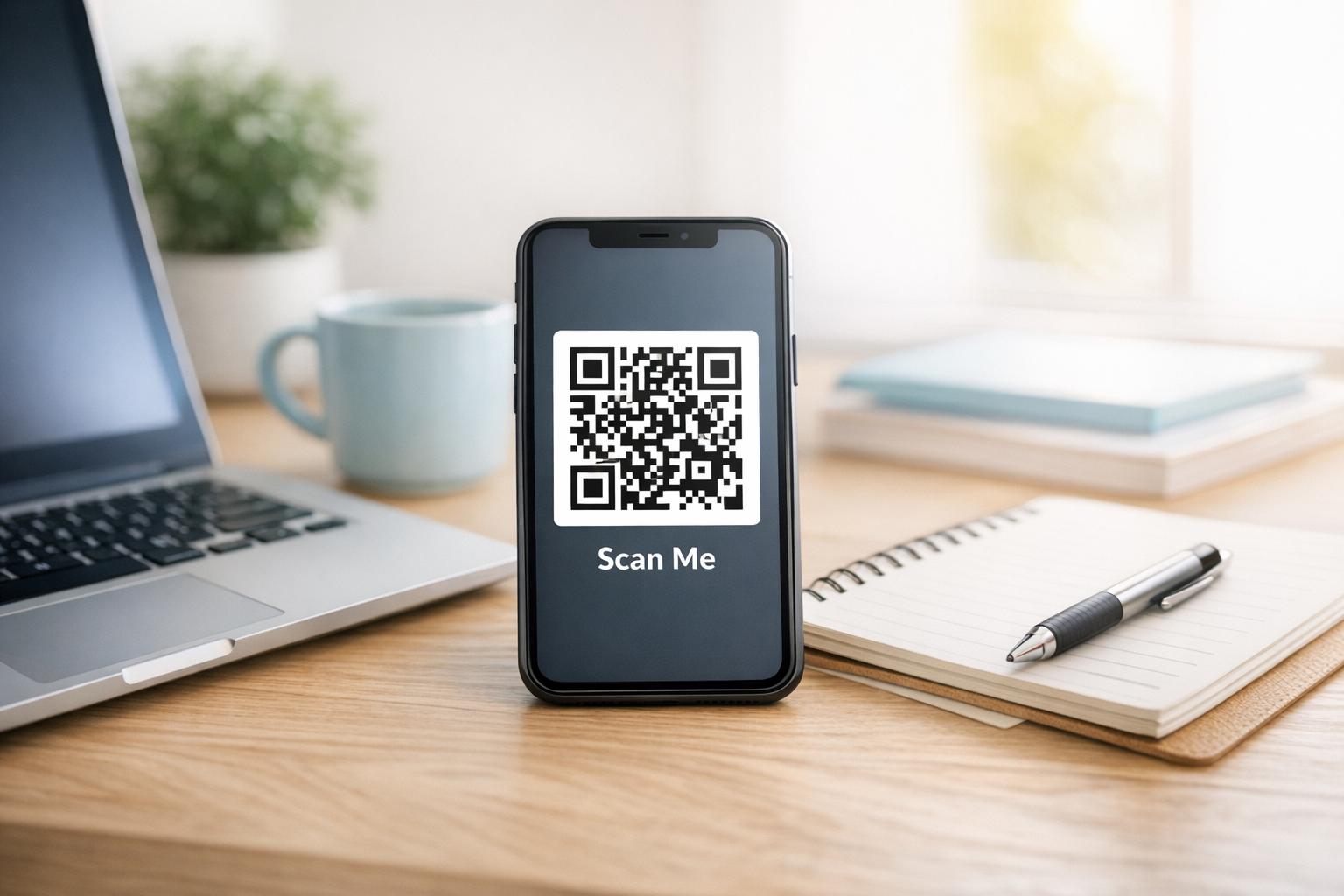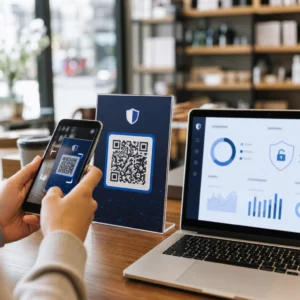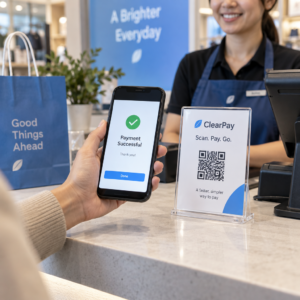
Vai jūsu produkta viltotas versijas nonāk pie klientiem? Papildus zaudētajiem ieņēmumiem, viltotas preces bojā zīmola uzticību un var pakļaut pircējus riskam. Šajā lapā ir paskaidrots, kā QR kodi, ieviesti ar serializētām unikālām identitātēm un pareizo infrastruktūru, rada praktisku un mērogojamu produktu autentifikācijas sistēmu.
Kāpēc viltošana ir problēma, ko vērts risināt sistemātiski
Viltoto preču tirdzniecības apjoms ir ievērojams. OECD un EUIPO lēš, ka viltotas preces 2021. gadā veidoja aptuveni 467 miljardus ASV dolāru pasaules tirdzniecībā, kas ir 2,3% no kopējā pasaules importa. ASV Patentu un preču zīmju biroja ziņojumā konstatēts, ka viltošana un pirātisms ASV uzņēmumiem izmaksā vairāk nekā 200 miljardus ASV dolāru gadā un veicina vairāk nekā 750 000 darba vietu zaudēšanu.
Zīmolu īpašniekiem tiešos finansiālos zaudējumus papildina grūtāk kvantificējami bojājumi: klients, kurš iegādājas jūsu produkta viltotu versiju un gūst sliktu pieredzi, vaino jūsu zīmolu, nevis viltotāju.
Uz QR kodiem balstīta autentifikācijas sistēma risina šo problēmu preces līmenī. Tā vietā, lai vienkārši pārbaudītu, vai produkta veids ir oriģināls, tā pārbauda, vai konkrēta, individuāla vienība ir oriģināla – un sniedz jums datus, lai atklātu, kad kaut kas noiet greizi.
Kāpēc ar standarta QR kodu vien nepietiek
Pirms izpētīt, kā darbojas QR autentifikācija, ir svarīgi saprast galveno ierobežojumu, ko daudzi zīmoli ignorē.
Vispārīgu QR kodu ir viegli dublēt. Viltotājs var nofotografēt jūsu kodu augstā izšķirtspējā, pārprintēt to uz tūkstošiem viltotu produktu, un šie klonētie kodi skenēsies un darbosies identiski oriģinālam. Ja jūsu QR kods vienkārši norāda uz produkta lapu vai statisku verifikācijas URL, tas nenodrošina reālu aizsardzību.
Tradicionālie statiskie QR kodi, ko izmanto izsekojamībai vai informācijai par produktu, nenodrošina nekādu iekšēju autentifikāciju. Ja pats produkts ir viltots, saistītā lapa joprojām šķiet oriģināla un pati par sevi nevar apstiprināt autentiskumu.
Efektīvai QR autentifikācijai ir nepieciešamas trīs lietas, kas darbojas kopā:
- Serializācija: katra atsevišķa prece saņem unikālu kodu, nevis tikai katrs SKU vai partija
- Servera puses verifikācija: katra skenēšana tiek pārbaudīta pret uzticamu ierakstu, nevis tikai pret galamērķa URL
- Uzraudzības loģika: anomālijas, piemēram, atkārtotas skenēšanas no dažādām vietām vai skenēšanas skaits, kas pārsniedz paredzēto daudzumu, izraisa brīdinājumus
QR kods ir klientam redzamais interfeiss. Drošība slēpjas aiz tā esošajā infrastruktūrā.
Kā darbojas serializēta QR autentifikācija
Serializēti QR kodi piešķir unikālu kodu katrai atsevišķai produkta vienībai. Kad klients skenē šo kodu, sistēma ne tikai ielādē lapu – tā veic meklēšanu pret produkta ierakstu, lai apstiprinātu, ka šī konkrētā prece ar šo konkrēto identifikatoru ir zināma un derīga.
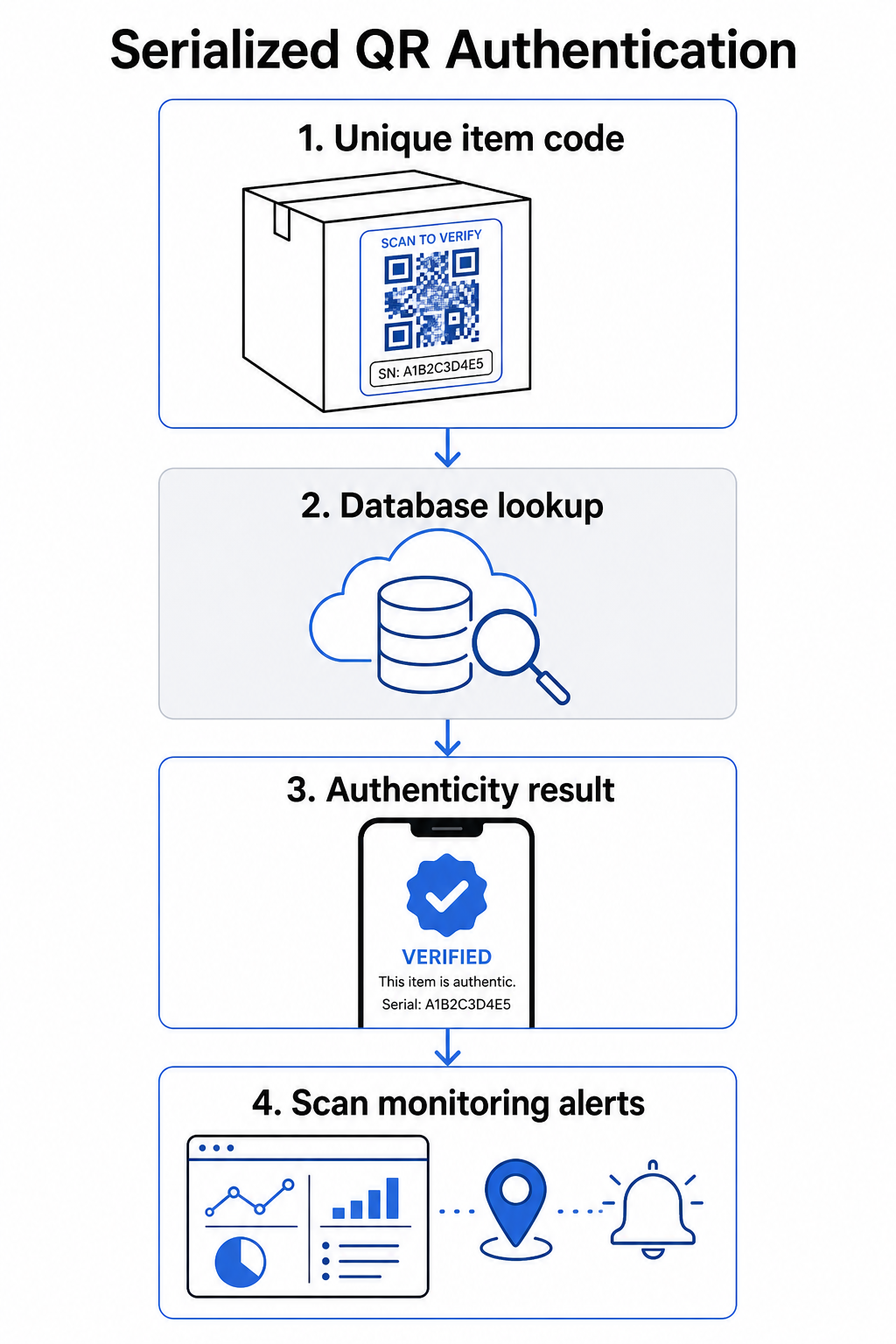
Pilnīga autentifikācijas darbplūsma parasti ietver šādus soļus:
- Izveidojiet unikālu identifikatoru katrai precei – tas var būt sērijas numurs, partijas atsauce, ražošanas laika zīmogs vai kombinācija, kas kodēta kā GS1 Digital Link URI, kas ietver GS1 lietojumprogrammu identifikatorus GTIN, partijas/partijas numuram un sērijas numuram
- Saistiet šo identifikatoru ar digitālu produkta ierakstu – glabājas drošā datu bāzē, ko kontrolē jūsu sistēma
- Ģenerējiet un piešķiriet unikālu QR kodu kas norāda uz verifikācijas galapunktu, kas satur necaurspīdīgu identifikatoru vai marķieri, nevis pašus neapstrādātos datus
- Uzklājiet QR kodu fiziskajam produktam – augstākas vērtības precēm, novietojot to zem nokasāma paneļa vai pāri viltojumizturīgam zīmogam, tiek novērsta etiķešu pārvietošana un atkārtota izmantošana
- Reģistrējiet katru skenēšanu kā notikumu – fiksējot laika zīmogu, atrašanās vietu un ierīces informāciju, lai atbalstītu nepārtrauktu uzraudzību
- Pasniedziet verifikācijas lapu kas parāda produkta detaļas un skaidru autentiskuma rezultātu, lai klienti nekavējoties zinātu, ko viņi redz
Verifikācijas lapa pati par sevi ir svarīga. Labi izstrādāta lapa parāda produkta nosaukumu, partijas vai garantijas informāciju un vienkāršu autentiskuma apstiprinājumu. Dažas sistēmas arī parāda, cik reižu konkrēts kods ir skenēts – kods, kas uzkrāj daudz vairāk skenējumu, nekā paredzēts, kļūst par aizdomu izraisītāju viltojumiem, kas izmanto dublētus kodus.
Pārvaldiet un izsekojiet katru produkta kodu Pageloot Dinamisks QR kodu ģenerators ļauj jums izveidot izsekojamus, rediģējamus QR kodus un piekļūt pilnai analītikas informācijas panelim, kas parāda, kad un kur notiek katra skenēšana – nodrošinot jums uzraudzības slāni, kas nepieciešams jūsu autentifikācijas sistēmai.
Dinamisku QR kodu loma autentifikācijā
Dinamiskie QR kodi ir praktisks pamats produktu autentifikācijai, jo tie atdala drukāto kodu no galamērķa, uz kuru tas norāda. Fiziskais kods uz produkta nekad nemainās, taču galamērķi un loģiku aiz tā var atjaunināt jebkurā laikā bez atkārtotas drukāšanas.
Tas ir svarīgi autentifikācijai vairākos specifiskos veidos:
- Varat atjaunināt verifikācijas lapas ja mainās jūsu aizmugursistēmas infrastruktūra, neatsaucot vai atkārtoti nedrukājot marķētus produktus
- Varat atspējot kodu ja partija tiek atsaukta vai ja tiek atklāta krāpnieciska darbība ap konkrētu identifikatoru
- Varat novirzīt skenēšanu uz dažādām pieredzēm, pamatojoties uz skenēšanas skaitu, ģeogrāfiju vai laiku – piemēram, novirzot pirmo skenēšanu uz pilnu verifikācijas lapu un turpmākās skenēšanas uz brīdinājuma paziņojumu
Pageloot platforma atbalsta QR kodu galamērķu rediģēšanu pēc drukāšanas un nodrošina skenēšanas analīzi, tostarp atrašanās vietu, ierīces veidu un skenēšanas laiku – tas viss tieši nonāk uzraudzības darbplūsmā.
Zīmoliem, kas pārvalda lielus produktu apjomus, Pageloot atbalsta masveida QR kodu ģenerēšanu, izmantojot CSV augšupielādes, mērogojot līdz 100 000 kodu, kas padara serializētu kodu ģenerēšanu praktisku pat ražošanas mērogā. Piegādātāji un tālākpārdevēji var izpētīt īpašus rīkus, izmantojot Pageloot piegādātāju un tālākpārdevēju risinājumi.
QR kodu apvienošana ar fiziskās drošības elementiem
Drošības pētnieki un zīmolu aizsardzības speciālisti konsekventi atzīmē, ka tikai QR kods nevar novērst viltošanu. Efektīva aizsardzība apvieno QR slāni ar fiziskiem vai strukturāliem elementiem, kurus ir grūtāk replicēt.
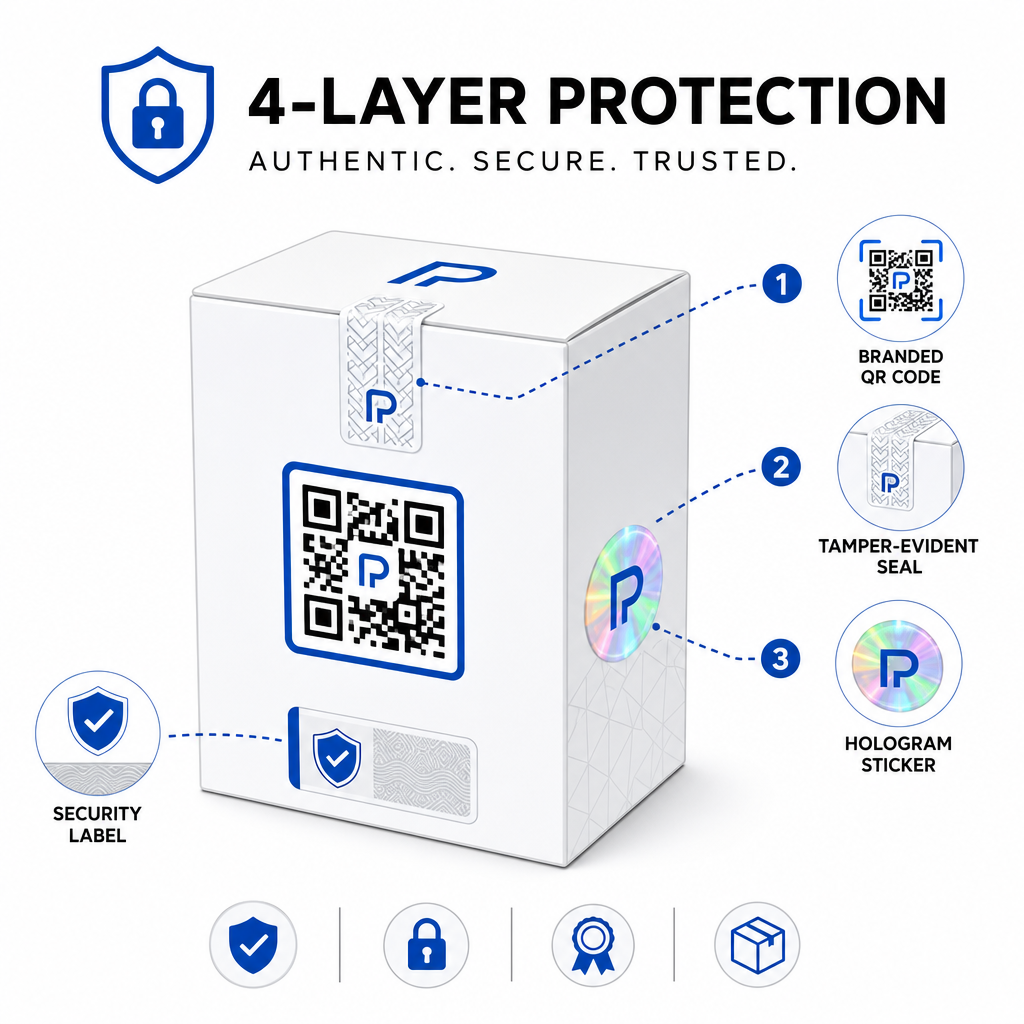
Biežas pieejas ietver:
- Plombas ar viltošanas pazīmēm: QR koda novietošana pāri plombai, kas, noņemot, parāda redzamus bojājumus
- Nokasāmi paneļi: QR koda paslēpšana zem pārklājuma, ko pircējs noņem pirmajā lietošanas reizē, padarot kodu grūtāk fotografējamu viltotājiem pirms pirkuma
- Hologrāfiskas virslaminēšanas vai drošības tintes: fiziska slāņa pievienošana, kas redzami degradējas, kopējot
- Droši kopēšanas necaurlaidīgi raksti: dažas sistēmas iegulst mikroskopiskas pretkopēšanas tekstūras pašā QR koda dizainā, izraisot raksta degradāciju vai pazušanu, fotografējot un atkārtoti drukājot
Kombinētā stratēģija ir svarīga, jo tā novirza autentifikāciju no viena kļūmes punkta. Viltotājs, kurš var dublēt QR kodu, nevar viegli replicēt arī plombu ar viltošanas pazīmēm, hologrammu vai kopēšanai jutīgu substrātu vienlaikus.
Lai iegūtu plašāku ieskatu par to, kā QR kodi mijiedarbojas ar fizisko produktu iepakojumu, ceļvedis par QR kodus uz produktu iepakojuma detalizēti aplūko izvietojumu un dizainu.
Servera puses verifikācija un skenēšanas uzraudzība
Vissvarīgākais drošības slānis QR autentifikācijas sistēmā ir tas, ko klienti nekad neredz: servera puses validācija.
Kad klients skenē autentificētu QR kodu, sistēmai vajadzētu:
- Validēt identifikatoru pret jūsu produktu datubāzi pirms jebkāda rezultāta pasniegšanas
- Reģistrēt skenēšanas notikumu ar laika zīmogu, GPS koordinātēm vai uz IP balstītu atrašanās vietu un ierīces pirkstu nospiedumu
- Pārbaudīt anomālijas piemēram, viena un tā paša koda skenēšana no divām ģeogrāfiski attālām vietām dažu minūšu laikā, vai viena serializēta koda skenēšanas uzkrāšanās, kas pārsniedz jebkādu ticamu likumīgu lietojumu
- Izmantot necaurspīdīgus žetonus nevis neapstrādātus identifikatorus QR saturā, lai pat tad, ja kāds tieši nolasa QR datus, viņš nevarētu izveidot derīgu viltojumu bez piekļuves jūsu servera loģikai
Šī pieeja – kur QR kods satur tikai necaurspīdīgu atsauci un visa jēgpilnā verifikācija notiek servera pusē – ir standarts, ko drošības speciālisti iesaka autentifikācijas lietošanas gadījumiem.
Lai iegūtu tehnisku padziļinātu ieskatu par to, kā šifrēšana var vēl vairāk aizsargāt uz QR balstītas autentifikācijas sistēmas, ziņa par šifrētus QR kodus autentifikācijas platformām detalizēti aplūko šifrēšanas metodes un atbilstības apsvērumus.
Autentifikācijas QR kodu dizains un izvietojums
Autentifikācijas QR kods, ko klienti nevar skenēt, zaudē savu jēgu. Standarta labākā prakse attiecībā uz drukas kvalitāti un izvietojumu ir vienlīdz piemērojama arī šeit:
- Minimālais izmērs: ievērojiet īkšķa likumu 1 cm uz 10 cm skenēšanas attāluma, lai nodrošinātu uzticamu skenēšanu dažādās ierīcēs
- Augsts kontrasts: izmantojiet tumšus moduļus uz gaiša fona un izvairieties no spīdīgām vai atstarojošām apdarēm, kas rada atspīdumu
- Klusā zona: atstājiet skaidru apmali vismaz četru moduļu platumā ap kodu, bez teksta vai dizaina elementiem
- Drukas izšķirtspēja: izmantojiet vektoru formātus vai PNG ar vismaz 300 DPI drukas lietojumprogrammām
- Plakans izvietojums: izvairieties no izliektām virsmām, šuvēm vai krokām, kas deformē koda ģeometriju
- Skaidrs aicinājums rīkoties: iekļaujiet īsu instrukciju pie koda, piemēram, “Skenēt, lai pārbaudītu autentiskumu,” lai klienti saprastu, kam kods ir paredzēts
Lai iegūtu sīkākus norādījumus par iepakojumam specifisku izvietojumu, šī galīgo ceļvedi QR kodiem produktu etiķetēm aptver izmēru noteikšanu, kontrastu un pozicionēšanu padziļināti.
Zīmoloti QR kodi ar jūsu logotipu arī signalizē klientiem par leģitimitāti vienā mirklī. Šī QR koda ģenerators ar logotipu ļauj jums tieši iekļaut zīmola identitāti koda dizainā, neapdraudot skenējamību.
Kam šī pieeja ir paredzēta
Uz QR kodiem balstīta produktu autentifikācija ir aktuāla plašā produktu kategoriju un nozaru spektrā:
| Produkta veids | Autentifikācijas nepieciešamība |
|---|---|
| Patēriņa elektronika un aksesuāri | Augsts viltojumu līmenis; garantijas apstiprināšana |
| Farmācija un veselības produkti | Patērētāju drošība; normatīvo aktu ievērošana |
| Luksusa preces un apģērbs | Zīmola aizsardzība; pelēkā tirgus novēršana |
| Rūpnieciskās sastāvdaļas un detaļas | Drošības sertifikācija; piegādes ķēdes integritāte |
| Pārtika un dzērieni | Partijas izsekojamība; importa pārbaude |
Zīmoli, kas pārdod caur trešo pušu mazumtirgotājiem vai e-komercijas platformām, ir īpaši neaizsargāti, jo tiem ir mazāka tieša kontrole pār to, kas nonāk pie gala patērētāja. Serializēta autentifikācija nodrošina tiem tiešu kanālu, lai pārbaudītu jebkuru vienību neatkarīgi no tā, kur tā tika iegādāta.
Pageloot produktu nozares risinājumi ir paredzēti zīmoliem, kas izmanto QR kodus uz iepakojuma un etiķetēm, lai savienotu fiziskos produktus ar digitālajām pieredzēm, tostarp verifikācijas darbplūsmām.
Izveidojiet serializētus kodus lielā apjomā Nepieciešams ģenerēt unikālus QR kodus katrai vienībai jūsu ražošanas ciklā? Pageloot QR kodu ģenerators atbalsta masveida izveidi ar centralizētu informācijas paneli, lai izsekotu, atjauninātu un pārvaldītu kodus visā jūsu katalogā.
Testēšana pirms izvietošanas
Pirms autentifikācijas QR kodu piemērošanas ražošanas ciklā, rūpīga testēšana novērš kļūmes, kas grauj klientu uzticību vissvarīgākajā brīdī. Galvenie soļi ietver:
- Skenējiet drukāto kodu ar vairākām ierīcēm un vietējām kameras lietotnēm dažādos apgaismojuma apstākļos
- Pārbaudiet, vai skenēšanas identifikators pareizi atbilst pareizajam produkta ierakstam jūsu datu bāzē
- Apstipriniet, ka verifikācijas lapa pareizi ielādējas mobilajā ierīcē un skaidri parāda autentiskuma rezultātu
- Pārbaudiet anomāliju noteikšanas loģiku, atkārtoti skenējot to pašu kodu un apstiprinot, ka jūsu uzraudzības sistēma to atbilstoši atzīmē
- Pārbaudiet, vai mijiedarbība ar fizisko drošības elementu – piemēram, skrāpējuma paneļa noņemšana vai zīmoga salaušana – rada gaidīto rezultātu jūsu sistēmā
Lai iegūtu strukturētu pieeju šim procesam, ceļvedis par QR kodu autentifikācijas labākās prakses testēšana detalizēti aptver pilnu testēšanas darbplūsmu.
***
Autentifikācijas sistēmas izveide, kas mērogojas
Uz QR kodiem balstīta produktu autentifikācija nav vienreizēja iestatīšana. Tā prasa nepārtrauktu pārvaldību: skenēšanas datu uzraudzību, anomāliju izpēti, verifikācijas galamērķu atjaunināšanu, kad produkti tiek atsaukti, un sistēmas paplašināšanu, pieaugot jūsu produktu līnijai.
Centralizēta QR pārvaldības platforma padara to operatīvi reālistisku. Pageloot informācijas panelis ļauj komandām organizēt kodus pēc kampaņas vai produktu kategorijas, izmantojot mapes, skatīt apkopoto skenēšanas veiktspēju lielos kodu komplektos un atjaunināt galamērķus bez atkārtotas drukāšanas – iespējas, kas ir svarīgas, ja pārvaldāt serializētus kodus desmitiem tūkstošu vienību.
QR kods uz jūsu produkta ir tas, ko redz klients. Sistēma aiz tā ir tā, kas faktiski aizsargā viņus – un jūsu zīmolu. Veidojiet abus ar vienlīdzīgu rūpību, un serializēta QR autentifikācija kļūst par vienu no praktiskākajiem un mērogojamākajiem rīkiem, kas pieejami viltojumu novēršanai. Izpētiet, kā uzņēmumi dažādās nozarēs pieiet QR kodu ieviešanai vietnē Pageloot nozares risinājumu centrs.
Sāciet aizsargāt savus produktus Izveidojiet izsekojamus, rediģējamus QR kodus un uzraugiet katru skenēšanu no viena informācijas paneļa. Izmēģiniet Dinamisks QR kodu ģenerators bez maksas 14 dienas – nav nepieciešama kredītkarte.
Biežāk uzdotie jautājumi
Nē. Vienkāršu QR kodu var nofotografēt un pārkopēt uz viltotiem produktiem, un klonētais kods skenēsies identiski oriģinālam. Efektīvai autentifikācijai nepieciešami sērijveida unikāli kodi apvienojumā ar servera puses verifikāciju, kas apstiprina katru skenēšanu pret uzticamu produkta ierakstu, plus anomāliju uzraudzība, piemēram, negaidīts skenēšanas skaits vai ģeogrāfiskas neatbilstības.
Serializēts QR kods ir unikāls vienam fiziskam priekšmetam, nevis tikai produkta tipam vai SKU. Skenējot, tas identificē to konkrēto vienību un pārbauda to pret datubāzes ierakstu. Parasts produkta QR kods parasti saista visas viena un tā paša produkta vienības ar to pašu URL, kas nozīmē, ka viltotājs, kurš klonē kodu, var to pielietot viltotam produktam un panākt, ka tas darbojas tieši tāpat kā oriģināls.
Pageloot atbalsta masveida QR kodu ģenerēšanu, izmantojot CSV augšupielādi, mērogojot līdz 100 000 kodu, padarot serializētu autentifikāciju praktisku pat pie lieliem ražošanas apjomiem. Kodus var organizēt pēc produktu līnijas vai partijas, izmantojot mapes, un visi skenēšanas dati tiek centralizēti izsekoti informācijas panelī.