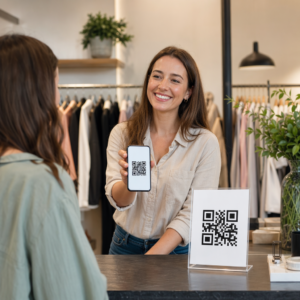
Versiuni contrafăcute ale produsului dumneavoastră ajung la clienți? Dincolo de veniturile pierdute, produsele contrafăcute afectează încrederea în brand și pot pune cumpărătorii în pericol. Această pagină explică modul în care codurile QR, implementate cu identități unice serializate și infrastructura potrivită, creează un sistem practic și scalabil de autentificare a produselor.
De ce contrafacerea este o problemă care merită rezolvată sistematic
Amploarea comerțului cu produse contrafăcute este semnificativă. OCDE și EUIPO estimează că produsele contrafăcute au reprezentat aproximativ $467 miliarde în comerțul global în 2021, reprezentând 2.3% din totalul importurilor globale. Un raport al Oficiului de Brevete și Mărci Comerciale al S.U.A. a constatat că contrafacerea și pirateria costă afacerile americane peste $200 miliarde pe an și contribuie la pierderea a peste 750.000 de locuri de muncă.
Pentru proprietarii de branduri, pierderile financiare directe sunt agravate de daune mai greu de cuantificat: un client care cumpără o versiune contrafăcută a produsului dumneavoastră și are o experiență proastă dă vina pe brandul dumneavoastră, nu pe contrafăcător.
Un sistem de autentificare bazat pe QR abordează această problemă la nivel de articol. În loc să verifice pur și simplu că un tip de produs este autentic, acesta verifică dacă o unitate specifică, individuală, este autentică – și vă oferă datele necesare pentru a detecta când ceva nu merge bine.
De ce un cod QR standard nu este suficient
Înainte de a explora cum funcționează autentificarea QR, este important să înțelegem o limitare fundamentală pe care multe branduri o ignoră.
Un cod QR generic este ușor de duplicat. Un contrafăcător poate fotografia codul dumneavoastră la rezoluție înaltă, îl poate reimprima pe mii de produse false, iar acele coduri clonate se vor scana și se vor comporta identic cu originalul. Dacă codul dumneavoastră QR indică pur și simplu o pagină de produs sau o adresă URL de verificare statică, acesta nu oferă o protecție reală.
Codurile QR statice tradiționale utilizate pentru trasabilitate sau informații despre produs nu oferă autentificare intrinsecă. Dacă produsul în sine este fals, pagina legată pare totuși autentică și nu poate confirma autenticitatea de una singură.
Autentificarea QR eficientă necesită trei elemente care funcționează împreună:
- Serializare: fiecare articol individual primește un cod unic, nu doar fiecare SKU sau lot
- Verificare pe partea de server: fiecare scanare este verificată în raport cu o înregistrare de încredere, nu doar o adresă URL de destinație
- Logică de monitorizare: anomaliile, cum ar fi scanările repetate din locații diferite sau numărul de scanări care depășește cantitățile așteptate, declanșează alerte
Codul QR este interfața orientată către client. Securitatea se află în infrastructura din spatele acestuia.
Cum funcționează autentificarea QR serializată
Codurile QR serializate atribuie un cod unic fiecărei unități individuale de produs. Atunci când un client scanează acel cod, sistemul nu doar încarcă o pagină – ci efectuează o căutare în raport cu o înregistrare de produs pentru a confirma că acest articol specific, cu acest identificator specific, este cunoscut și valid.
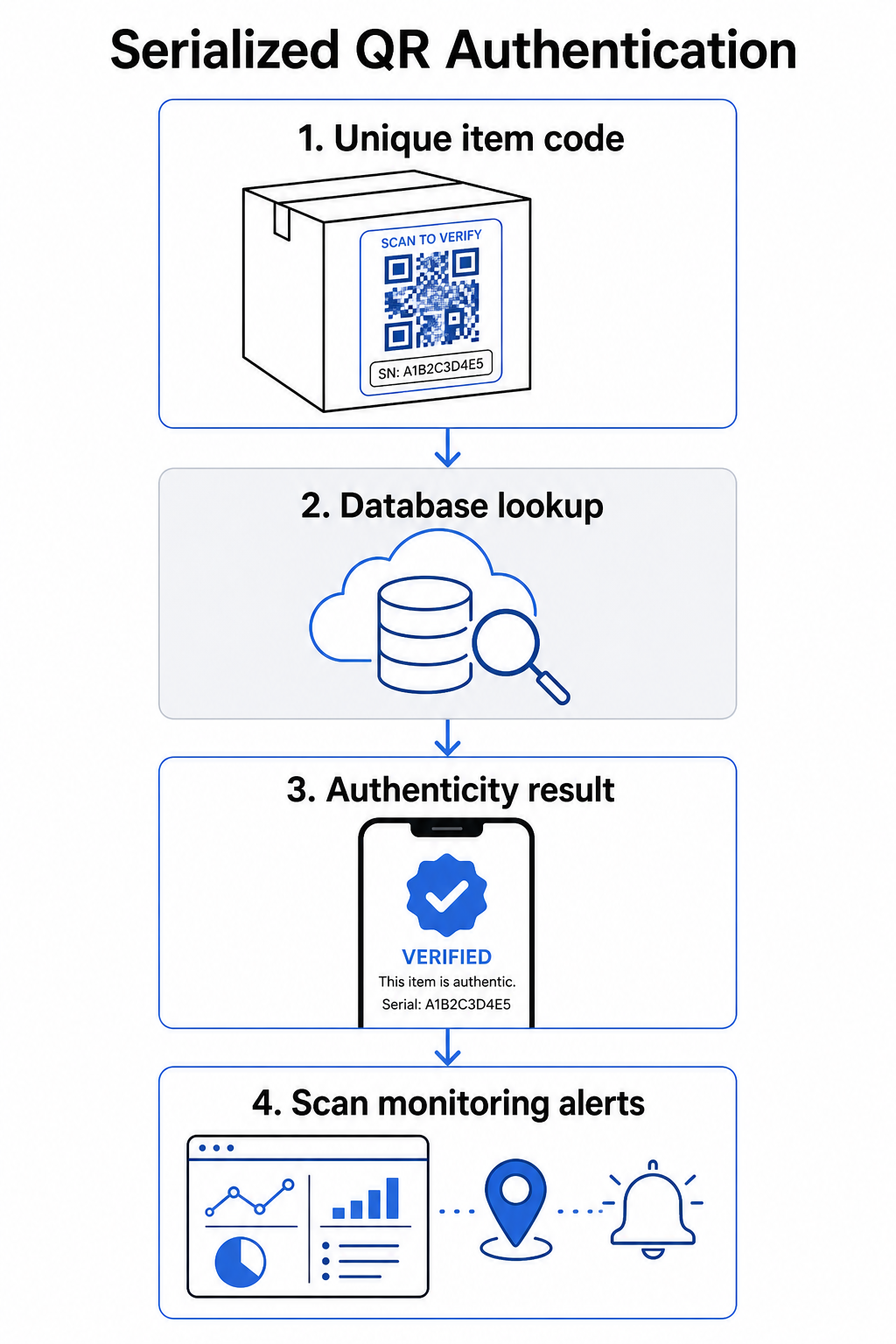
Un flux de lucru complet de autentificare include de obicei acești pași:
- Creați un identificator unic pentru fiecare articol – acesta poate fi un număr de serie, o referință de lot, un marcaj temporal de producție sau o combinație codificată ca un URI GS1 Digital Link, care include identificatori de aplicație GS1 pentru GTIN, număr de lot și număr de serie
- Legați acel identificator de o înregistrare digitală a produsului – stocată într-o bază de date securizată pe care sistemul dumneavoastră o controlează
- Generați și atribuiți un cod QR unic care indică un punct final de verificare ce conține un identificator opac sau un token, mai degrabă decât datele brute în sine
- Aplicați codul QR pe produsul fizic – pentru articolele de valoare mai mare, plasarea acestuia sub un panou răzuibil sau peste o sigiliu inviolabil descurajează transferul și reutilizarea etichetei
- Înregistrați fiecare scanare ca un eveniment – capturând marcajul temporal, locația și informațiile despre dispozitiv pentru a sprijini monitorizarea continuă
- Serviți o pagină de verificare care afișează detaliile produsului și un rezultat clar de autenticitate, astfel încât clienții să știe imediat la ce se uită
Pagina de verificare în sine contează. O pagină bine concepută afișează numele produsului, detaliile lotului sau ale garanției și o confirmare simplă a autenticității. Unele sisteme afișează, de asemenea, de câte ori a fost scanat un anumit cod – un cod care acumulează mult mai multe scanări decât se aștepta devine un declanșator de suspiciune pentru contrafacerile care utilizează coduri duplicate.
Gestionați și Urmăriți Fiecare Cod de Produs Pageloot Generator cod QR dinamic vă permite să creați coduri QR urmăribile, editabile și să accesați un tablou de bord complet de analiză care arată când și unde are loc fiecare scanare – oferindu-vă stratul de monitorizare de care sistemul dumneavoastră de autentificare are nevoie.
Rolul codurilor QR dinamice în autentificare
Coduri QR dinamice sunt o bază practică pentru autentificarea produselor, deoarece separă codul imprimat de destinația către care indică. Codul fizic de pe un produs nu se schimbă niciodată, dar destinația și logica din spatele acestuia pot fi actualizate în orice moment fără a fi reimprimate.
Acest lucru contează pentru autentificare în mai multe moduri specifice:
- Puteți actualiza paginile de verificare dacă infrastructura dvs. de backend se modifică, fără a rechema sau reimprima produsele etichetate
- Puteți dezactiva un cod dacă un lot este rechemat sau dacă este detectată activitate frauduloasă în jurul unui anumit identificator
- Puteți redirecționa scanările către experiențe diferite în funcție de numărul de scanări, geografie sau timp – de exemplu, direcționând prima scanare către o pagină completă de verificare și scanările ulterioare către o notificare de avertizare
Platforma Pageloot permite editarea destinațiilor codurilor QR după imprimare și oferă analize ale scanărilor, inclusiv locația, tipul dispozitivului și momentul scanării – toate acestea alimentând direct un flux de lucru de monitorizare.
Pentru mărcile care gestionează volume mari de produse, Pageloot acceptă generarea în masă de coduri QR prin încărcări CSV, scalând până la 100.000 de coduri, ceea ce face generarea de coduri serializate practică chiar și la scară de fabricație. Furnizorii și revânzătorii pot explora instrumente dedicate prin Soluțiile Pageloot pentru furnizori și revânzători.
Combinarea codurilor QR cu elemente de securitate fizică
Cercetătorii în securitate și specialiștii în protecția mărcii remarcă în mod constant că un cod QR singur nu poate preveni contrafacerea. Protecția eficientă combină stratul QR cu elemente fizice sau structurale care sunt mai greu de replicat.
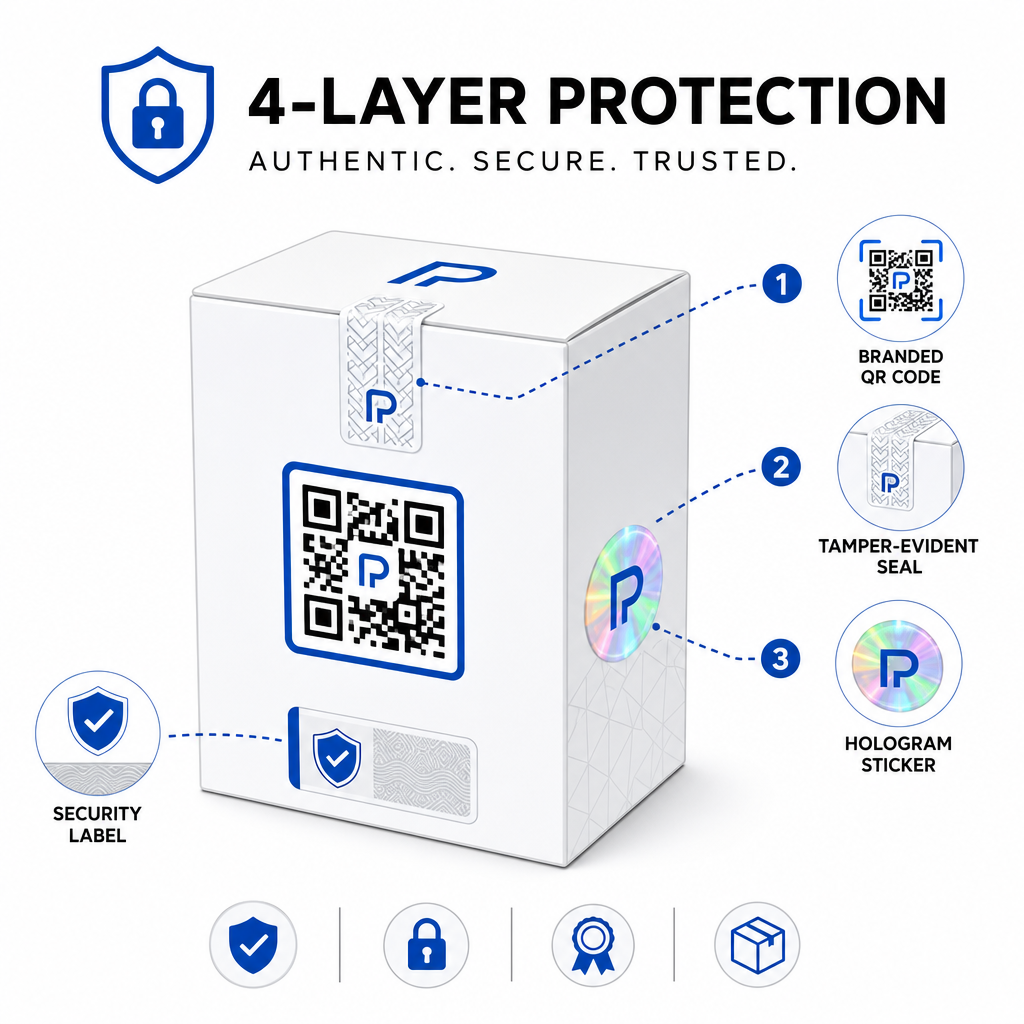
Abordările comune includ:
- Sigilii inviolabile: plasarea codului QR peste un sigiliu care prezintă deteriorări vizibile dacă este îndepărtat
- Panouri răzuibile: ascunderea codului QR sub un strat pe care un cumpărător îl îndepărtează la prima utilizare, făcând codul mai greu de fotografiat de către contrafăcători înainte de cumpărare
- Supralaminări holografice sau cerneluri de securitate: adăugarea unui strat fizic care se degradează vizibil la copiere
- Modele sigure anti-copiere: unele sisteme încorporează texturi microscopice anti-copiere în designul codului QR însuși, determinând degradarea sau dispariția modelului atunci când este fotografiat și reimprimat
Strategia de combinare contează deoarece mută autentificarea de la un singur punct de eșec. Un contrafăcător care poate duplica codul QR nu poate replica cu ușurință în același timp sigiliul inviolabil, holograma sau substratul sensibil la copiere.
Pentru o privire mai amplă asupra modului în care codurile QR interacționează cu ambalajul fizic al produsului, ghidul despre coduri QR pe ambalajul produselor acoperă în detaliu plasarea și designul.
Verificare pe partea de server și Monitorizarea Scanărilor
Cel mai important strat de securitate într-un sistem de autentificare QR este unul pe care clienții nu îl văd niciodată: validarea pe partea de server.
Atunci când un client scanează un cod QR autentificat, sistemul ar trebui:
- Validați identificatorul împotriva bazei de date a produselor dvs. înainte de a afișa orice rezultat
- Înregistrați evenimentul de scanare cu marcaj temporal, coordonate GPS sau locație bazată pe IP și amprenta dispozitivului
- Verificați anomaliile cum ar fi același cod scanat din două locații geografic îndepărtate în decurs de minute, sau un singur cod serializat care acumulează scanări dincolo de orice utilizare legitimă plauzibilă
- Utilizați token-uri opace mai degrabă decât identificatori bruti în conținutul QR, astfel încât, chiar dacă cineva citește direct datele QR, nu poate construi un fals valid fără acces la logica serverului dvs.
Această abordare – în care codul QR conține doar o referință opacă și toată verificarea semnificativă are loc pe partea de server – este standardul recomandat de practicienii în securitate pentru cazurile de utilizare a autentificării.
Pentru o analiză tehnică aprofundată despre cum criptarea poate proteja în continuare sistemele de autentificare bazate pe QR, postarea despre codurilor QR criptate pentru platformele de autentificare acoperă în detaliu metodele de criptare și considerațiile de conformitate.
Design și Plasare pentru codurile QR de autentificare
Un cod QR de autentificare pe care clienții nu îl pot scana își anulează propriul scop. Cele mai bune practici standard pentru calitatea imprimării și plasare se aplică în egală măsură aici:
- Dimensiunea minimă: urmați regula generală de 1 cm la 10 cm distanță de scanare pentru a asigura scanarea fiabilă pe toate dispozitivele
- Contrast ridicat: utilizați module întunecate pe un fundal deschis și evitați finisajele lucioase sau reflectorizante care provoacă strălucire
- Zonă liniștită: lăsați o margine clară de cel puțin patru module în jurul codului, fără text sau elemente de design
- Rezoluția imprimării: utilizați formate vectoriale sau PNG la minim 300 DPI pentru aplicații de imprimare
- Plasare plată: evitați suprafețele curbate, cusăturile sau pliurile care distorsionează geometria codului
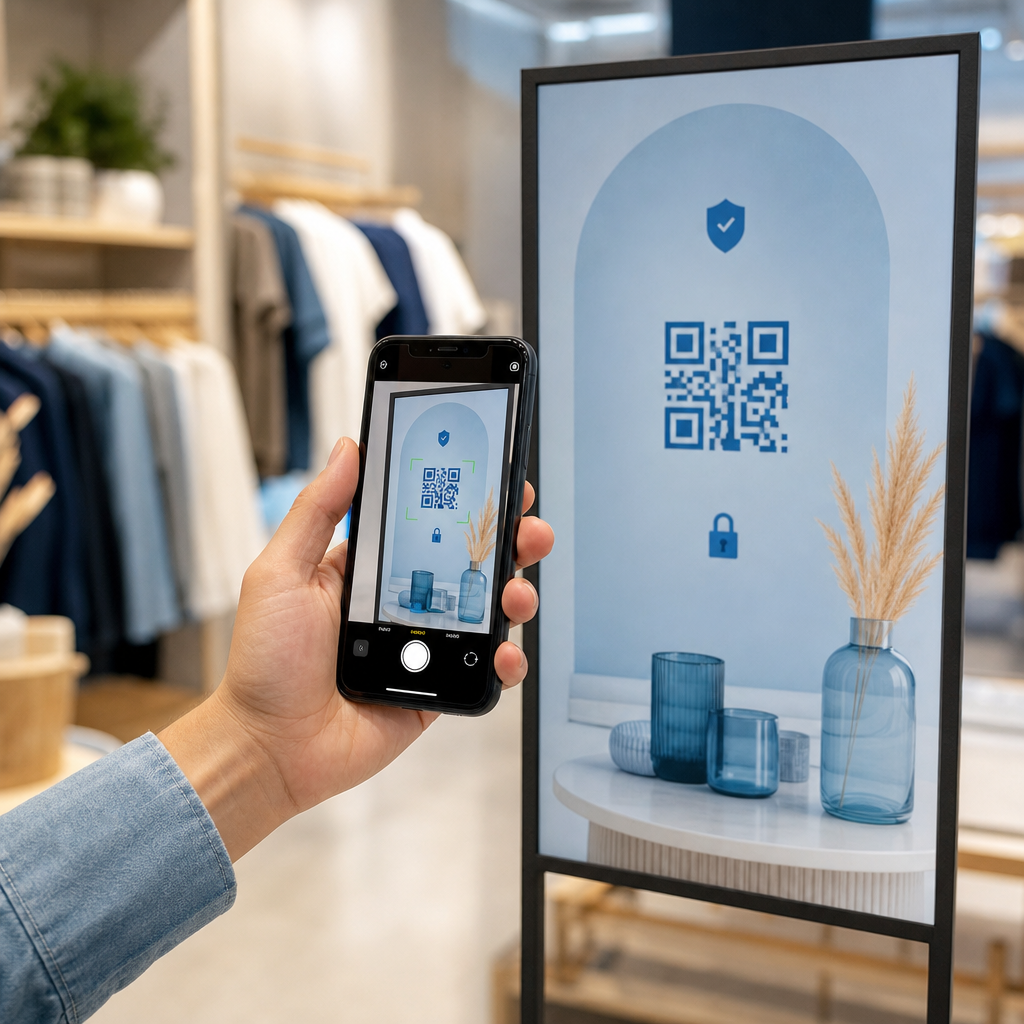
- Apel clar la acțiune: includeți o instrucțiune scurtă lângă cod, cum ar fi “Scanați pentru a verifica autenticitatea”, astfel încât clienții să înțeleagă la ce servește codul
Pentru îndrumări mai detaliate privind plasarea specifică ambalajului, ghidul ghid suprem pentru codurile QR pentru etichetele de produse acoperă dimensionarea, contrastul și poziționarea în detaliu.
Codurile QR personalizate cu logo-ul dvs. încorporat semnalează, de asemenea, legitimitate clienților dintr-o privire. Sistemul Creare cod QR cu logo vă permite să încorporați identitatea mărcii direct în designul codului fără a compromite scanabilitatea.
Cui se adresează această abordare
Autentificarea produselor bazată pe QR este relevantă într-o gamă largă de categorii de produse și industrii:
| Tip de produs | Necesitate de autentificare |
|---|---|
| Electronice de consum și accesorii | Rată ridicată de contrafacere; validarea garanției |
| Produse farmaceutice și produse de sănătate | Siguranța consumatorului; conformitate reglementară |
| Bunuri de lux și îmbrăcăminte | Protecția mărcii; prevenirea pieței gri |
| Componente industriale și piese | Certificare de siguranță; integritatea lanțului de aprovizionare |
| Alimente și băuturi | Trasabilitatea loturilor; verificarea importurilor |
Mărcile care vând prin comercianți terți sau platforme de e-commerce sunt deosebit de vulnerabile deoarece au un control mai puțin direct asupra a ceea ce ajunge la clientul final. Autentificarea serializată le oferă un canal direct pentru a verifica orice unitate, indiferent de locul unde a fost achiziționată.
Pageloot soluții industriale pentru produse sunt concepute pentru mărcile care utilizează coduri QR pe ambalaje și etichete pentru a conecta produsele fizice cu experiențe digitale, inclusiv fluxuri de lucru de verificare.
Creați coduri serializate la scară Trebuie să generați coduri QR unice pentru fiecare unitate din ciclul dvs. de producție? Platforma Pageloot Generator de coduri QR sprijină crearea în masă cu un tablou de bord centralizat pentru a urmări, actualiza și gestiona codurile în întregul dvs. catalog.
Testare înainte de implementare
Înainte de a aplica coduri QR de autentificare unui ciclu de producție, testarea amănunțită previne eșecurile care subminează încrederea clienților în momentul cel mai important. Pașii cheie includ:
- Scanați codul imprimat cu mai multe dispozitive și aplicații native de cameră în diferite condiții de iluminare
- Verificați dacă identificatorul din scanare se mapează corect la înregistrarea produsului corectă în baza dvs. de date
- Confirmați că pagina de verificare se încarcă corect pe mobil și afișează clar rezultatul autentificării
- Testați logica de detectare a anomaliilor scanând același cod în mod repetat și confirmând că sistemul dvs. de monitorizare îl semnalează în mod corespunzător
- Verificați dacă interacțiunea cu elementul de securitate fizică – cum ar fi îndepărtarea unui panou răzuibil sau ruperea unui sigiliu – produce rezultatul așteptat în sistemul dvs.
Pentru o abordare structurată a acestui proces, ghidul privind cele mai bune practici de testare a autentificării codurilor QR acoperă întregul flux de lucru de testare în detaliu.
***
Construirea unui sistem de autentificare care se scalează
Autentificarea produselor bazată pe QR nu este o configurare unică. Necesită gestionare continuă: monitorizarea datelor de scanare, investigarea anomaliilor, actualizarea destinațiilor de verificare atunci când produsele sunt rechemate și extinderea sistemului pe măsură ce linia dvs. de produse crește.
O platformă centralizată de gestionare a codurilor QR face acest lucru realist din punct de vedere operațional. Tabloul de bord Pageloot permite echipelor să organizeze codurile după campanie sau categorie de produse folosind foldere, să vizualizeze performanța agregată a scanărilor pe seturi mari de coduri și să actualizeze destinațiile fără a reimprima – capabilități care contează atunci când gestionați coduri serializate pentru zeci de mii de unități.
Codul QR de pe produsul dvs. este ceea ce vede un client. Sistemul din spatele acestuia este ceea ce îi protejează de fapt – și marca dvs. Construiți-le pe ambele cu aceeași grijă, iar autentificarea QR serializată devine unul dintre cele mai practice și scalabile instrumente disponibile pentru prevenirea contrafacerii. Explorați modul în care afacerile din diferite verticale abordează implementarea codurilor QR la centrul de soluții industriale Pageloot.
Începeți să vă protejați produsele Creați coduri QR urmăribile, editabile și monitorizați fiecare scanare dintr-un singur tablou de bord. Încercați Generator cod QR dinamic gratuit timp de 14 zile – nu este necesar un card de credit.
Întrebări frecvente
Nu. Un cod QR simplu poate fi fotografiat și retipărit pe produse contrafăcute, iar codul clonat se va scana identic cu originalul. Autentificarea eficientă necesită coduri unice serializate combinate cu verificarea pe partea de server care validează fiecare scanare în raport cu o înregistrare de produs de încredere, plus monitorizarea anomaliilor cum ar fi numărul neașteptat de scanări sau nepotriviri geografice.
Un cod QR serializat este unic pentru un singur articol fizic, nu doar pentru un tip de produs sau SKU. Când este scanat, identifică acea unitate specifică și o verifică în raport cu o înregistrare din baza de date. Un cod QR de produs obișnuit leagă de obicei toate unitățile aceluiași produs la aceeași adresă URL, ceea ce înseamnă că un contrafăcător care clonează codul îl poate aplica unui produs fals și îl poate face să se comporte exact ca originalul.
Pageloot permite generarea în masă de coduri QR prin încărcare CSV, scalând până la 100.000 de coduri, făcând autentificarea serializată practică chiar și la volume mari de producție. Codurile pot fi organizate după linie de produs sau lot folosind foldere, și toate datele de scanare sunt urmărite centralizat în tabloul de bord.