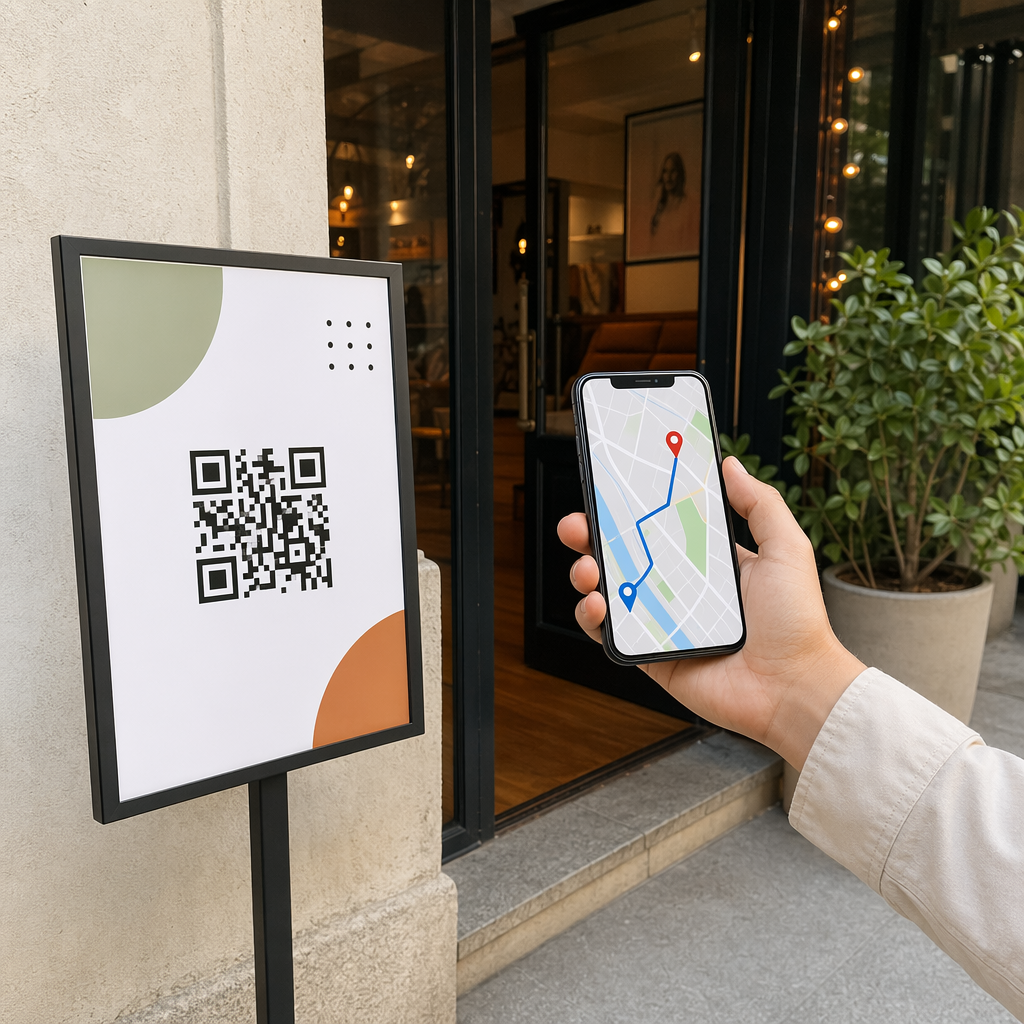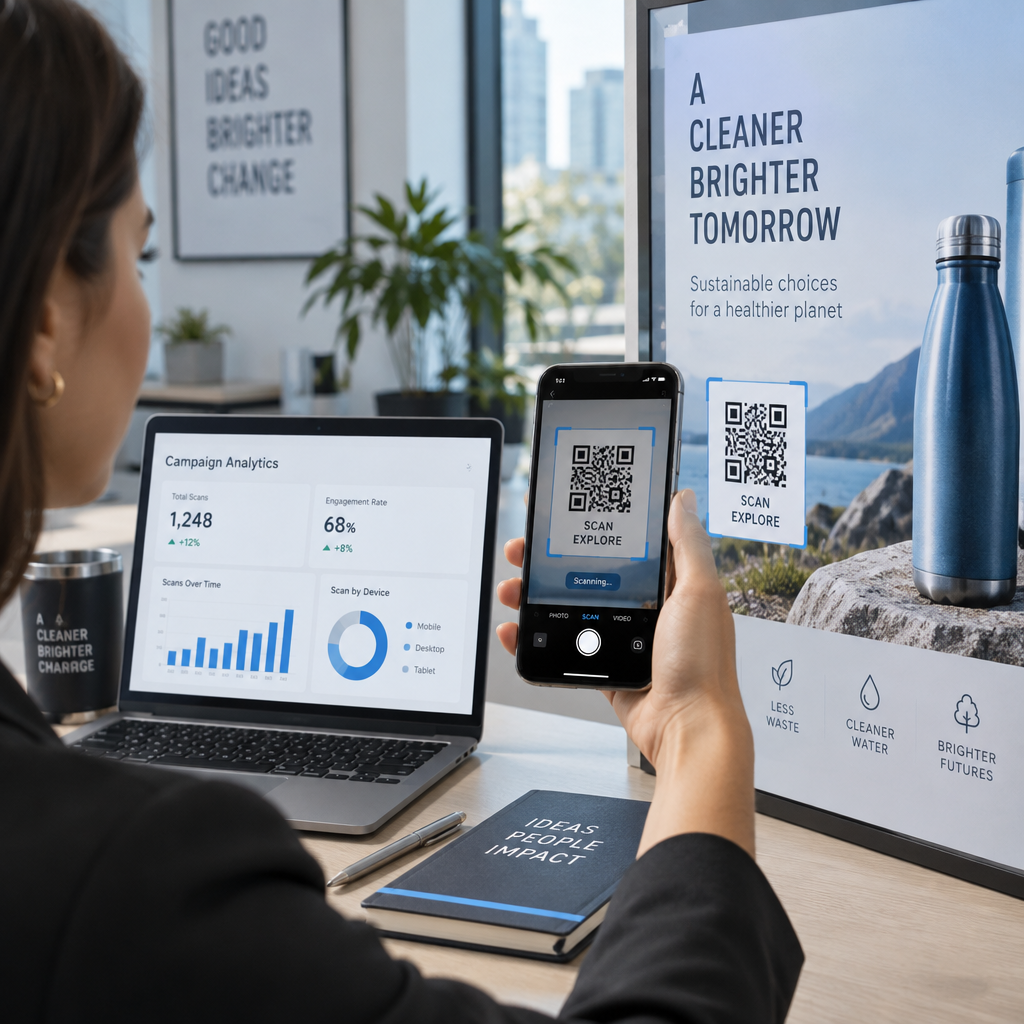
Apakah kode QR kustom Anda gagal dipindai di dunia nyata? Ketika kode bermerek tidak berfungsi, hal itu membuat pelanggan frustrasi dan merusak kredibilitas Anda. Panduan ini menjelaskan cara menyeimbangkan branding visual dengan persyaratan teknis untuk memastikan setiap kode dapat dipindai dengan andal di semua perangkat.
Mengapa Kontras adalah Fondasi Kemampuan Pindai
Alasan paling umum kode QR gagal adalah kontras yang tidak mencukupi antara pola latar depan dan latar belakang. Sensor optik membaca kode dengan mengukur perbedaan pantulan cahaya. Warna yang lebih gelap menyerap cahaya, sementara warna yang lebih terang memantulkannya kembali ke sensor. Jika perbedaan antara keduanya terlalu kecil, perangkat lunak kamera tidak dapat membedakan modul data individual.
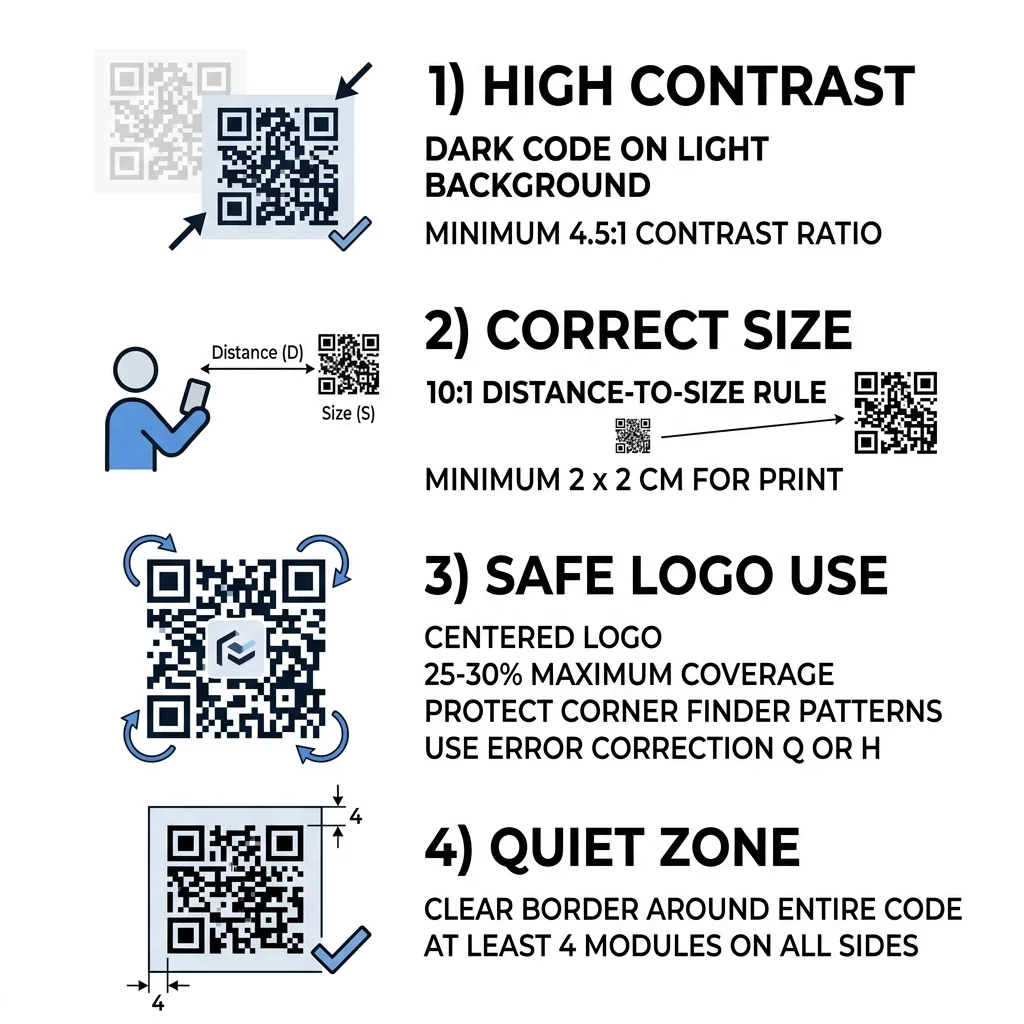
Untuk menjaga kode Anda tetap berfungsi, pertahankan perbedaan kontras setidaknya 55% dan ikuti praktik terbaik kontras warna dengan menargetkan rasio kontras setidaknya 4,5:1. Meskipun hitam-putih memberikan rasio optimal 21:1, Anda dapat menggunakan warna merek secara efektif jika Anda memasangkan modul latar depan gelap dengan latar belakang terang.
Hindari membalik warna Anda. Meskipun beberapa kamera smartphone modern dapat mendeteksi kode putih pada permukaan gelap, banyak perangkat lama dan alat pemindai pihak ketiga akan gagal sepenuhnya. Selain itu, hindari penggunaan gradien warna, bayangan lembut, atau efek transparansi di seluruh kisi data, karena pergeseran warna yang halus menciptakan nada tengah yang mengaburkan tepi modul.
| Warna Latar Depan | Warna Latar Belakang | Rasio Kontras | Hasil Pemindaian |
|---|---|---|---|
| Hitam | Putih | 21:1 | Kinerja optimal di semua perangkat |
| Biru Dongker | Beige | 15:1 | Pemindaian luar biasa dengan gaya merek |
| Hijau Tua | Putih | 4.5:1 | Dapat diterima; memerlukan pengujian perangkat yang cermat |
| Abu-abu Muda | Putih | 1.5:1 | Buruk; gagal di sebagian besar kamera smartphone |
| Putih | Hitam | 21:1 | Tidak dapat diandalkan; gaya terbalik gagal pada aplikasi lama |
Mengukur Ukuran Kode QR Anda untuk Jarak dan Visibilitas
Ukuran kode QR adalah persyaratan fisik yang ditentukan oleh panjang fokus dan resolusi lensa kamera seluler. Kode yang dicetak terlalu kecil akan buram saat dilihat dari kejauhan, mencegah sensor optik untuk mengenali modul individu.
Untuk menentukan dimensi minimum untuk tata letak apa pun, gunakan rasio jarak-ke-ukuran 10:1. Bagi jarak pemindaian yang diharapkan dengan 10 untuk menetapkan lebar dan tinggi minimum kode. Misalnya, jika pelanggan memindai poster dari jarak 40 inci, kode tersebut harus berukuran setidaknya 4 x 4 inci.
Untuk media genggam seperti kartu nama, kupon, dan tenda meja, jangan pernah mencetak lebih kecil dari ukuran minimum yang direkomendasikan 0,8 x 0,8 inci (2 x 2 cm). Anda dapat melihat detail panduan ukuran kode QR untuk menghitung dimensi spesifik untuk baliho luar ruangan, label kemasan, dan surat langsung.
Kepadatan data juga memengaruhi ukuran yang Anda perlukan. Kode QR statis standar yang mengkodekan URL panjang mengemas ratusan modul kecil ke dalam kisi, membuat kode jauh lebih sulit dibaca pada ukuran yang lebih kecil. Anda dapat menjaga kisi tetap bersih dan terbuka dengan menggunakan Generator kode QR gratis untuk membuat kode QR dinamis. Kode dinamis menyimpan tautan pengalihan singkat, menjaga kepadatan modul tetap rendah dan kemampuan pindaian tetap tinggi.
Desain Kode Bermerek yang Dapat Dipindai dalam Hitungan Menit Ingin mengintegrasikan warna merek dan logo kustom tanpa mengorbankan keandalan teknis? Buat kode vektor kustom dengan pratinjau desain real-time menggunakan Generator QR Code dengan Logo hari ini.
Mengintegrasikan Logo Tanpa Merusak Fungsionalitas
Menambahkan tanda atau ikon merek ke tengah kode QR meningkatkan pengenalan merek dan meyakinkan pengguna bahwa tautan tersebut aman untuk dibuka. Kustomisasi ini dimungkinkan oleh koreksi kesalahan Reed-Solomon, algoritma matematika yang merekonstruksi modul data yang tersembunyi, hilang, atau rusak di dalam kisi.
Kode QR standar menawarkan empat tingkat koreksi kesalahan:
- Tingkat L (Rendah) memulihkan hingga 7% data yang rusak dan menyediakan kepadatan modul terendah.
- Tingkat M (Sedang) memulihkan hingga 15% data yang rusak dan berfungsi sebagai standar untuk kode pemasaran hitam-putih dasar.
- Tingkat Q (Kuartil) memulihkan hingga 25% data yang rusak dan mendukung modifikasi desain sedang.
- Tingkat H (Tinggi) memulihkan hingga 30% data yang rusak dan diperlukan setiap kali Anda menyematkan grafik atau logo kustom.
Saat mendesain kode bermerek, tinjau cara kerja koreksi kesalahan sehingga Anda dapat menyeimbangkan pemulihan data dengan kerumitan pola. Level H memungkinkan Anda melapisi grafik, tetapi logo tidak boleh menempati lebih dari 25% hingga 30% dari total luas permukaan. Pertahankan logo di tengah dan hindari menambahkan teks kecil atau detail grafis kompleks yang menjadi tidak terbaca pada ukuran cetak yang lebih kecil.
Jangan pernah menghalangi pola fungsional penting dari kode QR. Tiga kotak besar di sudut – dikenal sebagai pola pencari atau penanda deteksi posisi – memberi tahu kamera bagaimana kode tersebut berorientasi. Jika Anda menutupi atau mendistorsi 'mata' sudut ini, atau pola penyelarasan yang lebih kecil di dekatnya, perangkat lunak pemindaian tidak dapat menafsirkan kisi data. Pelajari lebih lanjut tentang aturan penempatan aman dalam tutorial kami tentang cara menambahkan logo ke kode QR.
Menjaga Zona Senyap di Sekitar Kode Anda
Zona senyap adalah margin kosong yang sepenuhnya mengelilingi empat tepi luar kode QR. Batasan ini menciptakan zona penyangga optik yang memberi sinyal kepada perangkat lunak pemindaian di mana karya seni di sekitarnya berakhir dan kisi data dimulai.
Berdasarkan standar ISO/IEC 18004, zona senyap harus memiliki lebar minimal empat modul (4X) di keempat sisinya. Jika modul persegi individual kode Anda memiliki lebar 2 mm, Anda harus meninggalkan batas tidak tercetak setidaknya 8 mm di sekitar seluruh simbol.
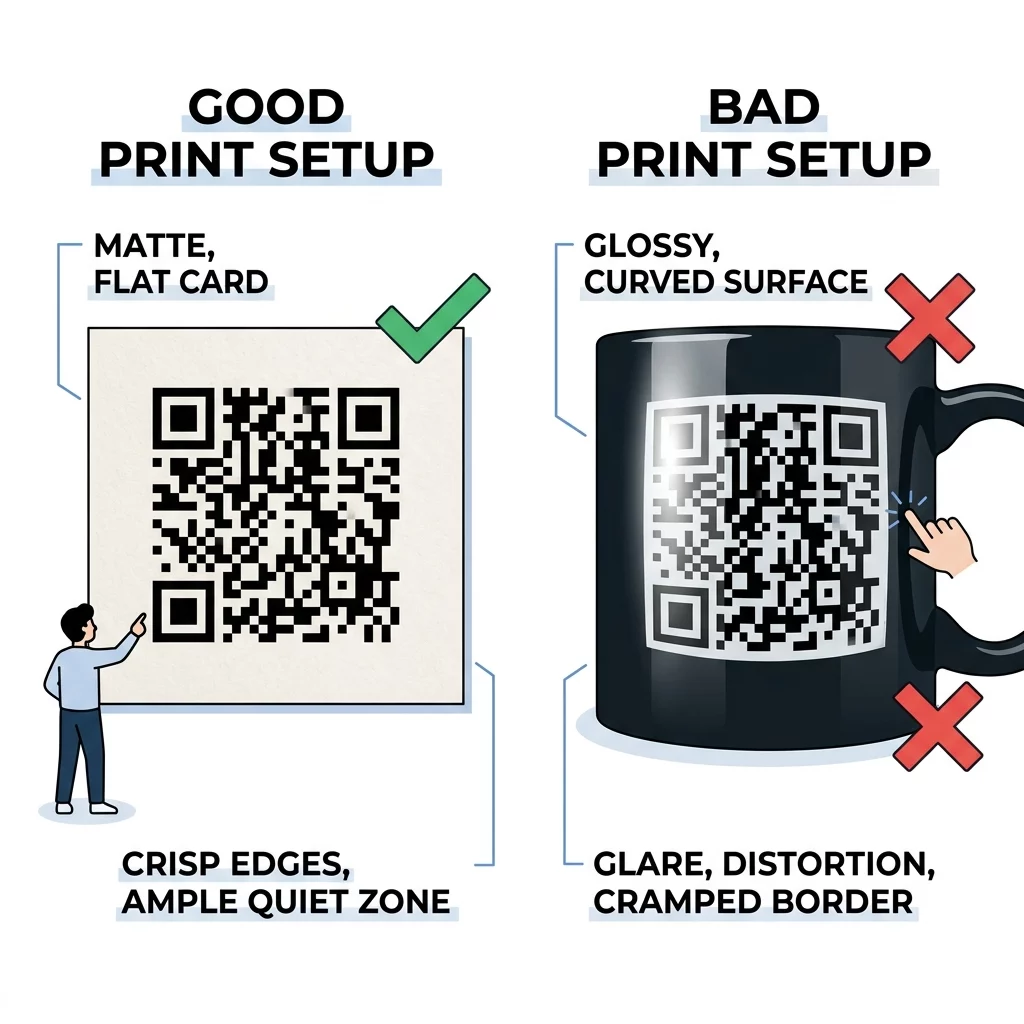
Melanggar zona senyap adalah kesalahan desain yang sering terjadi pada kemasan komersial dan tata letak cetak. Ketika teks, garis batas, atau ilustrasi latar belakang dekoratif menyentuh tepi kode, sensor kamera menggabungkan elemen-elemen tersebut ke dalam kisi data, memicu kesalahan dekode segera. Selalu pertahankan zona senyap penuh dan pastikan warna latar belakangnya cocok dengan modul terang kode.
Bahan Cetak dan Validasi Dunia Nyata
Kode QR digital yang dapat dipindai dengan mulus di monitor definisi tinggi masih dapat gagal pada bahan fisik jika proses pencetakan atau lingkungan permukaan tidak diperhitungkan selama desain.
Untuk menjaga kejernihan optik, ikuti panduan produksi ini:
- Ekspor karya seni Anda secara eksklusif dalam format vektor seperti SVG, EPS, atau PDF vektor agar tepinya tetap sangat tajam pada skala apa pun.
- Pertahankan resolusi minimum 300 DPI jika Anda harus bekerja dengan format raster seperti PNG atau TIFF.
- Pilih stok kertas matte atau satin daripada pernis mengkilap tinggi dan foil metalik untuk mencegah pantulan cahaya sekitar menyilaukan sensor kamera.
- Posisikan kode pada permukaan datar daripada di lipatan, tonjolan, sudut, atau botol melengkung rapat yang mendistorsi kisi geometris.
- Tempatkan kode publik pada tingkat mata alami dan pastikan lingkungan tampilan menyediakan pencahayaan yang memadai.
Selalu luangkan waktu untuk menguji kode QR sebelum mencetak produksi skala besar. Hasilkan satu bukti fisik pada bahan sebenarnya yang ingin Anda gunakan. Kemudian, lakukan uji lapangan komprehensif menggunakan smartphone iOS dan Android, alat kamera bawaan, dan pemindai kode QR online untuk memverifikasi pemindaian cepat dalam kondisi cahaya rendah dan sudut miring.
Meluncurkan Kampanye QR Kustom yang Andal
Merancang kode QR yang menarik tidak boleh mengorbankan kinerja pemindaian. Dengan mempertahankan kontras latar depan-ke-latar belakang yang kuat, menentukan ukuran kode berdasarkan jarak pandang aktual, melindungi zona tenang empat modul, dan mengatur koreksi kesalahan ke Level H untuk logo yang tertanam, Anda menjamin interaksi yang lancar untuk setiap pelanggan.
Sebelum Anda meluncurkan kampanye berikutnya, tinjau panduan kami untuk menguji kode QR untuk kegunaan seluler untuk memverifikasi bahwa halaman arahan pasca-pemindaian Anda memuat dengan cepat dan menampilkan dengan benar di semua ukuran layar. Dengan standar teknis yang ada, Anda dapat dengan percaya diri menyebarkan kode QR bermerek yang menarik perhatian dan mendorong keterlibatan digital yang terukur.
Pertanyaan yang sering diajukan
Untuk pemindaian jarak dekat pada kartu nama dan kemasan, jaga agar kode QR Anda setidaknya 0,8 x 0,8 inci (2 x 2 cm). Untuk jarak yang lebih jauh, ikuti rasio 10:1, yaitu lebar kode 1 inci untuk setiap 10 inci jarak antara pengguna dan kode.
Sebagian besar pemindai kode batang dan kamera ponsel cerdas diprogram untuk mengidentifikasi pola gelap pada latar belakang terang dengan mengukur cahaya yang dipantulkan. Membalik warna menyebabkan algoritma deteksi tepi gagal, terutama pada ponsel cerdas lama, aplikasi pihak ketiga, atau di tempat yang kurang cahaya.
Anda harus memilih koreksi kesalahan Level H, yang memulihkan hingga 30% data yang tertutup atau terhalang. Ini memungkinkan Anda menempatkan logo di tengah yang menutupi hingga 25% hingga 30% dari kode tanpa merusak kemampuan pemindai untuk mendekode informasi yang mendasarinya.