Werden Ihre QR-Codes gescannt, aber erzielen keine echten Ergebnisse? Niedrige Konversionsraten werden oft durch behebbare Probleme verursacht: schwache Handlungsaufforderungen, schlechtes Design, langsame Landing Pages oder Codes, die dort platziert sind, wo sie niemand sieht. Dieser Leitfaden führt Sie durch die wichtigsten Hebel, die Sie betätigen können, um mehr Scans in sinnvolle Aktionen umzuwandeln.
Was die QR-Code-Konversionsraten beeinflusst
Eine QR-Code-Konversion geschieht nicht im Moment des Scans – sie geschieht danach. Der Scan ist nur der Einstiegspunkt. Was eine Konversion antreibt, ist die Kombination von fünf zusammenwirkenden Faktoren:
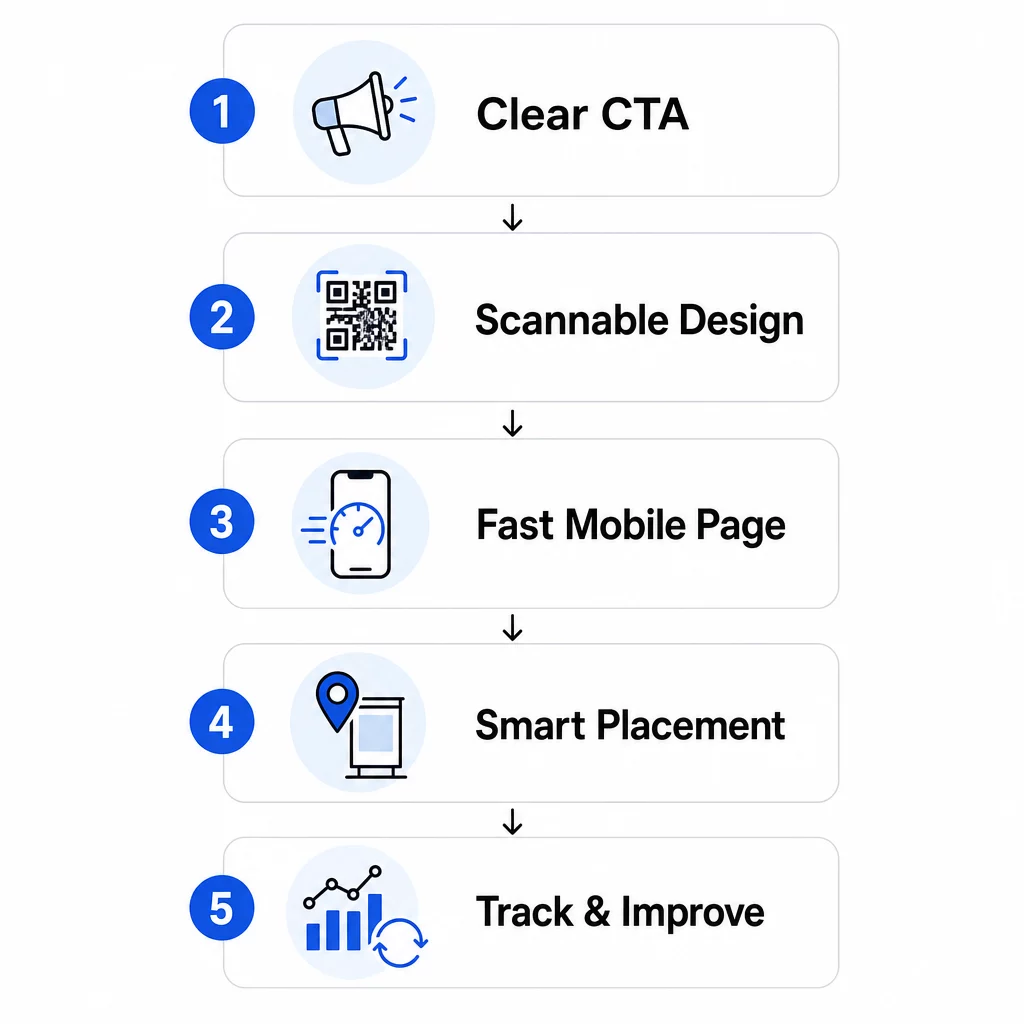
- Klarheit der Handlungsaufforderung: Weiß die scannende Person, was sie erhalten wird?
- Scannbarkeit des Codes: Ermöglicht das Design Kameras, ihn zuverlässig zu lesen?
- Landingpage-Erlebnis: Lädt die mobile Seite schnell und leitet die Nutzer zum Handeln an?
- Platzierungslogik: Ist der Code so platziert, dass die richtigen Personen ihn im richtigen Moment sehen?
- Tracking und Iteration: Messen Sie, was funktioniert, und verbessern Sie sich im Laufe der Zeit?
Jeder dieser Punkte verdient besondere Aufmerksamkeit. Vernachlässigen Sie einen, und die anderen leiden darunter.
Handlungsaufforderungen schreiben, die Scans fördern
Ein QR-Code ohne klare Handlungsaufforderung lässt die Leute raten. Wenn jemand Ihren Code entdeckt, muss er sofort verstehen, was er durch das Scannen gewinnen wird. Vage Nachrichten wie “Scannen für weitere Infos” verpuffen, weil sie die Frage, die jeder Nutzer hat, nicht beantworten: Was habe ich davon?
Die Wirkung einer vorteilsorientierten Sprache ist messbar. In einem Einzelhandelstest zog ein QR-Code mit der Nachricht “15% Rabatt! Scannen Sie, um herauszufinden, wie” 250 Scans in einer Woche an. Ein weniger spezifisches “Scannen und einen Preis gewinnen!” generierte nur 90. Der Unterschied war nicht das Angebot – es war die Klarheit.
Verwenden Sie spezifische, handlungsorientierte Sprache
Beginnen Sie mit starken Aktionsverben: “Erhalten”, “Freischalten”, “Herunterladen” oder “Scannen”. Kombinieren Sie diese mit einem direkten Vorteil. Anstelle eines generischen “Scannen Sie mich” versuchen Sie:
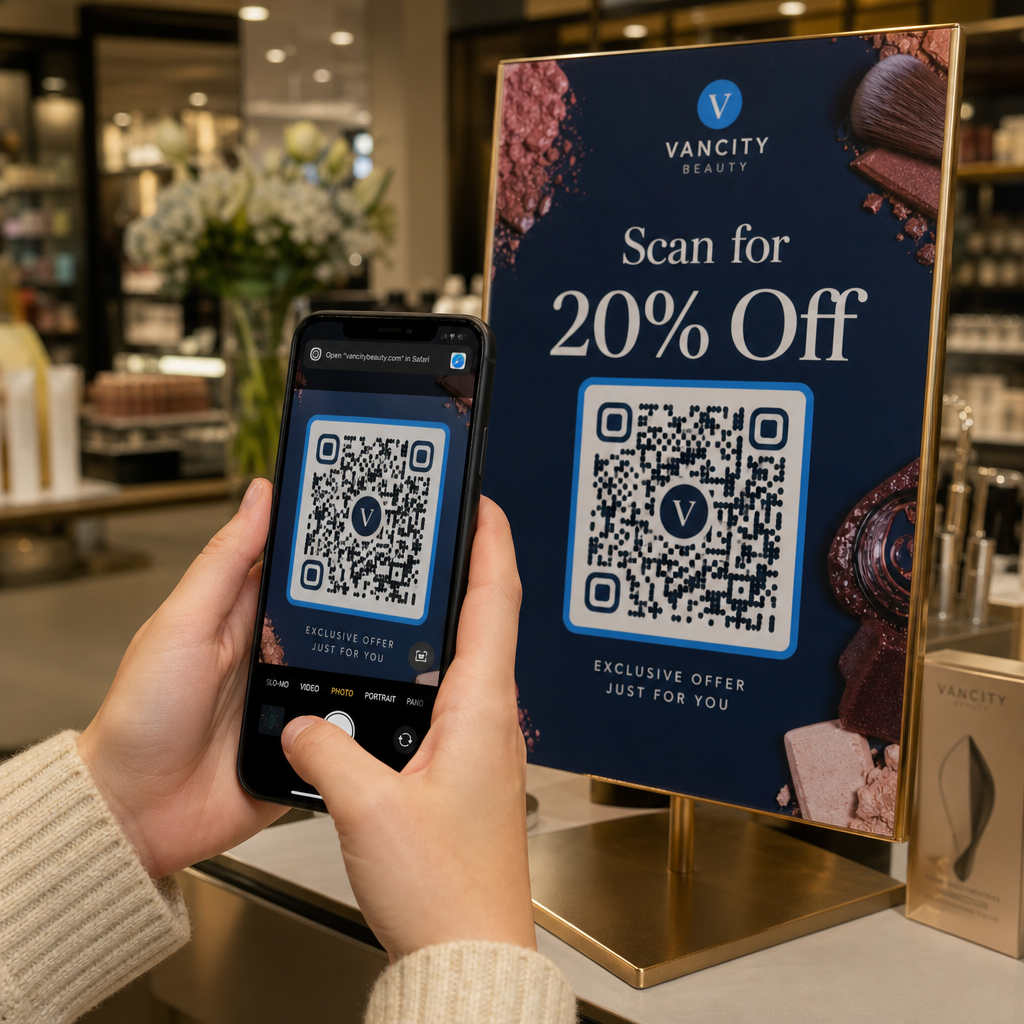
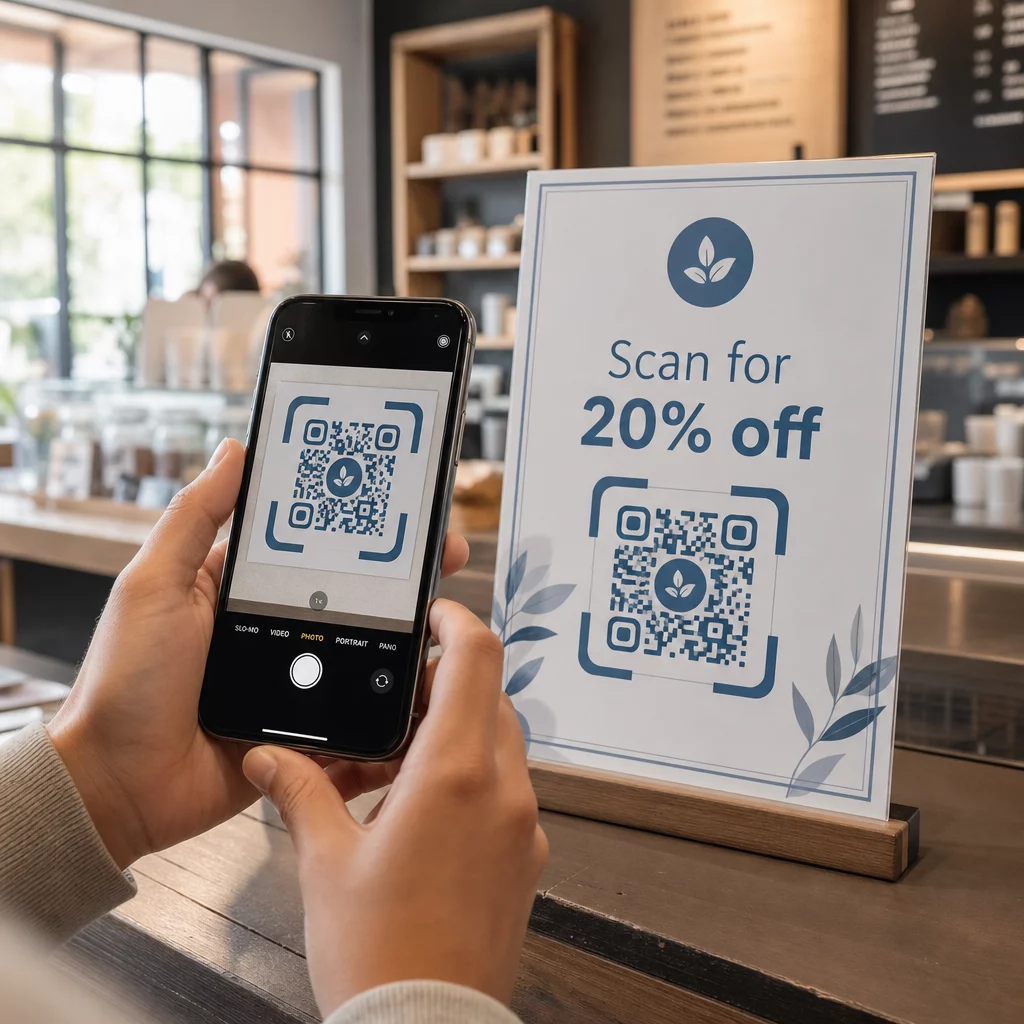
- “Scannen Sie für 20% Rabatt auf Ihre nächste Bestellung”
- “Schalten Sie Ihren kostenlosen Leitfaden frei”
- “Scannen Sie, um die heutige Speisekarte zu sehen”
Vermeiden Sie es, den CTA im Kleingedruckten zu verstecken oder ihn vom Code zu trennen. Platzieren Sie ihn direkt über, unter oder innerhalb des QR-Rahmens, damit Benutzer den Wert sehen, bevor sie scannen.
Fügen Sie Dringlichkeit und Kontext hinzu
Zeitkritische Phrasen erhöhen die Aktion. “Scannen Sie in den nächsten 24 Stunden für 20% Rabatt” oder “Jetzt scannen, um am Gewinnspiel teilzunehmen” erzeugen ein Gefühl der Dringlichkeit, das generische CTAs nicht nachbilden können. Passen Sie Ihre Nachricht auch an die Umgebung an – ein Code auf einem Restauranttisch hat andere Erwartungen als einer auf einem Veranstaltungsplakat.
Visuelle Hinweise helfen ebenfalls. Pfeile, Smartphone-Symbole oder Rahmentexte wie “Öffnen Sie Ihre Kamera zum Scannen” reduzieren die Zögerlichkeit, insbesondere bei Benutzern, die weniger mit QR-Codes vertraut sind. Halten Sie den umgebenden Bereich sauber mit ausreichend Weißraum, damit nichts visuell mit dem Code konkurriert.
Sehen Sie, wie QR-Code-Kampagnen in der Praxis funktionieren Entdecken Sie Beispiele für QR-Code-Kampagnen aus der Praxis um zu sehen, wie führende Marken CTAs, Design und Platzierung zusammen nutzen, um messbare Ergebnisse zu erzielen.
QR-Codes gestalten, die zuverlässig scannen
Ein visuell ansprechender QR-Code, der nicht scannt, ist schlimmer als gar kein Code – er verschwendet eine potenzielle Konversion und frustriert den Benutzer. Zuverlässiges Scannen hängt von einigen nicht verhandelbaren Designprinzipien ab.
Kontrast ist die Grundlage der Scannbarkeit
Smartphone-Kameras erkennen QR-Muster, indem sie dunkle Module von einem hellen Hintergrund unterscheiden. Kontrastarme Kombinationen – wie Rot auf Schwarz oder Hellgrau auf Weiß – verwirren Scanner. Verwenden Sie einen dunklen Vordergrund auf einem hellen Hintergrund und streben Sie ein Mindestkontrastverhältnis von 4:1, an, wobei 4,5:1 das bevorzugte Ziel für zuverlässiges Scannen über verschiedene Geräte und Lichtverhältnisse hinweg ist.
Klassisches Schwarz auf Weiß ist immer sicher. Wenn Sie mit Markenfarben experimentieren, testen Sie diese auf verschiedenen Geräten und bei unterschiedlichen Lichtverhältnissen, bevor Sie sie drucken lassen. Die Leitfaden für Best Practices zur Benutzerfreundlichkeit von QR-Codes beschreibt die technischen Standards aus ISO/IEC 18004, die ein konformes QR-Code-Design definieren.
Größen- und Ruhezonenanforderungen
Für die meisten gedruckten Materialien sollte ein QR-Code mindestens 2 × 2 cm (0,8 × 0,8 Zoll) groß sein. Kleinere Codes sind für Smartphone-Kameras schwer zu fokussieren, insbesondere auf Geräten mit geringerer Auflösung. Für größere Displays befolgen Sie die 10:1-Regel: Für alle 10 Fuß Betrachtungsabstand sollte der Code mindestens 1 Fuß breit sein.
Ebenso wichtig ist die Ruhezone – der leere Bereich, der den Code umgibt. Dieser Rand, der mindestens die vierfache Breite eines Moduls beträgt, hilft Scannern, den Code von nahegelegenem Text oder Grafiken zu unterscheiden. Lassen Sie niemals Designelemente die Ränder des Codes überfüllen. Weitere Details zu Größe, Kontrast und Platzierung finden Sie unter Best Practices für die Lesbarkeit von QR-Codes.
Verwenden Sie Vektorformate (SVG, EPS) für jede Druckanwendung, damit der Code in jeder Größe scharf bleibt.
Branding hinzufügen, ohne die Funktionalität zu beeinträchtigen
Sie können Logos, benutzerdefinierte Farben und Rahmen integrieren, ohne die Scannbarkeit zu beeinträchtigen – wenn Sie die Regeln befolgen. Platzieren Sie Ihr Logo in der Mitte des Codes, wo die QR-Fehlerkorrektur am stärksten ist. QR-Codes können bis zu 30 % beschädigter oder verdeckter Daten wiederherstellen, daher ist ein zentriertes Logo im Allgemeinen sicher. Decken Sie niemals die drei Suchmuster (die großen Quadrate in den Ecken) ab, da diese für die Ausrichtung des Codes erforderlich sind.
Wenn Sie benutzerdefinierte Farben verwenden, testen Sie den endgültigen Code vor dem Drucken auf iOS- und Android-Geräten unter verschiedenen Lichtverhältnissen. Dichte, überladene QR-Muster – oft durch lange URLs verursacht – sind bei kleineren Größen schwerer zu scannen. Die Verwendung eines dynamischer QR-Code oder URL-Shortener erzeugt ein saubereres, leichter zu scannendes Muster.
Die JLo Beauty “Beauty Train”-Kampagne vom Dezember 2020 ist ein starkes Beispiel für dieses Gleichgewicht: Individuell gebrandete QR-Codes auf einem New Yorker Shuttle generierten 1.500 Scans und 3.000 Website-Besuche, indem sie ein visuell ansprechendes Design mit zuverlässiger Scannbarkeit kombinierten.
Mobile Landing Pages erstellen, die konvertieren
Ein QR-Code-Scan ist nur so wertvoll wie das, was danach passiert. Da fast alle Scans auf mobilen Geräten erfolgen, muss Ihre Landing Page speziell für kleine Bildschirme und Touch-Navigation entwickelt werden. Eine schlecht optimierte Seite wird alles zunichtemachen, was Ihr QR-Code erreichen sollte.
Eine Fallstudie verdeutlicht dies: Ein Unternehmen, das ein Auto-Gadget über QR-Codes auf Postern bewarb, stellte fest, dass 80 % der Nutzer die Landing Page innerhalb von fünf Sekunden verließen. Die Ursache war ein automatisch abspielendes hochauflösendes Video, das die Ladezeiten verlangsamte. Nach dem Wechsel zu einer leichtgewichtigen Videovorschau und der Vereinfachung des Layouts stieg die Kaufkonversionsrate von 1 % auf 3 % – eine Verbesserung um 200 % durch eine einzige Änderung.
Seitenladegeschwindigkeit ist eine Konversionsvariable
Jede Sekunde Verzögerung kostet Sie Konversionen. Auf Mobilgeräten kann eine 1-sekündige Verzögerung beim Laden der Seite die Konversionen um bis zu 20 % reduzieren. Google empfiehlt, dass der Largest Contentful Paint – die Zeit, die benötigt wird, bis der Hauptinhalt erscheint – unter 2,5 Sekunden bleibt, um eine gute Benutzererfahrung zu gewährleisten.
Um dieses Ziel zu erreichen:
- Bilder komprimieren und automatisch abspielende hochauflösende Videos vermeiden
- Klickbare Videovorschauen anstelle von Autoplay verwenden
- HTTP-Anfragen minimieren und ein CDN für schnellere Bereitstellung nutzen
- Auf tatsächlichen Mobilfunknetzen testen, nicht nur über Wi-Fi
Dynamische QR-Codes erzeugen kürzere, sauberere Weiterleitungs-URLs, was ebenfalls zu einer schnelleren Ladeinitiierung beiträgt. Eine vollständige Aufschlüsselung der mobilen Seitenoptimierung finden Sie im Leitfaden unter Leitfaden für Best Practices für mobile QR-Code-Landingpages.
Jeden unnötigen Schritt entfernen
Sobald die Seite geladen ist, Reibungspunkte eliminieren. Jeder zusätzliche Klick oder jedes Formularfeld erhöht die Wahrscheinlichkeit des Abbruchs. Wenn Sie Leads sammeln, fragen Sie nur nach dem, was Sie benötigen – Name und E-Mail – und aktivieren Sie die Autovervollständigung, um die Dateneingabe zu beschleunigen.
Deep Linking ist hier eine der effektivsten Taktiken. Anstatt Nutzer auf eine Homepage zu senden, verlinken Sie direkt auf den spezifischen Inhalt, den der Scan verspricht. Wenn Ihr QR-Code einen Rabatt bewirbt, sollte der Link direkt zur Aktionsseite führen, nicht zur Hauptseite. Max Fashion im Nahen Osten wandte dieses Prinzip an, indem es dynamische QR-Codes verwendete, die mit spezifischen In-App-Bildschirmen verknüpft waren, und erzielte ein zweistelliges Wachstum bei App-Sitzungen und Konversionen.
Erstellen Sie Landingpage-bereite QR-Codes Verwenden Sie die Link QR-Code-Generator um Ihre Codes direkt mit bestimmten URLs, Produktseiten oder Werbeaktionen zu verbinden – keine unnötigen Weiterleitungen.
QR-Codes dort platzieren, wo Menschen sie tatsächlich scannen werden
Selbst ein perfekt gestalteter QR-Code wird schlecht abschneiden, wenn er dort platziert wird, wo Menschen ihn nicht sehen, nicht darauf zugreifen können oder nicht in der richtigen Stimmung zum Scannen sind. Die Platzierung ist ebenso strategisch wie das Design.
Die richtige Platzierung kombiniert drei Dinge: Sichtbarkeit (Menschen können ihn klar sehen), Zugänglichkeit (ihr Telefon ist in der Nähe und nutzbar), und Kontext (der Moment und die Denkweise passen zu dem, was der Code bietet).
Orte mit hoher Sichtbarkeit und hoher Absicht
Die folgenden Platzierungen funktionieren durchweg gut:
- Schaufenster: Ideal für Werbeaktionen nach Ladenschluss, Buchungen oder Sonderangebote, die Laufkundschaft anziehen, wenn das Geschäft geschlossen ist
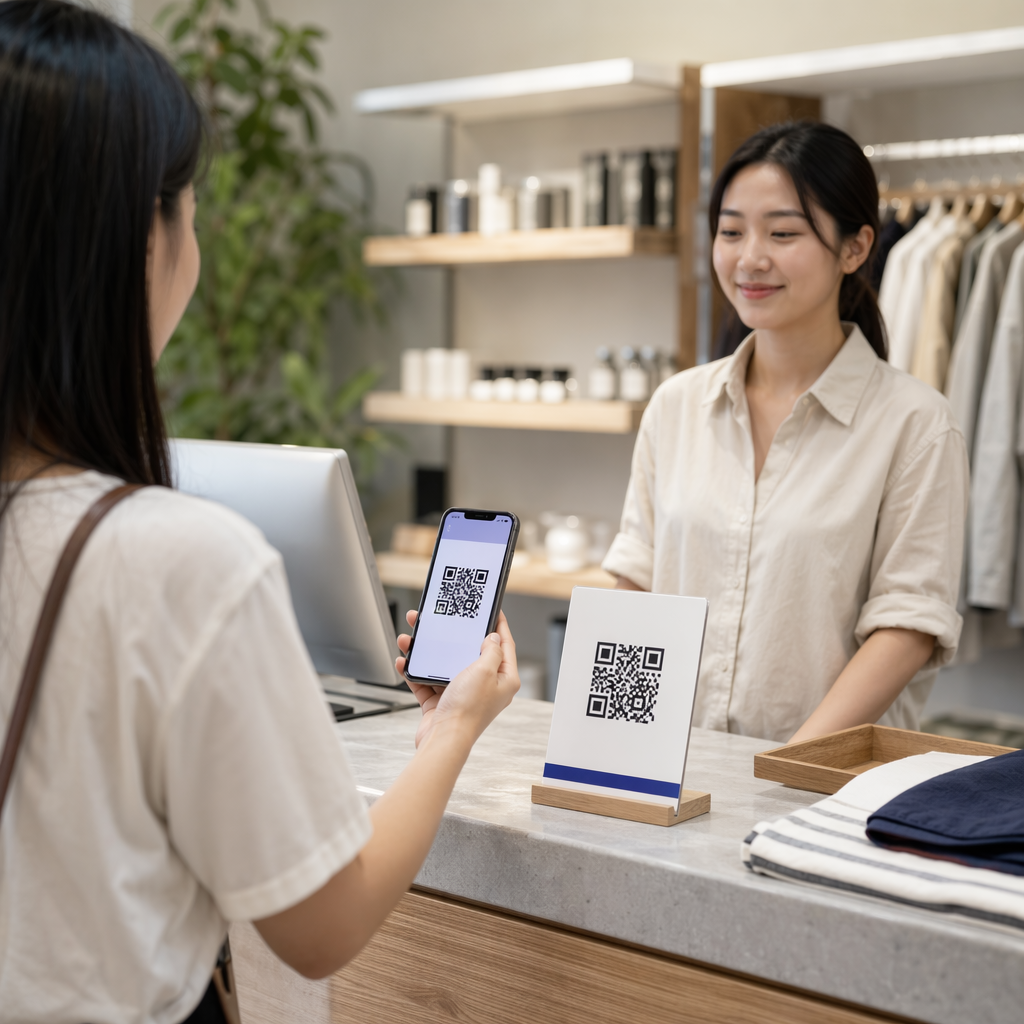
- Kassentheken: Kunden sind bereits engagiert und warten – ein effektiver Moment für die Anmeldung zur Kundenbindung oder digitale Belege
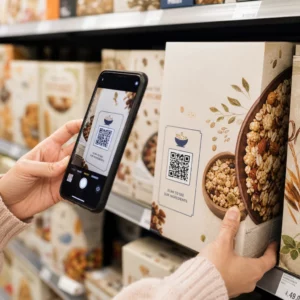
- Produktverpackungen: Leute, die bereits gekauft haben, haben eine hohe Absicht; Link zu Handbüchern, Garantieregistrierung oder Nachbestellungsoptionen
- Restauranttische: Gäste haben Leerlaufzeiten und ihre Telefone zur Hand – nutzen Sie dies für digitale Speisekarten oder kontaktloses Bezahlen
- Plakate und Flyer: Platzieren Sie es auf Augenhöhe (1,07–1,68 Meter) für stehende Zielgruppen; Thekenhöhe funktioniert im Einzelhandel besser, wo Käufer nach unten schauen
Vermeiden Sie problematische Oberflächen: gekrümmte Verpackungen, glänzendes Glas, das Blendung erzeugt, oder gefaltete Bereiche, in denen der Code verzerrt werden kann. Testen Sie Ihren Code immer an seinem vorgesehenen Ort und bei der vorgesehenen Beleuchtung vor dem Start. Für Platzierungsrichtlinien für Print-, Digital- und Umgebungsformate siehe die ultimativer Leitfaden zur Platzierung von QR-Codes im Marketing.
Platzierung an das Nutzerverhalten anpassen
Timing und Denkweise sind genauso wichtig wie der Standort. QR-Codes auf Stromrechnungen werden am häufigsten zwischen 18:00 und 22:00 Uhr an Wochentagen gescannt, wenn die Leute zu Hause ihre Post durchsehen. Verkehrsknotenpunkte erreichen Pendler, die warten und bereits ihre Telefone benutzen.
Richten Sie den Zweck des Codes am Kontext aus. Ein Code auf einer Produktverpackung könnte zu einem Anleitungsvideo führen; ein Code am Eingang einer Veranstaltung könnte auf die Tagesordnung verweisen. Wenn Ihre Platzierung dem entspricht, was Benutzer erwarten, verbessern sich sowohl die Scanraten als auch die Post-Scan-Interaktion.
| PLATZIERUNG | Typische Verwendung | Wichtiger Leistungsfaktor |
|---|---|---|
| Schaufenster | Werbeaktionen außerhalb der Geschäftszeiten | Hohe Sichtbarkeit bei viel Publikumsverkehr |
| Kassentheken | Treueanmeldungen, digitale Belege | Hohe Konversion am Transaktionspunkt |
| Produktverpackungen | Handbücher, Garantie, Nachbestellung | Hohe Absicht von bestehenden Käufern |
| Restauranttische | Digitale Speisekarten, Zahlungen | Hohes Engagement während der Verweildauer |
| Plakate/Flyer | Gutscheine, RSVPs, Lead-Generierung | Reichweite hängt von der Klarheit des CTA ab |
| Werbetafeln/OOH | Markenbekanntheit, App-Downloads | Hohe Sichtbarkeit; erfordert großen Code |
Testen und Verfolgen mit dynamischen QR-Codes
Sobald Ihre Codes live sind, verlagert sich die Frage von der Einrichtung zur Optimierung. Dynamische QR-Codes machen diesen Prozess unkompliziert: Sie können verschiedene Ansätze testen, verfolgen, wie jeder einzelne abschneidet, und Ihre Kampagnen aktualisieren, ohne ein einziges Material neu drucken zu müssen.
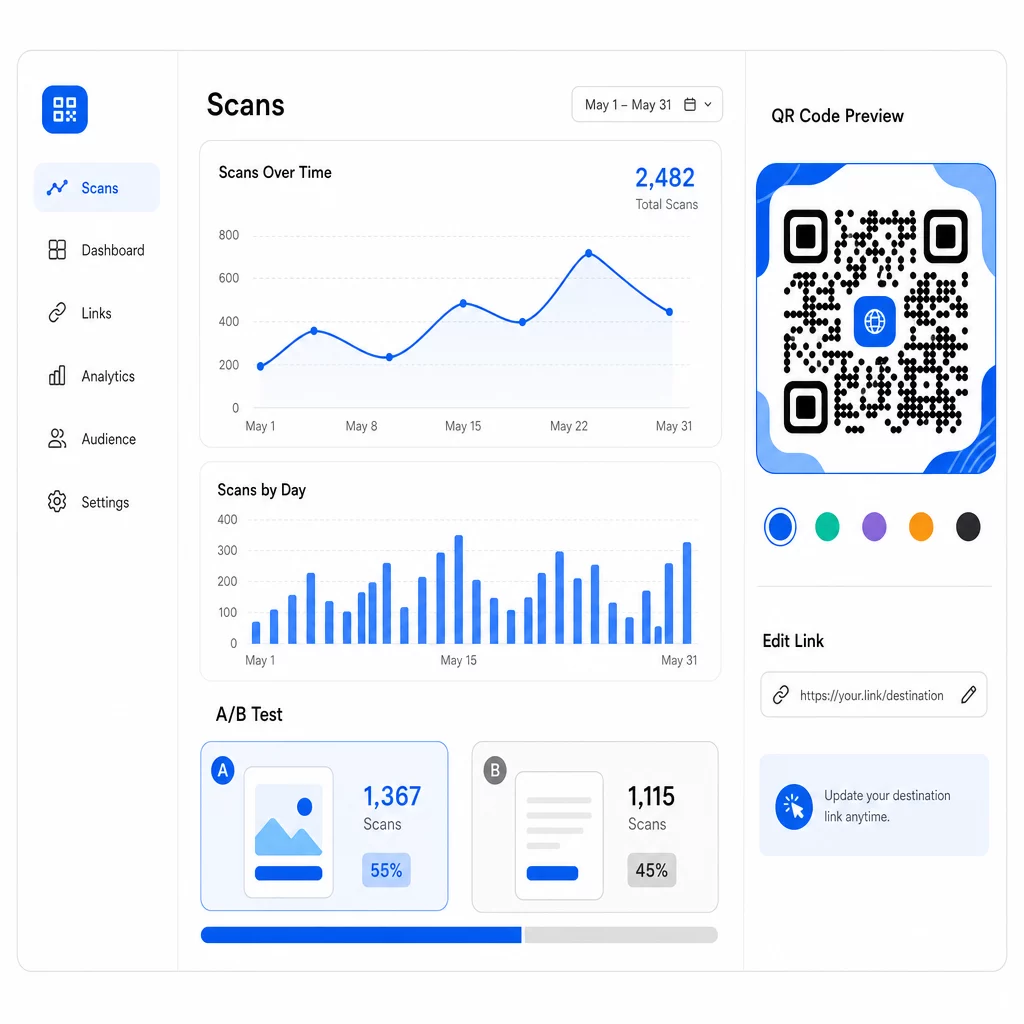
Im Gegensatz zu statischen QR-Codes verweisen dynamische Codes auf eine kurze Weiterleitungs-URL, die Sie kontrollieren. Ändern Sie das Ziel jederzeit – kein neuer Code erforderlich.
A/B-Test von Designs und Nachrichten
Mit dynamischen Codes können Sie strukturierte Tests durchführen, um herauszufinden, was tatsächlich bei Ihrem Publikum ankommt. Testen Sie jeweils eine Variable, um die Ergebnisse interpretierbar zu halten:
- CTAs: Übertrifft “Erhalten Sie 20% Rabatt” die Aufforderung “Scannen für weitere Informationen”?
- Designelemente: Wird ein gebrandeter Code mit Ihrem Logo häufiger gescannt als eine einfache Schwarz-Weiß-Version?
- PLATZIERUNG: Funktioniert derselbe Code an der Kasse anders als am Eingang?
Der zuvor erwähnte CTA-Test des Einzelhändlers – bei dem “15% Rabatt! Scannen Sie, um herauszufinden, wie” 250 Scans erhielt, gegenüber 90 für “Scannen und einen Preis gewinnen!” – veranschaulicht, wie eine einzige Nachrichtenänderung einen fast dreifachen Unterschied bewirken kann. Für einen strukturierten Ansatz zur Durchführung dieser Experimente, der Leitfaden zu wie A/B-Tests die QR-Code-Konversionen verbessern behandelt Einrichtung, Variablen und Analyse im Detail.
Scandaten zur Verfeinerung von Kampagnen nutzen
Dynamische QR-Codes generieren Analysen, die Ihnen mehr verraten, als nur wie viele Personen gescannt haben. Sie können verfolgen:
- Gesamtzahl der Scans und eindeutige Scans
- Scan-Ort (Land, Stadt, Region)
- Uhrzeit und Datum der Scans
- Gerätetyp und Betriebssystem
Wenn Ihre Daten zeigen, dass die meisten Scans werktags zwischen 18:00 und 22:00 Uhr erfolgen, können Sie Folgeaktionen für dieses Zeitfenster planen. Wenn eine Region andere deutlich übertrifft, können Sie mehr Ressourcen zuweisen und die Nachrichten für diesen Bereich anpassen. Pageloots Analyse-Dashboard bietet Echtzeit-Einblick in all diese Metriken.
Das Hinzufügen von UTM-Parametern zu Ihren Ziel-URLs erweitert dieses Tracking auf Google Analytics und gibt Ihnen ein vollständiges Bild der Reise nach dem Scan – vom ersten Scan bis zum Kauf, der Formularübermittlung oder dem App-Download. Der Leitfaden zu UTM-Parametern für QR-Codes erklärt, wie dies konsistent über Kampagnen hinweg eingerichtet wird.
Max Fashion nutzte diesen Ansatz mit von Branch betriebenen dynamischen QR-Codes in Geschäften und Werbematerialien, verknüpfte Offline-Scans mit digitalen Deep Links und verfolgte die gesamte Kundenreise vom Scan bis zum Kauf – was zu einem zweistelligen Wachstum bei App-Sitzungen und Konversionen führte.
Überwachen Sie Ihre Kampagne in Echtzeit Möchten Sie genau sehen, wo und wann Ihre Kunden Ihre Materialien scannen? Nutzen Sie die Dynamischer QR-Code Generator um verfolgbare Codes zu erstellen und noch heute auf ein vollständiges Leistungs-Dashboard zuzugreifen.
QR-Code-Inhalte aktuell halten
Gedruckte Materialien bleiben lange nach ihrer Verteilung im Umlauf. Ein Flyer von vor drei Monaten könnte heute noch Scans generieren – aber wenn der verlinkte Inhalt veraltet oder defekt ist, werden diese Scans zu negativen Erfahrungen.
Dynamische QR-Codes lösen dies direkt. Sie können die Ziel-URL jederzeit aktualisieren, ohne den physischen Code zu berühren. Wenn sich eine saisonale Aktion von “20% Rabatt” zu “kaufe eins, erhalte eins gratis” ändert, aktualisieren Sie die Landingpage in Sekundenschnelle. Wenn Sie einen defekten Link entdecken, beheben Sie ihn sofort, ohne neu zu drucken.
Diese Flexibilität ermöglicht es Ihnen auch, Inhalte im Laufe der Zeit anzupassen, basierend auf dem, was Ihre Scandaten Ihnen sagen. Ein Marketingteam könnte Codes aktualisieren, um zeitlich begrenzte Angebote hervorzuheben; ein Einzelhändler könnte von Produktdemos zu einem saisonalen Geschenkführer wechseln. Der Code bleibt derselbe – das Erlebnis verbessert sich ständig.
Um wiederholtes Engagement zu fördern, liefern Sie immer einen sofortigen, klaren Mehrwert. “Scannen Sie für 20% Rabatt auf Ihre nächste Bestellung” übertrifft generische Alternativen durchweg, weil es den Benutzern genau sagt, was sie bekommen. Verfolgen Sie das Verhältnis von Gesamtscans zu einzigartigen Scans: Wenn Benutzer wiederholt zum selben Code zurückkehren, ist das ein starkes Signal dafür, dass Ihre Inhalte einen kontinuierlichen Wert liefern.
Alles zusammenfügen
Die Verbesserung der QR-Code-Konversionsraten ist keine einmalige große Lösung – es geht darum, mehrere Elemente zusammenwirken zu lassen. Starke CTAs bringen Menschen zum Scannen. Zuverlässiges Design stellt sicher, dass sie es können. Eine schnelle, fokussierte mobile Seite stellt sicher, dass sie den Vorgang abschließen. Eine intelligente Platzierung bringt den Code zur richtigen Zeit vor die richtigen Leute. Und dynamische Codes mit Tracking ermöglichen es Ihnen, zu messen, was funktioniert, und alles andere kontinuierlich zu verbessern.
Die Pageloot QR-Code-Generator und dynamischer QR-Code-Tools Ihnen die Infrastruktur bieten, um all diese Strategien an einem Ort anzuwenden – gebrandete Codes, Echtzeit-Analysen und die Möglichkeit, Kampagnen sofort zu aktualisieren. Entdecken Sie das gesamte Pageloot Funktionsset um zu sehen, wie jede Funktion in Ihren Kampagnen-Workflow passt.
Häufig gestellte Fragen
Verwenden Sie eine direkte, handlungsorientierte Sprache, die einen spezifischen Vorteil nennt, bevor der Benutzer scannt. Phrasen wie “Scannen Sie für 20% Rabatt” oder “Schalten Sie Ihren kostenlosen Leitfaden frei” übertreffen vage Alternativen wie “Mehr erfahren” oder “Scannen Sie mich” durchweg. Platzieren Sie den CTA direkt neben dem Code – darüber, darunter oder innerhalb des Rahmens – damit Benutzer den Wert sehen, bevor sie sich zum Scannen verpflichten. Das Hinzufügen von Dringlichkeit (“Nur heute scannen”) oder kontextspezifischer Sprache (“Scannen Sie, um das heutige Menü zu sehen”) verbessert die Ergebnisse weiter.
Für die meisten gedruckten Materialien sollte ein QR-Code mindestens 2 × 2 cm (0,8 × 0,8 Zoll) groß sein. Bei kleineren Größen können Smartphone-Kameras mit geringerer Auflösung Schwierigkeiten haben, zu fokussieren und das Muster zu dekodieren. Für größere Formate, die aus der Ferne betrachtet werden, gilt die 10:1-Regel: Der Code sollte mindestens 1 Zoll breit sein für alle 10 Zoll der erwarteten Scan-Entfernung. Halten Sie immer eine Ruhezone – einen klaren weißen Bereich um die Ränder – von mindestens vier Modulbreiten ein, um Scannern zu helfen, den Code von umgebenden Elementen zu isolieren.
Dynamische QR-Codes ermöglichen es Ihnen, die Ziel-URL nach dem Drucken zu aktualisieren, sodass Sie defekte Links beheben, Werbeaktionen austauschen oder auf neue Inhalte umleiten können, ohne Materialien neu drucken zu müssen. Sie generieren auch detaillierte Analysen – Scan-Zahlen, Standorte, Gerätetypen und Zeitstempel –, die Ihnen helfen zu verstehen, wie Ihre Codes funktionieren und wo Verbesserungen möglich sind. Für A/B-Tests verschiedener CTAs oder Platzierungen sind dynamische Codes unerlässlich, da Sie das Ziel für eine Variante ändern können, ohne einen neuen physischen Code erstellen zu müssen.