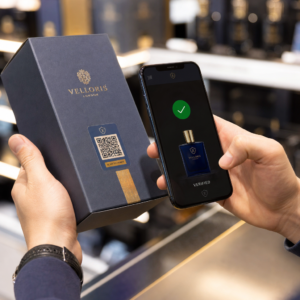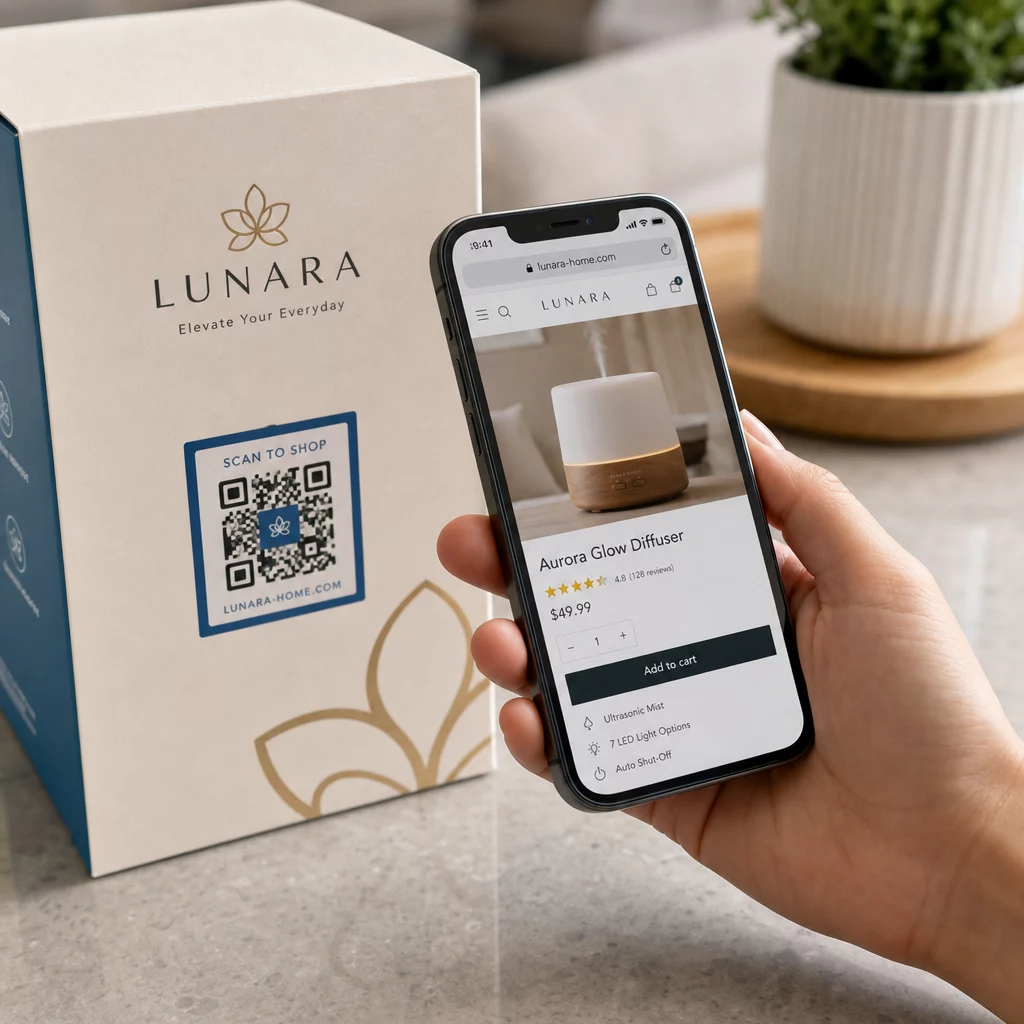
Driver din markedsføring trafik, men konverterer den ikke til salg? Kløften mellem en kunde, der opdager dit produkt, og fuldfører et køb, er der, hvor de fleste e-handelsindtægter går tabt. QR-koder lukker den kløft ved at forbinde fysiske berøringspunkter direkte til digitale købsoplevelser – og de er målbare hele vejen.
Hvorfor QR-koder hører hjemme i din e-handelsstrategi
Forbrugernes adoption af QR-koder har nået et punkt, hvor friktionen ved scanning er minimal. Ifølge branchedata scannede 64% af shoppere en QR-kode på et produkt, mens de handlede i butikker, og 42% sagde, at QR-koder har forbedret deres personlige shoppingoplevelse markant. Dette adfærdsskift skaber en reel mulighed for e-handelsbrands til at møde kunderne, hvor de allerede er.
For online-sælgere tjener QR-koder et dobbelt formål: de fremskynder vejen til køb ved at fjerne ekstra trin, og de genererer scanningsdata, der hjælper dig med at forstå præcis, hvordan dine kampagner performer. En dynamisk QR-kode går videre – den lader dig opdatere destinations-URL'en når som helst uden at genudskrive, hvilket betyder, at en kode på produktemballage kan pege på en sæsonbestemt kampagne i dag og en produktvejledning næste måned.
De primære fordele for e-handelsvirksomheder inkluderer:
- Reduceret købsfriktion – Kunder scanner og lander direkte på en produktside eller betalingsflow, og omgår søgning fuldstændigt
- Kontinuitet på tværs af kanaler – Fysisk emballage, trykte annoncer og e-mailmaterialer forbinder alle problemfrit til din digitale butik
- Målbar engagement – Scanningsanalyser afslører, hvilke placeringer der driver mest trafik, og hvilke der konverterer
- Fleksibelt indhold – Dynamiske koder lader dig ændre destinationer uden at genudstede trykt materiale
- Engagement efter køb – Emballageindlæg og forsendelsesmaterialer bliver aktive marketingkanaler
Vigtigste anvendelsestilfælde for e-handels QR-koder
At forstå, hvor QR-koder leverer mest værdi, hjælper dig med at prioritere, hvor du skal starte. Hvert anvendelsestilfælde nedenfor adresserer et specifikt friktionspunkt i kunderejsen.
Forbind fysiske produkter med onlinebutikker
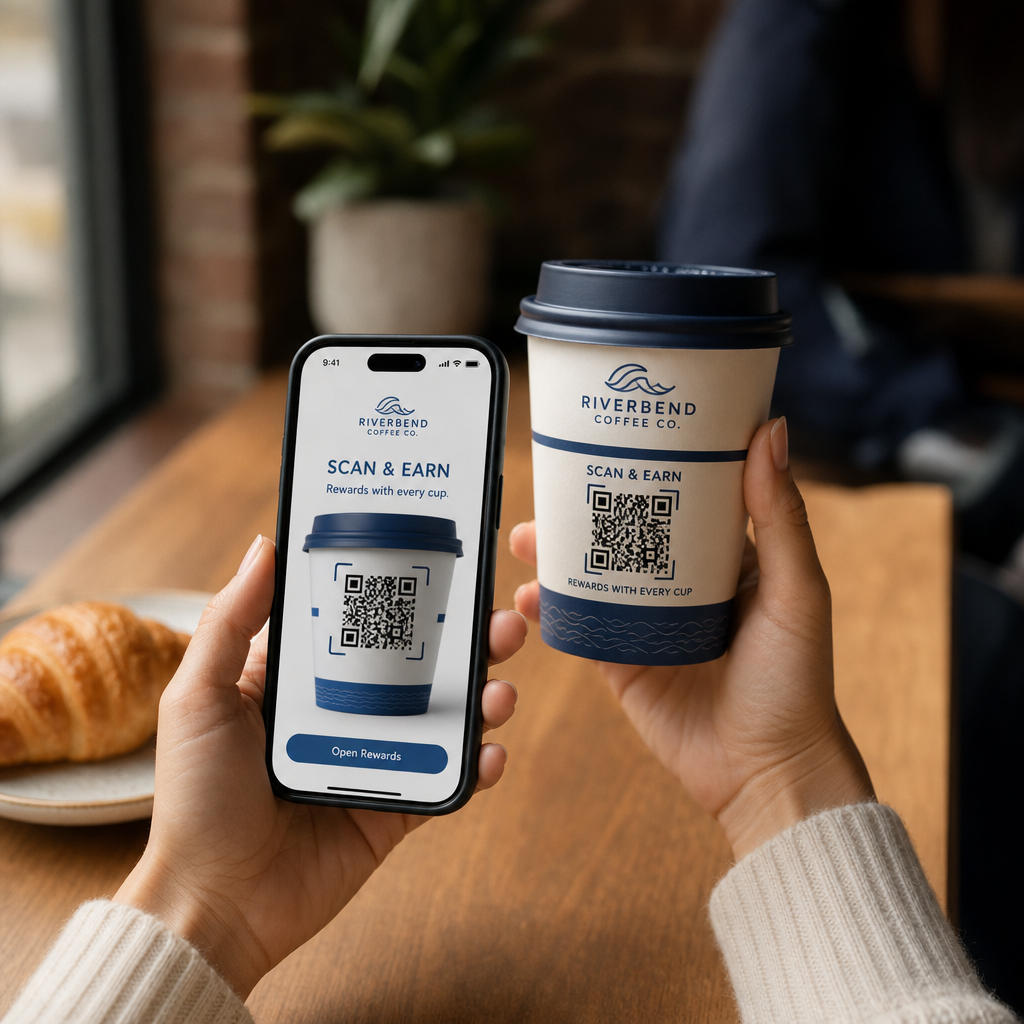
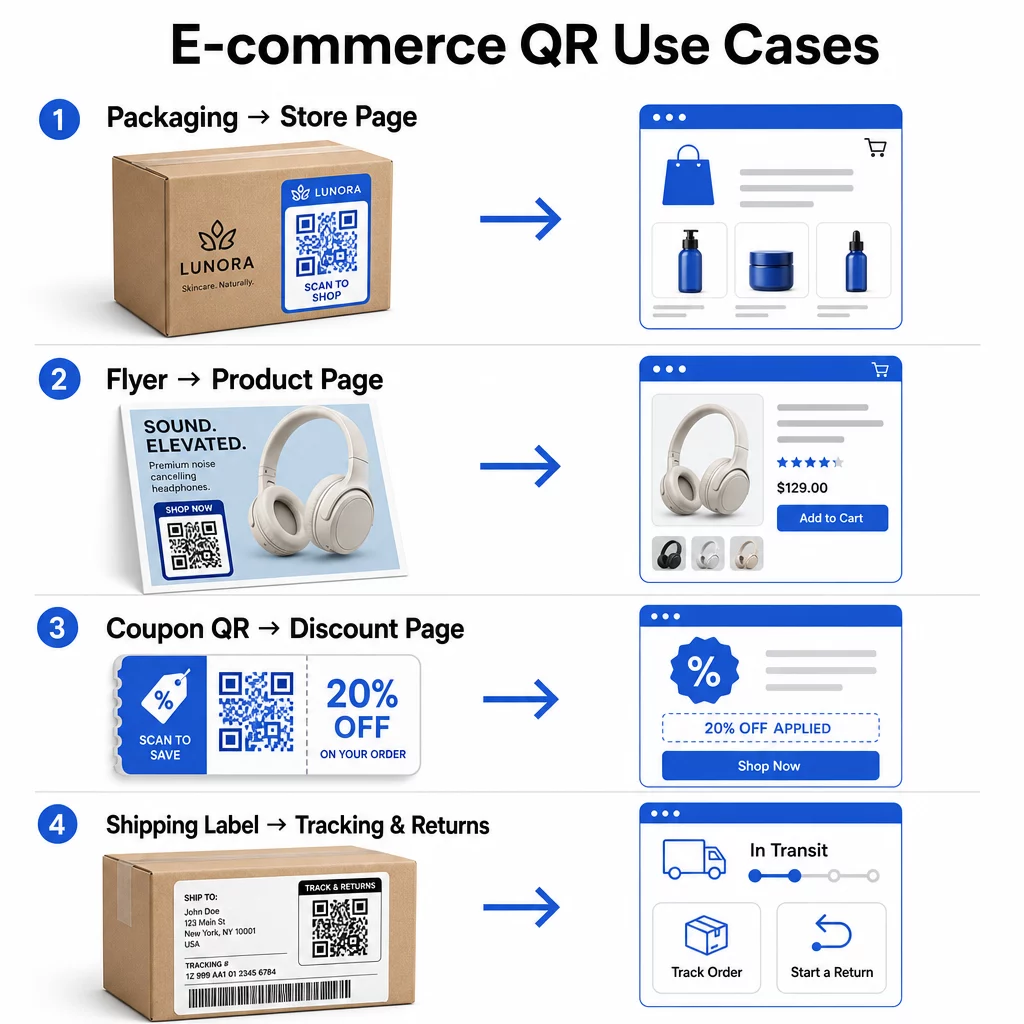
Produktemballage er den mest direkte bro mellem en fysisk vare og din digitale butiksfacade. En QR-kode på æsken eller etiketten kan sende kunder til den fulde produktside, relateret tilbehør, instruktionsvideoer eller et genbestillingslink. En Pageloot-kunde placerede QR-koder inde i deres emballage og rapporterede en stigning på 27% i gentagne besøg på deres Shopify-butik inden for to uger.
Denne tilgang er især værdifuld for produkter med flere detaljer, end der passer på en etiket – ingredienser, certificeringer, vejledninger og garantiinformation kan alt sammen findes bag en enkelt scanningsbar kode. Lær mere om QR-koder på emballage, og hvordan de gavner detailhandlen.
Skab salg med shoppable QR-koder
Når en kunde ser dit produkt i en trykt annonce, et katalog eller en udstilling i butikken, eliminerer en QR-kode trinene mellem interesse og køb. I stedet for at søge efter dit produkt eller indtaste en URL, scanner de og lander direkte på produktsiden eller en kurateret samling.
Brug en link QR-kodegenerator til at pege hver kode på en specifik URL. Med dynamiske koder kan du opdatere destinationen for at afspejle lagerstatus, sæsonpriser eller et tidsbegrænset bundt uden at genoptrykke materialer.
Tilbyd kuponer og tidsbegrænsede kampagner
QR-koder er særligt effektive til at levere rabatkoder og kampagnetilbud, fordi oplevelsen er øjeblikkelig og friktionsfri. En kunde scanner, ser en kupon-landingsside og kan indløse tilbuddet med det samme i stedet for at søge i sin indbakke efter en kampagnekode.
Placer kampagnekoder på produktemballage, trykte kvitteringer, direct mail og fysisk skiltning for at opmuntre til både første køb og gentagne ordrer. Den Kupon QR-kode generator lader dig bygge en dedikeret landingsside med flere tilbud og en klar opfordring til handling.
Opret kupon-QR-koder til din butik Vis tidsbegrænsede tilbud, kampagnekoder og eksklusive tilbud på en brandet landingsside, som dine kunder når med én scanning. Brug Kupon QR-kode generator for at komme i gang.
Aktiver QR-kodebetalinger
Kontaktløs betaling er en voksende forventning, især i detailhandlen og hybrid handelsmiljøer, hvor kunder ønsker at betale uden at stå i kø ved en kasse eller indtaste kortoplysninger manuelt. QR-kodebetalinger fungerer ved at dirigere kunden til en hostet betalingsside – de scanner, bekræfter beløbet og betaler ved hjælp af et gemt kort eller en mobilpung som Apple Pay eller Google Pay.
Statiske QR-koder link til en generisk betalingsside, hvor kunderne selv indtaster beløbet. Dynamiske QR-koder kan genereres med transaktionsspecifikke data, så kunden kun behøver at bekræfte og godkende. For virksomheder, der håndterer tilbagevendende betalinger eller variable beløb, reducerer dynamiske betalingskoder indtastningsfejl og fremskynder kassen.
Sikkerhed er en kritisk overvejelse her. Hver betalings-QR-kode skal bruge en verificeret, HTTPS-sikret destination. Brug dynamiske koder, hvor det er muligt, da de kan deaktiveres eller opdateres, hvis de manipuleres. Den PayPal QR-kode generator giver en ligetil måde at oprette betalingskoder på, der leder kunderne til din betalingsflow. Du kan også gennemgå Bedste praksis for tilgængelig QR-kodebetaling for at sikre, at din implementering er både sikker og inkluderende.
Indsaml Google-anmeldelser og kundefeedback
Social proof er et af de mest værdifulde aktiver en e-handelsvirksomhed har. Udfordringen er, at de fleste tilfredse kunder ikke efterlader anmeldelser, medmindre processen er friktionsfri. En QR-kode på en emballageindsats, forsendelseskasse eller kvittering reducerer denne friktion til en enkelt scanning.
Peg koden direkte til din Google-anmeldelsesside, så kunderne lander præcis der, hvor du har brug for dem. Den Google Review QR-kode generator lader dig oprette og tilpasse anmeldelseskoder, du kan indlejre på tværs af dine fysiske materialer. For bredere feedbackindsamling kan QR-koder også linke til efterkøbsundersøgelser, hvilket giver dig mulighed for at indsamle strukturerede indsigter om købsoplevelsen. Læs mere om hvordan QR-koder understøtter e-handels kundeservice.
Forbedre leverings- og returlogistik
Forsendelsesetiketter og ordrebekræftelsesmails er underudnyttede marketing- og servicekanaler. En QR-kode på forsendelsesetiketten kan give kunderne øjeblikkelig adgang til sporingsopdateringer i realtid, uden at de behøver at finde et sporingsnummer og indtaste det manuelt.
For returneringer fjerner en QR-kode, der linker direkte til en returanmodningsformular, den mest frustrerende del af efterkøbsoplevelsen. Brands som IKEA har adopteret denne model – ved at sende QR-koder via e-mail eller SMS efter en kunde registrerer en returnering – for at strømline returlogistik og reducere supportkontakter. Udforsk hvordan QR-koder forbedrer e-handels leveringsoplevelser i mere detalje.
Væk sociale mediepublikummer
Hver eneste fysiske emballage er en potentiel kanal til at øge dit sociale følgerskab. En QR-kode, der linker direkte til din Instagram-, TikTok- eller YouTube-profil, kan forvandle en førstegangskøber til en langsigtet følger uden yderligere annonceudgifter.
Dette fungerer især godt i unboxing-øjeblikke, hvor kundens opmærksomhed er høj, og begejstringen for produktet er på sit højeste.
Sådan sporer du QR-kodekampagners ydeevne
At generere en QR-kode er kun halvdelen af arbejdet – at forstå, hvordan den præsterer, er det, der adskiller et taktisk eksperiment fra en skalerbar strategi.
Dynamiske QR-koder og indbygget analyse
Dynamiske QR-koder giver den mest omfattende sporing, fordi de dirigerer scanninger gennem en administreret omdirigering, der logger målinger i realtid. En QR-kodeadministrationsplatform som Pageloot registrerer:
- Samlede scanninger og unikke scanninger
- Tid og dato for hver scanning
- Geografisk placering af scanningen
- 6. Enhedstype og operativsystem
Disse data fortæller dig, hvilke placeringer der driver mest engagement, hvornår kunderne er mest tilbøjelige til at scanne, og hvor den geografiske efterspørgsel er koncentreret. For et dybere kig på, hvordan sporing fungerer, se guide til sporing af QR-kodescanninger og analyser.
Overvåg din kampagne i realtid Vil du se præcis hvor og hvornår dine kunder scanner dit materiale? Brug Dynamisk QR-kode generator til at oprette sporbare koder og få adgang til et komplet ydeevne-dashboard i dag.
UTM-parametre til tilskrivning i Google Analytics
For kampagner, hvor du har brug for, at QR-kodens ydeevne vises sammen med andre kanaldata i Google Analytics, skal du tilføje UTM-parametre til destinations-URL'en, før du genererer koden. UTM-parametre er korte tekststykker, der føjes til en URL, og som fortæller din analyseplatform kilden, mediet og kampagnenavnet, der er forbundet med et besøg.
En grundlæggende UTM-tagget URL for en QR-kode på produktemballage kan se sådan ud:
“`
https://yourstore.com/product?utmsource=packaging&utmmedium=qrkode&utmcampaign=spring_launch
“`
De fem standard UTM-parametre er:
- utm_source – Hvor trafikken stammer fra (f.eks. `emballage`, `flyer`, `kvittering`)
- utmmedium – Marketingkanalen (f.eks. `qrkode`)
- utmcampaign – Det specifikke kampagnenavn (f.eks. `forårlancering`)
- utm_term – Nøgleord, typisk for betalte søgekampagner
- utm_content – Til at differentiere lignende links eller kreative varianter
Når de er tagget, forkort URL'en og generer din QR-kode fra det forkortede link. Scanninger vil derefter fremstå som en særskilt trafikkilde i dine analyserapporter, hvilket giver dig mulighed for at måle konverteringsrater, omsætning og adfærd specifikt for QR-drevet trafik.
Bedste praksis for QR-kodedesign til e-handel
Et QR-kode, som kunder ikke kan eller vil scanne, giver ingen værdi. Disse designprincipper sikrer, at dine koder fungerer pålideligt på alle placeringer:
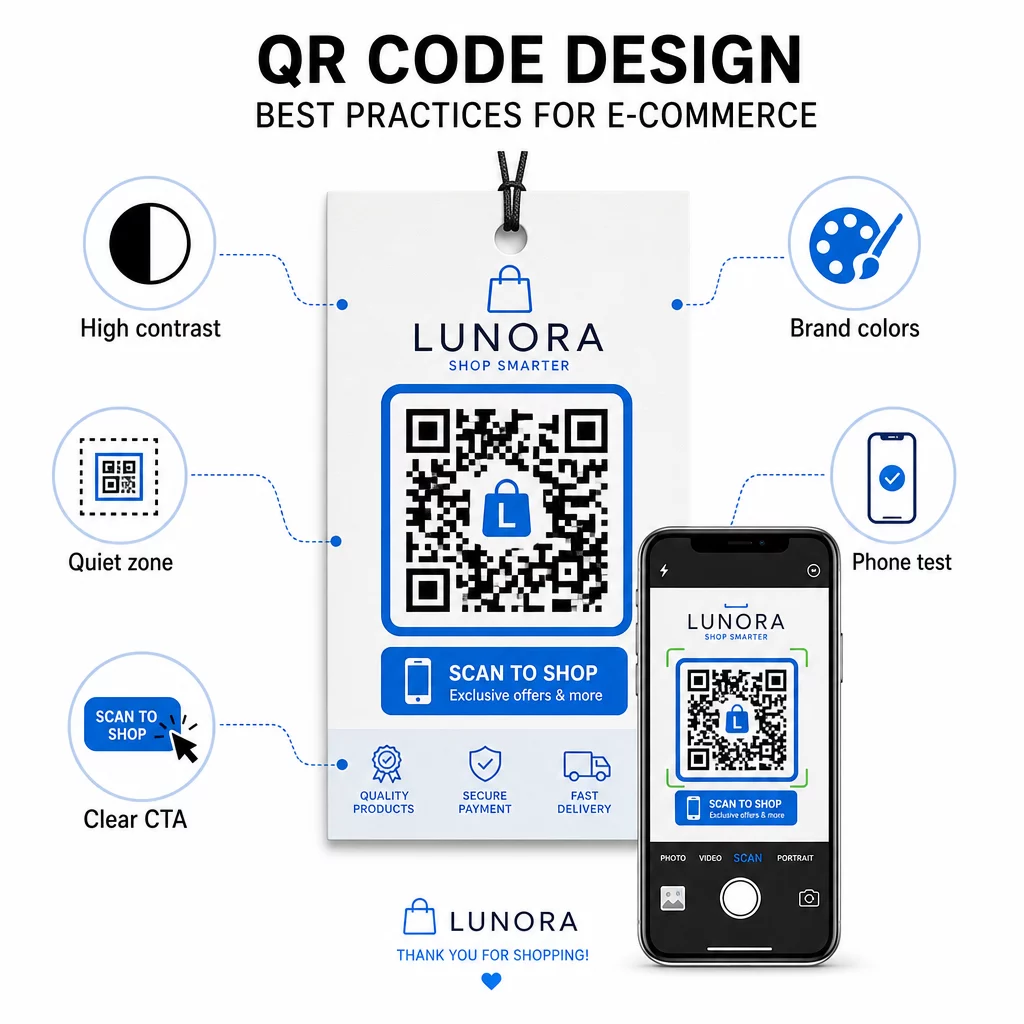
- Brug mørke moduler på en lys baggrund – Sort på hvid giver den stærkeste kontrast for kameraets genkendelse og er mere tilgængelig for brugere under dårlige lysforhold
- Oprethold en stille zone – Hold mindst fire moduler med tom plads omkring koden, så omgivende grafik ikke forstyrrer scanningen
- Følg retningslinjer for minimumsstørrelse – Mindst 1 tomme × 1 tomme for trykt materiale; større for skiltning, hvor tommelfingerreglen er, at den maksimale scanningsafstand skal være cirka ti gange kodens bredde
- Inkluder en klar opfordring til handling – Mærk koden med en kort instruktion som “Scan for 10% rabat” eller “Scan for at spore din ordre” for at reducere tøven og øge scanningsraten
- Test, før du trykker – Verificer, at koden scanner korrekt i den endelige trykte størrelse, fra forventede afstande, under realistisk belysning og på tværs af flere telefonmodeller
For mobile landingssider, der er linket fra dine QR-koder, er indlæsningshastighed og mobil-først-layout afgørende. Sider skal indlæses på under tre sekunder, og knapper skal være store nok til nemt at kunne trykkes på. Se bedste praksisser for mobile QR-kode landingssider for en detaljeret tjekliste.
Sådan opretter du en QR-kode til din e-handelsbutik
At komme i gang med QR-koder til din butik kræver tre trin:
- Generer koden – Brug Pageloot QR-kodegenerator til at oprette en dynamisk QR-kode, der er linket til en produktside, betalingsflow, anmeldelsesformular eller enhver anden destination. Vælg dynamisk frem for statisk, hvis du vil opdatere destinationen senere eller spore ydeevne.
- Tilpas og brand det – Tilføj dit logo, match dine brandfarver, og inkluder en ramme med en call-to-action-etiket. Brandede koder skaber genkendelse og har tendens til at generere flere scanninger end almindelige sort-hvide koder.
- Implementer og overvåg – Placer koden på emballage, e-mails, trykt materiale eller skilte i butikken. Brug analyse-dashboardet til at gennemgå scanningsydelsen og justere kampagner baseret på, hvad der virker.
For branchespecifikke implementeringsidéer, dækker siden med e-handels QR-kodeløsninger brugsscenarier på tværs af Shopify, WooCommerce og andre platforme. Du kan også gennemse QR-kodeløsninger efter branche for kontekst om, hvordan andre sektorer griber lignende udfordringer an.
Resultater fra den virkelige verden demonstrerer omfanget af, hvad der er muligt: casestudier af førende e-handelsbrands viser resultater som en stigning på 130 % i onlinesalg og en stigning på 239 % i app-engagement fra målrettede QR-kodeimplementeringer. Siden med e-handels QR-kode casestudier dækker disse eksempler i detaljer.
QR-koder fungerer bedst, når de løser et specifikt problem for kunden – at få information hurtigere, betale lettere eller gennemføre en returnering uden besvær. Start med et eller to værdifulde berøringspunkter, mål resultaterne, og udvid derfra.
Ofte stillede spørgsmål
En statisk QR-kode koder destinations-URL'en direkte ind i mønsteret og kan ikke ændres efter oprettelse. En dynamisk QR-kode peger på et kort omdirigeringslink, der kan opdateres når som helst, selv efter koden er blevet printet. For e-handel er dynamiske koder generelt at foretrække, fordi de understøtter realtidsanalyse, tillader destinationsopdateringer, når kampagner ændres, og producerer et renere visuelt mønster, der scanner hurtigere. Lær mere på siden om statiske vs. dynamiske QR-koder.
Den mest pålidelige metode kombinerer to tilgange. Først skal du bruge dynamiske QR-koder via en administrationsplatform som Pageloot, som automatisk logger antal scanninger, tidsstempler, enhedstyper og geografiske placeringer. For det andet skal du tilføje UTM-parametre til dine destinations-URL'er, så scanninger vises som en særskilt trafikkilde i Google Analytics, hvor du kan måle konverteringsrater og omsætning, der tilskrives hver kode. Se vejledningen til sporing af QR-koder for trin-for-trin-instruktioner.
De placeringer med den højeste engagement i e-handel er produktemballage, forsendelseskasser, indlæg i emballage og ordrebekræftelsesmails. Disse berøringspunkter når kunderne i øjeblikke med høj intention – lige efter køb eller under udpakningsoplevelsen – hvilket gør dem ideelle til at drive anmeldelser, gentagne køb og sociale følgere. Materialer efter køb som kvitteringer og returinstruktioner er også effektive, fordi kunderne er aktivt engagerede i dit brand i det øjeblik.