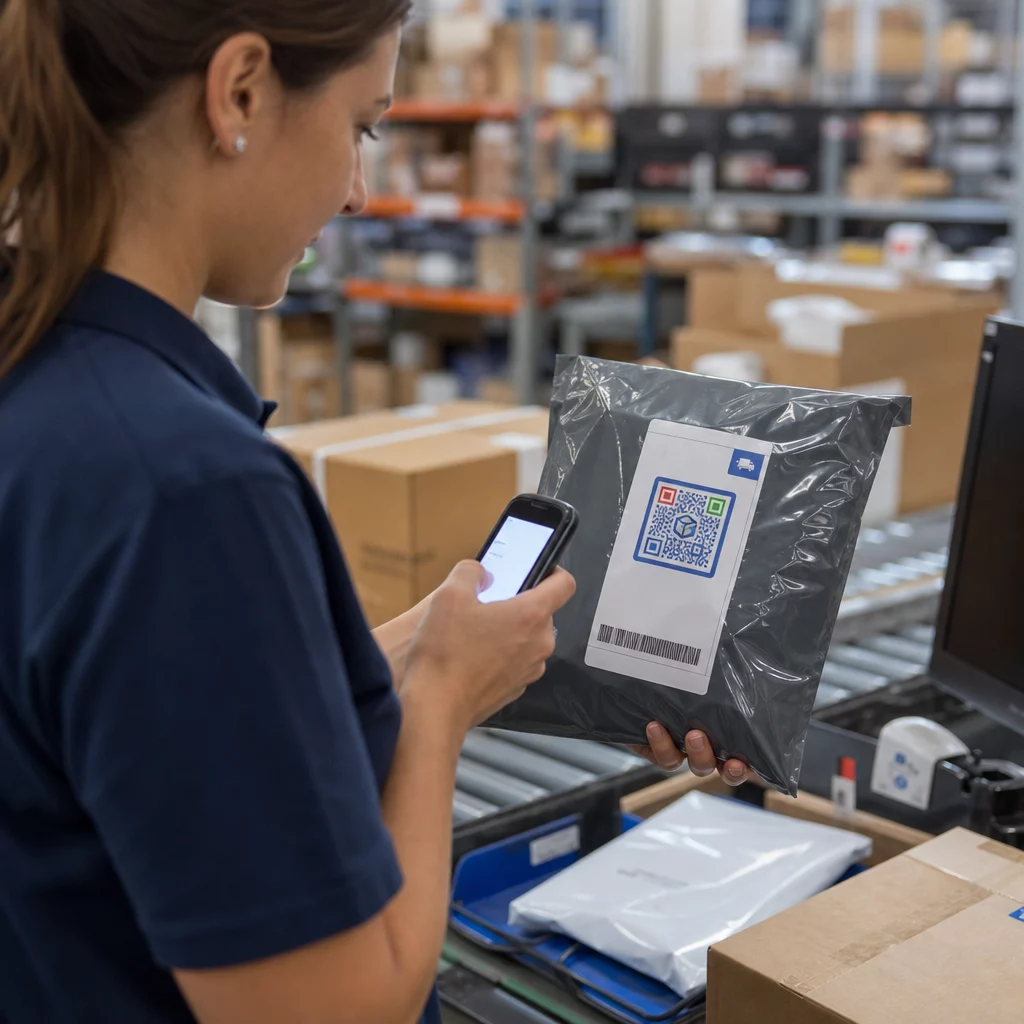
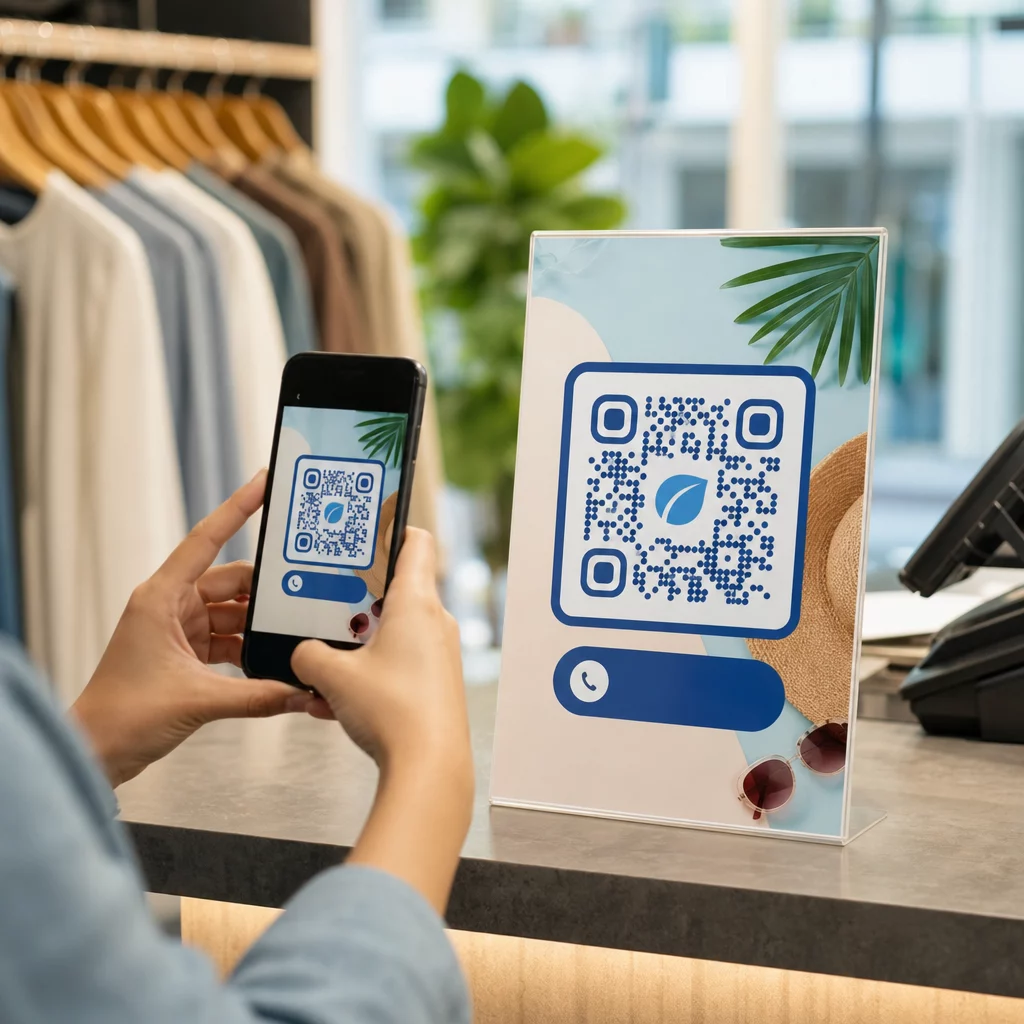
Přeskakují zákazníci váš proces registrace produktu, protože se jim zdá příliš pracný? Nízká míra registrace znamená neúplná data o vlastnictví, pomalejší reakce na svolávací akce a zmeškané příležitosti k budování poprodejních vztahů. Tato stránka vám ukáže, jak QR kódy odstraňují toto tření a mění registraci v rychlé, bezproblémové skenování.
Proč tradiční registrace produktu selhává
Papírové záruční karty mají notoricky nízkou míru vyplnění. Zákazníci obdrží kartu, odloží ji a zřídka ji pošlou zpět. Dokonce i webové formuláře zlepšují situaci jen mírně, pokud zákazníci musí ručně zadávat dlouhou URL adresu nebo prohledávat obal, aby našli odkaz na registraci.
Výsledkem je datová mezera. Expedujete produkty, ale máte malý přehled o tom, kdo je vlastní. Když nastane bezpečnostní problém nebo svolávací akce, přímé oznámení se stává obtížným nebo nemožným. Pro výrobce odolných výrobků pro kojence nebo batolata, to není jen obchodní problém – 16 CFR Část 1130 vyžaduje vedení záznamů o kontaktních informacích spotřebitelů a nařizuje možnost elektronické registrace konkrétně proto, že CPSC uznává, že míra odezvy na svolávací akce je zdokumentovanou výzvou.
I mimo regulované kategorie jsou provozní náklady nízké registrace reálné: záruční podvody se hůře odhalují, servisní požadavky se hůře ověřují a data o životním cyklu produktu zůstávají skromná.
Jak QR kód řeší problém s registrací
QR kód vytištěný na obalu, vložce nebo samotném produktu poskytuje zákazníkům bezproblémovou cestu k registraci. Otevřou fotoaparát svého telefonu, naskenují kód a dostanou se přímo na registrační formulář nebo značkovou vstupní stránku – žádné psaní, žádné hledání, žádná pošta.
V okamžiku, kdy odešlou formulář, obdržíte strukturovaná data o vlastnictví: jméno, kontaktní informace, datum nákupu a jakákoli vlastní pole, která nakonfigurujete. Tyto informace se přímo vkládají do vašich záznamů bez ručního zadávání dat na obou stranách.
Tento přístup je v souladu s širším posunem v balení produktů směrem k propojování fyzických položek s digitálním obsahem. Celoodvětvové uznání, že QR kódy na obalech mohou sloužit jako trvalé brány k informacím o produktu, podrobnostem o záruce a registraci, odráží funkci, která daleko přesahuje to, co může nést tradiční čárový kód. QR kódy na obalech produktů mohou nést tento registrační odkaz přímo do rukou zákazníka v okamžiku, kdy otevře krabici.
Jste připraveni přidat registrační QR kódy k vašim produktům? Vytvořte sledovatelné, editovatelné QR kódy pro vaše obaly nebo vložky pomocí Dynamický QR kód. Cíl propojeného formuláře můžete kdykoli aktualizovat – není nutný přetisk.
Výběr správného typu QR kódu pro registraci
Ne všechny QR kódy slouží stejně dobře pro pracovní postup registrace záruky. Kritický rozdíl je mezi statickými a dynamickými kódy.
A statický QR kód kóduje pevnou URL adresu přímo do svého vzoru. Jakmile je vytištěn, nemůžete změnit, kam směřuje. Pokud se změní URL adresa vašeho registračního formuláře, kód na tisících jednotek se stane nepoužitelným.
A dynamický QR kód kóduje krátkou přesměrovací URL adresu, kterou ovládáte z řídicího panelu. Cíl můžete kdykoli aktualizovat, aniž byste se dotkli vytištěného kódu. To je důležité pro registraci záruky, protože registrační formuláře se migrují mezi platformami, sezónní nebo produktově specifické stránky se vyměňují a možná budete muset přesměrovat skeny na oznamovací stránku během aktualizace produktu nebo svolávací akce.
Pro registraci produktu, dynamické QR kódy jsou praktickou výchozí volbou. Schopnost upravovat cíle po tisku – v kombinaci s analýzou skenů – je činí mnohem užitečnějšími pro průběžný sběr dat o vlastnictví. Úplný rozpis funkcí můžete prozkoumat v srovnání statických a dynamických QR kódů.
Nastavení pracovního postupu registrace pomocí QR kódu
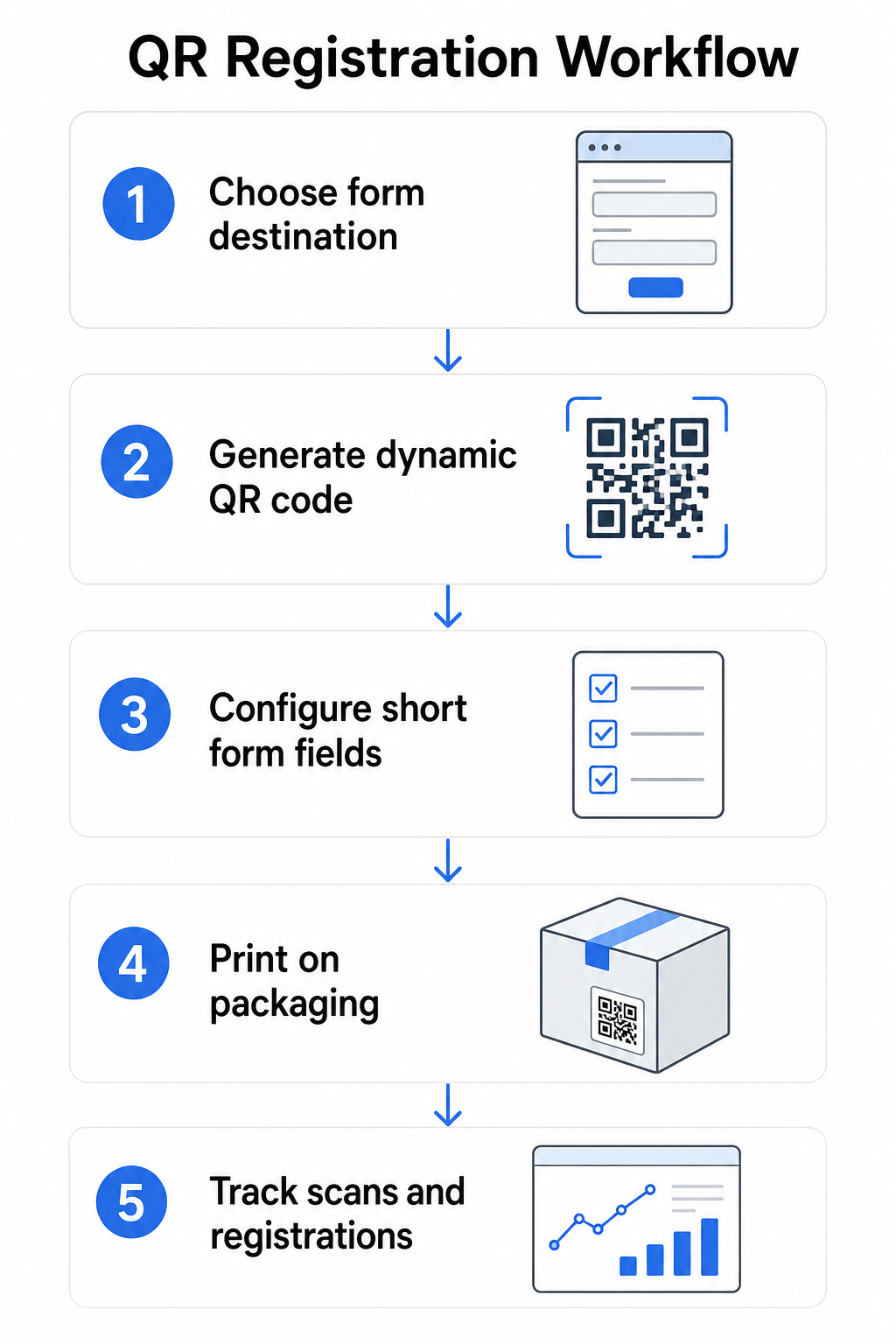
Vybudování systému registrace a aktivace záruky řízeného QR kódem je jednodušší, než by se mohlo zdát. Následující kroky pokrývají kompletní nastavení od výběru formuláře po sledování po spuštění.
Krok 1: Vyberte cíl formuláře
Máte dvě hlavní možnosti, na co se QR kód odkazuje. Google Formulář se rychle nastavuje a dobře funguje pro sběr strukturovaných polí. Použijte Google formulář QR kód generátor k převodu sdíleného odkazu vašeho formuláře na skenovatelný kód.
A značkovou vstupní stránku je mobilně optimalizovaná stránka, která prezentuje váš registrační formulář spolu s detaily produktu, záručními podmínkami a vizuály značky. Pagelootova funkce Vstupní stránky umožňuje vám vytvářet a aktualizovat tyto stránky bez technické pomoci. Možnost vstupní stránky má tendenci fungovat lépe pro zákaznickou zkušenost, protože ovládáte celý design, můžete jasně zobrazit záruční podmínky a můžete zahrnout více odkazů nebo výzev k akci – jako je odkaz na manuál k produktu vedle registračního formuláře.
Krok 2: Vygenerujte dynamický QR kód
Vytvořte QR kód pomocí Pageloot’s Dynamický QR kód a nasměrujte jej na vámi zvolený cíl. Přidejte logo a barvy vaší značky, aby byl kód rozpoznatelný na obalu. Udržujte logo v rozmezí 30 % plochy kódu, abyste zachovali skenovatelnost, a při přidávání vizuální značky použijte vysokou úroveň korekce chyb (Q nebo H).
Krok 3: Nakonfigurujte pole registračního formuláře
Shromažďujte to, co skutečně potřebujete pro účely záruky a vlastnictví. Typická pole zahrnují:
- Jméno zákazníka a e-mailová adresa
- Datum nákupu
- Místo nákupu (prodejce nebo kanál)
- Sériové číslo produktu (pokud není předvyplněno)
- Volitelné: zpětná vazba k produktu nebo preferovaný způsob kontaktu
Minimalizace dat není jen osvědčenou praxí v oblasti ochrany soukromí – zlepšuje také míru dokončení. Kratší formuláře získávají více odeslání.
Krok 4: Umístěte QR kód na obal nebo vložky
Pro spolehlivé skenování, umístění na obalu produktu se řídí několika konzistentními principy:
- Velikost kódu alespoň 1 palec (2,5 cm) na šířku
- Tiskněte na rovný, hladký povrch – vyhněte se záhybům, švům nebo zakřiveným oblastem
- Použijte vysoký kontrast (černá na bílé funguje nejlépe; udržujte kontrastní poměr alespoň 3:1)
- Ponechte kolem kódu jasnou klidovou zónu – prázdný okraj
- Otestujte vytištěný kód na skutečném podkladu před dokončením výrobních sérií
Pro hlubší pohled na specifické aspekty štítků viz průvodce QR kódy na etiketách produktů a jak vytisknout QR kód na štítek.
Krok 5: Sledujte registrace a data skenování
Jakmile je kód aktivní, váš Pageloot dashboard zobrazuje počet skenování, geografickou polohu skenování, typ zařízení a denní dobu. To vám řekne nejen to, kolik zákazníků se zaregistrovalo, ale také kdy a kde se zapojili – což je užitečné pro zjištění, zda umístění obalu funguje a zda mají určité trhy nebo kanály nižší míru registrace než jiné.
Podívejte se, kdo se registruje – a kdo ne Použití Sledování skenování QR kódu pro sledování zapojení do registrace podle regionu, zařízení a času. Včas odhalte poklesy a aktualizujte cíl formuláře bez opětovného tisku.
Jaká data můžete shromažďovat – a jaká byste měli
QR kódy podporují dvě odlišné vrstvy sběru dat a pochopení rozdílu vám pomůže správně nastavit váš program od začátku.
Data na úrovni skenování se shromažďují automaticky, když někdo naskenuje dynamický QR kód. To zahrnuje počet skenování, polohu skenování (země a region), typ zařízení (iOS nebo Android) a časové razítko. Tato data se shromažďují, aniž by zákazník poskytl jakékékoli osobní údaje – odráží zapojení se samotným kódem. Pro úplný rozpis toho, co je zachyceno, viz jaká data sbírají dynamické QR kódy.
Registrační data – jména, e-mailové adresy, data nákupu a kontaktní údaje – se shromažďují pouze tehdy, když zákazník dobrovolně vyplní formulář na propojené stránce. Jedná se o data první strany, poskytnutá přímo a s vědomím zákazníka. Platforma Pageloot’s tento model podporuje: zákazníci sdílejí informace prostřednictvím formulářů nebo vstupních stránek po skenování, čímž je sběr dat založen na souhlasu a je transparentní.
Pro účely záruky a vlastnictví potřebujete registrační data. Pro pochopení, zda váš registrační program funguje ve velkém měřítku, poskytují data na úrovni skenování cenný kontext.
Soukromí a právní aspekty
Sběr dat o registraci produktu s sebou nese povinnosti dodržování předpisů, které se liší podle kategorie produktu a jurisdikce.
Pro odolných výrobků pro kojence nebo batolata regulováno podle 16 CFR části 1130, CPSC vyžaduje, abyste:
- Poskytněte fyzickou registrační kartu s předplaceným poštovným ke každé jednotce
- Nabídněte možnost elektronické registrace (webové stránky nebo e-mail) jako doplněk – nikoli náhradu – fyzické karty
- Udržujte záznamy o jménech, adresách a e-mailových adresách registrovaných osob
- Používejte registrační data pouze pro bezpečnostní upozornění a svolávací akce, nikoli pro marketingové účely
QR kód odkazující na váš online registrační formulář splňuje požadavek na elektronickou registraci v rámci tohoto rámce, ale nenahrazuje požadavek na fyzickou kartu pro kryté produkty.
Pro registraci záruky obecněji, Zákon o záruce Magnuson-Moss rozlišuje mezi plnými a omezenými zárukami. Produkty s “plnou” zárukou nemohou vyžadovat registraci jako podmínku krytí. Produkty s “omezenou” zárukou mohou vyžadovat registraci pouze v případě, že je požadavek jasně zveřejněn před nákupem. Jakákoli podmínka registrace musí být uvedena v záručních podmínkách, ke kterým mají spotřebitelé přístup před prodejem.
Pro ochranu osobních údajů by americké podniky shromažďující osobní údaje prostřednictvím online registračních formulářů měly poskytnout oznámení o ochraně soukromí na nebo před bodem sběru, popisující, jaké údaje jsou shromažďovány, proč a jak dlouho budou uchovávány. Podle kalifornského zákona CPRA musí být shromažďování a uchovávání omezeno na to, co je přiměřeně nezbytné pro zveřejněný účel. Pokud se vaše produkty mohou dostat k rodinám s dětmi mladšími 13 let, ujistěte se, že váš online formulář splňuje požadavky COPPA na ověřitelný souhlas rodičů před shromažďováním osobních údajů od této věkové skupiny.
Pro více podrobností o povinnostech ochrany osobních údajů QR kódů napříč jurisdikcemi viz Zákony o ochraně soukromí QR kódů: Klíčové předpisy.
Používání QR kódů napříč životním cyklem produktu
Registrace záruky je jednou součástí širší příležitosti. Stejný QR kód na vašem produktu může sloužit více funkcím napříč celou cestou vlastnictví:
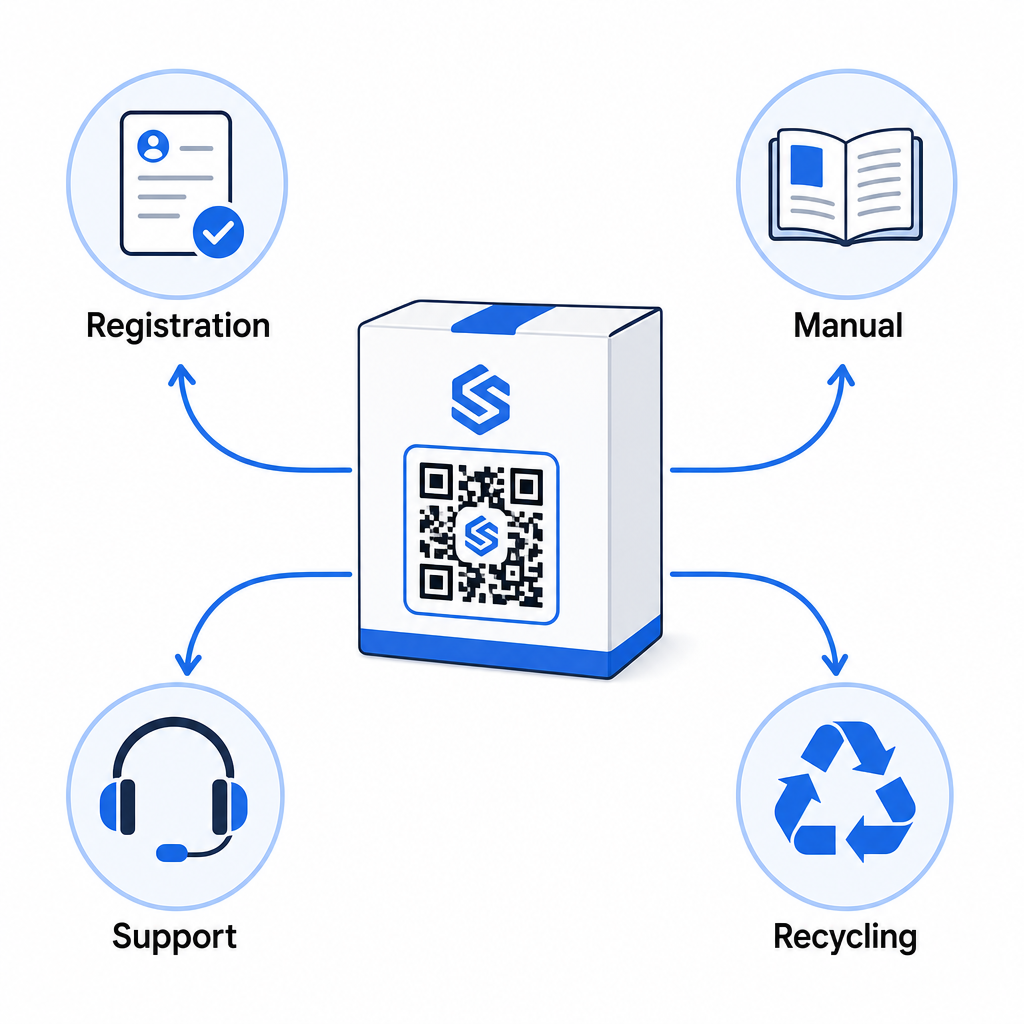
- Při rozbalení: směřuje na registrační formulář a aktivaci záruky
- Během vlastnictví: odkazuje na manuál k produktu, často kladené otázky nebo instruktážní videa
- Pro podporu: připojuje k formuláři žádosti o servis nebo živému chatu
- Na konci životnosti: poskytuje pokyny k recyklaci nebo výměně
Protože dynamické QR kódy umožňují aktualizovat cíl bez opětovného tisku, můžete vyvíjet, co kód dělá v průběhu času. Kód vytištěný dnes pro registraci může později odkazovat na stránku s aktualizací firmwaru, oznámení o stažení produktu nebo věrnostní program – bez jakékoli změny fyzického obalu.
Tento přístup životního cyklu je dále prozkoumán v QR kódy pro sledování životního cyklu produktu a QR kódy ve výrobě: Sledování materiálů a produktů.
Pro výrobce spravující registraci produktů napříč více SKU nebo produktovými řadami se stává nezbytným centralizovaný panel pro správu QR kódů. Viz Nástroje pro správu QR kódů pro podniky pro pokyny ke správě QR kódů ve velkém měřítku, včetně hromadné generace a analýzy pro jednotlivé kódy.
Začínáme
QR kód pro registraci produktu není technický projekt – je to rozhodnutí o balení. Vygenerujete dynamický kód, nasměrujete ho na svůj registrační formulář nebo vstupní stránku, vytisknete ho na vložku nebo krabici a začnete shromažďovat údaje o vlastnictví v okamžiku, kdy se produkty dostanou k zákazníkům.
Rozdíl mezi fyzickou registrační kartou a QR kódem je rozdíl mezi žádostí někoho, aby poslal dopis, a předáním mu telefonu. Zákazníci, kteří by nikdy nevrátili kartu, naskenují kód za méně než 10 sekund.
Začněte s jednou produktovou řadou. Vytvořte dynamický QR kód pomocí Generátor QR kódu Pageloot, propojte ho s vaším registračním formulářem a sledujte, jak se míra skenování a odesílání liší od vaší předchozí registrační metody. Jakmile uvidíte rozdíl v zapojení, rozšíření na celý váš katalog je jednoduché.
Často kladené otázky
Ne. Podle 16 CFR Část 1130 musí výrobci a dovozci odolných kojeneckých nebo batolecích výrobků přiložit ke každé jednotce fyzickou registrační kartu s předplaceným poštovným. Online registrace prostřednictvím QR kódu splňuje požadovanou možnost elektronické registrace, ale musí doplňovat fyzickou kartu, nikoli ji nahrazovat. Obě jsou povinné.
Pokud používáte dynamický QR kód, můžete kdykoli aktualizovat cílovou URL adresu z vašeho panelu, a to bez opětovného tisku nebo úpravy fyzického kódu. To je jeden z hlavních důvodů, proč jsou dynamické QR kódy doporučovány pro registraci produktu – chrání vás před nefunkčními odkazy, když jsou formuláře migrovány nebo aktualizovány. Statické QR kódy nelze po vytištění změnit.
Shromažďujte pouze to, co skutečně potřebujete k naplnění účelu registrace – obvykle jméno zákazníka, e-mailovou adresu, datum nákupu, místo nákupu a sériové číslo produktu. Podle principů minimalizace dat vyžadovaných zákony, jako je kalifornský CPRA, by shromažďování mělo být omezeno na to, co je přiměřeně nezbytné pro uvedený účel. Méně polí také zlepšuje míru dokončení formuláře, takže štíhlý formulář slouží jak cílům dodržování předpisů, tak obchodním cílům.