Ohittavatko asiakkaat tuotteen rekisteröintiprosessisi, koska se tuntuu liian työläältä? Alhaiset rekisteröintiasteet tarkoittavat puutteellisia omistustietoja, hitaampia takaisinkutsun vastauksia ja menetettyjä mahdollisuuksia rakentaa myynnin jälkeisiä suhteita. Tämä sivu näyttää, miten QR-koodit poistavat kitkan ja muuttavat rekisteröinnin nopeaksi, saumattomaksi skannaukseksi.
Miksi perinteinen tuoterekisteröinti jää vajaaksi
Paperisten takuukorttien täyttöaste on tunnetusti heikko. Asiakkaat saavat kortin, laittavat sen sivuun ja harvoin postittavat sen takaisin. Jopa verkkopohjaiset lomakkeet parantavat asioita vain hieman, jos asiakkaiden on syötettävä pitkä URL-osoite käsin tai kaivettava pakkausta löytääkseen rekisteröintilinkin.
Tuloksena on tietovaje. Lähetät tuotteita, mutta sinulla on vähän näkyvyyttä siihen, kuka ne omistaa. Kun turvallisuusongelma tai takaisinkutsu ilmenee, suora ilmoitus muuttuu vaikeaksi tai mahdottomaksi. Valmistajille, jotka valmistavat kestäviä vauvan tai taaperon tuotteita, tämä ei ole vain liiketoimintaongelma – 16 CFR Part 1130 edellyttää kuluttajien yhteystietojen ylläpitämistä ja määrää sähköisen rekisteröintivaihtoehdon erityisesti siksi, että CPSC tunnistaa takaisinkutsun vastausasteiden olevan dokumentoitu haaste.
Jopa säänneltyjen luokkien ulkopuolella alhaisen rekisteröinnin operatiiviset kustannukset ovat todellisia: takuupetoksia on vaikeampi havaita, palvelupyyntöjä on vaikeampi vahvistaa, ja tuotteen elinkaaritiedot pysyvät ohuina.
Miten QR-koodi ratkaisee rekisteröintiongelman
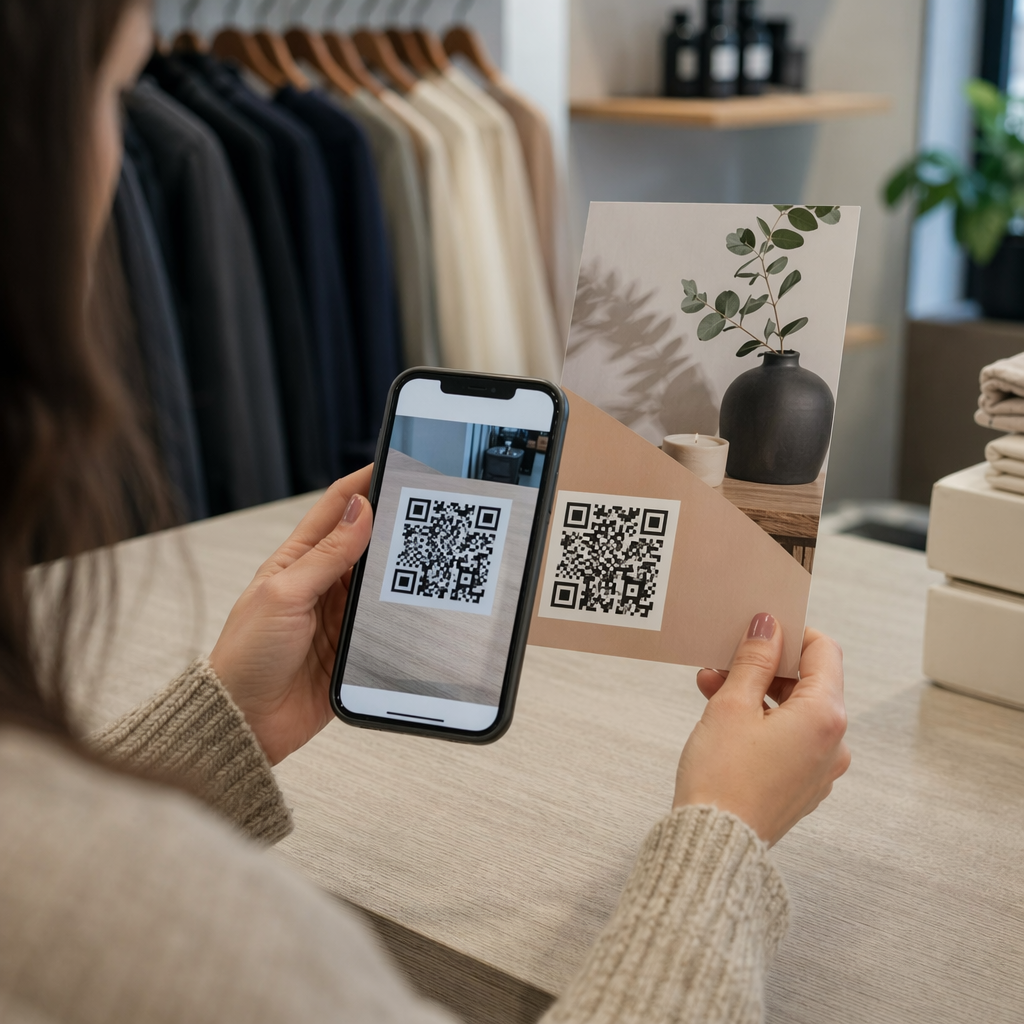
Pakkaukseen, lisäkorttiin tai itse tuotteeseen painettu QR-koodi antaa asiakkaille kitkattoman tavan rekisteröityä. He avaavat puhelimensa kameran, skannaavat koodin ja päätyvät suoraan rekisteröintilomakkeelle tai brändätylle aloitussivulle – ei kirjoittamista, ei etsimistä, ei postia.
Heti kun he lähettävät lomakkeen, saat jäsenneltyä omistustietoa: nimen, yhteystiedot, ostopäivämäärän ja kaikki mukautetut kentät, jotka olet määrittänyt. Nämä tiedot syötetään suoraan rekistereihisi ilman manuaalista tietojen syöttöä kummaltakaan puolelta.
Tämä lähestymistapa on linjassa laajemman muutoksen kanssa tuotepakkauksissa kohti fyysisten tuotteiden yhdistämistä digitaaliseen sisältöön. Alan laajuinen tunnustus siitä, että pakkauksissa olevat QR-koodit voivat toimia pysyvinä portteina tuotetietoihin, takuutietoihin ja rekisteröintiin, heijastaa toimintoa, joka ylittää selvästi sen, mitä perinteinen viivakoodi voi sisältää. Tuotepakkauksissa olevat QR-koodit voivat viedä tämän rekisteröintilinkin suoraan asiakkaan käsiin heti, kun he avaavat laatikon.
Oletko valmis lisäämään rekisteröinnin QR-koodeja tuotteisiisi? Luo seurattavia, muokattavia QR-koodeja pakkauksiisi tai lisäosiisi käyttämällä Dynaaminen QR-koodi generaattori. Päivitä linkitetty lomakkeen kohde milloin tahansa – uudelleenpainatusta ei tarvita.
Oikean QR-koodityypin valitseminen rekisteröintiin
Kaikki QR-koodit eivät palvele takuurekisteröinnin työnkulkua yhtä hyvin. Kriittinen ero on staattisten ja dynaamisten koodien välillä.
A staattinen QR-koodi koodaa kiinteän URL-osoitteen suoraan kuvioonsa. Kun se on painettu, et voi muuttaa sen osoittamaa paikkaa. Jos rekisteröintilomakkeesi URL-osoite muuttuu, tuhansien yksiköiden koodista tulee hyödytön.
A dynaaminen QR-koodi koodaa lyhyen uudelleenohjaus-URL-osoitteen, jota hallitset hallintapaneelista. Voit päivittää kohteen milloin tahansa koskematta painettuun koodiin. Tämä on tärkeää takuurekisteröinnissä, koska rekisteröintilomakkeet siirretään alustojen välillä, kausittaiset tai tuotelinjakohtaiset sivut vaihdetaan, ja saatat joutua ohjaamaan skannaukset ilmoitussivulle tuotepäivityksen tai takaisinkutsun aikana.
Tuoterekisteröintiin, dynaamiset QR-koodit ovat käytännöllinen oletus. Kyky muokata kohteita tulostuksen jälkeen – yhdistettynä skannausanalytiikkaan – tekee niistä paljon hyödyllisempiä jatkuvaan omistustietojen keräämiseen. Voit tutustua ominaisuuksien täydelliseen erittelyyn staattisten ja dynaamisten QR-koodien vertailu.
QR-koodin rekisteröintityönkulun määrittäminen
QR-vetoisen rekisteröinti- ja takuuaktivointijärjestelmän rakentaminen on yksinkertaisempaa kuin miltä se saattaa vaikuttaa. Seuraavat vaiheet kattavat koko asennuksen lomakkeen valinnasta julkaisun jälkeiseen seurantaan.
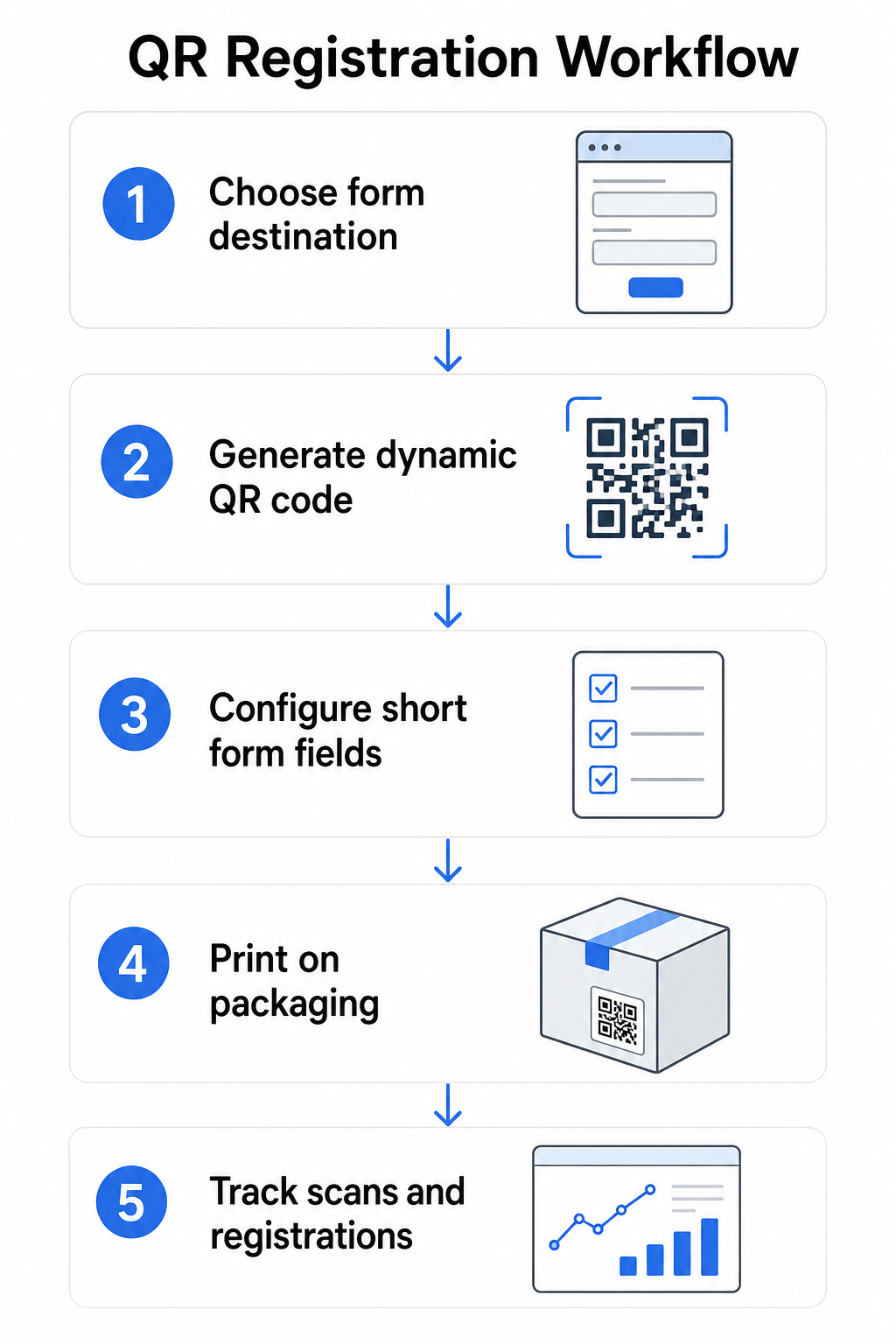
Vaihe 1: Valitse lomakkeen kohde
Sinulla on kaksi ensisijaista vaihtoehtoa sille, mihin QR-koodi linkittää. Google Forms on nopea asentaa ja toimii hyvin jäsenneltyjen kenttien keräämiseen. Käytä Google Forms QR-koodi generaattori muuntaaksesi lomakkeesi jakolinkin skannattavaksi koodiksi.
A brändättyä laskeutumissivua on mobiilioptimoitu sivu, joka esittää rekisteröintilomakkeesi tuotetietojen, takuuehtojen ja brändin visuaalisten elementtien rinnalla. Pagelootin Laskeutumissivut-ominaisuus antaa sinun rakentaa ja päivittää näitä sivuja ilman teknistä apua. Laskeutumissivuvaihtoehto toimii yleensä paremmin asiakaskokemuksen kannalta, koska hallitset koko suunnittelua, voit näyttää takuuehdot selkeästi ja voit sisällyttää useita linkkejä tai toimintakehotuksia – kuten linkin tuotteen käyttöoppaaseen rekisteröintilomakkeen ohella.
Vaihe 2: Luo dynaaminen QR-koodi
Luo QR-koodi Pagelootin avulla Dynaaminen QR-koodi generaattori ja ohjaa se valitsemaasi kohteeseen. Lisää brändisi logo ja värit, jotta koodi on tunnistettavissa pakkauksessa. Pidä logo 30 %:n sisällä koodialueesta skannattavuuden säilyttämiseksi, ja käytä korkeaa virheenkorjaustasoa (Q tai H) lisätessäsi visuaalista brändäystä.
Vaihe 3: Määritä rekisteröintilomakkeen kentät
Kerää vain se, mitä todella tarvitset takuu- ja omistajuustarkoituksiin. Tyypillisiä kenttiä ovat:
- Asiakkaan nimi ja sähköpostiosoite
- Ostopäivämäärä
- Ostopaikka (jälleenmyyjä tai kanava)
- Tuotteen sarjanumero (jos ei esitäytetty)
- Valinnainen: tuotepalaute tai ensisijainen yhteydenottotapa
Tietojen minimointi ei ole vain tietosuojan parasta käytäntöä – se myös parantaa täyttöasteita. Lyhyemmät lomakkeet saavat enemmän vastauksia.
Vaihe 4: Aseta QR-koodi pakkaukseen tai liitteisiin
Luotettavan skannauksen varmistamiseksi, sijoittelu tuotepakkaukseen noudattaa muutamia johdonmukaisia periaatteita:
- Koodin koko vähintään 1 tuuma (2,5 cm) leveä
- Tulosta tasaiselle, sileälle pinnalle – vältä taitoksia, saumoja tai kaarevia alueita
- Käytä suurta kontrastia (musta valkoisella toimii parhaiten; säilytä vähintään 3:1 kontrastisuhde)
- Jätä selkeä hiljainen vyöhyke – tyhjä marginaali – koodin ympärille
- Testaa painettu koodi todellisella alustalla ennen tuotantosarjojen viimeistelyä
Syvällisemmän katsauksen etikettikohtaisiin näkökohtiin löydät oppaasta QR-koodeista tuotetarroissa ja QR-koodin tulostus etikettiin.
Vaihe 5: Seuraa rekisteröintejä ja skannaustietoja
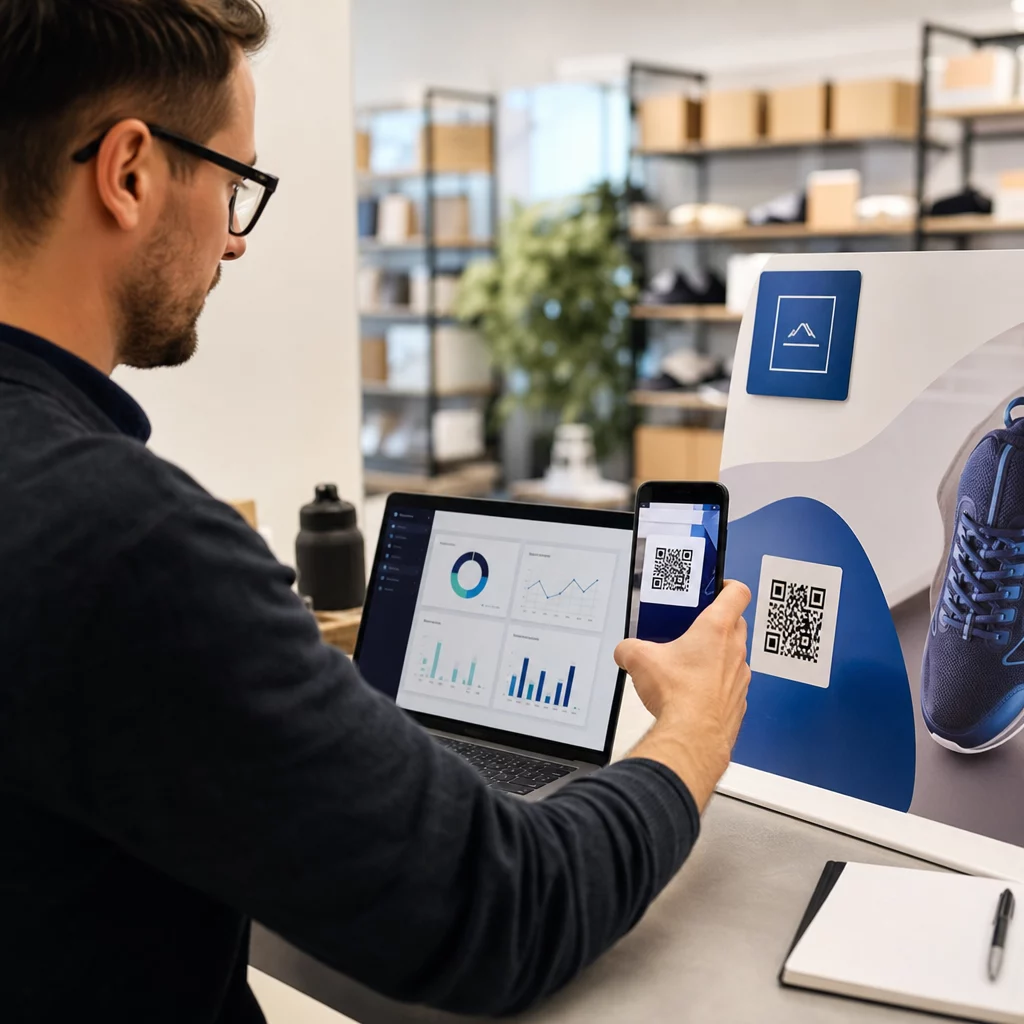
Kun koodi on aktiivinen, Pageloot-hallintapaneelisi näyttää skannausten määrän, skannausten maantieteellisen sijainnin, laitetyypin ja kellonajan. Tämä kertoo sinulle paitsi kuinka monta asiakasta rekisteröityi, myös milloin ja missä he olivat vuorovaikutuksessa – hyödyllistä sen selvittämiseksi, toimiiko pakkauksen sijoittelu ja onko tietyillä markkinoilla tai kanavilla alhaisemmat rekisteröintiasteet kuin toisilla.
Katso, ketkä rekisteröityvät – ja ketkä eivät Käyttää QR-koodin skannausten seuranta seurataksesi rekisteröinnin sitoutumista alueen, laitteen ja ajan mukaan. Tunnista keskeytykset ajoissa ja päivitä lomakkeen kohde tulostamatta uudelleen.
Mitä tietoja voit kerätä – ja mitä sinun tulisi
QR-koodit tukevat kahta erillistä tiedonkeruun tasoa, ja eron ymmärtäminen auttaa sinua perustamaan ohjelmasi oikein alusta alkaen.
Skannaustason tiedot kerätään automaattisesti, kun joku skannaa dynaamisen QR-koodin. Tämä sisältää skannausten määrän, skannauksen sijainnin (maa ja alue), laitetyypin (iOS tai Android) ja aikaleiman. Nämä tiedot kerätään ilman, että asiakas antaa henkilökohtaisia tietoja – se heijastaa vuorovaikutusta itse koodin kanssa. Täydellisen erittelyn kerättävistä tiedoista löydät mitä tietoja dynaamiset QR-koodit keräävät.
Rekisteröintitiedot – nimet, sähköpostiosoitteet, ostopäivämäärät ja yhteystiedot – kerätään vain, kun asiakas vapaaehtoisesti täyttää lomakkeen linkitetyssä sivussa. Nämä ovat ensisijaisia tietoja, jotka asiakas antaa suoraan ja tietoisesti. Pagelootin alusta tukee tätä mallia: asiakkaat jakavat tietoja lomakkeiden tai laskeutumissivujen kautta skannauksen jälkeen, pitäen tiedonkeruun suostumukseen perustuvana ja läpinäkyvänä.
Takuu- ja omistajuustarkoituksiin tarvitset rekisteröintitietoja. Ymmärtääksesi, toimiiko rekisteröintiohjelmasi laajasti, skannaustason tiedot tarjoavat arvokasta kontekstia.
Tietosuoja- ja oikeudelliset näkökohdat
Tuoterekisteröintitietojen keräämiseen liittyy vaatimustenmukaisuusvelvoitteita, jotka vaihtelevat tuotekategorian ja lainkäyttöalueen mukaan.
Sillä kestäviä vauvan tai taaperon tuotteita säännelty 16 CFR Part 1130:n mukaisesti, CPSC edellyttää, että:
- Toimita postimaksun sisältävä fyysinen rekisteröintikortti jokaisen yksikön mukana
- Tarjoa sähköinen rekisteröintivaihtoehto (verkkosivusto tai sähköposti) lisänä – ei korvaajana – fyysiselle kortille
- Säilytä rekisteröityneiden nimet, osoitteet ja sähköpostiosoitteet
- Käytä rekisteröintitietoja vain turvallisuusvaroituksiin ja takaisinkutsuihin, ei markkinointitarkoituksiin
QR-koodi, joka linkittää online-rekisteröintilomakkeeseesi, täyttää sähköisen rekisteröinnin vaatimuksen tämän kehyksen mukaisesti, mutta se ei korvaa fyysisen kortin vaatimusta katetuille tuotteille.
Takuurekisteröinnin osalta laajemmin, Magnuson-Mossin takuulaki erottaa täydelliset ja rajoitetut takuut. Tuotteet, joilla on “täysi” takuu, eivät voi vaatia rekisteröintiä kattavuuden ehtona. Tuotteet, joilla on “rajoitettu” takuu, voivat vaatia rekisteröintiä vain, jos vaatimus on selkeästi ilmoitettu ennen ostoa. Kaikkien rekisteröintiehtojen on oltava takuuehdoissa, joihin kuluttajat voivat tutustua ennen myyntiä.
Tietosuojan osalta yhdysvaltalaisten yritysten, jotka keräävät henkilötietoja verkkorekisteröintilomakkeiden kautta, tulisi antaa tietosuojailmoitus keräyshetkellä tai ennen sitä, jossa kuvataan, mitä tietoja kerätään, miksi ja kuinka kauan niitä säilytetään. Kalifornian CPRA:n mukaan kerääminen ja säilyttäminen on rajoitettava siihen, mikä on kohtuullisen välttämätöntä ilmoitettuun tarkoitukseen. Jos tuotteesi voivat tavoittaa alle 13-vuotiaita lapsiperheitä.
Lisätietoja QR-koodien tietosuojavelvoitteista eri lainkäyttöalueilla, katso QR-koodien tietosuojalait: Keskeiset säännökset.
QR-koodien käyttö tuotteen elinkaaren aikana
Takuun rekisteröinti on osa laajempaa mahdollisuutta. Sama QR-koodi tuotteessasi voi palvella useita toimintoja koko omistajuuden matkan ajan:
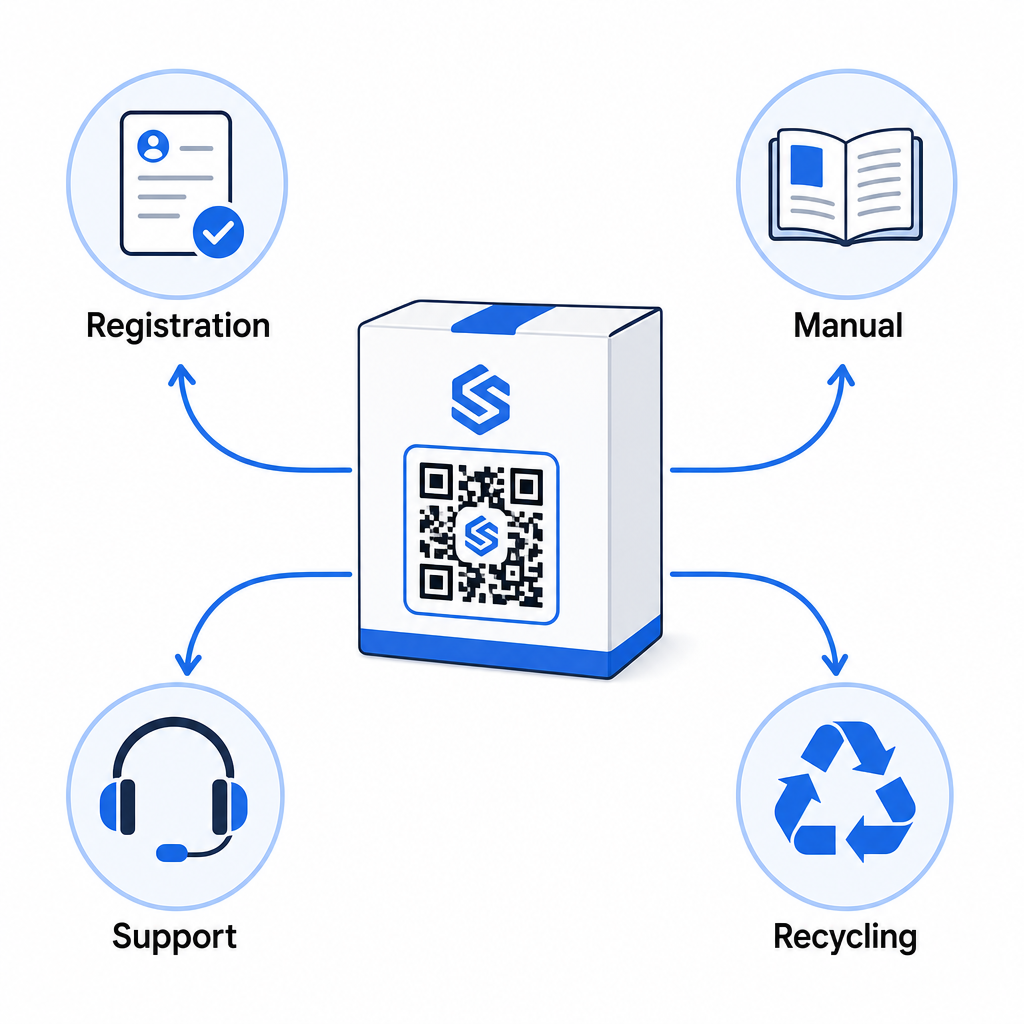
- Pakkausta avattaessa: ohjaa rekisteröintilomakkeeseen ja takuun aktivointiin
- Omistuksen aikana: linkittää tuotteen käyttöoppaaseen, usein kysyttyihin kysymyksiin tai ohjevideoihin
- Tukea varten: yhdistää palvelupyyntölomakkeeseen tai live-chatiin
- Elinkaaren lopussa: tarjoaa kierrätys- tai vaihto-ohjeet
Koska dynaamisten QR-koodien avulla voit päivittää kohdesivun ilman uudelleenpainatusta, voit kehittää koodin toimintaa ajan myötä. Tänään rekisteröintiä varten painettu koodi voi myöhemmin ohjata laiteohjelmistopäivityssivulle, takaisinkutsutiedotteeseen tai kanta-asiakasohjelmaan – ilman muutoksia fyysiseen pakkaukseen.
Tätä elinkaarilähestymistapaa tarkastellaan tarkemmin kohdassa QR-koodit tuotteen elinkaaren seurantaan ja QR-koodit valmistuksessa: Materiaalien ja tuotteiden seuranta.
Valmistajille, jotka hallinnoivat tuoterekisteröintiä useiden SKU:iden tai tuotelinjojen osalta, keskitetty QR-koodien hallintapaneeli on välttämätön. Katso Yritystason QR-koodien hallintatyökalut ohjeita QR-koodien hallintaan suuressa mittakaavassa, mukaan lukien massagenerointi ja koodikohtainen analytiikka.
Aloittaminen
QR-koodi tuotteen rekisteröintiä varten ei ole tekninen projekti – se on pakkauspäätös. Luot dynaamisen koodin, ohjaat sen rekisteröintilomakkeeseesi tai laskeutumissivullesi, painat sen pakkaukseen tai laatikkoon ja alat kerätä omistajuustietoja heti, kun tuotteet saavuttavat asiakkaat.
Ero fyysisen rekisteröintikortin ja QR-koodin välillä on sama kuin pyytäisi jotakuta lähettämään kirjeen tai antaisi hänelle puhelimen. Asiakkaat, jotka eivät koskaan palauttaisi korttia, skannaavat koodin alle 10 sekunnissa.
Aloita yhdellä tuotelinjalla. Luo dynaaminen QR-koodi käyttämällä Pageloot QR-koodigeneraattori, linkitä se rekisteröintilomakkeeseesi ja seuraa, miten skannaus- ja lähetysmäärät vertautuvat edelliseen rekisteröintimenetelmääsi. Kun näet eron sitoutumisessa, laajentaminen koko luetteloon on suoraviivaista.
Usein kysytyt kysymykset
Ei. 16 CFR Part 1130:n mukaisesti kestävien vauvan- tai taaperotuotteiden valmistajien ja maahantuojien on sisällytettävä postimaksun sisältävä fyysinen rekisteröintikortti jokaisen yksikön mukana. Verkkorekisteröinti QR-koodin kautta täyttää vaaditun sähköisen rekisteröintivaihtoehdon, mutta sen on täydennettävä fyysistä korttia, ei korvattava sitä. Molemmat ovat pakollisia.
Jos käytät dynaamista QR-koodia, voit päivittää kohde-URL-osoitteen hallintapaneelistasi milloin tahansa ilman fyysisen koodin uudelleenpainamista tai muokkaamista. Tämä on yksi ensisijaisista syistä, miksi dynaamisia QR-koodeja suositellaan tuoterekisteröintiin – se suojaa sinua rikkoutuneilta linkeiltä, kun lomakkeita siirretään tai päivitetään. Staattisia QR-koodeja ei voi muuttaa tulostuksen jälkeen.
Kerää vain se, mitä aidosti tarvitset rekisteröinnin tarkoituksen täyttämiseen – tyypillisesti asiakkaan nimi, sähköpostiosoite, ostopäivämäärä, ostopaikka ja tuotteen sarjanumero. Kalifornian CPRA:n kaltaisten lakien edellyttämien tietojen minimointiperiaatteiden mukaisesti keräämisen tulisi rajoittua siihen, mikä on kohtuullisen välttämätöntä ilmoitettuun tarkoitukseen. Harvemmat kentät parantavat myös lomakkeen täyttöasteita, joten kevyt lomake palvelee sekä vaatimustenmukaisuutta että liiketoiminnan tavoitteita.