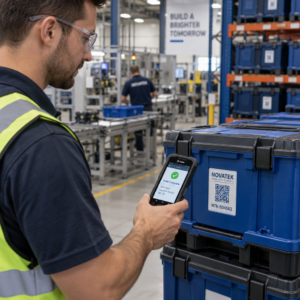
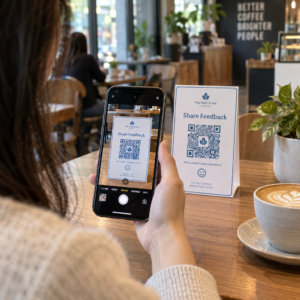
Apakah pelanggan melewatkan proses pendaftaran produk Anda karena terasa seperti terlalu banyak pekerjaan? Tingkat pendaftaran yang rendah berarti data kepemilikan yang tidak lengkap, respons penarikan produk yang lebih lambat, dan peluang yang terlewatkan untuk membangun hubungan pasca-penjualan. Halaman ini menunjukkan kepada Anda bagaimana kode QR menghilangkan gesekan tersebut dan mengubah pendaftaran menjadi pemindaian yang cepat dan mulus.
Mengapa Pendaftaran Produk Tradisional Gagal
Kartu garansi kertas memiliki tingkat penyelesaian yang sangat buruk. Pelanggan menerima kartu, menyisihkannya, dan jarang mengirimkannya kembali. Bahkan formulir berbasis web hanya sedikit meningkatkan keadaan jika pelanggan harus mengetik URL yang panjang secara manual atau mencari-cari di kemasan untuk menemukan tautan pendaftaran.
Hasilnya adalah kesenjangan data. Anda mengirimkan produk tetapi memiliki sedikit visibilitas tentang siapa pemiliknya. Ketika masalah keamanan atau penarikan produk muncul, pemberitahuan langsung menjadi sulit atau tidak mungkin. Bagi produsen produk bayi atau balita yang tahan lama, ini bukan hanya masalah bisnis – 16 CFR Bagian 1130 mewajibkan pemeliharaan catatan informasi kontak konsumen dan mewajibkan opsi pendaftaran elektronik secara khusus karena CPSC mengakui bahwa tingkat respons penarikan produk adalah tantangan yang terdokumentasi.
Bahkan di luar kategori yang diatur, biaya operasional pendaftaran yang rendah adalah nyata: penipuan garansi lebih sulit dideteksi, permintaan layanan lebih sulit divalidasi, dan data siklus hidup produk tetap tipis.
Bagaimana Kode QR Memecahkan Masalah Pendaftaran
Kode QR yang dicetak pada kemasan, kartu sisipan, atau produk itu sendiri memberikan pelanggan jalur tanpa gesekan untuk mendaftar. Mereka membuka kamera ponsel mereka, memindai kode, dan langsung mendarat di formulir pendaftaran atau halaman arahan bermerek – tanpa mengetik, tanpa mencari, tanpa surat.
Saat mereka mengirimkan formulir, Anda menerima data kepemilikan terstruktur: nama, informasi kontak, tanggal pembelian, dan bidang kustom apa pun yang Anda konfigurasikan. Informasi tersebut langsung masuk ke catatan Anda tanpa entri data manual di kedua sisi.
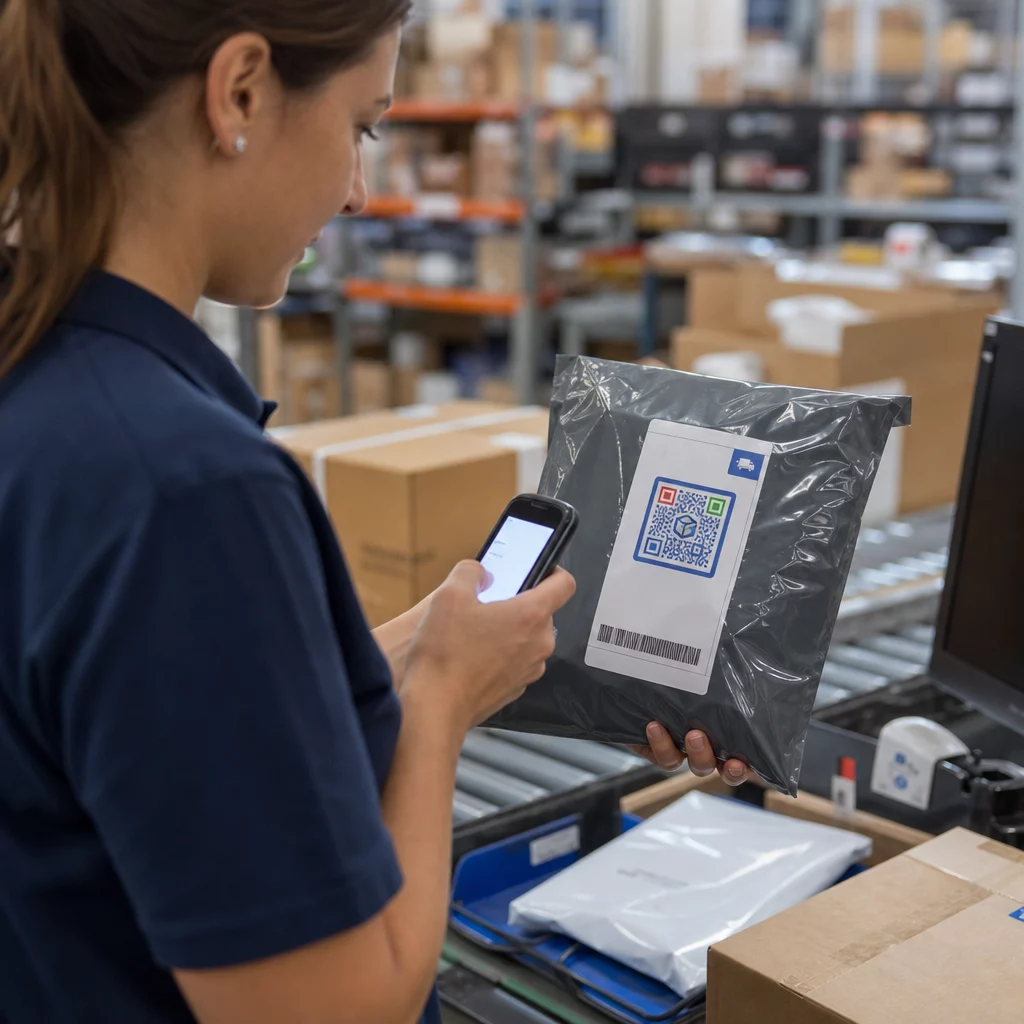
Pendekatan ini selaras dengan pergeseran yang lebih luas dalam kemasan produk menuju penghubungan item fisik ke konten digital. Pengakuan di seluruh industri bahwa kode QR pada kemasan dapat berfungsi sebagai gerbang persisten ke informasi produk, detail garansi, dan pendaftaran mencerminkan fungsi yang jauh melampaui apa yang dapat dibawa oleh kode batang tradisional. Kode QR pada kemasan produk dapat membawa tautan pendaftaran ini langsung ke tangan pelanggan saat mereka membuka kotak.
Siap Menambahkan Kode QR Pendaftaran ke Produk Anda? Buat kode QR yang dapat dilacak dan diedit untuk kemasan atau sisipan Anda menggunakan Generator QR Code Dinamis. Perbarui tujuan formulir yang tertaut kapan saja – tidak perlu mencetak ulang.
Memilih Jenis Kode QR yang Tepat untuk Pendaftaran
Tidak semua kode QR melayani alur kerja pendaftaran garansi dengan sama baiknya. Perbedaan krusial adalah antara kode statis dan dinamis.
SEBUAH kode QR statis mengkodekan URL tetap langsung ke dalam polanya. Setelah dicetak, Anda tidak dapat mengubah ke mana arahnya. Jika URL formulir pendaftaran Anda berubah, kode pada ribuan unit menjadi tidak berguna.
SEBUAH kode QR dinamis mengkodekan URL pengalihan singkat yang Anda kontrol dari dasbor. Anda dapat memperbarui tujuan kapan saja tanpa menyentuh kode yang dicetak. Ini penting untuk pendaftaran garansi karena formulir pendaftaran dimigrasikan antar platform, halaman musiman atau khusus lini produk diganti, dan Anda mungkin perlu mengalihkan pemindaian ke halaman pemberitahuan selama pembaruan atau penarikan produk.
Untuk pendaftaran produk, kode QR dinamis adalah standar praktis. Kemampuan untuk mengedit tujuan setelah dicetak – dikombinasikan dengan analitik pemindaian – membuatnya jauh lebih berguna untuk pengumpulan data kepemilikan yang berkelanjutan. Anda dapat menjelajahi rincian lengkap kemampuan di perbandingan kode QR statis vs. dinamis.
Menyiapkan Alur Kerja Pendaftaran Kode QR
Membangun sistem pendaftaran dan aktivasi garansi berbasis QR lebih mudah daripada yang terlihat. Langkah-langkah berikut mencakup pengaturan lengkap mulai dari pemilihan formulir hingga pelacakan pasca-peluncuran.
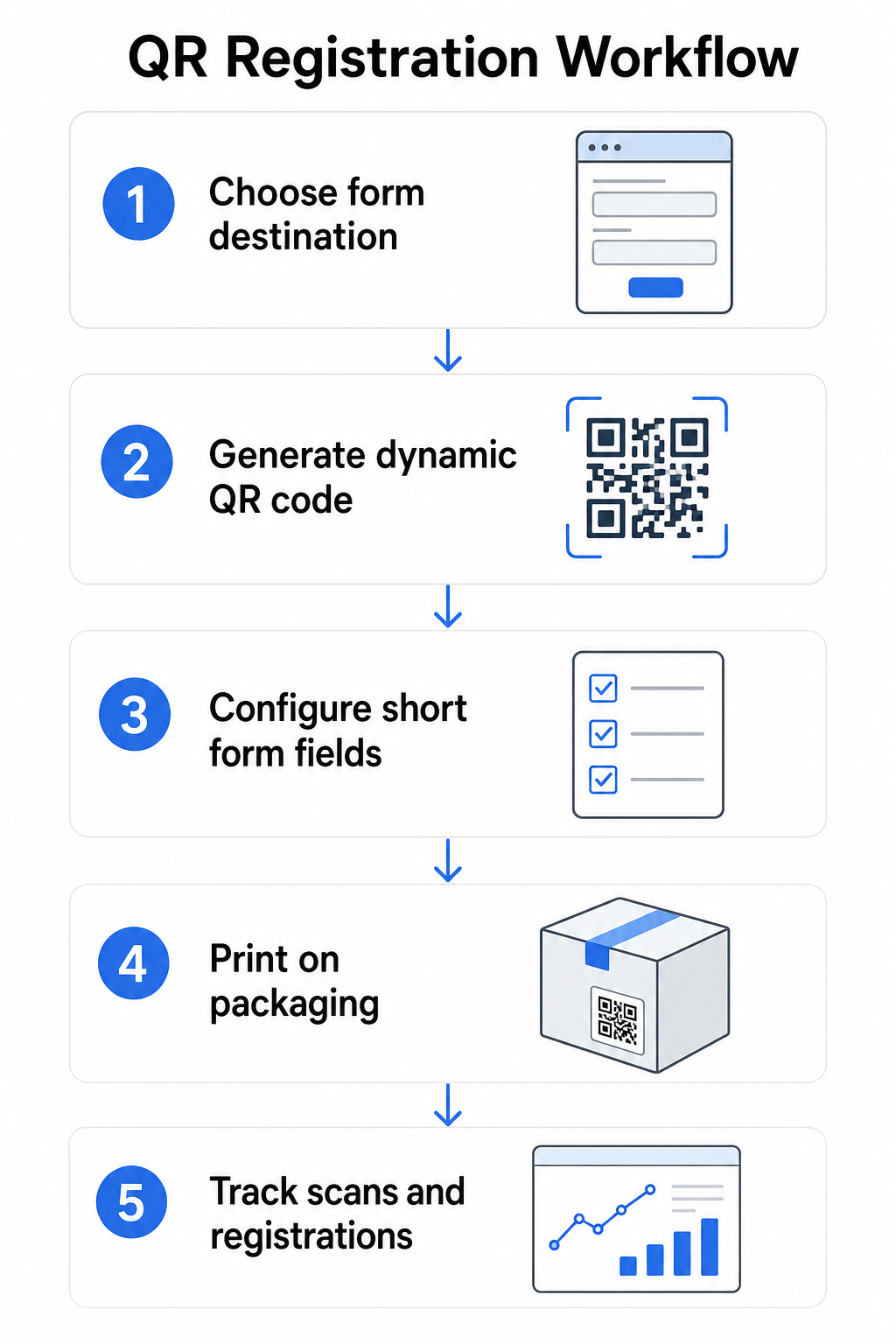
Langkah 1: Pilih tujuan formulir Anda
Anda memiliki dua opsi utama untuk apa yang ditautkan oleh kode QR. Sebuah Google Form cepat diatur dan berfungsi dengan baik untuk mengumpulkan bidang terstruktur. Gunakan Ubah Link Google Form ke QR Code untuk mengubah tautan berbagi formulir Anda menjadi kode yang dapat dipindai.
SEBUAH halaman arahan bermerek adalah halaman yang dioptimalkan untuk seluler yang menyajikan formulir pendaftaran Anda bersama detail produk, ketentuan garansi, dan visual merek. Fitur Halaman Arahan Pageloot memungkinkan Anda membangun dan memperbarui halaman-halaman ini tanpa bantuan teknis. Opsi halaman arahan cenderung berkinerja lebih baik untuk pengalaman pelanggan karena Anda mengontrol desain penuh, dapat menampilkan ketentuan garansi dengan jelas, dan dapat menyertakan beberapa tautan atau ajakan bertindak – seperti tautan ke manual produk di samping formulir pendaftaran.
Langkah 2: Hasilkan kode QR dinamis
Buat kode QR menggunakan Pageloot Generator QR Code Dinamis dan arahkan ke tujuan pilihan Anda. Tambahkan logo dan warna merek Anda untuk membuat kode mudah dikenali pada kemasan. Jaga logo dalam 30% dari area kode untuk menjaga kemampuan pindai, dan gunakan tingkat koreksi kesalahan yang tinggi (Q atau H) saat menambahkan branding visual.
Langkah 3: Konfigurasi kolom formulir pendaftaran
Kumpulkan apa yang sebenarnya Anda butuhkan untuk tujuan garansi dan kepemilikan. Kolom umum meliputi:
- Nama pelanggan dan alamat email
- Tanggal pembelian
- Tempat pembelian (pengecer atau saluran)
- Nomor seri produk (jika tidak diisi sebelumnya)
- Opsional: umpan balik produk atau metode kontak pilihan
Minimalisasi data bukan hanya praktik terbaik privasi – ini juga meningkatkan tingkat penyelesaian. Formulir yang lebih pendek mendapatkan lebih banyak kiriman.
Langkah 4: Tempatkan kode QR pada kemasan atau sisipan
Untuk pemindaian yang andal, penempatan pada kemasan produk mengikuti beberapa prinsip yang konsisten:
- Ukur kode setidaknya 1 inci (2,5 cm) lebar
- Cetak pada permukaan yang datar, halus – hindari lipatan, jahitan, atau area melengkung
- Gunakan kontras tinggi (hitam di atas putih berfungsi paling baik; pertahankan rasio kontras setidaknya 3:1)
- Sisakan zona tenang yang jelas – margin kosong – di sekitar kode
- Uji kode yang dicetak pada substrat sebenarnya sebelum menyelesaikan produksi
Untuk melihat lebih dalam pertimbangan khusus label, lihat panduan kode QR pada label produk dan Cara mencetak kode QR pada label.
Langkah 5: Lacak pendaftaran dan data pemindaian
Setelah kode aktif, dasbor Pageloot Anda menunjukkan jumlah pemindaian, lokasi geografis pemindaian, jenis perangkat, dan waktu dalam sehari. Ini memberi tahu Anda tidak hanya berapa banyak pelanggan yang mendaftar, tetapi kapan dan di mana mereka terlibat – berguna untuk mengidentifikasi apakah penempatan kemasan berfungsi dan apakah pasar atau saluran tertentu memiliki tingkat pendaftaran yang lebih rendah daripada yang lain.
Lihat Siapa yang Mendaftar – dan Siapa yang Tidak Menggunakan Pelacakan pemindaian kode QR untuk memantau keterlibatan pendaftaran berdasarkan wilayah, perangkat, dan waktu. Deteksi penurunan awal dan perbarui tujuan formulir Anda tanpa mencetak ulang.
Data Apa yang Dapat Anda Kumpulkan – dan Apa yang Seharusnya Anda Kumpulkan
Kode QR mendukung dua lapisan pengumpulan data yang berbeda, dan memahami perbedaannya membantu Anda menyiapkan program dengan benar sejak awal.
Data tingkat pemindaian dikumpulkan secara otomatis ketika seseorang memindai kode QR dinamis. Ini termasuk jumlah pemindaian, lokasi pemindaian (negara dan wilayah), jenis perangkat (iOS atau Android), dan stempel waktu. Data ini dikumpulkan tanpa pelanggan memberikan informasi pribadi apa pun – ini mencerminkan keterlibatan dengan kode itu sendiri. Untuk rincian lengkap tentang apa yang ditangkap, lihat data apa yang dikumpulkan kode QR dinamis.
Data pendaftaran – nama, alamat email, tanggal pembelian, dan detail kontak – dikumpulkan hanya ketika pelanggan dengan sukarela mengisi formulir di halaman yang ditautkan. Ini adalah data pihak pertama, yang disediakan langsung dan dengan kesadaran oleh pelanggan. Platform Pageloot mendukung model ini: pelanggan berbagi informasi melalui formulir atau halaman arahan setelah memindai, menjaga pengumpulan data berbasis persetujuan dan transparan.
Untuk tujuan garansi dan kepemilikan, Anda memerlukan data pendaftaran. Untuk memahami apakah program pendaftaran Anda berfungsi dalam skala besar, data tingkat pemindaian memberikan konteks yang berharga.
Pertimbangan Privasi dan Hukum
Pengumpulan data pendaftaran produk membawa kewajiban kepatuhan yang bervariasi berdasarkan kategori produk dan yurisdiksi.
Untuk produk bayi atau balita yang tahan lama diatur di bawah 16 CFR Bagian 1130, CPSC mensyaratkan bahwa Anda:
- Sediakan kartu pendaftaran fisik berbayar pos dengan setiap unit
- Tawarkan opsi pendaftaran elektronik (situs web atau email) sebagai suplemen – bukan pengganti – untuk kartu fisik
- Pertahankan catatan nama pendaftar, alamat, dan alamat email
- Gunakan data pendaftaran hanya untuk peringatan keselamatan dan penarikan kembali, bukan untuk tujuan pemasaran
Kode QR yang menautkan ke formulir pendaftaran online Anda memenuhi persyaratan pendaftaran elektronik di bawah kerangka kerja ini, tetapi tidak menggantikan persyaratan kartu fisik untuk produk yang tercakup.
Untuk pendaftaran garansi secara lebih luas, Undang-Undang Garansi Magnuson-Moss membedakan antara garansi penuh dan terbatas. Produk dengan garansi “penuh” tidak dapat mensyaratkan pendaftaran sebagai syarat cakupan. Produk dengan garansi “terbatas” mungkin mensyaratkan pendaftaran hanya jika persyaratan tersebut diungkapkan dengan jelas sebelum pembelian. Setiap syarat pendaftaran harus muncul dalam ketentuan garansi yang dapat diakses konsumen sebelum penjualan.
Untuk privasi data, bisnis A.S. yang mengumpulkan informasi pribadi melalui formulir pendaftaran online harus menyediakan pemberitahuan privasi pada atau sebelum titik pengumpulan yang menjelaskan data apa yang dikumpulkan, mengapa, dan berapa lama akan disimpan. Berdasarkan CPRA California, pengumpulan dan penyimpanan harus dibatasi pada apa yang secara wajar diperlukan untuk tujuan yang diungkapkan. Jika produk Anda mungkin menjangkau keluarga dengan anak di bawah 13 tahun, pastikan formulir online Anda mematuhi persyaratan COPPA untuk persetujuan orang tua yang dapat diverifikasi sebelum mengumpulkan data pribadi dari kelompok usia tersebut.
Untuk detail lebih lanjut tentang kewajiban privasi data kode QR di berbagai yurisdiksi, lihat Undang-Undang Privasi Kode QR: Peraturan Utama.
Menggunakan Kode QR Sepanjang Siklus Hidup Produk
Pendaftaran garansi adalah salah satu bagian dari peluang yang lebih luas. Kode QR yang sama pada produk Anda dapat melayani berbagai fungsi sepanjang seluruh perjalanan kepemilikan:
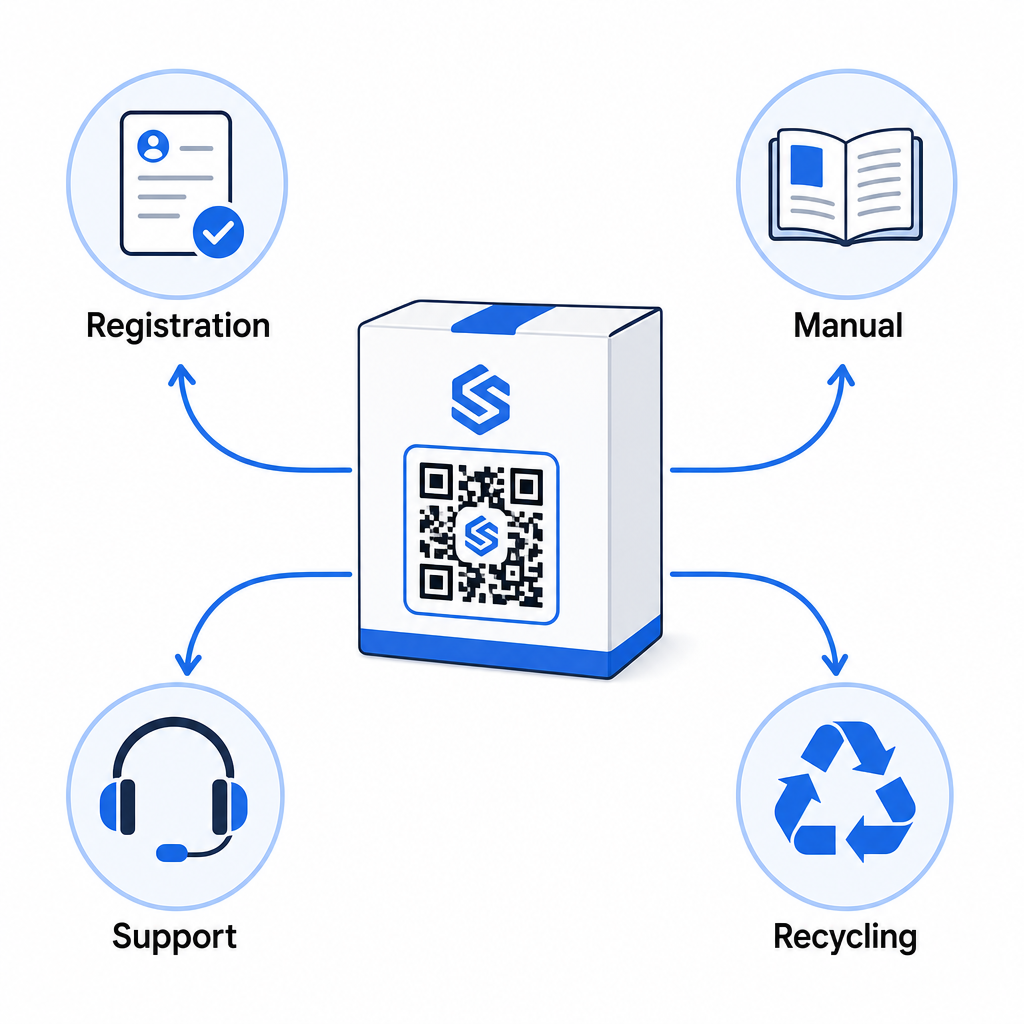
- Saat unboxing: mengarahkan ke formulir pendaftaran dan aktivasi garansi
- Selama kepemilikan: menautkan ke manual produk, FAQ, atau video cara-melakukan
- Untuk dukungan: menghubungkan ke formulir permintaan layanan atau obrolan langsung
- Pada akhir masa pakai: menyediakan instruksi daur ulang atau tukar tambah
Karena kode QR dinamis memungkinkan Anda memperbarui tujuan tanpa mencetak ulang, Anda dapat mengembangkan fungsi kode tersebut seiring waktu. Kode yang dicetak hari ini untuk pendaftaran dapat kemudian menunjuk ke halaman pembaruan firmware, pemberitahuan penarikan kembali, atau program loyalitas – tanpa perubahan apa pun pada kemasan fisik.
Pendekatan siklus hidup ini dieksplorasi lebih lanjut di Kode QR untuk Pelacakan Siklus Hidup Produk dan Kode QR dalam Manufaktur: Melacak Bahan dan Produk.
Bagi produsen yang mengelola pendaftaran produk di berbagai SKU atau lini produk, dasbor manajemen kode QR terpusat menjadi penting. Lihat Alat Manajemen Kode QR Perusahaan untuk panduan tentang mengelola kode QR dalam skala besar, termasuk pembuatan massal dan analitik per kode.
Memulai
Kode QR untuk pendaftaran produk bukanlah proyek teknis – itu adalah keputusan pengemasan. Anda membuat kode dinamis, mengarahkannya ke formulir pendaftaran atau halaman arahan Anda, mencetaknya pada sisipan atau kotak, dan mulai mengumpulkan data kepemilikan saat produk mencapai pelanggan.
Perbedaan antara kartu pendaftaran fisik dan kode QR adalah perbedaan antara meminta seseorang mengirim surat dan menyerahkan telepon kepada mereka. Pelanggan yang tidak akan pernah mengembalikan kartu akan memindai kode dalam waktu kurang dari 10 detik.
Mulailah dengan satu lini produk. Buat kode QR dinamis menggunakan Pembuat Kode QR Pageloot, tautkan ke formulir pendaftaran Anda, dan lacak bagaimana tingkat pemindaian dan pengiriman dibandingkan dengan metode pendaftaran Anda sebelumnya. Setelah Anda melihat perbedaan dalam keterlibatan, memperluas ke katalog lengkap Anda akan mudah.
Pertanyaan yang sering diajukan
Tidak. Berdasarkan 16 CFR Bagian 1130, produsen dan importir produk bayi atau balita yang tahan lama harus menyertakan kartu registrasi fisik berprabayar dengan setiap unit. Registrasi daring melalui kode QR memenuhi opsi registrasi elektronik yang disyaratkan tetapi harus melengkapi kartu fisik tersebut, bukan menggantinya. Keduanya disyaratkan.
Jika Anda menggunakan kode QR dinamis, Anda dapat memperbarui URL tujuan dari dasbor Anda kapan saja tanpa mencetak ulang atau memodifikasi kode fisik. Ini adalah salah satu alasan utama kode QR dinamis direkomendasikan untuk pendaftaran produk – ini melindungi Anda dari tautan rusak ketika formulir dimigrasikan atau diperbarui. Kode QR statis tidak dapat diubah setelah dicetak.
Kumpulkan hanya apa yang benar-benar Anda butuhkan untuk memenuhi tujuan pendaftaran – biasanya nama pelanggan, alamat email, tanggal pembelian, tempat pembelian, dan nomor seri produk. Berdasarkan prinsip minimisasi data yang disyaratkan oleh undang-undang seperti CPRA California, pengumpulan harus dibatasi pada apa yang secara wajar diperlukan untuk tujuan yang dinyatakan. Bidang yang lebih sedikit juga meningkatkan tingkat penyelesaian formulir, sehingga formulir yang ramping melayani tujuan kepatuhan dan bisnis.