Клиенты пропускают процесс регистрации вашего продукта, потому что он кажется слишком трудоемким? Низкие показатели регистрации означают неполные данные о владельцах, более медленное реагирование на отзывы и упущенные возможности для построения отношений после продажи. Эта страница показывает, как QR-коды устраняют это трение и превращают регистрацию в быстрое, бесшовное сканирование.
Почему традиционная регистрация продукта неэффективна
Бумажные гарантийные талоны имеют заведомо низкий процент заполнения. Клиенты получают карточку, откладывают ее в сторону и редко отправляют обратно по почте. Даже веб-формы лишь незначительно улучшают ситуацию, если клиентам приходится вручную вводить длинный URL-адрес или искать ссылку для регистрации в упаковке.
Результатом является пробел в данных. Вы отгружаете продукцию, но имеете мало информации о том, кто ею владеет. Когда возникает проблема безопасности или отзыв, прямое уведомление становится трудным или невозможным. Для производителей долговечных товаров для младенцев или малышей, это не просто бизнес-проблема – 16 CFR Часть 1130 требует ведения записей контактной информации потребителей и предписывает электронную опцию регистрации именно потому, что CPSC признает, что показатели реагирования на отзывы являются задокументированной проблемой.
Даже вне регулируемых категорий, операционные издержки низкой регистрации реальны: мошенничество с гарантиями труднее обнаружить, запросы на обслуживание труднее проверить, а данные о жизненном цикле продукта остаются скудными.
Как QR-код решает проблему регистрации
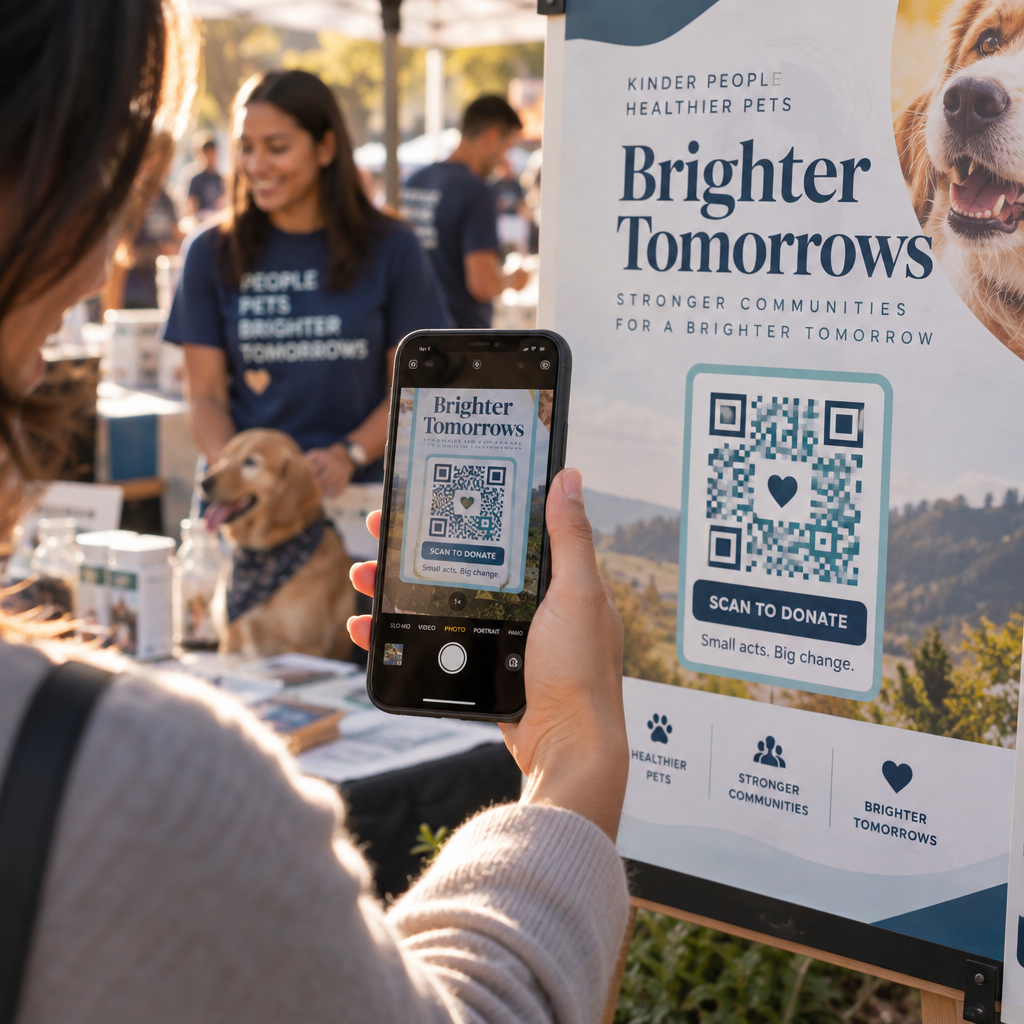
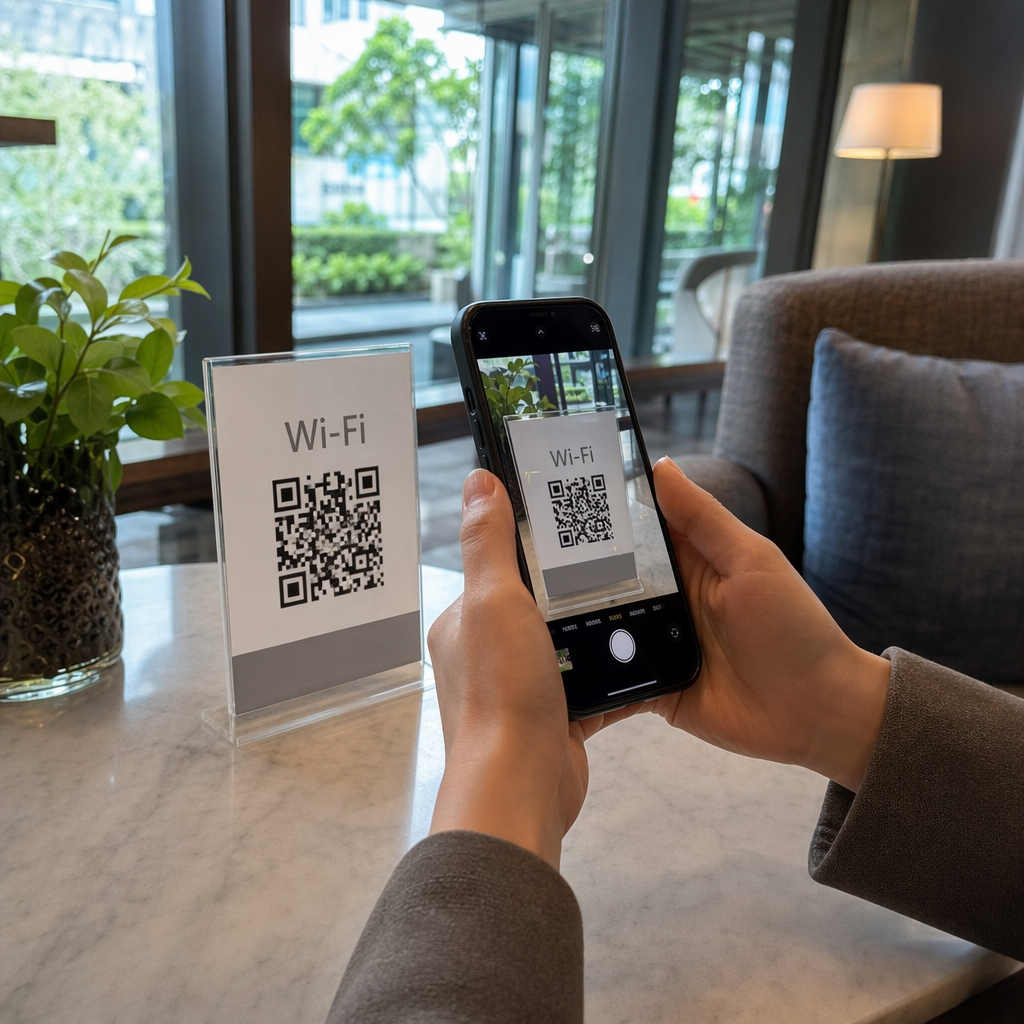
QR-код, напечатанный на упаковке, вкладыше или самом продукте, предоставляет клиентам беспрепятственный путь к регистрации. Они открывают камеру своего телефона, сканируют код и попадают прямо на форму регистрации или брендированную целевую страницу – без набора текста, без поиска, без почты.
В момент отправки формы вы получаете структурированные данные о владельце: имя, контактную информацию, дату покупки и любые настраиваемые поля, которые вы сконфигурируете. Эта информация поступает непосредственно в ваши записи без ручного ввода данных с любой стороны.
Этот подход соответствует более широкому сдвигу в упаковке продуктов в сторону соединения физических предметов с цифровым контентом. Общеотраслевое признание того, что QR-коды на упаковке могут служить постоянными шлюзами к информации о продукте, деталям гарантии и регистрации, отражает функцию, которая выходит далеко за рамки того, что может нести традиционный штрих-код. QR-коды на упаковке продукта могут донести эту ссылку для регистрации прямо в руки клиента в момент открытия коробки.
Готовы добавить QR-коды для регистрации к вашим продуктам? Создавайте отслеживаемые, редактируемые QR-коды для вашей упаковки или вкладышей, используя Динамический QR код: генератор. Обновляйте целевую страницу связанной формы в любое время – перепечатка не требуется.
Выбор правильного типа QR-кода для регистрации
Не все QR-коды одинаково хорошо подходят для рабочего процесса регистрации гарантии. Критическое различие заключается между статическими и динамическими кодами.
A статический QR-код кодирует фиксированный URL-адрес непосредственно в свой шаблон. После печати вы не можете изменить, куда он указывает. Если URL-адрес вашей формы регистрации изменится, код на тысячах единиц станет бесполезным.
A динамический QR-код кодирует короткий URL-адрес перенаправления, который вы контролируете из панели управления. Вы можете обновить пункт назначения в любое время, не затрагивая напечатанный код. Это важно для регистрации гарантии, потому что формы регистрации мигрируют между платформами, сезонные или специфичные для продуктовой линейки страницы меняются, и вам может потребоваться перенаправить сканирования на страницу уведомления во время обновления продукта или отзыва.
Для регистрации продукта, динамические QR-коды являются практическим стандартом. Возможность редактировать пункты назначения после печати – в сочетании с аналитикой сканирований – делает их гораздо более полезными для постоянного сбора данных о владельцах. Вы можете изучить полный перечень возможностей в сравнение статических и динамических QR-кодов.
Настройка рабочего процесса регистрации с помощью QR-кода
Создание системы регистрации и активации гарантии на основе QR-кодов проще, чем может показаться. Следующие шаги охватывают полную настройку от выбора формы до отслеживания после запуска.
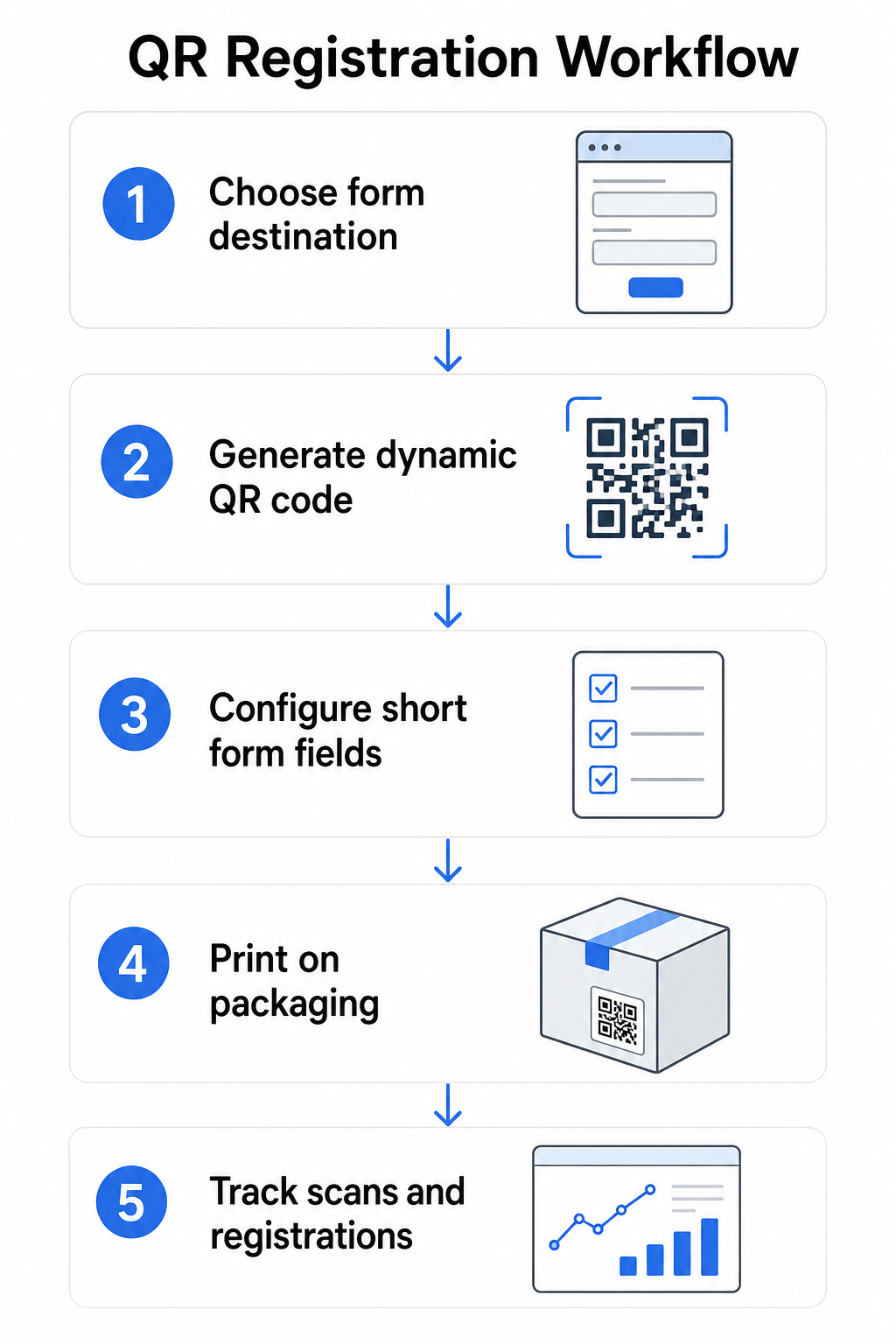
Шаг 1: Выберите пункт назначения вашей формы
У вас есть два основных варианта того, на что ссылается QR-код. А Google Forms быстро настраивается и хорошо подходит для сбора структурированных полей. Используйте Как создать QR код для гугл формы чтобы преобразовать ссылку для обмена вашей формы в сканируемый код.
A брендированную целевую страницу это мобильно-оптимизированная страница, которая представляет вашу форму регистрации вместе с деталями продукта, условиями гарантии и визуальными элементами бренда. Pageloot’s Функция целевых страниц позволяет создавать и обновлять эти страницы без технической помощи. Опция целевой страницы, как правило, работает лучше для удобства клиентов, потому что вы контролируете весь дизайн, можете четко отображать условия гарантии и можете включать несколько ссылок или призывов к действию – например, ссылку на руководство по продукту рядом с регистрационной формой.
Шаг 2: Сгенерируйте динамический QR-код
Создайте QR-код с помощью Pageloot Динамический QR код: генератор и направьте его на выбранное вами место назначения. Добавьте логотип и цвета вашего бренда, чтобы код был узнаваем на упаковке. Держите логотип в пределах 30% от области кода, чтобы сохранить возможность сканирования, и используйте высокий уровень коррекции ошибок (Q или H) при добавлении визуального брендинга.
Шаг 3: Настройте поля регистрационной формы
Собирайте только то, что вам действительно нужно для целей гарантии и владения. Типичные поля включают:
- Имя клиента и адрес электронной почты
- Дата покупки
- Место покупки (розничный продавец или канал)
- Серийный номер продукта (если не заполнен заранее)
- Дополнительно: отзыв о продукте или предпочтительный способ связи
Минимизация данных — это не только лучшая практика конфиденциальности, но и способ улучшить показатели заполнения. Более короткие формы получают больше заявок.
Шаг 4: Разместите QR-код на упаковке или вкладышах
Для надежного сканирования, размещение на упаковке продукта следует нескольким последовательным принципам:
- Размер кода не менее 1 дюйма (2,5 см) в ширину
- Печатайте на плоской, гладкой поверхности – избегайте складок, швов или изогнутых участков
- Используйте высокий контраст (черный на белом работает лучше всего; поддерживайте соотношение контрастности не менее 3:1)
- Оставьте четкую тихую зону – пустое поле – вокруг кода
- Протестируйте напечатанный код на фактическом носителе перед завершением производственных циклов
Для более подробного изучения особенностей, связанных с этикетками, см. руководство по QR-кодам на этикетках продуктов и как напечатать QR-код на этикетке.
Шаг 5: Отслеживайте регистрации и данные сканирования
Как только код будет активен, ваша панель управления Pageloot покажет количество сканирований, географическое местоположение сканирований, тип устройства и время суток. Это позволяет узнать не только, сколько клиентов зарегистрировалось, но и когда и где они взаимодействовали – это полезно для определения того, работает ли размещение упаковки и имеют ли определенные рынки или каналы более низкие показатели регистрации, чем другие.
Посмотрите, кто регистрируется – и кто нет Используйте Отслеживание сканирований QR-кода для мониторинга вовлеченности в регистрацию по региону, устройству и времени. Выявляйте оттоки на ранней стадии и обновляйте место назначения вашей формы без перепечатки.
Какие данные вы можете собирать – и какие должны
QR-коды поддерживают два различных уровня сбора данных, и понимание разницы помогает вам правильно настроить вашу программу с самого начала.
Данные уровня сканирования собираются автоматически, когда кто-то сканирует динамический QR-код. Это включает количество сканирований, местоположение сканирования (страна и регион), тип устройства (iOS или Android) и отметку времени. Эти данные собираются без предоставления клиентом какой-либо личной информации – они отражают взаимодействие с самим кодом. Для полного обзора того, что фиксируется, см. какие данные собирают динамические QR-коды.
Регистрационные данные – имена, адреса электронной почты, даты покупки и контактные данные – собираются только тогда, когда клиент добровольно заполняет форму на связанной странице. Это данные первой стороны, предоставленные непосредственно и осознанно клиентом. Платформа Pageloot поддерживает эту модель: клиенты делятся информацией через формы или целевые страницы после сканирования, сохраняя сбор данных основанным на согласии и прозрачным.
Для целей гарантии и владения вам нужны регистрационные данные. Для понимания того, работает ли ваша программа регистрации в масштабе, данные уровня сканирования предоставляют ценный контекст.
Конфиденциальность и юридические аспекты
Сбор данных о регистрации продукта влечет за собой обязательства по соблюдению требований, которые различаются в зависимости от категории продукта и юрисдикции.
Для долговечных товаров для младенцев или малышей регулируется в соответствии с 16 CFR Часть 1130, CPSC требует, чтобы вы:
- Предоставляйте физическую регистрационную карту с оплаченной почтовой пересылкой с каждой единицей
- Предлагайте опцию электронной регистрации (веб-сайт или электронная почта) в качестве дополнения – а не замены – физической карты
- Ведите записи имен, адресов и адресов электронной почты зарегистрированных лиц
- Используйте регистрационные данные только для оповещений о безопасности и отзывов, а не для маркетинговых целей
QR-код, ссылающийся на вашу онлайн-форму регистрации, удовлетворяет требованию электронной регистрации в рамках этой системы, но он не заменяет требование физической карты для охватываемых продуктов.
Для регистрации гарантии в более широком смысле, Закон Магнусона-Мосса о гарантии различает полную и ограниченную гарантии. Продукты с “полной” гарантией не могут требовать регистрации в качестве условия покрытия. Продукты с “ограниченной” гарантией могут требовать регистрации только в том случае, если это требование четко раскрыто до покупки. Любое условие регистрации должно быть указано в условиях гарантии, к которым потребители могут получить доступ до продажи.
Для обеспечения конфиденциальности данных американские компании, собирающие личную информацию через онлайн-формы регистрации, должны предоставлять уведомление о конфиденциальности в момент или до момента сбора, описывающее, какие данные собираются, почему и как долго они будут храниться. В соответствии с CPRA Калифорнии, сбор и хранение должны быть ограничены тем, что разумно необходимо для заявленной цели. Если ваши продукты могут быть доступны семьям с детьми младше 13 лет, убедитесь, что ваша онлайн-форма соответствует требованиям COPPA относительно проверяемого согласия родителей перед сбором персональных данных у этой возрастной группы.
Для получения более подробной информации об обязательствах по конфиденциальности данных QR-кодов в различных юрисдикциях см. Законы о конфиденциальности QR-кодов: Ключевые положения.
Использование QR-кодов на протяжении всего жизненного цикла продукта
Регистрация гарантии является частью более широкой возможности. Один и тот же QR-код на вашем продукте может выполнять несколько функций на протяжении всего пути владения:
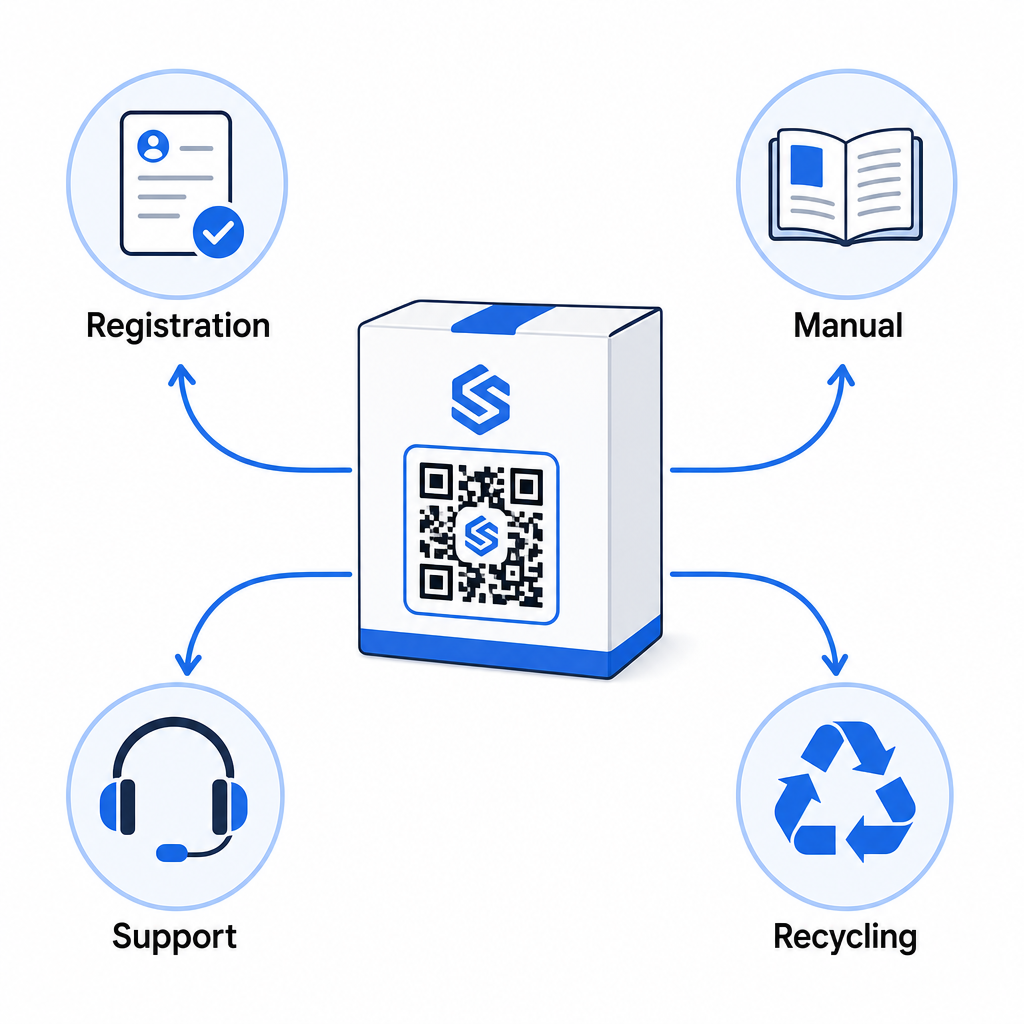
- При распаковке: направляет к форме регистрации и активации гарантии
- Во время владения: ссылки на руководство по продукту, часто задаваемые вопросы или обучающие видео
- Для поддержки: подключает к форме запроса на обслуживание или онлайн-чату
- По окончании срока службы: предоставляет инструкции по переработке или обмену
Поскольку динамические QR-коды позволяют обновлять пункт назначения без перепечатки, вы можете развивать функциональность кода со временем. Код, напечатанный сегодня для регистрации, позже может указывать на страницу обновления прошивки, уведомление об отзыве или программу лояльности – без каких-либо изменений в физической упаковке.
Этот подход к жизненному циклу более подробно рассматривается в QR-коды для отслеживания жизненного цикла продукта и QR-коды в производстве: отслеживание материалов и продуктов.
Для производителей, управляющих регистрацией продуктов по нескольким SKU или продуктовым линейкам, централизованная панель управления QR-кодами становится незаменимой. См. Инструменты управления QR-кодами для предприятий для получения рекомендаций по управлению QR-кодами в масштабе, включая массовую генерацию и аналитику по каждому коду.
Начало Работы
QR-код для регистрации продукта — это не технический проект, а решение по упаковке. Вы генерируете динамический код, направляете его на свою форму регистрации или целевую страницу, печатаете его на вкладыше или коробке и начинаете собирать данные о владении в тот момент, когда продукты достигают клиентов.
Разница между физической регистрационной картой и QR-кодом — это разница между просьбой отправить письмо по почте и вручением телефона. Клиенты, которые никогда бы не вернули карту, отсканируют код менее чем за 10 секунд.
Начните с одной продуктовой линейки. Создайте динамический QR-код, используя Генератор QR-кодов, привяжите его к своей форме регистрации и отслеживайте, как показатели сканирования и отправки соотносятся с вашим предыдущим методом регистрации. Как только вы увидите разницу в вовлеченности, расширение до полного каталога будет простым.
Часто задаваемые вопросы
Нет. В соответствии с 16 CFR Часть 1130, производители и импортеры прочных товаров для младенцев или малышей должны включать физическую регистрационную карточку с оплаченной почтовой пересылкой с каждой единицей. Онлайн-регистрация с помощью QR-кода удовлетворяет требуемой опции электронной регистрации, но должна дополнять физическую карточку, а не заменять ее. Требуются оба.
Если вы используете динамический QR-код, вы можете обновить целевой URL-адрес из своей панели управления в любое время без перепечатывания или изменения физического кода. Это одна из основных причин, по которой динамические QR-коды рекомендуются для регистрации продукта – это защищает вас от неработающих ссылок, когда формы переносятся или обновляются. Статические QR-коды не могут быть изменены после печати.
Собирайте только то, что вам действительно необходимо для выполнения цели регистрации – как правило, имя клиента, адрес электронной почты, дату покупки, место покупки и серийный номер продукта. В соответствии с принципами минимизации данных, требуемыми такими законами, как CPRA Калифорнии, сбор должен быть ограничен тем, что разумно необходимо для заявленной цели. Меньшее количество полей также улучшает показатели заполнения форм, поэтому упрощенная форма служит как целям соответствия требованиям, так и бизнес-целям.