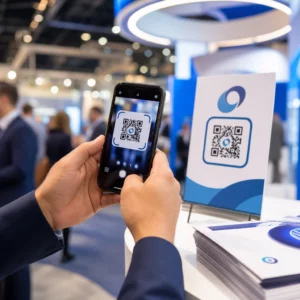
Preskaču li kupci vaš proces registracije proizvoda jer im se čini kao previše posla? Niske stope registracije znače nepotpune podatke o vlasništvu, sporije odgovore na opozive i propuštene prilike za izgradnju odnosa nakon prodaje. Ova stranica vam pokazuje kako QR kodovi uklanjaju to trenje i pretvaraju registraciju u brzo, besprijekorno skeniranje.
Zašto tradicionalna registracija proizvoda ne uspijeva
Papirnate jamstvene kartice imaju notorno nisku stopu popunjavanja. Kupci prime karticu, stave je sa strane i rijetko je pošalju natrag poštom. Čak i web-obrasci poboljšavaju stvari samo neznatno ako kupci moraju ručno upisivati dugačak URL ili pretraživati ambalažu kako bi pronašli poveznicu za registraciju.
Rezultat je praznina u podacima. Vi šaljete proizvode, ali imate malo uvida u to tko ih posjeduje. Kada se pojavi sigurnosni problem ili opoziv, izravna obavijest postaje teška ili nemoguća. Za proizvođače trajnih proizvoda za dojenčad ili malu djecu, ovo nije samo poslovni problem – 16 CFR Dio 1130 zahtijeva vođenje evidencije kontaktnih podataka potrošača i nalaže opciju elektroničke registracije posebno zato što CPSC prepoznaje da su stope odaziva na opozive dokumentirani izazov.
Čak i izvan reguliranih kategorija, operativni trošak niske registracije je stvaran: prijevaru s jamstvom teže je otkriti, zahtjeve za servis teže je potvrditi, a podaci o životnom ciklusu proizvoda ostaju oskudni.
Kako QR kod rješava problem registracije
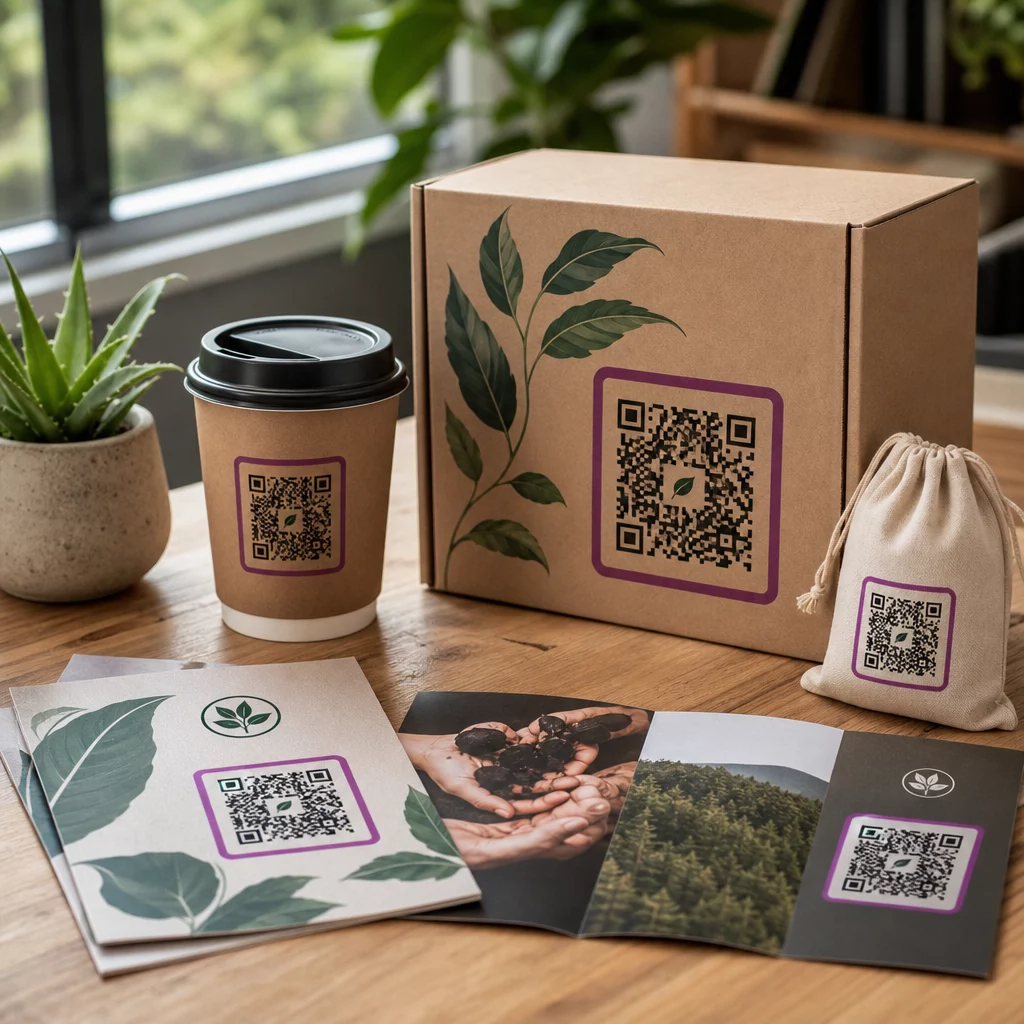
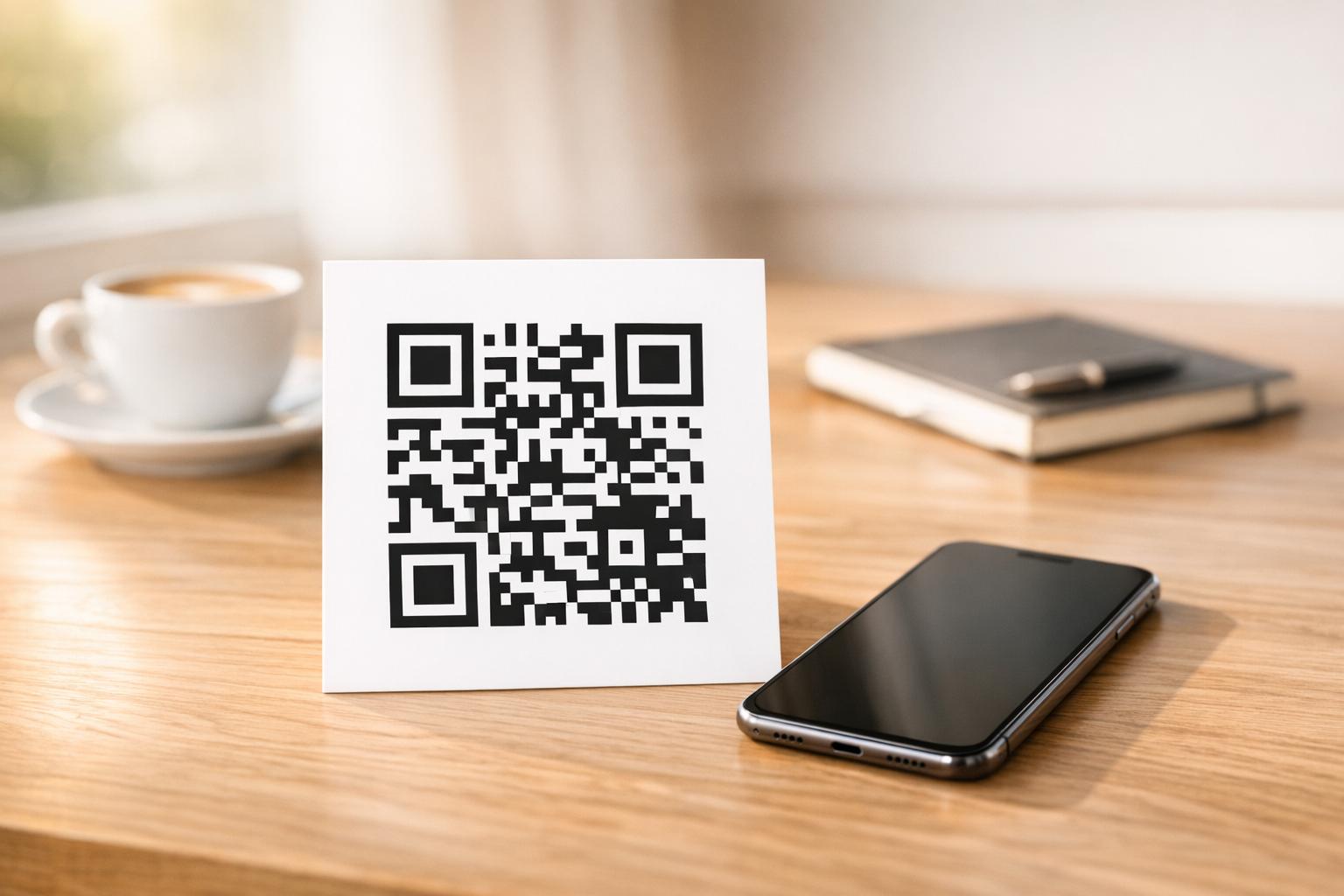
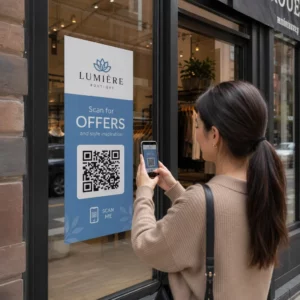
QR kod otisnut na ambalaži, umetnutoj kartici ili samom proizvodu kupcima pruža put bez trenja za registraciju. Otvore kameru na telefonu, skeniraju kod i slijeću izravno na obrazac za registraciju ili brendiranu odredišnu stranicu – bez tipkanja, bez pretraživanja, bez pošte.
Onog trenutka kada predaju obrazac, primate strukturirane podatke o vlasništvu: ime, kontakt podatke, datum kupnje i sva prilagođena polja koja konfigurirate. Te se informacije izravno unose u vaše evidencije bez ručnog unosa podataka s bilo koje strane.
Ovaj pristup usklađen je sa širim pomakom u pakiranju proizvoda prema povezivanju fizičkih predmeta s digitalnim sadržajem. Široko rasprostranjeno prepoznavanje da QR kodovi na ambalaži mogu služiti kao trajni pristupnici informacijama o proizvodu, detaljima jamstva i registraciji odražava funkciju koja daleko nadilazi ono što tradicionalni barkod može nositi. QR kodovi na pakiranju proizvoda mogu prenijeti ovu poveznicu za registraciju izravno u ruke kupca u trenutku kada otvori kutiju.
Spremni za dodavanje QR kodova za registraciju na vaše proizvode? Izradite QR kodove koji se mogu pratiti i uređivati za vaše pakiranje ili umetke koristeći Dinamični QR kod generator. Ažurirajte odredište povezanog obrasca bilo kada – nije potrebno ponovno ispisivanje.
Odabir pravog tipa QR koda za registraciju
Nisu svi QR kodovi jednako dobri za tijek rada registracije jamstva. Ključna razlika je između statičkih i dinamičkih kodova.
A statički QR kod kodira fiksni URL izravno u svoj uzorak. Jednom ispisano, ne možete promijeniti kamo pokazuje. Ako se URL vašeg obrasca za registraciju promijeni, kod na tisućama jedinica postaje beskoristan.
A dinamički QR kod kodira kratki URL za preusmjeravanje koji kontrolirate s nadzorne ploče. Odredište možete ažurirati bilo kada bez dodirivanja ispisanog koda. To je važno za registraciju jamstva jer se obrasci za registraciju migriraju između platformi, sezonske ili specifične stranice za liniju proizvoda se zamjenjuju, a možda ćete morati preusmjeriti skeniranja na stranicu s obavijestima tijekom ažuriranja proizvoda ili opoziva.
Za registraciju proizvoda, dinamički QR kodovi su praktična zadana opcija. Mogućnost uređivanja odredišta nakon ispisa – u kombinaciji s analitikom skeniranja – čini ih daleko korisnijima za kontinuirano prikupljanje podataka o vlasništvu. Potpuni pregled mogućnosti možete istražiti u usporedbu statičkih i dinamičkih QR kodova.
Postavljanje tijeka rada registracije QR kodom
Izgradnja sustava registracije i aktivacije jamstva putem QR koda jednostavnija je nego što se čini. Sljedeći koraci pokrivaju cijelo postavljanje od odabira obrasca do praćenja nakon pokretanja.
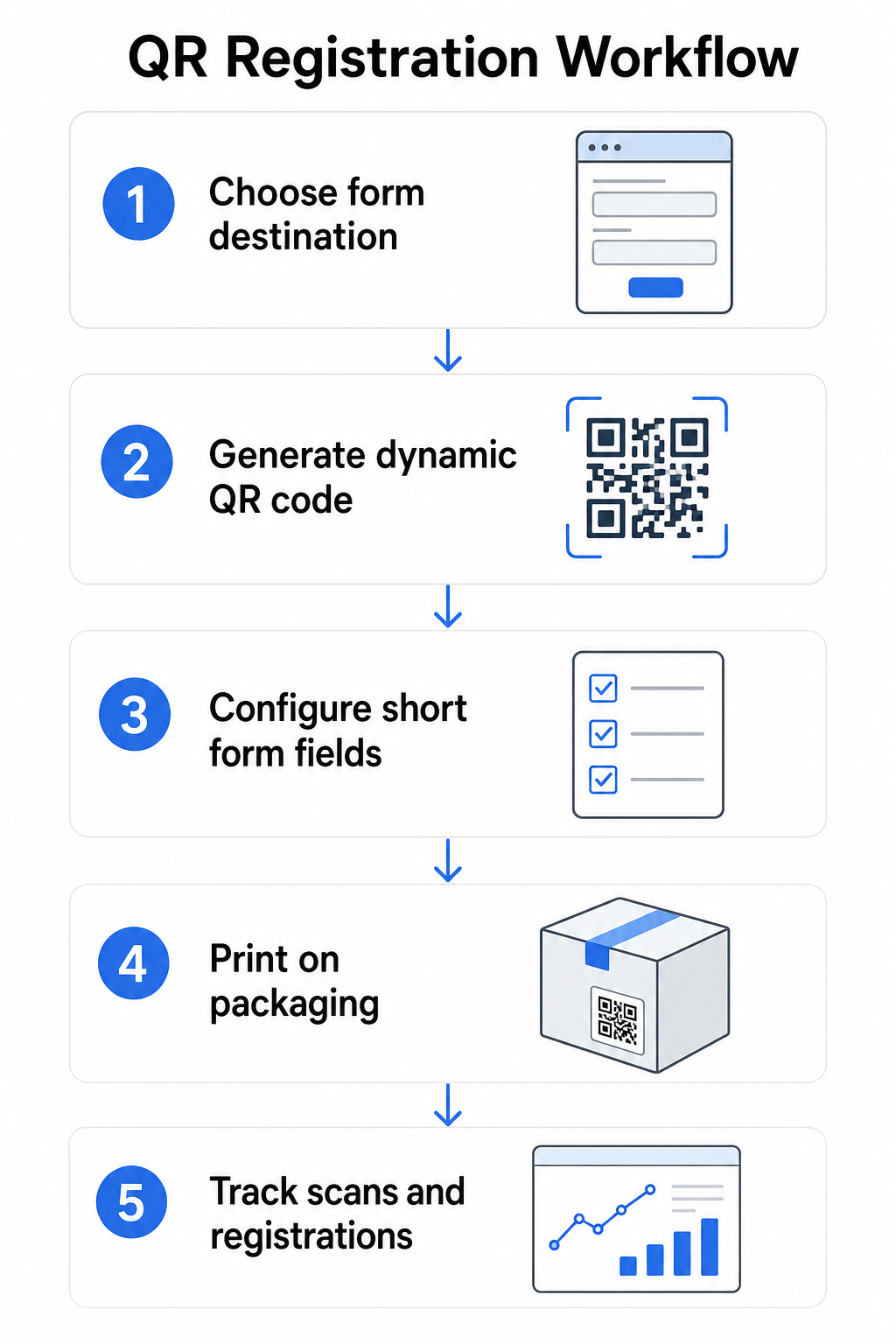
Korak 1: Odaberite odredište obrasca
Imate dvije primarne opcije za ono na što se QR kod povezuje. Google obrazac brzo se postavlja i dobro funkcionira za prikupljanje strukturiranih polja. Koristite Google obrazac QR kod generator za pretvaranje poveznice za dijeljenje vašeg obrasca u kod koji se može skenirati.
A brendiranu odredišnu stranicu je stranica optimizirana za mobilne uređaje koja prikazuje vaš obrazac za registraciju uz detalje o proizvodu, uvjete jamstva i vizuale marke. Pagelootova značajka odredišnih stranica omogućuje vam izradu i ažuriranje ovih stranica bez tehničke pomoći. Opcija odredišne stranice obično postiže bolje rezultate za korisničko iskustvo jer kontrolirate cjelokupan dizajn, možete jasno prikazati uvjete jamstva i možete uključiti više veza ili poziva na akciju – kao što je veza na priručnik proizvoda uz obrazac za registraciju.
Korak 2: Generirajte dinamički QR kod
Izradite QR kod koristeći Pagelootov Dinamični QR kod generator i usmjerite ga na odabrano odredište. Dodajte logotip i boje svoje marke kako bi kod bio prepoznatljiv na pakiranju. Držite logotip unutar 30% područja koda kako biste očuvali mogućnost skeniranja i koristite visoku razinu ispravljanja pogrešaka (Q ili H) prilikom dodavanja vizualnog brendiranja.
Korak 3: Konfigurirajte polja obrasca za registraciju
Prikupite ono što vam je stvarno potrebno za jamstvo i vlasništvo. Tipična polja uključuju:
- Ime i e-mail adresa kupca
- Datum kupnje
- Mjesto kupnje (prodavač ili kanal)
- Serijski broj proizvoda (ako nije unaprijed popunjen)
- Neobavezno: povratne informacije o proizvodu ili željeni način kontakta
Minimizacija podataka nije samo najbolja praksa privatnosti – ona također poboljšava stope dovršenosti. Kraći obrasci dobivaju više prijava.
Korak 4: Postavite QR kod na pakiranje ili umetke
Za pouzdano skeniranje, postavljanje na pakiranje proizvoda slijedi nekoliko dosljednih principa:
- Veličina koda najmanje 1 inč (2,5 cm) širine
- Ispisujte na ravnoj, glatkoj površini – izbjegavajte nabore, šavove ili zakrivljena područja
- Koristite visok kontrast (crno na bijelom najbolje funkcionira; održavajte omjer kontrasta najmanje 3:1)
- Ostavite jasnu tihu zonu – praznu marginu – oko koda
- Testirajte ispisani kod na stvarnoj podlozi prije finalizacije proizvodnih serija
Za detaljniji pregled razmatranja specifičnih za naljepnice, pogledajte vodič za QR kodove na etiketama proizvoda i kako ispisati QR kod na naljepnici.
Korak 5: Pratite registracije i podatke o skeniranju
Nakon što je kod aktivan, vaša Pageloot nadzorna ploča prikazuje broj skeniranja, geografsku lokaciju skeniranja, vrstu uređaja i doba dana. To vam govori ne samo koliko se kupaca registriralo, već i kada i gdje su se angažirali – korisno za identificiranje funkcionira li postavljanje pakiranja i imaju li određena tržišta ili kanali niže stope registracije od drugih.
Pogledajte tko se registrira – i tko ne Koristiti Praćenje skeniranja QR koda za praćenje angažmana registracije po regiji, uređaju i vremenu. Uočite rane odustajanja i ažurirajte odredište obrasca bez ponovnog ispisa.
Koje podatke možete prikupiti – i koje biste trebali
QR kodovi podržavaju dva različita sloja prikupljanja podataka, a razumijevanje razlike pomaže vam da ispravno postavite svoj program od početka.
Podaci na razini skeniranja prikupljaju se automatski kada netko skenira dinamički QR kod. To uključuje broj skeniranja, lokaciju skeniranja (država i regija), vrstu uređaja (iOS ili Android) i vremensku oznaku. Ti se podaci prikupljaju bez da kupac pruži bilo kakve osobne podatke – oni odražavaju angažman sa samim kodom. Za potpuni pregled onoga što se bilježi, pogledajte koje podatke prikupljaju dinamički QR kodovi.
Podaci o registraciji – imena, e-mail adrese, datumi kupnje i podaci za kontakt – prikupljaju se samo kada kupac dobrovoljno ispuni obrazac na povezanoj stranici. To su podaci prve strane, koje kupac pruža izravno i svjesno. Pagelootova platforma podržava ovaj model: kupci dijele informacije putem obrazaca ili odredišnih stranica nakon skeniranja, čime prikupljanje podataka ostaje temeljeno na pristanku i transparentno.
Za potrebe jamstva i vlasništva, potrebni su vam podaci o registraciji. Za razumijevanje funkcionira li vaš program registracije u velikom opsegu, podaci na razini skeniranja pružaju vrijedan kontekst.
Razmatranja privatnosti i pravna pitanja
Prikupljanje podataka o registraciji proizvoda nosi obveze usklađenosti koje se razlikuju ovisno o kategoriji proizvoda i jurisdikciji.
Za trajnih proizvoda za dojenčad ili malu djecu regulirano prema 16 CFR dijelu 1130, CPSC zahtijeva da:
- Osigurate fizičku registracijsku karticu s plaćenom poštarinom uz svaku jedinicu
- Ponudite opciju elektroničke registracije (web stranica ili e-mail) kao dodatak – ne zamjenu – za fizičku karticu
- Vodite evidenciju imena, adresa i e-mail adresa registranata
- Koristite podatke o registraciji samo za sigurnosna upozorenja i opozive, a ne u marketinške svrhe
QR kod koji povezuje na vaš online obrazac za registraciju zadovoljava zahtjev za elektroničku registraciju prema ovom okviru, ali ne zamjenjuje zahtjev za fizičku karticu za obuhvaćene proizvode.
Za registraciju jamstva šire, Magnuson-Mossov zakon o jamstvu razlikuje puna i ograničena jamstva. Proizvodi s “punim” jamstvom ne mogu zahtijevati registraciju kao uvjet pokrića. Proizvodi s “ograničenim” jamstvom mogu zahtijevati registraciju samo ako je taj zahtjev jasno objavljen prije kupnje. Bilo koji uvjet registracije mora biti naveden u uvjetima jamstva kojima potrošači mogu pristupiti prije prodaje.
Za privatnost podataka, američke tvrtke koje prikupljaju osobne podatke putem online obrazaca za registraciju trebale bi pružiti obavijest o privatnosti na ili prije točke prikupljanja, opisujući koji se podaci prikupljaju, zašto i koliko dugo će se zadržati. Prema kalifornijskom CPRA-u, prikupljanje i zadržavanje moraju biti ograničeni na ono što je razumno potrebno za objavljenu svrhu. Ako vaši proizvodi mogu doći do obitelji s djecom mlađom od 13 godina, osigurajte da vaš online obrazac udovoljava COPPA-inim zahtjevima za provjerljiv pristanak roditelja prije prikupljanja osobnih podataka od te dobne skupine.
Za više detalja o obvezama privatnosti podataka QR koda u različitim jurisdikcijama, pogledajte Zakoni o privatnosti QR kodova: Ključne regulative.
Korištenje QR kodova kroz životni ciklus proizvoda
Registracija jamstva je dio šire prilike. Isti QR kod na vašem proizvodu može služiti višestrukim funkcijama tijekom cijelog putovanja vlasništva:
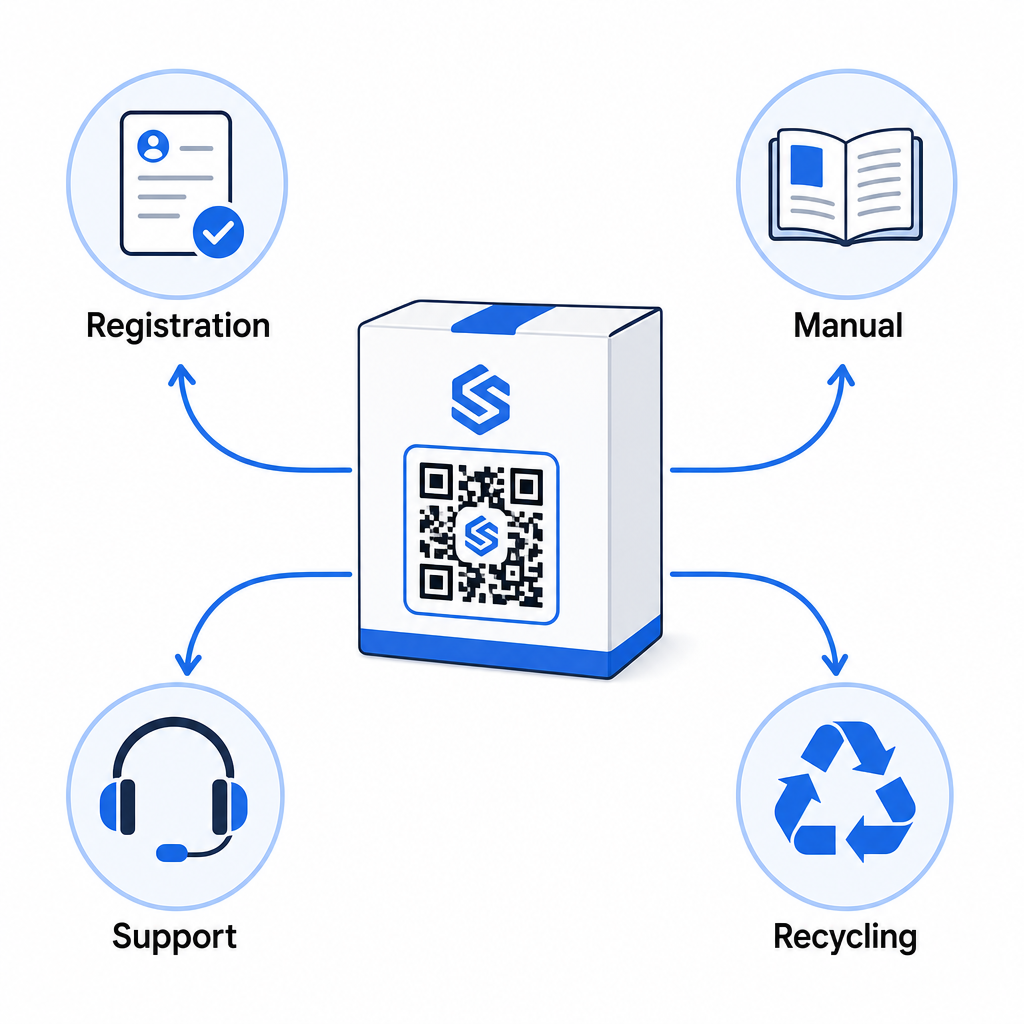
- Prilikom raspakiranja: usmjerava na obrazac za registraciju i aktivaciju jamstva
- Tijekom vlasništva: povezuje na priručnik proizvoda, često postavljana pitanja (FAQ) ili videozapise s uputama
- Za podršku: povezuje na obrazac za zahtjev za uslugu ili chat uživo
- Na kraju životnog vijeka: pruža upute za recikliranje ili zamjenu
Budući da vam dinamički QR kodovi omogućuju ažuriranje odredišta bez ponovnog ispisa, možete razvijati funkciju koda tijekom vremena. Kod ispisan danas za registraciju može kasnije voditi na stranicu za ažuriranje firmvera, obavijest o opozivu ili program vjernosti – bez ikakvih promjena na fizičkom pakiranju.
Ovaj pristup životnom ciklusu detaljnije je istražen u QR kodovi za praćenje životnog ciklusa proizvoda i QR kodovi u proizvodnji: Praćenje materijala i proizvoda.
Za proizvođače koji upravljaju registracijom proizvoda kroz više SKU-ova ili linija proizvoda, centralizirana nadzorna ploča za upravljanje QR kodovima postaje ključna. Pogledajte Alati za upravljanje QR kodovima za poduzeća za smjernice o upravljanju QR kodovima u velikom opsegu, uključujući masovno generiranje i analitiku po kodu.
Početak
QR kod za registraciju proizvoda nije tehnički projekt – to je odluka o pakiranju. Generirate dinamički kod, usmjerite ga na svoj obrazac za registraciju ili odredišnu stranicu, ispišete ga na umetak ili kutiju i počnete prikupljati podatke o vlasništvu u trenutku kada proizvodi stignu do kupaca.
Razlika između fizičke registracijske kartice i QR koda je razlika između traženja od nekoga da pošalje pismo i davanja mu telefona. Kupci koji nikada ne bi vratili karticu skenirat će kod za manje od 10 sekundi.
Započnite s jednom linijom proizvoda. Stvorite dinamički QR kod koristeći Pageloot Generator QR kodova, povežite ga sa svojim obrascem za registraciju i pratite kako se stope skeniranja i podnošenja uspoređuju s vašom prethodnom metodom registracije. Nakon što vidite razliku u angažmanu, proširenje na cijeli katalog je jednostavno.
Često postavljana pitanja
Ne. Prema 16 CFR dijelu 1130, proizvođači i uvoznici trajnih proizvoda za dojenčad ili malu djecu moraju uključiti fizičku registracijsku karticu s plaćenom poštarinom uz svaku jedinicu. Online registracija putem QR koda zadovoljava potrebnu opciju elektroničke registracije, ali mora dopuniti fizičku karticu, a ne je zamijeniti. Oba su obavezna.
Ako koristite dinamički QR kod, možete ažurirati odredišni URL s vaše nadzorne ploče u bilo kojem trenutku bez ponovnog ispisa ili izmjene fizičkog koda. Ovo je jedan od primarnih razloga zašto se dinamički QR kodovi preporučuju za registraciju proizvoda – štiti vas od neispravnih veza kada se obrasci migriraju ili ažuriraju. Statički QR kodovi ne mogu se mijenjati nakon ispisa.
Prikupljajte samo ono što vam je istinski potrebno za ispunjenje svrhe registracije – obično ime kupca, e-mail adresu, datum kupnje, mjesto kupnje i serijski broj proizvoda. Prema načelima minimizacije podataka koja zahtijevaju zakoni poput kalifornijskog CPRA-a, prikupljanje bi trebalo biti ograničeno na ono što je razumno potrebno za navedenu svrhu. Manje polja također poboljšava stope popunjavanja obrazaca, tako da pojednostavljeni obrazac služi i usklađenosti i poslovnim ciljevima.