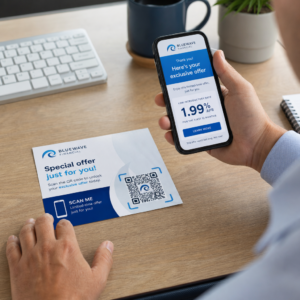
Preskakujú zákazníci váš proces registrácie produktu, pretože sa im zdá príliš náročný? Nízke miery registrácie znamenajú neúplné údaje o vlastníctve, pomalšie reakcie na stiahnutie produktu a zmeškané príležitosti na budovanie popredajných vzťahov. Táto stránka vám ukáže, ako QR kódy odstraňujú toto trenie a menia registráciu na rýchle, bezproblémové skenovanie.
Prečo tradičná registrácia produktu zlyháva
Papierové záručné karty majú notoricky nízku mieru vyplnenia. Zákazníci dostanú kartu, odložia ju a zriedka ju pošlú späť. Dokonca aj webové formuláre zlepšujú veci len mierne, ak zákazníci musia ručne zadávať dlhú URL adresu alebo sa prehrabávať v obale, aby našli odkaz na registráciu.
Výsledkom je medzera v údajoch. Dodávate produkty, ale máte malý prehľad o tom, kto ich vlastní. Keď nastane bezpečnostný problém alebo stiahnutie produktu, priame oznámenie sa stáva ťažkým alebo nemožným. Pre výrobcov odolných výrobkov pre dojčatá alebo batoľatá, toto nie je len obchodný problém – 16 CFR časť 1130 vyžaduje uchovávanie záznamov o kontaktných informáciách spotrebiteľov a nariaďuje možnosť elektronickej registrácie špecificky preto, že CPSC uznáva, že miery odozvy na stiahnutie produktu sú zdokumentovanou výzvou.
Aj mimo regulovaných kategórií sú prevádzkové náklady nízkej registrácie skutočné: podvody so zárukou sa ťažšie odhaľujú, žiadosti o servis sa ťažšie overujú a údaje o životnom cykle produktu zostávajú skromné.
Ako QR kód rieši problém s registráciou
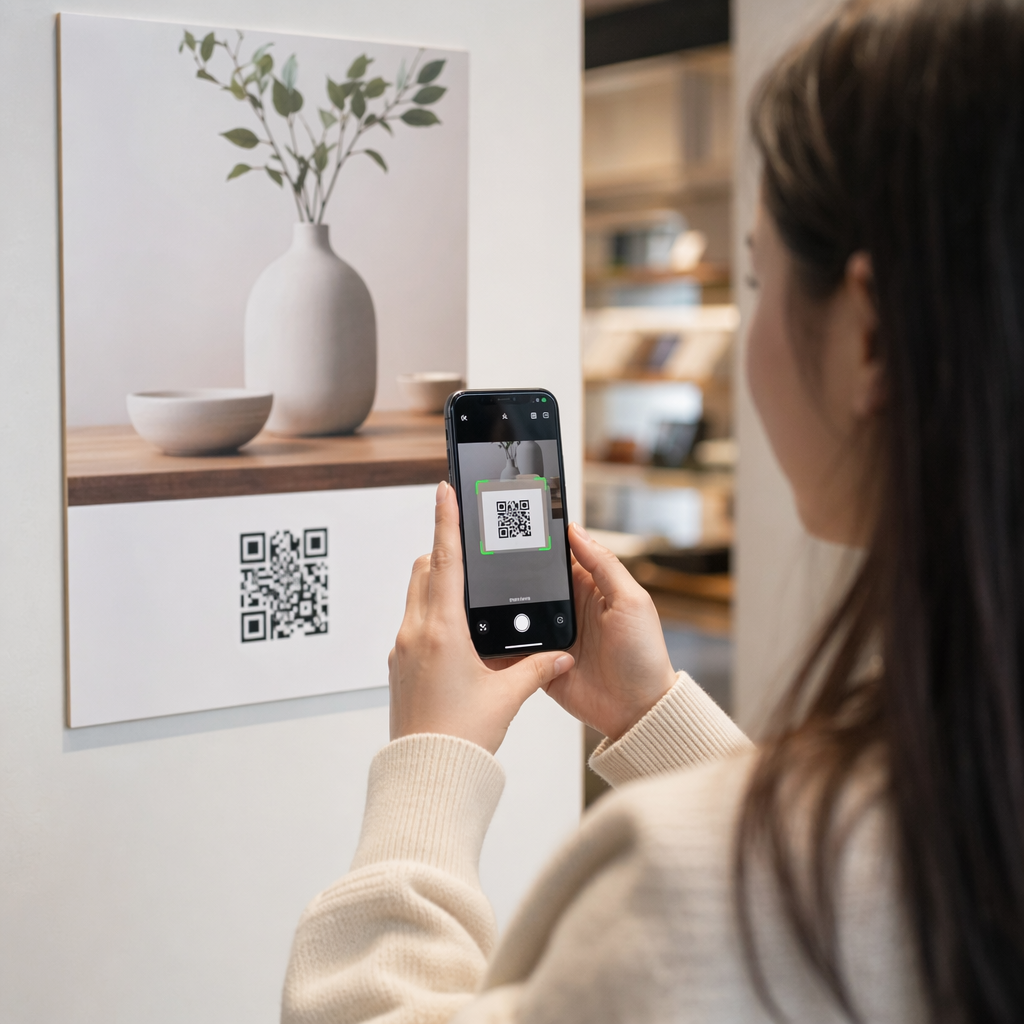
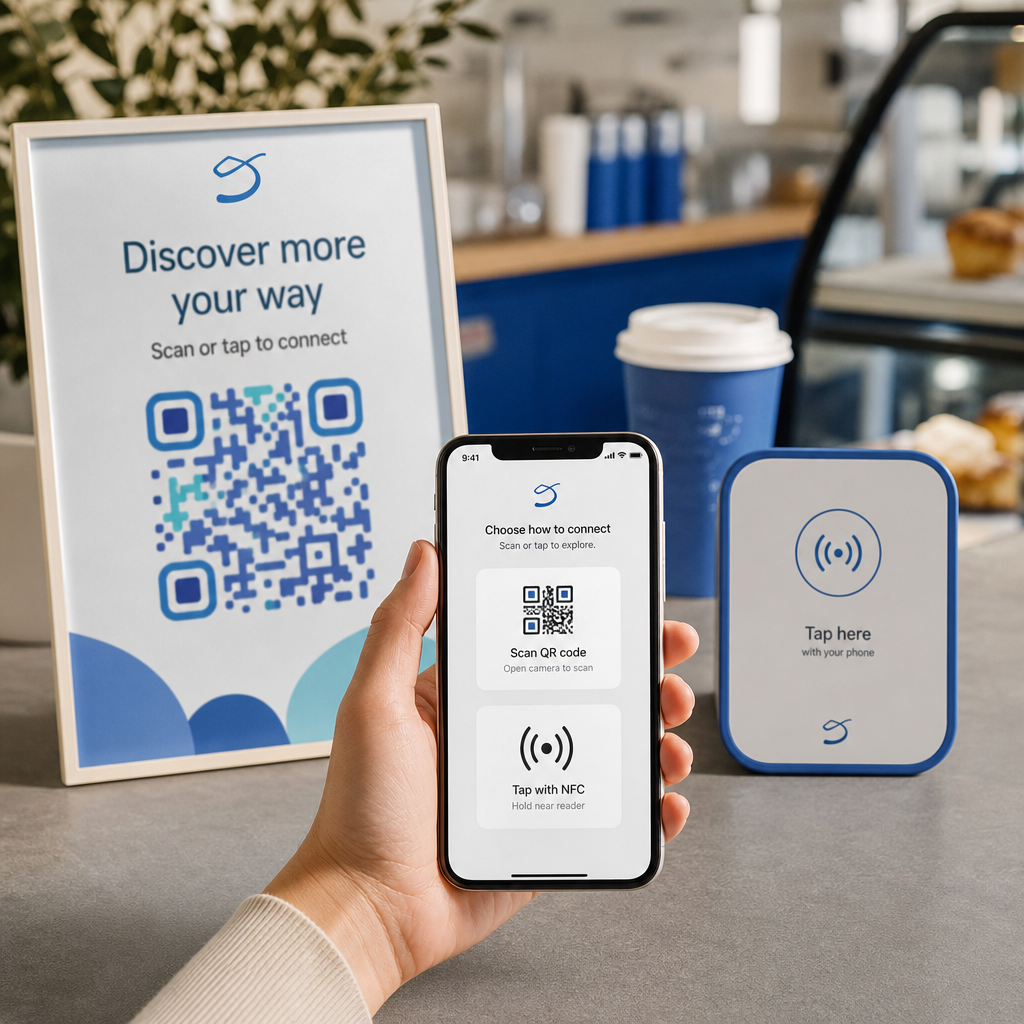
QR kód vytlačený na obale, vloženej karte alebo na samotnom produkte poskytuje zákazníkom bezproblémovú cestu k registrácii. Otvoria fotoaparát svojho telefónu, naskenujú kód a dostanú sa priamo na registračný formulár alebo značkovú vstupnú stránku – žiadne písanie, žiadne hľadanie, žiadna pošta.
V momente, keď odošlú formulár, dostanete štruktúrované údaje o vlastníctve: meno, kontaktné informácie, dátum nákupu a akékoľvek vlastné polia, ktoré nakonfigurujete. Tieto informácie sa priamo prenášajú do vašich záznamov bez manuálneho zadávania údajov na ktorejkoľvek strane.
Tento prístup je v súlade so širším posunom v balení produktov smerom k prepojeniu fyzických položiek s digitálnym obsahom. Celoodvetvové uznanie, že QR kódy na obaloch môžu slúžiť ako trvalé brány k informáciám o produkte, podrobnostiam o záruke a registrácii, odráža funkciu, ktorá presahuje to, čo dokáže preniesť tradičný čiarový kód. QR kódy na obaloch produktov môžu preniesť tento registračný odkaz priamo do rúk zákazníka v momente, keď otvoria krabicu.
Pripravení pridať QR kódy na registráciu k vašim produktom? Vytvorte sledovateľné, upraviteľné QR kódy pre vaše obaly alebo vložky pomocou Dynamický QR kód generátor. Aktualizujte cieľ prepojeného formulára kedykoľvek – nie je potrebná opätovná tlač.
Výber správneho typu QR kódu pre registráciu
Nie všetky QR kódy slúžia rovnako dobre pre pracovný postup registrácie záruky. Kritický rozdiel je medzi statickými a dynamickými kódmi.
A statický QR kód kóduje pevnú URL adresu priamo do svojho vzoru. Po vytlačení nemôžete zmeniť, kam smeruje. Ak sa zmení URL adresa vášho registračného formulára, kód na tisícoch jednotiek sa stane nepoužiteľným.
A dynamický QR kód kóduje krátku presmerovaciu URL adresu, ktorú ovládate z ovládacieho panela. Cieľ môžete kedykoľvek aktualizovať bez toho, aby ste sa dotkli vytlačeného kódu. To je dôležité pre registráciu záruky, pretože registračné formuláre sa migrujú medzi platformami, sezónne alebo produktovo špecifické stránky sa vymieňajú a možno budete musieť presmerovať skeny na oznamovaciu stránku počas aktualizácie produktu alebo stiahnutia z trhu.
Pre registráciu produktu, dynamické QR kódy sú praktickou predvolenou možnosťou. Schopnosť upravovať ciele po vytlačení – v kombinácii s analytikou skenovania – ich robí oveľa užitočnejšími pre nepretržitý zber údajov o vlastníctve. Úplný rozpis možností si môžete prezrieť v porovnanie statických a dynamických QR kódov.
Nastavenie pracovného postupu registrácie pomocou QR kódu
Vybudovanie systému registrácie a aktivácie záruky riadeného QR kódom je jednoduchšie, než sa môže zdať. Nasledujúce kroky pokrývajú kompletné nastavenie od výberu formulára po sledovanie po spustení.
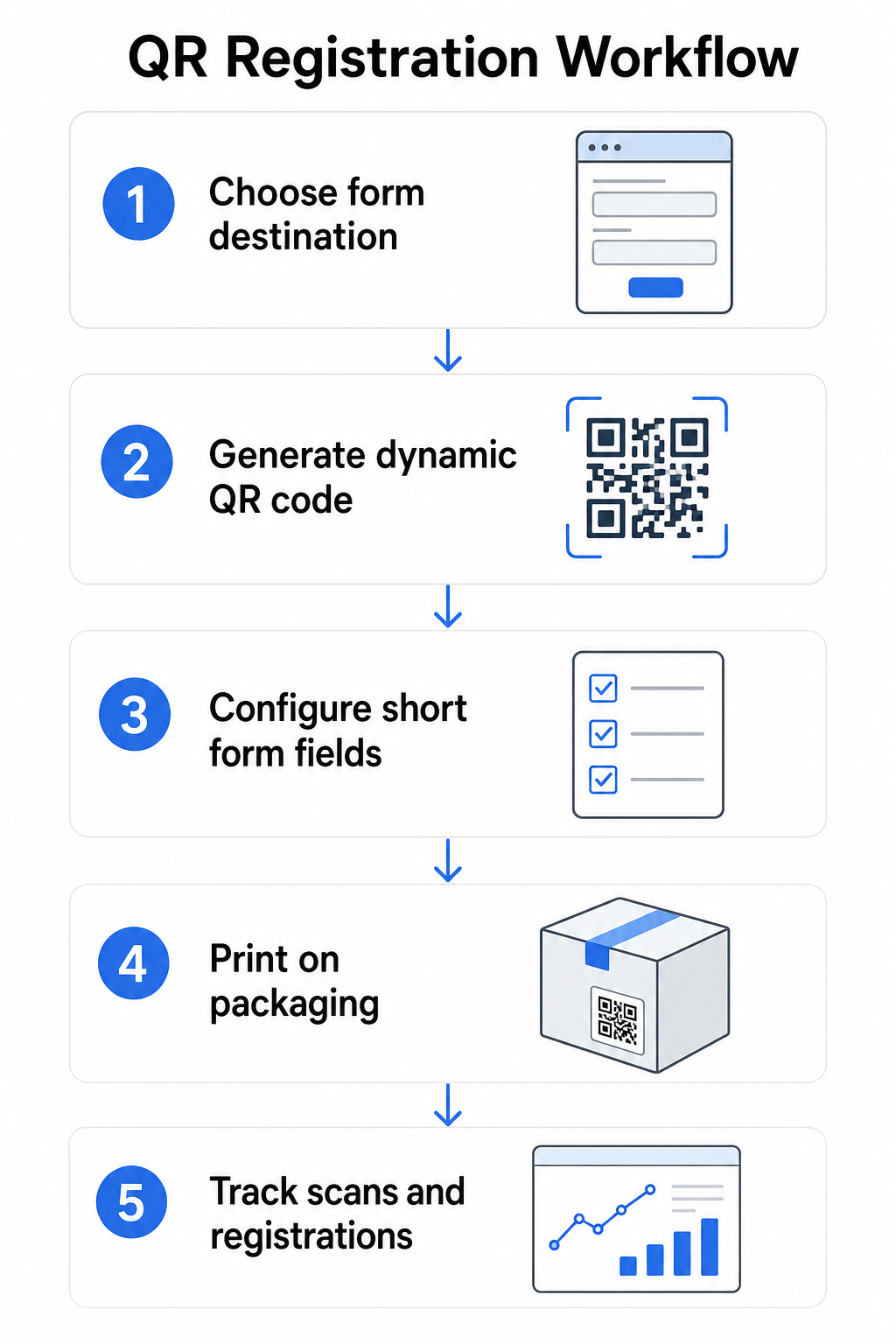
Krok 1: Vyberte cieľ formulára
Máte dve hlavné možnosti, na čo sa QR kód odkazuje. A Google Form sa rýchlo nastavuje a dobre funguje pre zber štruktúrovaných polí. Použite Formulár Google ako QR kód: generátor na konverziu odkazu na zdieľanie vášho formulára na skenovateľný kód.
A značkovú vstupnú stránku je mobilne optimalizovaná stránka, ktorá prezentuje váš registračný formulár spolu s podrobnosťami o produkte, záručnými podmienkami a vizuálmi značky. Pagelootova funkcia Vstupných stránok umožňuje vám vytvárať a aktualizovať tieto stránky bez technickej pomoci. Možnosť vstupnej stránky má tendenciu fungovať lepšie pre zákaznícku skúsenosť, pretože ovládate celý dizajn, môžete jasne zobraziť záručné podmienky a môžete zahrnúť viacero odkazov alebo výziev na akciu – ako napríklad odkaz na manuál k produktu spolu s registračným formulárom.
Krok 2: Vygenerujte dynamický QR kód
Vytvorte QR kód pomocou Pageloot’s Dynamický QR kód generátor a nasmerujte ho na vami zvolený cieľ. Pridajte logo a farby vašej značky, aby bol kód rozpoznateľný na obale. Udržujte logo v rámci 30 % plochy kódu, aby sa zachovala skenovateľnosť, a pri pridávaní vizuálnej značky použite vysokú úroveň korekcie chýb (Q alebo H).
Krok 3: Nakonfigurujte polia registračného formulára
Zhromažďujte len to, čo skutočne potrebujete na účely záruky a vlastníctva. Typické polia zahŕňajú:
- Meno zákazníka a e-mailová adresa
- Dátum nákupu
- Miesto nákupu (predajca alebo kanál)
- Sériové číslo produktu (ak nie je predvyplnené)
- Voliteľné: spätná väzba k produktu alebo preferovaný spôsob kontaktu
Minimalizácia údajov nie je len osvedčenou praxou v oblasti ochrany súkromia – zlepšuje aj mieru dokončenia. Kratšie formuláre získavajú viac odoslaní.
Krok 4: Umiestnite QR kód na obal alebo vložky
Pre spoľahlivé skenovanie, umiestnenie na obale produktu sa riadi niekoľkými konzistentnými princípmi:
- Veľkosť kódu minimálne 1 palec (2,5 cm) na šírku
- Tlačte na rovný, hladký povrch – vyhnite sa záhybom, švom alebo zakriveným oblastiam
- Použite vysoký kontrast (čierna na bielej funguje najlepšie; udržujte minimálne kontrastný pomer 3:1)
- Okolo kódu ponechajte jasnú tichú zónu – prázdny okraj
- Otestujte vytlačený kód na skutočnom podklade pred finalizáciou výrobných sérií
Pre podrobnejší pohľad na špecifické úvahy týkajúce sa štítkov, pozrite si sprievodcu QR kódmi na štítkoch produktov a ako vytlačiť QR kód na štítok.
Krok 5: Sledujte registrácie a údaje o skenovaní
Keď je kód aktívny, váš Pageloot panel zobrazuje počet skenov, geografickú polohu skenov, typ zariadenia a čas dňa. To vám povie nielen to, koľko zákazníkov sa zaregistrovalo, ale aj kedy a kde sa zapojili – užitočné na identifikáciu, či umiestnenie obalu funguje a či určité trhy alebo kanály majú nižšie miery registrácie ako iné.
Pozrite sa, kto sa registruje – a kto nie Použite Sledovanie skenov QR kódu na monitorovanie zapojenia do registrácie podľa regiónu, zariadenia a času. Včas identifikujte poklesy a aktualizujte cieľ formulára bez opätovnej tlače.
Aké údaje môžete zbierať – a aké by ste mali
QR kódy podporujú dve odlišné vrstvy zberu údajov a pochopenie rozdielu vám pomôže správne nastaviť váš program od začiatku.
Údaje na úrovni skenovania sa zhromažďujú automaticky, keď niekto naskenuje dynamický QR kód. To zahŕňa počet skenov, polohu skenovania (krajina a región), typ zariadenia (iOS alebo Android) a časovú pečiatku. Tieto údaje sa zhromažďujú bez toho, aby zákazník poskytol akékoľvek osobné údaje – odrážajú zapojenie sa do samotného kódu. Pre úplný rozpis toho, čo sa zaznamenáva, pozrite si aké údaje zbierajú dynamické QR kódy.
Registračné údaje – mená, e-mailové adresy, dátumy nákupu a kontaktné údaje – sa zhromažďujú iba vtedy, keď zákazník dobrovoľne vyplní formulár na prepojenej stránke. Ide o údaje prvej strany, poskytnuté priamo a s vedomím zákazníka. Platforma Pageloot podporuje tento model: zákazníci zdieľajú informácie prostredníctvom formulárov alebo vstupných stránok po skenovaní, čím udržiavajú zber údajov založený na súhlase a transparentný.
Na účely záruky a vlastníctva potrebujete registračné údaje. Na pochopenie, či váš registračný program funguje vo veľkom rozsahu, poskytujú údaje na úrovni skenovania cenný kontext.
Úvahy o súkromí a právne aspekty
Zber údajov o registrácii produktu so sebou nesie povinnosti dodržiavania predpisov, ktoré sa líšia podľa kategórie produktu a jurisdikcie.
Pre odolných výrobkov pre dojčatá alebo batoľatá regulované podľa 16 CFR časti 1130, CPSC vyžaduje, aby ste:
- Poskytnite fyzickú registračnú kartu s predplateným poštovným ku každej jednotke
- Ponúknite možnosť elektronickej registrácie (webová stránka alebo e-mail) ako doplnok – nie náhradu – fyzickej karty
- Uchovávajte záznamy o menách, adresách a e-mailových adresách registrujúcich sa osôb
- Používajte registračné údaje iba na bezpečnostné upozornenia a stiahnutia z trhu, nie na marketingové účely
QR kód odkazujúci na váš online registračný formulár spĺňa požiadavku elektronickej registrácie podľa tohto rámca, ale nenahrádza požiadavku fyzickej karty pre kryté produkty.
Pre registráciu záruky vo všeobecnosti, Zákon Magnuson-Moss o záruke rozlišuje medzi úplnými a obmedzenými zárukami. Produkty s “úplnou” zárukou nemôžu vyžadovať registráciu ako podmienku krytia. Produkty s “obmedzenou” zárukou môžu vyžadovať registráciu len vtedy, ak je požiadavka jasne zverejnená pred nákupom. Akákoľvek podmienka registrácie musí byť uvedená v záručných podmienkach, ku ktorým majú spotrebitelia prístup pred predajom.
Pre ochranu osobných údajov by americké podniky zbierajúce osobné údaje prostredníctvom online registračných formulárov mali poskytnúť oznámenie o ochrane osobných údajov v mieste zberu alebo pred ním, popisujúce, aké údaje sa zbierajú, prečo a ako dlho sa budú uchovávať. Podľa kalifornského zákona CPRA musia byť zber a uchovávanie obmedzené na to, čo je primerane potrebné pre zverejnený účel. Ak sa vaše produkty môžu dostať k rodinám s deťmi mladšími ako 13 rokov, uistite sa, že váš online formulár spĺňa požiadavky COPPA na overiteľný súhlas rodičov pred zberom osobných údajov od tejto vekovej skupiny.
Pre viac podrobností o povinnostiach ochrany osobných údajov QR kódov naprieč jurisdikciami pozrite si Zákony o ochrane súkromia QR kódov: Kľúčové nariadenia.
Používanie QR kódov počas celého životného cyklu produktu
Registrácia záruky je súčasťou širšej príležitosti. Ten istý QR kód na vašom produkte môže slúžiť viacerým funkciám počas celej cesty vlastníctva:
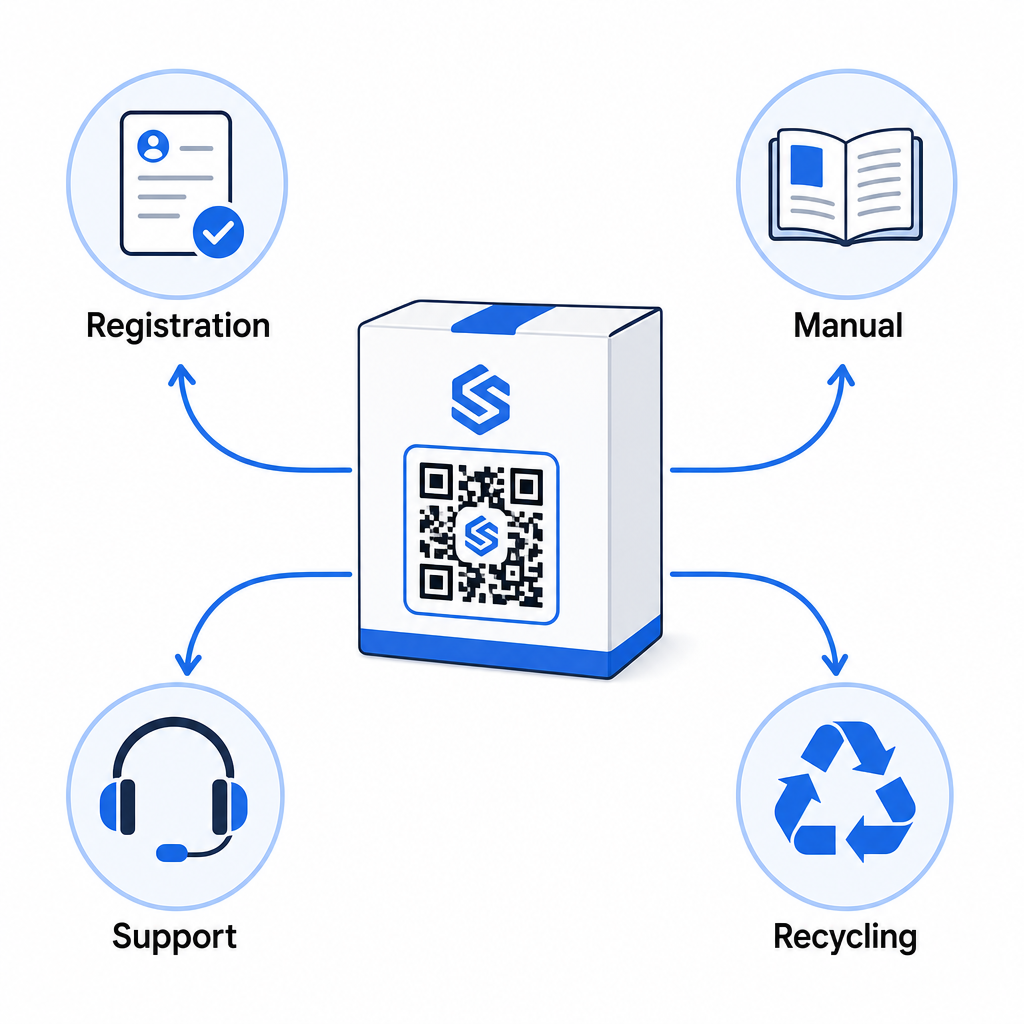
- Pri rozbalení: smeruje na registračný formulár a aktiváciu záruky
- Počas vlastníctva: odkazuje na manuál k produktu, často kladené otázky alebo inštruktážne videá
- Pre podporu: spája s formulárom žiadosti o servis alebo živým chatom
- Na konci životnosti: poskytuje pokyny na recykláciu alebo výmenu
Pretože dynamické QR kódy vám umožňujú aktualizovať cieľ bez opätovnej tlače, môžete vyvíjať, čo kód robí v priebehu času. Kód vytlačený dnes pre registráciu môže neskôr odkazovať na stránku s aktualizáciou firmvéru, oznámenie o stiahnutí produktu alebo vernostný program – bez akejkoľvek zmeny fyzického obalu.
Tento prístup životného cyklu je ďalej preskúmaný v QR kódy pre sledovanie životného cyklu produktu a QR kódy vo výrobe: Sledovanie materiálov a produktov.
Pre výrobcov spravujúcich registráciu produktov naprieč viacerými SKU alebo produktovými radmi sa stáva nevyhnutným centralizovaný panel na správu QR kódov. Pozrite si Nástroje na správu QR kódov pre podniky pre usmernenie k správe QR kódov vo veľkom rozsahu, vrátane hromadnej generácie a analýzy pre jednotlivé kódy.
Začíname
QR kód pre registráciu produktu nie je technický projekt – je to rozhodnutie o balení. Vygenerujete dynamický kód, nasmerujete ho na váš registračný formulár alebo vstupnú stránku, vytlačíte ho na vložku alebo krabicu a začnete zbierať údaje o vlastníctve v momente, keď sa produkty dostanú k zákazníkom.
Rozdiel medzi fyzickou registračnou kartou a QR kódom je rozdiel medzi požiadaním niekoho, aby poslal list, a podaním mu telefónu. Zákazníci, ktorí by nikdy nevrátili kartu, naskenujú kód za menej ako 10 sekúnd.
Začnite s jedným produktovým radom. Vytvorte dynamický QR kód pomocou Generátor QR kódov Pageloot, prepojte ho s vaším registračným formulárom a sledujte, ako sa miery skenovania a odosielania porovnávajú s vašou predchádzajúcou metódou registrácie. Keď uvidíte rozdiel v angažovanosti, rozšírenie na celý váš katalóg je jednoduché.
Často kladené otázky
Nie. Podľa 16 CFR Časť 1130, výrobcovia a dovozcovia odolných výrobkov pre dojčatá alebo batoľatá musia priložiť fyzickú registračnú kartu s predplateným poštovným ku každej jednotke. Online registrácia prostredníctvom QR kódu spĺňa požadovanú možnosť elektronickej registrácie, ale musí dopĺňať fyzickú kartu, nie ju nahrádzať. Obe sú povinné.
Ak použijete dynamický QR kód, môžete kedykoľvek aktualizovať cieľovú URL adresu z vášho ovládacieho panela bez opätovnej tlače alebo úpravy fyzického kódu. Toto je jeden z hlavných dôvodov, prečo sa dynamické QR kódy odporúčajú pre registráciu produktu – chráni vás to pred nefunkčnými odkazmi, keď sa formuláre migrujú alebo aktualizujú. Statické QR kódy nie je možné zmeniť po vytlačení.
Zbierajte len to, čo skutočne potrebujete na splnenie účelu registrácie – zvyčajne meno zákazníka, e-mailovú adresu, dátum nákupu, miesto nákupu a sériové číslo produktu. Podľa princípov minimalizácie údajov vyžadovaných zákonmi ako kalifornský CPRA by mal byť zber obmedzený na to, čo je primerane potrebné pre uvedený účel. Menej polí tiež zlepšuje miery dokončenia formulára, takže štíhly formulár slúži ako cieľom súladu, tak aj obchodným cieľom.