I clienti stanno saltando il processo di registrazione del tuo prodotto perché sembra troppo impegnativo? Bassi tassi di registrazione significano dati di proprietà incompleti, risposte ai richiami più lente e opportunità mancate per costruire relazioni post-vendita. Questa pagina ti mostra come i codici QR rimuovono quell'attrito e trasformano la registrazione in una scansione rapida e senza interruzioni.
Perché la registrazione tradizionale del prodotto è insufficiente
Le schede di garanzia cartacee hanno un tasso di completamento notoriamente basso. I clienti ricevono una scheda, la mettono da parte e raramente la rispediscono. Anche i moduli basati sul web migliorano le cose solo leggermente se i clienti devono digitare manualmente un URL lungo o cercare nella confezione per trovare un link di registrazione.
Il risultato è un divario di dati. Spedisci prodotti ma hai poca visibilità su chi li possiede. Quando sorge un problema di sicurezza o un richiamo, la notifica diretta diventa difficile o impossibile. Per i produttori di prodotti durevoli per neonati o bambini piccoli, questo non è solo un problema aziendale – la 16 CFR Parte 1130 richiede il mantenimento di registri delle informazioni di contatto dei consumatori e impone un'opzione di registrazione elettronica specificamente perché la CPSC riconosce che i tassi di risposta ai richiami sono una sfida documentata.
Anche al di fuori delle categorie regolamentate, il costo operativo della bassa registrazione è reale: la frode in garanzia è più difficile da rilevare, le richieste di servizio sono più difficili da convalidare e i dati sul ciclo di vita del prodotto rimangono scarsi.
Come un codice QR risolve il problema della registrazione
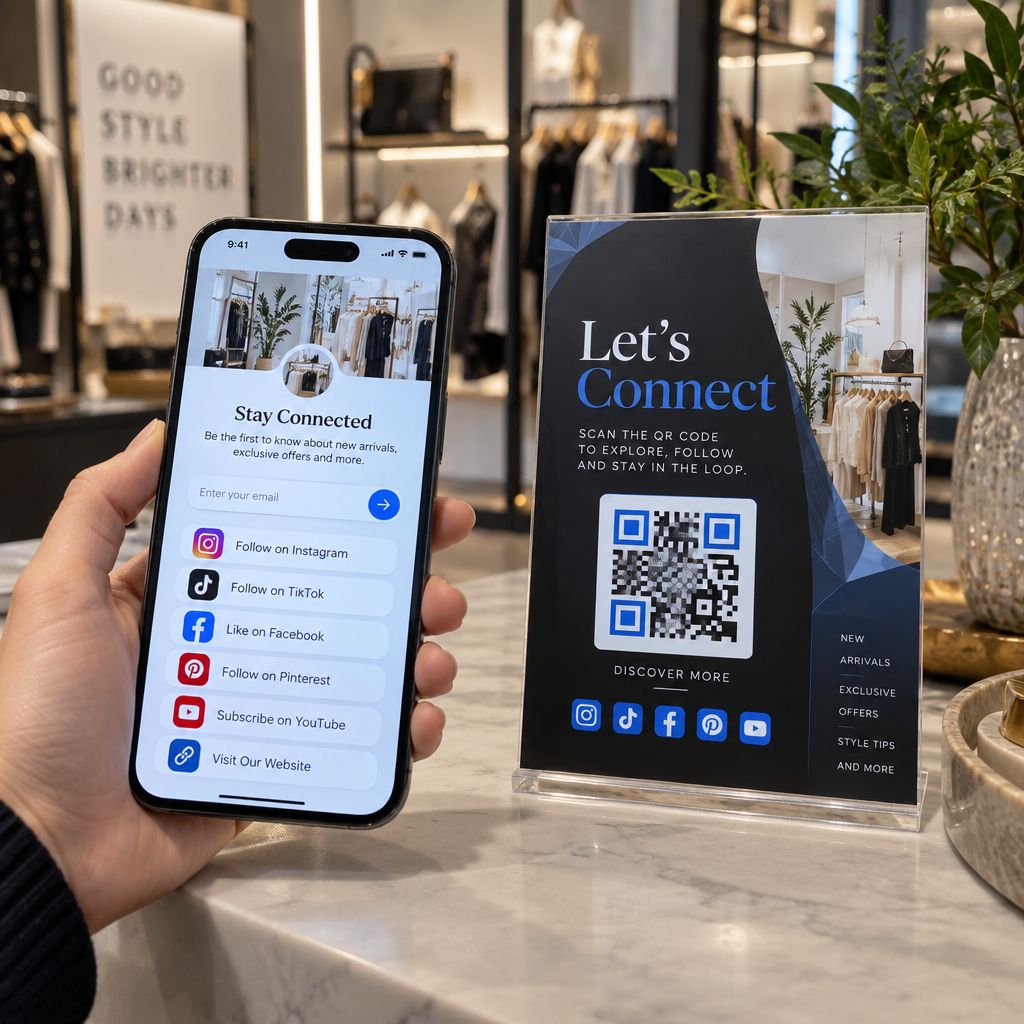
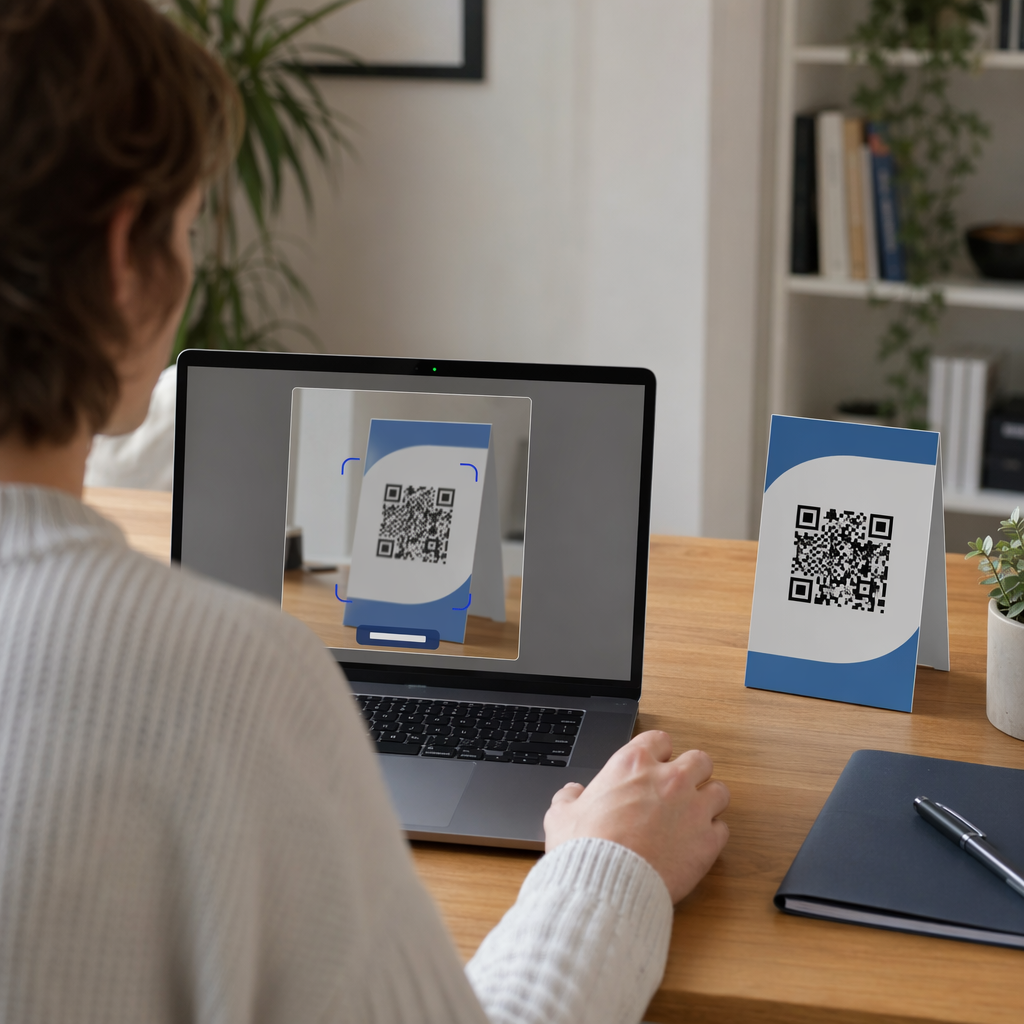
Un codice QR stampato sulla confezione, su una scheda inserto o sul prodotto stesso offre ai clienti un percorso senza attriti per registrarsi. Aprono la fotocamera del telefono, scansionano il codice e atterrano direttamente su un modulo di registrazione o una landing page brandizzata – senza digitare, senza cercare, senza posta.
Nel momento in cui inviano il modulo, ricevi dati di proprietà strutturati: nome, informazioni di contatto, data di acquisto e qualsiasi campo personalizzato che configuri. Queste informazioni alimentano direttamente i tuoi registri senza inserimento manuale di dati da nessuna delle due parti.
Questo approccio si allinea con il più ampio cambiamento nel packaging dei prodotti verso la connessione di articoli fisici a contenuti digitali. Il riconoscimento a livello industriale che i codici QR sulle confezioni possono servire come gateway persistenti per informazioni sul prodotto, dettagli di garanzia e registrazione riflette una funzione che va ben oltre ciò che un codice a barre tradizionale può trasportare. I codici QR sulle confezioni dei prodotti possono portare questo link di registrazione direttamente nelle mani del cliente nel momento in cui aprono la scatola.
Pronto ad aggiungere codici QR di registrazione ai tuoi prodotti? Crea codici QR tracciabili e modificabili per le tue confezioni o inserti utilizzando il Generatore di QR code dinamici. Aggiorna la destinazione del modulo collegato in qualsiasi momento – nessuna ristampa richiesta.
Scelta del tipo di codice QR giusto per la registrazione
Non tutti i codici QR servono un flusso di lavoro di registrazione della garanzia altrettanto bene. La distinzione critica è tra codici statici e dinamici.
UN codice QR statico codifica un URL fisso direttamente nel suo schema. Una volta stampato, non puoi cambiare dove punta. Se l'URL del tuo modulo di registrazione cambia, il codice su migliaia di unità diventa inutile.
UN codice QR dinamico codifica un URL di reindirizzamento breve che controlli da una dashboard. Puoi aggiornare la destinazione in qualsiasi momento senza toccare il codice stampato. Questo è importante per la registrazione della garanzia perché i moduli di registrazione vengono migrati tra piattaforme, le pagine stagionali o specifiche per linea di prodotto vengono sostituite e potresti aver bisogno di reindirizzare le scansioni a una pagina di avviso durante un aggiornamento o un richiamo del prodotto.
Per la registrazione del prodotto, i codici QR dinamici sono l'impostazione predefinita pratica. La capacità di modificare le destinazioni dopo la stampa – combinata con l'analisi delle scansioni – li rende molto più utili per la raccolta continua di dati sulla proprietà. Puoi esplorare la ripartizione completa delle capacità nel confronto tra codici QR statici e dinamici.
Configurazione di un flusso di lavoro di registrazione con codice QR
Costruire un sistema di registrazione e attivazione della garanzia basato su QR è più semplice di quanto possa sembrare. I seguenti passaggi coprono l'intera configurazione, dalla selezione del modulo al tracciamento post-lancio.
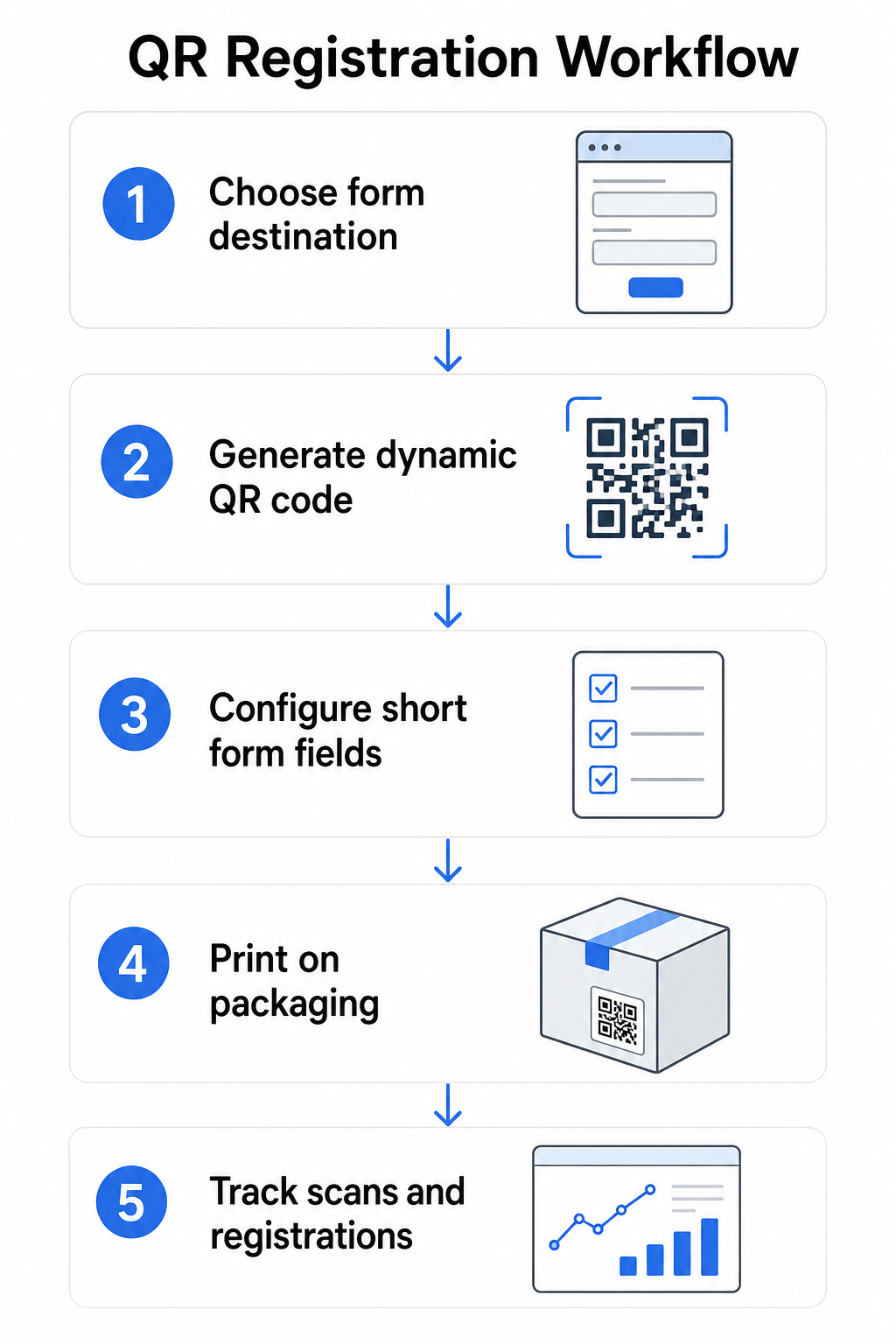
Passaggio 1: Scegli la destinazione del tuo modulo
Hai due opzioni principali per ciò a cui il codice QR si collega. Un Google Form è veloce da configurare e funziona bene per la raccolta di campi strutturati. Usa il Generatore di QR code per Google Form per convertire il link di condivisione del tuo modulo in un codice scansionabile.
UN landing page personalizzata è una pagina ottimizzata per dispositivi mobili che presenta il tuo modulo di registrazione insieme ai dettagli del prodotto, ai termini di garanzia e agli elementi visivi del marchio. La funzione di Pageloot Pagine di destinazione ti consente di creare e aggiornare queste pagine senza assistenza tecnica. L'opzione della pagina di destinazione tende a funzionare meglio per l'esperienza del cliente perché controlli il design completo, puoi visualizzare chiaramente i termini di garanzia e puoi includere più link o chiamate all'azione – come un link al manuale del prodotto insieme al modulo di registrazione.
Passaggio 2: Genera un codice QR dinamico
Crea il codice QR utilizzando la funzione di Pageloot Generatore di QR code dinamici e puntalo alla destinazione scelta. Aggiungi il logo e i colori del tuo marchio per rendere il codice riconoscibile sulla confezione. Mantieni il logo entro il 30% dell'area del codice per preservare la scansionabilità e utilizza un livello di correzione degli errori elevato (Q o H) quando aggiungi elementi visivi del marchio.
Passaggio 3: Configura i campi del modulo di registrazione
Raccogli ciò di cui hai effettivamente bisogno per scopi di garanzia e proprietà. I campi tipici includono:
- Nome del cliente e indirizzo email
- Data di acquisto
- Luogo di acquisto (rivenditore o canale)
- Numero di serie del prodotto (se non precompilato)
- Opzionale: feedback sul prodotto o metodo di contatto preferito
La minimizzazione dei dati non è solo una buona pratica per la privacy – migliora anche i tassi di completamento. I moduli più brevi ottengono più invii.
Passaggio 4: Posiziona il codice QR sulla confezione o sugli inserti
Per una scansione affidabile, il posizionamento sulla confezione del prodotto segue alcuni principi coerenti:
- Dimensiona il codice ad almeno 1 pollice (2,5 cm) di larghezza
- Stampa su una superficie piana e liscia – evita pieghe, cuciture o aree curve
- Utilizza un contrasto elevato (il nero su bianco funziona meglio; mantieni un rapporto di contrasto di almeno 3:1)
- Lascia una zona di silenzio chiara – un margine vuoto – intorno al codice
- Testa il codice stampato sul substrato effettivo prima di finalizzare le tirature di produzione
Per uno sguardo più approfondito alle considerazioni specifiche per le etichette, consulta la guida ai codici QR sulle etichette dei prodotti e Come stampare un QR code su un'etichetta.
Passaggio 5: Traccia le registrazioni e i dati di scansione
Una volta che il codice è attivo, la tua dashboard Pageloot mostra il numero di scansioni, la posizione geografica delle scansioni, il tipo di dispositivo e l'ora del giorno. Questo ti dice non solo quanti clienti si sono registrati, ma quando e dove si sono impegnati – utile per identificare se il posizionamento della confezione funziona e se certi mercati o canali hanno tassi di registrazione inferiori rispetto ad altri.
Scopri chi si sta registrando – e chi no Usa Tracciamento delle scansioni del codice QR per monitorare l'engagement di registrazione per regione, dispositivo e ora. Individua i cali precocemente e aggiorna la destinazione del tuo modulo senza ristampare.
Quali dati puoi raccogliere – e quali dovresti
I codici QR supportano due distinti livelli di raccolta dati, e comprendere la differenza ti aiuta a impostare correttamente il tuo programma fin dall'inizio.
Dati a livello di scansione vengono raccolti automaticamente quando qualcuno scansiona un codice QR dinamico. Questo include il numero di scansioni, la posizione della scansione (paese e regione), il tipo di dispositivo (iOS o Android) e il timestamp. Questi dati vengono raccolti senza che il cliente fornisca alcuna informazione personale – riflettono l'engagement con il codice stesso. Per una ripartizione completa di ciò che viene acquisito, vedi quali dati raccolgono i codici QR dinamici.
Dati di registrazione – nomi, indirizzi email, date di acquisto e dettagli di contatto – vengono raccolti solo quando un cliente completa volontariamente il modulo sulla pagina collegata. Questi sono dati di prima parte, forniti direttamente e con consapevolezza dal cliente. La piattaforma di Pageloot supporta questo modello: i clienti condividono informazioni tramite moduli o pagine di destinazione dopo la scansione, mantenendo la raccolta dati basata sul consenso e trasparente.
Per scopi di garanzia e proprietà, hai bisogno di dati di registrazione. Per capire se il tuo programma di registrazione funziona su larga scala, i dati a livello di scansione forniscono un contesto prezioso.
Considerazioni sulla privacy e legali
La raccolta dei dati di registrazione del prodotto comporta obblighi di conformità che variano in base alla categoria di prodotto e alla giurisdizione.
Per prodotti durevoli per neonati o bambini piccoli regolamentato ai sensi del 16 CFR Parte 1130, il CPSC richiede che tu:
- Fornisci una scheda di registrazione fisica preaffrancata con ogni unità
- Offri un'opzione di registrazione elettronica (sito web o email) come supplemento – non un sostituto – per la scheda fisica
- Mantieni registri dei nomi, indirizzi e indirizzi email dei registranti
- Utilizza i dati di registrazione solo per avvisi di sicurezza e richiami, non per scopi di marketing
Un codice QR che si collega al tuo modulo di registrazione online soddisfa il requisito di registrazione elettronica in questo quadro, ma non sostituisce il requisito della scheda fisica per i prodotti coperti.
Per la registrazione della garanzia più in generale, il Legge Magnuson-Moss sulle garanzie distingue tra garanzie complete e limitate. I prodotti con una garanzia “completa” non possono richiedere la registrazione come condizione di copertura. I prodotti con una garanzia “limitata” possono richiedere la registrazione solo se il requisito è chiaramente divulgato prima dell'acquisto. Qualsiasi condizione di registrazione deve apparire nei termini di garanzia a cui i consumatori possono accedere prima della vendita.
Per la privacy dei dati, le aziende statunitensi che raccolgono informazioni personali tramite moduli di registrazione online dovrebbero fornire un'informativa sulla privacy al momento o prima del punto di raccolta, descrivendo quali dati vengono raccolti, perché e per quanto tempo verranno conservati. Ai sensi del CPRA della California, la raccolta e la conservazione devono essere limitate a quanto ragionevolmente necessario per lo scopo dichiarato. Se i tuoi prodotti possono raggiungere famiglie con bambini sotto i 13 anni, assicurati che il tuo modulo online sia conforme ai requisiti del COPPA per il consenso parentale verificabile prima di raccogliere dati personali da quella fascia d'età.
Per maggiori dettagli sugli obblighi di privacy dei dati dei codici QR tra le giurisdizioni, vedi Leggi sulla privacy dei codici QR: Regolamenti chiave.
Utilizzo dei codici QR lungo il ciclo di vita del prodotto
La registrazione della garanzia è una parte di un'opportunità più ampia. Lo stesso codice QR sul tuo prodotto può svolgere molteplici funzioni lungo l'intero percorso di proprietà:
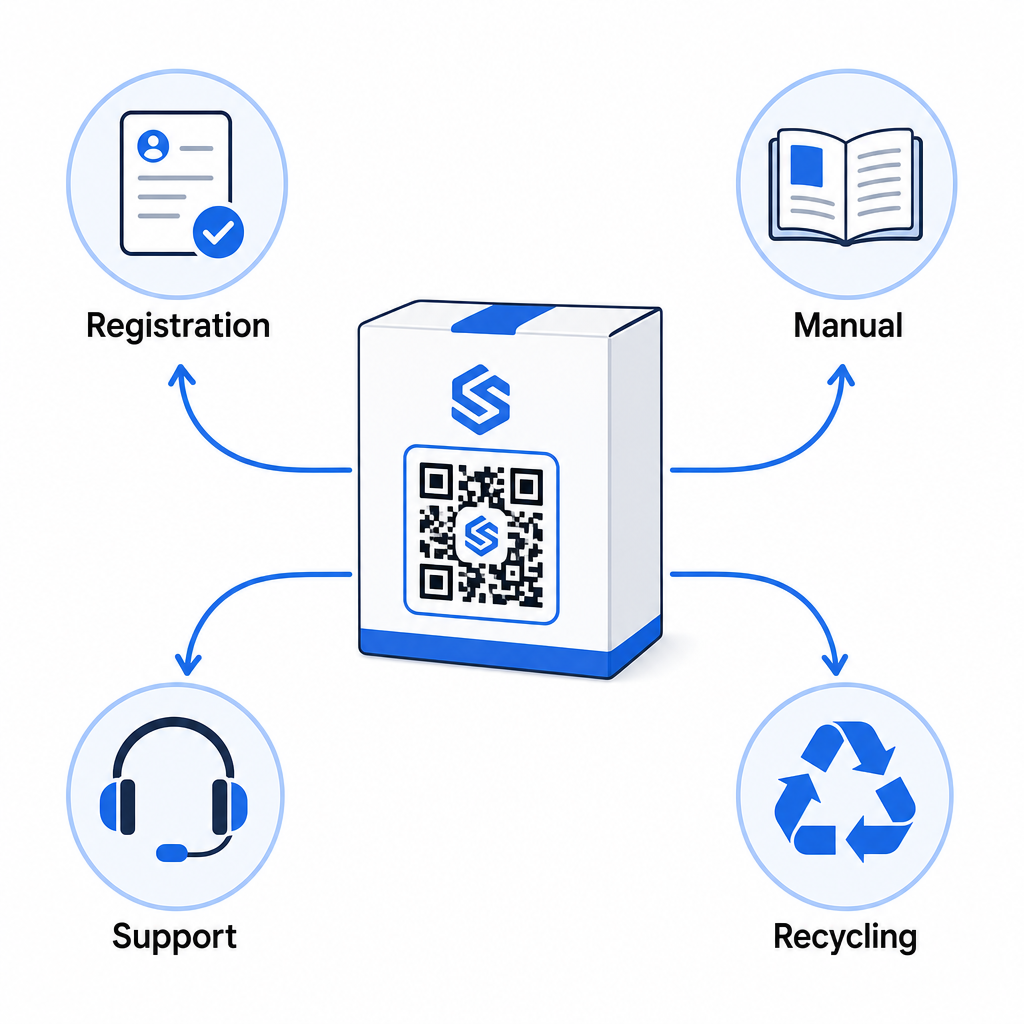
- All'unboxing: indirizza al modulo di registrazione e all'attivazione della garanzia
- Durante la proprietà: collega al manuale del prodotto, alle FAQ o ai video tutorial
- Per il supporto: si collega a un modulo di richiesta di servizio o alla chat dal vivo
- A fine vita: fornisce istruzioni per il riciclo o il ritiro dell'usato
Poiché i codici QR dinamici ti consentono di aggiornare la destinazione senza ristampare, puoi evolvere ciò che il codice fa nel tempo. Un codice stampato oggi per la registrazione può in seguito puntare a una pagina di aggiornamento firmware, un avviso di richiamo o un programma fedeltà – senza alcuna modifica all'imballaggio fisico.
Questo approccio al ciclo di vita è ulteriormente esplorato in Codici QR per il tracciamento del ciclo di vita del prodotto e Codici QR nella produzione: Tracciamento di materiali e prodotti.
Per i produttori che gestiscono la registrazione del prodotto su più SKU o linee di prodotti, una dashboard centralizzata per la gestione dei codici QR diventa essenziale. Vedi Strumenti di gestione dei codici QR aziendali per una guida sulla gestione dei codici QR su larga scala, inclusa la generazione in blocco e l'analisi per codice.
Per Iniziare
Un codice QR per la registrazione del prodotto non è un progetto tecnico – è una decisione di packaging. Generi un codice dinamico, lo punti al tuo modulo di registrazione o alla landing page, lo stampi sull'inserto o sulla scatola e inizi a raccogliere dati di proprietà nel momento in cui i prodotti raggiungono i clienti.
La differenza tra una scheda di registrazione fisica e un codice QR è la differenza tra chiedere a qualcuno di spedire una lettera e dargli un telefono. I clienti che non restituirebbero mai una scheda scannerizzeranno un codice in meno di 10 secondi.
Inizia con una linea di prodotti. Crea un codice QR dinamico utilizzando il Generatore di codici QR di Pageloot, collegalo al tuo modulo di registrazione e traccia come i tassi di scansione e invio si confrontano con il tuo precedente metodo di registrazione. Una volta che vedi la differenza nell'engagement, espandere al tuo catalogo completo è semplice.
Domande frequenti
No. Ai sensi della 16 CFR Parte 1130, i produttori e gli importatori di prodotti durevoli per neonati o bambini piccoli devono includere una scheda di registrazione fisica preaffrancata con ogni unità. La registrazione online tramite un codice QR soddisfa l'opzione di registrazione elettronica richiesta, ma deve integrare la scheda fisica, non sostituirla. Entrambi sono richiesti.
Se tu usi un codice QR dinamico, puoi aggiornare l'URL di destinazione dalla tua dashboard in qualsiasi momento senza ristampare o modificare il codice fisico. Questo è uno dei motivi principali per cui i codici QR dinamici sono consigliati per la registrazione del prodotto – ti protegge da link interrotti quando i moduli vengono migrati o aggiornati. I codici QR statici non possono essere modificati dopo la stampa.
Raccogli solo ciò di cui hai veramente bisogno per soddisfare lo scopo della registrazione – tipicamente nome del cliente, indirizzo email, data di acquisto, luogo di acquisto e numero di serie del prodotto. Ai sensi dei principi di minimizzazione dei dati richiesti da leggi come il CPRA della California, la raccolta dovrebbe essere limitata a quanto ragionevolmente necessario per lo scopo dichiarato. Meno campi migliorano anche i tassi di completamento del modulo, quindi un modulo snello serve sia agli obiettivi di conformità che a quelli aziendali.