首页 > 指南 > How to Create Eye-Catching QR Codes That Get Scans
扫描品牌二维码

How to Create Eye-Catching QR Codes That Get Scans

Transform plain QR codes into high-converting visual assets. Learn best practices for color contrast, adding brand logos, CTA frames, and dynamic tracking.
Updated on 8 月 29, 2026
目录

Are your physical marketing materials failing to drive traffic to your digital content? Generic black-and-white QR codes often blend into background visual noise, resulting in missed customer interactions and wasted campaign budgets. By applying strategic color contrast, custom branding, clear calls to action, and dynamic tracking, you can transform plain codes into high-converting visual assets.

Prioritize Scannability with High Color Contrast

Visual design should never compromise functional scannability. Camera sensors decode QR patterns by measuring the light reflection contrast between foreground modules and background surfaces. Darker shades absorb light while lighter shades reflect it, allowing optical lenses to read embedded data points clearly.

To maintain maximum readability across varying lighting conditions, apply established QR code color contrast guidelines:

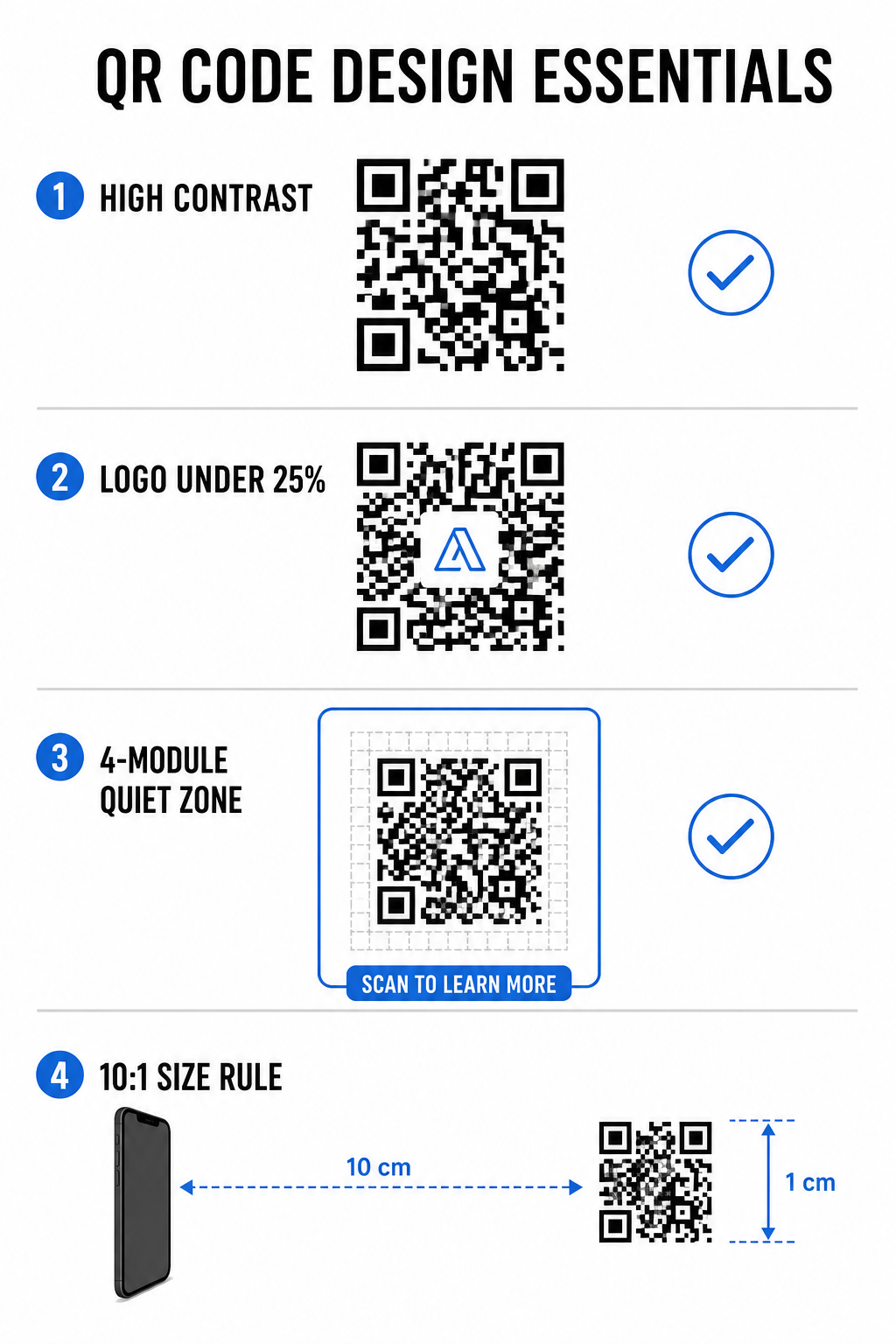
  • Maintain dark foregrounds on light backgrounds: Select solid, dark pattern colors such as navy, charcoal, or dark burgundy on clean, light backgrounds. Standard black on white delivers an optimal 21:1 contrast ratio.
  • Meet standard contrast ratio requirements: Maintain a minimum contrast ratio of 4.5:1 for small printed materials and at least 3:1 for larger signage displays.
  • Avoid internal gradients and drop shadows: Skip multi-toned gradients and soft drop shadows, as mid-tone shades create visual noise that confuses optical sensors.
  • Skip color inversion designs: Avoid using light patterns on dark backgrounds, as reversed designs fail on many native smartphone camera scanners.

Integrate Your Brand Logo Without Sacrificing Readability

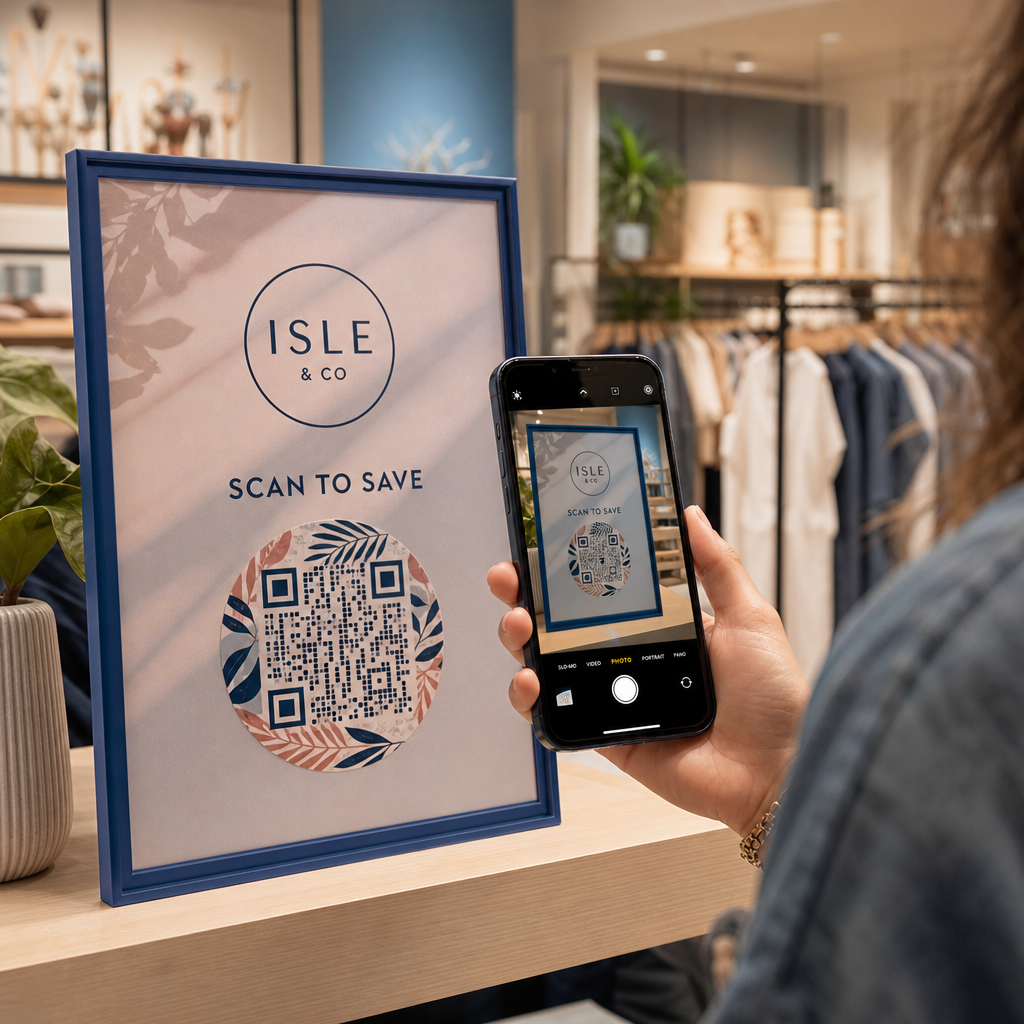
Placing a company logo inside a QR matrix builds instant brand recognition and reassures users that the destination URL is legitimate. Reviewing real-world examples of branded QR codes demonstrates that custom designs generate higher user engagement than plain monochrome boxes.

When learning 如何在二维码中添加标志, protect critical scanner detection zones to keep your code readable:

  • Center the logo position: Place graphics directly in the center of the grid, ensuring the three large square alignment patterns in the corners remain completely unobstructed.
  • Limit total logo coverage: Keep logo dimensions to 25% or less of total QR width and height, never exceeding 30% of the overall surface area.
  • Select higher error correction levels: Set Reed-Solomon Error Correction to Level Q (recovers up to 25% of covered data) or Level H (recovers up to 30%) so scanners can reconstruct missing pattern information.
  • Protect logo background contrast: Add a plain white border around dark brand icons to prevent logo edges from merging with surrounding pattern modules.

Create Branded QR Codes in Seconds Want to elevate your marketing materials with custom colors, logos, and high-converting frames? Start designing scannable codes today with our 带标志的二维码生成器.

Frame Your QR Code with Clear Calls to Action

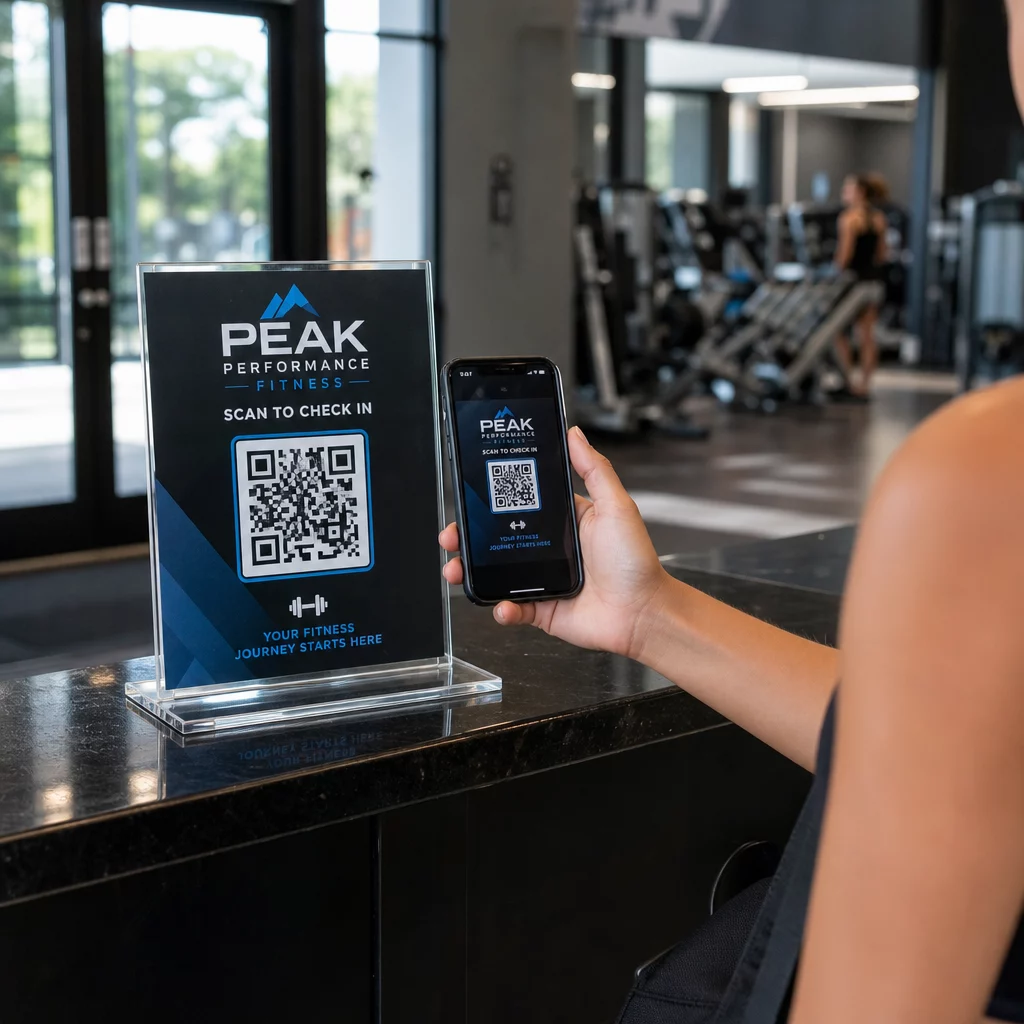
An unlabelled QR code gives customers no compelling reason to scan. Adding a call-to-action (CTA) frame provides immediate context, telling users exactly what value or content awaits them.

QR code design essentials

Using effective QR code CTA frames helps guide user behavior and increase conversion rates:

  • Add benefit-driven microcopy: Replace generic labels with explicit instructions such as “Scan for 20% Off,” “Scan to View Menu,” or “Scan for Free WiFi.”
  • Protect the quiet zone: Maintain an unobstructed margin of at least four modules on all four sides of the code, keeping frame borders and text outside this space.
  • Apply pre-built visual templates: Use designed QR 码模板 to ensure framing matches your print assets while adhering to technical quiet-zone rules.
要素 Recommended Standard 重要性
Quiet Zone Margin Minimum 4 modules on all sides Prevents surrounding graphics from disrupting camera recognition
Logo Coverage 20% to 25% of total surface area Keeps essential data modules readable while maintaining brand visibility
对比度 Minimum 4.5:1 (small print) / 3:1 (large print) Guarantees clear distinction between foreground dots and background
最小打印尺寸 0.8 x 0.8 英寸 (2 x 2 厘米) Ensures standard mobile camera lenses can focus properly at close range

Scale Code Dimensions for Strategic Physical Placement

Even a visually appealing QR code will fail if physical placement prevents comfortable scanning. Effective positioning requires evaluating viewing distance, surface texture, mounting height, and print scaling.

Following established guidelines for 营销中的二维码放置 helps ensure reliable performance:

  • Calculate dimensions using viewing distance: Apply the 10:1 ratio rule, where every 10 cm of scanning distance requires at least 1 cm of QR code width.
  • Position materials at natural viewing heights: Mount signs and print displays between 3.5 and 5.5 feet off the ground so users can scan without ducking or reaching awkward angles.
  • Select flat, non-reflective print materials: Choose matte surfaces over glossy laminates or curved packaging to eliminate light glare and pattern distortion.
  • Export graphics in high-resolution vector formats: Review broader QR code design tips for better scans to ensure graphics are exported as SVG or EPS files for crisp printing.

Use Dynamic QR Codes to Track and Optimize Campaigns

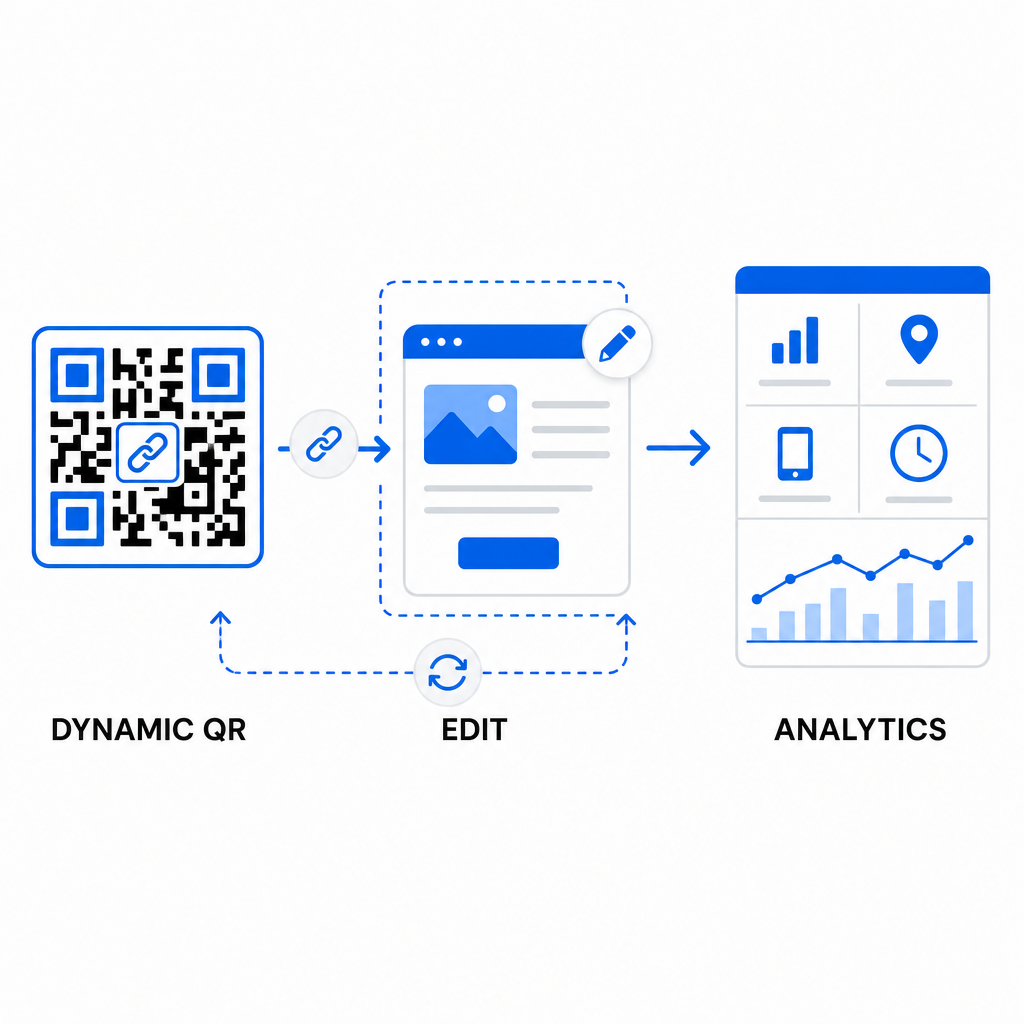
Static QR codes encode target URLs directly into the matrix pattern, resulting in dense grids that are difficult to scan from a distance. Dynamic QR codes route scanners through a short URL, keeping the matrix pattern clean while enabling post-print flexibility.

Dynamic QR campaign analytics

Implementing dynamic workflows supports continuous optimization for 提高二维码转化率:

  • Update destination URLs without reprinting: Modify landing page links, promotional offers, or digital files anytime without replacing physical print assets.
  • Capture actionable scan analytics: Track total scans, geographic locations, device types, and scan times to measure campaign performance in real time.
  • Perform structured A/B testing: Compare different frame designs, CTAs, or landing pages by changing one variable at a time and tracking unique URLs.

Designing visual QR codes requires balancing creative branding with core technical requirements. By combining strong color contrast, protected quiet zones, action-oriented CTA frames, and dynamic tracking, you can turn physical touchpoints into measurable digital interactions.

Explore our full range of custom QR code features to design high-converting visual assets, or start building your next campaign with the Pageloot QR码生成器 。.

常见问题

How big should a QR code be on printed materials?

For close-range materials like business cards or restaurant menus, QR codes should be at least 0.8 x 0.8 inches (2 x 2 cm). For signs viewed from a distance, follow the 10:1 ratio rule, where every 10 cm of scanning distance requires at least 1 cm of QR code width.

添加徽标会使二维码更难扫描吗?

Adding a logo will not disrupt scanning as long as you set your error correction level to Q or H (which recovers up to 25% or 30% of data) and keep the logo coverage under 25% of the code area without obstructing the corner position markers.

Can I change where my QR code links after it has been printed?

Yes, provided you use a dynamic QR code. Dynamic codes store an editable short URL, allowing you to update the target link or digital content at any time from your management dashboard without reprinting physical materials.

关于作者

Siim Kostabi 是 Pageloot 的内容主管,负责撰写关于我们创新型二维码生成器服务的文章。凭借五年多来在二维码领域积累的深厚专业知识,Siim 是该领域的专家。他致力于利用二维码技术简化和增强数字交互,并取得了显著的成果。.

类别
了解更多关于
QR QR码的#1解决方案

如果您需要在线创建QR码,则可以 制作二维码 就在这里免费!
Pageloot是 #1转到解决方案 创建和扫描QR码。

BL-0360

博客生成器

受到超过 20,000 个品牌的信赖,可获得更多销售、评论和关注者。

客户徽标
受到顶级品牌的信赖
评分为 4.8(共 5)

4.86 / 5 星评级

雨果·劳伦特
雨果·劳伦特
餐馆老板
有史以来最容易和最可靠的QR码生成器。PDF文件可以立即上传。我们的餐厅菜单现在是数字化的。
卢卡斯-詹森
卢卡斯-詹森
房地产开发商
这是一个很好的工具,二维码带你到你想要的地方。我们只使用位置二维码,但有许多有用的功能。
艾玛-莫雷蒂
艾玛-莫雷蒂
零售产品
易于使用和快速。它工作得很好,创造了一个完美的图像,所以员工可以下载我的vCard。
雨果·劳伦特
雨果·劳伦特
餐馆老板
有史以来最容易和最可靠的QR码生成器。PDF文件可以立即上传。我们的餐厅菜单现在是数字化的。
卢卡斯-詹森
卢卡斯-詹森
房地产开发商
这是一个很好的工具,二维码带你到你想要的地方。我们只使用位置二维码,但有许多有用的功能。
艾玛-莫雷蒂
艾玛-莫雷蒂
零售产品
易于使用和快速。它工作得很好,创造了一个完美的图像,所以员工可以下载我的vCard。
查看更多QR码
iPhone 扫描二维码
使用扫描二维码 苹果手机
将一切转化为数字体验 不到3分钟。

免费试用 14 天。

无需信用卡。

首次购买可享受 30% 折扣

使用代码:

分享您的 MP3 文件

注册以创建 PDF QR 码

上传和显示你需要的一切。

  • 音频文件
  • 播客
  • 音乐

注册即可享 14 天免费试用。.
试用期结束后,二维码将失效。.

注册以创建音频 mp3 二维码

使用边框获得更多扫描

注册以向您的二维码添加更多框架

呼叫行动框架帮助您的客户与QR码轻松互动。试试吧!

注册即可享 14 天免费试用。.
试用期结束后,二维码将失效。.

注册以向您的二维码添加更多框架

使用形状添加更多样式

注册以创建更多形状

二维码不一定是方形的。试着改变它以适应你的品牌形象。

注册即可享 14 天免费试用。.
试用期结束后,二维码将失效。.

注册以创建更多形状

为您的二维码添加徽标

注册以将您的徽标添加到二维码中

通过在二维码上添加你的标志和品牌,使你的二维码脱颖而出。

注册即可享 14 天免费试用。.
试用期结束后,二维码将失效。.

注册以将您的徽标添加到二维码中

智能应用商店重定向

注册以创建应用商店二维码

将您的应用程序链接添加到我们的智能应用程序商店QR码。用户会根据他们的设备被重新定向。

注册即可享 14 天免费试用。.
试用期结束后,二维码将失效。.

注册以创建应用商店二维码

将图片上传到二维码

注册以创建图像二维码

轻松分享你的图像。在几秒钟内动态地改变任何图像。

注册即可享 14 天免费试用。.
试用期结束后,二维码将失效。.

注册以创建图像二维码

分享您的 PDF 文件

注册以创建 PDF QR 码

上传和显示你需要的一切。

  • 菜单和价格表
  • 使用说明
  • 任何文件

注册即可享 14 天免费试用。.
试用期结束后,二维码将失效。.

注册以创建 PDF QR 码

稍后编辑,无需打印

注册即可编辑您的二维码,无需再次打印

动态QR码让你改变你的QR码的内容,而不需要打印新的QR码。

注册即可享 14 天免费试用。.
试用期结束后,二维码将失效。.

注册即可编辑您的二维码,无需再次打印

何时?何地?追踪您的二维码扫描

注册以追踪您的二维码

发现你的哪些二维码收到了最多的扫描,以及什么最能让你的客户兴奋。

注册即可享 14 天免费试用。.
试用期结束后,二维码将失效。.

注册以追踪您的二维码

提供可打印文件

注册以创建 PDF 和 SVG 等矢量二维码

.EPS, .PDF, .SVG

想下载高清分辨率的QR码吗?获得矢量或像素格式,可随时打印。

注册即可享 14 天免费试用。.
试用期结束后,二维码将失效。.

注册以创建 PDF 和 SVG 等矢量二维码

请等待。您的二维码是 正在加载... 正在加载...

打造专属

注册以保存您的二维码以供日后使用

通过创建具有不同颜色、标识和行动呼吁框架的出色的QR码,获得更多的扫描。

注册即可享 14 天免费试用。.
试用期结束后,二维码将失效。.

注册以保存您的二维码以供日后使用