Bạn có đang mất đi khách hàng tiềm năng di động vì việc nhập thủ công số điện thoại và từ khóa gây khó khăn cho khách hàng của bạn không? Việc buộc người dùng phải ghi lại thông tin liên hệ làm giảm tỷ lệ chuyển đổi trên các biển báo in, bao bì và màn hình kỹ thuật số. Tạo mã QR SMS tùy chỉnh ngay lập tức mở một tin nhắn văn bản đã điền sẵn trên điện thoại thông minh để khán giả của bạn có thể kết nối trong vài giây.
Cách Mã QR SMS Hoạt Động trên Thiết Bị Di Động
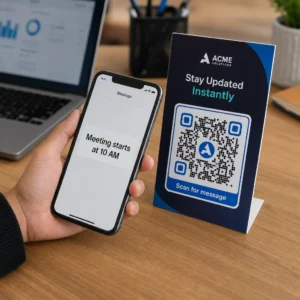
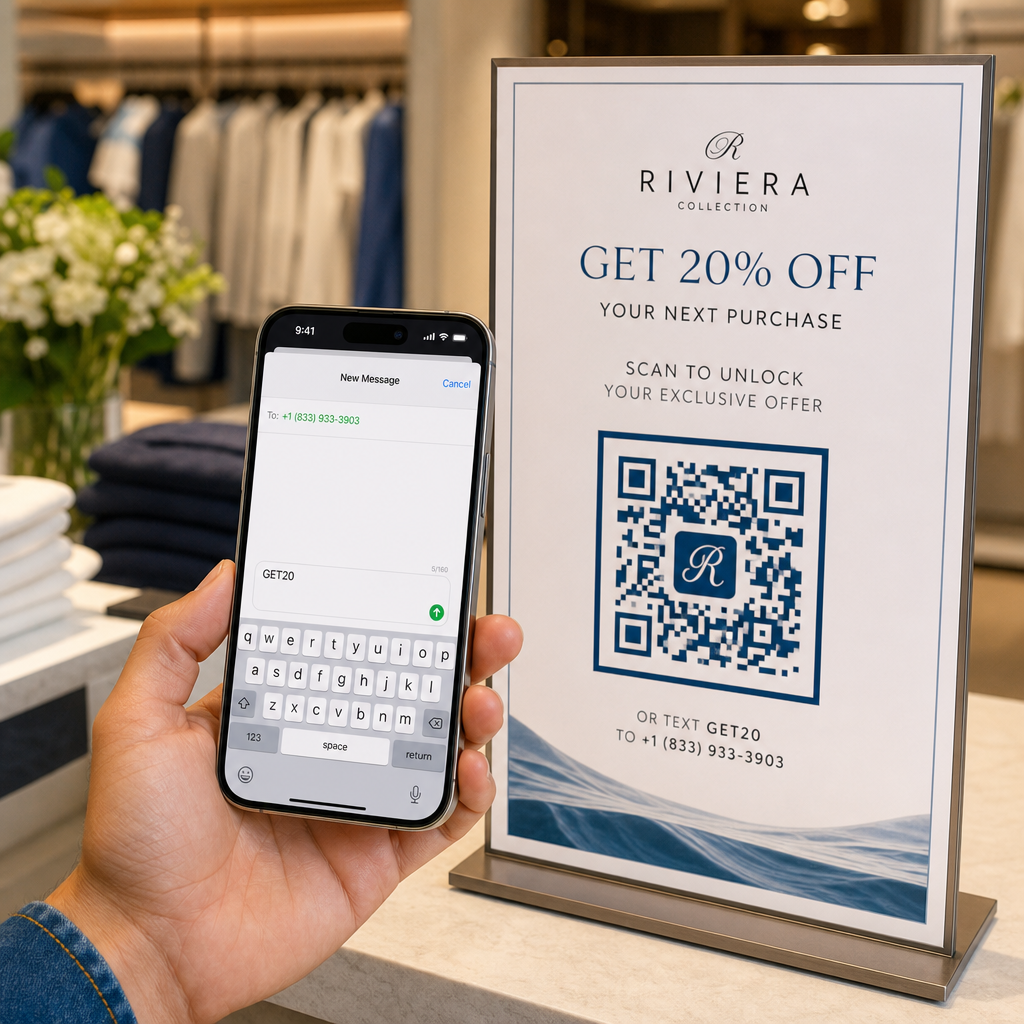
Mã QR SMS dựa trên giao thức Nhận dạng Tài nguyên Thống nhất (URI) `sms:` tiêu chuẩn. Khi khách hàng quét mã của bạn bằng camera điện thoại thông minh của họ hoặc một web-based Quét mã QR, hệ điều hành của điện thoại nhận dạng giao thức và ngay lập tức mở ứng dụng nhắn tin gốc.
Quá trình quét tự động điền vào hai trường cụ thể:
- Số điện thoại người nhận: Số đích được chỉ định, định dạng với mã quốc gia quốc tế.
- Nội dung tin nhắn đã điền sẵn: Một chuỗi văn bản cài đặt sẵn (chẳng hạn như "START" hoặc "SEND INFO") sẵn sàng trong cửa sổ soạn thảo.
Để đảm bảo an ninh và quyền riêng tư của người dùng, việc quét mã không tự động gửi tin nhắn văn bản. Người dùng phải tự tay nhấn nút gửi trong ứng dụng nhắn tin của họ để truyền SMS. Bước bổ sung này đảm bảo tính minh bạch đồng thời loại bỏ phiền phức khi phải nhập thủ công số điện thoại hoặc từ khóa tin nhắn.
Các doanh nghiệp thường triển khai mã QR văn bản đã điền sẵn để tạo khách hàng tiềm năng, yêu cầu hỗ trợ khách hàng, tham gia cuộc thi và theo dõi sau cuộc gọi trong các chiến dịch đa kênh tiếp thị qua điện thoại.
Các Bước Tạo Mã QR SMS Đã Điền Sẵn
Xây dựng một mã QR SMS tùy chỉnh không yêu cầu cài đặt phần mềm hay kinh nghiệm kỹ thuật. Thực hiện theo quy trình đơn giản này để tạo và xuất mã tin nhắn văn bản của bạn:
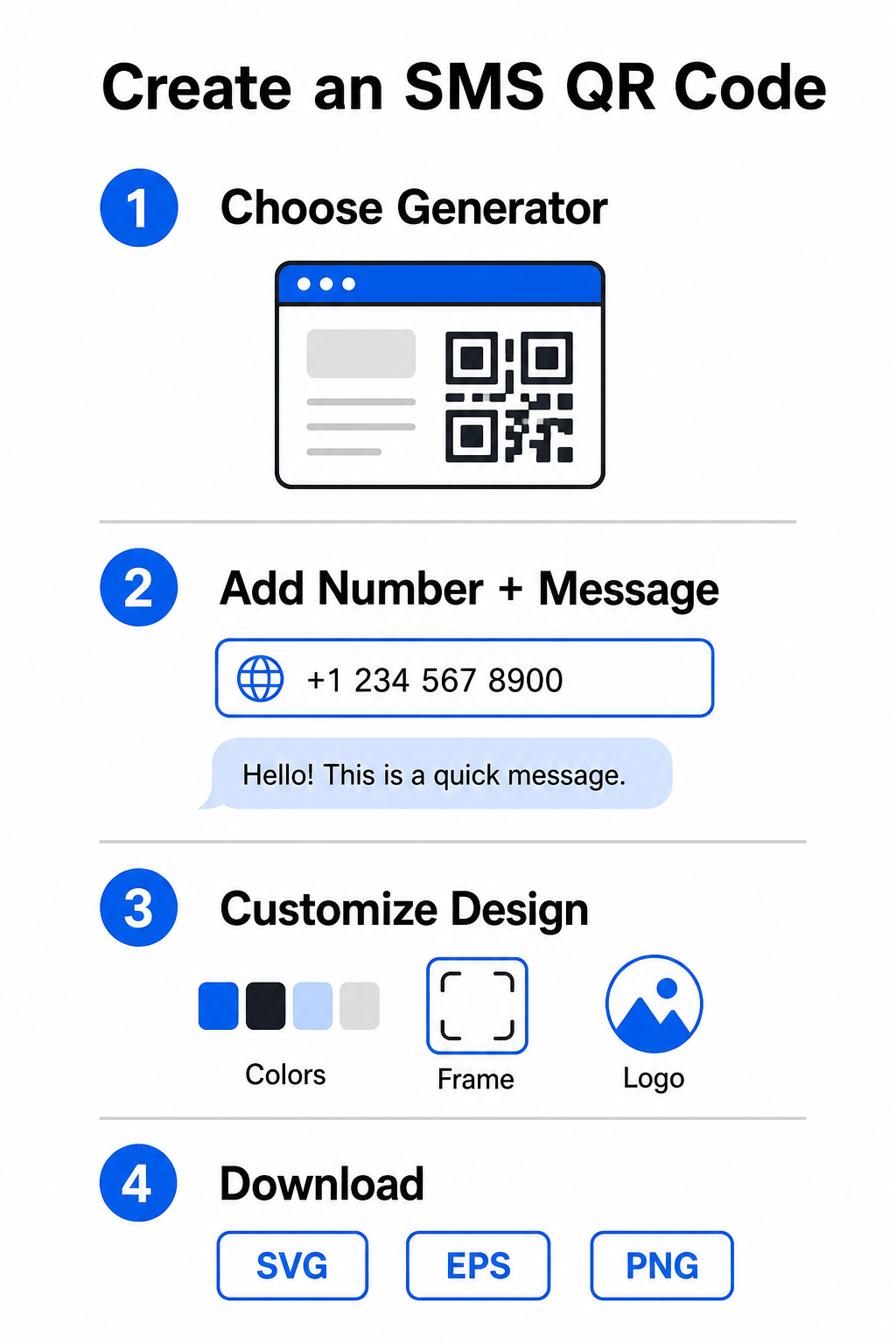
- Chọn một trình tạo SMS: Mở một online trình tạo mã QR hoặc một specialized Tạo mã QR văn bản.
- Nhập thông tin liên hệ: Nhập số điện thoại đích theo định dạng quốc tế (ví dụ: `+14155552671` cho số điện thoại ở Mỹ) không có dấu cách, dấu gạch ngang hoặc dấu ngoặc đơn, sau đó thêm tin nhắn văn bản đã điền sẵn của bạn.
- Tùy chỉnh các yếu tố hình ảnh: Căn chỉnh thiết kế với nhận diện thương hiệu của bạn bằng cách chọn màu sắc tùy chỉnh, thêm khung và nhúng logo của bạn với một Tạo mã QR có logo ở giữa.
- Tải xuống các tệp độ phân giải cao: Xuất hình ảnh đã hoàn thành của bạn ở định dạng vector như SVG hoặc EPS để in thương mại, hoặc PNG để đặt trực tuyến.
Bắt đầu Thu hút Khách hàng tiềm năng qua SMS ngay lập tức Bạn đã sẵn sàng loại bỏ ma sát khỏi các kênh giao tiếp di động của mình chưa? Sử dụng Trình tạo mã QR Pageloot để tạo mã QR SMS tùy chỉnh, sẵn sàng in cho doanh nghiệp của bạn ngay hôm nay.
Thực hành Thiết kế Tốt nhất để Dễ Dàng Quét
Mã QR được thiết kế kém gây ra lỗi quét và làm nản lòng khách hàng tiềm năng. Tuân thủ các thông số thiết kế cốt lõi này để duy trì hiệu suất đáng tin cậy trên tất cả các thiết bị di động:
| Yếu tố thiết kế | Thông số kỹ thuật được đề xuất | Mục đích |
|---|---|---|
| Kích thước tối thiểu | Ít nhất 0.8 x 0.8 inch (2 x 2 cm) | Đảm bảo cảm biến camera di động có thể phân giải các mô-đun dữ liệu ở cự ly gần. |
| Tỷ lệ quét | tỷ lệ khoảng cách-đến-kích thước 10:1 | Duy trì khả năng quét; một mã 2 inch hoạt động từ khoảng cách lên đến 20 inch. |
| Độ tương phản màu sắc | Nền tối trên nền sáng | Cung cấp sự khác biệt về độ phản xạ để cảm biến camera giải mã dữ liệu đáng tin cậy. |
| Vùng yên tĩnh | Khoảng trắng rõ ràng bằng 4 chiều rộng mô-đun | Tách mẫu mã khỏi đồ họa nền và các đường viền vật lý. |
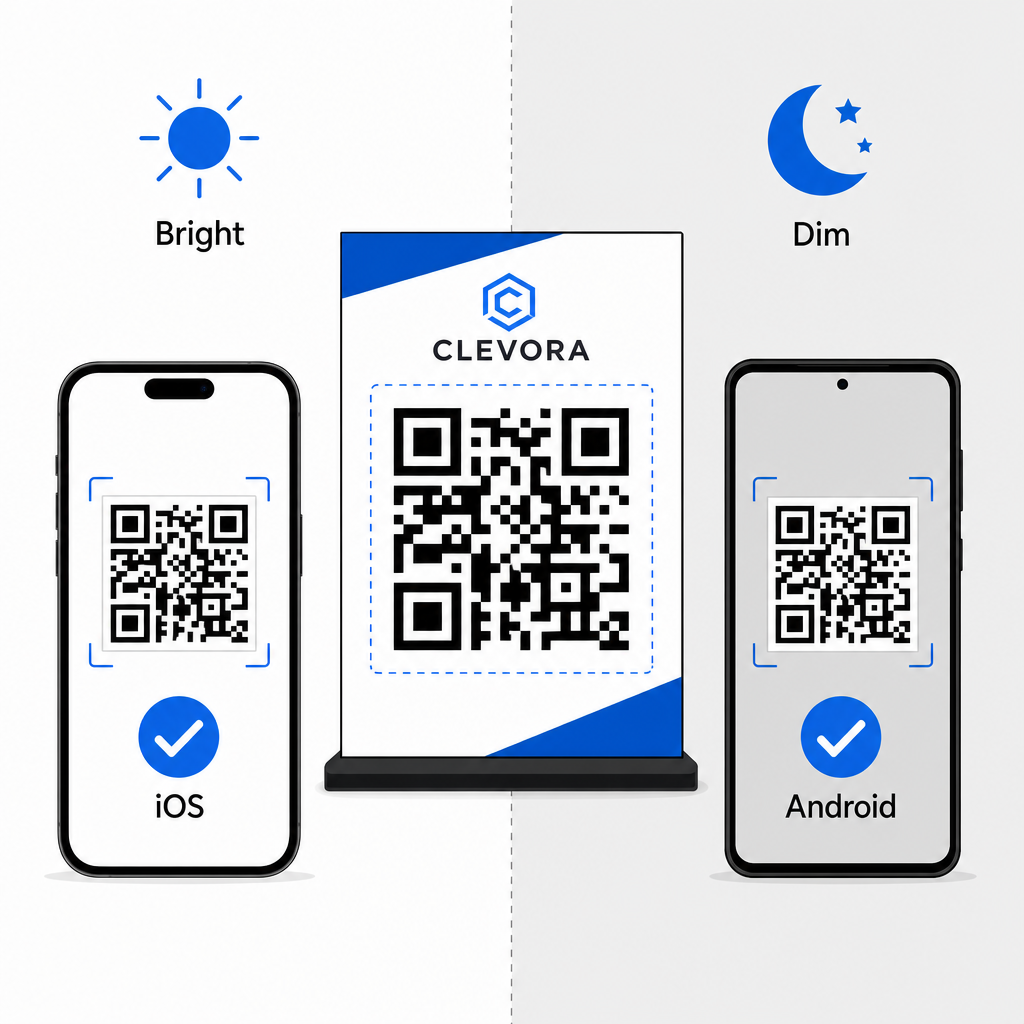
Luôn xác minh màn hình hiển thị vật lý hoặc kỹ thuật số của bạn trước khi khởi chạy chiến dịch. Quét mã của bạn bằng nhiều thiết bị iOS và Android trong các điều kiện ánh sáng khác nhau để xác nhận giải mã nhanh chóng. Bạn có thể đọc thêm về kiểm tra thiết bị trong hướng dẫn của chúng tôi về cách quét mã QR trên điện thoại thông minh. Để thực hiện chiến dịch rộng hơn, hãy khám phá các hướng dẫn của chúng tôi về chiến lược mã QR đúng cách trong tiếp thị và tổng thể các phương pháp hay nhất để đọc mã QR.
Tuân thủ SMS và Yêu cầu pháp lý
Khi sử dụng mã QR SMS để tiếp thị hoặc tiếp cận đối tượng ở Hoa Kỳ, các chiến dịch của bạn phải tuân thủ các quy định của Đạo luật Bảo vệ Người tiêu dùng Viễn thông (TCPA).
Mặc dù việc quét mã QR và gửi tin nhắn được điền sẵn cho thấy ý định trực tiếp của người dùng, nhưng tin nhắn quảng cáo tự động yêu cầu sự đồng ý bằng văn bản rõ ràng trước đó. Bảo vệ thương hiệu của bạn bằng cách thực hiện các biện pháp tuân thủ này:
- Cung cấp thông tin công bố rõ ràng: Đặt văn bản rõ ràng gần mã giải thích điều gì sẽ xảy ra khi người dùng quét và gửi tin nhắn (ví dụ, “Quét để tham gia câu lạc bộ VIP của chúng tôi và nhận chiết khấu tin nhắn hàng tuần”).
- Bao gồm các điều khoản bắt buộc: Thêm các thông báo quy định bắt buộc gần hình ảnh, chẳng hạn như “Cước tin nhắn và dữ liệu có thể được áp dụng.”
- Gửi chi tiết đăng ký nhận tin bắt buộc: Đảm bảo phản hồi tin nhắn tự động ban đầu của bạn xác nhận tên doanh nghiệp, tần suất tin nhắn, liên hệ hỗ trợ khách hàng và hướng dẫn hủy đăng ký (chẳng hạn như “Trả lời STOP để hủy”).
Hợp lý hóa Tiếp cận Di động của Bạn
Việc tích hợp mã QR SMS được điền sẵn vào các điểm tiếp xúc tiếp thị của bạn giúp loại bỏ lỗi gõ phím, tăng tốc hành động của người dùng và cải thiện tỷ lệ chuyển đổi khách hàng tiềm năng trên cả phương tiện in ấn và kỹ thuật số. Bằng cách kết hợp thông điệp kêu gọi hành động rõ ràng, định dạng hình ảnh phù hợp và tuân thủ quy định, bạn giúp khách hàng dễ dàng bắt đầu cuộc trò chuyện với doanh nghiệp của mình. Thiết kế mã QR SMS tùy chỉnh của bạn ngay hôm nay để bắt đầu thu hút khách hàng tiềm năng di động có ý định cao hơn.
Câu hỏi thường gặp
Không. Quét sẽ điền số điện thoại đích và văn bản nháp vào ứng dụng nhắn tin gốc của người dùng, nhưng người dùng phải tự chạm vào nút gửi để gửi tin nhắn.
Nhập số điện thoại theo định dạng quốc tế đầy đủ, bắt đầu bằng dấu cộng và mã quốc gia (ví dụ +1 cho Bắc Mỹ) mà không có khoảng trắng, dấu gạch ngang hoặc dấu ngoặc đơn.
Mã QR SMS tĩnh mã hóa số người nhận và nội dung tin nhắn trực tiếp vào mẫu đồ họa, khiến chúng không thể chỉnh sửa sau khi in. Để thay đổi nội dung đích một cách linh hoạt, hãy cân nhắc liên kết người dùng đến một trang đích web đã được cập nhật.