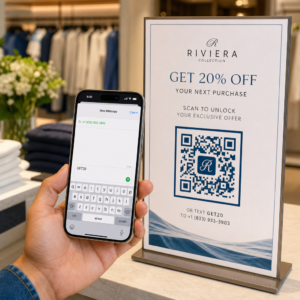
Вы проводите кампании с QR-кодами с поддержкой AR на мероприятиях, но не можете понять, что на самом деле работает? Без правильных метрик данные сканирования остаются неиспользованными, в то время как возможности для вовлечения упускаются. Это руководство расскажет вам, какие метрики важны, как их читать и как превратить эти данные в лучшие результаты мероприятий.
Что отличает отслеживание QR-кодов с AR
Традиционные QR-коды сообщают вам, сколько людей отсканировали код и, в общих чертах, где они находились, когда это сделали. QR-коды с поддержкой AR идут дальше. Поскольку опыт разворачивается внутри самого сканирования – через 3D-модели, видео наложения, пространственные элементы – существует больше значимых моментов для измерения.
Основное отличие заключается в том, что AR QR-коды требуют отслеживания как первоначального вовлечения (сканирования), так и иммерсивного взаимодействия (времени пребывания, взаимодействий с 3D-объектами, пространственного перемещения). Стандартное количество сканирований лишь сообщает вам, что кто-то начал опыт. Время пребывания, глубина взаимодействия и поведение после сканирования показывают, нашел ли он отклик.
В среднем, кампании WebAR показывают время пребывания от 60 до 120 секунд – значительно дольше, чем короткие взаимодействия, характерные для стандартных QR-кодов. Это расширенное окно вовлечения создает более богатый информационный след, но только если вы знаете, что фиксировать.
Основные метрики для отслеживания
Прежде чем настраивать какую-либо инфраструктуру отслеживания, определите, что означает успех для вашего конкретного мероприятия. Активация для повышения узнаваемости бренда имеет другие KPI, чем стенд для генерации лидов. Как только ваши цели ясны, каждая метрика имеет определенную роль.
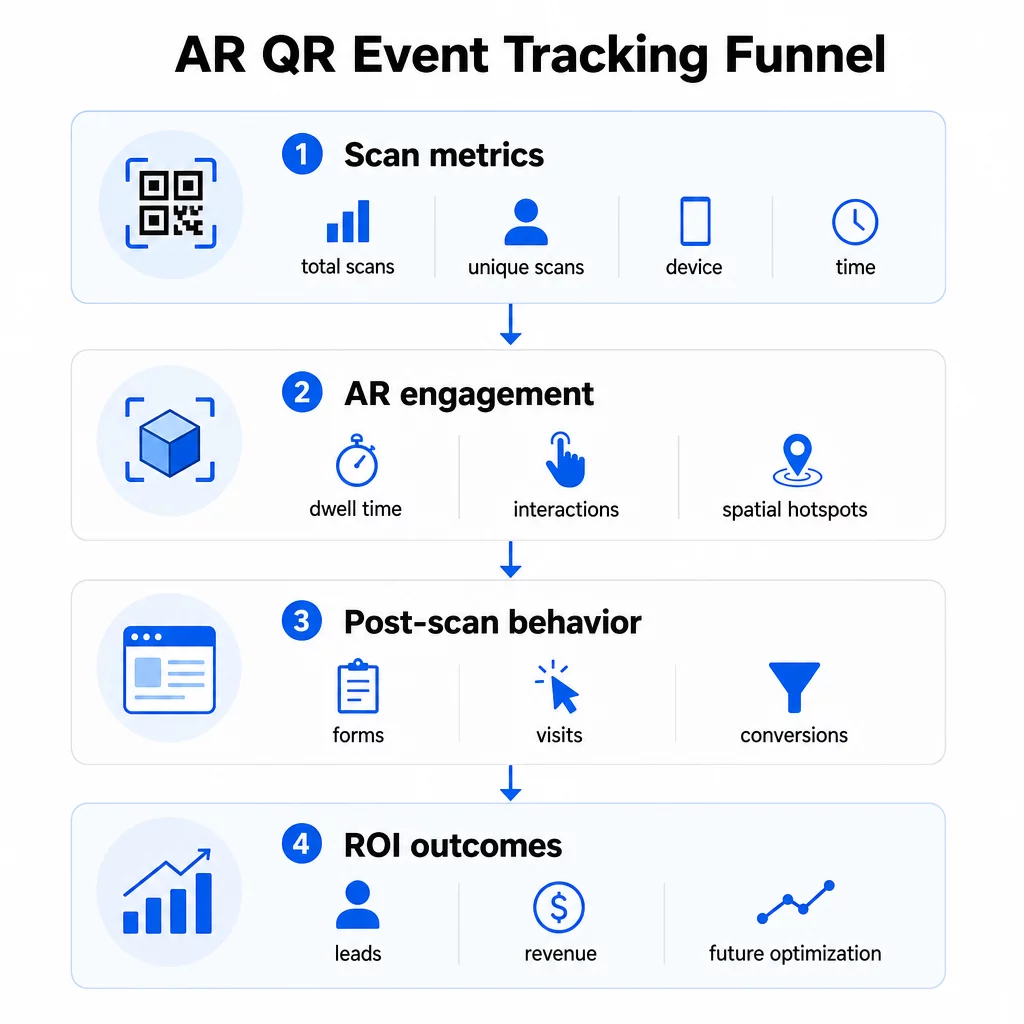
Метрики уровня сканирования формируют основу:
- ВСЕГО СКАНИРОВАНИЙ – общий охват и объем вовлечения
- Уникальные сканирования – приблизительное количество отдельных посетителей, которые взаимодействовали
- Частота сканирования (общее ÷ уникальное) – возвращаются ли люди к опыту, что сигнализирует о подлинном интересе
- Время и дата сканирования – пиковые окна вовлеченности помогают определить, какие сессии, стенды или временные интервалы вызвали наибольшую активность
- Данные об устройстве и ОС – знание того, использует ли ваша аудитория преимущественно iOS или Android, позволяет оптимизировать целевую страницу и AR-опыт для доминирующего типа устройства
- Геолокационные данные – данные сканирования на уровне города или региона показывают, где вовлеченность наиболее высока, что полезно для мероприятий с несколькими площадками или для принятия решений о размещении будущих мероприятий
Метрики, специфичные для AR подробнее:
- Время пребывания – как долго пользователи остаются внутри AR-опыта, а не только на целевой странице
- Пространственная аналитика – какие физические области вашей площадки или стенда сгенерировали наибольшую активность сканирования
- События 3D-взаимодействия – вращали ли пользователи модель продукта, запускали видео или завершали интерактивный элемент
Поведение после сканирования замыкает цикл:
- Отправка форм, регистрации или загрузки, которые последовали за сканированием
- Показатель отказов и время на странице для целевой страницы
- Конверсии, связанные с конкретными целями кампании (покупка билетов, подписка на рассылку, запросы на демонстрацию)
В частности, для B2B-мероприятий наиболее ценными метриками являются новые качественные лиды, привлеченные новые аккаунты и итоговая выручка, приписываемая мероприятию. Данные сканирования питают верхнюю часть этой воронки, но конверсии после сканирования определяют рентабельность инвестиций.
Отслеживайте каждое сканирование в реальном времени Использовать Панель аналитики Pageloot для отслеживания общего количества сканирований, уникальных сканирований, типов устройств и мест сканирования в режиме реального времени во время вашего мероприятия – без необходимости технической настройки.
Настройка вашей инфраструктуры отслеживания
Получение точных данных требует принятия нескольких решений до начала вашего мероприятия.
Используйте динамические QR-коды
Статические QR-коды кодируют фиксированное назначение и не предоставляют отслеживания. Динамические QR-коды направляют сканирования через перенаправление, где регистрируются метаданные сканирования – время, устройство, местоположение. Динамический QR код: генератор от Pageloot создает коды, которые автоматически отслеживают частоту сканирований, данные о местоположении и другие метрики, а также позволяет обновлять целевой URL без перепечатки материалов. Для многодневных мероприятий, где расписания или призывы к действию могут меняться, эта гибкость крайне важна.
Добавление UTM-параметров для отслеживания после сканирования
Прикрепление UTM-параметров к целевым URL-адресам ваших QR-кодов позволяет таким инструментам, как Google Analytics 4, отличать трафик, инициированный QR-кодами, от других источников и измерять, что происходит после сканирования. Хорошо структурированный URL выглядит так:
`https://yoursite.com/event-page?utm`source=eventстенд&utmноситель=QRкод&utmcampaign=conference2025`
Использование описательных `utmsource` значений (например, `mainstagebooth`, `registrationdesk`) позволяет сравнивать производительность в разных местах размещения на одном и том же мероприятии. Соблюдайте единообразие в соглашениях об именовании – строчные буквы, подчеркивания вместо пробелов – чтобы ваши отчеты GA4 оставались чистыми и поддающимися фильтрации. Руководство по UTM-параметры для QR-кодов подробно описывает эту настройку.
Подключите данные о посещаемости
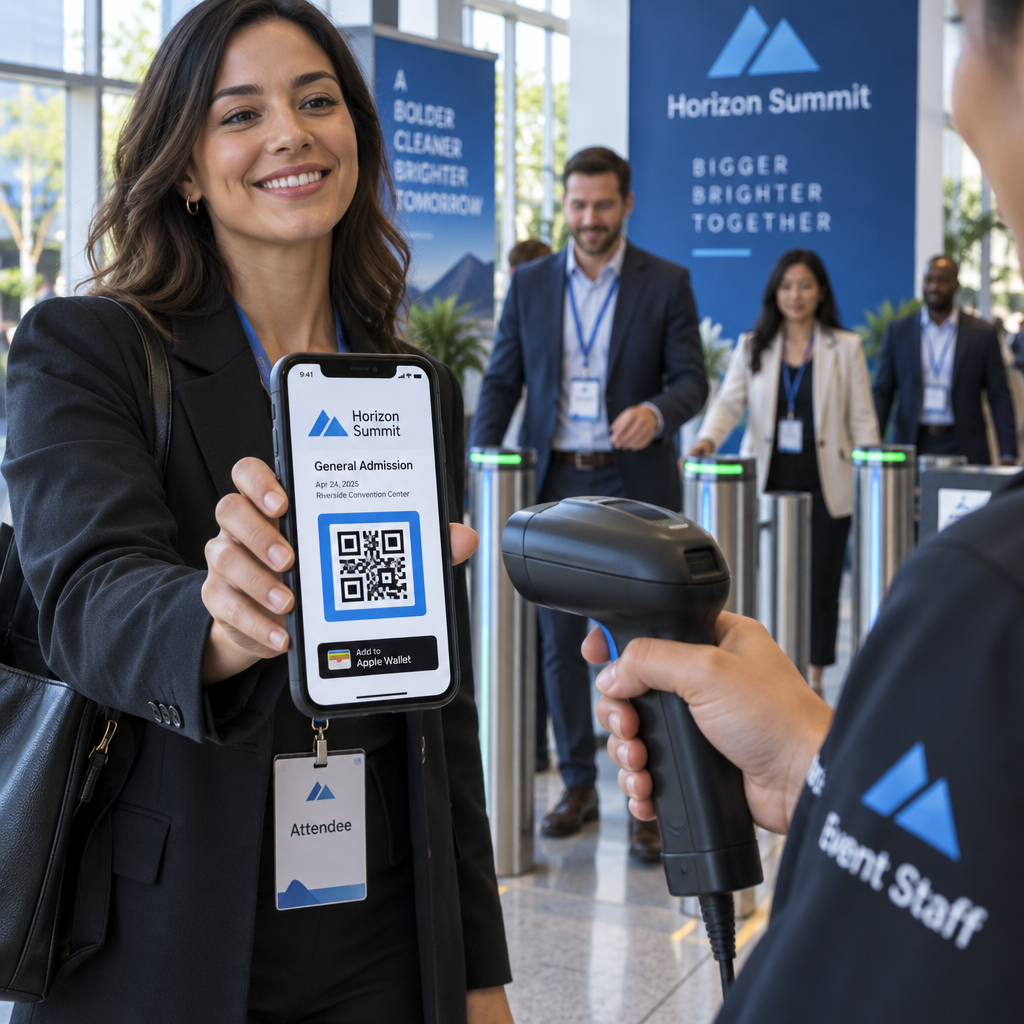
Если вы используете QR-коды для регистрации на мероприятия, ваши данные о посещаемости и данные о вовлеченности могут быть прочитаны вместе. Система QR-кодов для посещаемости регистрирует прибытия в реальном времени, что позволяет вам сопоставлять тех, кто зарегистрировался, с теми, кто отсканировал ваш AR-опыт и выполнил действие после сканирования. Это особенно полезно для расчета истинных коэффициентов конверсии, а не просто коэффициентов сканирования до целевой страницы.
Для сбора структурированных ответов – отзывов, регистраций, опросов после мероприятия – свяжите ваши QR-коды с Google Формами, используя Как создать QR код для гугл формы. Данные отправки форм интегрируются непосредственно с Google Таблицами для немедленного анализа.
Оптимизируйте регистрацию на мероприятия В Генератор QR-кодов для мероприятий Pageloot позволяет создавать отслеживаемые билеты, интерактивные расписания и точки взаимодействия – все это управляется с одной панели инструментов.
Как интерпретировать данные сканирования
Сбор метрик полезен только в том случае, если вы понимаете, что они вам говорят. Вот как читать наиболее распространенные закономерности.
Низкое общее количество сканирований не означает автоматически, что предложение провалилось. Сначала проверьте размещение – находится ли код на уровне глаз, достаточно ли он крупно напечатан, есть ли рядом четкий призыв к действию? Плохой контраст или неотмеченный код являются наиболее частой причиной низких показателей сканирования, а не контент, стоящий за ним. В руководстве по вовлечению с помощью QR-кодов с тепловыми картами объясняется, как диагностировать проблемы с размещением, используя данные о плотности сканирования.
Высокое общее количество сканирований, но низкое количество уникальных сканирований предполагает, что небольшая группа сканирует повторно. Это может указывать на подлинный энтузиазм, или это может означать, что ваш QR-код находится в месте, где одни и те же люди проходят мимо него несколько раз. Здесь важен контекст.
Высокое количество уникальных сканирований, но высокий показатель отказов на целевой странице указывает на несоответствие между ожиданием, которое создает QR-код, и тем, что пользователи находят после сканирования. Пересмотрите контент целевой страницы и убедитесь, что он соответствует контексту, в котором отображается код.
Длительное время пребывания при низкой конверсии часто встречается в AR-опытах, где взаимодействие приятно, но призыв к действию недостаточно заметен. Проверьте, где CTA появляется в рамках опыта и достигают ли его пользователи до выхода.
Географические данные сканирования с вашего геолокационную аналитику могут показать, какие зоны многокомнатного помещения или выставочного зала привлекли наибольшую активность, помогая вам определить размещение стендов и уровень персонала для будущих мероприятий.
Временные паттерны сканирования определить пиковые окна вовлеченности. Если большинство сканирований происходит в течение 20 минут после того, как основной докладчик упоминает вашу активацию, у вас есть четкий сигнал о том, что привлекает трафик. Используйте эту информацию для соответствующего планирования публикаций в социальных сетях или ротации персонала.
Команды, координирующие сессии в периоды максимальной вовлеченности, могут использовать планирование мероприятий инструменты для организации времени проведения мероприятий, доступности и координации участников.
Выбор между Pageloot и GA4
Большинство мероприятий выигрывают от использования обоих инструментов в комбинации, при этом каждый обрабатывает отдельный уровень отслеживания.
| ФУНКЦИЯ | Пейджлут | Google Analytics 4 |
|---|---|---|
| Аналитика сканирования в реальном времени | Мгновенные данные на уровне сканирования (гео, устройство, время) | Доступно через отчет в реальном времени; требует настройки UTM |
| Метрики, специфичные для AR | Время пребывания, пространственная аналитика на поддерживаемых уровнях | Ограничено веб-метриками; требует пользовательских событий |
| Отслеживание уникальных сканирований | Встроенная дедупликация устройств | На основе сессий/пользователей; трудно привязать исключительно к физическим сканированиям |
| Усилия по интеграции | Низкие – "подключи и работай" с динамическими перенаправлениями | Выше – требуются параметры UTM и скрипты отслеживания |
| Цены | $10–$50+/месяц | Бесплатно (стандартная версия) |
Используйте Pageloot когда вам нужна немедленная информация во время мероприятия: кто сканирует, откуда, на каком устройстве и как долго они взаимодействуют. Это не требует изменений в коде вашего веб-сайта и разработано на основе метрик, специфичных для QR, включая пространственную аналитику и время пребывания.
Используйте GA4 когда вам нужно понять дальнейший путь клиента – что пользователи делали после того, как попали на вашу страницу, совершили ли они конверсию и как событие способствовало достижению долгосрочных целей кампании. лучшие инструменты для отслеживания событий по QR-коду страница более подробно сравнивает варианты платформ.
Для многодневных конференций или сетевых мероприятий параллельное использование обеих систем дает вам немедленную обратную связь по вовлеченности через Pageloot и атрибуцию конверсий через GA4.
Вопросы конфиденциальности
Кампании с AR QR-кодами автоматически собирают персональные данные при сканировании – это может включать IP-адреса, идентификаторы устройств, временные метки и точные данные о местоположении. Согласно законам США о конфиденциальности данных штатов, таким как CCPA и VCPA, вы обязаны раскрывать, какие данные собираются, как они используются, и предлагать механизмы отказа.
Практически это означает:
- Обновите уведомление о конфиденциальности вашего мероприятия, чтобы описать, что происходит при сканировании QR-кода
- Раскройте любое точное отслеживание геолокации или поведенческий таргетинг вашей QR-платформой
- Проведите аудит методов обработки данных вашего поставщика QR-кодов, включая сроки хранения и передачу третьим сторонам
- Получите явное согласие перед сбором данных о местоположении на основе GPS
В руководство по геолокационной аналитике более подробно охватывает требования соответствия конфиденциальности, включая различие между отслеживанием на основе IP и на основе GPS, и когда каждое из них требует согласия пользователя.
Использование данных для оптимизации будущих мероприятий
Ценность отслеживания возрастает при итеративном использовании. Перед следующим мероприятием сравните производительность по местам размещения, временным интервалам и типам AR-контента, чтобы определить, что привело к наиболее значимому вовлечению, а не просто к наибольшему количеству сканирований.
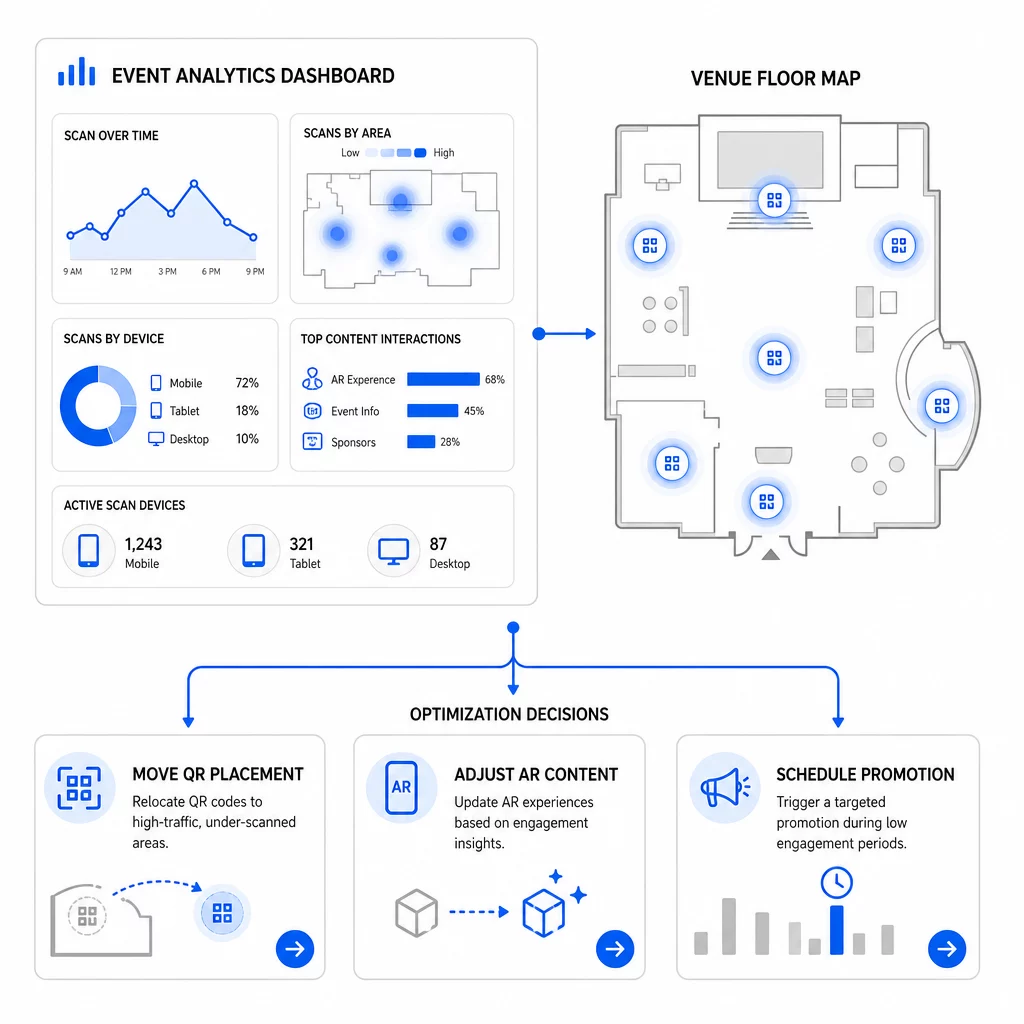
Конкретные оптимизации, которые стоит рассмотреть:
- Переместите QR-коды из зон с низким уровнем сканирования в места рядом с выходами из сессий с высокой посещаемостью или зонами регистрации
- Корректируйте AR-контент на основе того, какие интерактивные элементы показали наибольшее время взаимодействия
- Уточните размещение призыва к действию (CTA) на вашей целевой странице на основе того, где пользователи прекращают взаимодействие
- Планируйте поддерживающие акции и активации персонала вокруг пиковых окон сканирования
- Сосредоточьте будущие инвестиции в мероприятия на географических регионах, где коэффициенты сканирования к конверсии были самыми высокими
Сравнение ключевых метрик до и после каждого изменения — единственный надежный способ проверить, действительно ли оптимизация улучшила результаты. Руководство по аналитическим панелям QR-кодов объясняет, как структурировать эти сравнения внутри панели отслеживания.
Более широкая картина того, как AR QR-коды преобразуют мероприятия стоит рассмотреть, если вы все еще находитесь на стадии планирования – особенно в части определения целей перед выбором метрик для приоритезации.
Отслеживание успеха мероприятия с помощью AR QR-кодов — это не просто подсчет сканирований. Это создание четкой картины поведения посетителей на протяжении всего пути: кто взаимодействовал, где они это делали, насколько глубоко они взаимодействовали и что они делали дальше. Настройте динамические коды с правильной UTM-разметкой перед мероприятием, отслеживайте пространственные метрики и метрики времени взаимодействия в реальном времени, а также используйте данные о конверсии после мероприятия для улучшения следующей кампании.
Начните отслеживать свои кампании мероприятий Создавайте динамические, отслеживаемые AR QR-коды с помощью Pageloot полный набор функций QR и отслеживайте каждое сканирование с единой панели управления. Бесплатная 14-дневная пробная версия, кредитная карта не требуется.
Часто задаваемые вопросы
Наиболее важными метриками являются общее количество сканирований, уникальные сканирования, частота сканирований, время и дата сканирования, данные об устройстве и ОС, геолокация и время пребывания в AR-опыте. Поведение после сканирования – показатель отказов, время на странице, отправка форм и конверсии – дополняет картину, показывая, привели ли сканирования к значимым результатам.
Эти два инструмента служат разным целям. Pageloot собирает метаданные уровня сканирования в реальном времени – тип устройства, местоположение, время пребывания – без необходимости изменения кода веб-сайта. Google Analytics 4 отслеживает, что происходит после сканирования: поведение на странице, события конверсии и более широкий путь клиента. Для событий, где важны как немедленное взаимодействие, так и последующие конверсии, использование обоих вместе дает наиболее полное представление.
Статические QR-коды кодируют фиксированный URL и не предоставляют данных отслеживания. Динамические QR-коды направляют сканирования через перенаправление, которое автоматически регистрирует метаданные времени, устройства и местоположения. Они также позволяют обновлять целевой URL или связанный контент без перепечатки материалов – это полезно для многодневных мероприятий, где расписания или призы к действию меняются. Вы можете узнать больше о том, как это работает, на странице генератора динамических QR-кодов.