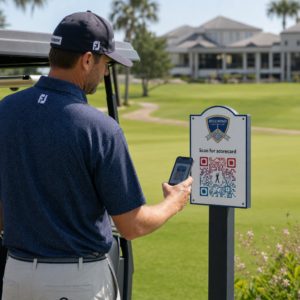
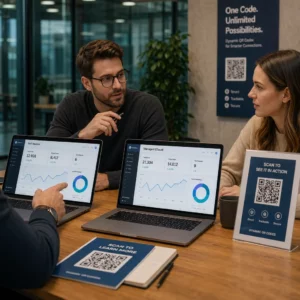
Masz problem z tym, aby Twoje kody QR wyglądały, jakby faktycznie należały do Twojej marki? Zwykły czarno-biały kod technicznie spełnia swoje zadanie, ale traci prawdziwą okazję do wzmocnienia rozpoznawalności i zwiększenia liczby skanów. Ten przewodnik pokaże Ci, jak tworzyć profesjonalne, markowe kody QR, używając gotowych szablonów, własnego logo i kolorów, a także dynamicznych funkcji, które zapewniają elastyczność Twoich kampanii po wydrukowaniu.
Dlaczego markowe kody QR działają lepiej
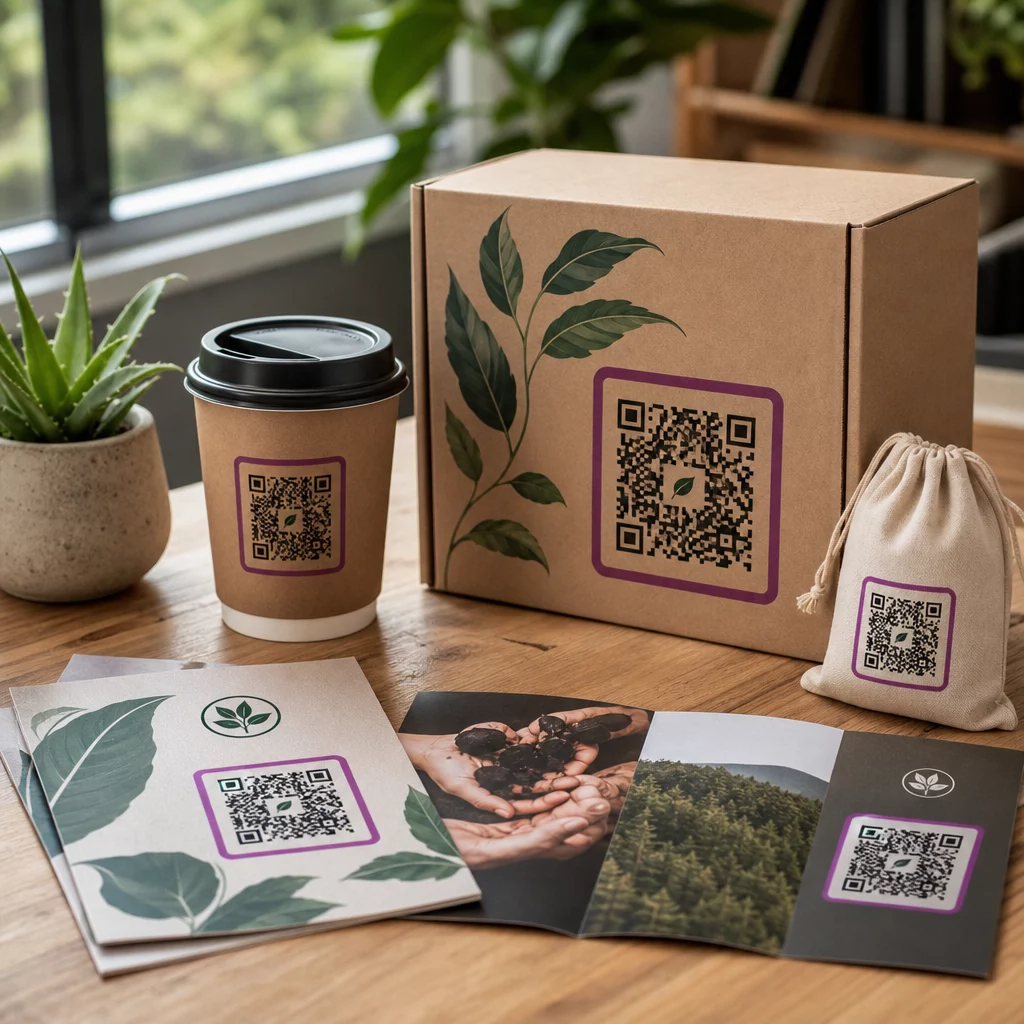
Kod QR to punkt styku. Za każdym razem, gdy ktoś widzi go na opakowaniu, ulotce czy wizytówce, szybko ocenia, czy go zeskanować. Markowe kody QR – te, które zawierają Twoje logo, schemat kolorów i styl wizualny – sygnalizują legalność i znajomość, co bezpośrednio wpływa na wskaźniki skanowania.
Badania konsekwentnie pokazują, że markowe kody QR z logo mogą zwiększyć wskaźniki skanowania o 30% do 70% w porównaniu do ogólnych, czarno-białych. Ta różnica wynika z zaufania: kod, który wygląda, jakby należał do rozpoznawalnej marki, jest skanowany chętniej niż ten, który wygląda generycznie lub niezweryfikowanie.
Poza wskaźnikami skanowania, markowe kody tworzą spójność w Twoich materiałach marketingowych. Kiedy Twój kod QR pasuje do Twojego opakowania, oznakowania i zasobów cyfrowych, wzmacnia to tożsamość marki, zamiast ją osłabiać.
Twórz kody QR zgodne z marką, nie zaczynając od zera Pageloot Szablony kodów QR dają Ci gotowe projekty, które możesz dostosować za pomocą swoich kolorów, logo i stylu – dzięki czemu każdy kod wygląda jak część Twojej marki, a nie jako coś dodanego na końcu.
Wybór odpowiedniego szablonu dla Twojej marki
Wybrany szablon stanowi wizualną podstawę dla Twojego kodu QR. Dobrze dopasowany szablon skraca czas projektowania, zapewnia możliwość skanowania i nadaje Twojemu kodowi dopracowany wygląd, który naturalnie pasuje do Twoich istniejących materiałów.
Oceniając szablony, priorytetowo traktuj:
- Zgodność z marką – Czy zakres kolorów, układ i styl wizualny szablonu pasują do Twojej istniejącej tożsamości?
- Dopasowanie do przypadku użycia – Szablon zaprojektowany dla wizytówki ma inne proporcje i gęstość niż ten stworzony dla plakatu lub etykiety produktu
- Skanowalność – Wstępnie przetestowane szablony z niezawodnych platform są już zoptymalizowane pod kątem wymagań dotyczących kontrastu i strefy ciszy
Pageloot Biblioteka szablonów kodów QR oferuje projekty uporządkowane według zastosowania, od handlu detalicznego i wydarzeń po profile społecznościowe i menu. Możesz wybrać szablon, który już wygląda na gotowy do kampanii, a następnie dostosować kolory, dodać swoje logo i używać go w różnych materiałach, aby uzyskać spójny wygląd.
Dopasowywanie szablonów do Twojej branży
Różne branże mają różne oczekiwania wizualne, a szablon kodu QR powinien odzwierciedlać ten kontekst:
- Restauracje i hotelarstwo – Używaj ciepłych tonów i czystej typografii odpowiedniej do namiotów stołowych i menu; celem jest przystępność i szybkość skanowania
- Handel detaliczny i e-commerce – Wybieraj szablony, które uzupełniają opakowanie produktu, nie konkurując z nim wizualnie
- Nieruchomości – Wyrafinowane, minimalistyczne projekty z miejscem na branding agenta i dane kontaktowe sprawdzają się dobrze na oznakowaniach i materiałach drukowanych
- Opieka zdrowotna – Czyste, wysokokontrastowe projekty w spokojnych paletach budują zaufanie i przejrzystość, których wymaga ten kontekst
- Edukacja – Projekty, które równoważą przystępność z autorytetem; kolory szkoły i wyraźne wezwania do działania pomagają kierować uczniami i rodzicami
- Wydarzenia i agencje marketingowe – Wszechstronne szablony, które można dostosować do kampanii, zachowując ogólną tożsamość Twojej agencji
Dostosowywanie kodów QR za pomocą elementów Twojej marki
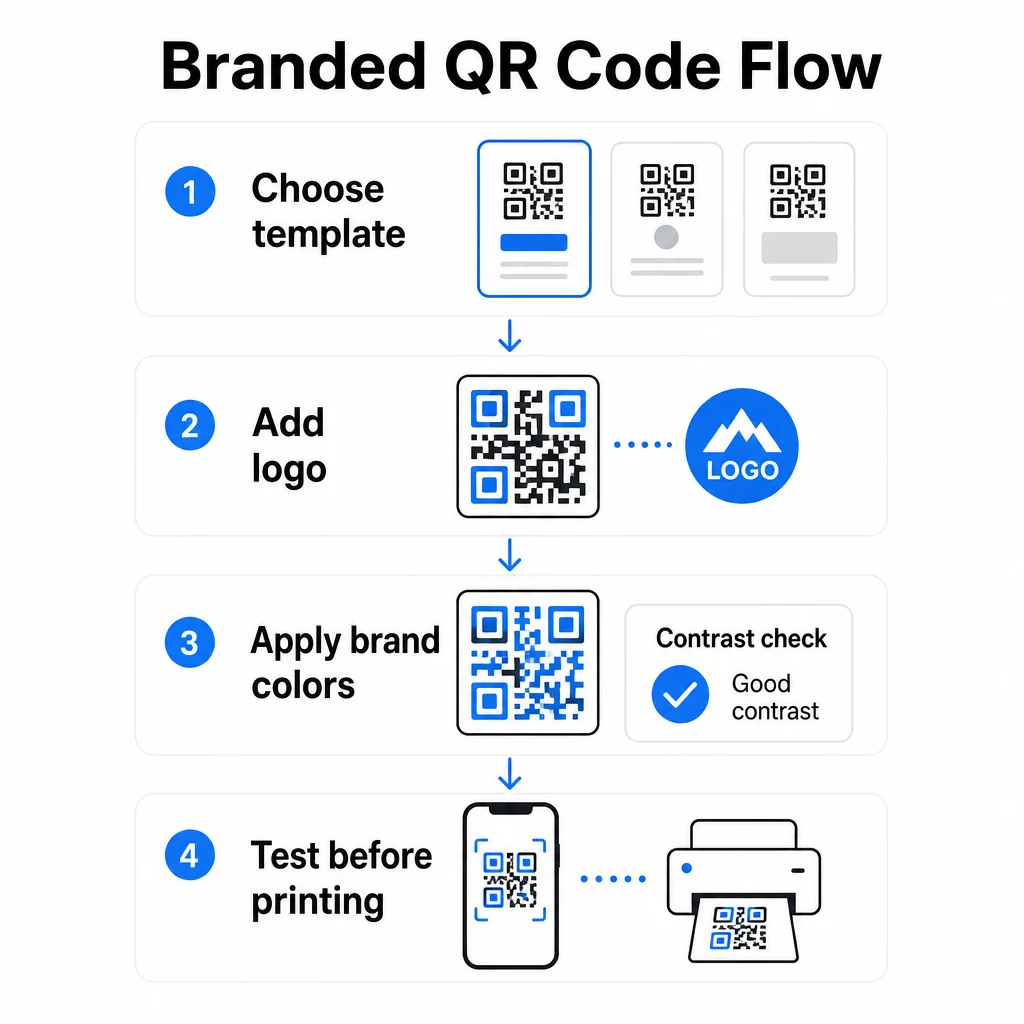
Po wybraniu szablonu rozpoczyna się prawdziwa praca nad marką. Dodanie logo, zastosowanie palety kolorów i dopracowanie szczegółów projektu przekształca ogólny szablon w kod, który wygląda niezaprzeczalnie na Twój.
Dodawanie logo Twojej firmy
Umieszczenie logo w centrum kodu QR tworzy natychmiastowe połączenie z marką w momencie skanowania. Aby zrobić to poprawnie:
- Użyj plik wektorowy wysokiej jakości (SVG lub EPS), aby Twoje logo pozostało ostre w każdym rozmiarze
- Trzymaj logo wyśrodkowane i z dala od trzech kwadratów wzoru wyszukiwania w rogach
- Ogranicz pokrycie logo do nie więcej niż 20–30% całkowitej powierzchni kodu – poza tym, skanowalność spada
- Użyj Korekcja błędów poziomu H przy dodawaniu logo; pozwala to kodowi odzyskać do 30% uszkodzonych lub zasłoniętych danych, kompensując obszar pokryty przez Twoje logo
Pageloot Generator kodów QR z logo automatycznie obsługuje korekcję błędów po przesłaniu logo, zmniejszając ryzyko wygenerowania kodu, który wygląda dobrze, ale nie będzie skanował się niezawodnie.
Dodaj swoje logo do kodu QR w kilka minut Użyj Generator kodów QR z logo aby przesłać logo swojej marki, zastosować swoje kolory i pobrać plik gotowy do druku – bez potrzeby użycia oprogramowania do projektowania.
Stosowanie kolorów marki bez utraty skanowalności
Kolor to obszar, w którym wiele markowych kodów QR napotyka problemy. Kod nadal potrzebuje wystarczającego kontrastu między modułami danych a tłem, aby skanować się niezawodnie. Wskazówki do przestrzegania:
- Ciemny pierwszy plan na jasnym tle jest najbardziej niezawodną kombinacją; czarny na białym pozostaje złotym standardem
- Dąż do minimalnego współczynnika kontrastu 4,5:1 dla małych kodów; 3:1 jest akceptowalne dla większych formatów, gdzie skaner ma większą powierzchnię do odczytu
- Unikaj gradientów i cieni – tworzą one półtony, które mylą skanery, czyniąc granicę między modułami niejednoznaczną
- Nigdy nie odwracaj kolorów (jasny kod na ciemnym tle) bez dokładnych testów na wielu urządzeniach; niektóre skanery źle sobie z tym radzą
Aby uzyskać więcej szczegółów na temat tego, które kombinacje kolorów działają, a których należy unikać, zapoznaj się z przewodnikiem po najlepszych praktykach kontrastu kolorów kodów QR który zawiera konkretne przykłady współczynników kontrastu i tabelę porównawczą.
Zaawansowane szczegóły dostosowywania
Poza kolorem i logo, kilka dodatkowych wyborów projektowych może podnieść wygląd Twojego kodu QR bez uszczerbku dla jego funkcji:
- Niestandardowe kształty wzorców wyszukiwania – Trzy kwadraty w rogach mogą być zaokrąglone lub stylizowane; dodaje to osobowości, jednocześnie utrzymując wzorzec rozpoznawalny dla skanerów
- Ramki i wezwania do działania – Dodanie markowej ramki i krótkiej frazy, takiej jak “Skanuj, aby zobaczyć menu” lub “Skanuj, aby pobrać”, zwiększa zaangażowanie, informując użytkowników dokładnie, co otrzymają
- Strefa ciszy – Zawsze zachowuj pusty margines o szerokości co najmniej czterech modułów po wszystkich stronach kodu; jest to wymóg normy ISO/IEC 18004 i ma kluczowe znaczenie dla prawidłowego zlokalizowania kodu przez skanery
- Minimalny rozmiar – Do użytku w druku, zachowaj kody o rozmiarze co najmniej 2 × 2 cm (0.8 × 0.8 cala) do skanowania z bliskiej odległości; skaluj proporcjonalnie dla plakatów lub oznakowania, stosując ogólną zasadę 1 cm szerokości kodu na każde 10 cm oczekiwanej odległości skanowania
Używaj formatów wektorowych (SVG lub EPS) do wszystkich zastosowań drukowanych, aby zapobiec pikselizacji przy większych rozmiarach. Dodatkowe wskazówki znajdziesz w najlepszymi praktykami w zakresie czytelności kodów QR oraz przewodniku tworzenia niestandardowych kodów QR szczegółowo omawiającym rozmiar, rozdzielczość i umiejscowienie.
Zawsze testuj przed drukowaniem. Wydrukuj kod w zamierzonym rozmiarze, przetestuj go na wielu urządzeniach i aplikacjach skanujących oraz sprawdź w rzeczywistych warunkach oświetleniowych, w których będzie używany. Jest to szczególnie ważne, gdy w grę wchodzą logotypy, niestandardowe kolory lub małe rozmiary, ponieważ te zmienne mogą wpływać na możliwość skanowania w sposób niewidoczny na ekranie.
Używanie dynamicznych kodów QR do elastycznych kampanii
Statyczne kody QR blokują stałe miejsce docelowe w momencie ich utworzenia. Jest to w porządku w przypadku stałych zastosowań, ale stwarza problemy w momencie zmiany adresu URL, zakończenia promocji lub aktualizacji menu – ponieważ trzeba by ponownie wydrukować każdy materiał zawierający kod.
Dynamiczne kody QR rozwiązują ten problem. Zamiast bezpośrednio kodować miejsce docelowe, kodują krótki adres URL przekierowania, który kontrolujesz z panelu. Kiedy musisz zmienić, na co wskazuje kod – nową stronę docelową, zaktualizowany plik PDF, ofertę sezonową – aktualizujesz miejsce docelowe bez dotykania samego wydrukowanego kodu.
To sprawia, że dynamiczne kody są praktycznym domyślnym rozwiązaniem dla większości zastosowań biznesowych. Kluczowe zalety to:
- Edytuj miejsce docelowe po wydrukowaniu bez ponownego drukowania materiałów, oszczędzając czas i koszty
- Statystyki w czasie rzeczywistym w tym całkowitą liczbę skanów, unikalne skany, typy urządzeń i lokalizacje skanowania
- Wykrywanie urządzenia dla przypadków użycia, takich jak pobieranie aplikacji, gdzie kod automatycznie kieruje użytkowników iOS do App Store, a użytkowników Androida do Google Play
- Daty ważności i ochrona hasłem dla treści wrażliwych na czas lub ekskluzywnych
Pageloot Generator dynamicznych kodów QR zawiera scentralizowany pulpit nawigacyjny, gdzie możesz monitorować wszystkie aktywne kody, aktualizować miejsca docelowe i pobierać dane o wydajności w czasie rzeczywistym. Możesz również dodawać parametry UTM do linków kodów QR w celu bezpośredniej integracji z Google Analytics, łącząc dane skanowania z szerszym lejkiem marketingowym.
Dla kontekstu, jak działa podstawowa technologia, Jak działa korekcja błędów w edytowalnych kodach QR wyjaśnia, dlaczego dynamiczne kody pozostają skanowalne, nawet gdy zakodowany krótki URL pozostaje stały pomimo aktualizacji projektu lub treści.
Aktualizuj swoje kampanie bez ponownego drukowania Pageloot dynamiczne kody QR pozwalają zmieniać miejsca docelowe, śledzić wydajność i optymalizować kampanie z jednego pulpitu nawigacyjnego – nawet po wydrukowaniu materiałów.
Gdzie używać markowych kodów QR
Markowe kody QR są wszechstronne w materiałach fizycznych i cyfrowych. Typowe zastosowania obejmują:
- Wizytówki – Linkuj bezpośrednio do cyfrowej strony kontaktowej, portfolio lub profilu społecznościowego; Generator kodów QR do wizytówek jest stworzony specjalnie do tego zastosowania
- Menu restauracji – Dynamiczne kody na namiotach stołowych pozwalają aktualizować menu bez ponownego drukowania kart
- Opakowania produktów – Linkuj do instrukcji, recenzji lub treści promocyjnych; spójne branding na kodzie wzmacnia tożsamość produktu
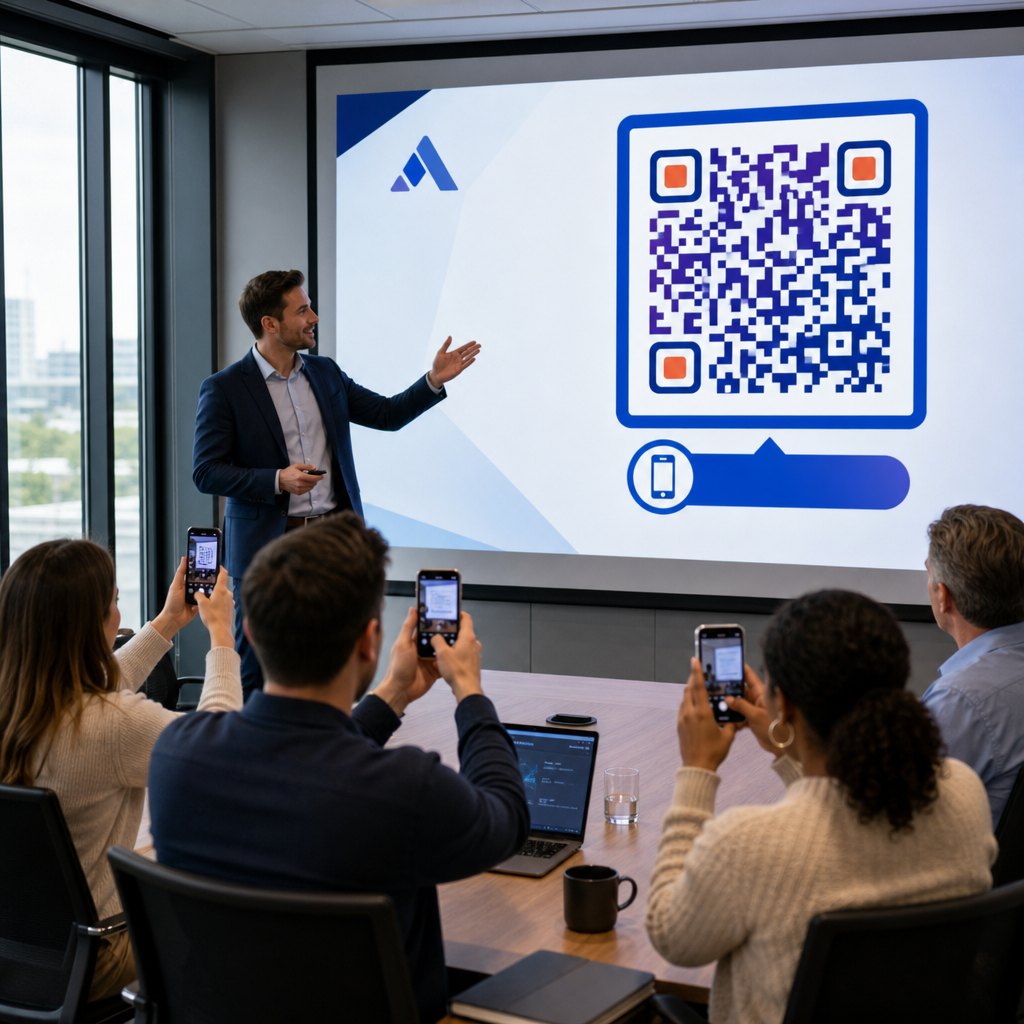
- Materiały eventowe – Ulotki, bilety i oznakowanie z kodami, które prowadzą do harmonogramów, stron rejestracyjnych lub treści po wydarzeniu
- Oznakowanie handlowe – Przyciągnij klientów do ofert online lub programów lojalnościowych
- Reklamy drukowane i mailing bezpośredni – Śledź, które kampanie generują skany, używając parametrów UTM i analityki
W przypadku kampanii, w których potrzebujesz jednego kodu QR, aby wskazywał na wiele linków lub fragmentów treści, Funkcja strony docelowej Pageloota pozwala stworzyć markową stronę mobilną za jednym skanem – przydatne dla profili społecznościowych, informacji o wydarzeniach lub kolekcji produktów.
Możesz zapoznać się z pełnym zakresem dostępnych funkcji i przypadków użycia na stronie Przegląd funkcji Pageloot.
Śledzenie wydajności i poprawa wyników
Analityka stojąca za Twoimi kodami QR to to, co odróżnia pasywny punkt styku od mierzalnego zasobu marketingowego. Gdy Twoje markowe kody zostaną wdrożone, dane, które generują, mówią Ci, co działa i co wymaga dostosowania.
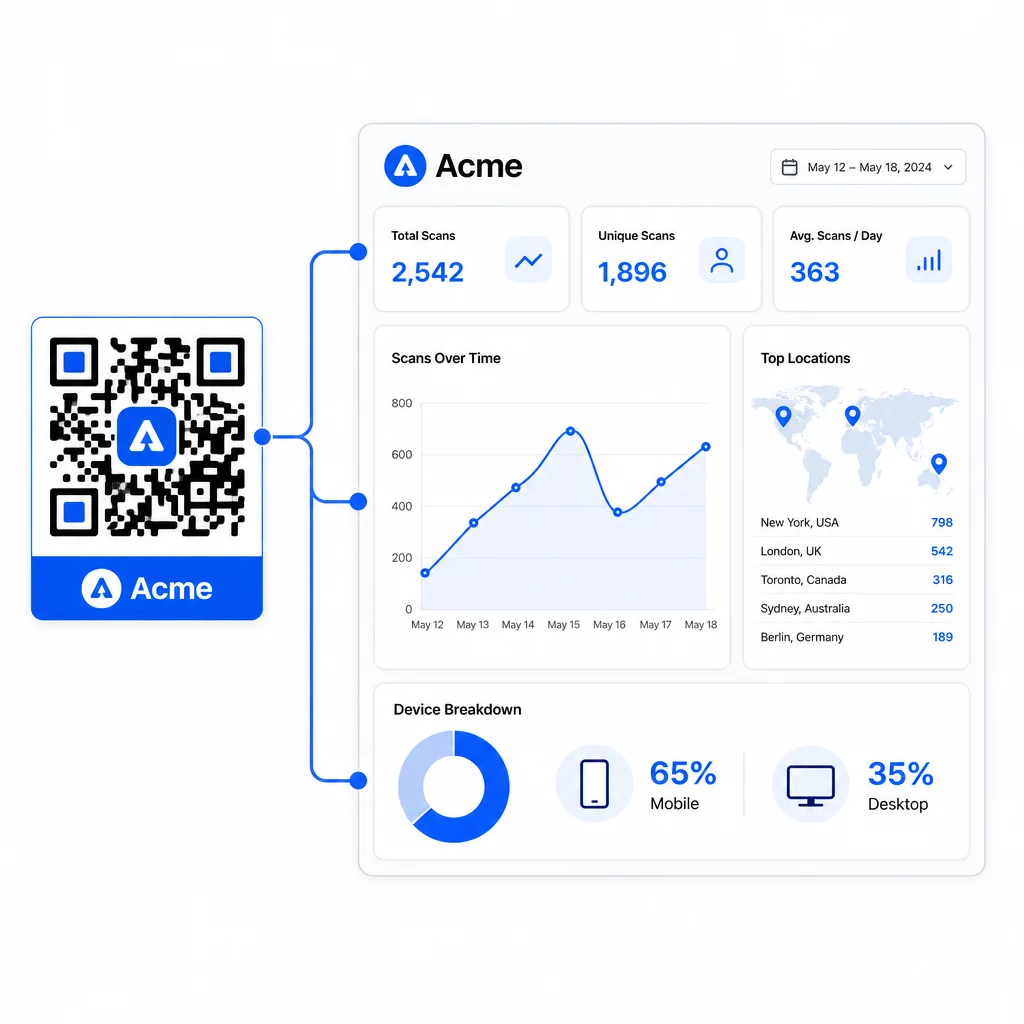
Z panelu Pageloot możesz śledzić:
- Całkowita i unikalna liczba skanów na kod
- Lokalizacje skanów (kraj, miasto)
- Typy urządzeń (iOS vs. Android, mobilne vs. stacjonarne)
- Wzorce czasowe skanowania – które dni i godziny generują najwięcej aktywności
Te dane pozwalają zidentyfikować, które miejsca generują zaangażowanie, porównać wydajność w różnych kampaniach oraz wprowadzać zmiany w projekcie lub umiejscowieniu, opierając się na rzeczywistych zachowaniach, a nie na założeniach. Na przykład, jeśli liczba skanów na konkretnej ulotce spadnie w połowie kampanii, możesz zaktualizować docelowe miejsce do świeższej oferty bez wymiany materiału drukowanego.
Dodanie parametrów UTM do adresów URL kodów QR przenosi te dane bezpośrednio do Google Analytics, łącząc zachowanie skanowania offline z całym lejkiem konwersji.
Łącząc wszystko w całość
Markowe kody QR są najskuteczniejsze, gdy projekt, funkcjonalność i dane współdziałają. Rozpoczęcie od dobrze dopasowanego szablonu sprawia, że Twoje kody są spójne wizualnie i gotowe do kampanii. Dodanie logo, kolorów marki i wyraźnego wezwania do działania sprawia, że są rozpoznawalne i zorientowane na działanie. Użycie kodów dynamicznych daje elastyczność w aktualizowaniu miejsc docelowych i śledzeniu wydajności bez dotykania materiałów drukowanych.
Niezależnie od tego, czy umieszczasz kody na wizytówkach, menu, opakowaniach czy oznakowaniu wydarzeń, połączenie profesjonalnego projektu i analiz w czasie rzeczywistym zamienia prosty kod w mierzalną część Twojej strategii marketingowej. Zacznij od darmowego kodu QR z generatora Pageloot i buduj dalej.
Najczęściej zadawane pytania
Użyj korekcji błędów poziomu H podczas dodawania logo – pozwala to kodowi odzyskać do 30% zasłoniętych danych, kompensując pokrycie przez logo. Zachowaj logo w rozmiarze nie większym niż 20–30% całkowitej powierzchni kodu i wyśrodkuj je z dala od wzorców wyszukiwania. W przypadku kolorów, zachowaj minimalny współczynnik kontrastu 4,5:1 między modułami pierwszego planu a tłem, unikaj gradientów i zawsze testuj na wielu urządzeniach przed drukowaniem.
Statyczny kod QR koduje miejsce docelowe bezpośrednio, więc nie można go zmienić po utworzeniu bez wygenerowania nowego kodu. Dynamiczny kod QR koduje krótki adres URL przekierowania, który kontrolujesz z panelu sterowania, co oznacza, że możesz aktualizować miejsce docelowe, dodawać ochronę hasłem, ustawiać daty ważności i śledzić analitykę skanowania – wszystko to bez ponownego drukowania materiałów. W większości przypadków zastosowań marketingowych i biznesowych, kody dynamiczne są bardziej praktycznym wyborem.
Ogólne minimum dla skanowania z bliskiej odległości to 2 × 2 cm (0,8 × 0,8 cala). W przypadku materiałów, gdzie odległość skanowania jest większa – takich jak plakaty czy oznakowanie – zastosuj zasadę 10:1: dodaj 1 cm szerokości kodu na każde 10 cm oczekiwanej odległości oglądania. Markowe kody z logo lub niestandardowymi kolorami mogą wymagać nieco większego rozmiaru, aby zapewnić, że dodana złożoność projektu nie zmniejszy skanowalności.