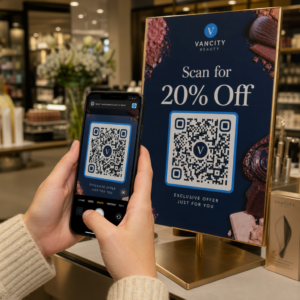
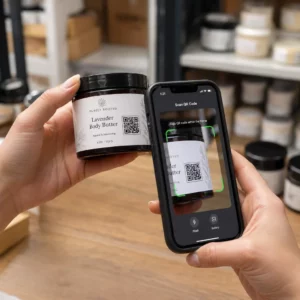
Borite se da vaši QR kodovi izgledaju kao da zaista pripadaju vašem brendu? Običan crno-beli kod tehnički obavlja posao, ali propušta pravu priliku da ojača prepoznatljivost i podstakne više skeniranja. Ovaj vodič vas provodi kroz to kako da kreirate profesionalne brendirane QR kodove koristeći gotove šablone, sopstveni logo i boje, i dinamičke funkcije koje vaše kampanje čine fleksibilnim nakon štampanja.
Zašto brendirani QR kodovi bolje funkcionišu
QR kod je dodirna tačka. Svaki put kada ga neko vidi na pakovanju, flajeru ili vizit karti, brzo procenjuje da li da ga skenira. Brendirani QR kodovi – oni koji uključuju vaš logo, šemu boja i vizuelni stil – signaliziraju legitimnost i prepoznatljivost, što direktno utiče na stope skeniranja.
Istraživanja dosledno pokazuju da brendirani QR kodovi sa logotipima mogu povećati stope skeniranja za 30% do 70% u poređenju sa generičkim crno-belim. Ta razlika se svodi na poverenje: kod koji izgleda kao da pripada brendu koji ljudi prepoznaju skenira se lakše nego onaj koji izgleda generički ili neproverljivo.
Pored stopa skeniranja, brendirani kodovi stvaraju doslednost u vašim marketinškim materijalima. Kada se vaš QR kod podudara sa vašim pakovanjem, signalizacijom i digitalnim sredstvima, on jača identitet brenda umesto da ga potkopava.
Kreirajte QR kodove u skladu sa brendom bez počinjanja od nule Pageloot-ov Šabloni za QR kod daju vam gotove dizajne koje možete prilagoditi svojim bojama, logotipom i stilom – tako da svaki kod izgleda kao deo vašeg brenda, a ne kao naknadna misao.
Odabir pravog šablona za vaš brend
Šablon koji odaberete postavlja vizuelnu osnovu za vaš QR kod. Dobro usklađen šablon smanjuje vreme dizajna, obezbeđuje mogućnost skeniranja i daje vašem kodu uglađen izgled koji se prirodno uklapa u vaše postojeće materijale.
Prilikom procene šablona, dajte prioritet:
- Usklađenost sa brendom – Da li se raspon boja, raspored i vizuelni stil šablona podudaraju sa vašim postojećim identitetom?
- Prikladnost za slučaj upotrebe – Šablon dizajniran za vizit kartu ima drugačije proporcije i gustinu od onog napravljenog za poster ili etiketu proizvoda
- Skenabilnost – Unapred testirani šabloni sa pouzdanih platformi su već optimizovani za zahteve kontrasta i tihe zone
Pageloot-ov Biblioteka šablona QR kodova nudi dizajne organizovane po nameni, od maloprodaje i događaja do društvenih profila i menija. Možete izabrati šablon koji već izgleda spreman za kampanju, zatim podesiti boje, dodati svoj logo i ponovo ga koristiti na različitim materijalima za dosledan izgled.
Usklađivanje šablona sa vašom industrijom
Različite industrije nose različita vizuelna očekivanja, a vaš šablon QR koda bi trebalo da odražava taj kontekst:
- Restorani i ugostiteljstvo – Koristite tople tonove i čistu tipografiju pogodne za stoni displej i menije; cilj je pristupačan i brz za skeniranje
- Maloprodaja i e-trgovina – Izaberite šablone koji dopunjuju pakovanje proizvoda bez vizuelnog nadmetanja sa njim
- Некретнина – Sofisticirani, minimalistički dizajni sa prostorom za brendiranje agenta i kontakt detalje dobro funkcionišu na natpisima i štampanim materijalima
- Здравствена нега – Čisti dizajni visokog kontrasta u mirnim paletama uspostavljaju poverenje i jasnoću koje ovaj kontekst zahteva
- образовање – Dizajni koji balansiraju pristupačnost sa autoritetom; školske boje i jasni pozivi na akciju (CTA) pomažu u vođenju učenika i roditelja
- Događaji i marketinške agencije – Svestrani šabloni koji se mogu prilagoditi po kampanji uz zadržavanje ukupnog identiteta vaše agencije
Prilagođavanje QR kodova sa vašim elementima brendiranja
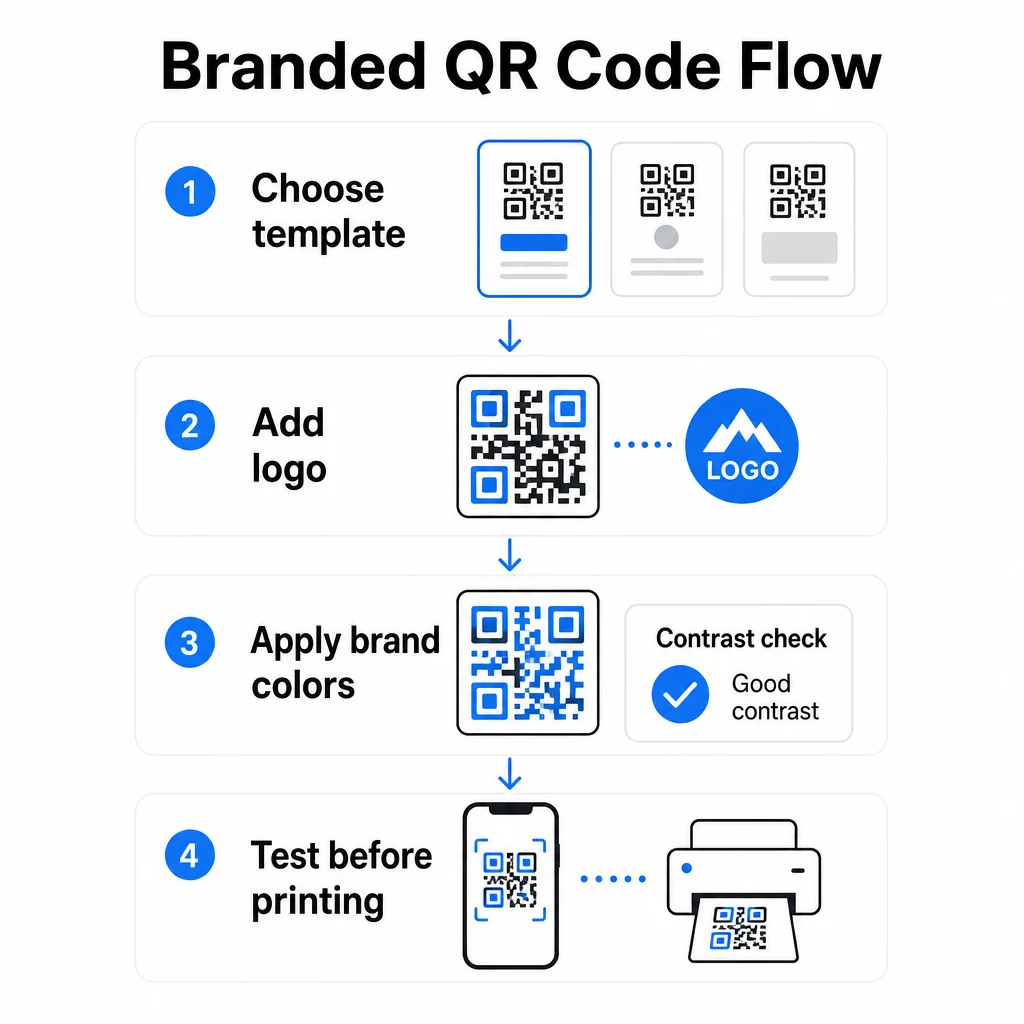
Kada odaberete šablon, pravi posao brendiranja počinje. Dodavanje vašeg logotipa, primena vaše palete boja i fino podešavanje detalja dizajna transformiše generički šablon u kod koji izgleda nepogrešivo vaš.
Dodavanje logotipa vaše kompanije
Postavljanje vašeg logotipa u centar QR koda stvara trenutnu vezu sa brendom u trenutku skeniranja. Da biste to uradili ispravno:
- Користи visokokvalitetna vektorska datoteka (SVG ili EPS) tako da vaš logo ostane oštar u bilo kojoj veličini
- Držite logo centriranim i udaljenim od tri kvadrata za pronalaženje uzorka u uglovima
- Ograničite pokrivenost logotipa na ne više od 20–30% ukupne površine koda – izvan toga, mogućnost skeniranja opada
- Користите Korekcija greške nivoa H kada dodajete logo; ovo omogućava kodu da povrati do 30% oštećenih ili zaklonjenih podataka, kompenzujući površinu koju vaš logo pokriva
Pageloot-ov QR kod generator sa logom automatski obrađuje korekciju grešaka kada otpremite logo, smanjujući rizik od generisanja koda koji izgleda dobro, ali se neće pouzdano skenirati.
Dodajte svoj logo QR kodu za nekoliko minuta Користити QR kod generator sa logom da otpremite logo vašeg brenda, primenite vaše boje i preuzmete datoteku spremnu za štampu – nije potreban softver za dizajn.
Primena boja brenda bez narušavanja mogućnosti skeniranja
Boja je mesto gde mnogi brendirani QR kodovi nailaze na probleme. Kod i dalje treba dovoljan kontrast između modula podataka i pozadine da bi se pouzdano skenirao. Smernice koje treba slediti:
- Tamna pozadina na svetloj pozadini je najpouzdanija kombinacija; crna na beloj ostaje zlatni standard
- Ciljajte na minimalni odnos kontrasta od 4.5:1 za male kodove; 3:1 je prihvatljivo za veće formate gde skener ima više površine za čitanje
- Izbegavajte gradijente i senke – oni stvaraju srednje tonove koji zbunjuju skenere čineći granicu između modula dvosmislenom
- Nikada ne invertujte boje (svetli kod na tamnoj pozadini) bez temeljnog testiranja na više uređaja; neki skeneri ovo loše obrađuju
Za više detalja o tome koje kombinacije boja funkcionišu, a koje treba izbegavati, vodič za najbolje prakse kontrasta boja QR koda pokriva specifične primere odnosa kontrasta i tabelu poređenja.
Detalji napredne prilagodbe
Pored boja i logotipa, nekoliko dodatnih izbora dizajna može poboljšati izgled vašeg QR koda bez ugrožavanja funkcionalnosti:
- Prilagođeni oblici uzorka za pronalaženje – Tri kvadrata u uglovima mogu biti zaobljena ili stilizovana; ovo dodaje ličnost dok uzorak ostaje prepoznatljiv skenerima
- Okviri i pozivi na akciju – Dodavanje brendiranog okvira i kratke fraze poput “Skenirajte da vidite meni” ili “Skenirajte za preuzimanje” povećava angažovanje tako što korisnicima govori tačno šta će dobiti
- Tiha zona – Uvek održavajte praznu marginu od najmanje četiri modula sa svih strana koda; ovo je zahtev ISO/IEC 18004 i ključno je za skenere da pravilno lociraju kod
- Minimalna veličina – Za štampanu upotrebu, držite kodove najmanje 2 × 2 cm (0,8 × 0,8 in) za skeniranje iz blizine; proporcionalno povećajte za postere ili signalizaciju koristeći opšte pravilo od 1 cm širine koda na svakih 10 cm očekivane udaljenosti skeniranja
Koristite vektorske formate (SVG ili EPS) za sve štampane aplikacije kako biste sprečili pikselizaciju pri većim veličinama. Za dodatne smernice, najbolje prakse za čitljivost QR kodova и vodič za kreiranje prilagođenog QR koda detaljnije pokriva veličinu, rezoluciju i postavljanje.
Uvek testirajte pre štampanja. Odštampajte kod u željenoj veličini, testirajte ga na više uređaja i aplikacija za skeniranje i proverite ga pod stvarnim svetlosnim uslovima gde će se koristiti. Ovo je posebno važno kada su u pitanju logotipi, nestandardne boje ili male veličine, jer ove varijable mogu uticati na mogućnost skeniranja na načine koji nisu vidljivi na ekranu.
Korišćenje dinamičkih QR kodova za fleksibilne kampanje
Statički QR kodovi zaključavaju fiksnu destinaciju u trenutku kreiranja. To je u redu za trajne slučajeve upotrebe, ali stvara probleme u trenutku kada se URL promeni, promocija završi ili se meni ažurira – jer biste morali ponovo da štampate svaki komad materijala koji nosi kod.
Dinamički QR kodovi ovo rešavaju. Umesto direktnog kodiranja destinacije, oni kodiraju kratak URL za preusmeravanje koji kontrolišete sa kontrolne table. Kada treba da promenite gde kod pokazuje – novu odredišnu stranicu, ažurirani PDF, sezonsku ponudu – ažurirate destinaciju bez dodirivanja samog odštampanog koda.
Ovo čini dinamičke kodove praktičnim podrazumevanim rešenjem za većinu poslovnih aplikacija. Ključne prednosti uključuju:
- Uredite destinaciju nakon štampanja bez ponovnog štampanja materijala, štedeći vreme i troškove
- Analitika u realnom vremenu uključujući ukupan broj skeniranja, jedinstvena skeniranja, tipove uređaja i lokacije skeniranja
- Detekcija uređaja za slučajeve upotrebe kao što su preuzimanja aplikacija, gde kod automatski usmerava iOS korisnike na App Store, a Android korisnike na Google Play
- Datumi isteka i zaštita lozinkom za vremenski osetljiv ili ekskluzivan sadržaj
Pageloot-ov Dinamički QR kod generator uključuje centralizovanu kontrolnu tablu gde možete pratiti sve aktivne kodove, ažurirati destinacije i preuzimati podatke o performansama u realnom vremenu. Takođe možete dodati UTM parametre linkovima QR kodova za direktnu integraciju sa Google Analytics-om, povezujući podatke o skeniranju sa vašim širim marketinškim levkom.
Za kontekst o tome kako funkcioniše osnovna tehnologija, kako korekcija grešaka funkcioniše u QR kodovima koji se mogu uređivati objašnjava zašto dinamički kodovi ostaju skenabilni čak i kada kodirani kratki URL ostaje konstantan tokom ažuriranja dizajna ili sadržaja.
Ažurirajte svoje kampanje bez ponovnog štampanja Pageloot-ov dinamički QR kodovi omogućavaju vam da menjate destinacije, pratite performanse i optimizujete kampanje sa jedne kontrolne table – čak i nakon što su vaši materijali već odštampani.
Gde koristiti brendirane QR kodove
Brendirani QR kodovi su svestrani za fizičke i digitalne materijale. Uobičajene primene uključuju:
- Vizit karte – Direktno povežite sa digitalnom stranicom za kontakt, portfoliom ili društvenim profilom; ovaj Vizit karte sa QR kodom: generator je namenski napravljen za ovaj slučaj upotrebe
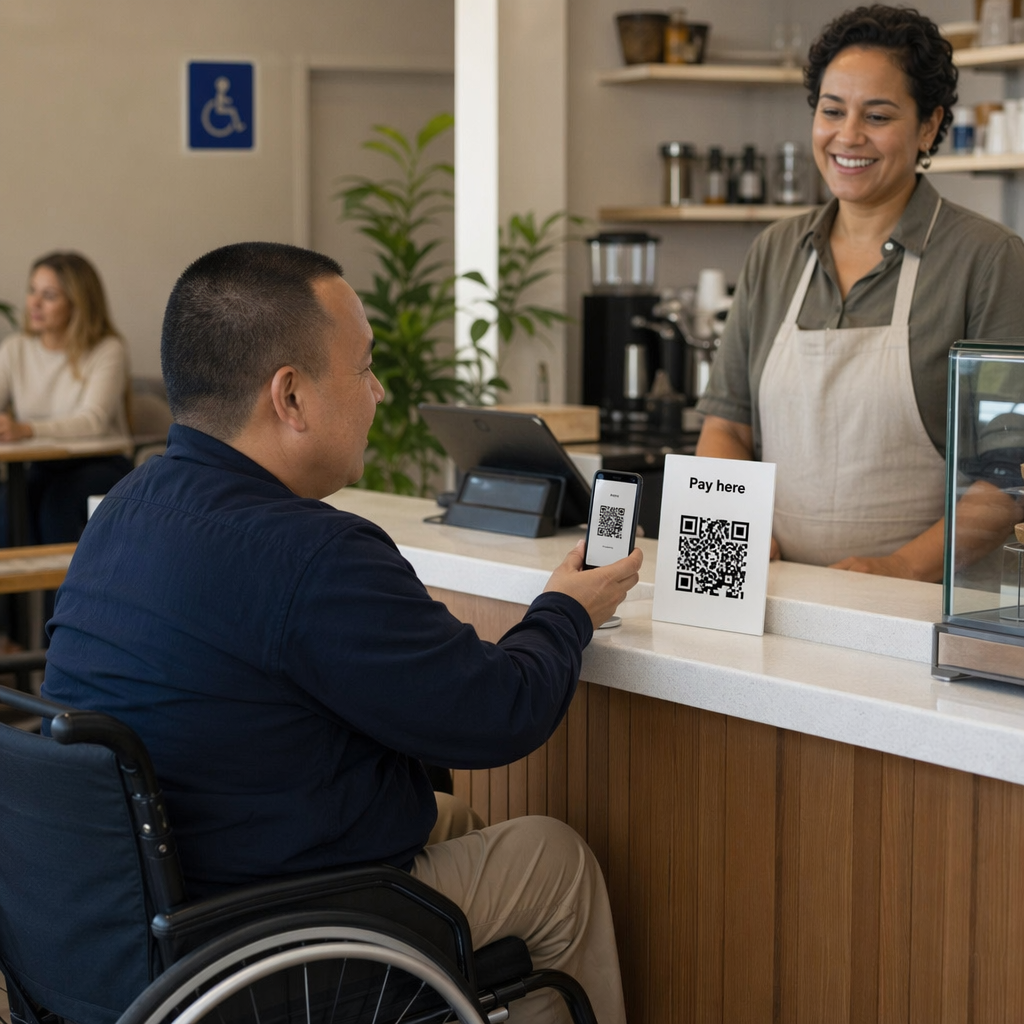
- Менији ресторана – Dinamički kodovi na stalcima za stolove omogućavaju vam da ažurirate meni bez ponovnog štampanja kartica
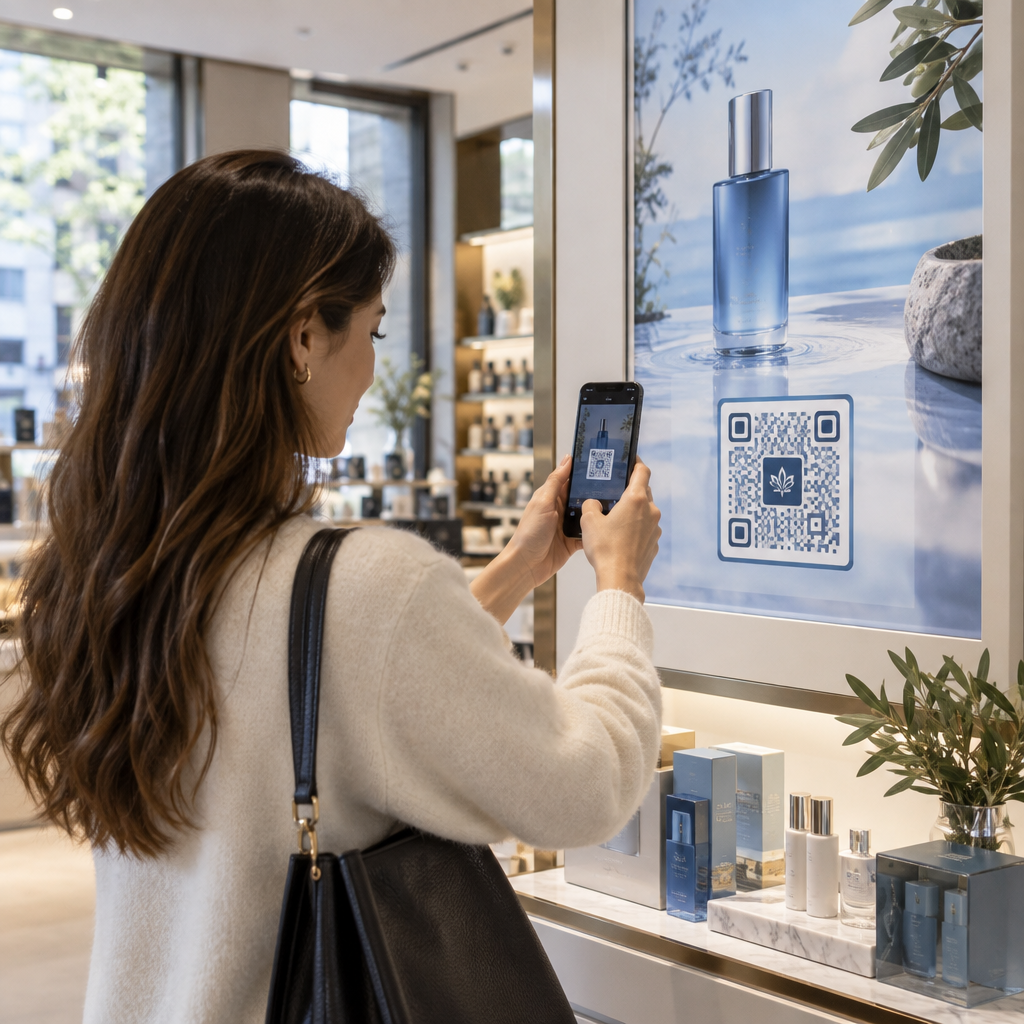
- Pakovanje proizvoda – Povežite sa uputstvima, recenzijama ili promotivnim sadržajem; dosledno brendiranje na kodu pojačava identitet proizvoda
- Materijali za događaje – Flajeri, karte i signalizacija sa kodovima koji vode do rasporeda, stranica za registraciju ili sadržaja nakon događaja
- Maloprodajna signalizacija – Povećajte posete fizičkih lokacija ka onlajn ponudama ili programima lojalnosti
- Štampani oglasi i direktna pošta – Pratite koje kampanje generišu skeniranja koristeći UTM parametre i analitiku
Za kampanje gde vam je potreban jedan QR kod koji vodi do više linkova ili delova sadržaja, Funkcija odredišne stranice Pageloot-a omogućava vam da kreirate brendiranu mobilnu stranicu iza jednog skeniranja – korisno za profile na društvenim mrežama, informacije o događajima ili kolekcije proizvoda.
Možete istražiti ceo spektar dostupnih funkcija i slučajeva upotrebe na Pregledu funkcija Pageloot-a.
Praćenje performansi i poboljšanje rezultata
Analitika iza vaših QR kodova je ono što pasivnu dodirnu tačku odvaja od merljivog marketinškog sredstva. Kada se vaši brendirani kodovi postave, podaci koje generišu govore vam šta funkcioniše, a šta treba prilagoditi.
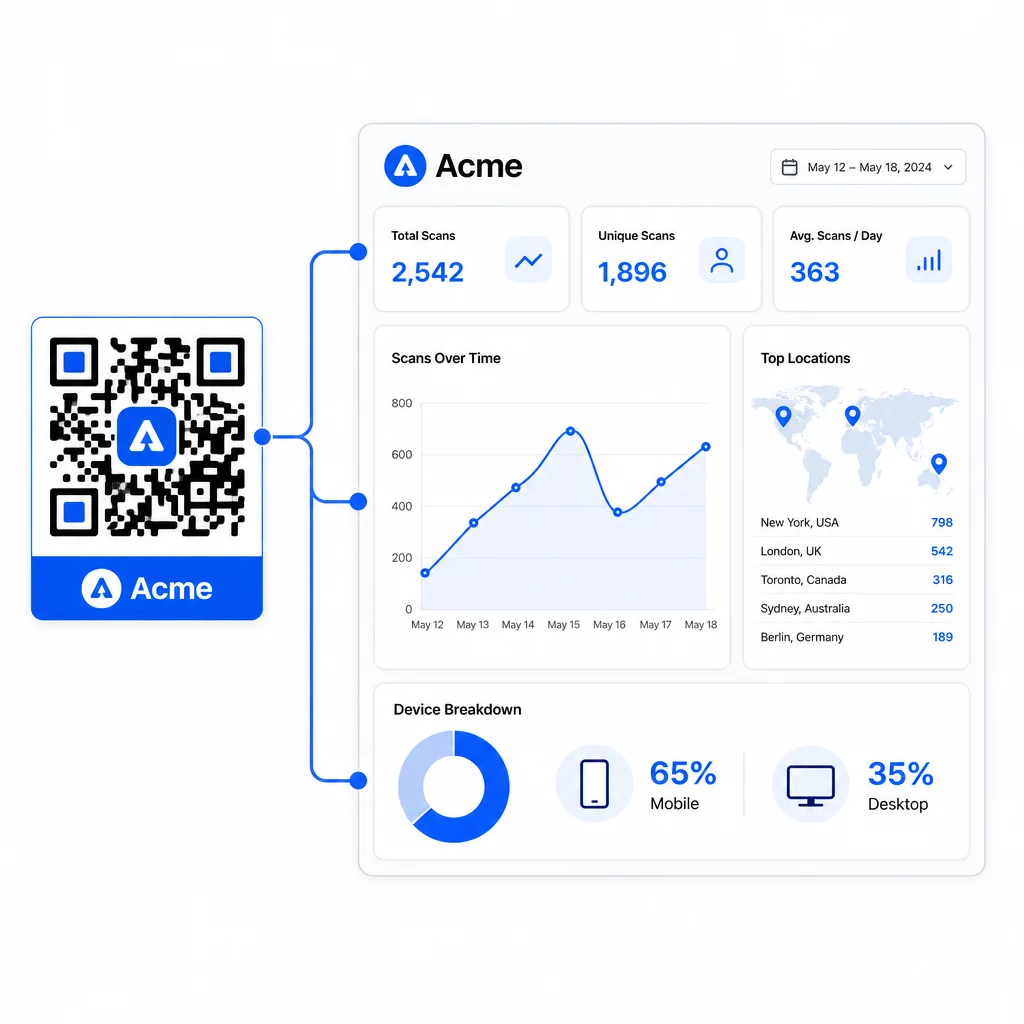
Sa Pageloot kontrolne table, možete pratiti:
- Ukupan broj i jedinstveni broj skeniranja po kodu
- Lokacije skeniranja (država, grad)
- Tipovi uređaja (iOS naspram Androida, mobilni naspram desktopa)
- Obrasci vremena skeniranja – koji dani i sati generišu najviše aktivnosti
Ovi podaci vam omogućavaju da identifikujete koja mesta podstiču angažovanje, uporedite performanse u različitim kampanjama i izvršite promene u dizajnu ili postavljanju na osnovu stvarnog ponašanja, a ne pretpostavki. Na primer, ako se skeniranja na određenom flajeru smanje usred kampanje, možete ažurirati povezanu destinaciju na svežiju ponudu bez zamene štampanog materijala.
Dodavanje UTM parametara URL-ovima vaših QR kodova donosi ove podatke direktno u Google Analytics, povezujući ponašanje skeniranja van mreže sa vašim celokupnim konverzionim levkom.
Sastavljanje svega
Brendirani QR kodovi su najefikasniji kada dizajn, funkcionalnost i podaci rade zajedno. Početak sa dobro usklađenim šablonom održava vaše kodove vizuelno doslednim i spremnim za kampanju. Dodavanje vašeg logotipa, boja brenda i jasnog poziva na akciju čini ih prepoznatljivim i orijentisanim na akciju. Korišćenje dinamičkih kodova daje vam fleksibilnost da ažurirate destinacije i pratite performanse bez ikakvog dodirivanja štampanih materijala.
Bez obzira da li postavljate kodove na vizit karte, menije, ambalažu ili signalizaciju događaja, kombinacija profesionalnog dizajna i analitike u realnom vremenu pretvara jednostavan kod u merljiv deo vaše marketinške strategije. Počnite sa besplatnim QR kodom iz Pageloot generatora i gradite dalje.
Često postavljana pitanja
Koristite korekciju grešaka nivoa H kada dodajete logo – ovo omogućava kodu da povrati do 30% zaklonjenih podataka, kompenzujući pokrivenost logotipa. Držite logo na ne više od 20–30% ukupne površine koda i centrirajte ga dalje od obrazaca za pronalaženje. Za boje, održavajte minimalni odnos kontrasta od 4,5:1 između modula prednjeg plana i pozadine, izbegavajte gradijente i uvek testirajte na više uređaja pre štampanja.
Statički QR kod direktno kodira odredište, tako da se ne može promeniti nakon kreiranja bez generisanja novog koda. Dinamički QR kod kodira kratak URL za preusmeravanje koji kontrolišete sa kontrolne table, što znači da možete ažurirati odredište, dodati zaštitu lozinkom, postaviti datume isteka i pratiti analitiku skeniranja – sve to bez ponovnog štampanja vaših materijala. Za većinu marketinških i poslovnih slučajeva upotrebe, dinamički kodovi su praktičniji izbor.
Opšti minimum za skeniranje iz blizine je 2 × 2 cm (0,8 × 0,8 in). Za materijale gde je udaljenost skeniranja veća – kao što su posteri ili signalizacija – koristite pravilo 10:1: dodajte 1 cm širine koda za svakih 10 cm očekivane udaljenosti gledanja. Brendirani kodovi sa logotipima ili prilagođenim bojama možda će morati biti nešto veći kako bi se osiguralo da dodata složenost dizajna ne smanji mogućnost skeniranja.