Snažíte sa, aby vaše QR kódy vyzerali, že skutočne patria k vašej značke? Obyčajný čiernobiely kód technicky splní svoju úlohu, ale premešká skutočnú príležitosť posilniť rozpoznateľnosť a zvýšiť počet skenov. Tento sprievodca vás prevedie tým, ako vytvoriť profesionálne značkové QR kódy pomocou hotových šablón, vlastného loga a farieb a dynamických funkcií, ktoré udržia vaše kampane flexibilné aj po vytlačení.
Prečo značkové QR kódy fungujú lepšie
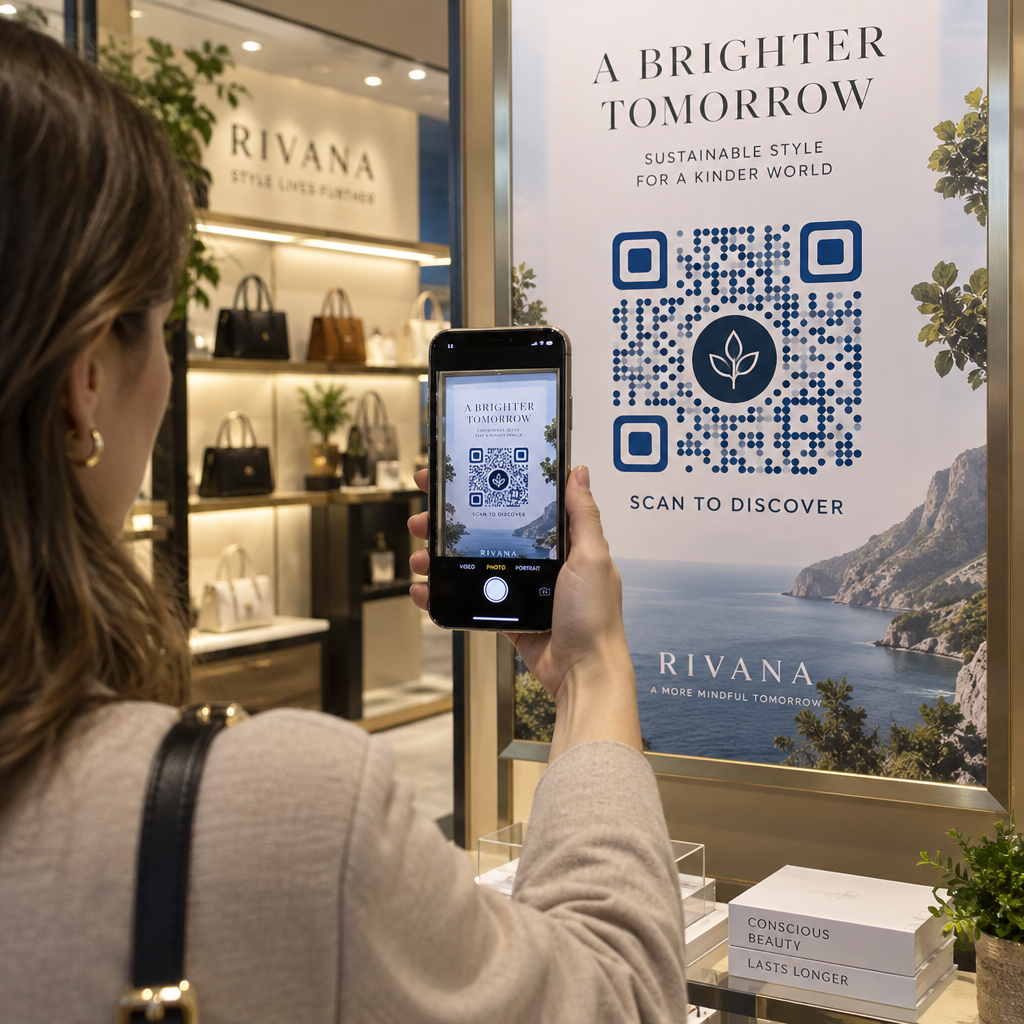
QR kód je kontaktný bod. Zakaždým, keď ho niekto uvidí na obale, letáku alebo vizitke, rýchlo posúdi, či ho naskenuje. Značkové QR kódy – tie, ktoré zahŕňajú vaše logo, farebnú schému a vizuálny štýl – signalizujú legitimitu a známosť, čo priamo ovplyvňuje mieru skenovania.
Výskum dôsledne ukazuje, že značkové QR kódy s logami môžu zvýšiť mieru skenovania o 30% až 70% v porovnaní s generickými čiernobielymi. Tento rozdiel spočíva v dôvere: kód, ktorý vyzerá, že patrí k značke, ktorú ľudia poznajú, sa skenuje ochotnejšie ako ten, ktorý vyzerá genericky alebo neoveriteľne.
Okrem miery skenovania vytvárajú značkové kódy konzistentnosť naprieč vašimi marketingovými materiálmi. Keď sa váš QR kód zhoduje s vaším obalom, označením a digitálnymi aktívami, posilňuje identitu značky namiesto toho, aby ju podkopával.
Vytvorte QR kódy v súlade so značkou bez toho, aby ste začínali od nuly Pageloot Šablóny QR kódov vám poskytnú hotové návrhy, ktoré si môžete prispôsobiť svojimi farbami, logom a štýlom – takže každý kód vyzerá ako súčasť vašej značky, nie ako dodatočný nápad.
Výber správnej šablóny pre vašu značku
Šablóna, ktorú si vyberiete, nastavuje vizuálny základ pre váš QR kód. Dobre zvolená šablóna skracuje čas návrhu, zaisťuje skenovateľnosť a dodáva vášmu kódu uhladený vzhľad, ktorý prirodzene zapadá do vašich existujúcich materiálov.
Pri hodnotení šablón uprednostnite:
- Súlad so značkou – Zodpovedá farebná škála, rozloženie a vizuálny štýl šablóny vašej existujúcej identite?
- Vhodnosť pre prípad použitia – Šablóna navrhnutá pre vizitku má iné proporcie a hustotu ako tá, ktorá je určená pre plagát alebo štítok produktu.
- Skenovateľnosť – Predtestované šablóny zo spoľahlivých platforiem sú už optimalizované pre požiadavky na kontrast a tichú zónu
Pageloot Knižnica šablón QR kódov ponúka návrhy usporiadané podľa prípadu použitia, od maloobchodu a podujatí po sociálne profily a menu. Môžete si vybrať šablónu, ktorá už vyzerá pripravená na kampaň, potom upraviť farby, pridať svoje logo a opakovane ju použiť na rôznych materiáloch pre konzistentný vzhľad.
Prispôsobenie šablón vášmu odvetviu
Rôzne odvetvia majú rôzne vizuálne očakávania a vaša šablóna QR kódu by mala tento kontext odrážať:
- Reštaurácie a pohostinstvo – Používajte teplé tóny a čistú typografiu vhodnú pre stolové stojany a menu; cieľom je prístupnosť a rýchle skenovanie
- Maloobchod a e-commerce – Vyberte si šablóny, ktoré dopĺňajú obaly produktov bez toho, aby s nimi vizuálne súťažili
- Nehnuteľnosti – Sofistikované, minimalistické návrhy s priestorom pre branding agenta a kontaktné údaje fungujú dobre na značení a tlačených materiáloch
- Zdravotná starostlivosť – Čisté, vysoko kontrastné návrhy v pokojných paletách vytvárajú dôveru a jasnosť, ktoré tento kontext vyžaduje
- Vzdelávanie – Návrhy, ktoré vyvažujú prístupnosť s autoritou; školské farby a jasné výzvy na akciu (CTA) pomáhajú viesť študentov a rodičov
- Podujatia a marketingové agentúry – Všestranné šablóny, ktoré možno prispôsobiť pre každú kampaň pri zachovaní celkovej identity vašej agentúry
Prispôsobenie QR kódov pomocou vašich brandingových prvkov
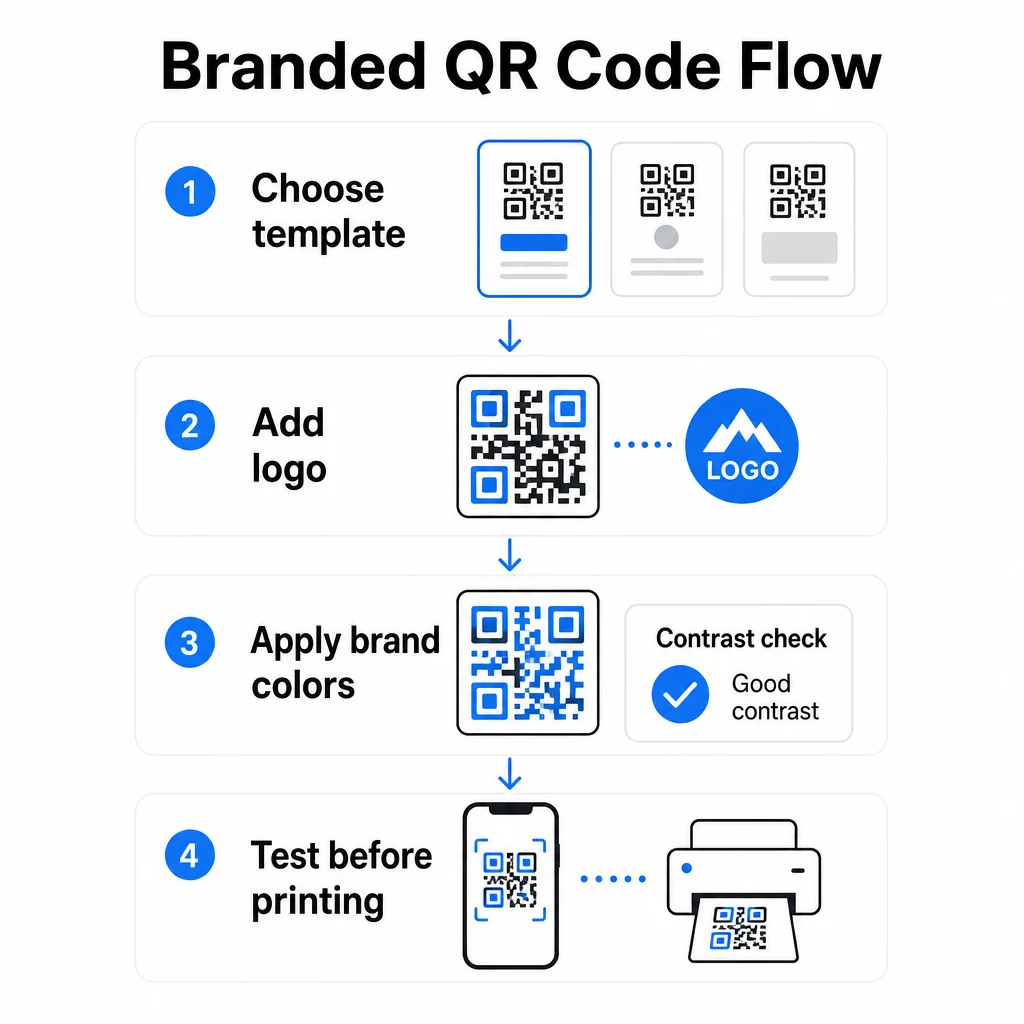
Akonáhle si vyberiete šablónu, začína skutočná práca s brandingom. Pridanie vášho loga, aplikácia vašej farebnej palety a doladenie detailov dizajnu premení generickú šablónu na kód, ktorý vyzerá nezameniteľne ako váš.
Pridanie loga vašej spoločnosti
Umiestnenie vášho loga do stredu QR kódu vytvára okamžité prepojenie so značkou v momente skenovania. Ak to chcete urobiť správne:
- Použite a vysokokvalitný vektorový súbor (SVG alebo EPS), aby vaše logo zostalo ostré v akejkoľvek veľkosti
- Udržujte logo vycentrované a mimo troch štvorcov vyhľadávacieho vzoru v rohoch
- Obmedzte pokrytie logom na nie viac ako 20 – 30 % celkovej plochy kódu – nad túto hranicu klesá skenovateľnosť
- Použite Korekcia chýb úrovne H pri pridávaní loga; to umožňuje kódu obnoviť až 30 % poškodených alebo zakrytých dát, čím sa kompenzuje oblasť, ktorú pokrýva vaše logo
Pageloot Logo QR kód: generátor QR kódov s logom automaticky spracováva korekciu chýb pri nahrávaní loga, čím znižuje riziko generovania kódu, ktorý vyzerá dobre, ale nebude spoľahlivo skenovateľný.
Pridajte svoje logo do QR kódu za pár minút Použi Logo QR kód: generátor QR kódov s logom na nahranie loga vašej značky, aplikovanie vašich farieb a stiahnutie súboru pripraveného na tlač – nie je potrebný žiadny dizajnérsky softvér.
Aplikovanie farieb značky bez narušenia skenovateľnosti
Farba je miesto, kde sa mnohé značkové QR kódy stretávajú s problémami. Kód stále potrebuje dostatočný kontrast medzi dátovými modulmi a pozadím, aby bol spoľahlivo skenovateľný. Pokyny, ktoré treba dodržiavať:
- Tmavé popredie na svetlom pozadí je najspoľahlivejšia kombinácia; čierna na bielej zostáva zlatým štandardom
- Snažte sa o minimálny kontrastný pomer 4,5:1 pre malé kódy; 3:1 je prijateľný pre väčšie formáty, kde má skener väčšiu plochu na čítanie
- Vyhnite sa prechodom a tieňom – tie vytvárajú stredné tóny, ktoré mätú skenery tým, že robia hranicu medzi modulmi nejednoznačnou
- Nikdy neinvertujte farby (svetlé kódy na tmavom pozadí) bez dôkladného testovania na viacerých zariadeniach; niektoré skenery to zvládajú zle
Pre viac podrobností o tom, ktoré farebné kombinácie fungujú a ktorým sa vyhnúť, si pozrite príručku osvedčených postupov pre farebný kontrast QR kódov pokrýva konkrétne príklady kontrastných pomerov a porovnávaciu tabuľku.
Podrobnosti o pokročilej prispôsobiteľnosti
Okrem farieb a loga môže niekoľko ďalších dizajnových volieb pozdvihnúť vzhľad vášho QR kódu bez kompromisov vo funkčnosti:
- Vlastné tvary vyhľadávacieho vzoru – Tri štvorce v rohoch môžu byť zaoblené alebo štylizované; to dodáva osobitosť a zároveň udržuje vzor rozpoznateľný pre skenery
- Rámy a výzvy k akcii – Pridanie značkového okraja a krátkej frázy ako “Naskenujte pre zobrazenie menu” alebo “Naskenujte pre stiahnutie” zvyšuje angažovanosť tým, že používateľom presne povie, čo dostanú
- Tichá zóna – Vždy udržujte prázdny okraj s minimálne štyrmi modulmi na všetkých stranách kódu; toto je požiadavka ISO/IEC 18004 a je kľúčová pre správne umiestnenie kódu skenermi
- Minimálna veľkosť – Pre tlačové použitie udržujte kódy s minimálnou veľkosťou 2 × 2 cm (0,8 × 0,8 palca) pre skenovanie zblízka; proporcionálne zväčšite pre plagáty alebo značenie pomocou všeobecného pravidla 1 cm šírky kódu na každých 10 cm očakávanej vzdialenosti skenovania
Používajte vektorové formáty (SVG alebo EPS) pre všetky tlačové aplikácie, aby ste predišli pixelizácii pri väčších veľkostiach. Pre ďalšie usmernenie, osvedčených postupov pre čitateľnosť QR kódov a sprievodca tvorbou vlastných QR kódov podrobnejšie pokrýva veľkosť, rozlíšenie a umiestnenie.
Vždy otestujte pred tlačou. Vytlačte kód v jeho zamýšľanej veľkosti, otestujte ho na viacerých zariadeniach a skenovacích aplikáciách a skontrolujte ho v skutočných svetelných podmienkach, kde sa bude používať. Toto je obzvlášť dôležité, keď sú v hre logá, neštandardné farby alebo malé veľkosti, pretože tieto premenné môžu ovplyvniť skenovateľnosť spôsobmi, ktoré nie sú viditeľné na obrazovke.
Používanie dynamických QR kódov pre flexibilné kampane
Statické QR kódy uzamknú pevný cieľ v momente vytvorenia. To je v poriadku pre trvalé prípady použitia, ale vytvára to problémy v momente, keď sa zmení URL adresa, skončí sa propagácia alebo sa aktualizuje menu – pretože by ste museli pretlačiť každý kus materiálu, ktorý kód obsahuje.
Dynamické QR kódy to riešia. Namiesto priameho kódovania cieľa kódujú krátku presmerovaciu URL adresu, ktorú ovládate z ovládacieho panela. Keď potrebujete zmeniť, kam kód smeruje – nová vstupná stránka, aktualizovaný PDF, sezónna ponuka – aktualizujete cieľ bez toho, aby ste sa dotkli samotného vytlačeného kódu.
Vďaka tomu sú dynamické kódy praktickým štandardom pre väčšinu obchodných aplikácií. Kľúčové výhody zahŕňajú:
- Upravte cieľ po vytlačení bez pretláčania materiálov, čím ušetríte čas a náklady
- Analytika v reálnom čase vrátane celkového počtu skenov, jedinečných skenov, typov zariadení a miest skenovania
- Detekcia zariadenia pre prípady použitia, ako sú stiahnutia aplikácií, kde kód automaticky presmeruje používateľov iOS do App Store a používateľov Androidu do Google Play
- Dátumy vypršania platnosti a ochrana heslom pre časovo citlivý alebo exkluzívny obsah
Pageloot Dynamický QR kód generátor zahŕňa centralizovaný panel, kde môžete monitorovať všetky aktívne kódy, aktualizovať destinácie a získavať údaje o výkone v reálnom čase. Môžete tiež pridať parametre UTM k odkazom QR kódu pre priamu integráciu s Google Analytics, čím prepojíte údaje o skenovaní s vaším širším marketingovým lievikom.
Pre kontext, ako funguje základná technológia, ako funguje korekcia chýb v editovateľných QR kódoch vysvetľuje, prečo dynamické kódy zostávajú skenovateľné, aj keď zakódovaná krátka URL adresa zostáva konštantná naprieč aktualizáciami dizajnu alebo obsahu.
Aktualizujte svoje kampane bez opätovnej tlače Pageloot dynamické QR kódy vám umožňujú meniť destinácie, sledovať výkon a optimalizovať kampane z jedného panelu – aj keď sú vaše materiály už vytlačené.
Kde použiť značkové QR kódy
Značkové QR kódy sú všestranné naprieč fyzickými a digitálnymi materiálmi. Bežné aplikácie zahŕňajú:
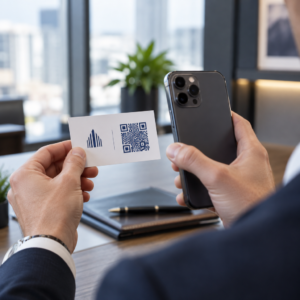
- Vizitky – Odkazujte priamo na digitálnu kontaktnú stránku, portfólio alebo sociálny profil; Digitálna vizitka s QR kódom: generátor je účelovo vytvorený pre tento prípad použitia
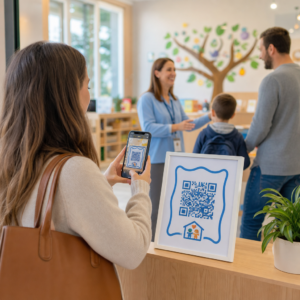
- Jedálne lístky v reštaurácii – Dynamické kódy na stolových stojanoch vám umožňujú aktualizovať menu bez opätovnej tlače kariet
- Obal produktu – Odkazujte na pokyny, recenzie alebo propagačný obsah; konzistentná značka na kóde posilňuje identitu produktu
- Materiály pre podujatia – Letáky, vstupenky a pútače s kódmi, ktoré odkazujú na programy, registračné stránky alebo obsah po udalosti
- Maloobchodné pútače – Zvýšte návštevnosť k online ponukám alebo vernostným programom
- Tlačené reklamy a priama pošta – Sledujte, ktoré kampane generujú skeny pomocou parametrov UTM a analýz
Pre kampane, kde potrebujete jeden QR kód, ktorý odkazuje na viacero odkazov alebo kúskov obsahu, Funkcia vstupnej stránky Pageloot vám umožňuje vytvoriť značkovú mobilnú stránku za jediným skenom – užitočné pre sociálne profily, informácie o udalostiach alebo kolekcie produktov.
Celý rad dostupných funkcií a prípadov použitia môžete preskúmať na Prehľad funkcií Pageloot.
Sledovanie výkonu a zlepšovanie výsledkov
Analytika za vašimi QR kódmi je to, čo oddeľuje pasívny kontaktný bod od merateľného marketingového aktíva. Akonáhle sú vaše značkové kódy nasadené, údaje, ktoré generujú, vám povedia, čo funguje a čo potrebuje úpravu.
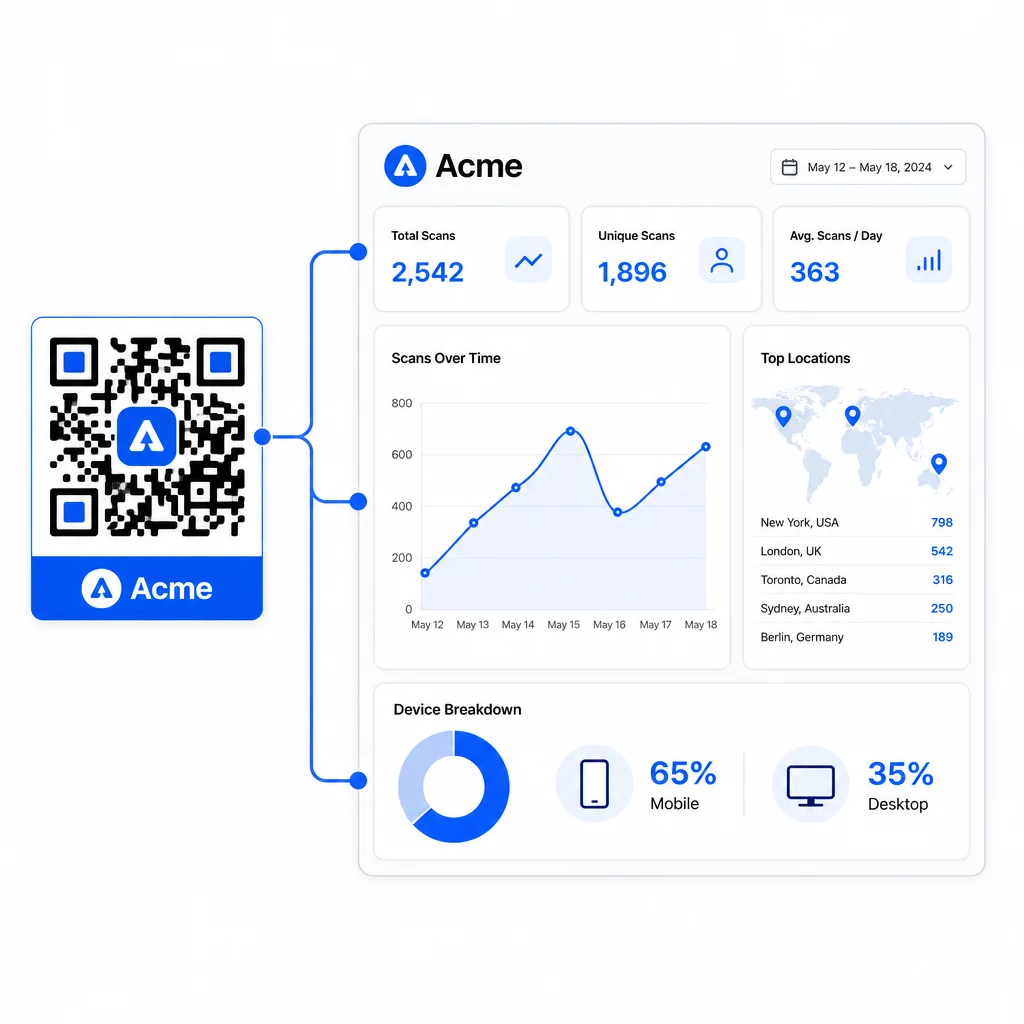
Z ovládacieho panela Pageloot môžete sledovať:
- Celkový a jedinečný počet skenov na kód
- Miesta skenovania (krajina, mesto)
- Typy zariadení (iOS vs. Android, mobilné vs. stolné)
- Vzory načasovania skenovania – ktoré dni a hodiny generujú najviac aktivity
Tieto údaje vám umožňujú identifikovať, ktoré umiestnenia zvyšujú angažovanosť, porovnať výkonnosť naprieč kampaňami a vykonávať zmeny v dizajne alebo umiestnení na základe skutočného správania, a nie predpokladov. Napríklad, ak sa počet skenov na konkrétnom letáku v polovici kampane zníži, môžete aktualizovať prepojenú destináciu na novšiu ponuku bez výmeny tlačeného materiálu.
Pridanie parametrov UTM do URL adries vašich QR kódov prenesie tieto údaje priamo do Google Analytics, čím prepojí offline správanie pri skenovaní s vaším celým konverzným lievikom.
Všetko dohromady
Značkové QR kódy sú najúčinnejšie, keď dizajn, funkčnosť a dáta spolupracujú. Začatie s dobre zladenou šablónou udržuje vaše kódy vizuálne konzistentné a pripravené na kampaň. Pridanie vášho loga, farieb značky a jasnej výzvy na akciu ich robí rozpoznateľnými a akčne orientovanými. Používanie dynamických kódov vám dáva flexibilitu aktualizovať destinácie a sledovať výkonnosť bez toho, aby ste sa kedykoľvek dotli tlačených materiálov.
Či už umiestňujete kódy na vizitky, menu, obaly alebo označenie udalostí, kombinácia profesionálneho dizajnu a analýzy v reálnom čase premení jednoduchý kód na merateľnú súčasť vašej marketingovej stratégie. Začnite s bezplatným QR kódom z generátora Pageloot a stavajte na tom.
Často kladené otázky
Pri pridávaní loga použite korekciu chýb úrovne H – to umožňuje kódu obnoviť až 30 % zakrytých dát, čím sa kompenzuje pokrytie logom. Udržujte logo na maximálne 20 – 30 % celkovej plochy kódu a umiestnite ho do stredu mimo vyhľadávacích vzorov. Pre farby udržujte minimálny kontrastný pomer 4,5:1 medzi modulmi popredia a pozadím, vyhýbajte sa prechodom a vždy testujte na viacerých zariadeniach pred tlačou.
Statický QR kód kóduje cieľ priamo, takže ho nemožno zmeniť po vytvorení bez vygenerovania nového kódu. Dynamický QR kód kóduje krátku presmerovaciu URL adresu, ktorú ovládate z ovládacieho panela, čo znamená, že môžete aktualizovať cieľ, pridať ochranu heslom, nastaviť dátumy vypršania platnosti a sledovať analýzy skenovania – to všetko bez opätovnej tlače vašich materiálov. Pre väčšinu marketingových a obchodných prípadov použitia sú dynamické kódy praktickejšou voľbou.
Všeobecné minimum pre skenovanie zblízka je 2 × 2 cm (0,8 × 0,8 palca). Pre materiály, kde je vzdialenosť skenovania väčšia – ako sú plagáty alebo označenia – použite pravidlo 10:1: pridajte 1 cm šírky kódu na každých 10 cm očakávanej pozorovacej vzdialenosti. Značkové kódy s logami alebo vlastnými farbami môžu potrebovať byť mierne väčšie, aby sa zabezpečilo, že pridaná dizajnová zložitosť nezníži skenovateľnosť.