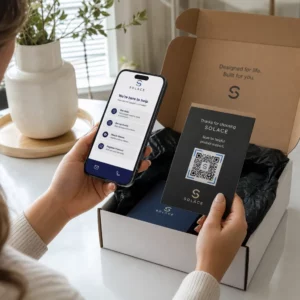
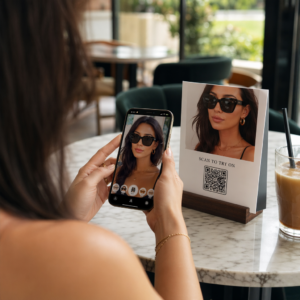
Onko sinulla vaikeuksia saada QR-koodisi näyttämään siltä, että ne todella kuuluvat brändiisi? Yksinkertainen mustavalkoinen koodi hoitaa teknisesti tehtävänsä, mutta se jättää käyttämättä todellisen mahdollisuuden vahvistaa tunnistettavuutta ja lisätä skannauksia. Tämä opas opastaa sinua luomaan ammattimaisia brändättyjä QR-koodeja käyttämällä valmiita malleja, omaa logoasi ja värejäsi sekä dynaamisia ominaisuuksia, jotka pitävät kampanjasi joustavina tulostuksen jälkeen.
Miksi brändätyt QR-koodit toimivat paremmin
QR-koodi on kosketuspiste. Joka kerta kun joku näkee sen pakkauksessa, esitteessä tai käyntikortissa, hän tekee nopean arvion siitä, kannattaako se skannata. Brändätyt QR-koodit – ne, jotka sisältävät logosi, värimaailmasi ja visuaalisen tyylisi – viestivät legitiimiydestä ja tuttuudesta, mikä vaikuttaa suoraan skannausmääriin.
Tutkimukset osoittavat jatkuvasti, että brändätyt QR-koodit logoilla voivat nostaa skannausmääriä 30 %:sta 70 %:iin verrattuna yleisiin mustavalkoisiin koodeihin. Tämä ero johtuu luottamuksesta: koodi, joka näyttää kuuluvan tunnistettavalle brändille, skannataan helpommin kuin geneerinen tai varmistamaton koodi.
Skannausmäärien lisäksi brändätyt koodit luovat johdonmukaisuutta markkinointimateriaaleihisi. Kun QR-koodisi vastaa pakkauksiasi, kylttejäsi ja digitaalisia resurssejasi, se vahvistaa brändi-identiteettiä sen sijaan, että heikentäisi sitä.
Luo brändin mukaisia QR-koodeja aloittamatta tyhjästä Pagelootin QR-koodipohjat tarjoavat sinulle valmiita malleja, joita voit muokata väreilläsi, logollasi ja tyylilläsi – jotta jokainen koodi näyttää osalta brändiäsi, ei jälkikäteen lisätyltä.
Oikean mallin valitseminen brändillesi
Valitsemasi malli luo QR-koodisi visuaalisen perustan. Hyvin yhteensopiva malli vähentää suunnitteluaikaa, varmistaa skannattavuuden ja antaa koodillesi viimeistellyn ulkonäön, joka sopii luonnollisesti olemassa oleviin materiaaleihisi.
Malleja arvioitaessa priorisoi:
- Brändin mukaisuus – Vastaavatko mallin värivalikoima, asettelu ja visuaalinen tyyli olemassa olevaa identiteettiäsi?
- Käyttötarkoituksen sopivuus – Käyntikorttiin suunnitellulla mallilla on erilaiset mittasuhteet ja tiheys kuin julisteeseen tai tuotetarraan rakennetulla mallilla.
- Skannattavuus – Esitestatut mallipohjat luotettavilta alustoilta on jo optimoitu kontrastin ja hiljaisen alueen vaatimusten mukaisesti
Pagelootin QR-koodimallikirjasto tarjoaa käyttötapauksen mukaan järjestettyjä malleja, vähittäiskaupasta ja tapahtumista sosiaalisiin profiileihin ja ruokalistoihin. Voit valita mallipohjan, joka näyttää jo kampanjavalmiilta, säätää sitten värejä, lisätä logosi ja käyttää sitä uudelleen eri materiaaleissa yhtenäisen ilmeen saavuttamiseksi.
Mallipohjien sovittaminen toimialallesi
Eri toimialoilla on erilaisia visuaalisia odotuksia, ja QR-koodimallipohjasi tulisi heijastaa tätä kontekstia:
- Ravintolat ja majoitusala – Käytä lämpimiä sävyjä ja selkeää typografiaa, jotka sopivat pöytätelineisiin ja ruokalistoihin; tavoitteena on lähestyttävyys ja nopea skannaus
- Vähittäiskauppa ja verkkokauppa – Valitse mallipohjat, jotka täydentävät tuotepakkauksia kilpailematta niiden kanssa visuaalisesti
- Kiinteistöt – Hienostuneet, minimalistiset mallit, joissa on tilaa edustajan brändäykselle ja yhteystiedoille, toimivat hyvin kylteissä ja painetuissa materiaaleissa
- Terveydenhuolto – Selkeät, korkeakontrastiset mallit rauhallisissa väripaleteissa luovat luottamuksen ja selkeyden, jota tämä konteksti vaatii
- Koulutus – Mallit, jotka tasapainottavat lähestyttävyyttä ja auktoriteettia; koulun värit ja selkeät toimintakehotteet auttavat ohjaamaan opiskelijoita ja vanhempia
- Tapahtumat ja markkinointitoimistot – Monipuoliset mallipohjat, jotka voidaan mukauttaa kampanjakohtaisesti säilyttäen samalla toimistosi yleisen identiteetin
QR-koodien mukauttaminen brändielementeilläsi
Kun olet valinnut mallipohjan, todellinen brändityö alkaa. Logon lisääminen, väripaletin soveltaminen ja suunnittelun yksityiskohtien hienosäätö muuttavat yleisen mallipohjan koodiksi, joka näyttää erehtymättömästi sinun omaltasi.
Yrityksesi logon lisääminen
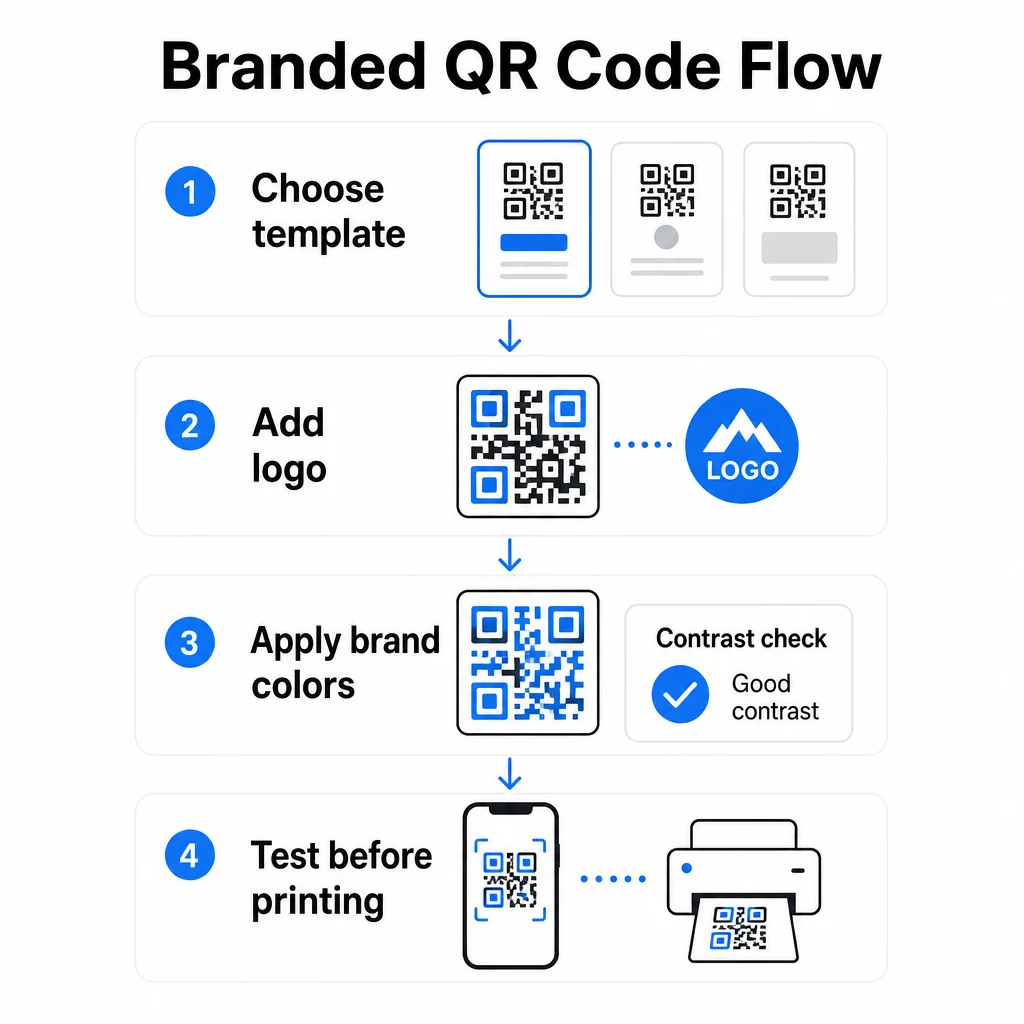
Logon sijoittaminen QR-koodin keskelle luo välittömän brändiyhteyden skannaushetkellä. Jotta tämä onnistuu oikein:
- Käytä korkealaatuinen vektoritiedosto (SVG tai EPS), jotta logosi pysyy terävänä koosta riippumatta
- Pidä logo keskitettynä ja erillään kolmesta kulmissa olevasta etsintäkuviosta
- Rajoita logon peittoalue enintään 20–30 % koodin kokonaispinta-alasta – sen ylittäminen heikentää skannattavuutta
- Käyttää Virheenkorjaustaso H logoa lisättäessä; tämä mahdollistaa koodin palautumisen jopa 30 % vaurioituneesta tai peitetystä tiedosta, kompensoiden logon peittämän alueen
Pagelootin QR-koodi generaattori logolla hoitaa virheenkorjauksen automaattisesti, kun lataat logon, mikä vähentää riskiä luoda koodi, joka näyttää hyvältä mutta ei skannaa luotettavasti.
Lisää logosi QR-koodiin minuuteissa Käytä QR-koodi generaattori logolla ladata brändilogosi, soveltaa värejäsi ja ladata tulostusvalmis tiedosto – ilman suunnitteluohjelmistoja.
Brändivärien käyttäminen skannattavuutta rikkomatta
Väri on se, missä monet brändätyt QR-koodit kohtaavat ongelmia. Koodi tarvitsee edelleen riittävän kontrastin datamoduulien ja taustan välillä skannatakseen luotettavasti. Noudatettavat ohjeet:
- Tumma etuala vaalealla taustalla on luotettavin yhdistelmä; musta valkoisella pysyy kultaisena standardina
- Tavoittele vähintään kontrastisuhdetta 4.5:1 pienille koodeille; 3:1 on hyväksyttävä suuremmille formaateille, joissa skannerilla on enemmän pinta-alaa luettavaksi
- Vältä liukuvärejä ja varjoja – nämä luovat välisävyjä, jotka hämmentävät skannereita tekemällä moduulien välisen rajan epäselväksi
- Älä koskaan käännä värejä (vaalea koodi tummalla taustalla) ilman perusteellista usean laitteen testausta; jotkut skannerit käsittelevät tätä huonosti
Lisätietoja siitä, mitkä väriyhdistelmät toimivat ja mitä tulisi välttää, löytyy QR-koodin värikontrastin parhaiden käytäntöjen opas käsittelee erityisiä kontrastisuhde-esimerkkejä ja vertailutaulukon.
Edistyneet mukautusyksityiskohdat
Värien ja logojen lisäksi muutama lisämuotoiluvalinta voi parantaa QR-koodisi ulkonäköä toimivuudesta tinkimättä:
- Mukautetut etsintäkuvion muodot – Kolme kulmissa olevaa neliötä voidaan pyöristää tai muotoilla; tämä lisää persoonallisuutta pitäen samalla kuvion tunnistettavana skannereille
- Kehykset ja toimintakehotukset – Brändätyn reunuksen ja lyhyen lauseen, kuten “Skannaa nähdäksesi menun” tai “Skannaa ladataksesi”, lisääminen parantaa sitoutumista kertomalla käyttäjille tarkalleen, mitä he saavat.
- Hiljainen vyöhyke – Säilytä aina vähintään neljän moduulin tyhjä marginaali koodin kaikilla sivuilla; tämä on ISO/IEC 18004 -vaatimus ja kriittinen skannereille koodin oikean sijainnin löytämiseksi.
- Vähimmäiskoko – Tulostuskäytössä pidä koodit vähintään 2 × 2 cm (0,8 × 0,8 tuumaa) lähiskannausta varten; skaalaa suhteellisesti suuremmaksi julisteita tai kylttejä varten käyttäen yleissääntöä 1 cm koodin leveydestä 10 cm:ä kohti odotettua skannausetäisyyttä.
Käytä vektorimuotoja (SVG tai EPS) kaikissa tulostussovelluksissa pikselöitymisen estämiseksi suuremmissa koissa. Lisäohjeita varten, parhaita käytäntöjä QR-koodin luettavuudelle ja mukautetun QR-koodin luomisopas käsittelee kokoa, resoluutiota ja sijoittelua yksityiskohtaisemmin.
Testaa aina ennen tulostusta. Tulosta koodi sen aiottuun kokoon, testaa sitä useilla laitteilla ja skannerisovelluksilla ja tarkista se todellisissa valaistusolosuhteissa, joissa sitä käytetään. Tämä on erityisen tärkeää, kun kyseessä ovat logot, epästandardit värit tai pienet koot, sillä nämä muuttujat voivat vaikuttaa skannattavuuteen tavoilla, jotka eivät näy näytöllä.
Dynaamisten QR-koodien käyttö joustavissa kampanjoissa
Staattiset QR-koodit lukitsevat kiinteän kohteen luomishetkellä. Tämä sopii pysyviin käyttötapauksiin, mutta se aiheuttaa ongelmia heti, kun URL-osoite muuttuu, kampanja päättyy tai menu päivitetään – koska sinun olisi tulostettava uudelleen kaikki materiaalit, joissa koodi on.
Dynaamiset QR-koodit ratkaisevat tämän. Sen sijaan, että ne koodaisivat kohteen suoraan, ne koodaavat lyhyen uudelleenohjaus-URL-osoitteen, jota hallitset hallintapaneelista. Kun sinun on muutettava, mihin koodi osoittaa – uusi laskeutumissivu, päivitetty PDF, kausitarjous – päivität kohteen koskematta itse tulostettuun koodiin.
Tämä tekee dynaamisista koodeista käytännöllisen oletusarvon useimmissa yrityssovelluksissa. Tärkeimpiä etuja ovat:
- Muokkaa kohdetta tulostuksen jälkeen ilman materiaalien uudelleentulostusta, säästäen aikaa ja kustannuksia
- Reaaliaikainen analytiikka mukaan lukien kokonaisskannaukset, yksilölliset skannaukset, laitetyypit ja skannauspaikat
- Laitteentunnistus käyttötapauksiin, kuten sovelluslatauksiin, joissa koodi ohjaa iOS-käyttäjät automaattisesti App Storeen ja Android-käyttäjät Google Playhin
- Vanhenemispäivät ja salasanasuojaus aikaherkälle tai eksklusiiviselle sisällölle
Pagelootin Dynaaminen QR-koodi generaattori sisältää keskitetyn hallintapaneelin, jossa voit seurata kaikkia aktiivisia koodeja, päivittää kohteita ja hakea suorituskykytietoja reaaliaikaisesti. Voit myös lisätä UTM-parametreja QR-koodilinkkeihin suoraa integrointia varten Google Analyticsin kanssa, yhdistäen skannaustiedot laajempaan markkinointisuppiloosi.
Kontekstina siitä, miten taustalla oleva teknologia toimii, Virheenkorjaus muokattavissa QR-koodeissa selittää, miksi dynaamiset koodit pysyvät skannattavina, vaikka koodattu lyhyt URL-osoite pysyy samana suunnittelu- tai sisältöpäivityksistä huolimatta.
Päivitä kampanjasi ilman uudelleenpainatusta Pagelootin dynaamiset QR-koodit antavat sinun muuttaa kohteita, seurata suorituskykyä ja optimoida kampanjoita yhdestä hallintapaneelista – vaikka materiaalisi olisivat jo painettu.
Missä käyttää brändättyjä QR-koodeja
Brändätyt QR-koodit ovat monipuolisia fyysisissä ja digitaalisissa materiaaleissa. Yleisiä käyttökohteita ovat:
- Käyntikortit – Linkitä suoraan digitaaliseen yhteystietosivuun, portfolioon tai sosiaaliseen profiiliin; QR-koodi käyntikorttiin on tarkoitettu tähän käyttötarkoitukseen
- Ravintolan valikot – Dynaamiset koodit pöytätelineissä antavat sinun päivittää menun ilman korttien uudelleenpainatusta
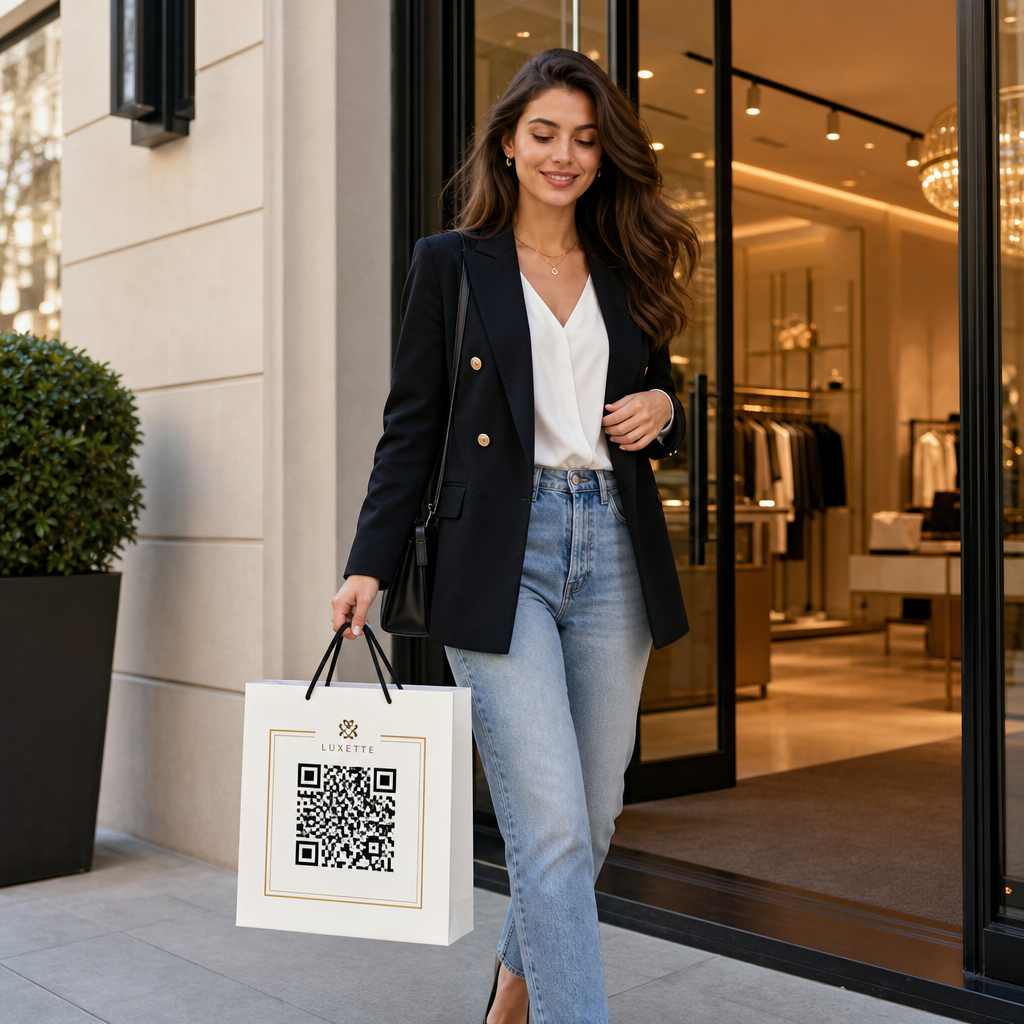
- Tuotepakkaukset – Linkitä ohjeisiin, arvosteluihin tai mainossisältöön; johdonmukainen brändäys koodissa vahvistaa tuotteen identiteettiä
- Tapahtumamateriaalit – Lentolehtiset, liput ja kyltit koodeilla, jotka linkittävät aikatauluihin, ilmoittautumissivuille tai tapahtuman jälkeiseen sisältöön
- Vähittäiskaupan kyltit – Ohjaa kävijöitä verkkotarjouksiin tai kanta-asiakasohjelmiin
- Painetut mainokset ja suoramarkkinointi – Seuraa, mitkä kampanjat tuottavat skannauksia UTM-parametreja ja analytiikkaa käyttäen
Kampanjoissa, joissa tarvitset yhden QR-koodin osoittamaan useisiin linkkeihin tai sisältöihin, Pagelootin aloitussivutoiminto antaa sinun luoda brändätyn mobiilisivun yhden skannauksen taakse – hyödyllinen sosiaalisen median profiileille, tapahtumatiedoille tai tuotekokoelmille.
Voit tutustua koko valikoimaan saatavilla olevia ominaisuuksia ja käyttötapauksia osoitteessa Pagelootin ominaisuuksien yleiskatsaus.
Suorituskyvyn seuranta ja tulosten parantaminen
QR-koodiesi analytiikka erottaa passiivisen kosketuspisteen mitattavasta markkinointiresurssista. Kun brändätyt koodisi on otettu käyttöön, niiden tuottama data kertoo sinulle, mikä toimii ja mikä vaatii säätöä.
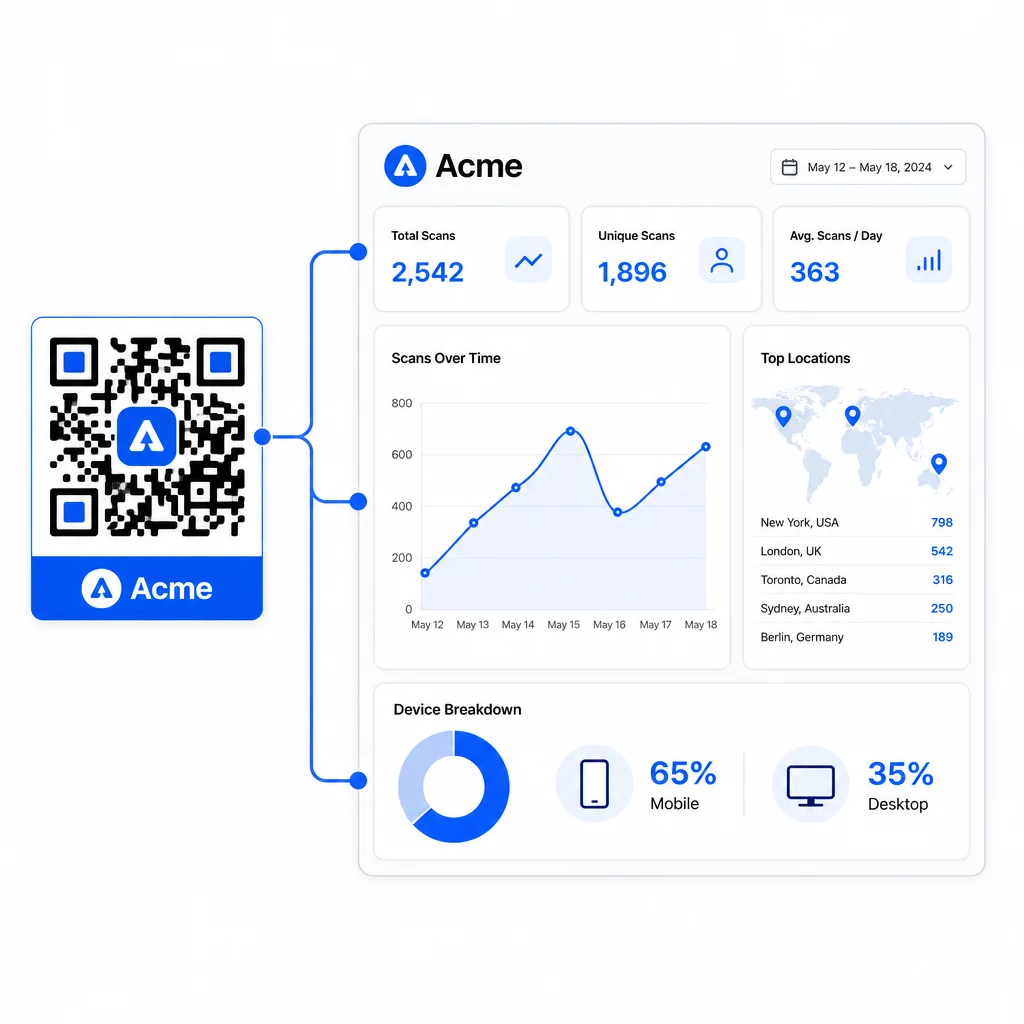
Pagelootin hallintapaneelista voit seurata:
- Skannausten kokonaismäärät ja yksilölliset määrät koodia kohden
- Skannauspaikat (maa, kaupunki)
- Laitetyypit (iOS vs. Android, mobiili vs. työpöytä)
- Skannausajankohdat – mitkä päivät ja tunnit tuottavat eniten toimintaa
Tämän datan avulla voit tunnistaa, mitkä sijoittelut lisäävät sitoutumista, vertailla suorituskykyä kampanjoiden välillä ja tehdä suunnittelu- tai sijoittelumuutoksia todellisen käyttäytymisen perusteella oletusten sijaan. Esimerkiksi, jos tietyn esitteen skannaukset vähenevät kampanjan puolivälissä, voit päivittää linkitetyn kohteen tuoreempaan tarjoukseen korvaamatta painettua materiaalia.
UTM-parametrien lisääminen QR-koodien URL-osoitteisiin tuo tämän datan suoraan Google Analyticsiin, yhdistäen offline-skannauskäyttäytymisen koko konversioputkeesi.
Kaiken yhdistäminen
Brändätyt QR-koodit ovat tehokkaimpia, kun suunnittelu, toiminnallisuus ja data toimivat yhdessä. Hyvin yhteensopivasta mallista aloittaminen pitää koodisi visuaalisesti yhtenäisinä ja kampanjavalmiina. Logon, brändivärien ja selkeän toimintakehotteen lisääminen tekee niistä tunnistettavia ja toimintaan ohjaavia. Dynaamisten koodien käyttö antaa sinulle joustavuuden päivittää kohteita ja seurata suorituskykyä koskematta koskaan painettuihin materiaaleihin.
Sijoititpa koodeja käyntikortteihin, ruokalistoihin, pakkauksiin tai tapahtumakyltteihin, ammattimaisen suunnittelun ja reaaliaikaisen analytiikan yhdistelmä muuttaa yksinkertaisen koodin mitattavaksi osaksi markkinointistrategiaasi. Aloita ilmaisella QR-koodilla Pagelootin generaattorista ja rakenna siitä eteenpäin.
Usein kysytyt kysymykset
Käytä tason H virheenkorjausta logoa lisätessäsi – tämä mahdollistaa koodin palautumisen jopa 30 %:sta peitetystä datasta, kompensoiden logon peittoa. Pidä logo enintään 20–30 %:ssa koodin kokonaispinta-alasta ja keskitä se pois etsintäkuvioista. Värien osalta säilytä vähintään 4.5:1 kontrastisuhde etualan moduulien ja taustan välillä, vältä gradientteja ja testaa aina useilla laitteilla ennen tulostusta.
Staattinen QR-koodi koodaa kohteen suoraan, joten sitä ei voi muuttaa luomisen jälkeen ilman uuden koodin luomista. Dynaaminen QR-koodi koodaa lyhyen uudelleenohjaus-URL-osoitteen, jota hallitset hallintapaneelista, mikä tarkoittaa, että voit päivittää kohteen, lisätä salasanasuojauksen, asettaa vanhenemispäiviä ja seurata skannausanalytiikkaa – kaikki ilman materiaalien uudelleenpainamista. Useimmissa markkinointi- ja yrityskäyttötapauksissa dynaamiset koodit ovat käytännöllisempi valinta.
Yleinen minimikoko lähiskannaukseen on 2 × 2 cm (0.8 × 0.8 tuumaa). Materiaaleissa, joissa skannausetäisyys on suurempi – kuten julisteissa tai kylteissä – käytä 10:1-sääntöä: lisää 1 cm koodin leveyttä jokaista 10 cm:ä kohden odotettua katseluetäisyyttä. Brändätyt koodit logoilla tai mukautetuilla väreillä saattavat vaatia hieman suuremman koon varmistaakseen, ettei lisätty suunnittelun monimutkaisuus heikennä skannattavuutta.