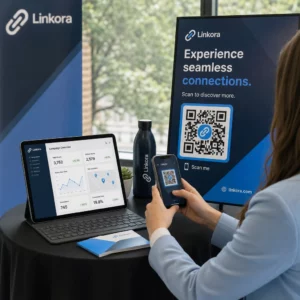
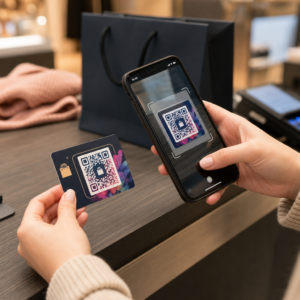
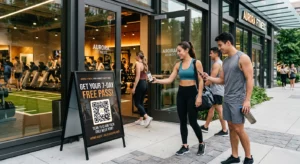
Küzd azzal, hogy QR-kódjai úgy nézzenek ki, mintha valóban a márkájához tartoznának? Egy egyszerű fekete-fehér kód technikailag elvégzi a munkát, de elszalaszt egy valódi lehetőséget az ismertség erősítésére és a több beolvasás ösztönzésére. Ez az útmutató bemutatja, hogyan hozhat létre professzionális, márkás QR-kódokat kész sablonok, saját logója és színei, valamint dinamikus funkciók segítségével, amelyek rugalmasan tartják kampányait a nyomtatás után is.
Miért teljesítenek jobban a márkás QR-kódok
A QR-kód egy érintkezési pont. Minden alkalommal, amikor valaki meglátja egy csomagoláson, szórólapon vagy névjegykártyán, gyorsan eldönti, hogy beolvassa-e. A márkás QR-kódok – amelyek magukban foglalják logóját, színvilágát és vizuális stílusát – legitimitást és ismertséget jeleznek, ami közvetlenül befolyásolja a beolvasási arányt.
A kutatások következetesen azt mutatják, hogy a logóval ellátott márkás QR-kódok 30%-tól 70%-ig növelhetik a beolvasási arányt összehasonlítva az általános fekete-fehér kódokkal. Ez a különbség a bizalmon múlik: egy olyan kód, amely úgy néz ki, mintha egy ismert márkához tartozna, könnyebben beolvasásra kerül, mint egy általános vagy ellenőrizhetetlen kód.
A beolvasási arányokon túl a márkás kódok konzisztenciát teremtenek marketinganyagaiban. Amikor QR-kódja illeszkedik csomagolásához, jelzéseihez és digitális eszközeihez, az erősíti a márkaidentitást, ahelyett, hogy aláásná azt.
Hozzon létre márkához illő QR-kódokat a nulláról való kezdés nélkül A Pageloot QR-kód sablonok kész terveket biztosítanak, amelyeket testre szabhat színeivel, logójával és stílusával – így minden kód a márkája részének tűnik, nem pedig utólagos gondolatnak.
A megfelelő sablon kiválasztása márkájához
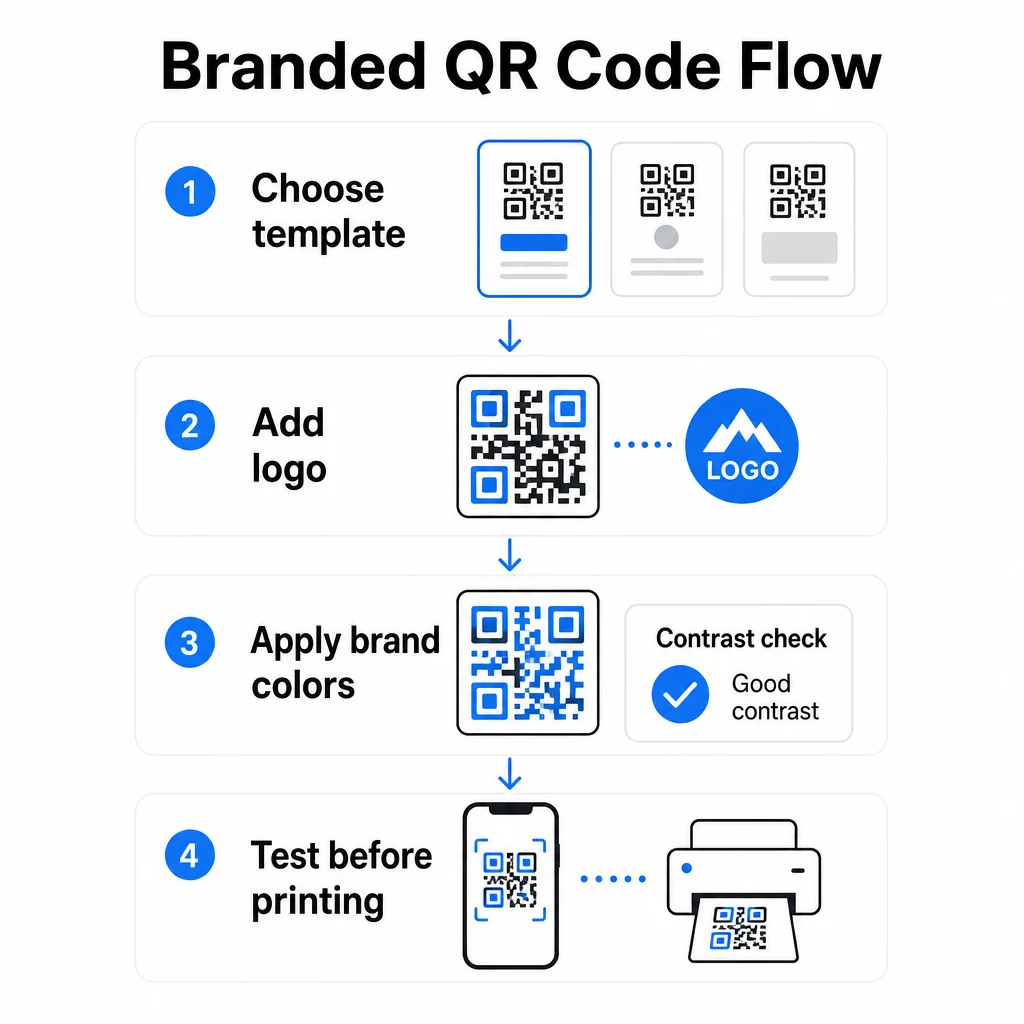
A választott sablon adja meg a QR-kód vizuális alapját. Egy jól illeszkedő sablon csökkenti a tervezési időt, biztosítja a beolvashatóságot, és kifinomult megjelenést kölcsönöz kódjának, amely természetesen illeszkedik meglévő anyagaihoz.
A sablonok értékelésekor prioritást élvez:
- Márkailleszkedés – Illeszkedik-e a sablon színvilága, elrendezése és vizuális stílusa a meglévő identitásához?
- Felhasználási eset illeszkedése – Egy névjegykártyához tervezett sablon eltérő arányokkal és sűrűséggel rendelkezik, mint egy poszterhez vagy termékcímkéhez készült
- Szkennelhetőség – Megbízható platformok előre tesztelt sablonjai már optimalizálva vannak a kontraszt- és csendes zóna követelményekre
A Pageloot QR-kód sablonkönyvtár használati esetek szerint rendszerezett terveket kínál, a kiskereskedelemtől és eseményektől a közösségi profilokig és menükig. Kiválaszthat egy olyan sablont, amely már kampányra késznek tűnik, majd beállíthatja a színeket, hozzáadhatja logóját, és újra felhasználhatja különböző anyagokon az egységes megjelenés érdekében.
Sablonok illesztése az iparágához
Különböző iparágak eltérő vizuális elvárásokkal rendelkeznek, és a QR-kód sablonjának tükröznie kell ezt a kontextust:
- Éttermek és vendéglátás – Használjon meleg tónusokat és letisztult tipográfiát, amely alkalmas asztali kártyákhoz és menükhöz; a cél a megközelíthetőség és a gyors szkennelhetőség
- Kiskereskedelem és e-kereskedelem – Válasszon olyan sablonokat, amelyek kiegészítik a termékcsomagolást anélkül, hogy vizuálisan versenyeznének vele
- Ingatlanok – Kifinomult, minimális dizájnok, amelyek helyet biztosítanak az ügynöki márkajelzésnek és elérhetőségeknek, jól mutatnak táblákon és nyomtatott anyagokon
- Egészségügy – Letisztult, nagy kontrasztú dizájnok nyugodt palettákon, amelyek megteremtik azt a bizalmat és tisztaságot, amit ez a kontextus megkövetel
- Oktatás – Olyan dizájnok, amelyek egyensúlyt teremtenek a megközelíthetőség és a tekintély között; az iskolai színek és a világos CTA-k segítenek irányítani a diákokat és a szülőket
- Események és marketingügynökségek – Sokoldalú sablonok, amelyek kampányonként adaptálhatók, miközben megőrzik ügynöksége általános identitását
QR-kódok testreszabása márkajelzési elemeivel
Miután kiválasztott egy sablont, elkezdődik az igazi márkaépítési munka. Logója hozzáadása, színpalettájának alkalmazása és a tervezési részletek finomhangolása egy általános sablont olyan kóddá alakít, amely összetéveszthetetlenül az Öné.
Céglogó hozzáadása
A logó elhelyezése egy QR-kód közepén azonnali márka-kapcsolatot teremt a beolvasás pillanatában. A helyes eljárás:
- Használj kiváló minőségű vektoros fájl (SVG vagy EPS), hogy logója bármilyen méretben éles maradjon
- Tartsa a logót középen, és távol a sarkokban lévő három keresőminta négyzettől
- Korlátozza a logó lefedettségét a teljes kódterület legfeljebb 20–30%-ára – ezen túl a beolvashatóság csökken
- Használat H szintű hibajavítás logó hozzáadásakor; ez lehetővé teszi, hogy a kód akár 30%-ban sérült vagy eltakart adatot is helyreállítson, kompenzálva a logója által lefedett területet
A Pageloot QR kód generálás logóval automatikusan kezeli a hibajavítást, amikor feltölt egy logót, csökkentve annak kockázatát, hogy olyan kódot generáljon, amely jól néz ki, de nem olvasható be megbízhatóan.
Adja hozzá logóját egy QR-kódhoz percek alatt Használja a QR kód generálás logóval hogy feltöltse márkája logóját, alkalmazza színeit, és letöltsön egy nyomtatásra kész fájlt – nincs szükség tervező szoftverre.
Márkaszínek alkalmazása a beolvashatóság megsértése nélkül
A szín az, ahol sok márkás QR-kód problémába ütközik. A kódnak továbbra is elegendő kontrasztra van szüksége az adatmodulok és a háttér között a megbízható beolvasáshoz. Követendő irányelvek:
- Sötét előtér világos háttéren a legmegbízhatóbb kombináció; a fekete fehéren marad az aranystandard
- Törekedjen a minimum 4,5:1 kontrasztarányra kis kódok esetén; 3:1 elfogadható nagyobb formátumoknál, ahol a szkennernek több felülete van az olvasáshoz
- Kerülje a színátmeneteket és árnyékokat – ezek köztes tónusokat hoznak létre, amelyek összezavarják a szkennereket azáltal, hogy a modulok közötti határt bizonytalanná teszik
- Soha ne fordítsa meg a színeket (világos kód sötét háttéren) alapos többeszközös tesztelés nélkül; egyes szkennerek rosszul kezelik ezt
További részletekért arról, hogy mely színkombinációk működnek és melyeket kell elkerülni, a QR-kód színkontraszt legjobb gyakorlatok útmutatója specifikus kontrasztarány-példákat és egy összehasonlító táblázatot tartalmaz.
Haladó testreszabási részletek
A színeken és logókon túl néhány további tervezési választás is emelheti QR-kódja megjelenését a funkciók veszélyeztetése nélkül:
- Egyedi keresőminta-formák – A sarkokban lévő három négyzet lekerekíthető vagy stílusozható; ez személyiséget ad, miközben a minta felismerhető marad a szkennerek számára
- Keretek és cselekvésre ösztönzések – Márkázott szegély és egy rövid kifejezés, például “Szkennelje be a menü megtekintéséhez” vagy “Szkennelje be a letöltéshez” hozzáadása növeli az elkötelezettséget azáltal, hogy pontosan megmondja a felhasználóknak, mit kapnak.
- Csendes zóna – Mindig tartson legalább négy modulnyi üres margót a kód minden oldalán; ez egy ISO/IEC 18004 követelmény, és kritikus fontosságú ahhoz, hogy a szkennerek helyesen találják meg a kódot.
- Minimális méret – Nyomtatási célra tartsa a kódokat legalább 2 × 2 cm (0,8 × 0,8 hüvelyk) méretűnek a közeli szkenneléshez; plakátok vagy táblák esetén arányosan nagyítsa fel az általános szabály szerint, miszerint 1 cm kód szélesség 10 cm várható szkennelési távolságra jut.
Használjon vektoros formátumokat (SVG vagy EPS) minden nyomtatási alkalmazáshoz, hogy elkerülje a pixelesedést nagyobb méretekben. További útmutatásért a a QR-kód olvashatóságára vonatkozó legjobb gyakorlatokat és egyedi QR-kód létrehozási útmutató részletesebben tárgyalja a méretet, felbontást és elhelyezést.
Mindig teszteljen nyomtatás előtt. Nyomtassa ki a kódot a kívánt méretben, tesztelje több eszközön és szkenner alkalmazáson, és ellenőrizze a tényleges fényviszonyok között, ahol használni fogják. Ez különösen fontos, ha logók, nem szabványos színek vagy kis méretek szerepelnek, mivel ezek a változók olyan módon befolyásolhatják a szkennelhetőséget, ami a képernyőn nem látható.
Dinamikus QR-kódok használata rugalmas kampányokhoz
A statikus QR-kódok létrehozásuk pillanatában rögzített célállomást zárnak be. Ez rendben van az állandó felhasználási eseteknél, de problémákat okoz abban a pillanatban, amikor egy URL megváltozik, egy promóció véget ér, vagy egy menü frissül – mert újra kellene nyomtatnia minden olyan anyagot, amely a kódot tartalmazza.
A dinamikus QR-kódok megoldják ezt. A célállomás közvetlen kódolása helyett egy rövid átirányítási URL-t kódolnak, amelyet egy irányítópultról vezérelhet. Amikor meg kell változtatnia, hová mutat a kód – egy új céloldalra, egy frissített PDF-re, egy szezonális ajánlatra – frissíti a célállomást anélkül, hogy magát a nyomtatott kódot érintené.
Ez teszi a dinamikus kódokat a legtöbb üzleti alkalmazás gyakorlati alapértelmezettjévé. Főbb előnyei:
- Célállomás szerkesztése nyomtatás után anyagok újranyomtatása nélkül, időt és költséget takarítva meg
- Valós idejű elemzés beleértve az összes szkennelést, egyedi szkenneléseket, eszköz típusokat és szkennelési helyeket
- Eszközérzékelés olyan felhasználási esetekre, mint az alkalmazásletöltések, ahol a kód automatikusan az App Store-ba irányítja az iOS-felhasználókat, a Google Play-be pedig az Android-felhasználókat
- Lejárati dátumok és jelszóvédelem időérzékeny vagy exkluzív tartalomhoz
A Pageloot Dinamikus QR-kód generátor tartalmaz egy központi irányítópultot, ahol valós időben felügyelheti az összes aktív kódot, frissítheti a célhelyeket, és lekérdezheti a teljesítményadatokat. UTM paramétereket is hozzáadhat a QR-kód linkekhez a Google Analytics-szel való közvetlen integrációhoz, összekapcsolva a szkennelési adatokat a szélesebb marketingtölcsérrel.
A mögöttes technológia működésének megértéséhez, hogyan működik a hibajavítás a szerkeszthető QR-kódokban elmagyarázza, hogy a dinamikus kódok miért maradnak szkennelhetők, még akkor is, ha a kódolt rövid URL állandó marad a design- vagy tartalomfrissítések során.
Kampányok frissítése újranyomtatás nélkül A Pageloot dinamikus QR kódok lehetővé teszi a célhelyek módosítását, a teljesítmény nyomon követését és a kampányok optimalizálását egyetlen irányítópultról – még azután is, hogy az anyagai már kinyomtatásra kerültek.
Hol használjunk márkás QR-kódokat
A márkás QR-kódok sokoldalúan felhasználhatók fizikai és digitális anyagokon egyaránt. Gyakori alkalmazások:
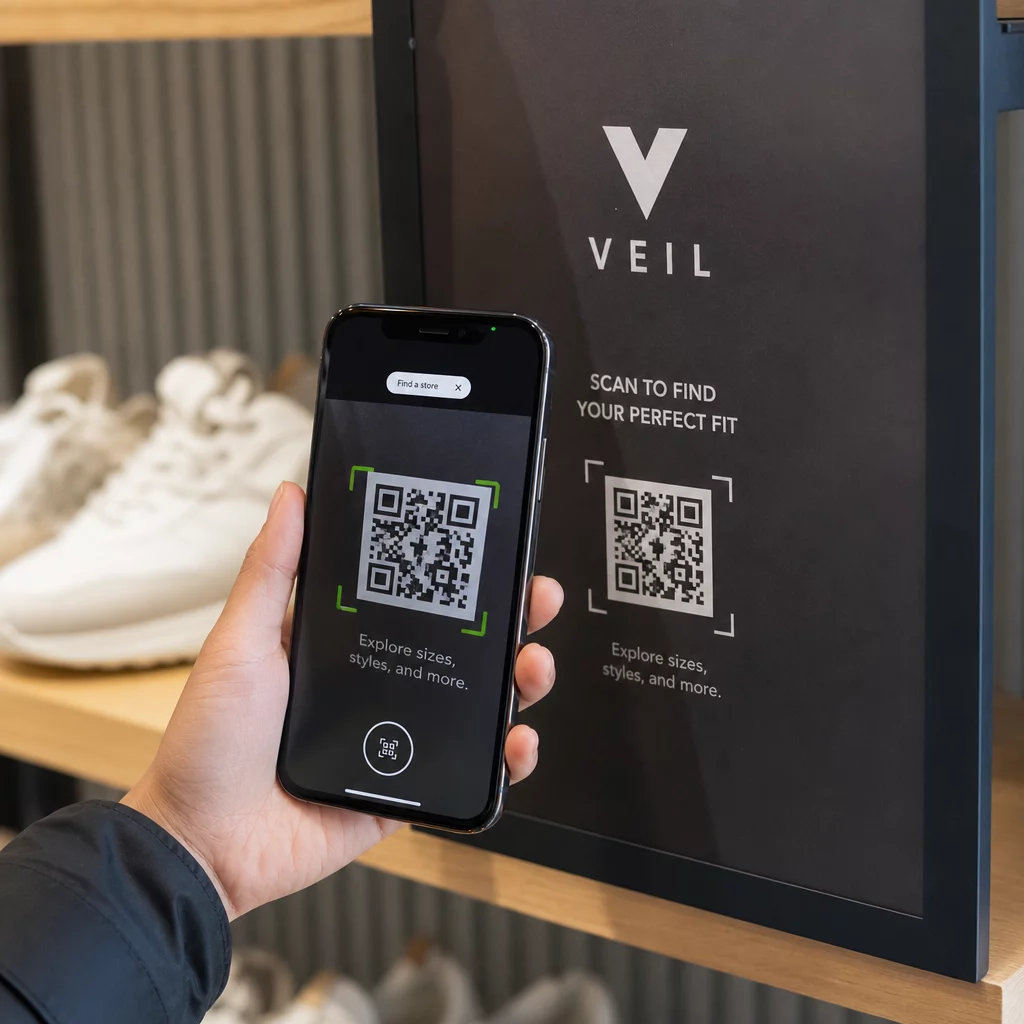
- Névjegykártyák – Közvetlen link egy digitális kapcsolati oldalra, portfólióra vagy közösségi profilra; a Névjegykártya QR-kód generátor erre a felhasználási esetre készült
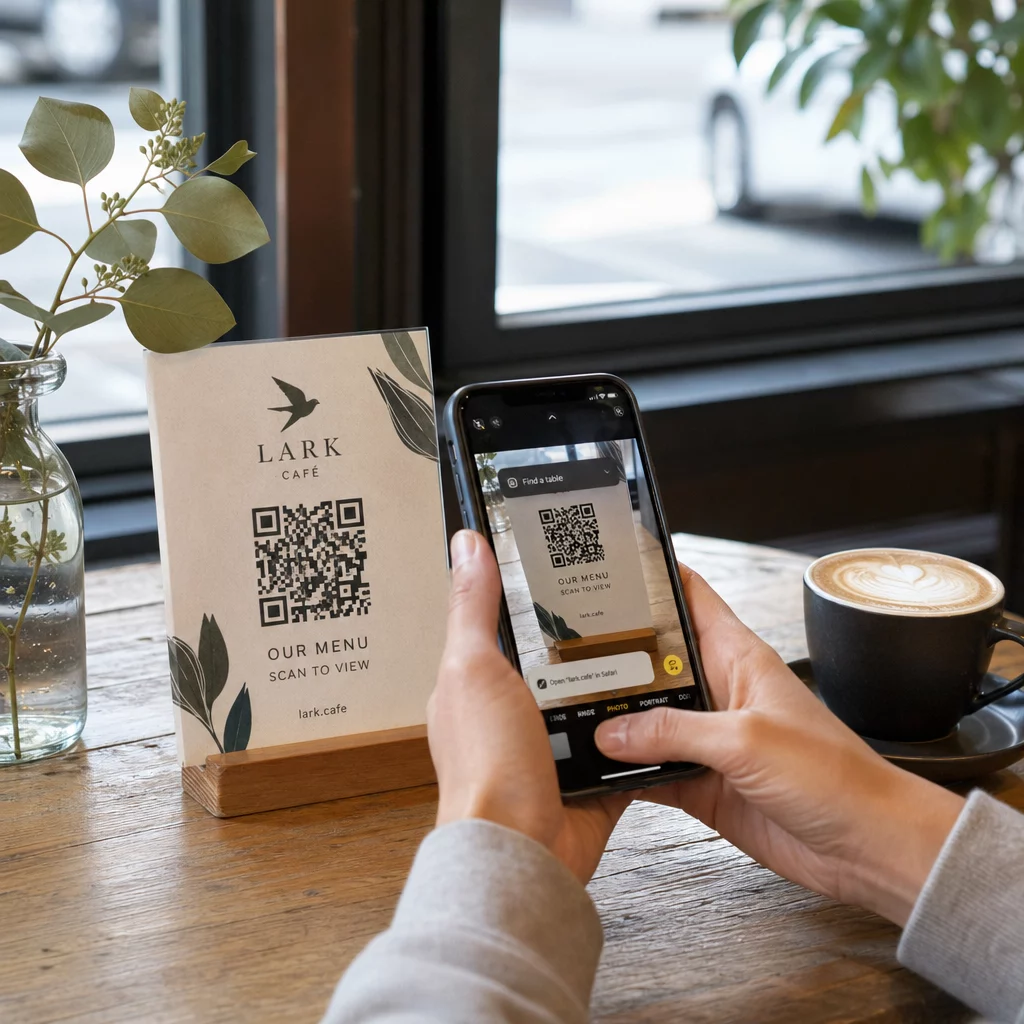
- Éttermi menük – Az asztali kártyákon lévő dinamikus kódok lehetővé teszik a menü frissítését a kártyák újranyomtatása nélkül
- Termékcsomagolás – Link utasításokhoz, véleményekhez vagy promóciós tartalmakhoz; a kód egységes márkajelzése erősíti a termék identitását
- Rendezvényanyagok – Szórólapok, jegyek és feliratok kódokkal, amelyek menetrendekre, regisztrációs oldalakra vagy esemény utáni tartalomra hivatkoznak
- Kiskereskedelmi feliratok – Növelje a gyalogos forgalmat az online ajánlatokhoz vagy hűségprogramokhoz
- Nyomtatott hirdetések és direkt marketing levelek – Kövesse nyomon, mely kampányok generálnak beolvasásokat UTM paraméterek és analitika segítségével
Azoknál a kampányoknál, ahol egyetlen QR-kódnak több linkre vagy tartalomra kell mutatnia, A Pageloot céloldal funkciója lehetővé teszi, hogy egyetlen beolvasás mögött márkás mobiloldalt hozzon létre – hasznos közösségi profilokhoz, eseményinformációkhoz vagy termékgyűjteményekhez.
Felfedezheti az elérhető funkciók és felhasználási esetek teljes skáláját a Pageloot funkciók áttekintése oldalon.
Teljesítmény nyomon követése és eredmények javítása
A QR-kódok mögötti analitika az, ami elválasztja a passzív érintkezési pontot egy mérhető marketingeszköztől. Miután a márkás kódok telepítésre kerültek, az általuk generált adatok megmondják Önnek, mi működik és mi igényel módosítást.
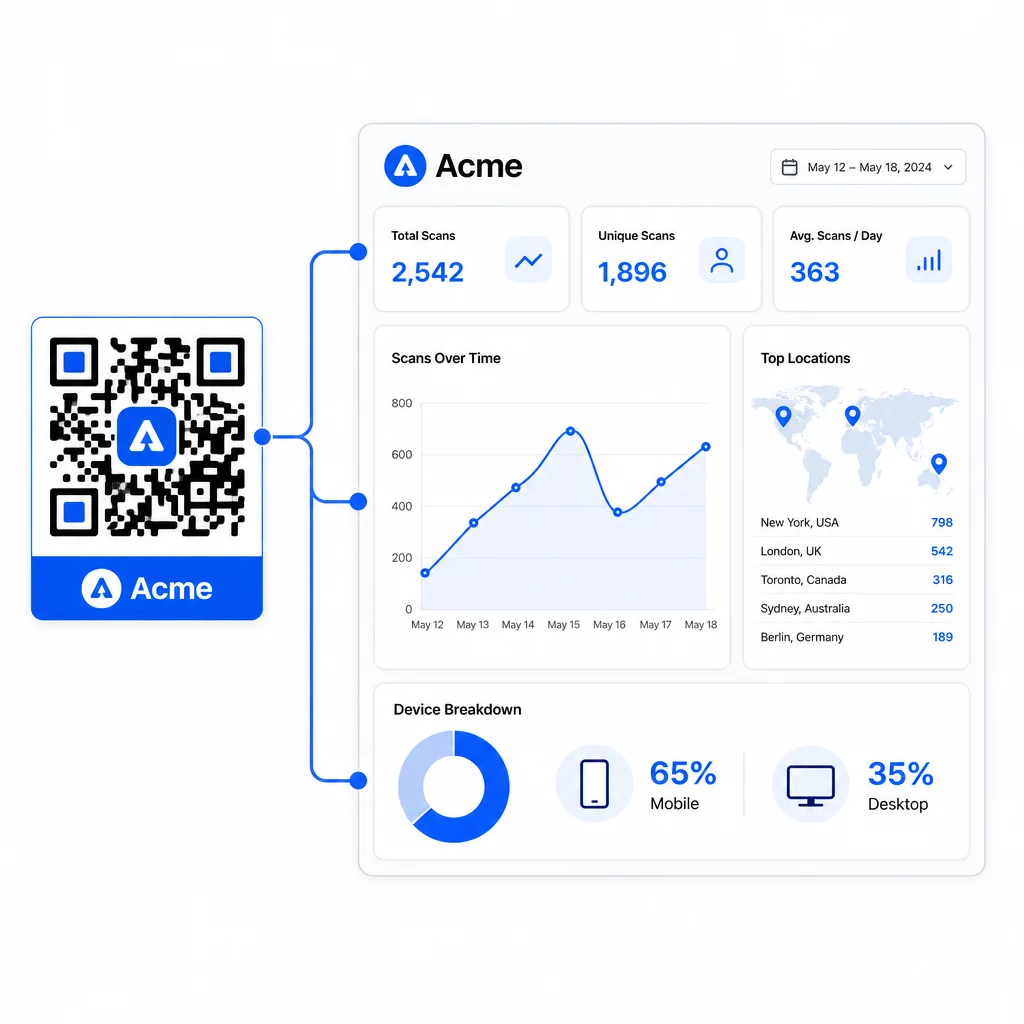
A Pageloot irányítópultjáról nyomon követheti:
- Összes és egyedi beolvasási szám kódonként
- Beolvasási helyek (ország, város)
- Eszköztípusok (iOS vs. Android, mobil vs. asztali)
- Szkennelési időzítési minták – mely napok és órák generálják a legtöbb aktivitást
Ez az adat lehetővé teszi, hogy azonosítsa, mely elhelyezések ösztönzik az elkötelezettséget, összehasonlítsa a kampányok teljesítményét, és a tényleges viselkedés, nem pedig feltételezések alapján végezzen tervezési vagy elhelyezési változtatásokat. Például, ha egy adott szórólapon a szkennelések száma csökken a kampány közepén, frissítheti a hivatkozott célállomást egy újabb ajánlatra anélkül, hogy kicserélné a nyomtatott anyagot.
Az UTM paraméterek hozzáadása a QR-kód URL-jeihez közvetlenül a Google Analyticsbe juttatja ezeket az adatokat, összekapcsolva az offline szkennelési viselkedést a teljes konverziós tölcsérrel.
Összefoglalás
A márkás QR-kódok akkor a leghatékonyabbak, ha a design, a funkcionalitás és az adatok együttműködnek. Egy jól illeszkedő sablonnal kezdve a kódok vizuálisan egységesek és kampányra készek maradnak. A logó, a márkaszínek és egy világos cselekvésre ösztönző felhívás hozzáadása felismerhetővé és cselekvésorientálttá teszi őket. A dinamikus kódok használata rugalmasságot biztosít a célállomások frissítéséhez és a teljesítmény nyomon követéséhez anélkül, hogy valaha is hozzáérne a nyomtatott anyagokhoz.
Akár névjegykártyákra, menükre, csomagolásra vagy rendezvénytáblákra helyezi el a kódokat, a professzionális design és a valós idejű analitika kombinációja egy egyszerű kódot marketingstratégiájának mérhető részévé alakít. Kezdje egy ingyenes QR-kóddal a Pageloot generátorából és építsen tovább onnan.
Gyakori kérdések
Használjon H szintű hibajavítást logó hozzáadásakor – ez lehetővé teszi, hogy a kód a takart adatok akár 30%-át is helyreállítsa, kompenzálva a logó lefedettségét. Tartsa a logót a teljes kódterület legfeljebb 20–30%-án, és középre helyezze el a keresőmintáktól távol. Színek esetén tartson fenn legalább 4,5:1 kontrasztarányt az előtér modulok és a háttér között, kerülje a színátmeneteket, és nyomtatás előtt mindig tesztelje több eszközön.
Egy statikus QR-kód közvetlenül kódolja a célállomást, így létrehozás után nem módosítható új kód generálása nélkül. Egy dinamikus QR-kód egy rövid átirányító URL-t kódol, amit egy irányítópultról vezérelhet, ami azt jelenti, hogy frissítheti a célállomást, jelszavas védelmet adhat hozzá, lejárati dátumokat állíthat be, és nyomon követheti a szkennelési analitikát – mindezt anélkül, hogy újra kellene nyomtatnia az anyagait. A legtöbb marketing és üzleti felhasználási esetre a dinamikus kódok a praktikusabb választás.
A közeli szkennelés általános minimuma 2 × 2 cm (0,8 × 0,8 in). Azon anyagok esetében, ahol a szkennelési távolság nagyobb – például plakátok vagy táblák –, használja a 10:1 szabályt: adjon hozzá 1 cm kódszélességet minden 10 cm várható megtekintési távolsághoz. A logóval vagy egyedi színekkel ellátott márkás kódoknak kissé nagyobbnak kell lenniük, hogy a hozzáadott tervezési komplexitás ne csökkentse a szkennelhetőséget.