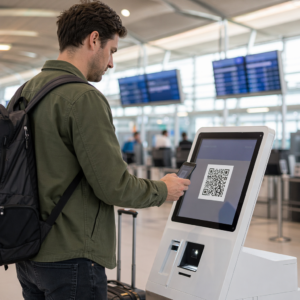
Dificuldade em fazer com que seus códigos QR pareçam realmente pertencer à sua marca? Um código simples em preto e branco cumpre a função tecnicamente, mas perde uma oportunidade real de reforçar o reconhecimento e gerar mais digitalizações. Este guia mostra como criar códigos QR profissionais e personalizados usando modelos prontos, seu próprio logotipo e cores, e recursos dinâmicos que mantêm suas campanhas flexíveis após a impressão.
Por Que Códigos QR Personalizados Têm Melhor Desempenho
Um código QR é um ponto de contato. Toda vez que alguém o vê em uma embalagem, um folheto ou um cartão de visita, essa pessoa faz um julgamento rápido sobre se deve digitalizá-lo. Códigos QR personalizados – aqueles que incorporam seu logotipo, esquema de cores e estilo visual – sinalizam legitimidade e familiaridade, o que afeta diretamente as taxas de digitalização.
Pesquisas mostram consistentemente que códigos QR personalizados com logotipos podem aumentar as taxas de digitalização em 30% a 70% em comparação com os genéricos em preto e branco. Essa diferença se resume à confiança: um código que parece pertencer a uma marca que as pessoas reconhecem é digitalizado mais facilmente do que um que parece genérico ou não verificável.
Além das taxas de digitalização, os códigos personalizados criam consistência em seus materiais de marketing. Quando seu código QR corresponde à sua embalagem, sinalização e ativos digitais, ele reforça a identidade da marca em vez de enfraquecê-la.
Crie Códigos QR Alinhados à Marca Sem Começar do Zero Da Pageloot Modelos de QR code oferecem designs prontos que você pode personalizar com suas cores, logotipo e estilo – para que cada código pareça parte da sua marca, e não um detalhe.
Escolhendo o Modelo Certo para Sua Marca
O modelo que você escolhe estabelece a base visual para o seu código QR. Um modelo bem combinado reduz o tempo de design, garante a escaneabilidade e confere ao seu código uma aparência polida que se encaixa naturalmente em seus materiais existentes.
Ao avaliar modelos, priorize:
- Alinhamento com a marca – A gama de cores, o layout e o estilo visual do modelo correspondem à sua identidade existente?
- Adequação ao caso de uso – Um modelo projetado para um cartão de visita tem proporções e densidade diferentes de um construído para um pôster ou rótulo de produto
- Capacidade de Leitura – Modelos pré-testados de plataformas confiáveis já são otimizados para requisitos de contraste e zona de silêncio
Da Pageloot Biblioteca de modelos de código QR oferece designs organizados por caso de uso, de varejo e eventos a perfis sociais e menus. Você pode escolher um modelo que já pareça pronto para campanha, depois ajustar cores, adicionar seu logotipo e reutilizá-lo em diversos materiais para um visual consistente.
Combinando Modelos com Sua Indústria
Diferentes indústrias carregam diferentes expectativas visuais, e seu modelo de código QR deve refletir esse contexto:
- Restaurantes e hotelaria – Use tons quentes e tipografia limpa adequados para displays de mesa e menus; o objetivo é ser acessível e rápido de escanear
- Varejo e e-commerce – Escolha modelos que complementem a embalagem do produto sem competir visualmente com ela
- Imóveis – Designs sofisticados e minimalistas com espaço para a marca do agente e detalhes de contato funcionam bem em sinalização e materiais impressos
- Assistência médica – Designs limpos e de alto contraste em paletas calmas estabelecem a confiança e clareza que este contexto exige
- Educação – Designs que equilibram acessibilidade com autoridade; cores da escola e CTAs claros ajudam a guiar alunos e pais
- Eventos e agências de marketing – Modelos versáteis que podem ser adaptados por campanha, mantendo a identidade geral da sua agência
Personalizando Códigos QR com Seus Elementos de Marca
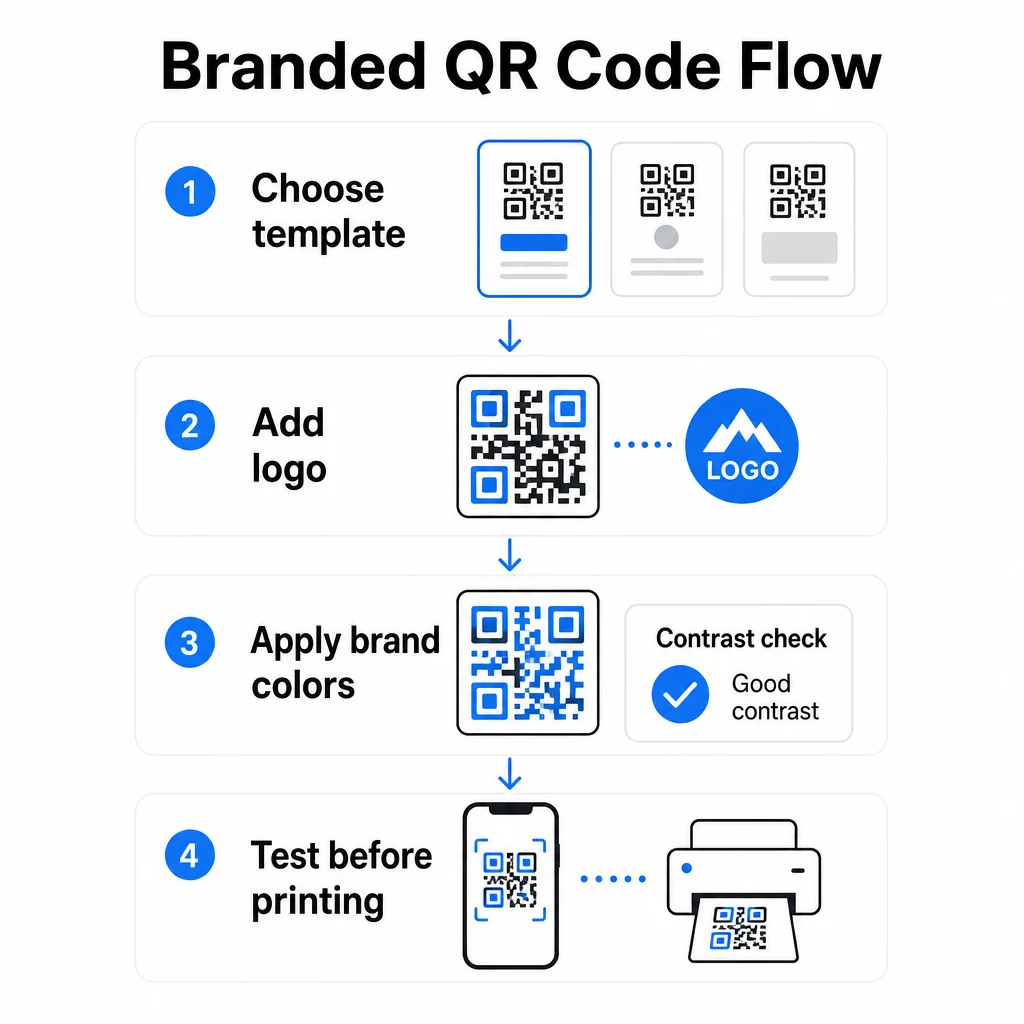
Depois de escolher um modelo, o verdadeiro trabalho de marca começa. Adicionar seu logotipo, aplicar sua paleta de cores e ajustar os detalhes do design transforma um modelo genérico em um código que parece inconfundivelmente seu.
Adicionar o Logotipo da Sua Empresa
Colocar o seu logotipo no centro de um código QR cria uma conexão imediata com a marca no momento da leitura. Para fazer isso corretamente:
- Use um arquivo vetorial de alta qualidade (SVG ou EPS) para que o seu logotipo permaneça nítido em qualquer tamanho
- Mantenha o logotipo centralizado e afastado dos três quadrados de padrão de busca nos cantos
- Limite a cobertura do logotipo a não mais de 20–30% da área total do código – além disso, a capacidade de leitura diminui
- Use Correção de erro Nível H ao adicionar um logotipo; isso permite que o código recupere até 30% de dados danificados ou obscurecidos, compensando a área que o seu logotipo cobre
Da Pageloot Gerador de QR Code com Logo lida com a correção de erros automaticamente quando você carrega um logotipo, reduzindo o risco de gerar um código que parece bom, mas não será lido de forma confiável.
Adicione o Seu Logotipo a um Código QR em Minutos Use o Gerador de QR Code com Logo para carregar o logotipo da sua marca, aplicar as suas cores e baixar um arquivo pronto para impressão – nenhum software de design é necessário.
Aplicando Cores da Marca Sem Comprometer a Capacidade de Leitura
A cor é onde muitos códigos QR de marca encontram problemas. O código ainda precisa de contraste suficiente entre os módulos de dados e o fundo para ser lido de forma confiável. Orientações a seguir:
- Fundo escuro em um fundo claro é a combinação mais confiável; preto no branco continua sendo o padrão ouro
- Procure um rácio de contraste mínimo de 4.5:1 para códigos pequenos; 3:1 é aceitável para formatos maiores onde o scanner tem mais área de superfície para ler
- Evite gradientes e sombras – estes criam tons médios que confundem os scanners ao tornar a fronteira entre os módulos ambígua
- Nunca inverta as cores (código claro em fundo escuro) sem testes exaustivos em vários dispositivos; alguns scanners lidam mal com isso
Para mais detalhes sobre quais combinações de cores funcionam e quais evitar, o guia de melhores práticas de contraste de cores de códigos QR abrange exemplos específicos de rácio de contraste e uma tabela de comparação.
Detalhes de Personalização Avançada
Além da cor e dos logotipos, algumas escolhas de design adicionais podem elevar a aparência do seu código QR sem comprometer a função:
- Formas personalizadas do padrão de localização – Os três quadrados nos cantos podem ser arredondados ou estilizados; isso adiciona personalidade enquanto mantém o padrão reconhecível pelos scanners
- Molduras e chamadas para ação – Adicionar uma borda com a marca e uma frase curta como “Digitalize para Ver o Menu” ou “Digitalize para Baixar” aumenta o engajamento ao dizer aos usuários exatamente o que eles obterão
- Zona de silêncio – Mantenha sempre uma margem em branco de pelo menos quatro módulos em todos os lados do código; este é um requisito ISO/IEC 18004 e é crítico para que os scanners localizem o código corretamente
- Tamanho mínimo – Para uso impresso, mantenha os códigos com pelo menos 2 × 2 cm (0,8 × 0,8 pol) para digitalização de perto; aumente proporcionalmente para pôsteres ou sinalização usando a regra geral de 1 cm de largura do código por 10 cm de distância de digitalização esperada
Use formatos vetoriais (SVG ou EPS) para todas as aplicações de impressão para evitar pixelização em tamanhos maiores. Para orientação adicional, o melhores práticas para legibilidade de códigos QR e guia de criação de código QR personalizado aborda tamanho, resolução e posicionamento em mais detalhes.
Sempre teste antes de imprimir. Imprima o código no tamanho pretendido, teste-o em vários dispositivos e aplicativos de scanner, e verifique-o sob as condições de iluminação reais onde será usado. Isso é especialmente importante quando logotipos, cores não padronizadas ou tamanhos pequenos estão envolvidos, pois essas variáveis podem afetar a capacidade de digitalização de maneiras que não são visíveis na tela.
Usando Códigos QR Dinâmicos para Campanhas Flexíveis
Códigos QR estáticos fixam um destino no momento da criação. Isso é bom para casos de uso permanentes, mas cria problemas no momento em que um URL muda, uma promoção termina ou um menu é atualizado – porque você precisaria reimprimir cada material que contém o código.
Códigos QR dinâmicos resolvem isso. Em vez de codificar o destino diretamente, eles codificam um URL de redirecionamento curto que você controla a partir de um painel. Quando você precisa mudar para onde o código aponta – uma nova página de destino, um PDF atualizado, uma oferta sazonal – você atualiza o destino sem tocar no próprio código impresso.
Isso torna os códigos dinâmicos o padrão prático para a maioria das aplicações de negócios. As principais vantagens incluem:
- Edite o destino após a impressão sem reimprimir materiais, economizando tempo e custo
- Análise em tempo real incluindo total de digitalizações, digitalizações únicas, tipos de dispositivo e locais de digitalização
- Detecção de dispositivo para casos de uso como downloads de aplicativos, onde o código direciona automaticamente usuários iOS para a App Store e usuários Android para o Google Play
- Datas de expiração e proteção por senha para conteúdo sensível ao tempo ou exclusivo
Da Pageloot Gerador de QR Code Dinâmico inclui um painel centralizado onde você pode monitorar todos os códigos ativos, atualizar destinos e extrair dados de desempenho em tempo real. Você também pode adicionar parâmetros UTM aos links de códigos QR para integração direta com o Google Analytics, conectando dados de leitura ao seu funil de marketing mais amplo.
Para contexto sobre como a tecnologia subjacente funciona, Como funciona a correção de erros em QR code editável explica por que os códigos dinâmicos permanecem escaneáveis mesmo quando o URL curto codificado permanece constante em atualizações de design ou conteúdo.
Atualize Suas Campanhas Sem Reimprimir Da Pageloot códigos QR dinâmicos permitem que você altere destinos, acompanhe o desempenho e otimize campanhas a partir de um único painel – mesmo depois que seus materiais já estiverem impressos.
Onde Usar Códigos QR de Marca
Os códigos QR de marca são versáteis em materiais físicos e digitais. As aplicações comuns incluem:
- Cartões de visita – Link direto para uma página de contato digital, portfólio ou perfil social; o Gerador de QR Code para cartão de visita é construído especificamente para este caso de uso
- Cardápios de restaurantes – Códigos dinâmicos em displays de mesa permitem que você atualize o menu sem reimprimir cartões
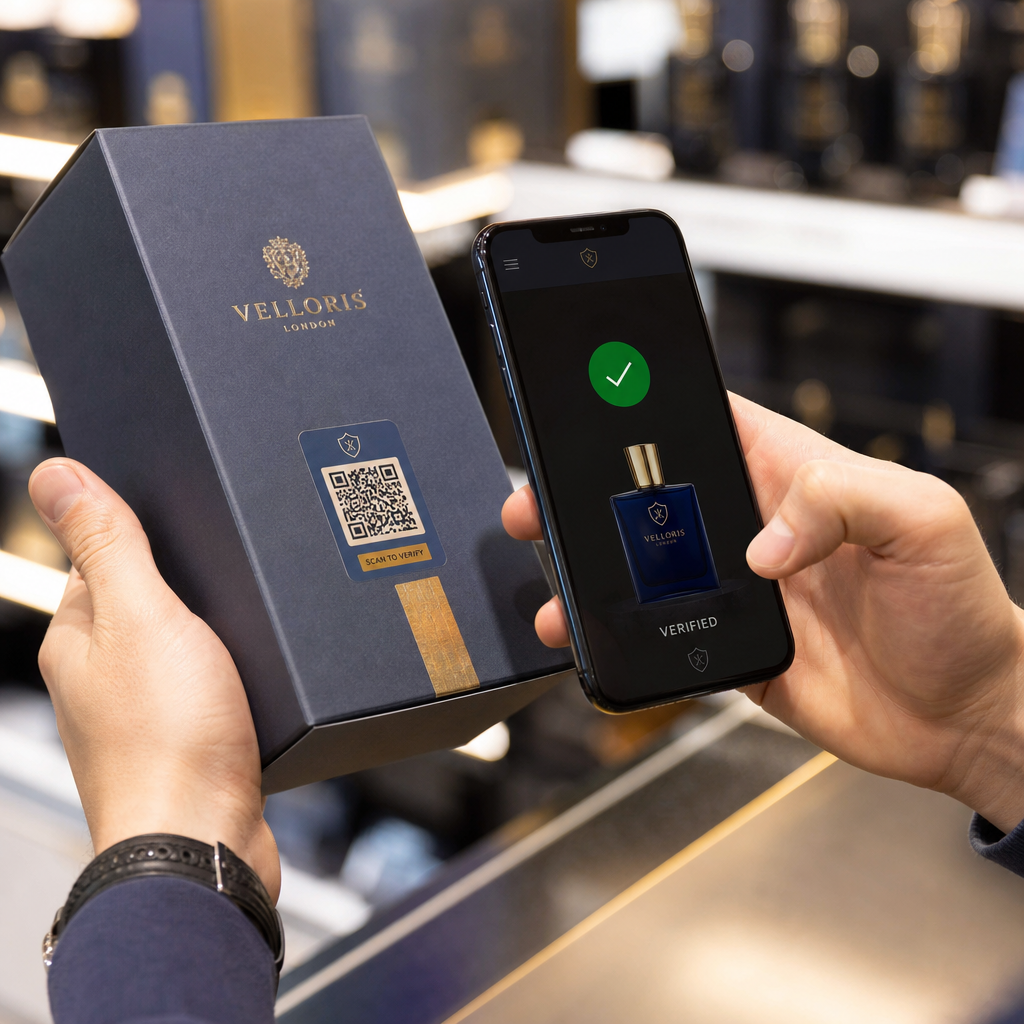
- Embalagens de produtos – Link para instruções, avaliações ou conteúdo promocional; a marca consistente no código reforça a identidade do produto
- Materiais de evento – Flyers, bilhetes e sinalização com códigos que ligam a horários, páginas de registo ou conteúdo pós-evento
- Sinalização de retalho – Atrair tráfego de pessoas para ofertas online ou programas de fidelidade
- Anúncios impressos e correio direto – Rastrear quais campanhas geram digitalizações usando parâmetros UTM e análises
Para campanhas onde precisa de um único código QR para apontar para múltiplos links ou peças de conteúdo, A funcionalidade de página de destino do Pageloot permite-lhe criar uma página móvel de marca por trás de uma única digitalização – útil para perfis sociais, informações de eventos ou coleções de produtos.
Pode explorar toda a gama de funcionalidades e casos de uso disponíveis na Visão geral das funcionalidades do Pageloot.
Rastrear o Desempenho e Melhorar os Resultados
As análises por trás dos seus códigos QR são o que separam um ponto de contacto passivo de um ativo de marketing mensurável. Uma vez que os seus códigos de marca são implementados, os dados que geram dizem-lhe o que está a funcionar e o que precisa de ajuste.
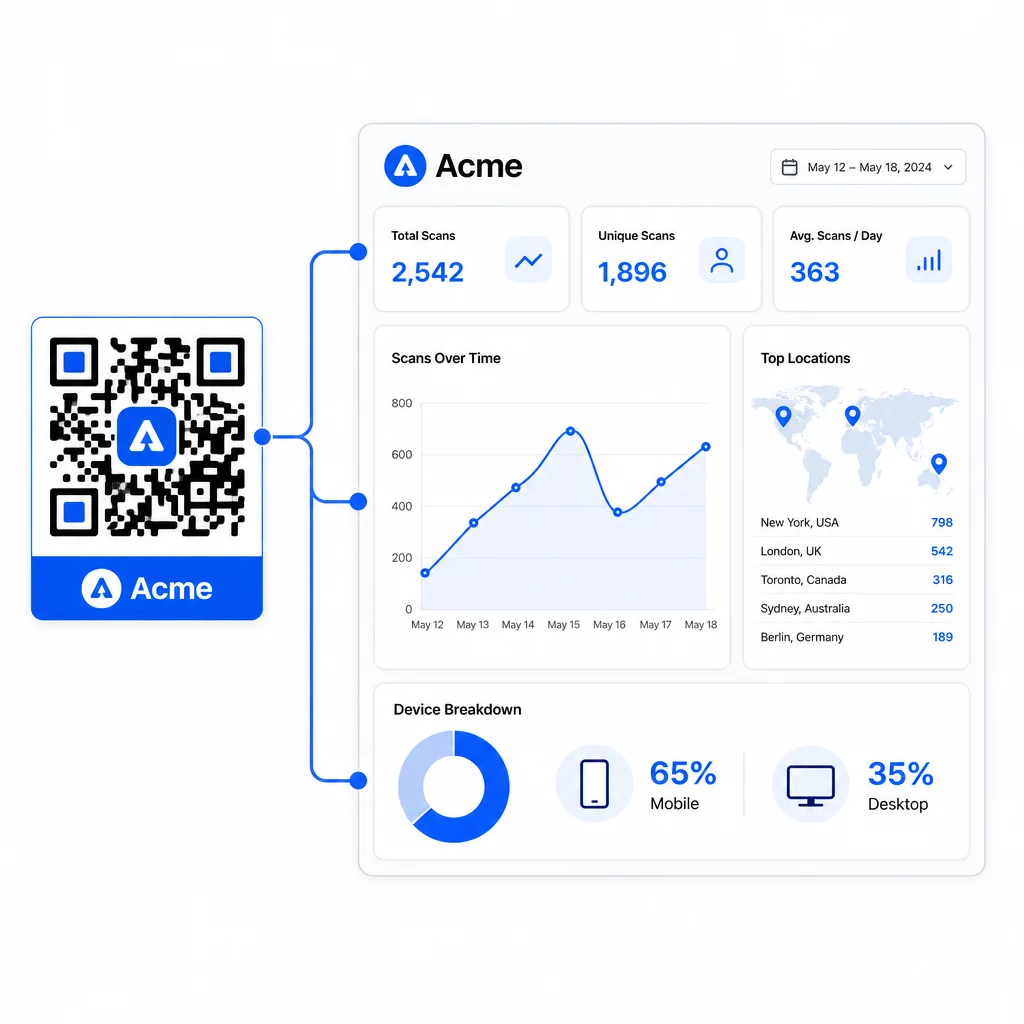
No painel de controlo do Pageloot, pode rastrear:
- Contagens totais e únicas de digitalizações por código
- Localizações de digitalização (país, cidade)
- Tipos de dispositivo (iOS vs. Android, móvel vs. desktop)
- Padrões de tempo de leitura – quais dias e horas geram mais atividade
Esses dados permitem identificar quais posicionamentos geram engajamento, comparar o desempenho entre campanhas e fazer alterações de design ou posicionamento com base no comportamento real, em vez de suposições. Por exemplo, se as leituras em um folheto específico diminuírem no meio da campanha, você pode atualizar o destino vinculado para uma oferta mais recente sem substituir o material impresso.
Adicionar parâmetros UTM aos URLs dos seus códigos QR leva esses dados diretamente para o Google Analytics, conectando o comportamento de leitura offline ao seu funil de conversão completo.
Juntando Tudo
Os códigos QR de marca são mais eficazes quando design, funcionalidade e dados trabalham juntos. Começar com um modelo bem combinado mantém seus códigos visualmente consistentes e prontos para a campanha. Adicionar seu logotipo, cores da marca e uma chamada para ação clara os torna reconhecíveis e orientados para a ação. Usar códigos dinâmicos oferece a flexibilidade de atualizar destinos e rastrear o desempenho sem nunca tocar nos materiais impressos.
Seja colocando códigos em cartões de visita, menus, embalagens ou sinalização de eventos, a combinação de design profissional e análise em tempo real transforma um código simples em uma parte mensurável da sua estratégia de marketing. Comece com um código QR gratuito do gerador da Pageloot e construa a partir daí.
Perguntas frequentes
Use a correção de erro Nível H ao adicionar um logotipo – isso permite que o código recupere até 30% dos dados obscurecidos, compensando a cobertura do logotipo. Mantenha o logotipo em não mais de 20–30% da área total do código e centralize-o longe dos padrões de busca. Para cores, mantenha uma taxa de contraste mínima de 4,5:1 entre os módulos de primeiro plano e o fundo, evite gradientes e sempre teste em vários dispositivos antes de imprimir.
Um código QR estático codifica o destino diretamente, por isso não pode ser alterado após a criação sem gerar um novo código. Um código QR dinâmico codifica um URL de redirecionamento curto que você controla a partir de um painel, o que significa que você pode atualizar o destino, adicionar proteção por senha, definir datas de expiração e rastrear análises de leitura – tudo sem reimprimir seus materiais. Para a maioria dos casos de uso de marketing e negócios, os códigos dinâmicos são a escolha mais prática.
O mínimo geral para leitura de perto é de 2 × 2 cm (0,8 × 0,8 pol.). Para materiais onde a distância de leitura é maior – como pôsteres ou sinalização – use a regra 10:1: adicione 1 cm de largura do código para cada 10 cm de distância de visualização esperada. Códigos de marca com logotipos ou cores personalizadas podem precisar ser ligeiramente maiores para garantir que a complexidade adicional do design não reduza a capacidade de leitura.