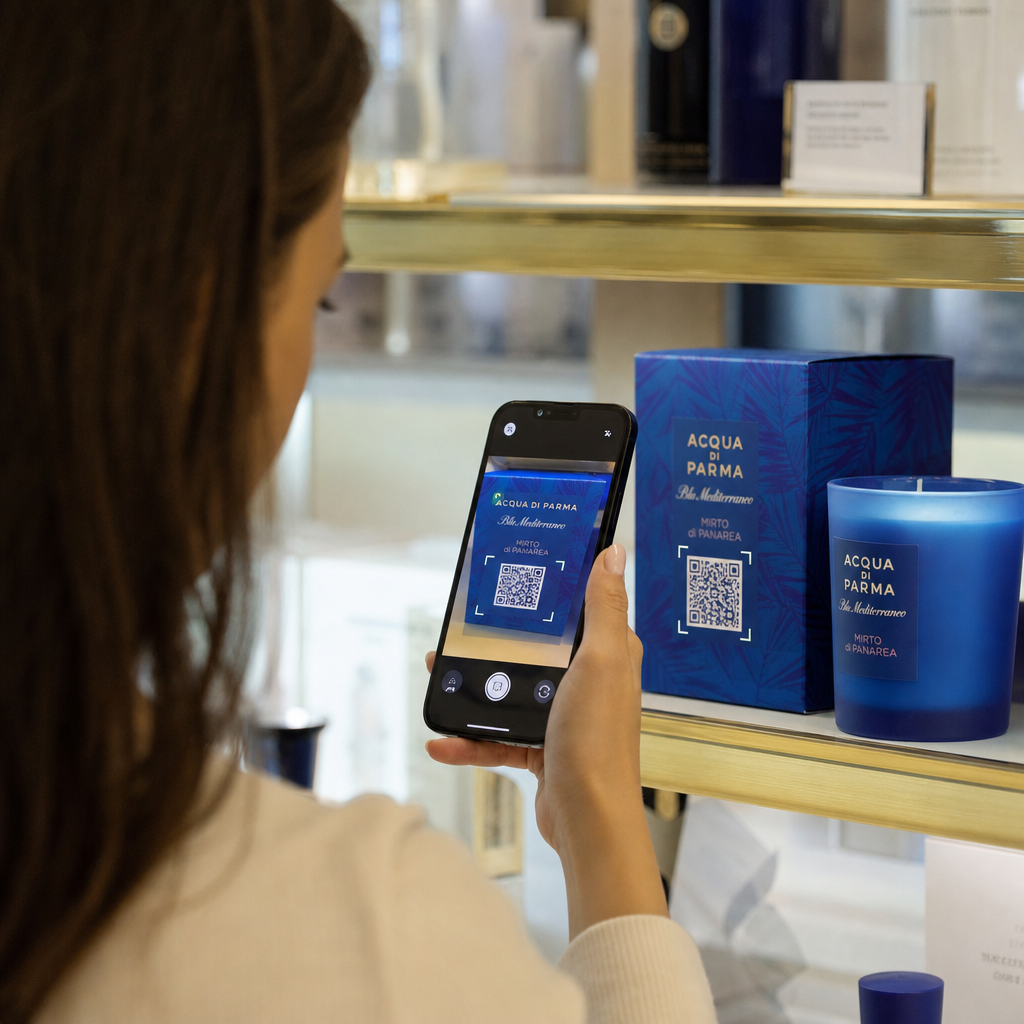
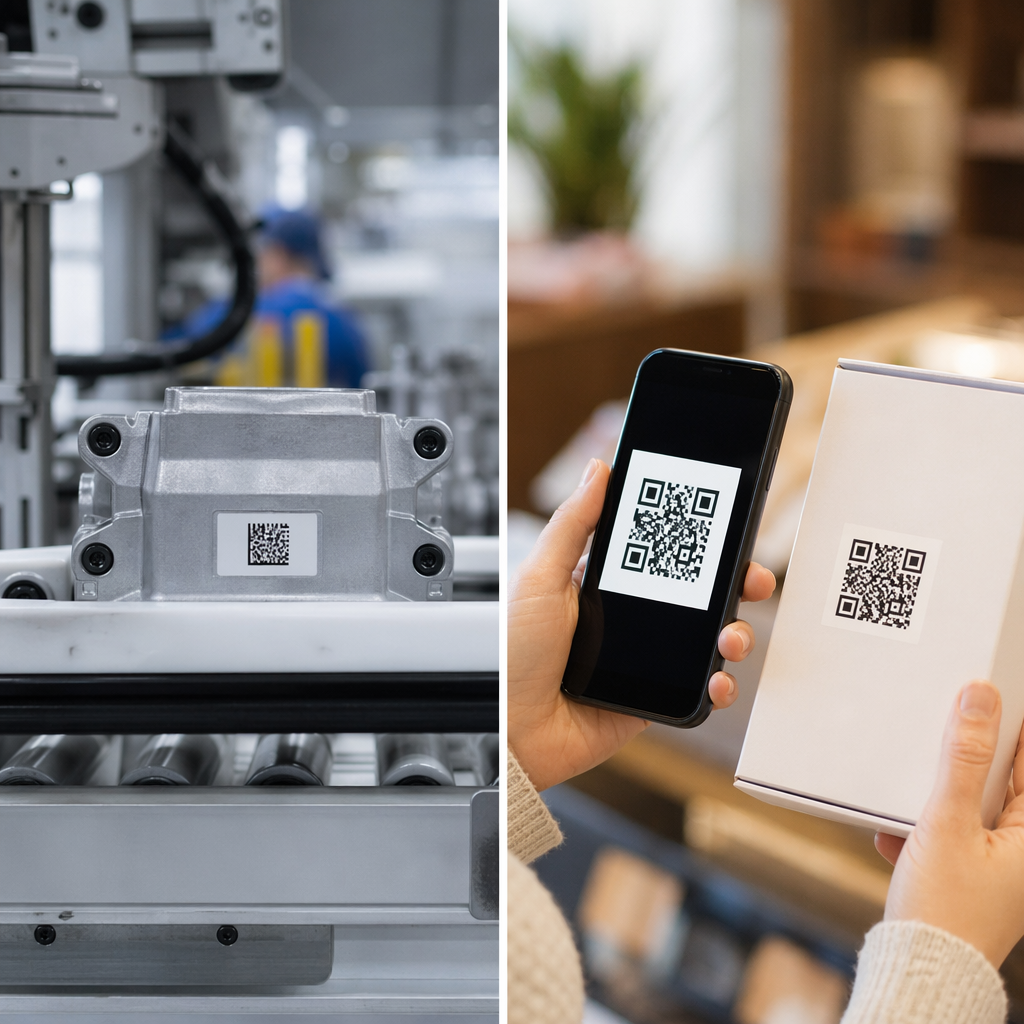
Ar sunku padaryti, kad jūsų QR kodai atrodytų taip, tarsi jie iš tiesų priklausytų jūsų prekės ženklui? Paprastas nespalvotas kodas techniškai atlieka savo darbą, tačiau praleidžia realią galimybę sustiprinti atpažįstamumą ir paskatinti daugiau nuskaitymų. Šis vadovas parodys, kaip sukurti profesionalius firminius QR kodus naudojant paruoštus šablonus, savo logotipą ir spalvas bei dinamines funkcijas, kurios išlaiko jūsų kampanijas lanksčias po spausdinimo.
Kodėl firminiai QR kodai veikia geriau
QR kodas yra sąlyčio taškas. Kiekvieną kartą, kai kas nors jį pamato ant pakuotės, skrajutės ar vizitinės kortelės, jie greitai nusprendžia, ar jį nuskaityti. Firminiai QR kodai – tie, kuriuose yra jūsų logotipas, spalvų schema ir vizualinis stilius – signalizuoja teisėtumą ir pažįstamumą, o tai tiesiogiai veikia nuskaitymo rodiklius.
Tyrimai nuolat rodo, kad firminiai QR kodai su logotipais gali padidinti nuskaitymo rodiklius nuo 30% iki 70% palyginti su bendrais nespalvotais. Šis skirtumas priklauso nuo pasitikėjimo: kodas, kuris atrodo priklausantis žmonių atpažįstamam prekės ženklui, nuskaitomas lengviau nei tas, kuris atrodo bendras ar nepatikrinamas.
Be nuskaitymo rodiklių, firminiai kodai sukuria nuoseklumą visose jūsų rinkodaros medžiagose. Kai jūsų QR kodas atitinka jūsų pakuotę, iškabas ir skaitmeninį turtą, jis sustiprina prekės ženklo tapatybę, o ne ją sumenkina.
Kurkite prekės ženklui tinkančius QR kodus nepradėdami nuo nulio Pagelooto QR kodų šablonai suteikia jums paruoštų dizainų, kuriuos galite pritaikyti pagal savo spalvas, logotipą ir stilių – kad kiekvienas kodas atrodytų kaip jūsų prekės ženklo dalis, o ne papildoma detalė.
Tinkamo šablono pasirinkimas jūsų prekės ženklui
Jūsų pasirinktas šablonas nustato vizualinį jūsų QR kodo pagrindą. Gerai parinktas šablonas sumažina dizaino laiką, užtikrina nuskaitymo galimybę ir suteikia jūsų kodui išbaigtą išvaizdą, kuri natūraliai dera su jūsų esamomis medžiagomis.
Vertinant šablonus, pirmenybę teikite:
- Prekės ženklo suderinamumas – Ar šablono spalvų gama, išdėstymas ir vizualinis stilius atitinka jūsų esamą tapatybę?
- Naudojimo atvejo tinkamumas – Vizitinei kortelei skirtas šablonas turi skirtingas proporcijas ir tankį nei tas, kuris sukurtas plakatui ar produkto etiketei
- Nuskaitymo galimybė – Iš anksto patikrinti šablonai iš patikimų platformų jau yra optimizuoti kontrasto ir ramios zonos reikalavimams
Pagelooto QR kodo šablonų biblioteka siūlo dizainus, suskirstytus pagal naudojimo atvejus, nuo mažmeninės prekybos ir renginių iki socialinių profilių ir meniu. Galite pasirinkti šabloną, kuris jau atrodo paruoštas kampanijai, tada pakoreguoti spalvas, pridėti savo logotipą ir pakartotinai naudoti jį įvairiose medžiagose, kad išlaikytumėte nuoseklų vaizdą.
Šablonų pritaikymas jūsų pramonei
Skirtingos pramonės šakos turi skirtingus vizualinius lūkesčius, ir jūsų QR kodo šablonas turėtų atspindėti tą kontekstą:
- Restoranai ir svetingumo sektorius – Naudokite šiltus tonus ir aiškią tipografiją, tinkančią stalo kortelėms ir meniu; tikslas – prieinamumas ir greitas nuskaitymas
- Mažmeninė prekyba ir el. komercija – Rinkitės šablonus, kurie papildo produkto pakuotę, vizualiai su ja nekonkuruodami
- Nekilnojamasis turtas – Rafinuoti, minimalistiniai dizainai su vieta agento prekės ženklui ir kontaktiniams duomenims puikiai tinka iškaboms ir spausdintoms medžiagoms
- Sveikatos priežiūra – Švarūs, didelio kontrasto dizainai ramiose paletėse sukuria pasitikėjimą ir aiškumą, kurių reikalauja šis kontekstas
- Švietimas – Dizainai, kurie derina prieinamumą su autoritetu; mokyklos spalvos ir aiškūs raginimai veikti padeda nukreipti mokinius ir tėvus
- Renginiai ir rinkodaros agentūros – Universalūs šablonai, kurie gali būti pritaikyti kiekvienai kampanijai, išlaikant bendrą jūsų agentūros tapatybę
QR kodų pritaikymas naudojant jūsų prekės ženklo elementus
Kai pasirinksite šabloną, prasideda tikrasis prekės ženklo darbas. Pridėjus savo logotipą, pritaikius spalvų paletę ir patobulinus dizaino detales, bendras šablonas paverčiamas kodu, kuris atrodo neabejotinai jūsų.
Įmonės logotipo pridėjimas
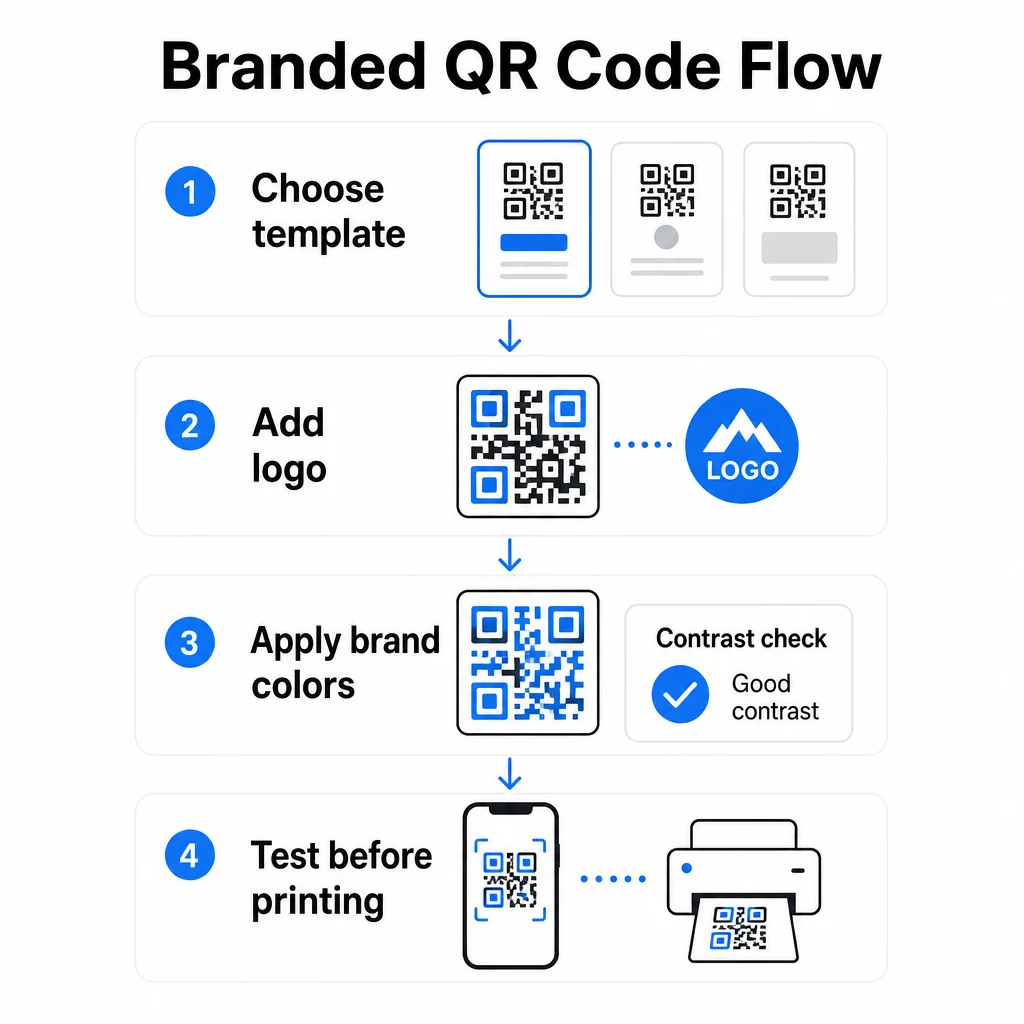
Logotipo įdėjimas į QR kodo centrą sukuria tiesioginį prekės ženklo ryšį nuskaitymo metu. Norėdami tai padaryti teisingai:
- Naudoti aukštos kokybės vektorinis failas (SVG arba EPS), kad jūsų logotipas išliktų ryškus bet kokio dydžio
- Laikykite logotipą centre ir atokiau nuo trijų ieškiklio rašto kvadratų kampuose
- Apribokite logotipo aprėptį iki ne daugiau kaip 20–30% visos kodo srities – viršijus tai, nuskaitymo galimybė sumažėja
- Naudokite H lygio klaidų taisymas pridedant logotipą; tai leidžia kodui atkurti iki 30% pažeistų ar užgožtų duomenų, kompensuojant jūsų logotipo užimamą plotą
Pagelooto QR kodo generatorius su logotipu automatiškai tvarko klaidų taisymą, kai įkeliate logotipą, sumažindamas riziką sugeneruoti kodą, kuris atrodo gerai, bet nebus patikimai nuskaitomas.
Pridėkite savo logotipą prie QR kodo per kelias minutes Naudoti QR kodo generatorius su logotipu įkelti savo prekės ženklo logotipą, pritaikyti spalvas ir atsisiųsti spausdinimui paruoštą failą – nereikia jokios dizaino programinės įrangos.
Prekės ženklo spalvų taikymas nepažeidžiant nuskaitymo galimybės
Spalva yra tai, kur daugelis firminių QR kodų susiduria su problemomis. Kodui vis dar reikia pakankamo kontrasto tarp duomenų modulių ir fono, kad būtų galima patikimai nuskaityti. Gairės, kurių reikia laikytis:
- Tamsus priekinis planas šviesiame fone yra patikimiausias derinys; juoda ant balto išlieka aukso standartu
- Siekti minimalaus kontrasto santykio 4.5:1 mažiems kodams; 3:1 yra priimtinas didesniems formatams, kur skaitytuvas turi daugiau paviršiaus ploto nuskaityti
- Vengti gradientų ir šešėlių – jie sukuria pustonius, kurie klaidina skaitytuvus, padarydami ribą tarp modulių dviprasmišką
- Niekada neapverskite spalvų (šviesus kodas tamsiame fone) be kruopštaus testavimo su keliais įrenginiais; kai kurie skaitytuvai tai apdoroja prastai
Norėdami gauti daugiau informacijos apie tai, kokie spalvų deriniai veikia ir kurių reikėtų vengti, QR kodo spalvų kontrasto geriausios praktikos vadovas apima konkrečius kontrasto santykio pavyzdžius ir palyginimo lentelę.
Išplėstinės pritaikymo detalės
Be spalvų ir logotipų, keli papildomi dizaino pasirinkimai gali pagerinti jūsų QR kodo išvaizdą, nepakenkiant funkcijai:
- Individualizuotos ieškiklio modelio formos – Trys kampuose esantys kvadratai gali būti suapvalinti arba stilizuoti; tai suteikia individualumo, išlaikant modelį atpažįstamą skaitytuvams
- Rėmeliai ir raginimai veikti – Firminio rėmelio ir trumpos frazės, pvz., “Nuskaitykite, kad pamatytumėte meniu” arba “Nuskaitykite, kad atsisiųstumėte”, pridėjimas padidina įsitraukimą, tiksliai nurodant vartotojams, ką jie gaus
- Tylioji zona – Visada palikite bent keturių modulių tuščią paraštę iš visų kodo pusių; tai yra ISO/IEC 18004 reikalavimas ir yra labai svarbu, kad skaitytuvai teisingai nustatytų kodo vietą
- Mažiausias dydis – Spausdinimui naudokite ne mažesnius kaip 2 × 2 cm (0,8 × 0,8 col.) kodus artimam nuskaitymui; proporcingai didinkite plakatams ar iškaboms, taikydami bendrą taisyklę: 1 cm kodo pločio 10 cm numatomo nuskaitymo atstumo
Visoms spausdinimo programoms naudokite vektorinius formatus (SVG arba EPS), kad išvengtumėte pikselizacijos didesniais dydžiais. Papildomų nurodymų ieškokite geriausia praktika QR kodo skaitomumui ir pasirinktinių QR kodų kūrimo vadove išsamiau aptariami dydis, raiška ir išdėstymas.
Visada patikrinkite prieš spausdinant. Atspausdinkite kodą numatytu dydžiu, išbandykite jį su keliais įrenginiais ir skaitytuvų programėlėmis bei patikrinkite jį realiomis apšvietimo sąlygomis, kuriomis jis bus naudojamas. Tai ypač svarbu, kai naudojami logotipai, nestandartinės spalvos ar maži dydžiai, nes šie kintamieji gali paveikti nuskaitymo galimybes taip, kaip nematoma ekrane.
Dinaminių QR kodų naudojimas lanksčioms kampanijoms
Statiniai QR kodai užfiksuoja fiksuotą paskirties vietą kūrimo metu. Tai tinka nuolatiniams naudojimo atvejams, tačiau sukelia problemų, kai pasikeičia URL, baigiasi akcija arba atnaujinamas meniu – nes reikėtų perspausdinti kiekvieną medžiagos gabalą, kuriame yra kodas.
Dinaminiai QR kodai tai išsprendžia. Užuot tiesiogiai užkodavę paskirties vietą, jie užkoduoja trumpą nukreipimo URL, kurį valdote iš valdymo pulto. Kai reikia pakeisti, kur nukreipia kodas – naują nukreipimo puslapį, atnaujintą PDF, sezoninį pasiūlymą – atnaujinate paskirties vietą neliesdami paties atspausdinto kodo.
Dėl to dinaminiai kodai yra praktiškai numatytasis pasirinkimas daugumai verslo programų. Pagrindiniai privalumai:
- Redaguoti paskirties vietą po spausdinimo neperspausdinant medžiagų, taupant laiką ir išlaidas
- Analitika realiu laiku įskaitant bendrą nuskaitymų skaičių, unikalius nuskaitymus, įrenginių tipus ir nuskaitymo vietas
- Įrenginio aptikimas naudojimo atvejams, tokiems kaip programėlių atsisiuntimai, kai kodas automatiškai nukreipia iOS naudotojus į „App Store“, o Android naudotojus – į „Google Play“
- Galiojimo datos ir slaptažodžio apsauga laiko jautriam arba išskirtiniam turiniui
Pagelooto Dinaminis QR kodo generatorius apima centralizuotą prietaisų skydelį, kuriame galite stebėti visus aktyvius kodus, atnaujinti paskirties vietas ir realiuoju laiku gauti našumo duomenis. Taip pat galite pridėti UTM parametrus prie QR kodo nuorodų, kad tiesiogiai integruotumėte su „Google Analytics“, susiedami nuskaitymo duomenis su platesniu rinkodaros kanalu.
Norėdami suprasti, kaip veikia pagrindinė technologija, kaip veikia klaidų taisymas redaguojamuose QR koduose paaiškina, kodėl dinaminiai kodai išlieka nuskaitomi, net jei užkoduota trumpoji URL nuoroda išlieka pastovi keičiant dizainą ar turinį.
Atnaujinkite savo kampanijas be pakartotinio spausdinimo Pagelooto dinaminiai QR kodai leidžia keisti paskirties vietas, stebėti našumą ir optimizuoti kampanijas iš vieno prietaisų skydelio – net ir po to, kai jūsų medžiaga jau atspausdinta.
Kur naudoti firminius QR kodus
Firminiai QR kodai yra universalūs tiek fizinėse, tiek skaitmeninėse medžiagose. Dažniausiai naudojami:
- Vizitinės kortelės – Tiesiogiai susieti su skaitmeniniu kontaktų puslapiu, portfolio ar socialiniu profiliu; Vizitinės kortelės QR kodo generatorius yra specialiai sukurtas šiam naudojimo atvejui
- Restorano meniu – Dinaminiai kodai ant stalo palapinių leidžia atnaujinti meniu neperspausdinant kortelių
- Produkto pakuotė – Nuoroda į instrukcijas, atsiliepimus ar reklaminį turinį; nuoseklus prekės ženklo naudojimas ant kodo sustiprina produkto tapatybę
- Renginių medžiaga – Skrajutės, bilietai ir ženklai su kodais, kurie nukreipia į tvarkaraščius, registracijos puslapius arba po renginio turinį
- Mažmeninės prekybos ženklai – Pritraukti lankytojus į internetinius pasiūlymus arba lojalumo programas
- Spausdintos reklamos ir tiesioginis paštas – Stebėti, kurios kampanijos generuoja nuskaitymus naudojant UTM parametrus ir analizę
Kampanijoms, kuriose jums reikia, kad vienas QR kodas nukreiptų į kelias nuorodas ar turinio dalis, Pageloot nukreipimo puslapio funkcija leidžia jums sukurti firminį mobilųjį puslapį po vieno nuskaitymo – naudinga socialiniams profiliams, renginių informacijai ar produktų kolekcijoms.
Galite ištirti visą galimų funkcijų ir naudojimo atvejų spektrą Pageloot funkcijų apžvalga.
Našumo stebėjimas ir rezultatų gerinimas
Analitika, esanti už jūsų QR kodų, yra tai, kas skiria pasyvų sąlyčio tašką nuo išmatuojamo rinkodaros turto. Kai jūsų firminiai kodai yra įdiegti, jų generuojami duomenys pasako jums, kas veikia ir ką reikia koreguoti.
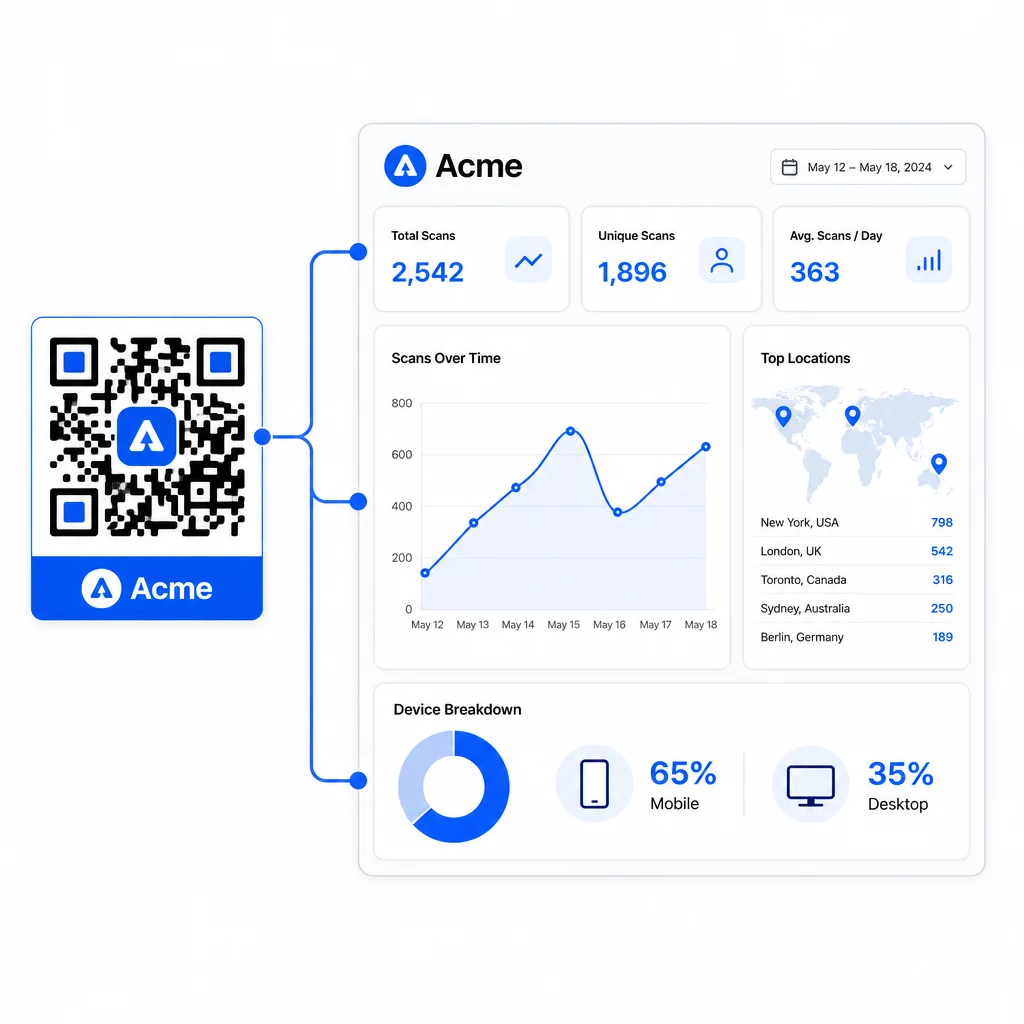
Iš Pageloot prietaisų skydelio galite stebėti:
- Bendras ir unikalus nuskaitymų skaičius vienam kodui
- Nuskaitymo vietos (šalis, miestas)
- Įrenginių tipai (iOS prieš Android, mobilusis prieš stalinį kompiuterį)
- Nuskaitymo laiko modeliai – kurios dienos ir valandos generuoja daugiausiai aktyvumo
Šie duomenys leidžia nustatyti, kurie išdėstymai skatina įsitraukimą, palyginti kampanijų našumą ir atlikti dizaino ar išdėstymo pakeitimus, pagrįstus faktiniu elgesiu, o ne prielaidomis. Pavyzdžiui, jei konkretaus skrajutės nuskaitymų skaičius sumažėja kampanijos viduryje, galite atnaujinti susietą paskirties vietą į naujesnį pasiūlymą, nekeisdami spausdintos medžiagos.
Pridėjus UTM parametrus prie jūsų QR kodo URL, šie duomenys tiesiogiai patenka į „Google Analytics“, susiejant neprisijungus atliekamą nuskaitymo elgseną su visu jūsų konversijos kanalu.
Viską sudėjus
Prekės ženklo QR kodai yra efektyviausi, kai dizainas, funkcionalumas ir duomenys veikia kartu. Pradėjus nuo gerai suderinto šablono, jūsų kodai išlieka vizualiai nuoseklūs ir paruošti kampanijai. Pridėjus savo logotipą, prekės ženklo spalvas ir aiškų raginimą veikti, jie tampa atpažįstami ir orientuoti į veiksmus. Naudojant dinaminius kodus, galite lanksčiai atnaujinti paskirties vietas ir stebėti našumą, niekada neliesdami spausdintų medžiagų.
Nesvarbu, ar dedate kodus ant vizitinių kortelių, meniu, pakuočių ar renginių iškabų, profesionalaus dizaino ir realaus laiko analizės derinys paverčia paprastą kodą išmatuojama jūsų rinkodaros strategijos dalimi. Pradėkite nuo nemokamo QR kodo iš „Pageloot“ generatoriaus ir kurkite toliau.
Dažniausiai užduodami klausimai
Naudokite H lygio klaidų taisymą, kai pridedate logotipą – tai leidžia kodui atkurti iki 30% uždengtų duomenų, kompensuojant logotipo užimtumą. Logotipas neturėtų viršyti 20–30% viso kodo ploto ir turi būti centruotas atokiau nuo ieškiklio raštų. Spalvoms palaikykite minimalų 4,5:1 kontrasto santykį tarp priekinio plano modulių ir fono, venkite gradientų ir visada išbandykite keliuose įrenginiuose prieš spausdinant.
Statinis QR kodas tiesiogiai užkoduoja paskirties vietą, todėl jo negalima pakeisti po sukūrimo, nesugeneravus naujo kodo. Dinaminis QR kodas užkoduoja trumpą nukreipimo URL, kurį valdote iš valdymo pulto, o tai reiškia, kad galite atnaujinti paskirties vietą, pridėti apsaugą slaptažodžiu, nustatyti galiojimo datas ir stebėti nuskaitymo analizę – visa tai neperspausdinant savo medžiagos. Daugeliu rinkodaros ir verslo atvejų dinaminiai kodai yra praktiškesnis pasirinkimas.
Bendras minimalus artimo nuotolio nuskaitymo dydis yra 2 × 2 cm (0,8 × 0,8 colio). Medžiagoms, kurių nuskaitymo atstumas yra didesnis – pvz., plakatams ar iškaboms – naudokite 10:1 taisyklę: pridėkite 1 cm kodo pločio kiekvieniems 10 cm numatomo žiūrėjimo atstumo. Prekės ženklo kodai su logotipais ar pasirinktinėmis spalvomis gali būti šiek tiek didesni, kad papildomas dizaino sudėtingumas nesumažintų nuskaitymo galimybių.