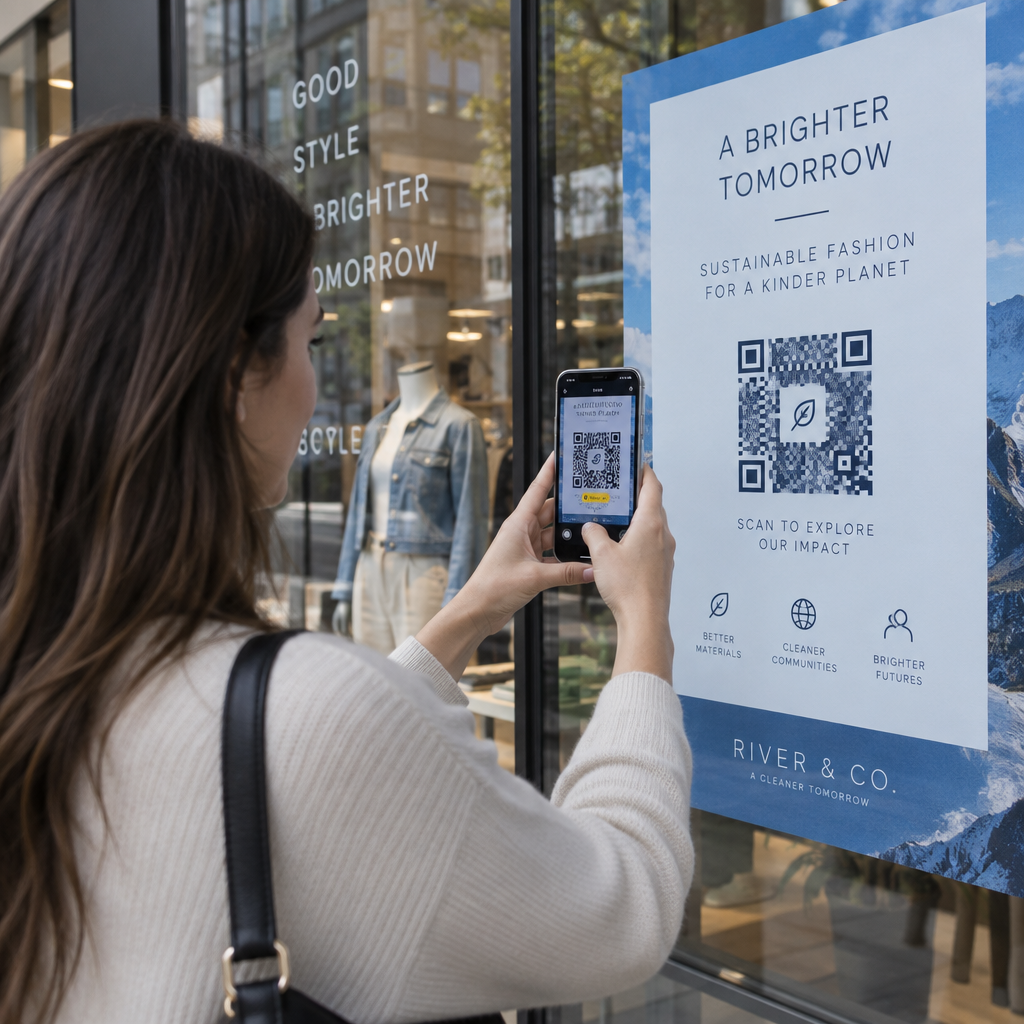
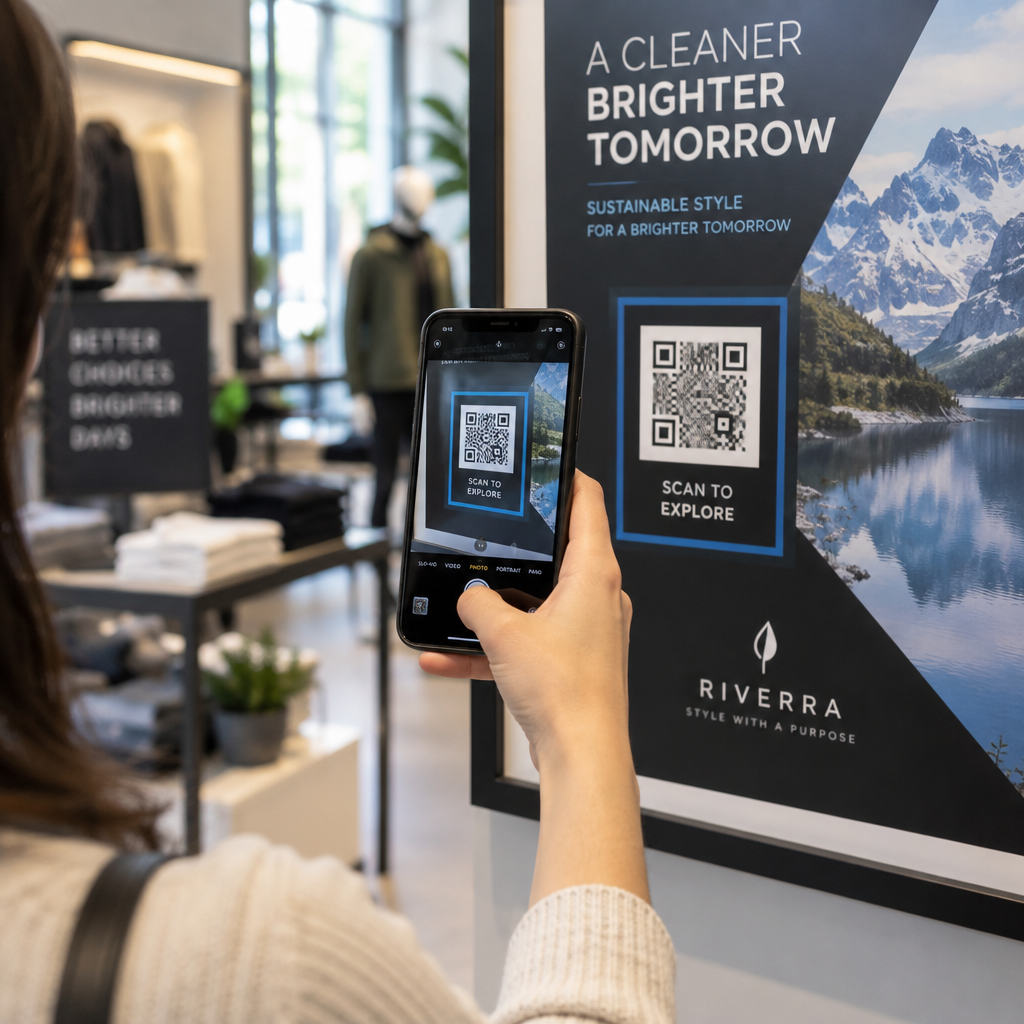
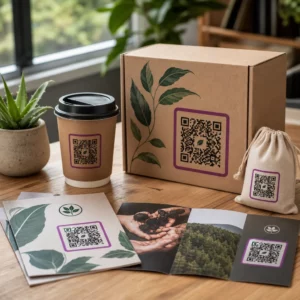
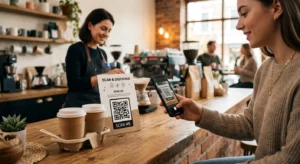
Борите се да накарате вашите QR кодове да изглеждат така, сякаш наистина принадлежат на вашата марка? Обикновеният черно-бял код върши работа технически, но пропуска реална възможност да засили разпознаването и да стимулира повече сканирания. Това ръководство ви превежда през това как да създадете професионални брандирани QR кодове, използвайки готови шаблони, вашето собствено лого и цветове, и динамични функции, които поддържат кампаниите ви гъвкави след отпечатване.
Защо брандираните QR кодове се представят по-добре
QR кодът е допирна точка. Всеки път, когато някой го види на опаковка, флаер или визитка, той бързо преценява дали да го сканира. Брандираните QR кодове – тези, които включват вашето лого, цветова схема и визуален стил – сигнализират за легитимност и познатост, което пряко влияе върху процента на сканиране.
Изследванията постоянно показват, че брандираните QR кодове с лога могат да увеличат процента на сканиране с 30% до 70% в сравнение с общите черно-бели. Тази разлика се свежда до доверие: код, който изглежда, че принадлежи на марка, която хората разпознават, се сканира по-лесно от такъв, който изглежда общ или непроверим.
Освен процента на сканиране, брандираните кодове създават последователност във вашите маркетингови материали. Когато вашият QR код съответства на вашата опаковка, табели и дигитални активи, той засилва идентичността на марката, вместо да я подкопава.
Създайте QR кодове, съответстващи на марката, без да започвате от нулата На Pageloot Шаблони за QR код ви дават готови дизайни, които можете да персонализирате с вашите цветове, лого и стил – така че всеки код да изглежда като част от вашата марка, а не като нещо допълнително.
Избор на правилния шаблон за вашата марка
Избраният от вас шаблон задава визуалната основа за вашия QR код. Добре подбран шаблон намалява времето за дизайн, осигурява възможност за сканиране и придава на кода ви изпипан вид, който се вписва естествено във вашите съществуващи материали.
При оценяване на шаблони, приоритизирайте:
- Съответствие с марката – Съответстват ли цветовата гама, оформлението и визуалният стил на шаблона на вашата съществуваща идентичност?
- Подходящо за случая на употреба – Шаблон, предназначен за визитка, има различни пропорции и плътност от този, създаден за плакат или етикет на продукт
- Възможност за сканиране – Предварително тествани шаблони от надеждни платформи вече са оптимизирани за изискванията за контраст и тиха зона
На Pageloot Библиотека с шаблони за QR кодове предлага дизайни, организирани по случай на употреба, от търговия на дребно и събития до социални профили и менюта. Можете да изберете шаблон, който вече изглежда готов за кампания, след което да коригирате цветовете, да добавите вашето лого и да го използвате повторно в различни материали за последователен вид.
Съпоставяне на шаблони с вашата индустрия
Различните индустрии имат различни визуални очаквания и вашият шаблон за QR код трябва да отразява този контекст:
- Ресторанти и хотелиерство – Използвайте топли тонове и изчистена типография, подходящи за настолни реклами и менюта; целта е да бъде достъпен и бърз за сканиране
- Търговия на дребно и електронна търговия – Изберете шаблони, които допълват опаковката на продукта, без да се конкурират визуално с нея
- Недвижими имоти – Изискани, минималистични дизайни с място за брандиране на агента и данни за контакт работят добре върху табели и печатни материали
- Здравеопазване – Изчистени, висококонтрастни дизайни в спокойни палитри установяват доверието и яснотата, които този контекст изисква
- Образование – Дизайни, които балансират достъпността с авторитета; училищните цветове и ясните призиви за действие помагат за насочване на ученици и родители
- Събития и маркетингови агенции – Гъвкави шаблони, които могат да бъдат адаптирани за всяка кампания, като същевременно поддържат цялостната идентичност на вашата агенция
Персонализиране на QR кодове с вашите брандинг елементи
След като изберете шаблон, започва истинската работа по брандирането. Добавянето на вашето лого, прилагането на вашата цветова палитра и фината настройка на детайлите на дизайна превръщат общия шаблон в код, който изглежда безпогрешно ваш.
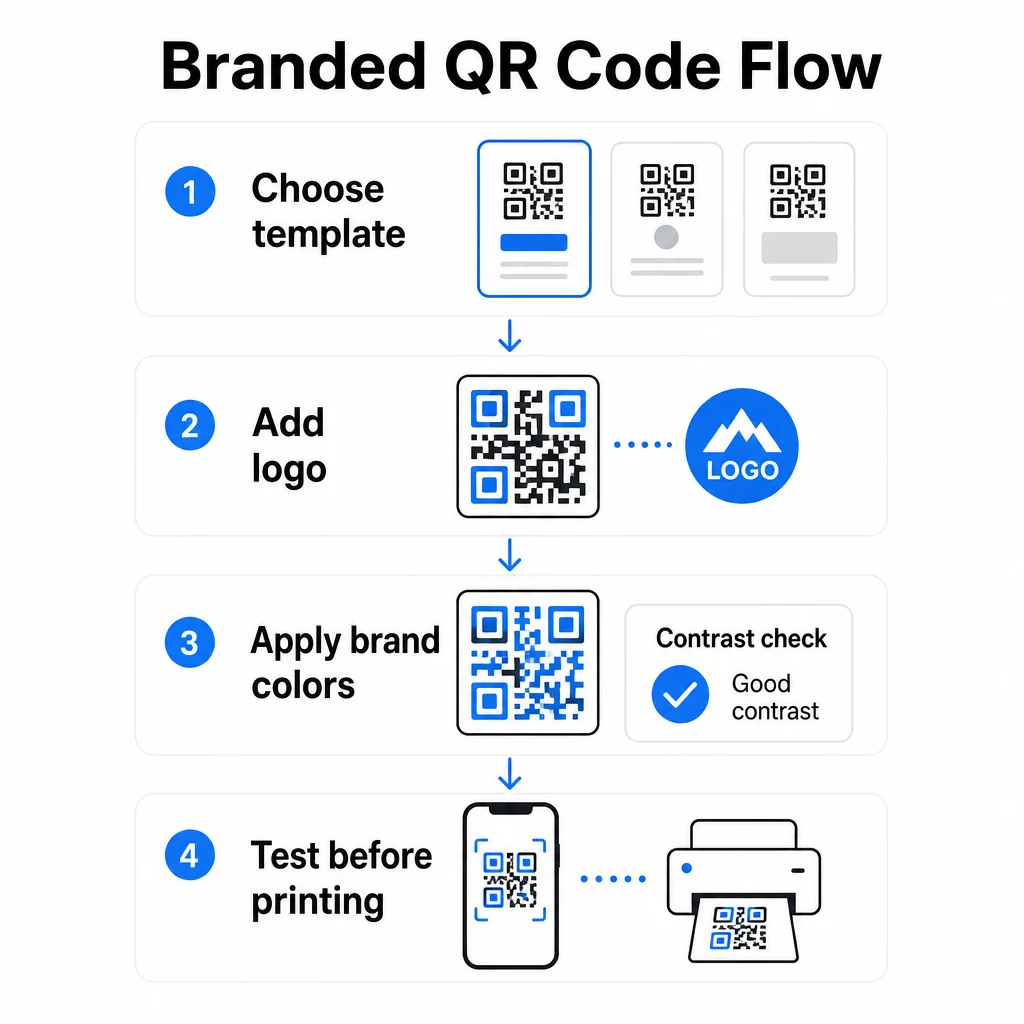
Добавяне на фирмено лого
Поставянето на вашето лого в центъра на QR код създава незабавна връзка с марката в момента на сканиране. За да направите това правилно:
- Използвай висококачествен векторен файл (SVG или EPS), така че логото ви да остане ясно при всякакъв размер
- Дръжте логото центрирано и далеч от трите квадратчета за търсене в ъглите
- Ограничете покритието на логото до не повече от 20–30% от общата площ на кода – отвъд това, възможността за сканиране намалява
- Използвайте Корекция на грешки от ниво H при добавяне на лого; това позволява на кода да възстанови до 30% от повредени или скрити данни, компенсирайки площта, която логото ви покрива
На Pageloot QR code generator с лого обработва корекцията на грешки автоматично, когато качите лого, намалявайки риска от генериране на код, който изглежда добре, но няма да се сканира надеждно.
Добавете вашето лого към QR код за минути Използвай QR code generator с лого за да качите логото на вашата марка, да приложите цветовете си и да изтеглите файл, готов за печат – не е необходим софтуер за дизайн.
Прилагане на цветове на марката без нарушаване на възможността за сканиране
Цветът е мястото, където много брандирани QR кодове срещат проблеми. Кодът все още се нуждае от достатъчен контраст между модулите за данни и фона, за да се сканира надеждно. Насоки, които да следвате:
- Тъмен преден план на светъл фон е най-надеждната комбинация; черно върху бяло остава златният стандарт
- Стремете се към минимално съотношение на контраст 4.5:1 за малки кодове; 3:1 е приемливо за по-големи формати, където скенерът има по-голяма повърхност за четене
- Избягвайте градиенти и сенки – те създават средни тонове, които объркват скенерите, като правят границата между модулите неясна
- Никога не обръщайте цветовете (светъл код на тъмен фон) без задълбочено тестване на множество устройства; някои скенери се справят зле с това
За повече подробности кои цветови комбинации работят и кои да избягвате, ръководство за най-добри практики за цветови контраст на QR кодове обхваща конкретни примери за съотношение на контраст и сравнителна таблица.
Подробности за разширено персонализиране
Освен цветове и лога, няколко допълнителни дизайнерски избора могат да подобрят външния вид на вашия QR код, без да компрометират функцията:
- Персонализирани форми на шаблона за търсене – Трите квадрата в ъглите могат да бъдат заоблени или стилизирани; това добавя индивидуалност, като същевременно запазва шаблона разпознаваем за скенерите
- Рамки и призиви за действие – Добавянето на брандирана рамка и кратка фраза като “Сканирай, за да видиш менюто” или “Сканирай, за да изтеглиш” увеличава ангажираността, като казва на потребителите какво точно ще получат
- Тиха зона – Винаги поддържайте празно поле от поне четири модула от всички страни на кода; това е изискване на ISO/IEC 18004 и е от решаващо значение за скенерите, за да локализират кода правилно
- Минимален размер – За печатна употреба, поддържайте кодовете поне 2 × 2 см (0.8 × 0.8 инча) за сканиране от близко разстояние; мащабирайте пропорционално за плакати или табели, използвайки общото правило от 1 см ширина на кода на всеки 10 см очаквано разстояние за сканиране
Използвайте векторни формати (SVG или EPS) за всички печатни приложения, за да предотвратите пикселизация при по-големи размери. За допълнителни насоки, най-добрите практики за четливост на QR кодовете и ръководство за създаване на персонализирани QR кодове обхваща размера, разделителната способност и разположението по-подробно.
Винаги тествайте преди печат. Отпечатайте кода в предвидения му размер, тествайте го на множество устройства и приложения за сканиране и го проверете при реалните условия на осветление, където ще се използва. Това е особено важно, когато става въпрос за лога, нестандартни цветове или малки размери, тъй като тези променливи могат да повлияят на възможността за сканиране по начини, които не са видими на екрана.
Използване на динамични QR кодове за гъвкави кампании
Статичните QR кодове заключват фиксирана дестинация в момента на създаването. Това е добре за случаи на постоянна употреба, но създава проблеми в момента, в който URL адресът се промени, промоцията приключи или менюто се актуализира – защото ще трябва да препечатате всеки материал, който носи кода.
Динамичните QR кодове решават това. Вместо да кодират дестинацията директно, те кодират кратък URL адрес за пренасочване, който контролирате от табло за управление. Когато трябва да промените към какво сочи кодът – нова целева страница, актуализиран PDF файл, сезонна оферта – вие актуализирате дестинацията, без да докосвате самия отпечатан код.
Това прави динамичните кодове практически стандартни за повечето бизнес приложения. Основните предимства включват:
- Редактиране на дестинацията след печат без препечатване на материали, спестявайки време и разходи
- Статистика в реално време включително общ брой сканирания, уникални сканирания, типове устройства и места на сканиране
- Разпознаване на устройство за случаи на употреба като изтегляне на приложения, където кодът автоматично насочва потребителите на iOS към App Store и потребителите на Android към Google Play
- Срокове на валидност и защита с парола за чувствително към времето или ексклузивно съдържание
На Pageloot Динамичен QR код генератор включва централизирано табло за управление, където можете да наблюдавате всички активни кодове, да актуализирате дестинациите и да извличате данни за ефективността в реално време. Можете също така да добавяте UTM параметри към връзките на QR кодовете за директна интеграция с Google Analytics, свързвайки данните от сканирането с по-широката ви маркетингова фуния.
За контекст относно това как работи основната технология, как работи корекцията на грешки в редактируемите QR кодове обяснява защо динамичните кодове остават сканируеми, дори когато кодираният кратък URL адрес остава постоянен при актуализации на дизайна или съдържанието.
Актуализирайте кампаниите си без препечатване На Pageloot динамични QR кодове ви позволяват да променяте дестинации, да проследявате ефективността и да оптимизирате кампании от едно табло за управление – дори след като материалите ви вече са отпечатани.
Къде да използвате брандирани QR кодове
Брандираните QR кодове са универсални както за физически, така и за дигитални материали. Често срещаните приложения включват:
- Визитки – Директна връзка към дигитална страница за контакт, портфолио или социален профил; Визитна картичка с QR код е специално създаден за този случай на употреба
- Менюта на ресторанта – Динамичните кодове на настолни стойки ви позволяват да актуализирате менюто без препечатване на карти
- Опаковки на продукти – Връзка към инструкции, отзиви или промоционално съдържание; последователното брандиране на кода подсилва идентичността на продукта
- Материали за събития – Флаери, билети и табели с кодове, които водят до графици, страници за регистрация или съдържание след събитие
- Табели за търговски обекти – Привличане на клиенти към онлайн оферти или програми за лоялност
- Печатни реклами и директна поща – Проследяване кои кампании генерират сканирания с помощта на UTM параметри и анализи
За кампании, при които се нуждаете от един QR код, който да води до множество връзки или части от съдържание, Функцията за целева страница на Pageloot ви позволява да създадете брандирана мобилна страница зад едно сканиране – полезна за социални профили, информация за събития или продуктови колекции.
Можете да разгледате пълния набор от налични функции и случаи на употреба на Преглед на функциите на Pageloot.
Проследяване на ефективността и подобряване на резултатите
Анализите зад вашите QR кодове са това, което отличава пасивната точка на контакт от измерим маркетингов актив. След като вашите брандирани кодове са внедрени, данните, които генерират, ви казват какво работи и какво се нуждае от корекция.
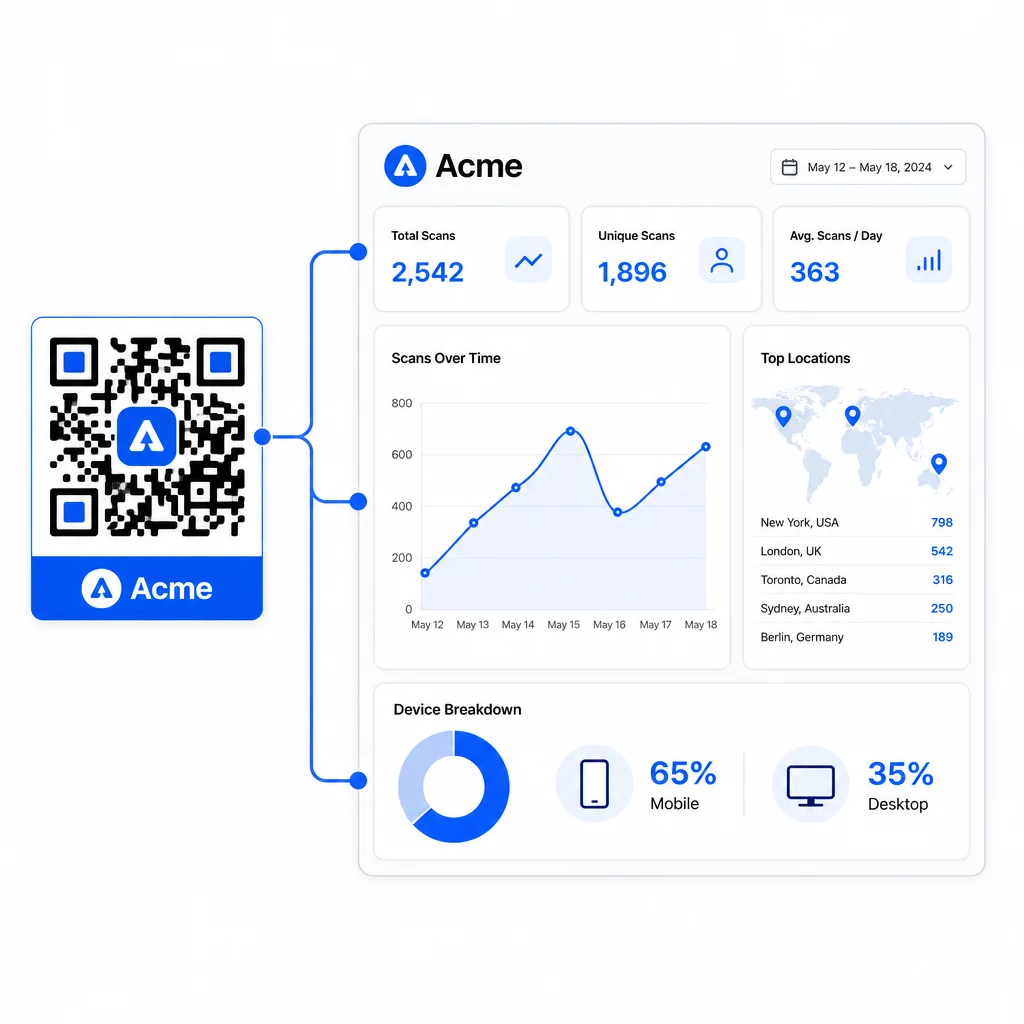
От таблото за управление на Pageloot можете да проследявате:
- Общ и уникален брой сканирания на код
- Местоположения на сканиране (държава, град)
- Типове устройства (iOS срещу Android, мобилни срещу настолни)
- Модели на време за сканиране – кои дни и часове генерират най-много активност
Тези данни ви позволяват да идентифицирате кои разположения стимулират ангажираността, да сравнявате ефективността между кампаниите и да правите промени в дизайна или разположението, информирани от действителното поведение, а не от предположения. Например, ако сканиранията на определен флаер намалеят по средата на кампанията, можете да актуализирате свързаната дестинация към по-свежа оферта, без да подменяте отпечатания материал.
Добавянето на UTM параметри към URL адресите на вашите QR кодове пренася тези данни директно в Google Analytics, свързвайки поведението при офлайн сканиране с целия ви фуния за конверсии.
Обобщение
Брандираните QR кодове са най-ефективни, когато дизайнът, функционалността и данните работят заедно. Започването с добре подбран шаблон поддържа кодовете ви визуално последователни и готови за кампания. Добавянето на вашето лого, цветове на марката и ясен призив за действие ги прави разпознаваеми и ориентирани към действие. Използването на динамични кодове ви дава гъвкавостта да актуализирате дестинациите и да проследявате ефективността, без изобщо да докосвате отпечатаните материали.
Независимо дали поставяте кодове върху визитки, менюта, опаковки или табели за събития, комбинацията от професионален дизайн и анализи в реално време превръща един прост код в измерима част от вашата маркетингова стратегия. Започнете с безплатен QR код от генератора на Pageloot и надграждайте оттам.
Често задавани въпроси
Използвайте корекция на грешки от ниво H, когато добавяте лого – това позволява на кода да възстанови до 30% от скритите данни, компенсирайки покритието на логото. Дръжте логото да не надвишава 20–30% от общата площ на кода и го центрирайте далеч от шаблоните за търсене. За цветовете поддържайте минимално съотношение на контраст 4.5:1 между модулите на преден план и фона, избягвайте градиентите и винаги тествайте на множество устройства преди печат.
Статичен QR код кодира дестинацията директно, така че не може да бъде променян след създаването му без генериране на нов код. Динамичен QR код кодира кратък URL адрес за пренасочване, който контролирате от табло за управление, което означава, че можете да актуализирате дестинацията, да добавите защита с парола, да зададете дати на изтичане и да проследявате анализи на сканиранията – всичко това без да препечатвате вашите материали. За повечето маркетингови и бизнес случаи на употреба, динамичните кодове са по-практичният избор.
Общият минимум за сканиране от близко разстояние е 2 × 2 см (0.8 × 0.8 инча). За материали, където разстоянието за сканиране е по-голямо – като плакати или табели – използвайте правилото 10:1: добавете 1 см ширина на кода за всеки 10 см очаквано разстояние за гледане. Брандираните кодове с лога или персонализирани цветове може да се наложи да бъдат малко по-големи, за да се гарантира, че добавената сложност на дизайна не намалява възможността за сканиране.